![5 Best NoteGPT Alternatives for AI Notes and Transcription [2026]](/sanity-images/ejgwz1gl/redesign/58f555ff8b9bc3620955859af3b245dd77ad6ba6-2048x1152.jpg?auto=format&w=2048.0&rect=0,64,2048,1024&h=1024)
⏩ TL;DR
Based on my experience of testing AI note takers and transcription tools, here are the best NoteGPT alternatives:
- HappyScribe: Best NoteGPT alternative for professionals who want 95%+ accurate transcripts and meeting notes in 150+ languages, with unlimited free meeting recordings and transparent billing
- ScreenApp: Best for students and creators who want NoteGPT's upload-and-summarize workflow with a built-in screen recorder
- Notta: Best for knowledge workers who need live meetings recorded and transcribed in real time, along with AI reports
- TurboScribe: Best for casual users who want to transcribe audio files in bulk on one flat plan
- Gemini Notebook (formerly NotebookLM): Best for students who want quizzes and audio overviews built from their own knowledge base
If you’ve been a NoteGPT user, chances are the last few months have been very confusing (and frustrating) for you. It started as a utility tool that summarized YouTube videos and PDFs into notes and flashcards. Students and occasional users loved it for its simplicity.
The trouble starts when you need more than a summary. NoteGPT of today sells itself as an all-in-one AI agent, and transcription is one tool among dozens. The plans and features are all over the place, and its free audio transcriber covers only three audio files a month.
NoteGPT isn't the best AI note taker for transcription and meeting notes because:
- It can't automatically record and transcribe meetings, so you need to upload the file for every meeting
- Its plans are confusing and bloated. "Unlimited" caps premium transcription at 2,800 minutes, and for some reason, AI images and voices draw from the same credits
- You can't connect notes to other apps or edit them with your team, so teamwork requires copying notes into another app
If you've outgrown NoteGPT, pick a tool that’s focused on meeting productivity and offers transcription services. I tested about a dozen NoteGPT alternatives, and these five are worth your time:
Top 5 NoteGPT alternatives at a glance
| Category | HappyScribe | ScreenApp | Notta | TurboScribe | Gemini Notebook |
|---|---|---|---|---|---|
| Best for | Accurate transcripts and meeting notes with transparent billing | Upload-and-summarize workflow with a screen recorder | Live meetings recorded and transcribed in real time | Bulk transcription on one flat plan | Quizzes and audio overviews from your study materials |
| Key features | YouTube, GDrive, Vimeo, file transcripts with summaries, bot and bot-free meeting notes, AI Chat, MCP server, subtitles, and translation | YouTube and file notes, bot-free Chrome extension, meeting templates | Real-time transcription, bot-free desktop recording, bilingual transcription, AI reports, and slides | Unlimited transcription, audio restoration, live microphone recording | Chat with citations, audio and video overviews, flashcards, quizzes, and mind maps |
| Supported languages | 150+ | 100+ | 58 | 98+ | 40+ for audio sources |
| Meeting platform integration | Zoom, Google Meet, Microsoft Teams, plus bot-free mobile recording | Zoom, Google Meet, Microsoft Teams | Zoom, Google Meet, Microsoft Teams, Webex, bot-free on desktop | None | None |
| Security | SOC 2 Type II, GDPR, encryption at rest and in transit, data stored in ISO 27001-compliant EU data center | SOC 2 Type 2, GDPR, AES-256 encryption | SOC 2 Type II, ISO 27001, GDPR, CCPA, HIPAA | Encrypted files and transcripts | Standard Google Workspace controls |
| Starting price | Free plan with unlimited meeting recordings, paid from $8.50/month billed annually or $17/month | Free plan, Paid plans start at $30/month | Free plan, Paid plans start at $13.49/month | Free plan, Unlimited at $20/month | Free plan, Google AI Plus at $4.99/month |
1. HappyScribe
Best for: Researchers, professionals, and creators who want accurate transcripts and meeting notes in 150+ languages in an easy-to-use platform
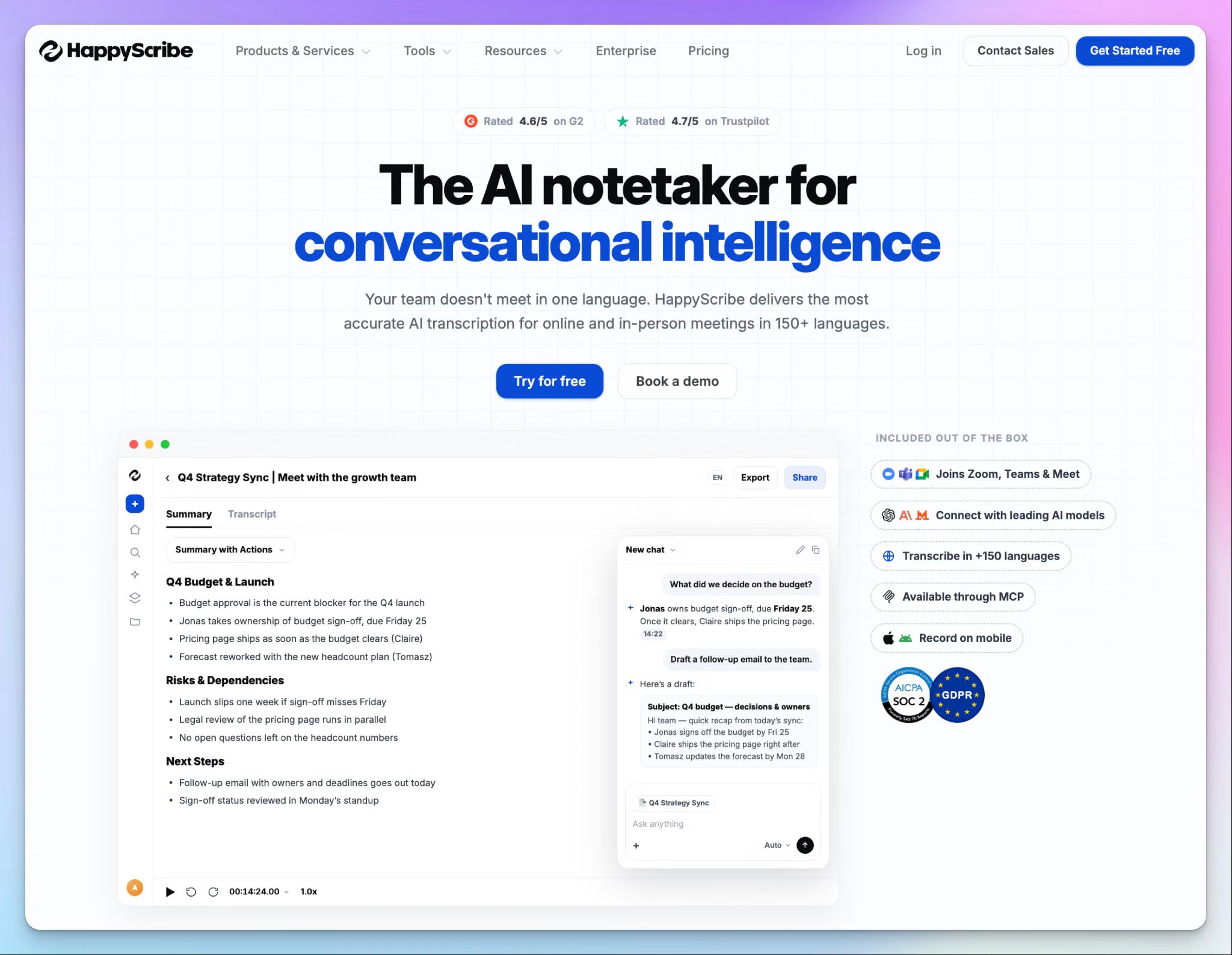
HappyScribe is a Barcelona-based AI meeting assistant that started with transcription services as its core. As things stand, it’s the opposite of NoteGPT’s crowded AI agents pushing transcription to the backseat.
You can bring the same YouTube links and audio files you'd give NoteGPT, but the difference shows up in the output. Your notes are only as good as the transcript underneath, and HappyScribe gets that part right.
HappyScribe vs. NoteGPT
| Category | HappyScribe | NoteGPT |
|---|---|---|
| Product focus | Meeting notes, app workflows, file transcripts, subtitles, and translation | AI agents for images, videos, voices, and slides |
| Transcription accuracy | 95%+ AI accuracy, with human proofreading for up to 99% accuracy | Basic and premium AI tiers based on LLM availability |
| Pricing | Generous free plan. Transparent AI minutes are separate from human services | One credit pool covers premium transcription, images, voices, and chat |
| Collaboration | Shared workspaces, collaborative editing with strong privacy and access control | No collaboration features |
HappyScribe's key features
1. Generate transcripts and summaries from audio, video, and YouTube links
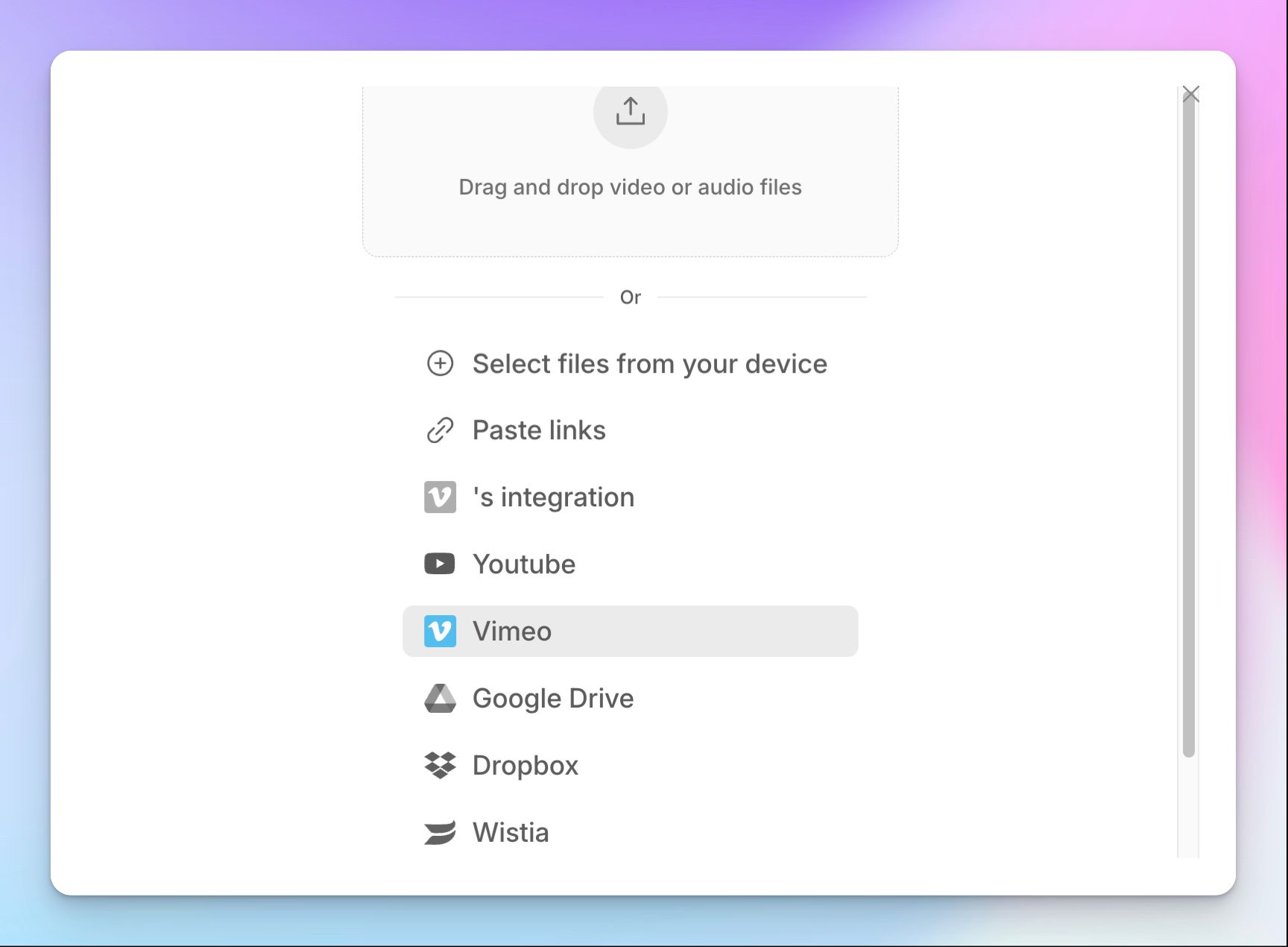
You can upload your audio or video file from your device, or paste a link from YouTube or Google Drive. Import also works directly with Box and Dropbox, and you can connect Vimeo or Wistia if your video library lives there.
HappyScribe’s AI transcription works reliably in 150+ languages and dialects. Be it a lecture in Spanish or a recording in Korean, you get an interactive transcript with speaker labels and timestamps, plus structured summaries with templates.
2. Automatic meeting notes from Zoom, Google Meet, Teams, and in-person calls
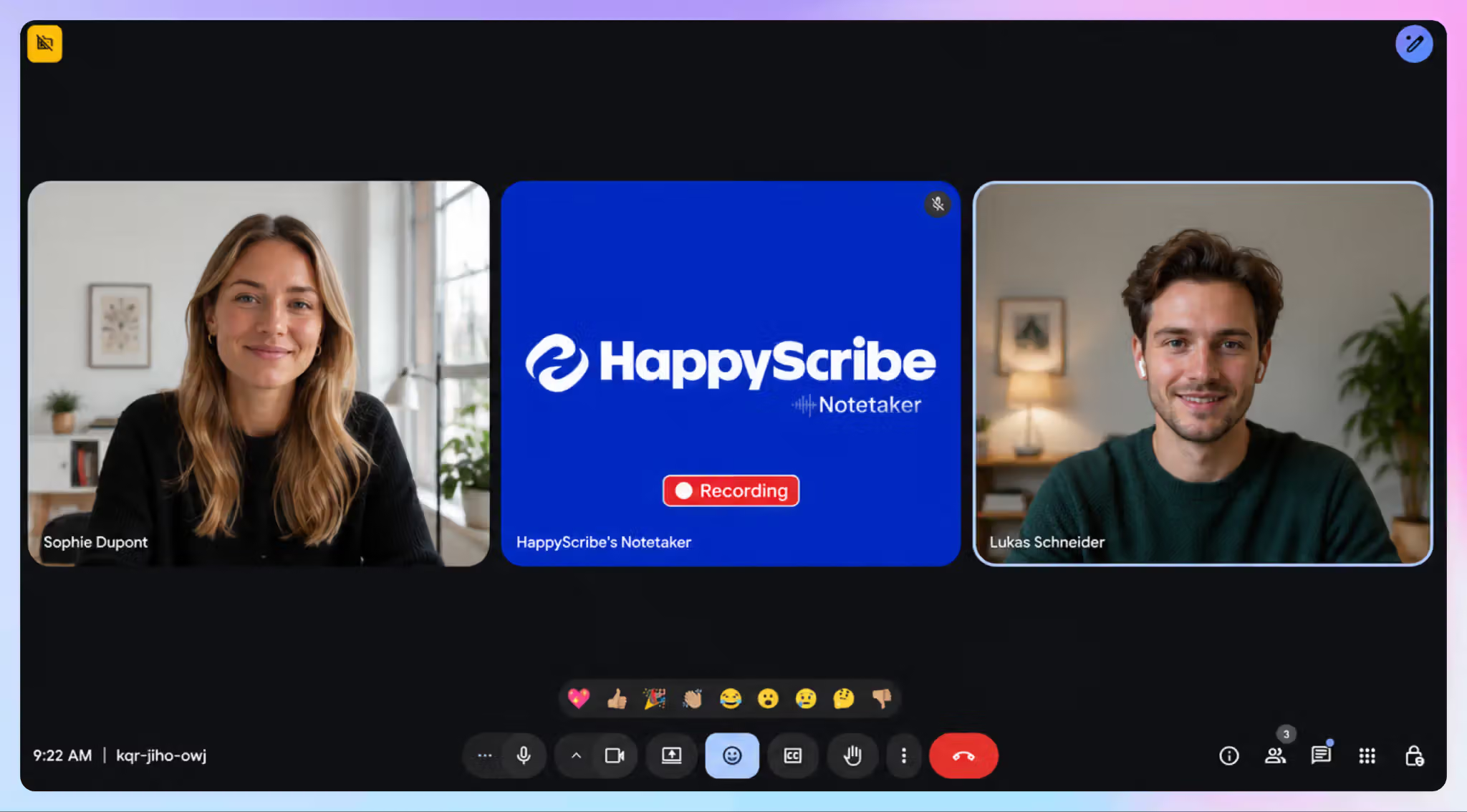
This is the part NoteGPT can't do. Connect your Google or Outlook calendar, and the HappyScribe notetaker joins your Zoom, Google Meet, and Microsoft Teams calls on its own.
Once the meeting ends, you get summaries with key decisions and action items ready to be acted on. For in-person meetings and interviews, you can record without a bot with the HappyScribe mobile app for iOS and Android.
3. Use AI Chat for insights, plus the MCP server for Claude and ChatGPT
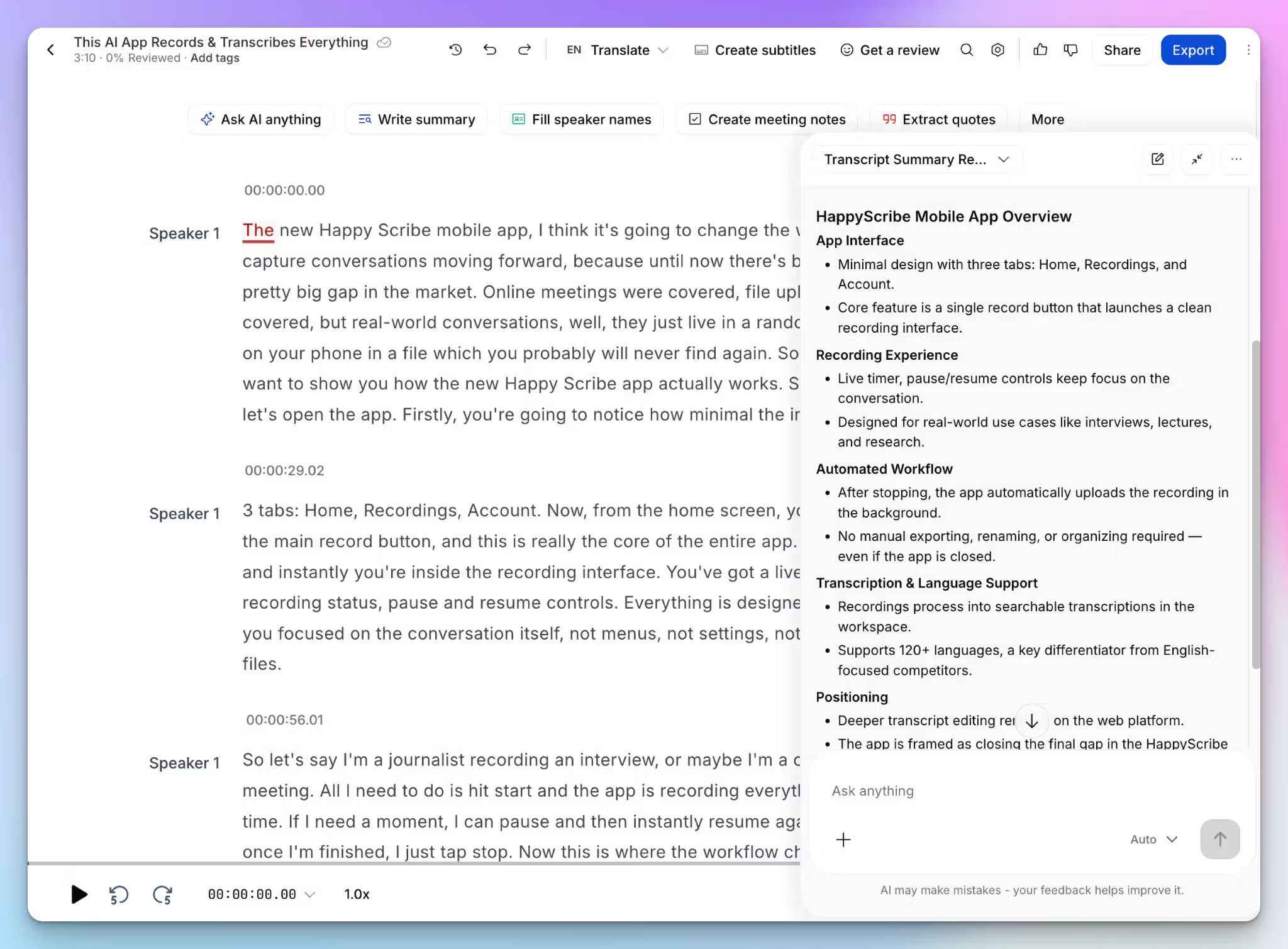
HappyScribe AI Chat builds conversation intelligence over time so you can make smarter decisions. Ask what a speaker committed to, pull exact quotes, highlight objections, or draft a follow-up email from the call. Preparing for an exam? Ask it to create quizzes and lesson plans to help you study.
If you already work inside Claude or ChatGPT, the HappyScribe MCP server brings your transcripts into the tool you already use. No more copying or re-uploading across apps.
4. Unlimited free meeting notes on an easy-to-use platform
HappyScribe's free plan lets you record unlimited meetings up to 45 minutes each, with no credit card required. NoteGPT gives you 15 quotas a month, and a few audio files use them up.
It’s also simple to pick up. Your recordings, transcripts, and notes live in one dashboard, so you're not hunting through a menu of image generators to find your notes.
HappyScribe's pros
- Translate your transcripts and notes in 80+ languages and create and edit subtitles on the same platform
- Connect your files and notes to other tools via API, webhooks, Zapier, and MCP server
- SOC 2 Type II certified and GDPR compliant note taker, with EU data residency for data sovereignty
- 95% accurate transcripts on accented speakers and multilingual calls, which is where most AI tools slip
- Support comes from real humans who reply fast
HappyScribe's cons
- Not ideal for real-time transcription
What are users saying about HappyScribe?
Great product - very accurate and detailed. It picks up even fait conversation in a large group with non-native English speakers. Love the summaries and AI chat function. And it has strict privacy protection to boot.
(Source: Trustpilot)
I have been using HappyScribe for more than 6 years now and I love the ease of just uploading my audio and having a clean transcript. The dashboard is easy to use, clear and I never had any problems finding my way around. The transcription is almost always on point (I use it in French and I speak fast!).
(Source: G2)
HappyScribe's pricing
- Free: Unlimited meeting recordings, up to 45 minutes each
- Basic: $8.50/month billed annually or $17/month billed monthly
- Pro: $19/month billed annually or $29/month billed monthly
- Business: $59/month billed annually or $89/month billed monthly
- Enterprise:Contact sales
Human transcription and subtitling services start at $2.00/min and are billed separately.
How to use HappyScribe's AI note taker
- Connect your Google or Outlook calendar, or paste a meeting link, to invite the HappyScribe notetaker. For bot-free recording, use the mobile app
- Open Settings to choose which calls the notetaker joins and who receives the email summary
- Click Transcribe files at the top of your dashboard to upload a file, or import from YouTube, Vimeo, Wistia, Box, Dropbox, and Google Drive
- Open the finished transcript in the interactive editor to fix words as you listen, or open AI Chat to dig into the details
2. ScreenApp
Best for: Students and creators who want NoteGPT's upload-and-summarize workflow with a built-in screen recorder
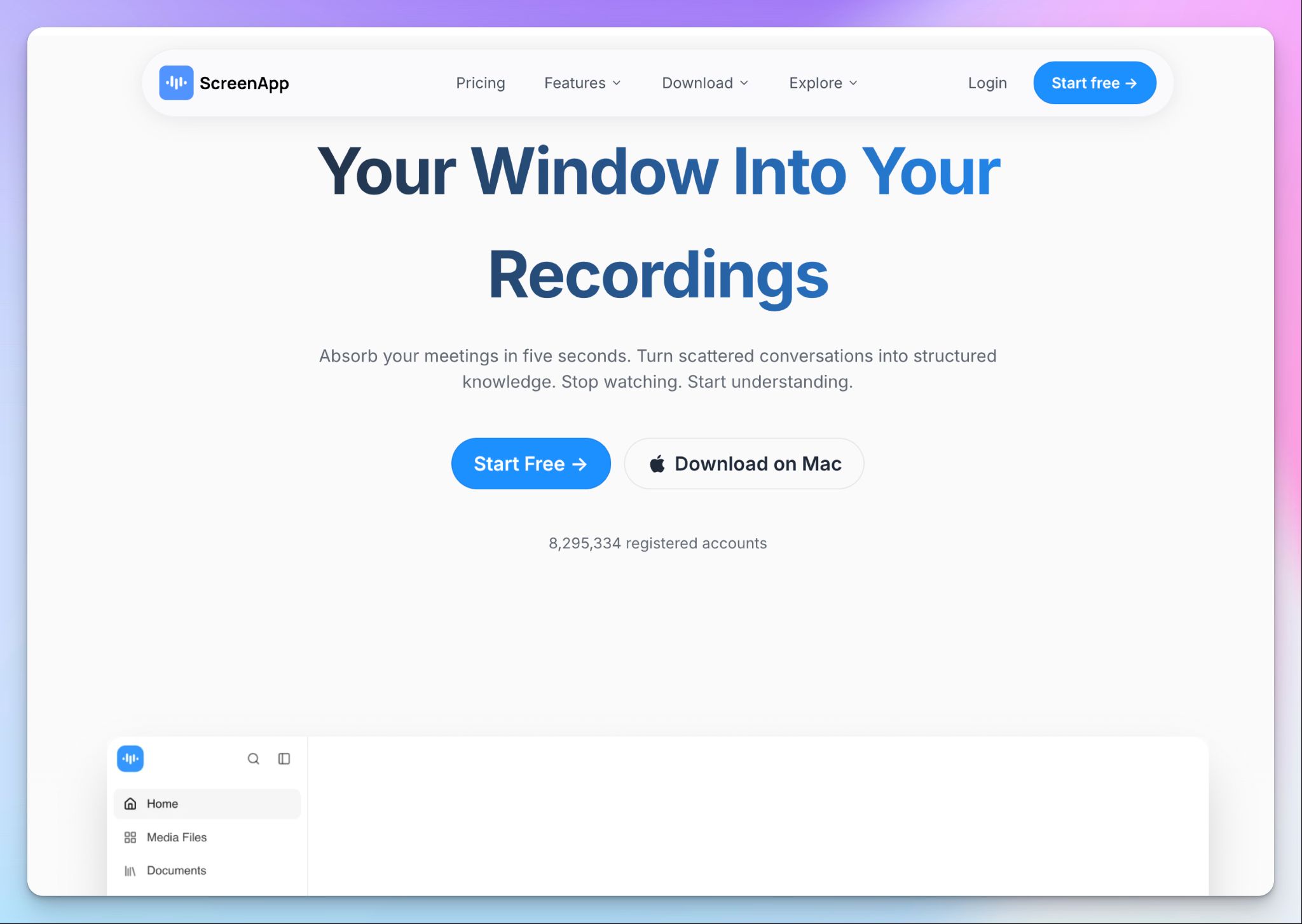
As the name suggests, ScreenApp records your screen. Its bigger job today is turning recordings, uploads, and YouTube videos into notes in 100+ languages.
It's a close match to how you already use NoteGPT, so you won't need to relearn much.
ScreenApp vs. NoteGPT
You can paste the same YouTube links into ScreenApp, along with Vimeo and direct media links. All your notes with action items are tied to templates, and clickable timestamps jump back to the right moment.
ScreenApp also covers the meetings NoteGPT skips. Its bot joins as a notetaker for Google Meet, Zoom, and Teams from your calendar, or you can record bot-free with the Chrome extension.
The asterisk is usage. You stop counting credits and start counting transcriptions.
ScreenApp's key features
- Pick one of the built-in meeting templates, from standups to client calls, to shape meeting summaries based on meeting type and roles
- You can turn lectures and seminars into flashcards and quizzes for your study materials
- A wide range of media, study, productivity, and analytics tools to help you work smarter, although with varying quality
- Use the Mac and Windows apps for online meetings or record in-person chats with the mobile apps, and they process once you reconnect
ScreenApp's pricing
- Free
- Pro: $30/month
- Max: $69/month
- Enterprise: From $199/month
ScreenApp's cons
- The free plan covers only 2 transcriptions of up to 45 minutes each, and Pro stops at 50 a month. The price jumps are steep as well
- ScreenApp doesn’t connect your data to Slack, Notion, or Zapier apps, so your notes stay inside ScreenApp unless you use the API
- Just like NoteGPT, you have to be extra vigilant about billing and trials, because plenty of users report surprise charges after sign-up
📚 Also read:
3. Notta
Best for: Professionals who need live meeting transcription and AI documents made out of them
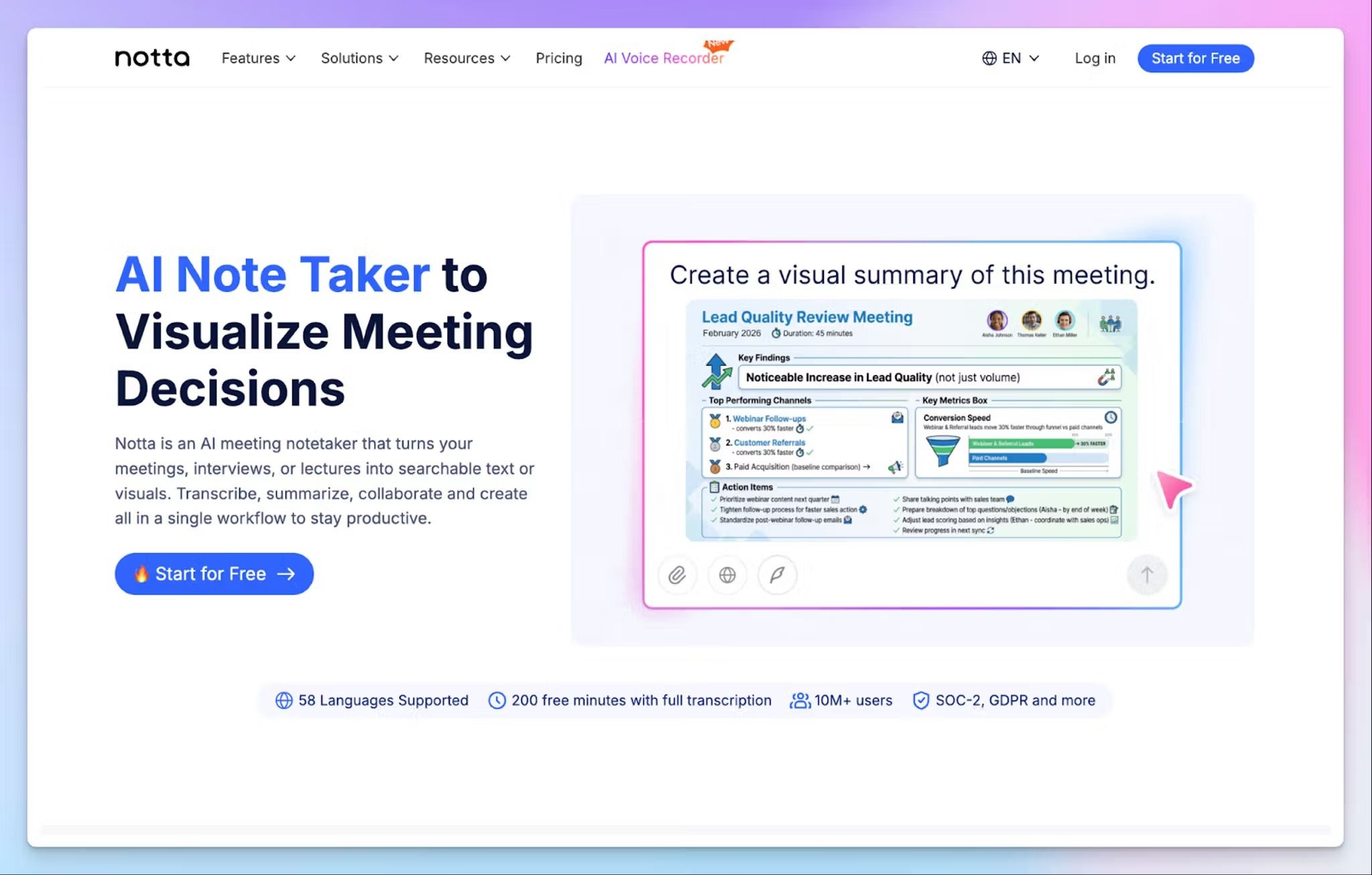
Notta is an AI meeting notetaker built around live capture, but if you’re coming from NoteGPT, you’ll find some useful tools in it. You can upload files to generate transcripts and ask AI to create infographics and documents as well.
Notta vs. NoteGPT
NoteGPT can't take notes during video calls, but Notta gives you three ways around that. A bot joins meetings from your calendar, the desktop apps record bot-free on Mac and Windows, and for in-person meetings, the mobile app for transcription works in real time.
Notta also handles calls that switch languages. Pick two languages, like English and Japanese, and it transcribes and translates both in the same meeting.
Notta's key features
- Build reports, slides, and meeting infographics with Notta Brain by @-mentioning past meetings, PDFs, or docs
- You can shape recaps with custom templates and prompts, then send them to email, Slack, or Notion
- Upload audio files or paste YouTube links, and export transcripts as TXT, DOCX, PDF, or SRT
- Privacy mode in desktop apps allows you to record sensitive conversations offline and process them on your device
Notta's pricing
- Free
- Pro: $13.49/month
- Business: $27.99/month
- Enterprise: Custom pricing
Notta's cons
- The free plan caps each conversation at 3 minutes, which is one of the main reasons users look for Notta alternatives
- Translation and bilingual transcription are paid add-ons, and Notta Brain runs on its own credits, just like NoteGPT
- Notta’s speaker labels and transcript accuracy perform best in Japanese, so you might not get the same reliable experience with other languages
📚 Also read:
4. TurboScribe
Best for: Users who want to transcribe audio files in bulk on one flat plan
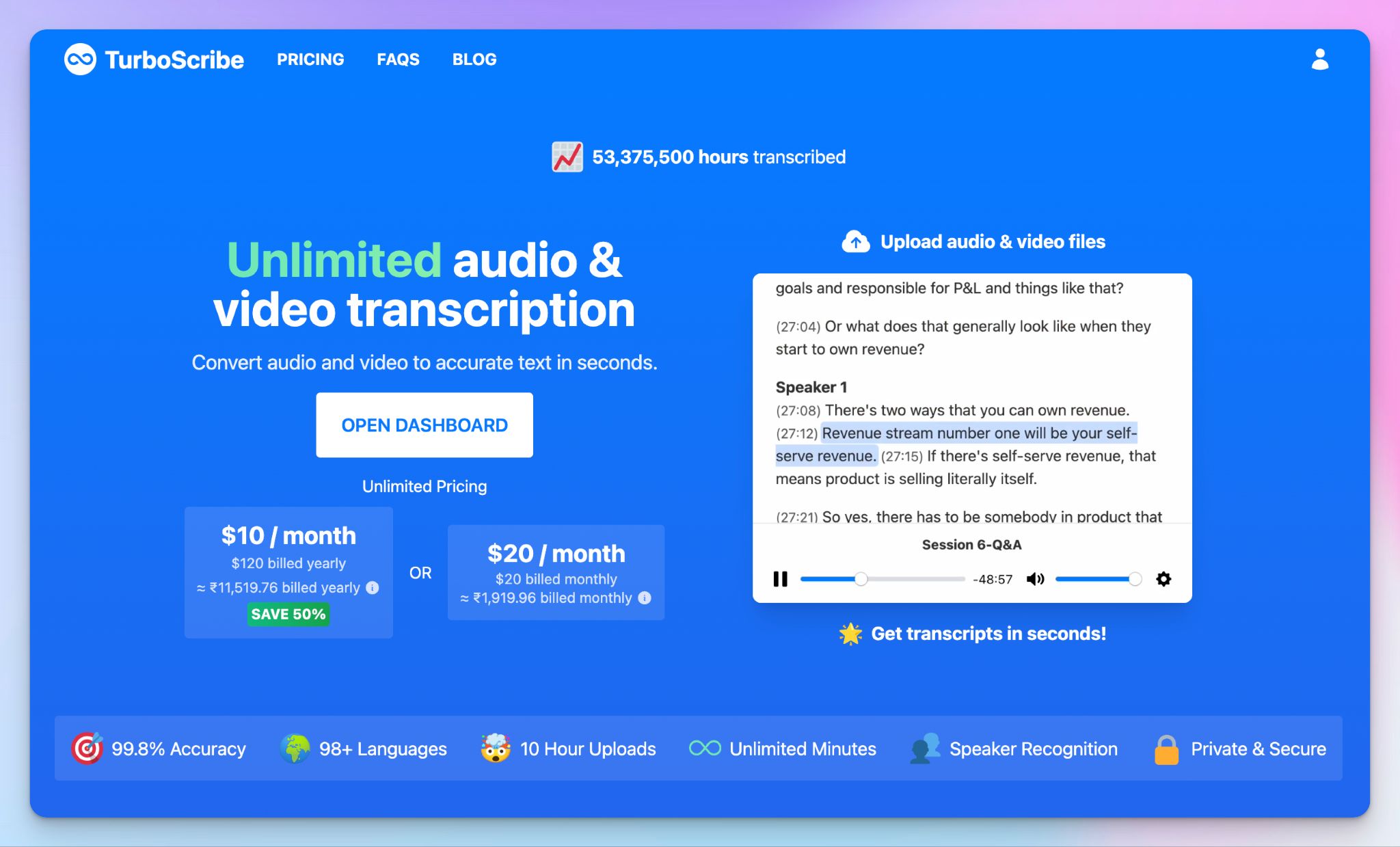
If NoteGPT's credit math wore you out, TurboScribe is a simple fix. You pay one flat price, upload as much as you like, and repeat the process.
It's a pure transcription tool, though. You won't get meeting capture or a meeting minutes generator here, so it suits people who only want a raw transcript.
TurboScribe vs. NoteGPT
NoteGPT splits your plan into basic quotas and premium credits, then adds image, slide, video, and voice generation. TurboScribe has one paid plan, and each account can handle at least 720 hours of audio a month. That's far more than most people record.
You can still paste YouTube links, and each file on the paid plan can run up to 10 hours. Upload 50 files at once, and a whole semester of lectures is done in one sitting.
TurboScribe's key features
- Pick different transcription modes based on the job, from Cheetah for speed to Whale for accuracy
- Record live audio to transcribe directly instead of recording and uploading as files later
- You can clean up noisy recordings with audio restoration, although it adds a few minutes per hour of audio
- Translate transcripts and subtitles into 134+ languages, and export them as PDF, DOCX, SRT, VTT, or CSV
TurboScribe's pricing
- Free
- Unlimited: $20/month
- Teams: $120/year
TurboScribe's cons
- There are no built-in summaries or notes, and TurboScribe pushes you to paste transcripts into ChatGPT, which is why many users look for TurboScribe alternatives
- It can't auto-join online meetings, so just like NoteGPT, you might have to download calls and upload them yourself
- TurboScribe users consistently run into billing issues and failed transcripts, so this is something you need to remember before going in
📚 Also read:
5. Gemini Notebook (formerly NotebookLM)
Best for: Students who want quizzes and audio overviews built from their own knowledge base
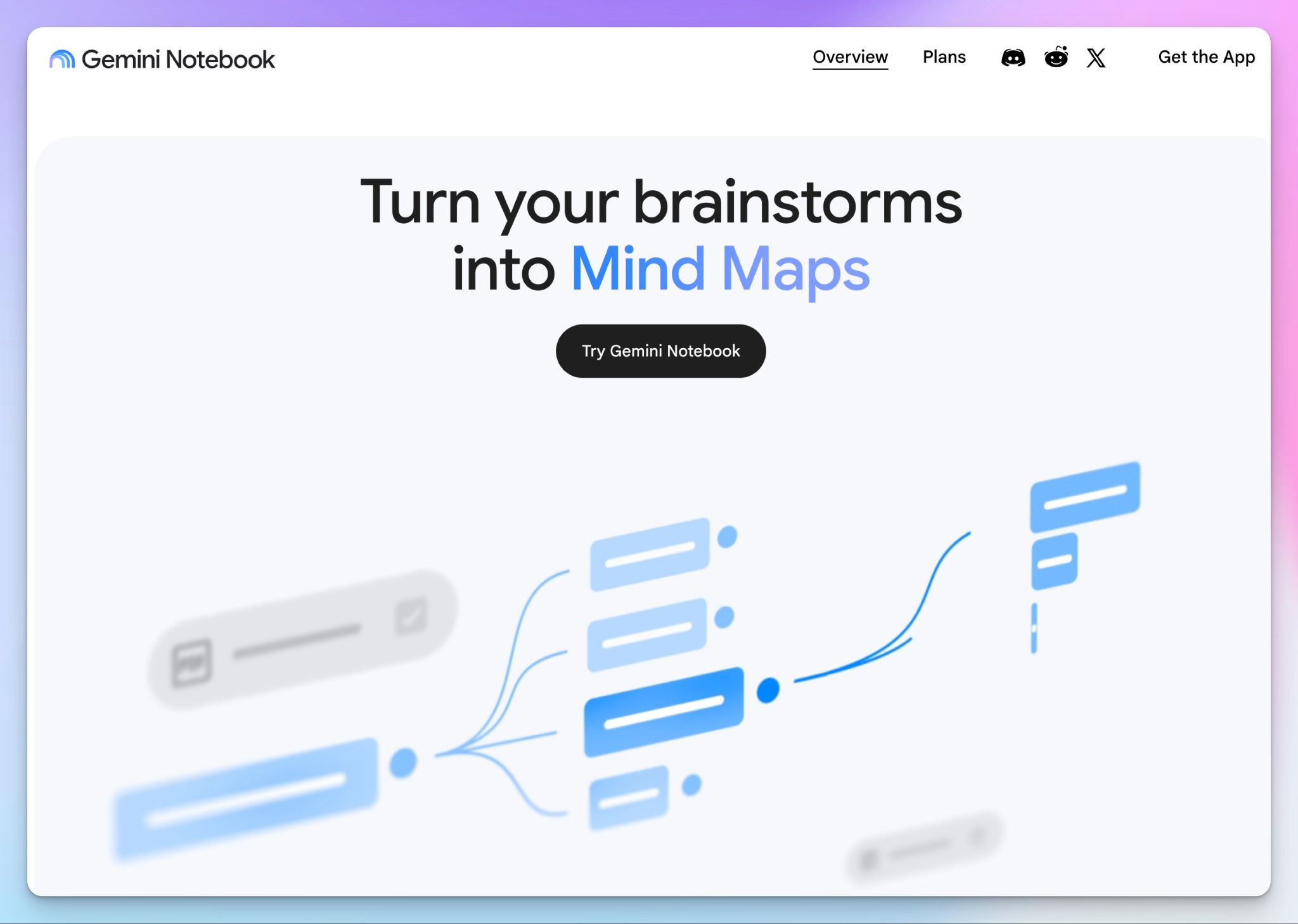
If you used NoteGPT mostly for studying, try Gemini Notebook first. Google renamed NotebookLM in July 2026, but it works the same way. It only answers from your sources, and every answer cites the passage it came from.
It also has a generous free tier, with 50 sources per notebook and 100 notebooks.
Gemini Notebook vs. NoteGPT
NoteGPT offers summaries for individual videos or PDFs. Gemini Notebook lets you stack PDFs, Google Docs, web pages, YouTube videos, and even photos of handwritten notes in one notebook. Then you ask follow up questions across all of them, which is closer to how you prepare for an exam.
The study tools go further too, with flashcards, quizzes, mind maps, and podcast-style conversations.
The fine print is that it isn't built for transcription. You can add audio files as sources, but you won't get a transcript editor, subtitles, or a meeting recorder.
Gemini Notebook's key features
- Generate video overviews, slides, infographics, and reports from the same sources for multimedia learning and presentations
- You can run deep research to find new web sources and add them to your notebook
- Share a notebook with classmates privately, or publish it with a public link
- Listen to audio overviews offline in the mobile app and turn lessons into podcasts for flexible studying
Gemini Notebook's pricing
- Free
- Google AI Plus: $4.99/month
- Google AI Pro: $19.99/month
- Google AI Ultra: From $99.99/month
Gemini Notebook's cons
- YouTube videos only work if they're public and have captions, so private videos won't work
- The free tier caps you at 3 audio overviews and 50 chats a day, which runs out fast in exam week
- The audio overviews sometimes add details that aren't in your sources, so check before you study
Which NoteGPT alternative should you choose?
The right pick depends on which parts of NoteGPT let you down and what your use cases are.
👉 Choose ScreenApp if you want the same upload-and-summarize workflow with a screen recorder built in.
👉 Choose Notta if most of your notes come from live calls, especially ones that switch languages, and you want to create AI files.
👉 Choose TurboScribe if you only want raw transcripts in bulk for one flat price.
👉 Choose Gemini Notebook if you study from PDFs and videos, and want quizzes and audio overviews built from them.
👉 Choose HappyScribe if you want accurate transcripts and meeting notes on one easy-to-use platform.
Each alternative fixes one NoteGPT problem but brings its own catch. ScreenApp rations transcriptions. Notta cuts free recordings at 3 minutes. TurboScribe stops at the raw transcript. Gemini Notebook doesn't transcribe.
HappyScribe is the only one that does the whole job. Paste the YouTube links you gave NoteGPT, or let it join your live meetings. Either way, you get 95%+ accurate transcripts in 150+ languages, AI Chat for answers, and European-grade security baked in.
No more confusing bills and bloated dashboards.
FAQs on NoteGPT alternatives
What's the best AI note taking tool?
HappyScribe is the best AI note taking tool if your notes come from meetings and recordings. It transcribes in 150+ languages at 95%+ accuracy, joins Zoom, Google Meet, and Teams calls, and its free plan records unlimited meetings. If you mostly study from PDFs and video content, Gemini Notebook offers the best value, with 50 sources per notebook on its free tier.
Is NoteGPT safe?
NoteGPT is safe for everyday study material, based on its published policies. It follows ISO 27001, SOC 2, GDPR, and CCPA standards and doesn't use your personal data to train AI models. The bigger risk is billing. Refunds close 24 hours after your first purchase, and some users report quotas disappearing. Treat any AI-generated summary as a starting point, not a final source.
Why do people look for NoteGPT alternatives?
The most common reasons are confusing credit-based pricing, no live meeting capture, and no way to collaborate with a team. NoteGPT summarizes YouTube videos and web articles well, but its transcription can feel like basic text extraction, and it never explains what premium transcription improves. The strongest NoteGPT alternatives, like HappyScribe, start with an accurate transcript and build meeting notes and AI Chat on top.
What is the best NoteGPT alternative for students?
Gemini Notebook is the best NoteGPT alternative for students who study from PDFs and slides. Its AI flashcards, quiz features, and audio overviews all draw from your own sources. If your lectures live on YouTube, HappyScribe turns them into accurate YouTube transcripts and summaries, so you don't have to rewatch the whole thing. Both are among the best free NoteGPT alternatives.
Can NoteGPT replace ChatGPT?
Not really. NoteGPT is an AI assistant built around your own content, and it routes tasks across models like GPT, Claude, Gemini, and DeepSeek. That makes it handy when you want to dig deeper into a PDF or a YouTube video. For open-ended chat, it's limited. The Pro plan includes only 33 chats a month with premium models, and basic-model chats draw from your monthly quotas.

Biplab Mazumder
Biplab is a content marketer and writer who helps high-growth brands scale content visibility across AI search channels. His works have been published in HubSpot, Freshworks, Atlassian, SurferSEO, etc. When he's not planning content strategy, he's testing AI content workflows and use cases.