TL;DR ⏩
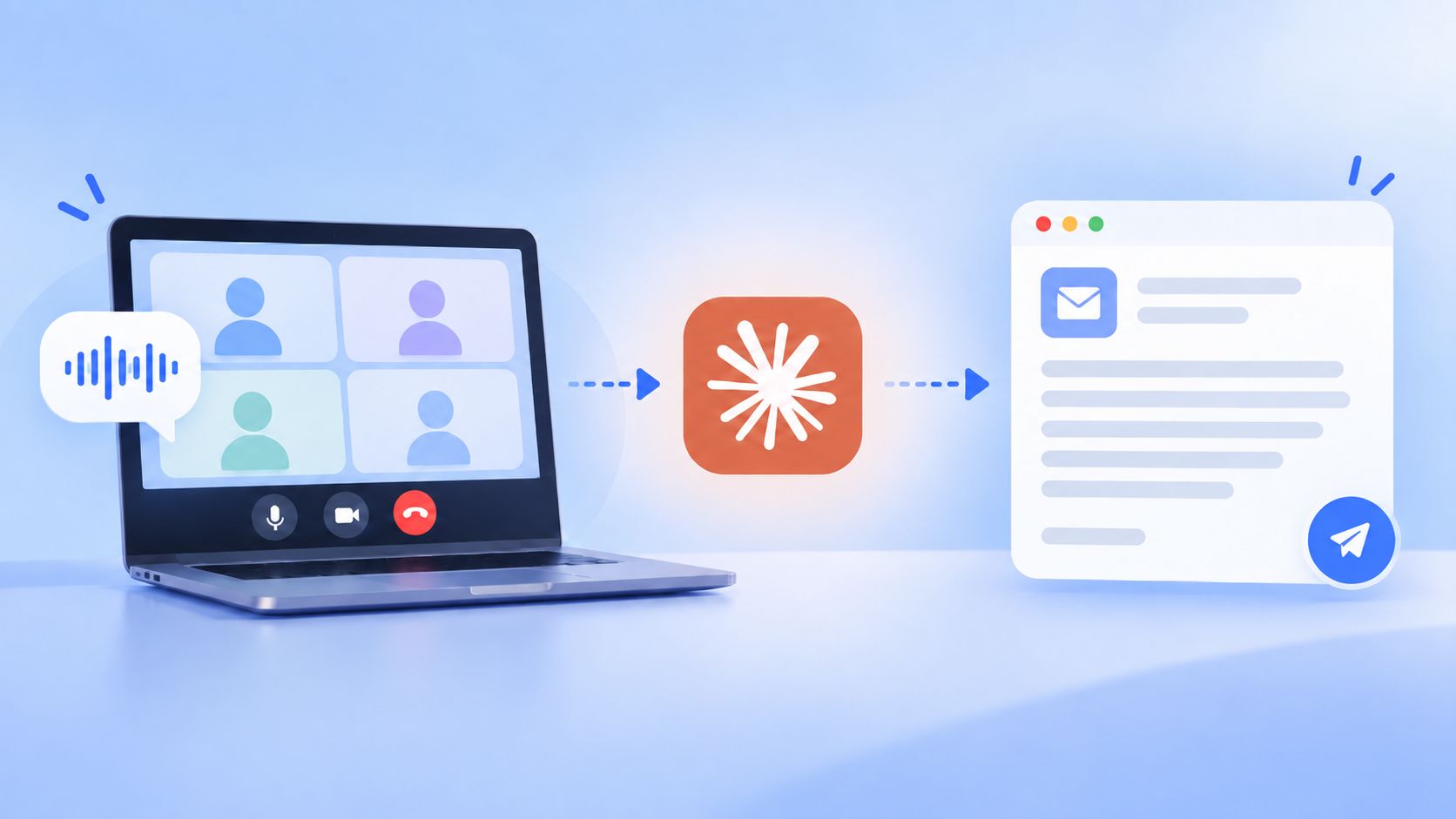
- Record the discovery call with HappyScribe, then add its connector in Claude so Claude can read the transcript directly.
- Ask for a post-call brief first: buyer priorities, commitments from both sides, stakeholders named, agreed next step.
- Run that brief into 3 outputs. A follow-up email in the buyer's own terminology, CRM notes mapped to your fields, and a task list split between you and the prospect.
- Add the same guardrail to every prompt. Use only what was said, mark unknowns as "Not discussed," and cite timestamps for commitments.
- Before the next call, generate a prep brief from the same transcript. On a longer deal, Claude can read up to 50 transcripts from HappyScribe at once.
The discovery call ends. You have a transcript, a few notes, several promises to keep, and another meeting starting soon.
The follow-up email usually gets squeezed somewhere in between.
I’ve seen how easily the useful details from a sales conversation get flattened into something like: “Great speaking today. Here are the resources we discussed.”
The email technically follows up, but it loses the buyer’s language and the specifics behind their priorities.
Claude makes it easy to handle the work after discovery. Connect it to HappyScribe, and Claude can work from your sales call transcripts to draft follow-ups, prepare CRM notes, surface outstanding commitments, and help you prepare for the next conversation.
📚 Also read:
Why discovery call follow-up deserves its own workflow
A discovery call may last 30 minutes. The work it creates can stretch much further.
Someone needs to recap the conversation, send promised resources, record the next step, update CRM fields...it’s a lot.
Sales teams already have limited room for that admin. Salesforce’s 2026 State of Sales research found that the average seller spends only 40% of their time selling.
AI is increasingly taking on some of the supporting work. HubSpot’s survey of global sales professionals found that 84% of sellers say AI saves time and optimizes processes, while 83% say it helps personalize prospect interactions.
For discovery calls, the opportunity is simple: spend less time reconstructing what happened after the meeting and more time acting on what the buyer said.
Start with an accurate record of the discovery call
A useful follow-up depends on the quality of the source behind it.
Suppose your CRM note says:
Interested in reporting. Send pricing. Follow up next week.
Claude doesn’t have much context there.
The actual conversation may reveal that the prospect specifically wants reporting by region, is replacing a manual process, needs procurement involved before pricing moves forward, and plans to check their VP’s availability.
Those details change the follow-up.
That’s why I’d start with a reliable transcript of the discovery call rather than a few handwritten notes.
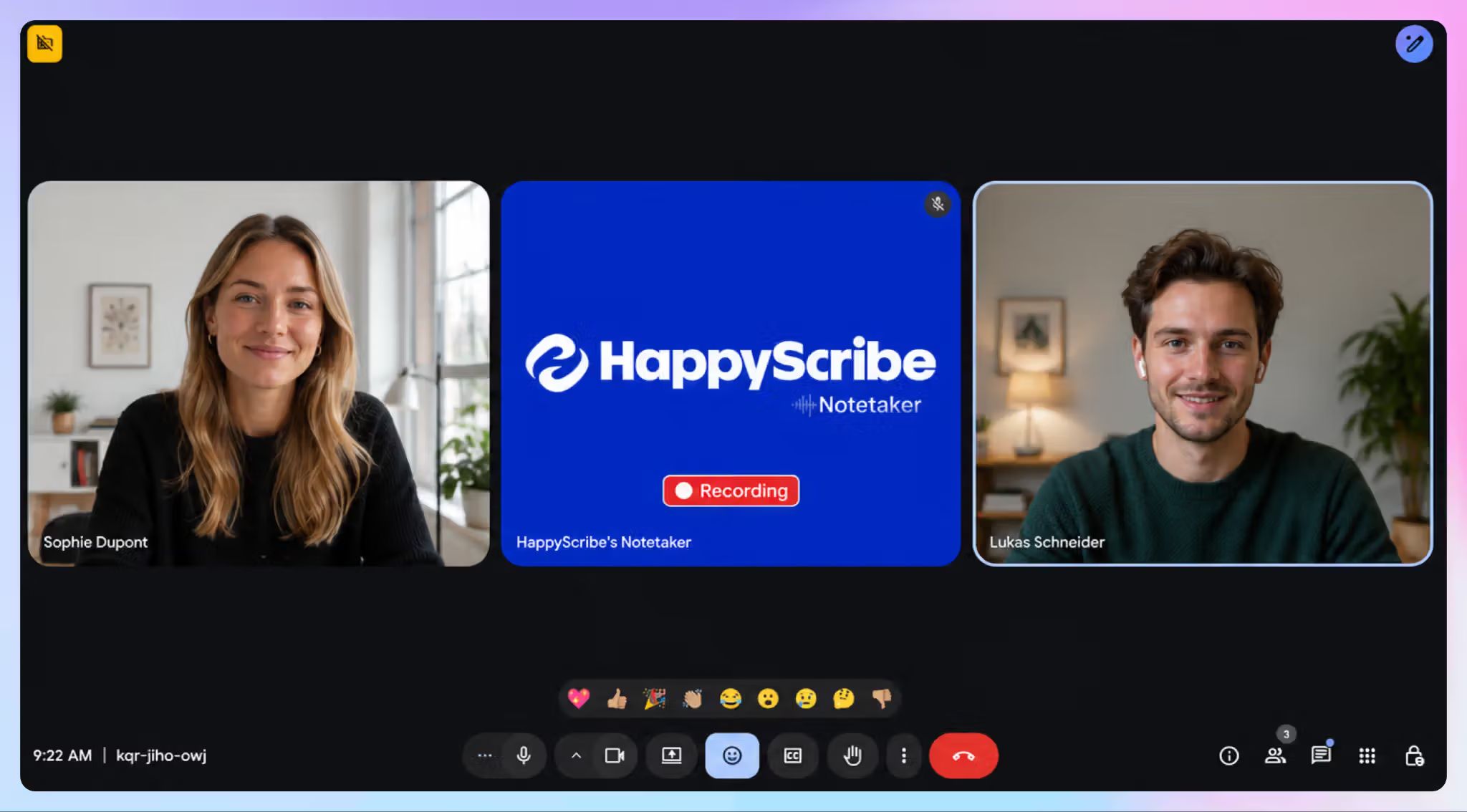
HappyScribe’s AI notetaker offers 95%+ AI transcription accuracy, along with automatic speaker identification and timestamps.
Sales teams can also create custom glossaries for terminology that appears repeatedly in calls, such as proper nouns, acronyms, and company- or industry-specific terminology.
A SaaS sales team, for example, might add:
- Product and module names
- Integration names
- Technical acronyms
- Competitor names
- Customer-specific terminology
That becomes particularly useful downstream. If Claude is drafting a follow-up mentioning a product module or an integration the prospect asked about, you want the transcript it works from to reflect the terminology as accurately as possible.
Once the call is transcribed, you have two ways to continue.
Option 1: Use HappyScribe AI Chat for the follow-up
You don’t need to move a transcript into another AI tool every time you want something from it.
HappyScribe AI Chat lets you ask questions directly about a transcript or meeting. You can also point it at a particular folder or your entire meeting library when you want to work across several calls.
For example, after a discovery call you could ask:
What did the prospect ask me to send after this meeting?
Or:
Which competitors did the prospect mention across all of our meetings this month?
Or:
Find every commitment made by our team during this call and include the timestamp.
You can also generate a follow-up email directly using HappyScribe.
Option 2: Connect HappyScribe to Claude
Claude becomes more useful for post-discovery follow-ups when your wider workflow already runs there.
Perhaps you’re already using Claude for account research, sales messaging, internal deal briefs, proposal drafts, or pipeline reporting. In that setup, moving somewhere else every time you need meeting context creates unnecessary back-and-forth.
With the HappyScribe + Claude integration, connect your transcription library to Claude through the Model Context Protocol, or MCP.
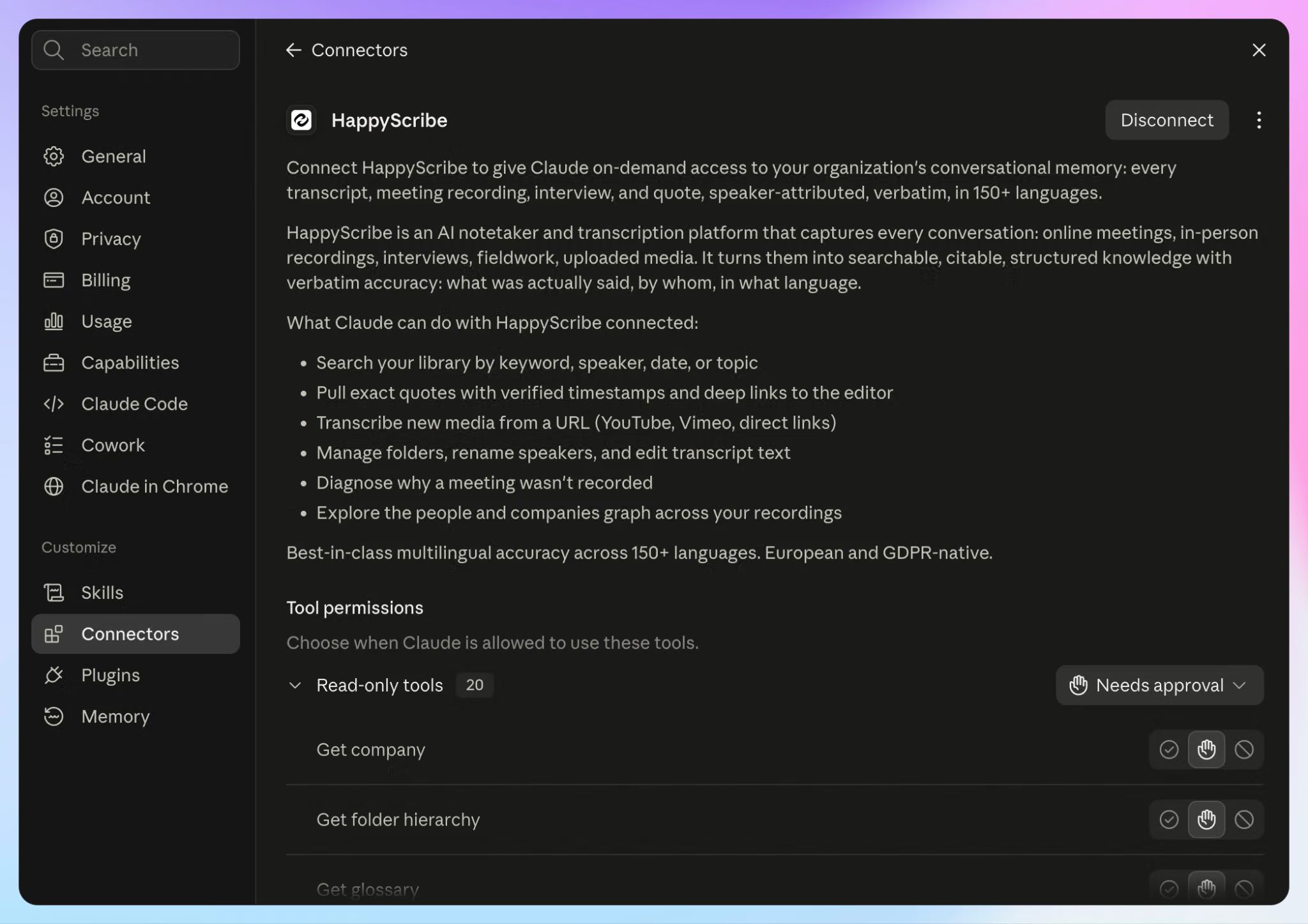
Once connected, Claude can search HappyScribe transcripts, pull exact quotes with timestamps, answer questions across selected folders, and generate contextual follow-ups.
The connector authenticates through your HappyScribe account, so Claude only reaches workspaces and folders your account already has permission to access. You decide which folders to give access to, and disconnecting the connector doesn’t affect the transcripts themselves.
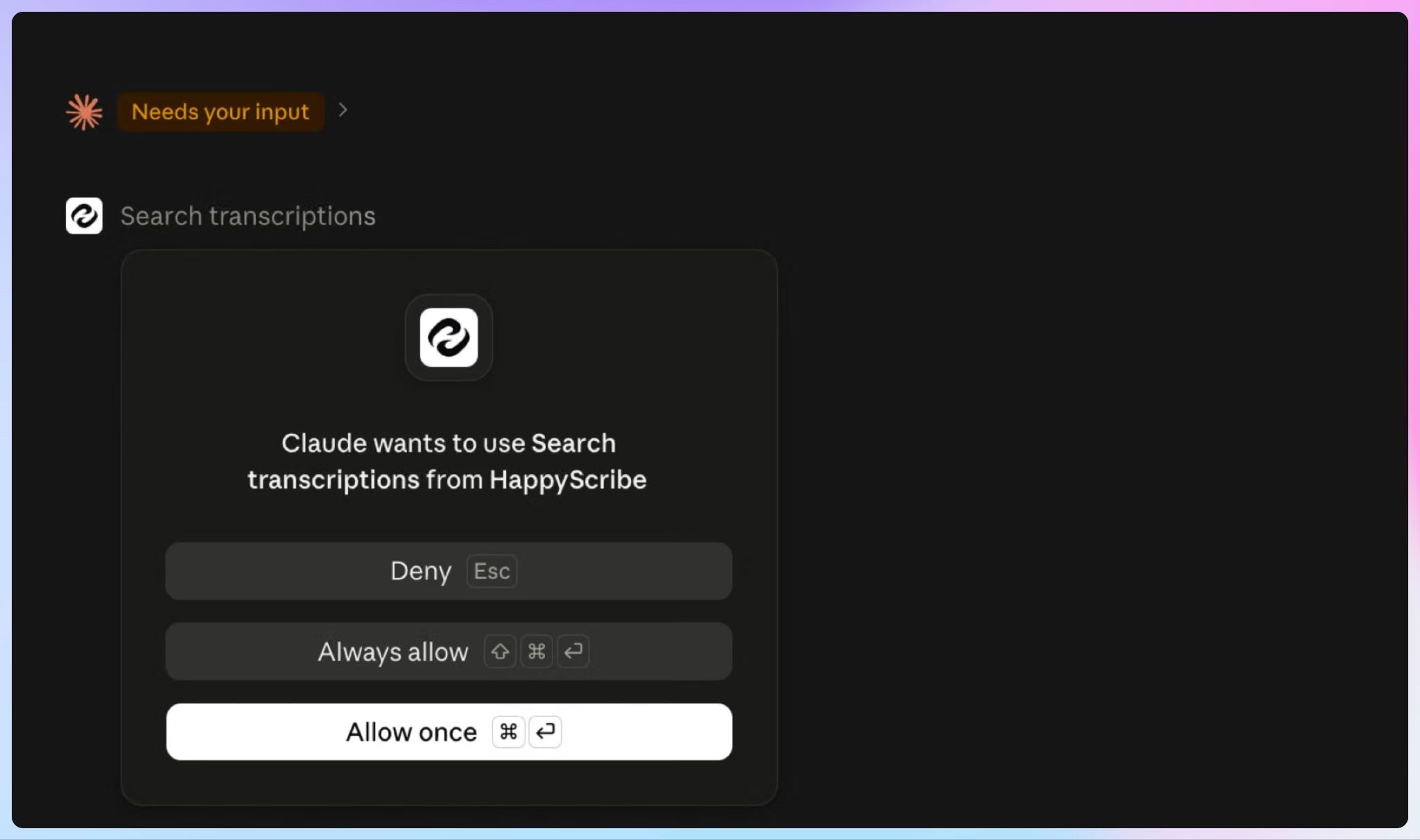
Users love the HappyScribe + Claude workflow. Here’s what Laura Z., a small business owner, shared on G2:
As a solopreneur, HappyScribe works for me like an employee. The return on investment is more than just dollars. It's time. HappyScribe saves me time, and the new integration with Claude just cut another 20 minutes off my workflow! I couldn't be happier with this product.
How to connect HappyScribe to Claude?
From Claude:
- Open Claude, click ‘+’ on your chat window. Go to Connector > Add connector > Browse Connectors.
- Find HappyScribe in Claude’s connector directory and add it.
- Sign in to your HappyScribe account and authorize access.
Once connected, you can ask Claude about calls stored in HappyScribe without repeatedly exporting transcripts and pasting them into new chats.
What does Claude get access to once it's connected?
The connector gives Claude access to 40 HappyScribe tools. You never call them by name, though knowing the range helps you write sharper prompts.
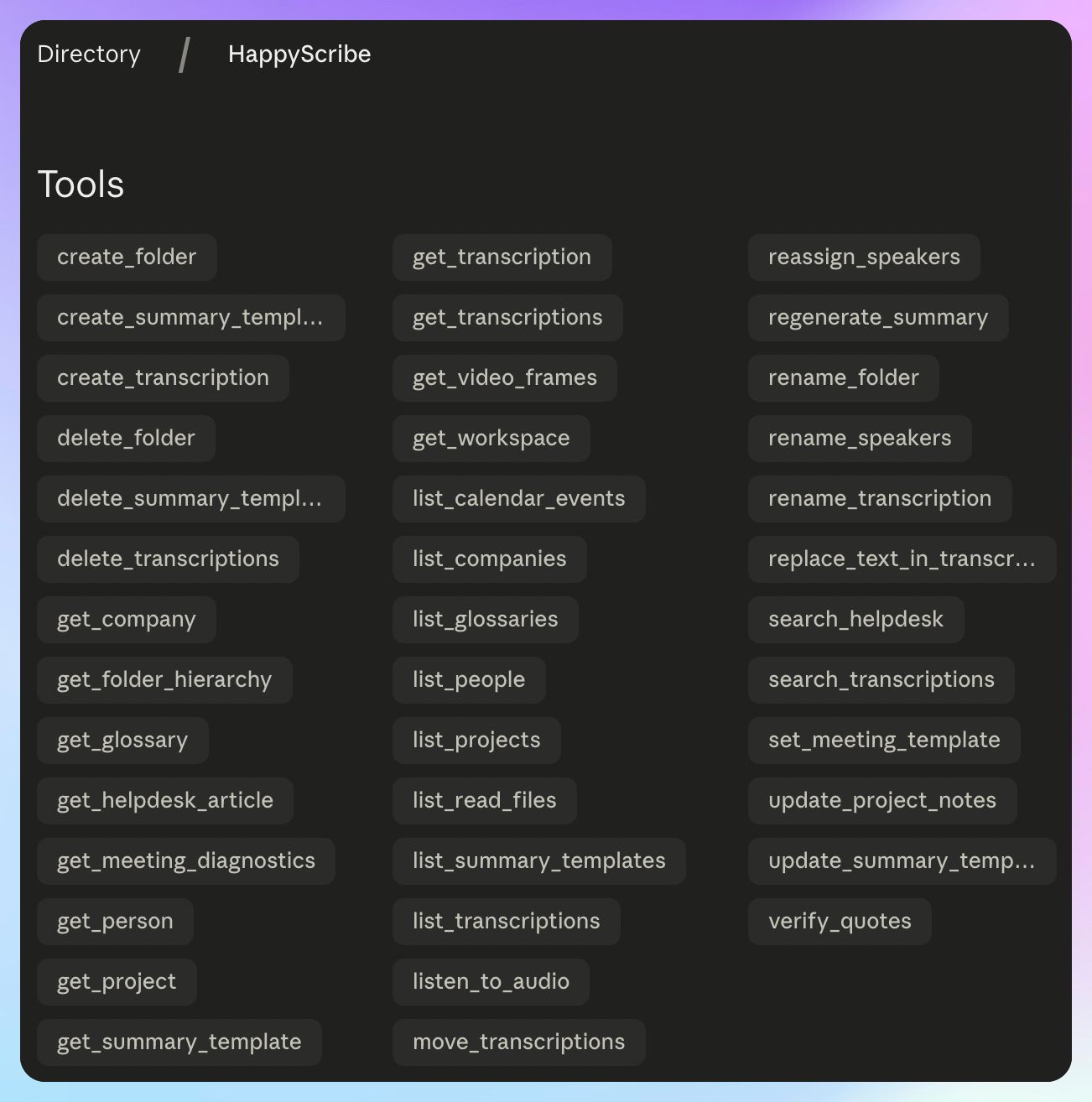
Claude can search your library by keyword, speaker, or date, and answer a single question using up to 50 transcriptions at once.
It can also verify. Ask for a quote and Claude will check the wording against the transcript and give you the timestamp, and it can replay the audio segment or pull a frame from a screen share if you need to see the moment yourself.
A knowledge graph tracks the people and companies named across your recordings, so a single buyer can be followed from a first call through to procurement.
The remaining tools handle housekeeping: applying summary templates to future meetings, renaming speakers, correcting terminology in a transcript, or transcribing new media from a URL.
With the connector live, here's the workflow I'd run after a discovery call.
Step 1: Build a post-call brief before drafting anything
My first prompt wouldn’t be “Write a follow-up email.”
First, establish what happened.
Try:
Find my latest discovery call with Lumos Retail from HappyScribe. Based only on the transcript, create a concise post-call brief covering:
- The buyer’s stated priorities
- Questions we promised to answer
- Resources or information we agreed to send
- Commitments made by the buyer
- Our commitments
- Stakeholders explicitly mentioned
- The agreed next step
Do not assume information that wasn’t discussed. If something is unclear, flag it. Include timestamps for important commitments.
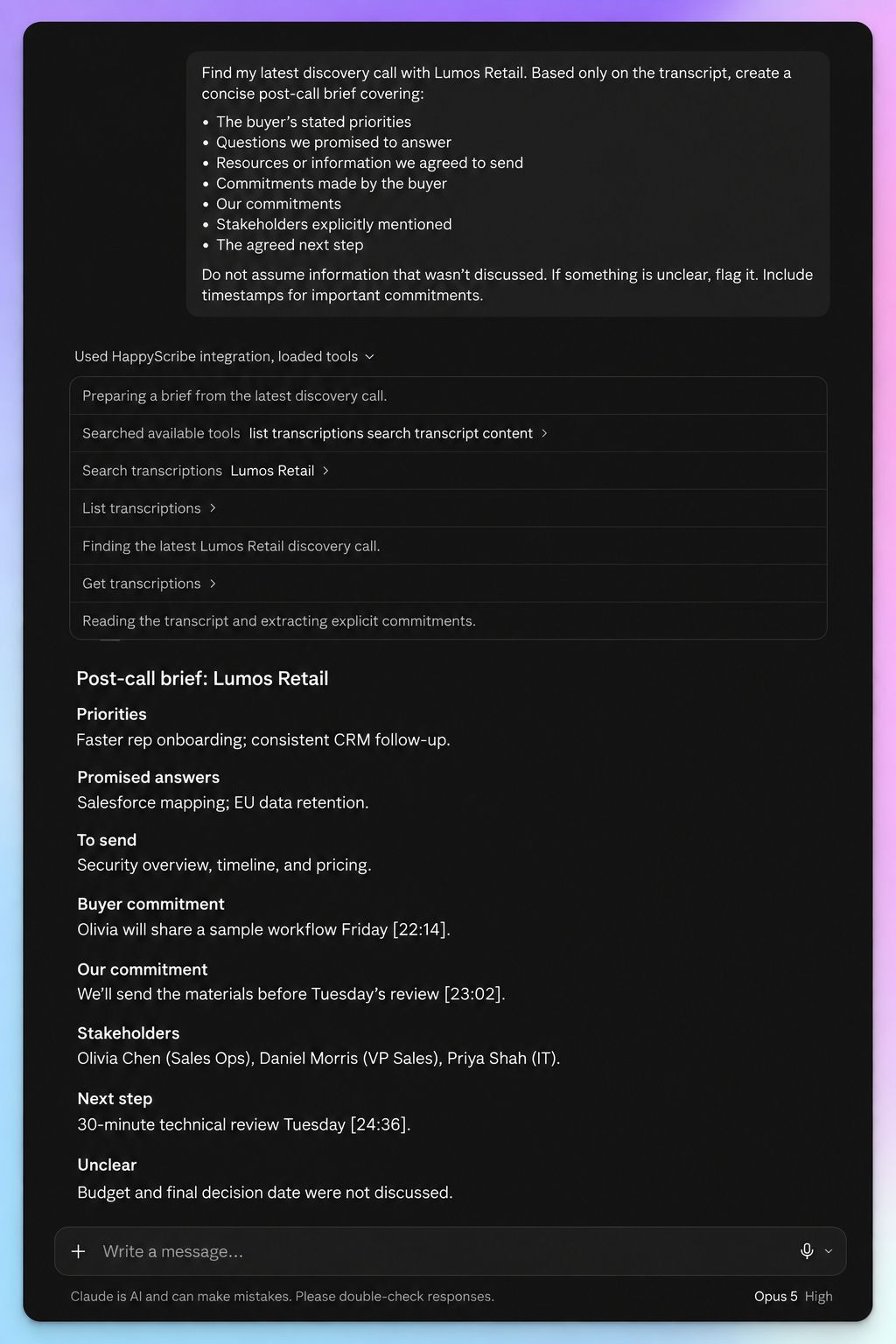
That last instruction is the key in sales workflows.
If budget never came up, Claude shouldn’t invent a budget range. If the buyer mentioned “bringing someone from finance” without naming them, your brief shouldn’t suddenly contain a fictional economic buyer.
Review the brief once before using it for the rest of the workflow.
You now have a clean record of what the follow-up needs to address.
Step 2: Draft a follow-up that sounds like it came from the call
Next, turn that context into a prospect-facing email.
Try:
Using the transcript and post-call brief of Lumos Retail on HappyScribe, draft a concise follow-up email to the prospect. Use the buyer’s own terminology. Include anything we agreed to send, and confirm the next step. Do not add product claims, deadlines, stakeholders, or commitments that were not discussed during the call.
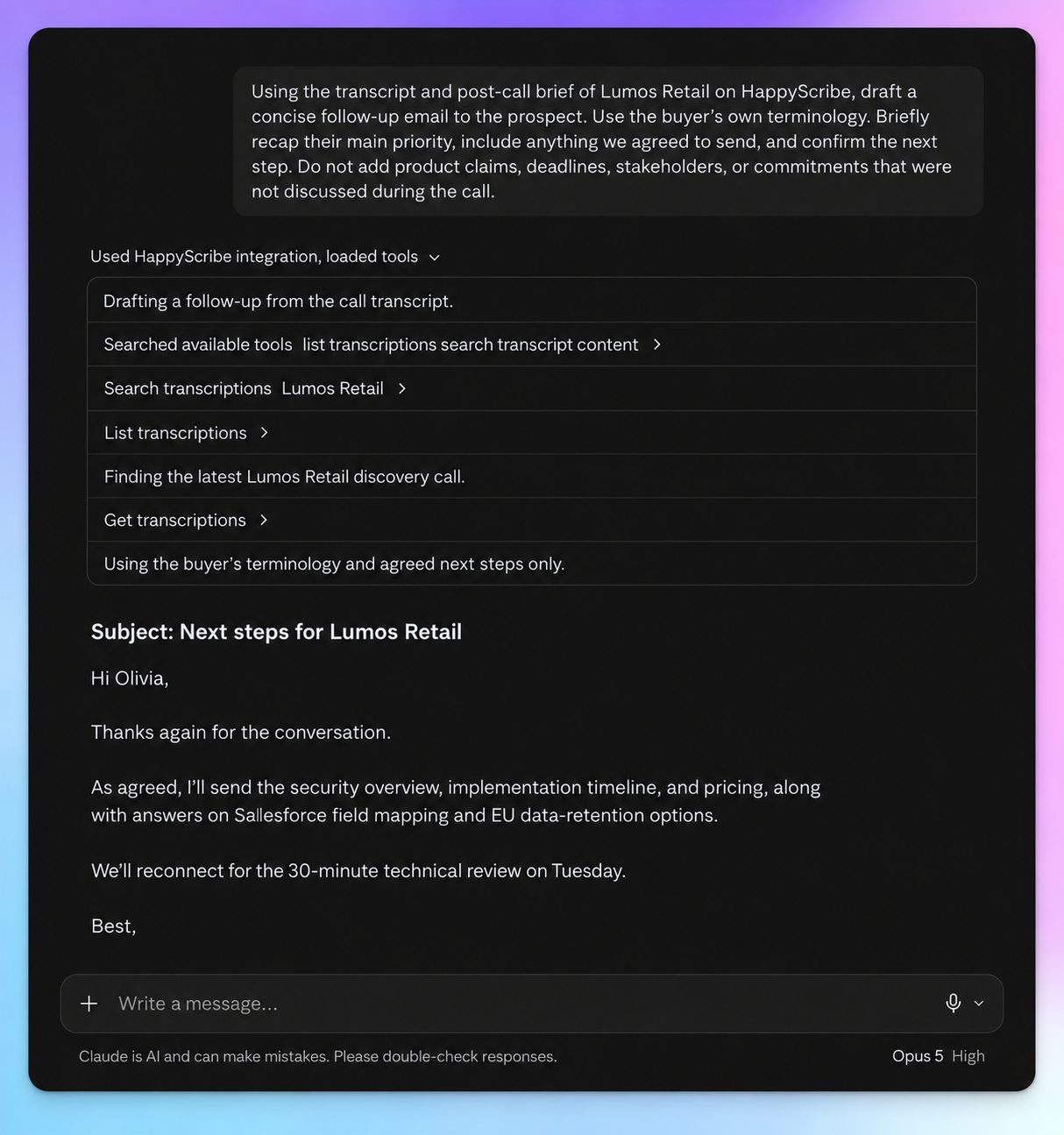
The goal isn’t to produce a meeting summary. Your prospect was already in the meeting.
A useful sales follow-up should help them move forward. That usually means bringing back the priority they discussed, closing any loops your team promised to close, and making the next action obvious.
For example, compare:
Thanks for discussing your reporting challenges today.
with:
Thanks for walking me through how your regional teams currently consolidate reporting manually. I’ve included the pricing information we discussed, along with the reporting overview you wanted to share internally.
The second version carries context from the conversation without turning the email into a transcript recap.
What should a good discovery-call follow-up include?
Before sending, check whether the email answers a few practical questions.
- Does it reflect what the buyer cared about? Lead with their priority rather than a generic product recap.
- Did you close the loops you opened? If you promised a security document, pricing information, or an answer from your product team, include it or state when you’ll provide it.
- Is ownership clear? The reader shouldn’t have to decipher who is meant to do what next.
- Is the next step grounded in the call? Confirm what was agreed instead of manufacturing urgency.
Claude helps with the first draft. The transcript gives it the evidence.
Step 3: Turn the same call into CRM-ready notes
Once the follow-up is handled, use the same transcript for CRM updates.
Try:
Turn this discovery call into concise CRM notes.
Include:
- Problem the buyer described
- Current process
- Stakeholders explicitly mentioned
- Requirements discussed
- Buyer commitments
- Our commitments
- Open questions
- Agreed next step
If something was not discussed, write “Not discussed” rather than inferring an answer.
If your team already has fixed CRM fields, give Claude those fields instead.
The same applies if you use a framework such as MEDDICC, BANT, or a custom qualification process. Don’t ask Claude to manufacture a complete qualification record just because the framework has a field for it.
Instead:
Map the call to these MEDDICC fields. Use only information explicitly discussed in the transcript. Leave a field blank if there isn’t enough evidence.
A missing field is useful information too. It tells the rep what they may still need to learn.
Step 4: Create the post-call task list
The follow-up email isn’t the whole follow-up.
You may also need to talk to product, send documentation, prepare a demo, invite another stakeholder, or answer a technical question.
Ask Claude:
Review the call and list everything that needs to happen before the next meeting.
Separate:
- Actions for me
- Actions the prospect agreed to take
Include dates only when they were explicitly discussed. Do not invent deadlines.
The output might look something like:
- Send enterprise pricing sheet
- Share security documentation requested by Alex
- Confirm whether the reporting dashboard supports region-level filtering
- Prospect to check the VP of Operations’ availability before scheduling the next call
Now the transcript has become an execution checklist rather than another document sitting in your meeting archive.
Step 5: Prepare for the next call
Your previous discovery conversation should also shape the next one.
Before the follow-up meeting, ask:
Review my previous discovery call with Lumos Retail. Create a short prep brief containing:
- Unresolved questions from the previous conversation
- Commitments I need to have completed
- Commitments the buyer made
- Topics they said they wanted to discuss next
- Anything I promised to confirm
Cite the transcript timestamp behind each item.
You get continuity without re-reading the full call transcript or relying on whatever ended up in the CRM.
And because the brief stays anchored to the transcript, it’s easier to distinguish what the buyer actually said from assumptions that may have accumulated internally since the meeting.
📚 Also read:
What if the opportunity has several calls?
Most opportunities don’t stay inside one discovery conversation.
An initial call becomes a technical discussion. Another stakeholder joins later. Procurement appears. Something the buyer mentioned three weeks ago suddenly becomes important again.
HappyScribe’s Claude connector lets Claude search across selected folders and answer questions across your meeting history.
That opens up useful follow-up questions such as:
Review my calls with Lumos Retail from the past month. Which commitments made by our team have not yet been resolved in a later call?
Or:
Which questions has the buyer asked across these calls that we still haven’t answered?
And:
What did we agree should happen before the next meeting? If a later call changed an earlier commitment, use the most recent version and cite both conversations.
That last instruction is helpful for longer sales cycles.
Deals evolve. Your AI workflow should recognize when the newest conversation supersedes something said earlier.
A reusable Claude prompt for discovery call follow-ups
If you want one prompt to cover most of the workflow, start here:
Find my latest discovery call with [company]. Work only from information explicitly contained in the transcript.
First, give me a concise post-call brief covering the buyer’s priorities, open questions, commitments from both sides, stakeholders mentioned, and agreed next step.
Then:
- Draft a concise follow-up email.
- Create CRM-ready notes using only information that was discussed.
- List tasks I need to complete before the next call.
- List any actions the buyer agreed to take.
- Flag important qualification information that remains unknown.
Preserve the buyer’s terminology where useful. Do not invent dates, requirements, stakeholders, product capabilities, pricing, or commitments. Include transcript timestamps for important claims.
You can adapt the CRM fields, email style, or output format once and reuse the prompt after future discovery calls.
HappyScribe AI Chat or HappyScribe + Claude?
Both workflows are useful. The better fit depends on where your sales team already works.
If the job is primarily about the meeting itself, HappyScribe AI Chat is a strong place to start. You can question transcripts, search a folder of related calls, retrieve timestamped quotes, pull action items, and draft a follow-up email without leaving HappyScribe.
The HappyScribe + Claude workflow makes more sense when Claude is already part of the rest of your work.
For example, you may want the call transcript available while you’re working on an account brief, preparing sales messaging, writing an internal update, or working through other material already in Claude.
Connecting HappyScribe gives Claude access to the meeting context when you need it. You don’t have to export the transcript, copy chunks into prompts, or rebuild the context every time you start a new task.
Use the workflow that fits the way your team already operates.
Keep a human check before you hit Send
Even a transcript-grounded workflow deserves one final review.
Pay particular attention to:
- Names and roles
- Pricing or commercial terms
- Dates and deadlines
- Commitments attributed to either side
- Product capabilities
- The wording of the agreed next step
A small AI addition can change the meaning of a follow-up.
Prompts that tell Claude to rely only on transcript evidence reduce that risk. Asking it to attach timestamps to important commitments also gives you a fast way to verify anything consequential.
Then read the finished email as you would anything else going to a prospect.
Turn every discovery call into the next sales action
A discovery call shouldn’t end as a transcript nobody opens again.
HappyScribe gives sales teams an accurate, searchable record of the conversation, along with AI Chat for working directly with that meeting context. Its Claude integration takes the same context into Claude for teams whose broader workflows already happen there.
From one conversation, you can move into the follow-up email, CRM update, action items, and preparation for the next meeting without reconstructing everything from memory.

Rodoshi Das
Rodoshi is the Content Lead at HappyScribe, the privacy-first transcription and AI notetaker platform based in Barcelona. Shaping content strategies and building AI workflows excites her as much as exploring new SaaS tools. She specializes in product-led content that informs rather than sells, grounded in honest product benchmarking and low tolerance for empty marketing speak.