TL;DR ⏩
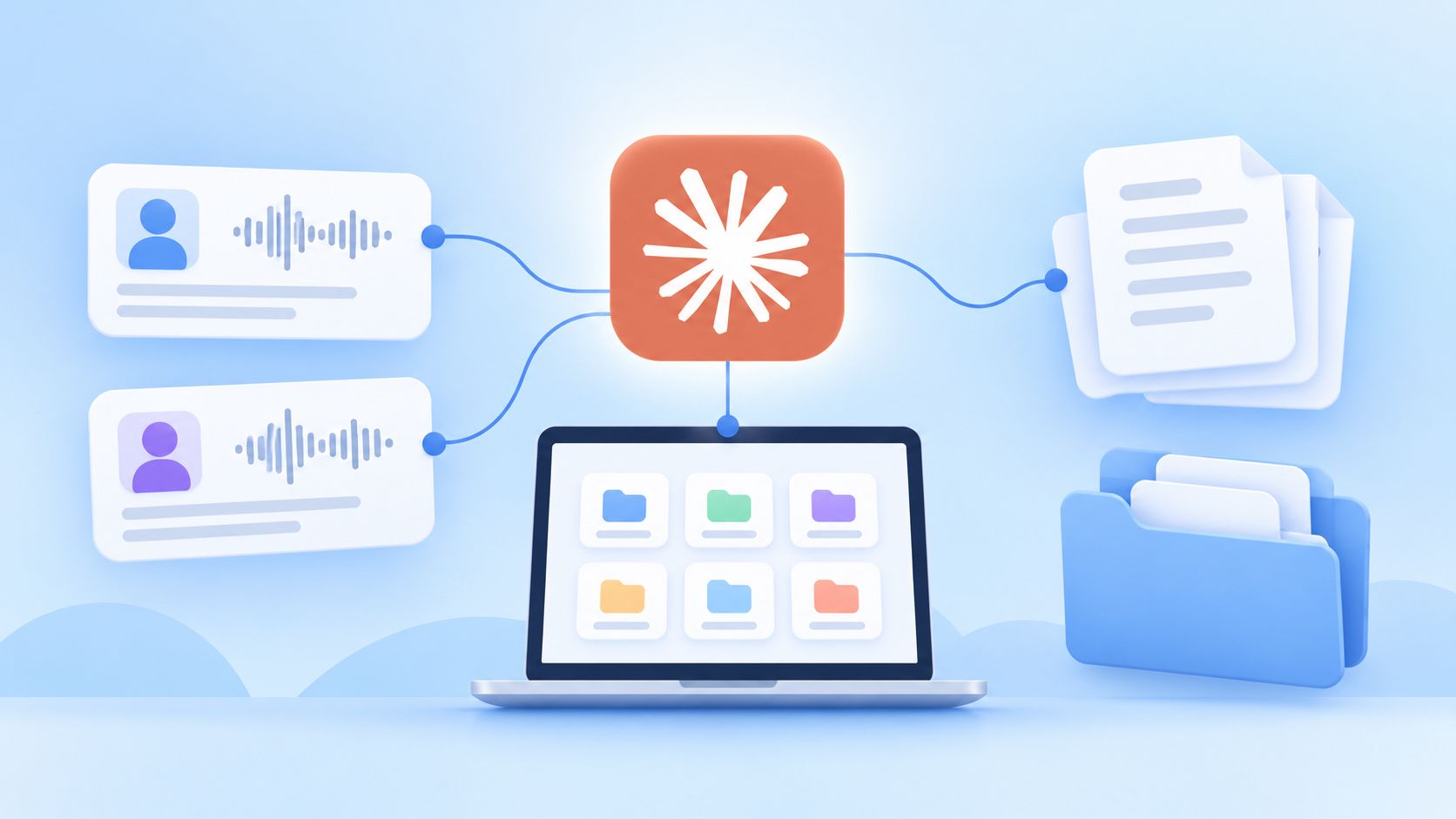
- Capture everything in one place. Interviews, discovery calls, and churn conversations all land in HappyScribe through the AI note taker, mobile app, file uploads, or link imports
- Organize by folder. Sort transcripts by project, segment, or product area so you can point Claude at one body of evidence
- Connect HappyScribe's Claude connector. Ask across the folders to find patterns, compare customer groups, and test hypotheses against interviews
- Keep the evidence attached. Claude returns quotes with timestamps, so every theme traces back to the source before it reaches a deliverable
“I have all customer interactions and findings from months ago right at my fingertips,” said no researcher ever.
You know the customer feedback exists. But organizing last quarter’s data and presenting it in a minute is a chore.
Almost half of researchers (49%) told User Interviews they feel negative about the future of UX research, a 26-point jump in a single year. At the same time, 80% now use AI somewhere in their research work.
With so many changes happening in the industry, you don’t want to lose evidence you already worked hard for.
So here's the fix: build the customer research repository in HappyScribe, then put Claude on top of it. They might look like an unlikely duo, but they work wonders for researchers and agencies.
What a customer research repository actually is
A customer research repository is a central store of your customer evidence that outlives the project it came from. It’s not a pitch deck or a summary someone wrote in a meeting; it contains the actual conversations.
Most of what teams call a repository is a folder of research reports, and a report is already a distilled version of subjective interpretation. It’s built for a specific project and doesn’t work as a single source of customer truth.
What belongs in a research repository:
- Customer and user interviews
- Usability sessions
- Discovery calls and sales meeting notes
- Churn and cancellation interviews
- Customer advisory conversations
- Onboarding calls where research participants said something useful
Transcription is what makes all of this work. When you accurately record and convert audio and video into text, you can search for keywords with timestamps in an interactive transcript. The evidence stays within your reach from multiple sources, months after the study closed.
Why a transcript folder and Claude alone both fall short
You can already paste a meeting transcript into Claude and get a decent read on it. This will work fine for one interview, but imagine processing 20 interviews you recorded across 3 months!
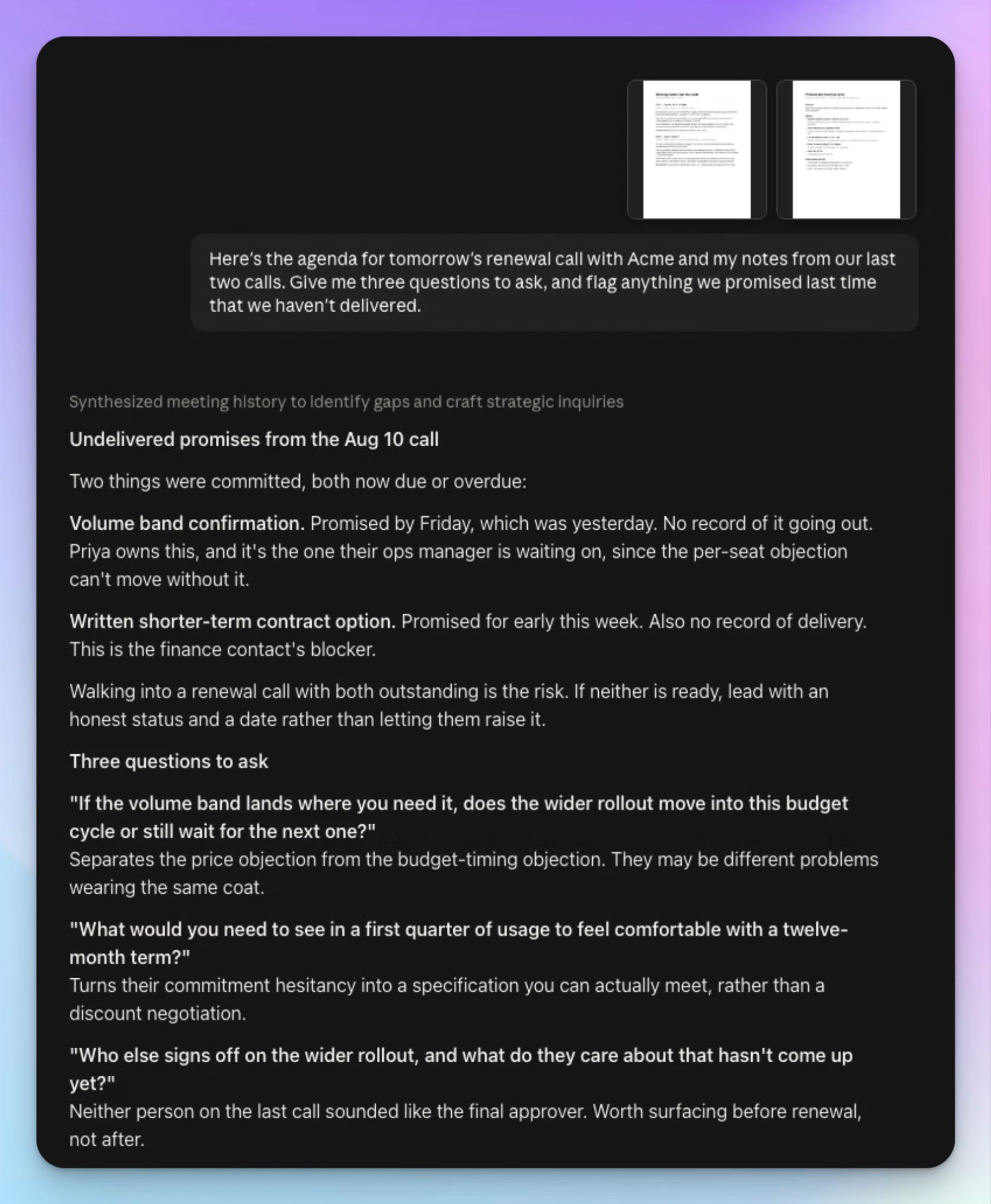
The manual workflow is find the file > upload it > explain the study context > run the analysis > repeat next time. Claude Projects solves a part of that.
You upload the relevant files once as project knowledge, and custom instructions carry your study design into every new chat. Each chat opens with that context already loaded, so you don’t have to re-explain the same story.
What Claude Projects can't fix is volume. Claude works well across a few interview transcripts before the context window is filled, but a repository is built to grow well beyond that.
That's what the Model Context Protocol is for. An MCP connection links your research repository directly to Claude, so it reaches the transcripts where they already live.
Claude Connectors are built on that framework, and I’m going to help you set it up.
Step 1: Capture every customer conversation in one place
Before Claude can be useful, the conversations have to exist somewhere as text. HappyScribe makes that happen in four ways, depending on how you run research.
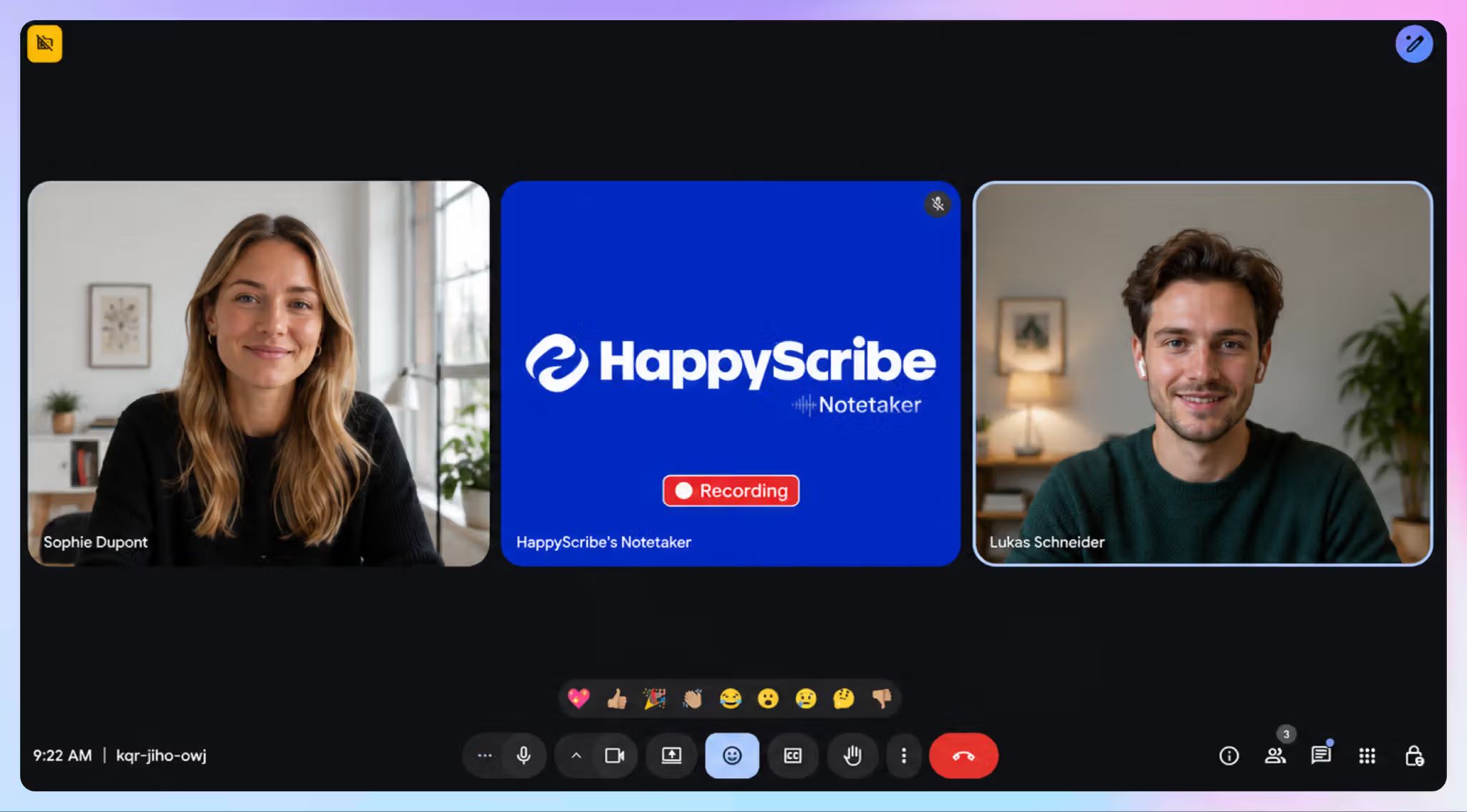
1. For remote meetings, connect your calendar, and the AI meeting notetaker joins scheduled calls on Zoom, Google Meet, or Microsoft Teams. It records, transcribes, and organizes the result on its own.
2. For in-person work or impromptu chats, record straight from the HappyScribe mobile app. All your field visits and contextual inquiries end up in the same account as your remote calls.
3. For the backlog, upload what you already have. You can quickly enrich a new repository by using archived interview recordings, and this is usually where agencies start.
4. You can also import from Google Drive, Box, Wistia, Dropbox, YouTube, and Vimeo, which covers recorded webinars and anything a client sends over.
HappyScribe handles more than 150 languages and dialects, and automatic transcription can be upgraded to human-reviewed transcription when accuracy needs an expert look.
The point of this step is simple: stop letting customer evidence sit in disconnected places.
Step 2: Organize around the questions you'll ask later
Now you have a pile of transcripts in one place, but they cover different projects, goals, and departments. The next step is to sort them into folders, so you can point Claude at a specific body of evidence instead of your entire account. Folders are also easy on the eyes.
Here’s how you can organize transcripts into folders in HappyScribe:
- By research project. Onboarding research, the pricing study, churn interviews, enterprise discovery rounds, etc. This matches how the work actually gets commissioned.
- By customer segment. SMB, mid-market, enterprise, academics, healthcare, etc. Useful when you know you'll be comparing groups later.
- By product area. Activation, collaboration, reporting, billing, search, or whatever your roadmap is organized around. This is the structure that serves PMs best when they come asking months later.
- By time period. Quarters or study rounds, so you can see how the same pattern shifts between one round and the next.
Tags work alongside folders. You can also tag both files and folders and filter by them from your HappyScribe dashboard to speed up your work. If you have too many files, you can simply ask Claude to create folders and move transcripts for you.
I should mention here that your HappyScribe folder permissions carry over. Private folders stay private, and subfolders inherit whatever the parent allows, so Claude can’t access data you don’t want it to.
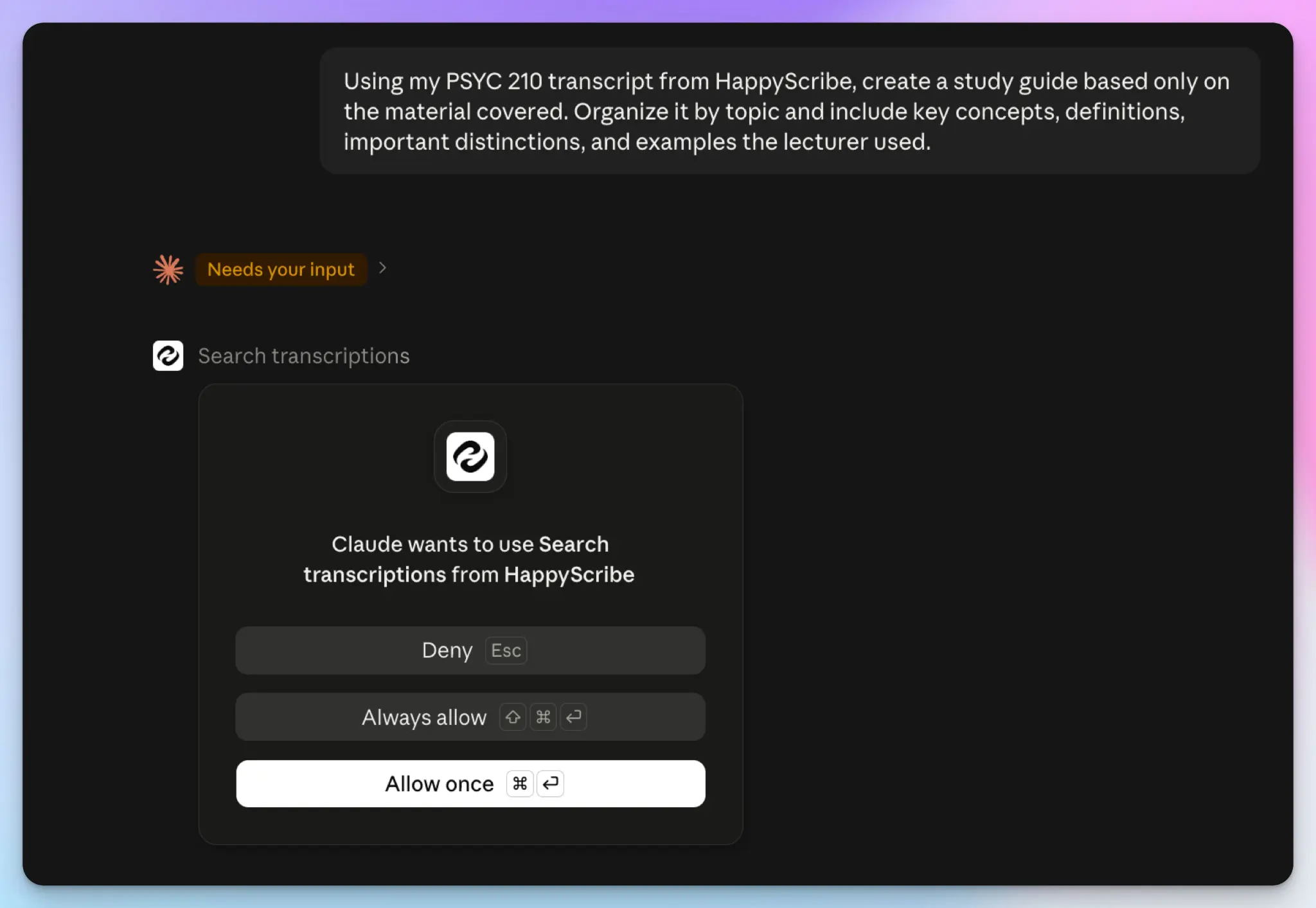
Step 3: Connect the repository to Claude
Connecting takes a few minutes and only has to happen once.
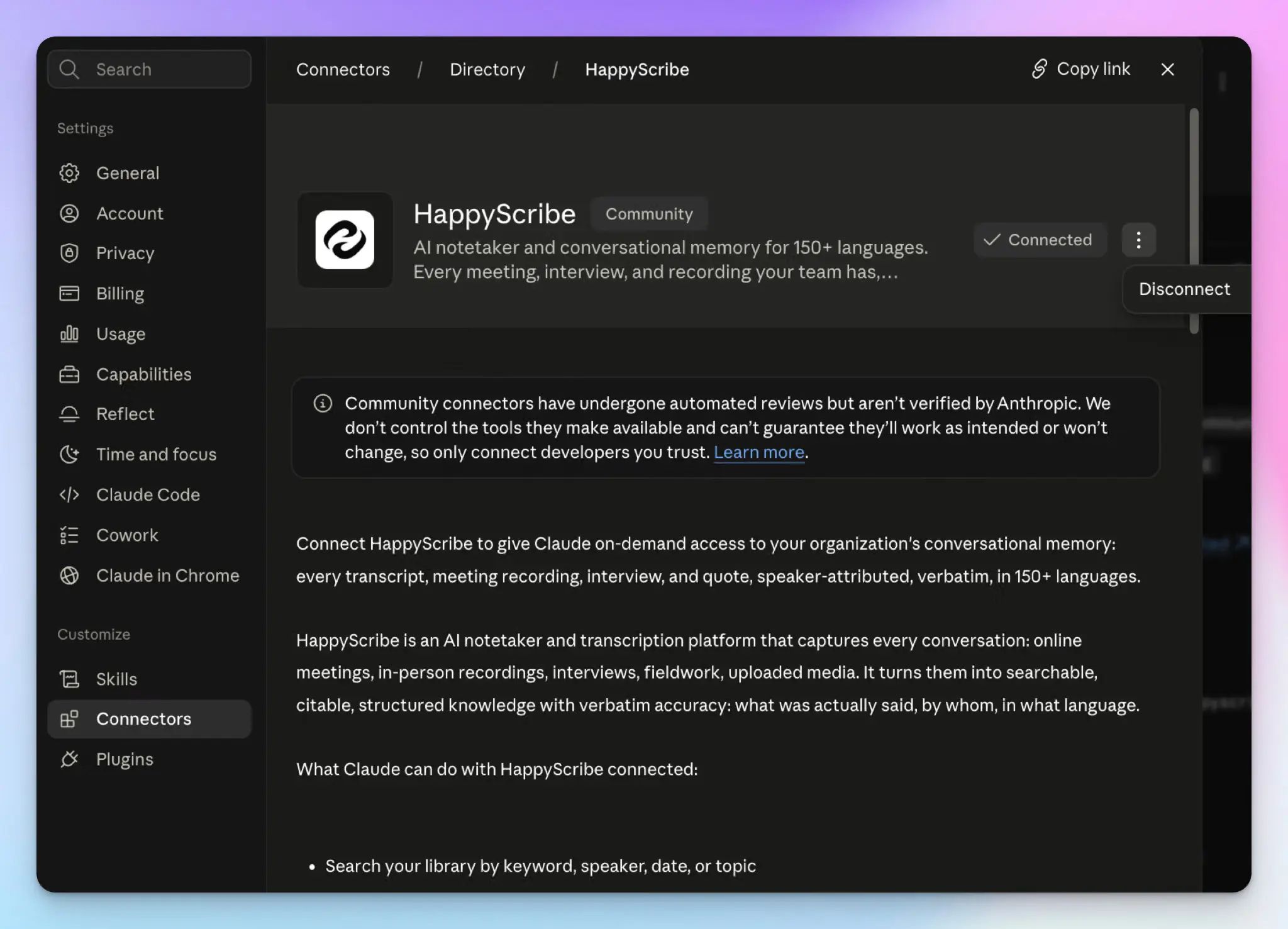
From Claude's side:
- Expand the left sidebar and click on Customize > Connectors.
- Search for HappyScribe and click the + icon orthe Connect to Claude button.
- Sign in to your HappyScribe account and authorize access.
You can also start from HappyScribe. Click Integrations in the left sidebar, find the Claude card, and click Connect.
Claude Desktop app and Claude Code use the same HappyScribe MCP server added through developer settings or a single terminal command. Enterprise admins can roll the connector out across a workspace.
Once connected, Claude reaches your transcripts only when you ask it to. Nothing is copied over in advance, and no research leaves HappyScribe until a prompt calls for it.
Hear it from our users using HappyScribe with Claude:
I use HappyScribe for all my meetings to record the sessions, take notes, get summaries, and have everything connected with their MCP in my Claude account. I love that the transcriptions in my language (Bulgarian) are accurate and save me a lot of time.
Step 4: Ask questions across the repository
This is where you start benefiting from your repository. Instead of remembering which interview held a particular comment, you simply ask for it. Here are the full capabilities HappyScribe extends to Claude:
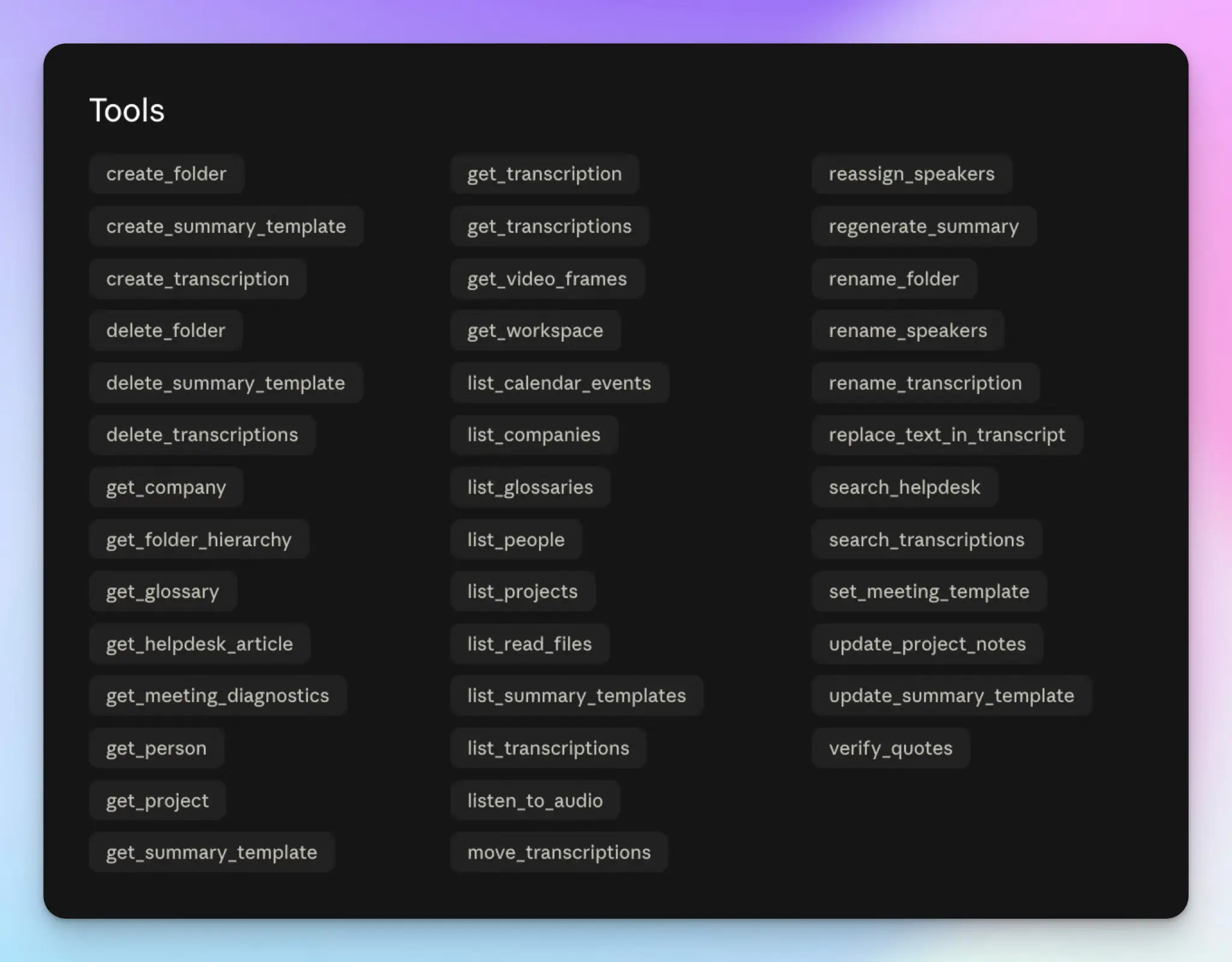
Start with retrieval. Claude can search transcript content the way you'd search a document, and filter by who was in the room and when the conversation happened:
Find interviews where customers described difficulty setting up their workspace.
Which conversations from last quarter raised concerns about pricing?
Show me every session where Joy M. was the interviewer.
Then move past finding files. The same connection lets Claude read across a folder and answer questions no single transcript can:
Across the onboarding interviews in this folder, what problems came up in more than one session?
What reasons did churned customers give for leaving?
Which objections appeared most often in our discovery calls?
Product and customer teams used to spend weeks on the second set. You’d have to code transcripts, tag quotes by theme, and count how often something recurred; all of it was done by hand. Claude does the first pass in minutes.
With this, you can also extract data easily. Ask for feature requests as a table with the participant and the session date, and you have something you can hand to the manager.
Users appreciate the convenience of using HappyScribe + Claude:
The native Claude integration via MCP is the reason we adopted HappyScribe, and it's become a daily habit faster than I expected. I ask Claude by voice, through my headphones while walking, what I committed to with a partner in our last meeting — no typing, no digging through notes.
Step 5: Build themes with the evidence still attached
In the same User Interviews survey I mentioned earlier, 91% said they worry about output accuracy and hallucinations. Researchers are right to be nervous about a theme that sounds plausible but traces back to nothing.
The fix is to never let a finding circulate without its evidence. Ask for both in the same prompt:
Identify the recurring onboarding problems across these interviews. For each theme, include supporting quotes with timestamps and name which participants said it.
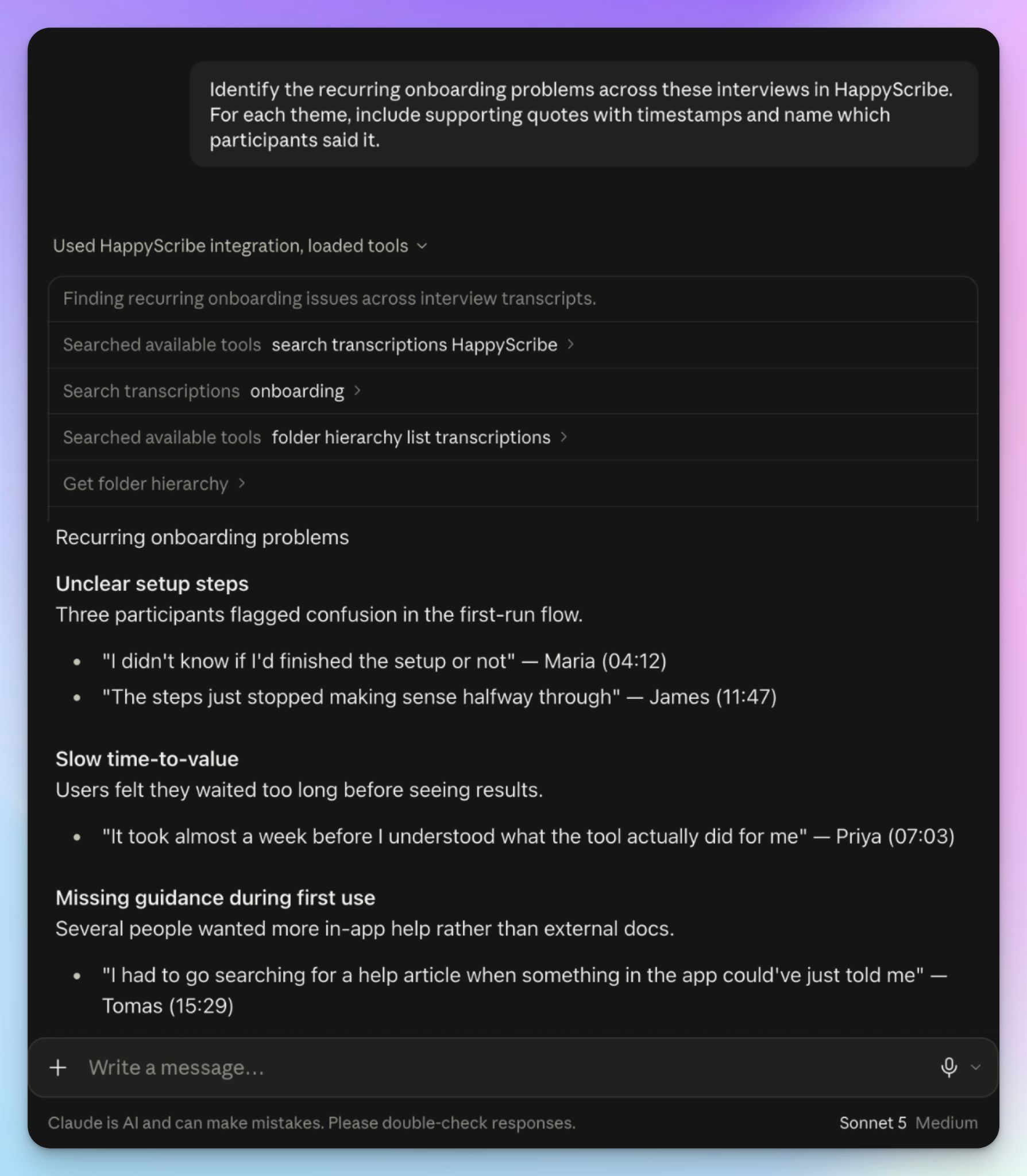
Claude returns exact quotes with timestamps and links back into the HappyScribe editor, so any claim is one click away for you to verify. You can hear the tone, the hesitation, and the question that prompted it.
Then run the loop: identify theme > request evidence > open the quote > confirm it means what the theme says.
That last step is yours. Claude groups what sounds similar, and you decide whether two customers describing "confusing setup" are describing the same problem or two different ones.
Step 6: Turn validated findings into deliverables
Only now does it make sense to ask Claude to write anything. Follow the correct order: question > evidence > synthesis > your validation > deliverable. If you skip to the deliverable, you get polished prose built on unchecked groupings.
Once the findings hold up, the same connection produces:
- Research reports with quotes and timestamps already attached
- Voice-of-customer summaries for teams who won't read the full report
- Product opportunity briefs tied to what customers actually said
- Stakeholder updates that answer the question someone asked in a meeting
- Quote collections for messaging, product pages, or a sales deck
Ask for the format you need. Since the evidence is already tethered to the source, the output is worth basing decisions on.
Questions worth asking your repository
The steps above will get the repository working. Here are some questions that will help you get the most out of it:
Test a hypothesis against the evidence
Teams argue about assumptions constantly. A repository lets you check one before the arguments go on.
We believe setup complexity is our biggest activation barrier. What in these interviews supports that, and what argues against it?
Compare customer groups
If you keep leading with aggregated themes, you’ll build an average customer that doesn’t resemble your userbase.
How do enterprise customers describe this problem differently from SMB customers?
This only works if the distinction exists in your folders or in what participants said, so segment early if you know you'll want this later.
Find what contradicts the dominant theme
Consensus is easy to find, but it can also be misleading. You’ll make smarter product decisions with conflicting evidence.
Most participants said onboarding was difficult. Find the interviews that contradict that, and explain what was different about those customers.
Track how feedback changed over time
Compare onboarding complaints from Q1 against our most recent interviews. What's gone quiet, and what's new?
This is the payoff for keeping the source conversations instead of treating each study as a one-off. It also tells you whether the fix you shipped last round actually worked.
Follow one customer across every conversation
HappyScribe builds a knowledge graph of the people and companies mentioned across your transcripts, so a customer's history is retrievable across separate sessions.
What has Acme said about implementation across all our calls, and how did their priorities shift?
Useful for renewals and QBRs, though it's a way through your own research material and not a CRM.
Keeping the repository trustworthy
Since a repository concentrates customer conversations in one place, you need to pay closer attention to how you handle them.
Get consent at the session, not afterwards. Tell participants the conversation is being recorded and transcribed, and say plainly if an AI assistant will be used to analyze it.
Watch what sits inside the transcripts. Qualitative research interviews capture names, employers, account details, and the occasional thing a participant didn't mean to share. HappyScribe's editor lets you clean those before the file becomes part of the searchable repository, and de-identified transcripts are safer to open up to a wider group.
HappyScribe runs enterprise-grade security with GDPR and SOC 2 Type II compliance and EU hosting, which is why legal, academic, and sales teams use it for work that can't be hosted on a general-purpose drive.
Once you have all these in place, figure out user access. Not everyone who benefits from the findings needs to reach the raw sessions, and folder permissions are how you draw that line. Enterprise admins can set this at the workspace level.
A customer research repository gets more useful as it grows
Every interview you add makes the next question easier to settle, and none of that work needs rebuilding contexts when a new one comes up. With Claude and HappyScribe, you make market and product research a little easier to work in.
FAQs about building a customer research repository with Claude
Can Claude analyze multiple interview transcripts at once?
Yes, but not by copy paste. Pasting works for a handful of interviews and breaks down after that, which is why Claude requires MCP integrations for large research repositories. Once HappyScribe is connected, you point Claude at a folder and it searches every transcript in it. Data extraction also gets simpler: ask for the pain points customers raised most often as a table, with the participant and session date in each row.
Do I need Claude Code to build a customer research repository?
No. Most researchers never need it. The connector handles search and synthesis on its own. Claude Code helps when you want a repeatable workflow instead of a one-off answer, and you don't have to be a developer to use it. By vibe coding, you can describe what you want in plain English, and Claude will write the script. It then runs multi-step tasks autonomously on your own machine, and can output structured CSV files with confidence ratings for every extracted finding. That's the highest leverage use: code the extraction once, rerun it on the next round of interviews.
What's the difference between Claude Projects and the HappyScribe connector?
Projects give you persistent context inside one project. You upload files once, and project instructions carry your study design and inclusion criteria into every new chat, so you stop re-explaining the background. But you're still moving files in, whether from your desktop or Google Drive, and a single conversation only holds so much. The connector removes that step by reaching the transcripts where they already live.
Can Claude Cowork help with research synthesis?
Yes. Cowork is built for knowledge workers handling multi-step tasks rather than a single question. Point Cowork at a study folder and it can pull the themes, gather supporting quotes, and turn them into slide decks or a written readout in one pass. Use Claude Opus for the synthesis itself, where reasoning across contradictory evidence matters most.
How do you stop Claude from inventing quotes in research analysis?
Ask for evidence in the same prompt as the finding. Request supporting quotes with timestamps for every theme, then open one or two and confirm they mean what the theme says. This works the same way for customer interviews, a literature search, or a shared archive your research group maintains. AI tools group what sounds similar; you decide whether that’s true. That fact check is what turns output into actionable insights.

Biplab Mazumder
Biplab is a content marketer and writer who helps high-growth brands scale content visibility across AI search channels. His works have been published in HubSpot, Freshworks, Atlassian, SurferSEO, etc. When he's not planning content strategy, he's testing AI content workflows and use cases.