![5 Best Transcription Services For Research Projects [2026]](/sanity-images/ejgwz1gl/redesign/22d297fc9205ea97a6cde87756267a9e272d010c-1536x1024.png?auto=format&w=1536.0&rect=0,128,1536,768&h=768)
TL;DR ⏩
Based on my experience of using several transcription services, here are the best ones for research projects:
- HappyScribe: Overall best transcription service for researchers who run multilingual studies and want accurate AI transcription, human proofreading, and an interactive editor in one workspace
- Rev: Best for researchers who work primarily in English and want human-verified transcripts for large projects
- Sonix: Best for academic researchers who want AI transcription with built-in content analysis tools for exploratory coding
- TranscribeMe: Best for budget-conscious researchers who want human-edited transcripts with flexible accuracy tiers
- GoTranscript: Best for academic institutions and research teams that prefer fully human-powered transcription with volume discounts
Research transcription has its own requirements that most generalist tools can’t address. If you're working with multi-speaker interviews, accented speech from international participants, and noisy audio, you know your transcript isn't just a basic reference. It's the main dataset that supports thematic coding and discourse analysis.
I tested these services on the kinds of recordings researchers actually work with: 90-minute expert interviews, focus group discussions with overlapping speakers, and phone recordings from cross-cultural fieldwork. Read on to know which suits you the best.
How did I shortlist the best transcription services for research projects?
1. Transcription accuracy on challenging audio
Research audio is rarely clean. I tested each tool on recordings with background noise, overlapping speakers, non-native English accents, and domain-specific terminology. Services that offered both AI and human transcription for qualitative research scored higher in my testing.
2. Language support for multilingual fieldwork
If you're conducting interviews in Portuguese, transcribing focus groups in Japanese, or working with bilingual participants who code-switch mid-sentence, you need a transcription service that covers a wide set of languages and dialects. I prioritized tools that support major languages from every continent with consistent quality.
3. Editor and export workflow
A transcript sitting in a proprietary dashboard isn't useful if you can't move it into NVivo, ATLAS.ti, or MAXQDA. I evaluated each tool's editor (speaker labels, timestamps, search) and export options (DOCX, TXT, SRT, PDF) to make sure complex workflows don’t get stuck because of scaling issues.
4. Data security and compliance
Research transcripts often contain personally identifiable information or protected health information. I checked for GDPR compliance, SOC 2 Type II certification, and data residency controls to make sure large databases don’t get exposed by platform integrity failures. IRB and other ethics boards increasingly require these assurances.
5. Pricing transparency at research-project scale
A single interview costs very little to transcribe, but a 50-interview qualitative study is a different commitment. I modeled costs at 10, 25, and 50 hours of audio to filter research transcription services that don’t strain your budget.
What are the best transcription services for research projects? At a glance
| Category | HappyScribe | Rev | Sonix | TranscribeMe | GoTranscript |
|---|---|---|---|---|---|
| Best for | Multilingual research teams looking for a secure platform with AI and human options | Human-verified English transcription | AI-first transcription with analysis tools | Flexible human-edited transcripts | Fully human transcription at scale |
| Key features | AI Chat, collaborative editor, human proofreading, glossaries, meeting note taker, API, and MCP support | Multi-file analysis, AI notetaker, mobile app | Sentiment analysis, topic detection, in-browser editor | Four-tier accuracy system, medical and legal specialization | 99.4% human accuracy, volume discounts, student pricing |
| Supported languages | 150+ | 37+ | 53+ | 10+ | 60+ (human), 140+ (freelancer network) |
| Security | GDPR, SOC 2 Type II, ISO 27001, EU data center | SOC 2 Type II, HIPAA, CJIS | SOC 2 Type II, HIPAA | HIPAA, NDA available | GDPR, HIPAA via BAA |
| Starting price | Free plan available. Paid plans from $8.50/month billed annually or $17/month billed monthly | Free (45 min/month AI). Human transcription $1.99/min | $10/hour (pay-as-you-go) | Starts from $0.07/min (AI), $0.79/min (human) | Starts from ~$1.20/min (human, 5-day turnaround) |
1. HappyScribe
Best for: Researchers who run multilingual studies and want accurate AI transcription, human proofreading, and an interactive editor in one workspace
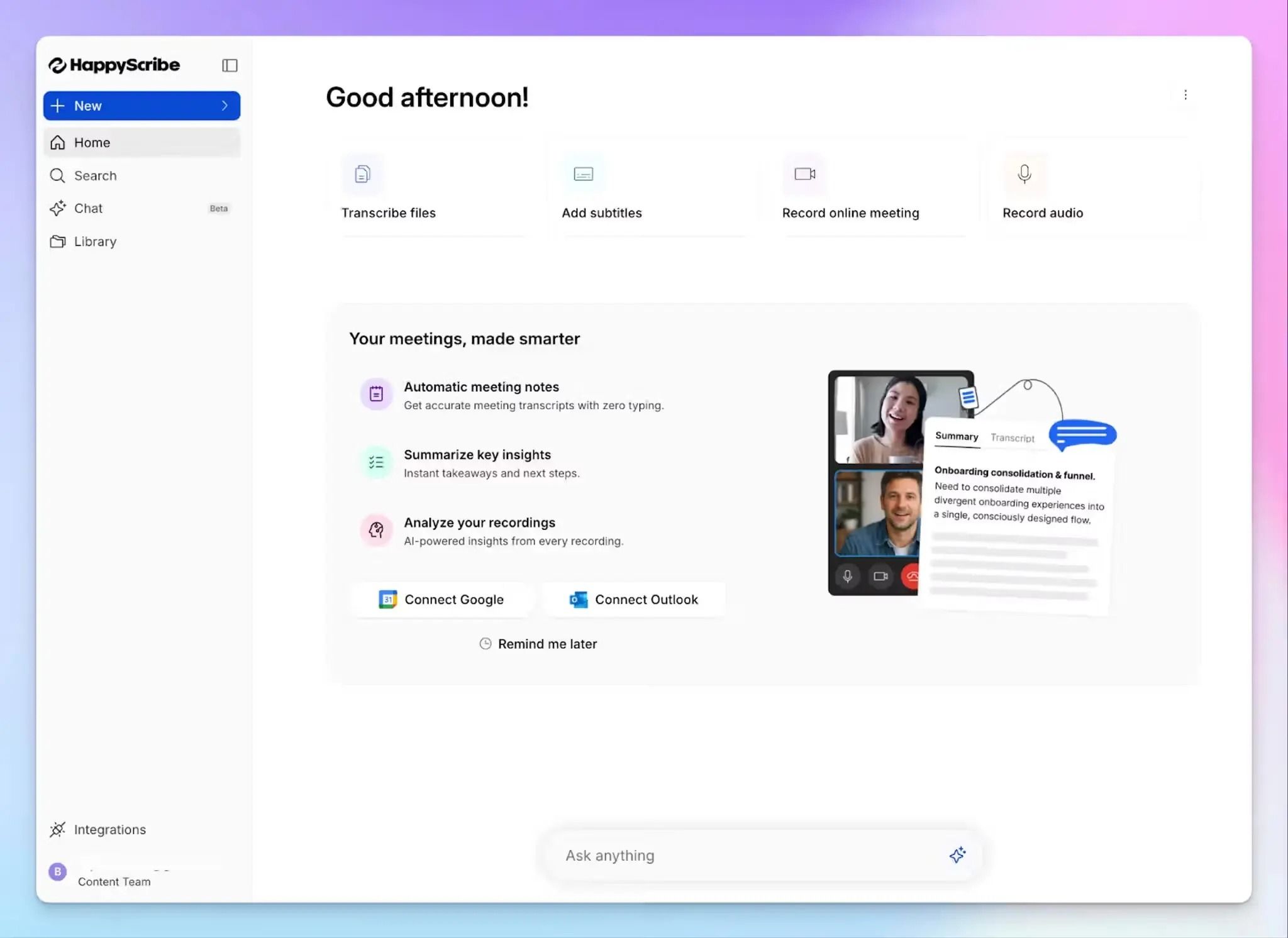
HappyScribe is the overall best transcription service for research because it covers the full range of what researchers actually do with transcripts. You can get a fast AI draft within minutes of uploading a recording, then send the same file for human proofreading when you're preparing data for publication or ethics review.
Sterling Associates replaced its internal transcription program entirely with HappyScribe after finding the accuracy, multilingual support, and turnaround more reliable than the in-house option.
HappyScribe's key features
1. Get 95% accurate AI transcription and up to 99% accurate transcription with human experts
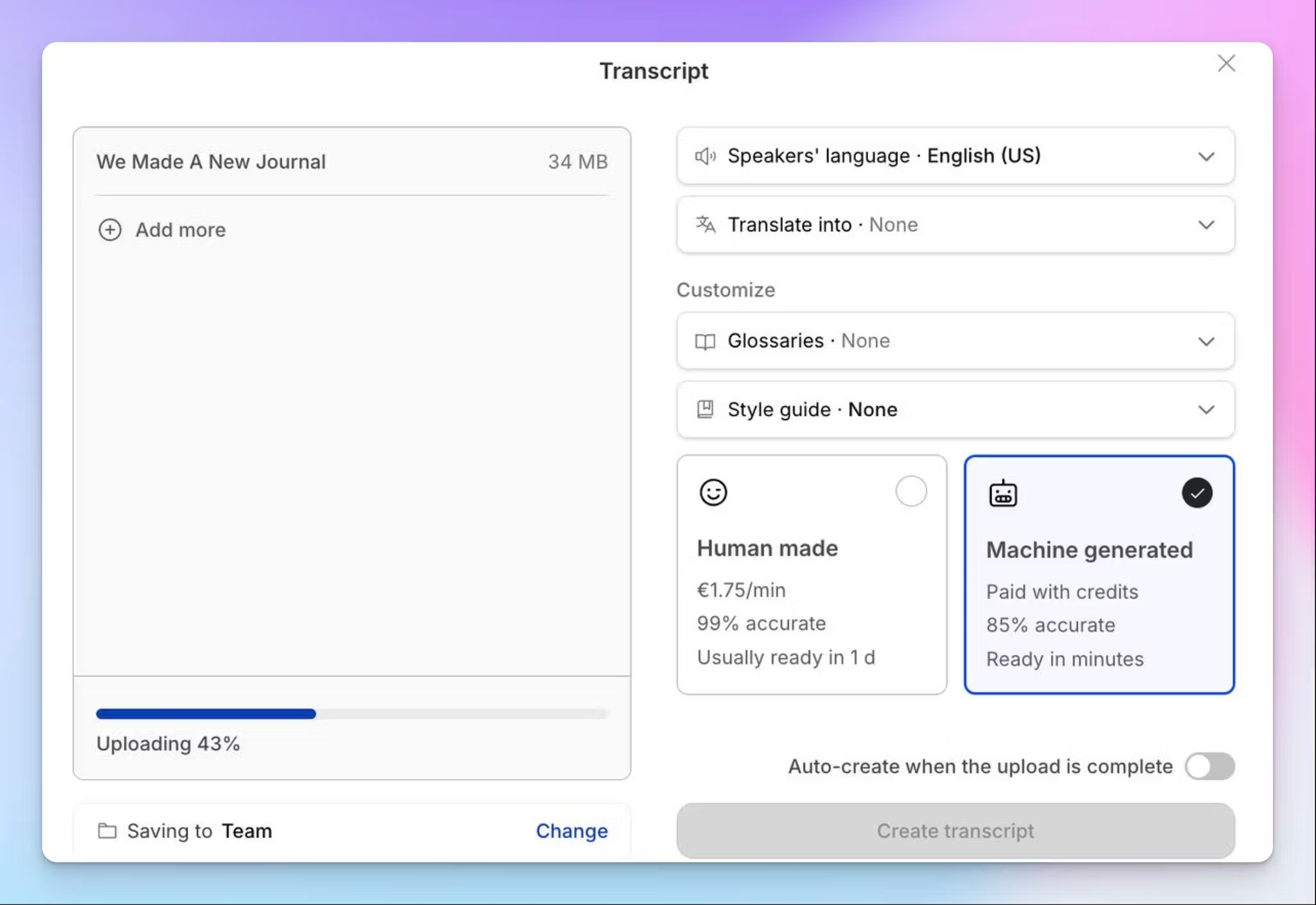
HappyScribe's AI transcription delivers 95%+ accuracy in over 150 languages and dialects. Be it Icelandic, Catalan, Swiss German, Lao, or Swahili, your research language has minimal impact on the quality of your findings and workflows. You can also create custom glossaries to make sure HappyScribe detects your domain-specific terminology.
When a recording requires publication-grade precision, you can rope in one of HappyScribe's human experts for professional transcription. The linguist works on your files and delivers a transcript with 99% accuracy within 24 hours.
2. Interactive editor with synced media playback and timestamped speaker labels
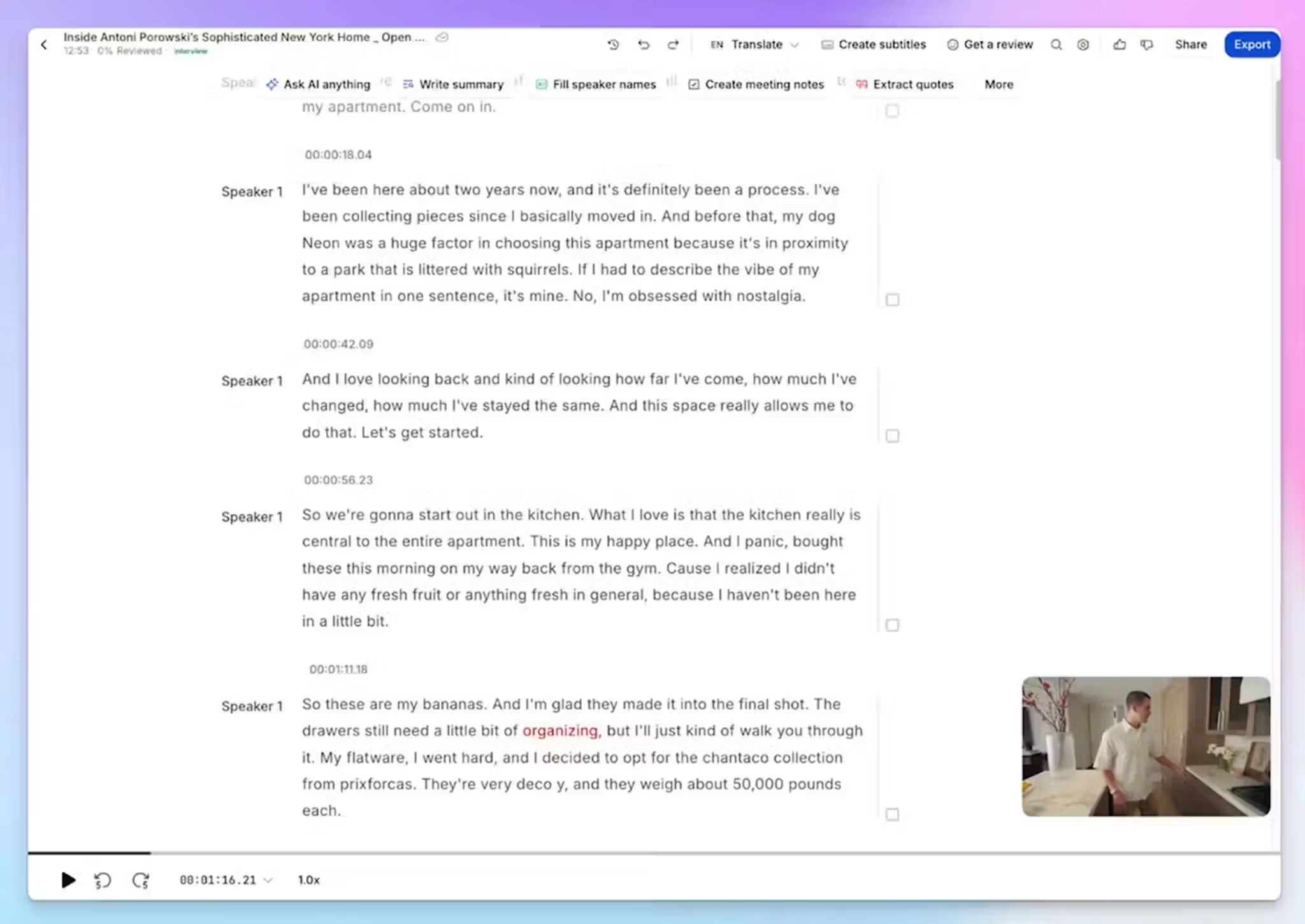
This is where researchers save a lot of time. The built-in editor links each line of text to the corresponding audio or video moment, so you can tick off the review step faster. Quickly search keywords or click on sentences, and the recording jumps to that point.
Speaker labels are assigned automatically and can be renamed to match your participant coding scheme. Thanks to the interactive editor, you can easily make changes to the transcription.
3. Ask AI Chat to surface insights from your transcripts
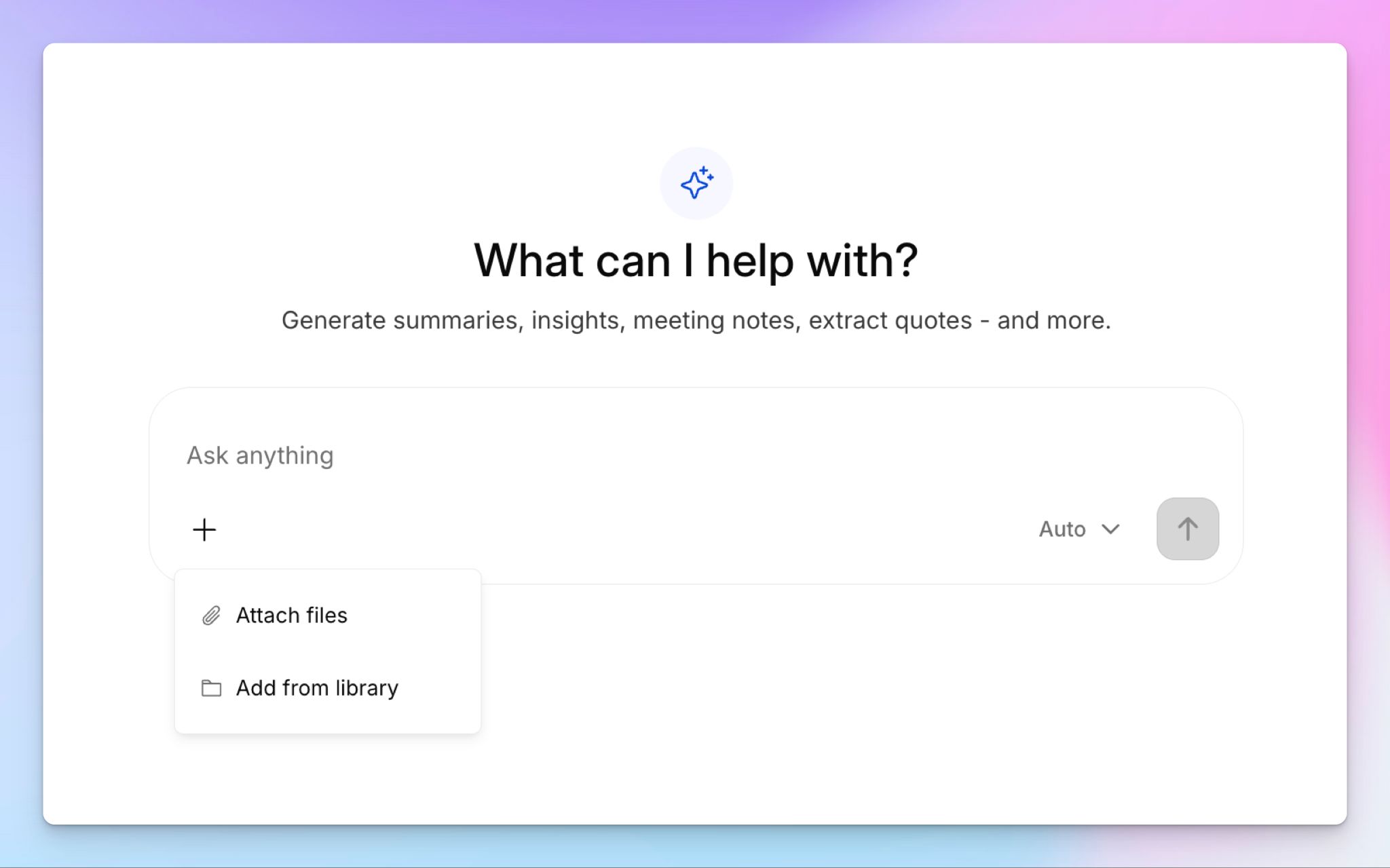
Identifying codes and themes is easier than ever with HappyScribe AI Chat. You can ask questions about transcripts and files in natural language, and the AI will surface key data points and insights that you might have missed.
You can also ask it to create video chapters, summarize key themes, extract every mention of a specific topic, or pull all statements from a particular speaker.
4. Wide range of file support for import and export
Upload audio or video in any common format, or import from YouTube, Vimeo, Dropbox, Google Drive, or Box. HappyScribe enables you to run projects the way you intend to, instead of adding overhead.
Once done, you can also export files as PDF, DOCX, TXT, SRT, VTT, HTML, JSON, or CSV.
5. EU data storage and GDPR and SOC 2 Type II compliance for security
All user data is stored in a Tier IV, PCI DSS, ISO 27001-certified EU data center.
HappyScribe is GDPR compliant and SOC 2 Type II certified, which means it’s vetted for day-to-day security processes along with consent and privacy rights. All of these cover the requirements most university ethics boards and IRBs ask for.
When you delete a file, it's permanently removed from HappyScribe's servers.
HappyScribe's pricing
- Free: Unlimited meeting recordings (45 min/recording) and 10-minute trial of file transcription
- Basic: $8.50/month billed annually or $17/month billed monthly
- Pro: $19/month billed annually or $29/month billed monthly
- Business: $59/month billed annually or $89/month billed monthly
- Human proofreading: Starts from $2.00/min
- Enterprise:Contact sales for a custom quote
HappyScribe's pros
- Connect your research data with other tools via API, MCP server, and Zapier integration
- Translate transcripts in 80+ languages and edit subtitles on the same platform
- HappyScribe handles multilingual interviews across 150+ languages without switching tools or paying language-specific surcharges
- Record bot-assisted online meetings in Zoom, Google Meet, and Teams, and bot-free in-person interviews for sensitive projects
- AI Chat lets you search across multiple transcripts at once, which speeds up analysis in multi-participant studies
- Human proofreading option helps you strike a balance between speed and accuracy at the project level
- Native iOS and Android mobile apps for on-the-go recordings
HappyScribe's cons
- Not ideal for real-time transcription
What are users saying about HappyScribe?
A huge timesaver! HappyScribe's automated transcription software has been a lifesaver when it comes to creating content from interviews. It does everything I need it to, makes it easy, and gets the job done quickly and accurately. Highly recommended.
This transcriber works great.It is fast and very accurate even with specialized terminology as the one used in ATC (air traffic control)
How to use HappyScribe for research transcription: a step-by-step guide
- Log in to HappyScribe and click Transcribe files at the top of the dashboard
- Configure preferences and choose AI transcription or human transcription
- Open the transcript in the editor. Edit texts, speaker labels, and verify the transcript with synced audio playback
- Use AI Chat to search for themes, extract specific quotes, or summarize the conversation
- Click Export and choose DOCX, TXT, PDF, HTML, SRT, etc.
2. Rev
Best for: Researchers who work primarily in English and want human-verified transcripts for large projects
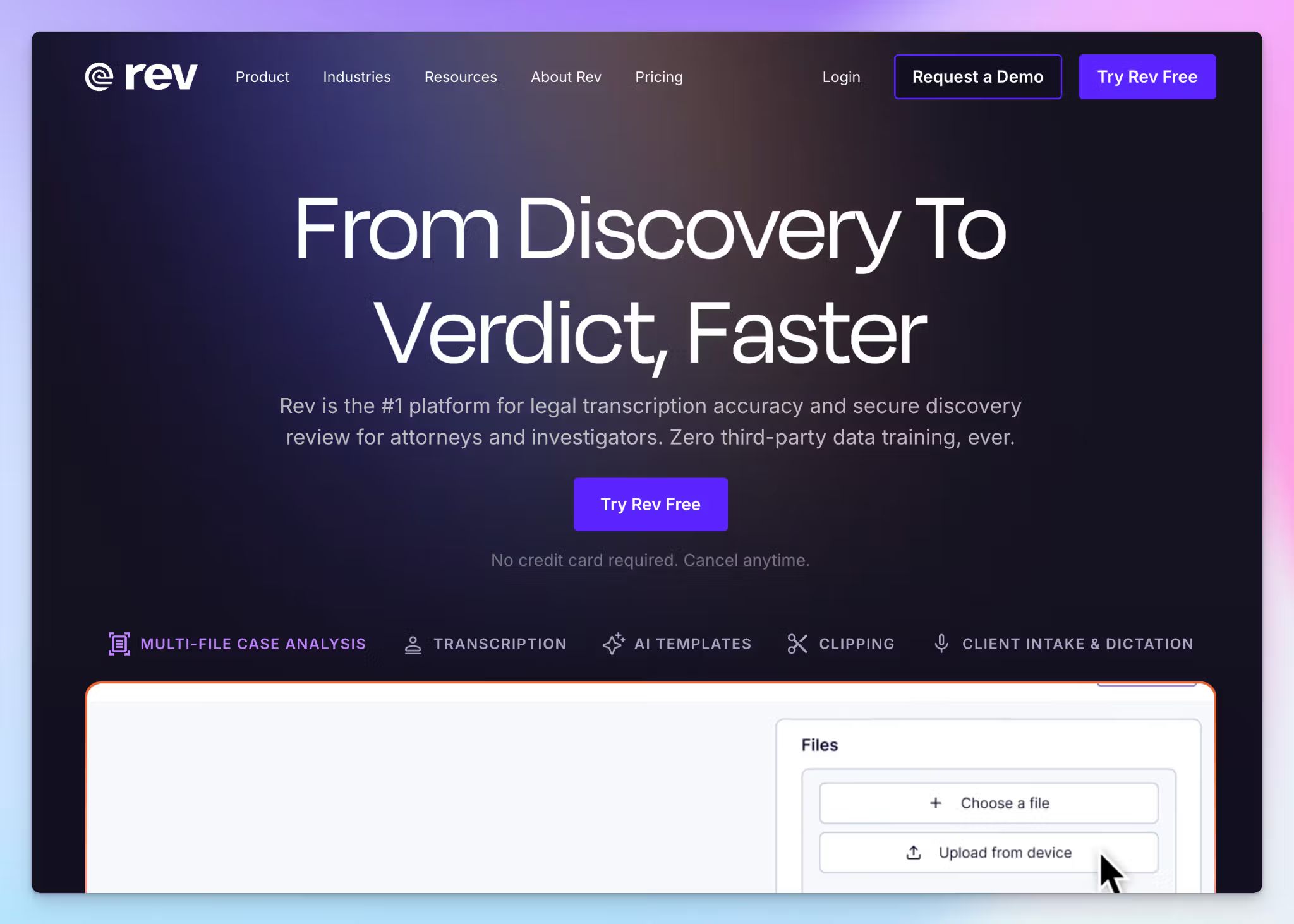
Rev built its reputation on human-verified transcription, and that's still its strongest offering.
The 99% accuracy guarantee makes it a reliable choice when verbatim precision is non-negotiable in the evaluation phase of your work.
Even though Rev has recalibrated its position for legal teams, it’s still a solid pick for researchers in other fields if budget is not a constraint.
Rev's key features
- Upload audio or video files and choose between AI transcription or human transcription services
- You can analyze up to 50 files at once with multi-file analysis that flags contradictions, recurring statements, and thematic patterns across interviews
- Record fieldwork interviews or conference sessions from the mobile app, which syncs transcriptions to your account for desktop access
- Rev AI notetaker can join scheduled Zoom, Teams, or Google Meet calls that produces timestamped summaries after each session
Rev's pricing
- Free: 45 AI minutes/month
- Essentials: $29.99/month
- Pro: $59.99/month
- Unlimited: Custom pricing
- Human transcription: Starts from $1.99/minute
Rev's pros
- I found Rev's human transcripts generally usable without heavy editing, even on recordings with overlapping speakers
- Rev handles industry jargon and brand names better than most AI-only tools, which cuts post-transcription cleanup on technical interviews
- SOC 2 Type II, HIPAA, and CJIS compliance covers a wide range of review board requirements for medical, legal, and government-funded research
Rev's cons
- Rev is significantly costlier than other transcription services, and bulk offers don’t move the needle enough to be useful for smaller teams
- File sharing and folder organization can feel clunky, so managing a large corpus of interview transcripts takes more effort
- Rev’s language coverage tops out at 37+ for AI transcription, which makes Rev a poor fit for multilingual research compared to Rev alternatives with broader coverage
📚 Also read:
3. Sonix
Best for: Academic researchers who want AI transcription with built-in content analysis tools for exploratory coding
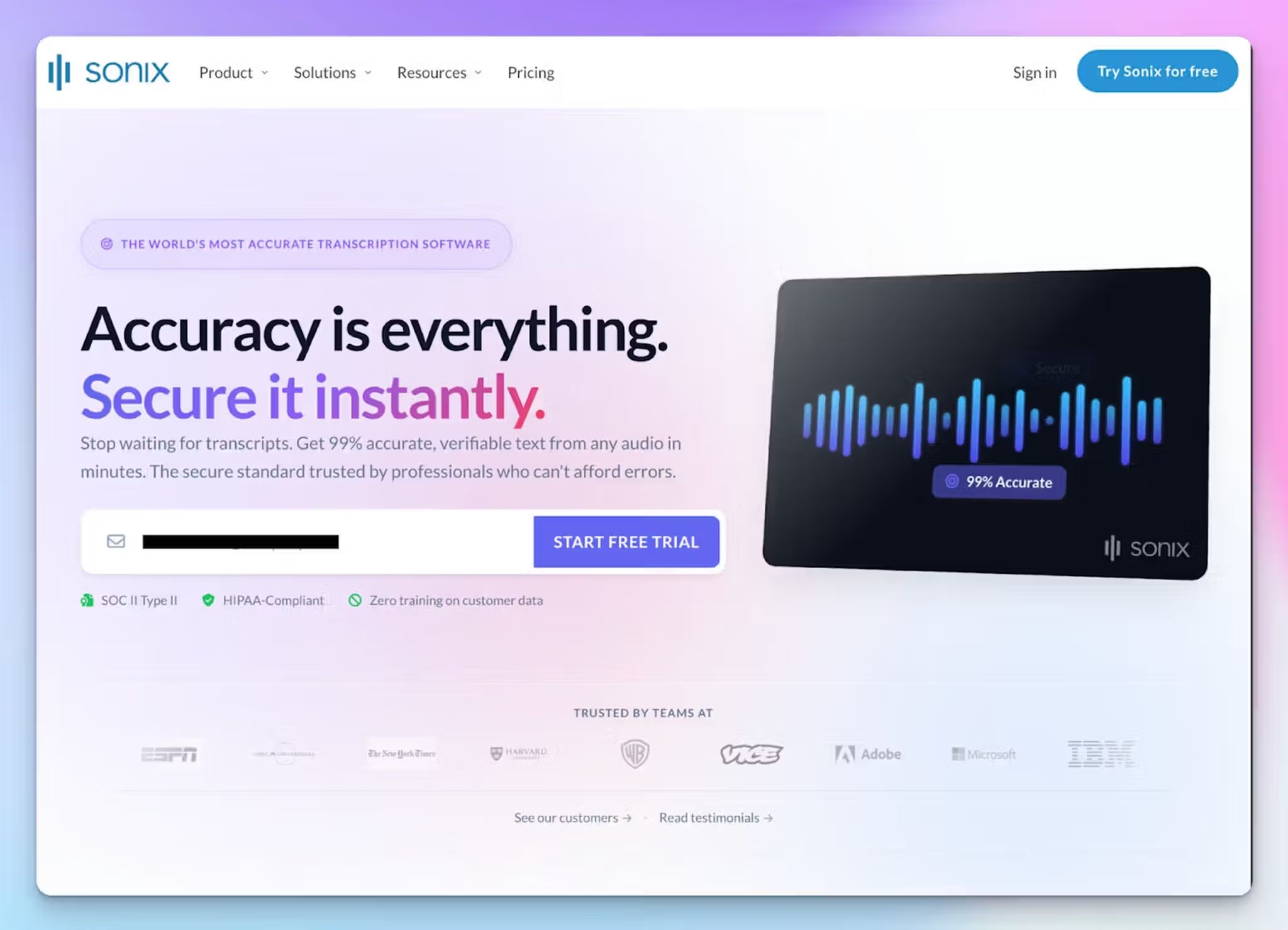
Sonix treats transcription as a starting point for analysis, not a finished output. Once your recording is transcribed, the platform offers automated summaries, topic detection, and sentiment mapping directly in the browser.
That's a useful combination if you're in the early stages of a qualitative project and want to identify patterns before committing to a full coding framework in NVivo or ATLAS.ti.
Keep in mind that Sonix is not a replacement for analysis methods in research. If you're working with clean two-speaker interviews, it performs well. Anything more complex and you'll spend time in the editor correcting output.
Sonix's key features
- Transcribe audio and video in 53+ languages with automatic speaker diarization and timestamping
- You can run topic detection, sentiment analysis, and keyword extraction on completed transcripts, all in one place
- Sonix lets you translate transcripts into 54+ languages directly in the editor for cross-language research comparison
- Export as DOCX, TXT, SRT, or VTT with paragraph-level timestamps that preserve structure for qualitative software import
Sonix's pricing
- Standard: $10/hour (pay-as-you-go)
- Premium: $25/user/month
- Advanced: $50/user/month
- Pro: $80/user/month
- Enterprise: Custom pricing
Sonix's pros
- With Sonix’s web editor, you can edit texts from a transcript to trim the video directly
- SOC 2 Type II and HIPAA compliance cover the security requirements for most IRB-approved research
- Pay-as-you-go pricing with no subscription commitment works well for individual researchers who transcribe in bursts around fieldwork cycles
Sonix's cons
- Sonix doesn’t have a human transcription option, so there's no fallback when AI accuracy isn't sufficient
- The newly revamped pricing model has made Sonix more expensive, forcing researchers to look for better Sonix alternatives
- Accuracy drops noticeably with heavy accents and overlapping speakers, which forces researchers to manually correct transcripts
4. TranscribeMe
Best for: Budget-conscious researchers who want human-edited transcripts with flexible accuracy tiers
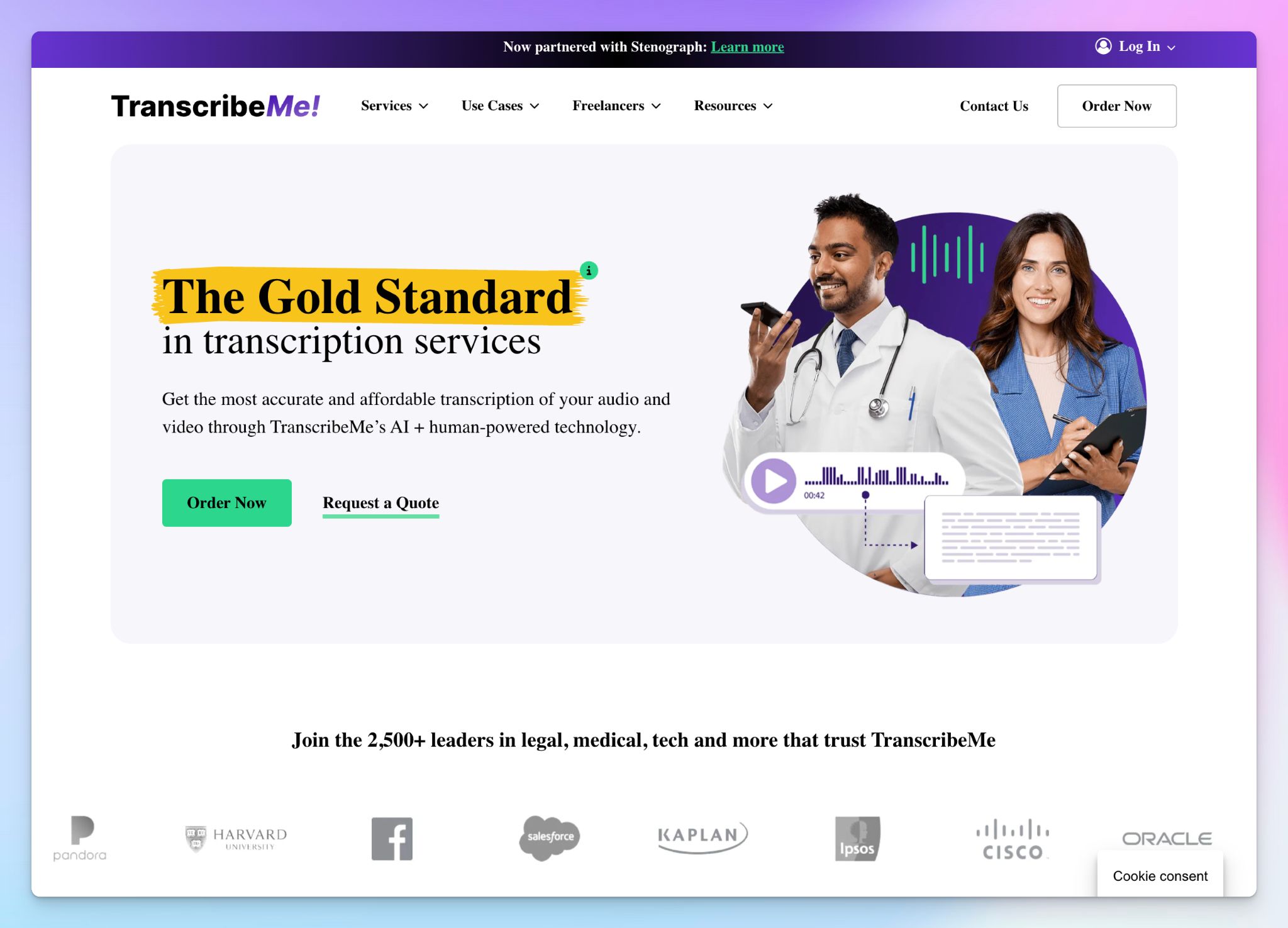
TranscribeMe's main appeal is its tiered pricing model, which lets you decide how much accuracy you're paying for on a per-file basis.
For instance, if you're running a 30-interview study and only five of those files will be quoted directly in a published paper, you can use the cheaper AI tier for exploratory transcripts and reserve the human-reviewed tiers for publication-ready files.
That said, TranscribeMe's platform feels dated compared to newer tools. There's no collaborative editor, and post-processing features are limited beyond the transcript itself. It's fully focused on transcription and data annotation services.
TranscribeMe's key features
- Choose from four transcription tiers that range from AI-only output to fully verbatim human transcription, capturing every utterance and filler word
- TranscribeMe offers specialized medical and legal transcription with professionals trained in domain-specific terminology and formatting requirements
- You can access data annotation and translation services for multilingual research projects and AI model training
- Enterprise clients get an encrypted, micro-tasked workflow where no single transcriber sees a full file, which adds a layer of participant confidentiality
TranscribeMe's pricing
- Automated (AI): Starts from $0.07/min
- Human Edited: Starts from $0.79/min
- Human-Edited with Extra Review: Starts from $1.25/min
- Verbatim: Starts from $2.00/min
TranscribeMe's pros
- The tiered model gives you file-level control over cost, so you're not paying for verbatim accuracy on recordings that only need a rough working transcript
- TranscribeMe offers NVivo-compatible output and data redaction options
- API access lets teams automate upload and retrieval if you're integrating transcription into a larger research pipeline
TranscribeMe's cons
- Human transcription turnaround ranges from 1 to 5 business days, depending on the tier, which can slow down analysis timelines on deadline-driven studies
- The platform has no collaborative editor or built-in analysis tools, so researchers end up doing all post-transcription work in separate software
- Thanks to the unique approach, TranscribeMe’s pricing is not transparent and varies case by case
📚 Also read:
5. GoTranscript
Best for: Academic institutions and research teams that prefer fully human-powered transcription with volume discounts
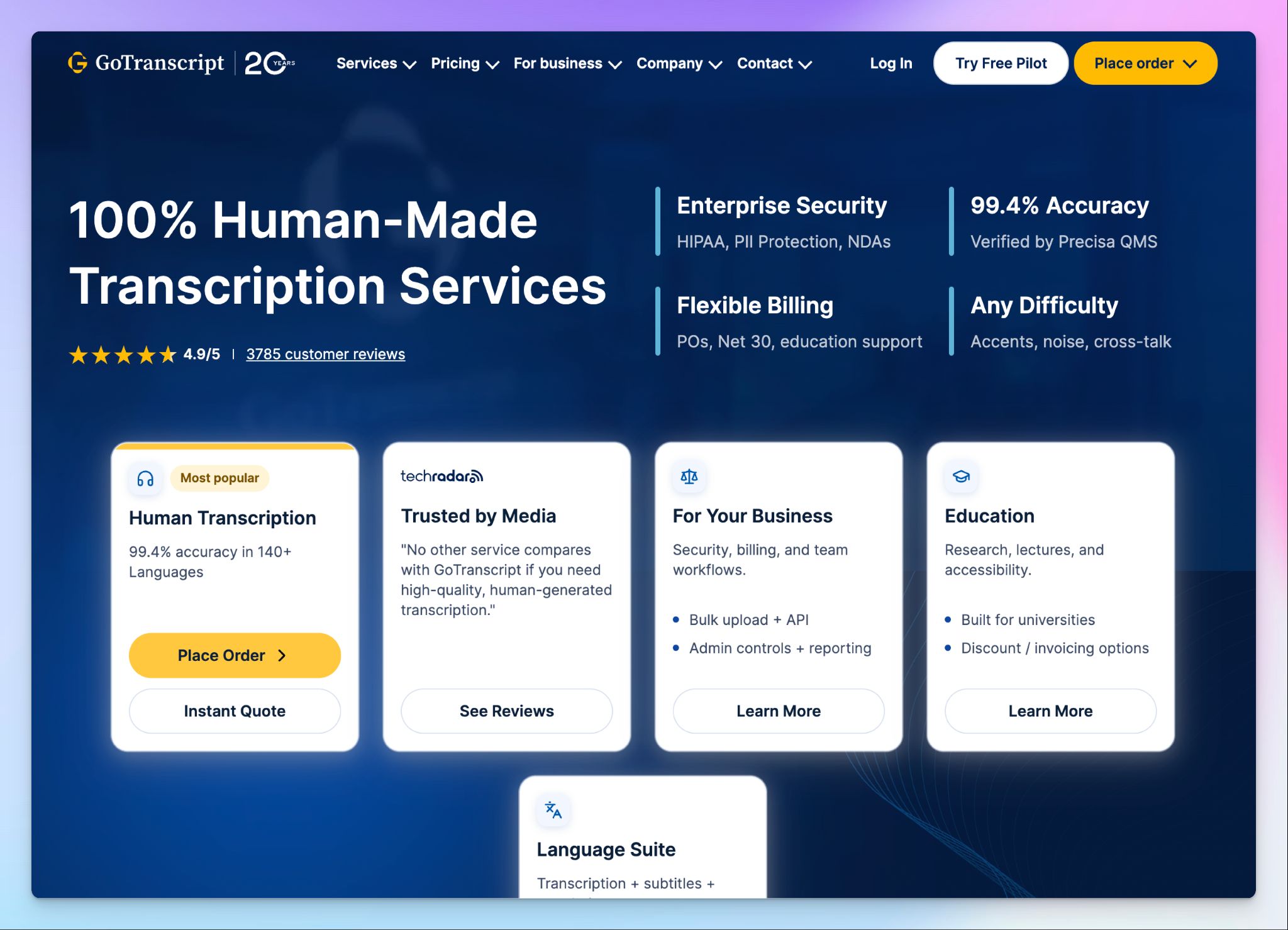
GoTranscript has been operating since 2005 and focuses primarily on human transcription through a large freelancer network.
For universities and market research firms that process transcription in bulk, the loyalty-based pricing model is the main draw. You don't need a subscription, and the per-minute rate drops as your cumulative upload volume grows, which rewards long-running longitudinal studies.
The trade-off is that GoTranscript is a traditional transcription service, not a modern research platform. There's no in-browser editor for collaborative review, and the AI transcription tier is basic compared to tools that are built around it.
GoTranscript's key features
- Human transcription by professional transcribers with a high accuracy rate and a multi-step quality review process
- GoTranscript supports 60+ languages for human transcription, with a broader freelancer network covering 140+ languages
- You can choose from four turnaround tiers ranging from 5-day standard delivery to 6-12 hour rush, depending on project deadlines
- Export in DOCX, SRT, VTT, and other formats with optional timestamps and speaker identification
GoTranscript's pricing
- Human transcription: starts from ~$1.20/min (5-day) to ~$2.75/min (rush) for English
- AI transcription: $0.20/min (pay-as-you-go) or $0.01/min (subscription)
GoTranscript's pros
- The pay-per-order model with no subscription suits the irregular funding cycles of research grants, where you might submit 20 files one month and nothing for three
- Volume discounts and student pricing make GoTranscript one of the better options for teams that want tight control over transcription contracts
- GoTranscript's transcribers are primarily US and UK-based native English speakers, which contributes to consistent accuracy on English-language research recordings
GoTranscript's cons
- GoTranscript has occasional turnaround delays even on premium tiers, which can create problems for researchers working against deadlines
- The AI transcription tier is basic and lacks in-browser editing or analysis features, so it's only useful as a rough first pass
- HIPAA compliance requires a signed BAA on eligible plans rather than being included by default
Which transcription service is best for research projects?
The right transcription service depends on your team size, the languages you're recording in, and how much post-transcription work you want to do inside the platform itself.
👉 Rev works for English-language research where every word must be verified by a human transcriber.
👉 Sonix works for researchers who want to run exploratory analysis directly on their transcripts before moving to qualitative coding software.
👉 TranscribeMe makes sense when budget is the primary constraint, and you want human-edited transcripts with file-level accuracy control.
👉 GoTranscript fits academic departments that prefer traditional human transcription with volume pricing.
👉 HappyScribe is the strongest all-rounder for research teams. It covers 150+ languages with AI, offers human transcription for best accuracy, comes with a built-in editor with synced playback for verification, and lets you dive deep into transcripts with AI Chat.
If your research involves multilingual participants or mixed audio quality, HappyScribe covers that workflow from upload to export without forcing you onto separate platforms. The free plan gives you enough room to test it on a real interview before committing.
FAQs on the best transcription services for research projects
What accuracy level do I need for research transcription?
It depends on how you'll use the transcript. For thematic analysis of qualitative data without direct quotes, 95%+ accuracy from automatic transcription services is usually sufficient. For published quotes, verbatim transcription, or ethics board submissions, you'll want manual transcription with 99%+ accuracy to produce accurate transcripts. HappyScribe covers both through its AI and human proofreading options.
Can I use AI transcription for qualitative research?
Yes. Automatic transcription works well as a first-pass tool that converts your audio and video files into a working transcript in minutes. You can then review it before importing it into qualitative analysis software. The key is to treat it as a starting point and budget time for review on audio recordings with challenging quality.
How do I improve accuracy on research recordings with technical terminology?
Most transcription errors come from uncommon words like participant names, discipline-specific terms, or acronyms. If your best transcription service supports a custom dictionary, upload your key terms before starting the transcription process. HappyScribe lets you create glossaries with speaker names, technical vocabulary, and project-specific phrases so the AI recognizes them on the first pass.
How do I protect participant confidentiality when using transcription services?
Choose a service with clear security certifications that protects sensitive information at every stage. HappyScribe stores all data in an EU data center with GDPR and SOC 2 Type II compliance, and files are permanently deleted when you remove them. Rev offers SOC 2 Type II and HIPAA compliance.
Which transcription service is cheapest for a large qualitative study?
HappyScribe's Business plan ($59/month billed annually) includes 6,000 AI minutes per month, covering approximately 100 hours of research interviews. TranscribeMe's Automated tier ($0.07/min) is the cheapest per-minute AI option, while GoTranscript offers competitive human transcription rates with volume discounts starting at 2,500 uploaded minutes.
Do I need manual transcription, or is automatic transcription enough?
For most research interviews, automatic transcription with a fast turnaround gives you a usable first draft from your audio files. You can then fast forward through the recording in a synced editor to spot-check sections that require precision. Reserve manual transcription for files where every utterance is data, like conversation analysis or legal depositions, where the cost of a missed word outweighs the cost of human review.

Biplab Mazumder
Biplab is a content marketer and writer who helps high-growth brands scale content visibility across AI search channels. His works have been published in HubSpot, Freshworks, Atlassian, SurferSEO, etc. When he's not planning content strategy, he's testing AI content workflows and use cases.