![5 Best Meeting Transcription Software [2026]](/sanity-images/ejgwz1gl/redesign/916f513a116ed6f352b4e54b5331e09f3da75669-1536x1024.jpg?auto=format&w=1536.0&rect=0,128,1536,768&h=768)
I've been in calls where someone says "I'll send the notes after" and then they don't. And even if they do, the notes are just four bullet points that miss the most important bits.
That's the issue that meeting transcription software resolves. Not just note-taking, but it also gives me a reliable record of what was actually said.
According to Atlassian's research, 54% of knowledge workers leave meetings unclear about next steps or who owns what. When you pair that with four or five calls a day, details start slipping through fast.
Transcription software won't fix a bad meeting, but it makes sure the useful parts don't disappear the moment you hang up.
I tested several meeting transcription tools over the past few weeks, across live calls and recorded interviews.
Here are the 5 best meeting transcription software tools I'd recommend right now.
TL;DR ⏩
- HappyScribe is the best meeting transcription software for researchers, journalists, business leaders, and multilingual teams that need accurate transcription with the option to upgrade to human-reviewed accuracy
- tl;dv works best for sales and customer success teams that want to turn meeting recordings into coaching insights and clips
- Krisp is ideal for remote workers, consultants, and customer-facing teams that operate in noisy environments and need clean audio as a foundation for accurate transcription
- Notta suits multilingual teams and solo professionals who need transcription along with visual outputs like auto-generated slides and infographics
- Avoma is built for revenue teams that want meeting transcription tied directly to deal tracking and sales coaching
How I shortlisted the best meeting transcription software
1. Transcription accuracy
The whole point of transcription software is getting the words right. I tested each tool across real calls with different accents and overlapping speakers to see how closely the output matched what was actually said. Tools that required heavy manual cleanup after every call didn't make the list.
2. Language support
If a tool only works well in English, it's not the ideal meeting transcription software for most teams. I looked at how many languages each tool supports and whether it handles accent variation within those languages.
3. AI summary and note quality
A raw transcript is useful, but it's not what you open after a call. I evaluated how well each tool distills a full conversation into structured summaries, action items, and key decisions, and whether those summaries actually reflect what happened in the meeting.
4. Recording flexibility
I checked whether each tool can auto-join scheduled calls, handle ad hoc meetings via pasted links, record in-person conversations, and process uploaded audio or video files. The more ways a tool lets you capture a conversation, the more useful it is day to day.
5. Security and compliance
Teams in regulated industries or those handling confidential client conversations need assurance that their meeting data is in safe hands. Meeting recordings contain sensitive conversations. I checked for SOC 2 Type II certification, GDPR compliance, encryption standards, and data hosting location.
What are the top meeting transcription software? At a glance
| CATEGORY | HAPPYSCRIBE | TL;DV | KRISP | NOTTA | AVOMA |
|---|---|---|---|---|---|
| BEST FOR | Researchers, journalists, business leaders, and multilingual teams that need accurate transcription with optional human review | Sales and customer success teams that want to turn meeting recordings into coaching insights and clips | Remote workers, consultants, and customer-facing teams that operate in noisy environments and need clean audio for accurate transcription | Multilingual teams and solo professionals who need transcription along with visual outputs like auto-generated slides and infographics | Revenue teams that want meeting transcription tied directly to deal tracking and sales coaching |
| KEY FEATURES | AI + human transcription, AI Chat across meetings, interactive transcript editor with custom glossaries, bot-free browser recording, file uploads | Clips and Reels, multi-meeting reports, AI sales coaching with BANT/MEDDIC/SPIN, topic trackers, Ask tl;dv | AI noise cancellation, accent conversion, Ask Krisp AI chat, bot-free system-level recording, mobile app for in-person meetings | Notta Brain for auto-generating slides and infographics, clips and highlights, mobile app | Smart Chapters, AI coaching scorecards, talk pattern analytics, smart trackers, CRM field automation, scheduler with round-robin routing |
| LANGUAGES SUPPORTED | 150+ languages and dialects | 30+ languages | 16+ languages | 58 languages | 75+ languages |
| PRICING | Free: unlimited recordings, 45 min each; paid from $8.50/month | Free: unlimited recordings and transcriptions; Pro from $29/user/month | Core from $16/user/month | Free: 120 min/month, 3-min cap per recording; Pro from $13.99/user/month | Startup from $29/user/month |
1. HappyScribe
Best for:Researchers, journalists, business leaders, and multilingual teams that need accurate meeting transcription with the option to upgrade to human-reviewed accuracy
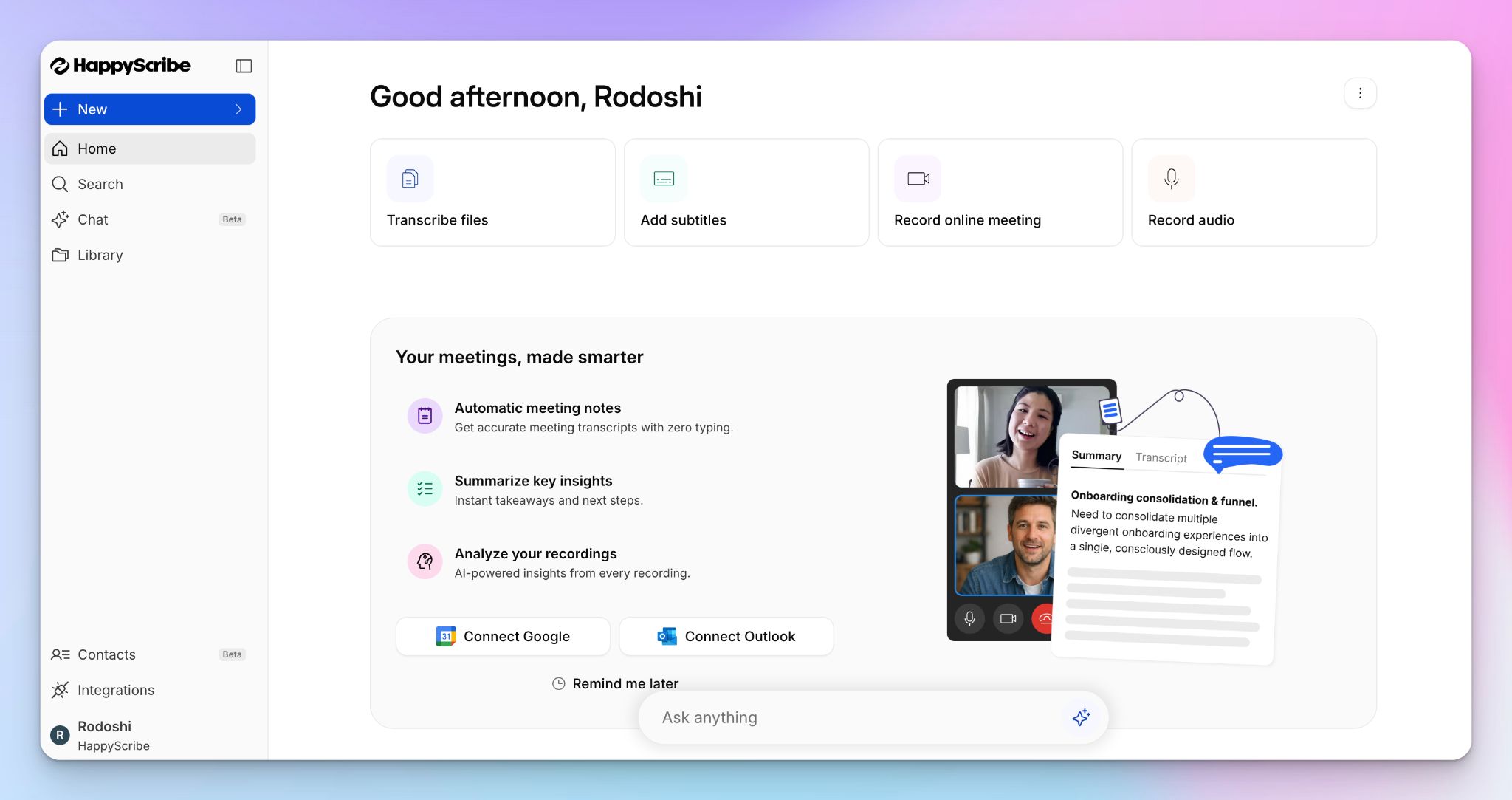
HappyScribe is the best meeting transcription software if you need transcripts you can actually trust and the flexibility to choose how they're created.
You get two transcription paths on the same platform:
- AI-powered transcription that processes recordings in minutes across 150+ languages
- A human transcription service where professional linguists review the output for near-perfect accuracy
That combination is important because not every meeting carries the same weight. A quick internal sync doesn't need the same treatment as a recorded client interview or a board meeting.
For live meetings, HappyScribe's AI note taker connects to your Google or Outlook calendar and auto-joins scheduled calls on Zoom, Google Meet, and Microsoft Teams.
On the Microsoft side, HappyScribe doubles as a Microsoft Teams AI note taker that auto-joins via calendar sync and works without an admin-level Copilot rollout.
For ad hoc calls, paste the meeting link, and the notetaker joins on the spot.
And if you'd rather not have a bot on the call at all, the browser-based recorder captures the meeting without adding a visible participant. It’s useful for sales calls, sensitive conversations, or any setting where a recording bot changes the room.
Alternatively, you can upload pre-recorded files and turn them into actionable notes.
Regardless of how the audio comes in, you get the same output: a timestamped transcript with on-point speaker diarization, an AI-generated summary, and action items.
HappyScribe’s key features
1. Get accurate transcripts across 150+ languages and dialects
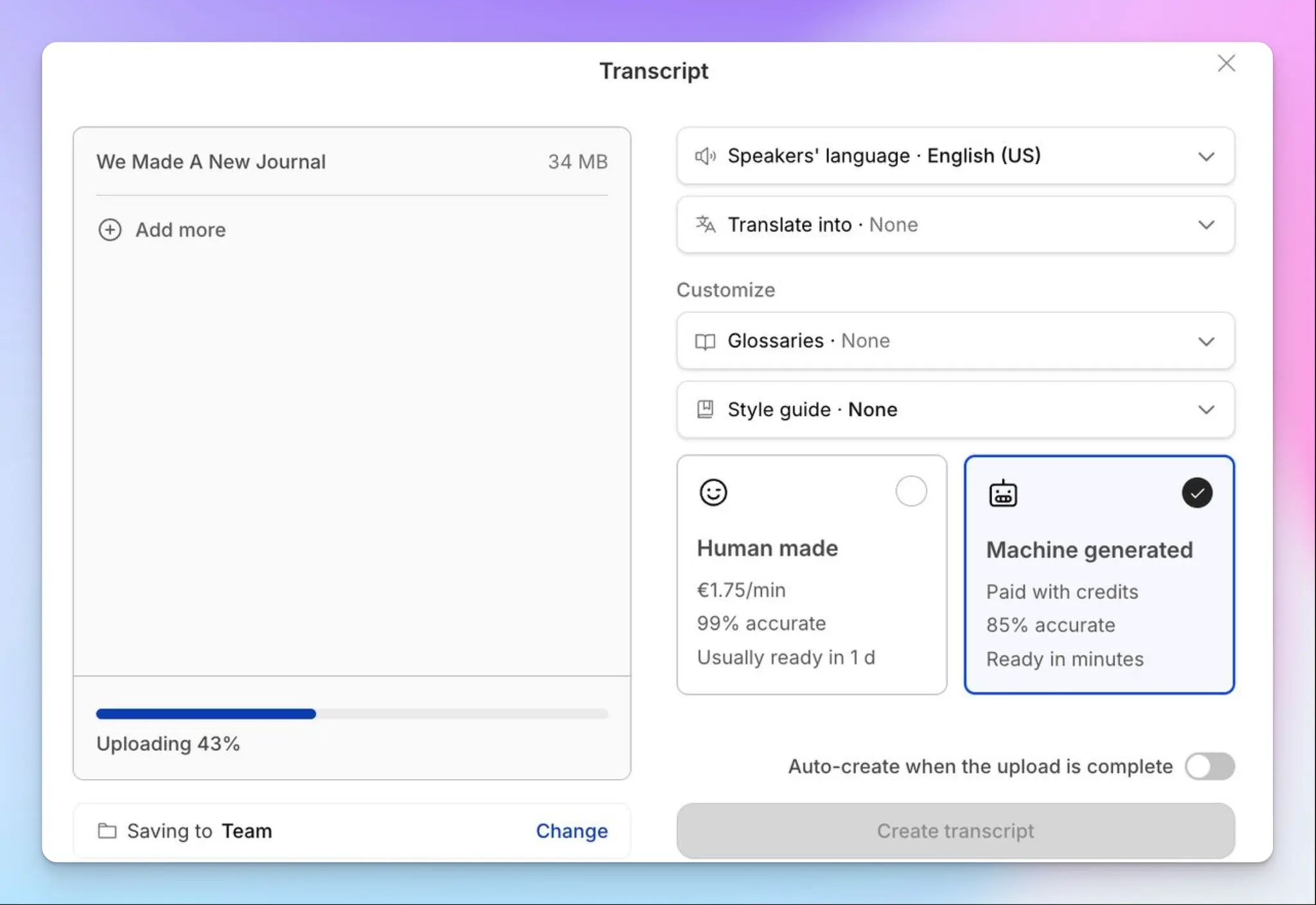
HappyScribe supports AI transcription in over 150 languages with 95%+ accuracy and automatic language detection. It handles accent variation and regional dialects without dropping accuracy, which is where many transcription tools fall apart.
If you prefer human oversight for greater accuracy, you can upgrade any file to professional, human-made transcription in 60+ languages. Seasoned linguists review and correct the transcript and ensure 99% precision.
2. Query across all your meetings with AI Chat
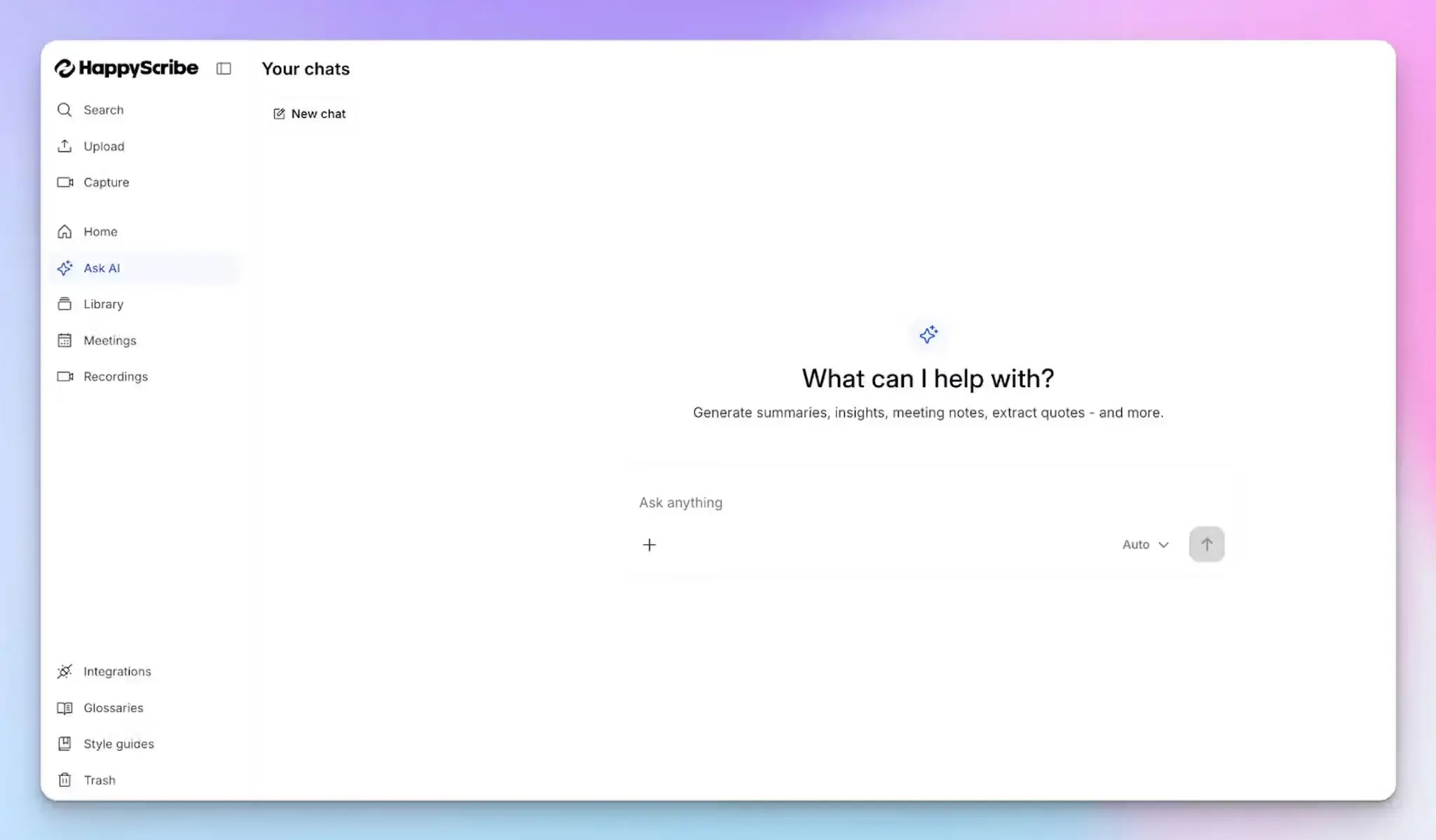
After the meeting, you don't have to scroll through a full transcript to find the one thing you need. HappyScribe’s AI Chat lets you query your meetings conversationally. You can pull a summary, extract a specific quote, list action items, or generate a follow-up email directly from the transcript.
It works across all your past meetings too, so you can ask something like "What did the client say about the timeline in last Tuesday's call?" and get an answer without opening the recording.
3. Edit, review, and collaborate inside the transcript
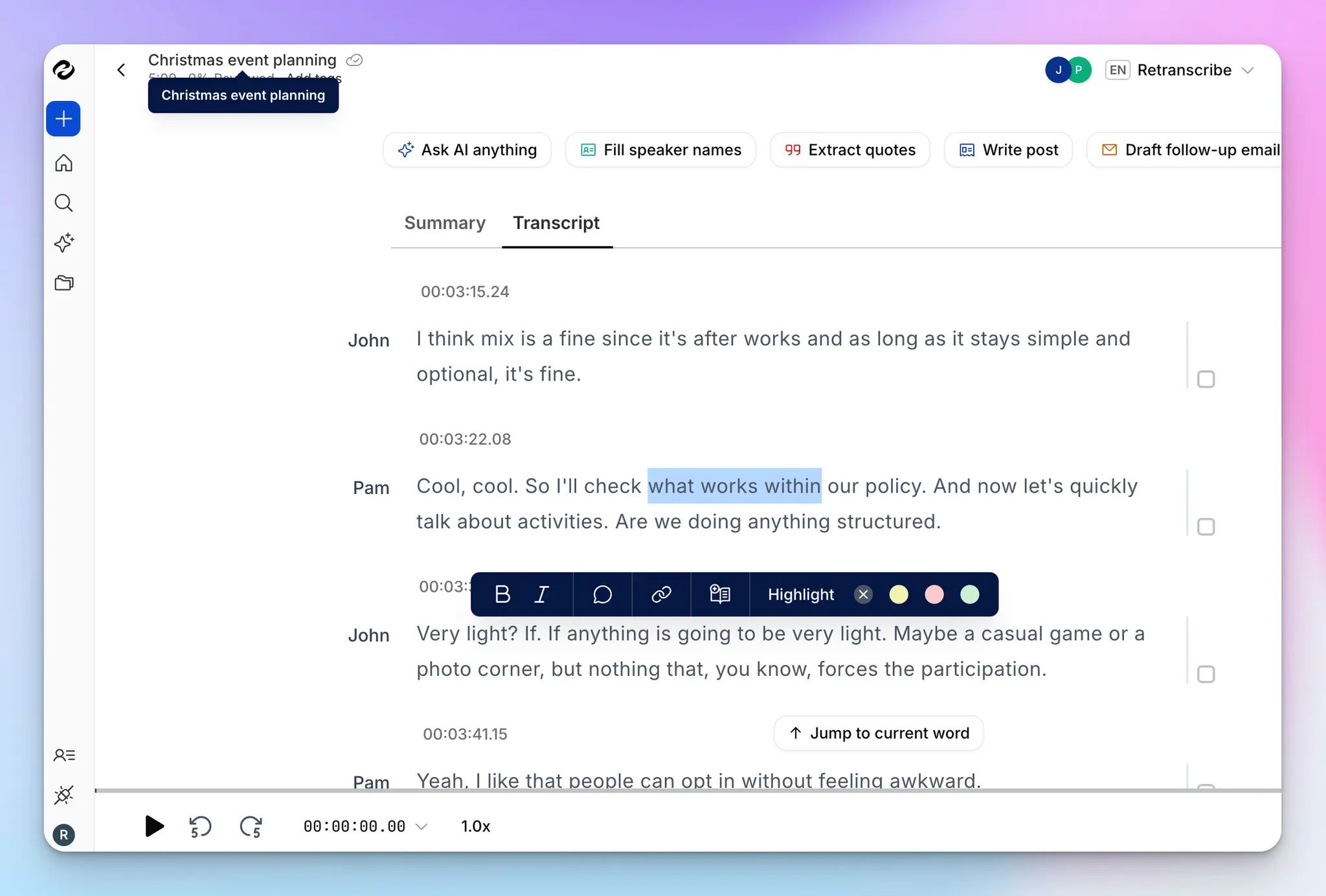
The interactive transcript editor syncs playback with text, so you can listen and edit at the same time.
Search for terms across the transcript, fix errors inline, add speaker labels, and leave comments for teammates.
Custom glossaries keep terminology consistent across recordings. It’s useful for teams in legal or technical fields where conversations involve a lot of industry jargon.
4. Share notes and push them into your workflow
After each meeting, a clean summary is automatically sent to your inbox. Also, you can send notes to teammates, download them as Word or PDF files for internal use, or generate SRT and VTT files for video and subtitle workflows, directly from your HappyScribe dashboard.
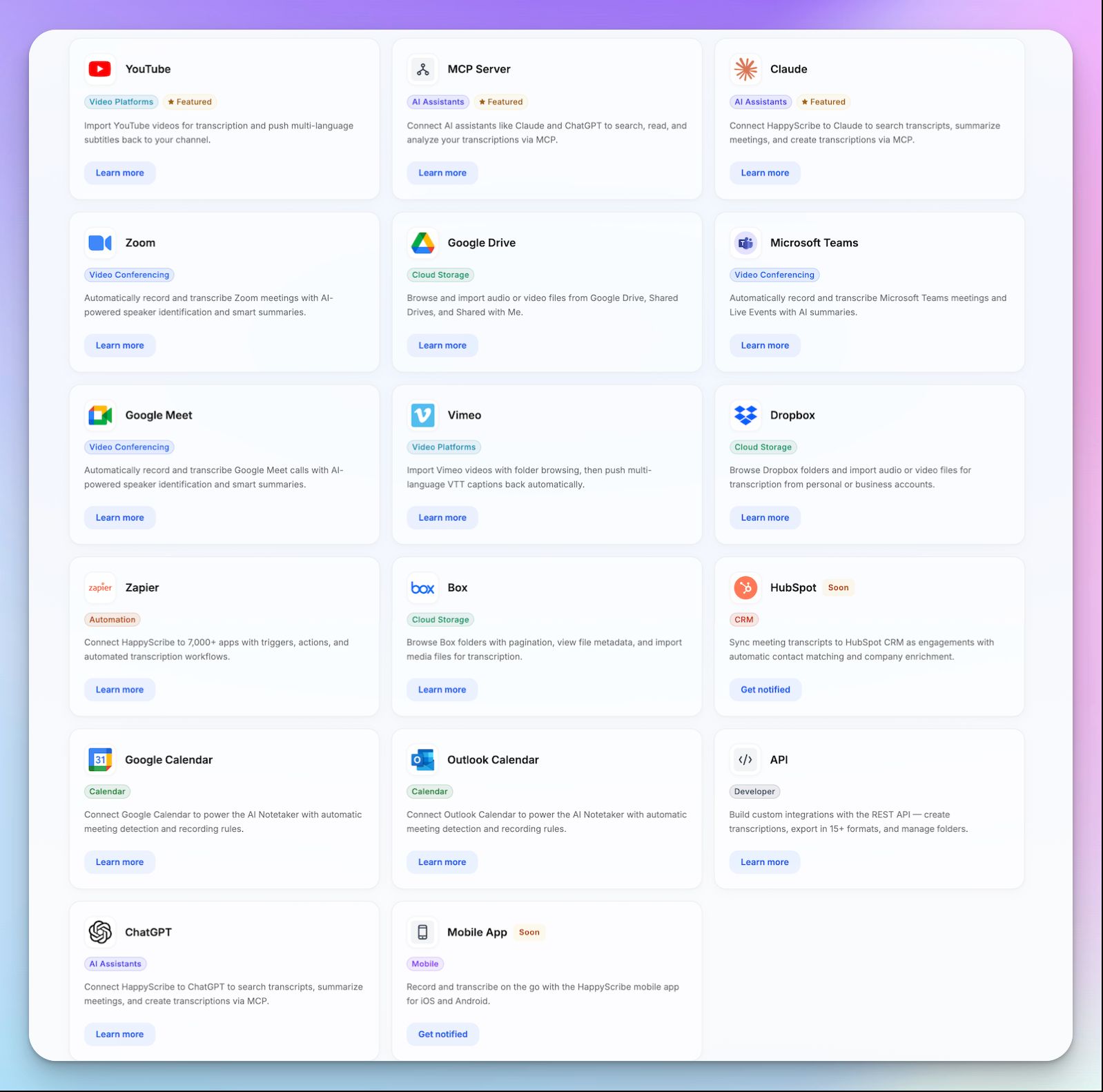
If your work happens across multiple tools, you can move transcripts and summaries into your existing stack using HappyScribe’s MCP server, API, or Zapier.
HappyScribe keeps your meeting data connected to the rest of your workflow, whether that’s your CRM, project management system, or documentation hub.
5. GDPR compliance, SOC 2 Type II, and EU data hosting
HappyScribe is GDPR-compliant and SOC 2 Type II-certified. All data is stored in an EU-based Tier IV data center that meets PCI DSS and ISO 27001 standards. Files are encrypted in transit and at rest with AES-256 block-level encryption.
You can opt out of AI training, permanently delete files, and control access at the individual transcript level.
HappyScribe's pricing
- Free: Unlimited meeting recordings (45 mins/recording); 10-minute free trial of AI transcription, subtitling, and translation
- Basic: $8.50/month (billed annually) or $17/month (billed monthly)
- Pro: $19/month (billed annually) or $29/month (billed monthly)
- Business: $59/month (billed annually) or $89/month (billed monthly)
- Enterprise:Contact sales for tailored solutions
- Human transcription: From $2.00/minute
HappyScribe's pros
- AI + human transcription pipeline; upgrade any file to human-reviewed accuracy without leaving the platform
- Translate notes into 80+ languages
- Generate automatic subtitles in 150+ languages and turn meeting recordings into shareable assets
- Offers both audio-to-text and video-to-text features
- Browser-based bot-free recording keeps meetings discreet
- Get custom templates to maintain a uniform structure across different types of meetings
- Transcript editor offers audio-synced playback, inline comments, search, and custom glossaries
- EU data hosting and SOC 2 Type II certification for teams with strict compliance needs
- Generous free plan with unlimited meeting recordings gives enough room to test across real meetings before committing
- Get assistance from real human customer support agents, not chatbots
HappyScribe's cons
- Free tier for file transcription is limited to 10 minutes, though you get unlimited meeting recordings for the AI note taker
- Best suited for post-meeting transcription; not built for live, real-time transcription during the call
- Human transcription adds cost and turnaround time on top of the base subscription
What are real-life users saying about HappyScribe?
First time using. Worked great to transcribe meeting recording. Love that it identifyed different speakers.
I just started using HappyScribe but the customer service alone makes it highly recommendable! The transcriptions come out very clean and their AI tools are of higher quality than the last service I used. I'm impressed.
How to get meeting transcripts using HappyScribe? A step-by-step guide
- Link your Google or Outlook calendar to let HappyScribe auto-join scheduled virtual meetings. For ad hoc calls, paste the meeting link to invite the bot manually. For in-person meetings, record audio without a bot using the browser-based recorder or the HappyScribe mobile app.
- During the call, the host must admit the bot to start recording. Anyone on the call can type "!help" in chat to pause, resume, or remove it.
- Once the meeting ends, notes and transcripts are saved in your Workspace or Private section, depending on your privacy settings.
Alternatively, you can upload pre-recorded meetings and generate automated transcripts.
2. tl;dv
Best for: Sales and customer success teams that want to turn meeting recordings into coaching insights and clips
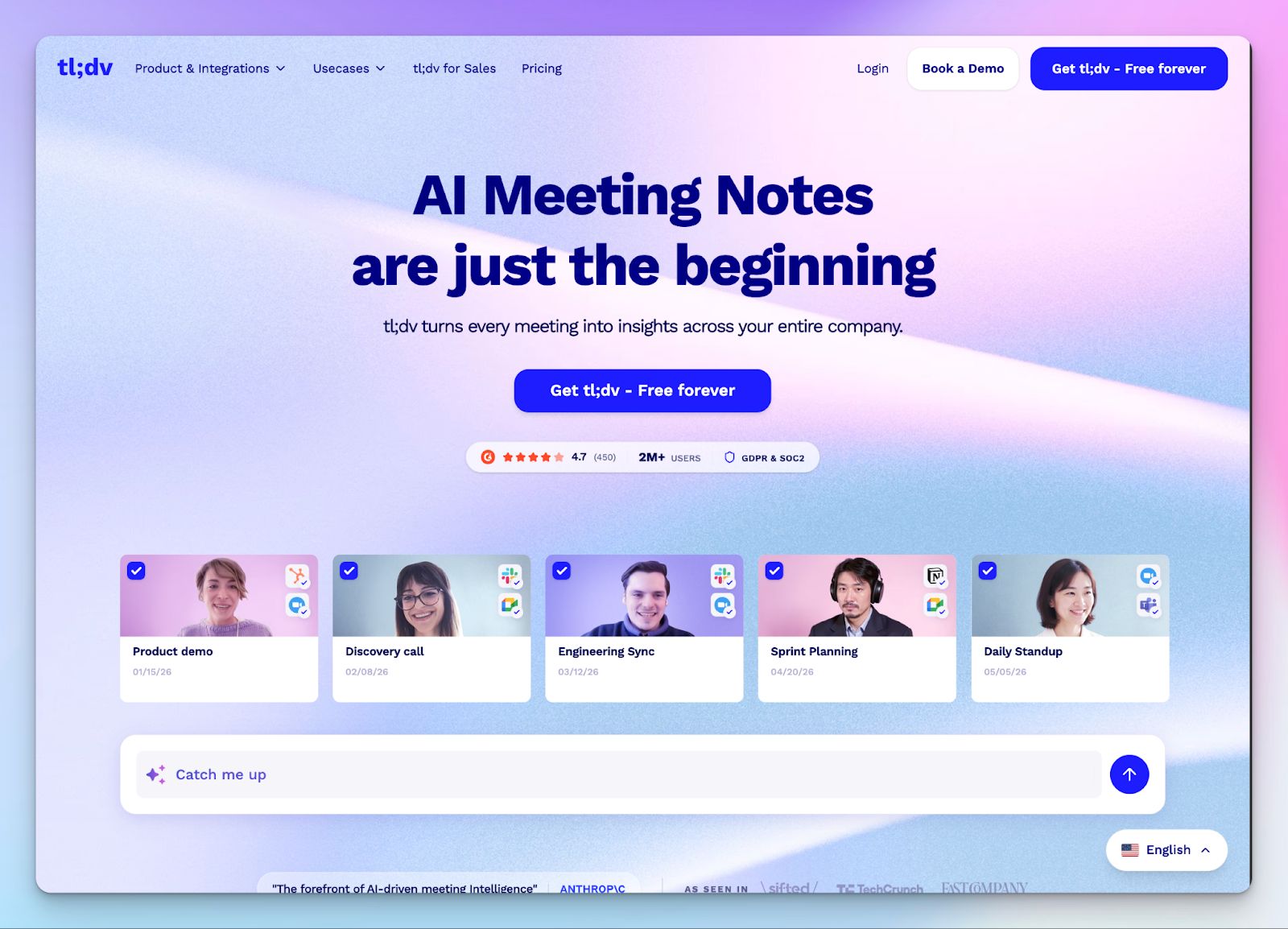
tl;dv records, transcribes, and summarizes meetings across Zoom, Google Meet, and Microsoft Teams.
Where it earns its spot on this list is what happens after the transcript: you can clip specific moments, tag them, combine clips into shareable Reels, and push notes directly into your CRM.
If you’re a sales manager trying to understand what's happening across your team's calls without sitting through full recordings, the multi-meeting intelligence is the real draw.
The AI coaching layer on the Business plan lets you apply sales frameworks like BANT, MEDDIC, and SPIN directly to transcripts, track objection patterns across calls, and generate scheduled reports that land in your inbox automatically.
tl;dv also works bot-free, so you can record without adding a visible participant to the call.
tl;dv’s key features
- Transcription and translation in 30+ languages
- Clip and highlight key moments from the transcript, then combine clips into shareable Reels
- Ask tl;dv to search across all your meetings for answers
- CRM sync with Salesforce, HubSpot, and other tools via Zapier
- Topic trackers to monitor mentions of competitors, pricing, or objections across calls
- GDPR compliant, SOC 2 certified, and AES-256 encryption
tl;dv’s pricing
- Free: Unlimited recordings and transcriptions, 10 AI meeting notes per month, basic integrations
- Pro: $29/user/month
- Business: $98/user/month
- Enterprise: Contact sales
tl;dv’s pros
- Multi-meeting reports and Ask tl;dv surface patterns you'd never catch reviewing calls one at a time
- Clips and Reels make it easy to share key moments without sending a full recording
- Sales coaching layer adds real value for managers reviewing team performance at scale
tl;dv’s cons
- Limited language support pushes teams to look for tl;dv alternatives
- Business plan pricing jumps significantly; the gap between Pro and Business is steep
- Sales coaching and advanced analytics are locked behind the Business tier, which makes the tool expensive for smaller teams that need those features
3. Krisp
Best for: Remote workers, consultants, and customer-facing teams that operate in noisy environments and need clean audio as a foundation for accurate transcription
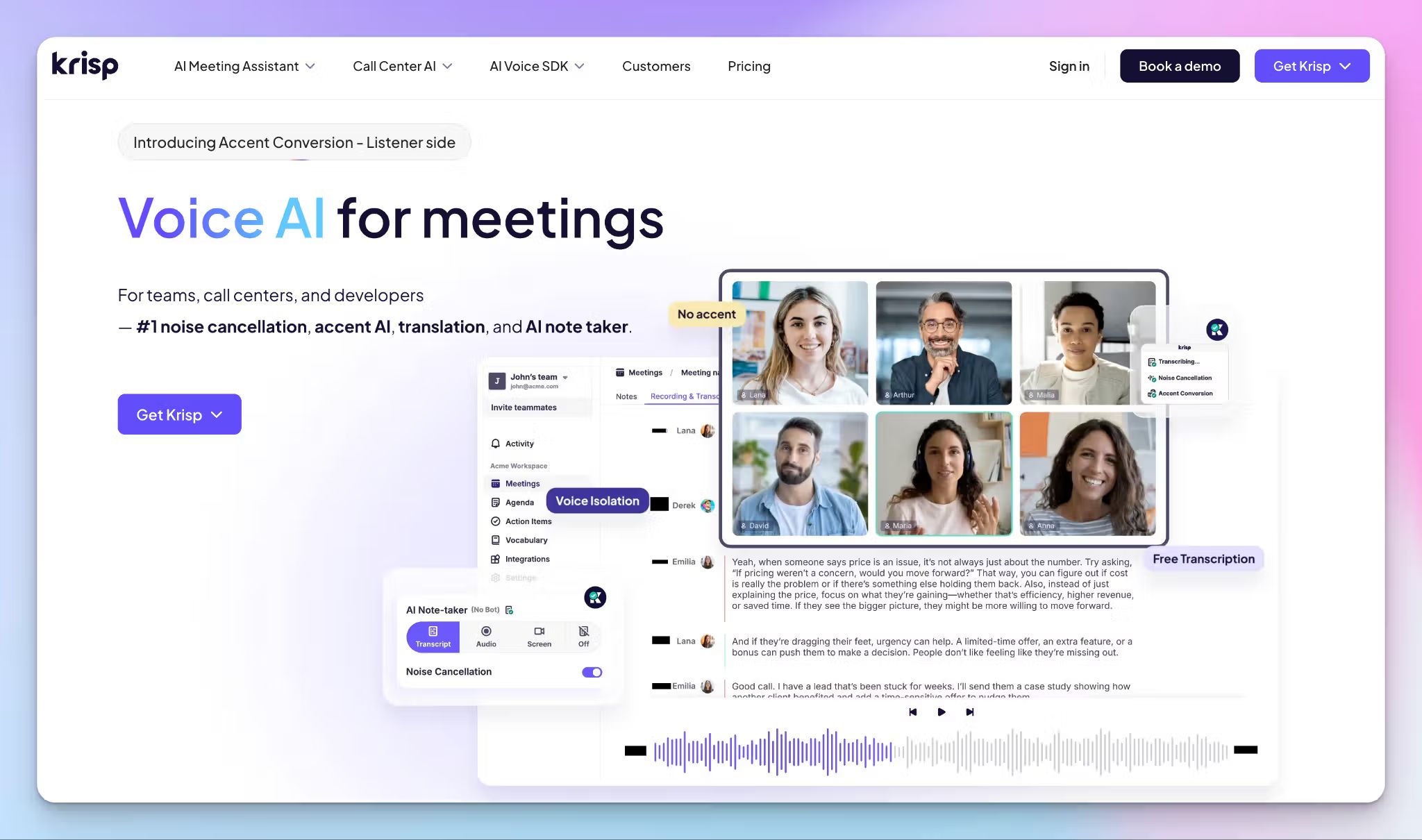
Krisp started as a noise cancellation tool and expanded into a full AI meeting assistant, and that origin still defines what makes it different.
It cancels background noise from both sides of the call in real time, so the person with the barking dog and the one in the open-plan office both get cleaner audio.
The noise cancellation layer runs locally on your device, which means your audio never leaves your machine.
On top of that, Krisp records, transcribes, and summarizes meetings across Zoom, Google Meet, Microsoft Teams, and Slack Huddles. It works at the system audio level, so there's no bot joining the call.
The accent conversion feature is worth noting: it adjusts accented English to sound more neutral while preserving the speaker's natural voice. Call center teams and international teams working in English as a second language will get the most value from this.
Krisp’s key features
- Real-time transcription with speaker identification
- Accent conversion that neutralizes English accents while keeping the speaker's voice identity
- Ask Krisp AI chat to query meeting content after the call
- Transcription and summaries in 16+ languages
- Mobile app for recording and transcribing in-person meetings on the go
- Calendar integration for auto-recording scheduled calls
Krisp’s pricing
- Core: $16/user/month
- Advanced: $30/user/month
- Enterprise: Contact sales
Krisp’s pros
- Noise cancellation is best-in-class, offers over 40 dB of reduction, processed entirely on-device for privacy
- Bot-free by design, so it works across any audio app without showing up as a participant
- Works with virtually any conferencing app since it sits at the system audio level
Krisp’s cons
- No free plan, you only get 7 days of free trial
- Language support is limited
- Salesforce integration requires the Advanced plan
📚 Also read:
4. Notta
Best for: Multilingual teams and solo professionals who need transcription along with visual outputs like auto-generated slides and infographics
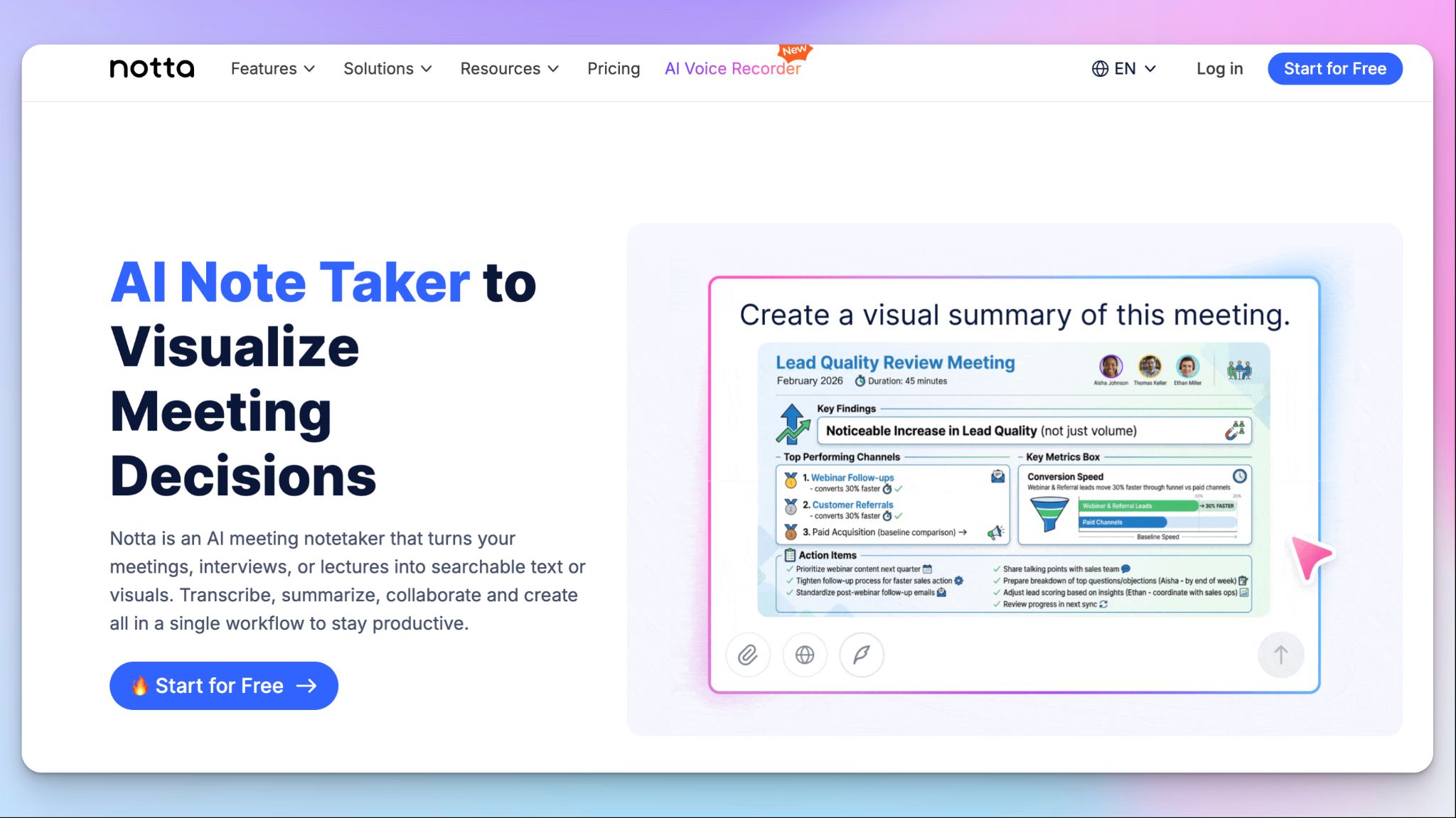
Notta takes meeting recordings and uploaded files and turns them into transcripts, summaries, and visual deliverables.
The Notta Brain feature lets you query your meeting history and automatically generate slides, infographics, and decision frameworks directly from the transcript.
If your team spends time reformatting meeting notes into something presentable, Notta removes that manual step from the post-meeting workflow.
You get support for 58 languages with real-time transcription and speaker identification. It connects to Zoom, Google Meet, Microsoft Teams, and Webex through a bot that syncs with your calendar and auto-joins scheduled calls. Paste a meeting link for quick recordings or use the mobile app to capture in-person conversations on the go.
Bilingual transcription is available as a paid add-on, useful for cross-border calls where two languages are spoken during the same meeting. Translation is available in 42+ languages for post-meeting review.
Notta’s key features
- Real-time transcription in 58 languages with speaker identification
- Mobile app for recording and transcribing in-person meetings
- Clips and highlights to share specific moments from recordings
- Export to TXT, DOCX, PDF, SRT, and XLSX
- Integrations with Slack, Notion, Google Drive, Salesforce, HubSpot, and Zapier
- SOC 2 Type II, ISO 27001, GDPR, HIPAA, and CCPA compliant; AES-256 encryption on AWS
Notta’s pricing
- Free: 120 transcription minutes/month (3-minute cap per recording), 10 AI summaries/month
- Pro: $13.99/user/month
- Business: $27.99/seat/month
- Enterprise: Custom pricing
Notta’s pros
- Mobile app syncs seamlessly with the desktop workspace for capturing in-person conversations
- Offers custom vocabulary support for English and Japanese
- Bilingual transcription and monolingual real-time translation available as paid add-ons
Notta’s cons
- Free plan caps each recording at 3 minutes, which is essentially unusable for real meetings, pushing users to look for free transcription software
- Video recording is locked behind the Business plan; Pro users only get audio
- CRM integrations (Salesforce, HubSpot) require the Business tier, which doubles the per-seat cost
📚 Also read:
5. Avoma
Best for: Revenue teams that want meeting transcription tied directly to deal tracking and sales coaching
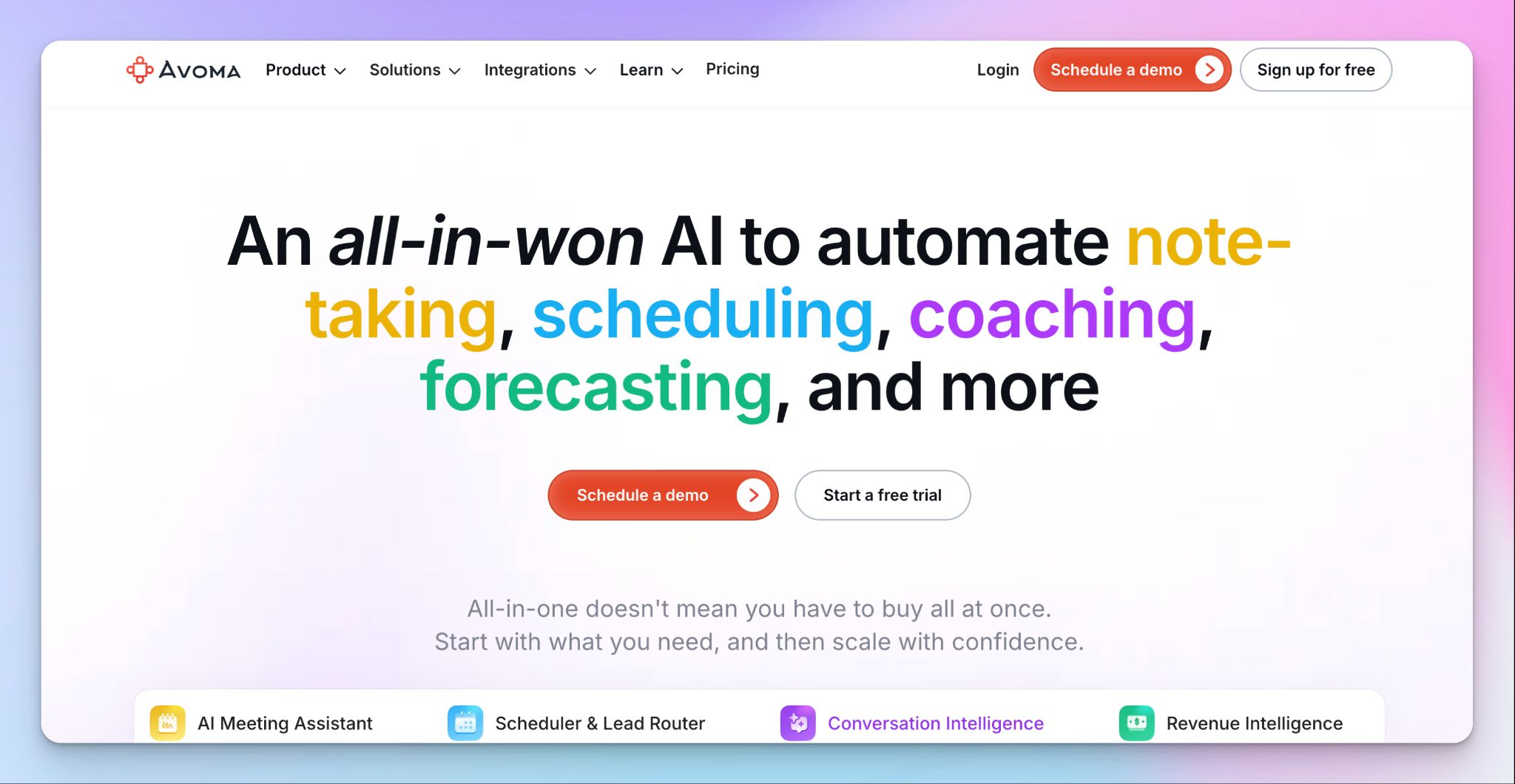
Avoma covers the full meeting lifecycle. It starts before the call with meeting agenda templates and scheduling automation, records and transcribes the conversation in real time, generates AI notes and follow-up emails after the call, and pushes everything into your CRM without manual data entry.
Where Avoma separates from a general-purpose transcription tool is the conversation intelligence layer. You can track talk-to-listen ratios, monitor keyword mentions across calls, and score reps with AI-generated coaching scorecards.
If your team already reviews calls to coach reps and forecast deals, Avoma consolidates that work into a single platform rather than stitching together a transcription tool and a separate analytics product.
Avoma supports both bot-based and bot-less native recording across Zoom, Google Meet, Microsoft Teams, WebEx, and GoToMeeting.
Avoma’s key features
- Real-time transcription in 75+ languages with speaker identification
- Smart Chapters that break conversations into topic segments with timestamps
- Ask Avoma to query across all meetings for specific answers
- AI coaching scorecards and call scoring for rep performance tracking
- Talk pattern analytics: talk-to-listen ratio, filler words, engagement insights
- Smart trackers for keywords, competitors, and objection patterns
- Scheduler with round-robin routing, lead qualification, and inbound/outbound handoff
Avoma’s pricing
- Startup: $29/user/month
- Organization: $39/user/month
- Enterprise: $39/user/month
- Revenue Intelligence add-on: $35/user/month
Avoma’s pros
- AI notes auto-sync to CRM fields, eliminating manual post-call data entry
- Sales coaching and call scoring let managers review performance at scale without listening to every call
- Viewers and collaborators access recordings, notes, and transcripts for free, only recorder seats are paid
Avoma’s cons
- The platform is built for revenue and customer-facing teams; researchers, journalists, and individual users will find much of the feature set unnecessary
- Advanced analytics (conversation intelligence, revenue intelligence) are locked behind expensive add-ons on top of the base plan
- Transcription accuracy can dip with heavy accents or noisy environments, requiring manual correction
📚 Also read:
Which meeting transcription software should you choose?
Every tool on this list transcribes meetings. The difference is what each one does with the transcript afterward and how much manual work it removes from your post-meeting routine.
👉 HappyScribe is the strongest pick for teams that need accurate, multilingual transcription with the flexibility to choose between AI and human-reviewed accuracy. It supports 150+ languages, offers bot-free recording alongside calendar auto-join, and keeps your data in EU servers with SOC 2 Type II and GDPR compliance.
👉 Sales and customer success teams that need meeting data flowing into their CRM with coaching insights attached will get the most from tl;dv or Avoma. tl;dv is better for clipping and sharing key moments across the team. Avoma goes deeper into the revenue workflow with CRM field automation, deal tracking, and structured coaching scorecards.
👉 Noisy environments call for a different kind of solution. Krisp solves the audio quality issue at the source. The noise cancellation runs locally, the recording is bot-free, and the accent conversion feature is unique to Krisp.
👉 Teams that regularly turn transcripts into visual deliverables like slides or infographics will appreciate Notta. Notta Brain handles that step automatically, cutting out the manual reformatting that usually follows a meeting.
The best way to decide is to run a tool through your actual meetings. HappyScribe lets you do that for free, with unlimited meeting recordings, no credit card required.
FAQs on the best meeting transcription software
How accurate is AI transcription compared to manual transcription?
AI powered transcription tools have improved significantly and now deliver around 85-98% AI transcription accuracy depending on audio quality, accents, and how many speakers are on the call. For clean audio with a single speaker, most meeting transcription tools get close to human-level results. But accuracy drops when there's background noise, crosstalk, or multiple speakers on the line. Manual transcription still wins on precision because a human listener catches context that AI misses, like names, jargon, and half-finished sentences. That's why platforms like HappyScribe offer both: AI powered transcription for speed and human powered transcription for when you need highly accurate, publish-ready transcripts. The best approach depends on what the transcript is for. Quick meeting summaries and internal meeting notes work fine with automated transcription. Legal records, research interviews, and client-facing deliverables often need human intervention to get the final transcript right.
Can meeting transcription software handle in-person meetings, or is it only for virtual meetings?
It depends on the tool. Some meeting transcription apps only work with virtual meetings on video conferencing platforms like Google Meet, Microsoft Teams, and Zoom. Others let you record meetings that happen face to face. For in person meetings, you need a tool with a mobile app or browser-based recorder that can capture an audio recording directly from your device. HappyScribe, for example, supports both online meetings and in person recording, plus you can upload audio and video files from any source and get accurate transcripts from them.
Can I transcribe meetings in multiple languages?
Yes. HappyScribe leads with 150+ languages and dialects, including automatic language detection, so you don't need to manually select the language before each call. Avoma supports 75+ languages. Notta covers 58 and offers bilingual transcription as a paid add-on for calls where two languages are spoken in the same meeting. tl;dv supports 30+. Krisp is the most limited at 16+ languages. For teams that work across regions or conduct interviews with speakers in different languages, transcription accuracy in your specific language matters more than the total number advertised. Test the tool with real calls in the languages you actually use. Some tools handle European languages well but struggle with tonal languages or regional dialects. HappyScribe is especially strong across European languages and handles accent variation without dropping accuracy.
Do I need a paid plan, or can I get useful meeting transcripts on a free tier?
Several meeting transcription tools offer a free plan, but the limits vary. HappyScribe's free plan gives you unlimited meeting recordings with a 45-minute cap per recording, which is generous enough to run the tool across real calls before upgrading. tl;dv also offers unlimited recordings and unlimited transcription on its free tier, with 10 AI summaries per month.
What file formats can I export my meeting transcripts to?
The best automated transcription services support multiple export formats so you can share or archive transcripts however you need. HappyScribe, for example, lets you download a word document, PDF, or plain text file for internal use, plus SRT and VTT files for subtitle and video workflows. Media professionals working with audio and video files will find the subtitle exports especially useful since they're generated from the same recording used for the transcript. Before exporting, HappyScribe lets you edit transcripts directly inside its interactive editor. You can fix errors, adjust speaker labels, and highlight key points so the completed transcripts are clean before they reach stakeholders. HappyScribe also pushes meeting notes into collaboration tools or your existing workflow via its MCP server, API, and Zapier. That keeps everyone on the same page without manual copy-pasting between platforms.
Are meeting transcription services secure enough for confidential conversations?
Security depends on the provider. The best transcription services use end-to-end encryption, store data in certified facilities, and give you control over who can access your files. HappyScribe, for example, is SOC 2 Type II certified and GDPR compliant, with all data hosted in EU servers. Every meeting participant can trust that recordings stay private. For teams handling sensitive material, it's worth checking whether the provider's human transcription teams sign non disclosure agreements before reviewing your audio files. HappyScribe's linguists operate under strict confidentiality protocols, so even when you need human review, your recordings are protected.
How do I get started with meeting transcription software?
HappyScribe connects to your Google Calendar or Outlook Calendar to auto-join scheduled calls and deliver automated transcripts. The transcription quality holds up across varying accents and overlapping speakers, which reduces the need for taking notes by hand during the call. You can also transcribe audio from uploaded audio files captured outside your regular workflow, whether that's a recorded interview, a voice memo, or an old meeting you never got around to reviewing. Just upload the file and HappyScribe handles the rest.

Rodoshi Das
Rodoshi is the Content Lead at HappyScribe, the privacy-first transcription and AI notetaker platform based in Barcelona. Shaping content strategies and building AI workflows excites her as much as exploring new SaaS tools. She specializes in product-led content that informs rather than sells, grounded in honest product benchmarking and low tolerance for empty marketing speak.