![5 Best Multilingual Transcription Services [2026]](/sanity-images/ejgwz1gl/redesign/5d4fa1736b923094d30f93a80d8eaf29ba3ad505-1536x1024.jpg?auto=format&w=1536.0&rect=0,128,1536,768&h=768)
If your team is split across Paris and Tokyo, or your clients switch between English and Spanish on the same call, you already know generic transcription tools won’t cut it. Most tools are built to transcribe English speakers, so they struggle with other languages and dialects.
Over the past few weeks, I tested a wide range of multilingual transcription services to put this list together. The shortlist covers AI-first platforms, human-proofread options, and API-based tools for teams that build their own workflows.
Consider it the shortcut I wish I'd had when I started the search.
TL;DR ⏩
- HappyScribe: Best overall multilingual transcription service for global businesses and professionals who need accurate transcription across languages, with a human-verified option for high-stakes content
- GoTranscript: Best for teams in legal, academic, and compliance-heavy industries that prioritize human-made transcription over AI speed
- Maestra: Best for content teams and event organizers that need real-time multilingual captioning alongside standard transcription
- Riverside: Best for podcasters and video creators who need studio-quality recordings with built-in transcription across languages
- OpenAI Whisper: Best for developers and technical teams that need a flexible, low-cost API or self-hosted multilingual transcription engine
How did I evaluate the best multilingual transcription services?
1. Transcription accuracy across languages and dialects
The first thing I did was look beyond marketing materials and run test files in French, German, Japanese, and Arabic through each service and compare the outputs against manually verified references.
Tools that delivered 90%+ in English but dropped below 85% in other major languages didn't make the cut. I also looked for support for underrepresented languages and dialects, such as Galician, Basque, Swiss German, and Javanese.
🧠 Did you know?
Poor communication reduces the productivity of 49% of employees. When transcription tools can't accurately capture conversations, it slows down decision-making.
2. Code-switching and multilingual speaker handling
In real conversations, people don't stick to one language. A product lead in Brussels might switch between English and French multiple times in a single meeting without flagging each transition for the transcription tool.
Most services force you to select a single language before transcription starts. The ones that made this list can detect language shifts mid-audio or handle mixed-language content reliably.
3. Human review options for high-stakes content
AI transcription is good enough for most tasks today, but you might still need to re-check the notes. A misheard number in a financial call or a garbled name in a legal deposition can balloon into real problems. I checked whether the services offer a human proofreading layer for content where accuracy can’t be compromised.
Not every use case needs human review. But the option might help teams that operate in regulated industries.
4. API access and workflow flexibility
Some teams need an endpoint they can hit from their own systems. I looked at whether the services offer well-documented APIs with reliable batch processing support.
If you're processing hundreds of files per week or routing transcripts into a downstream pipeline, this helps you save time and control the costs.
5. Ease of use and collaboration
Finally, I reviewed usability. I looked at how fast each service gets you from upload to usable transcript, and whether the output is easy to share, edit, and comment on.
Tools that hid key features behind complex setups or required IT involvement for basic workflows lost points quickly.
What are the best multilingual transcription services? At a glance
| Category | HappyScribe | GoTranscript | Maestra | Riverside | OpenAI Whisper |
|---|---|---|---|---|---|
| Best for | Global teams looking for AI and human multilingual transcription in one place | Regulated industries and compliance teams needing human-only accuracy | Content teams and event organizers who need real-time multilingual captioning | Podcasters and video creators recording multilingual content | Developers building custom multilingual transcription pipelines |
| Key features | AI transcription, human proofreading, translation, subtitling, AI Chat, file uploads, and collaboration | Human transcription, Precisa QMS, data labeling, transcription API | Real-time captioning, AI dubbing, voice cloning, language auto-detect | Local recording, text-based video editor, AI translation, speaker detection | Open-source model, self-hostable, REST API, real-time processing |
| Supported languages | 150+ languages for AI. 60+ for human transcription | 140+ languages for human transcription only | 125+ languages | 100+ languages | 99 languages (accuracy varies by language) |
| Security | GDPR, SOC 2 Type II, AES-256, NDAs, and EU data center | GDPR-aligned, HIPAA-aligned, ISO 27001/NIST-aligned controls | GDPR compliant | SOC 2 compliant | MIT license. Data handling depends on deployment |
| Starting price | Free plan (unlimited recordings). Paid plans start from $8.50/month (billed annually) or $17/month | AI from $0.20/min. Human from $1.20/min | $12 per 60 minutes (pay as you go) | Free plan available. Pro at $29/month | Self-hosted: free. API at $0.006/min |
1. HappyScribe
Best for: Global businesses and multilingual professionals who need accurate transcription across languages, with human-verified options for high-stakes content and built-in collaboration
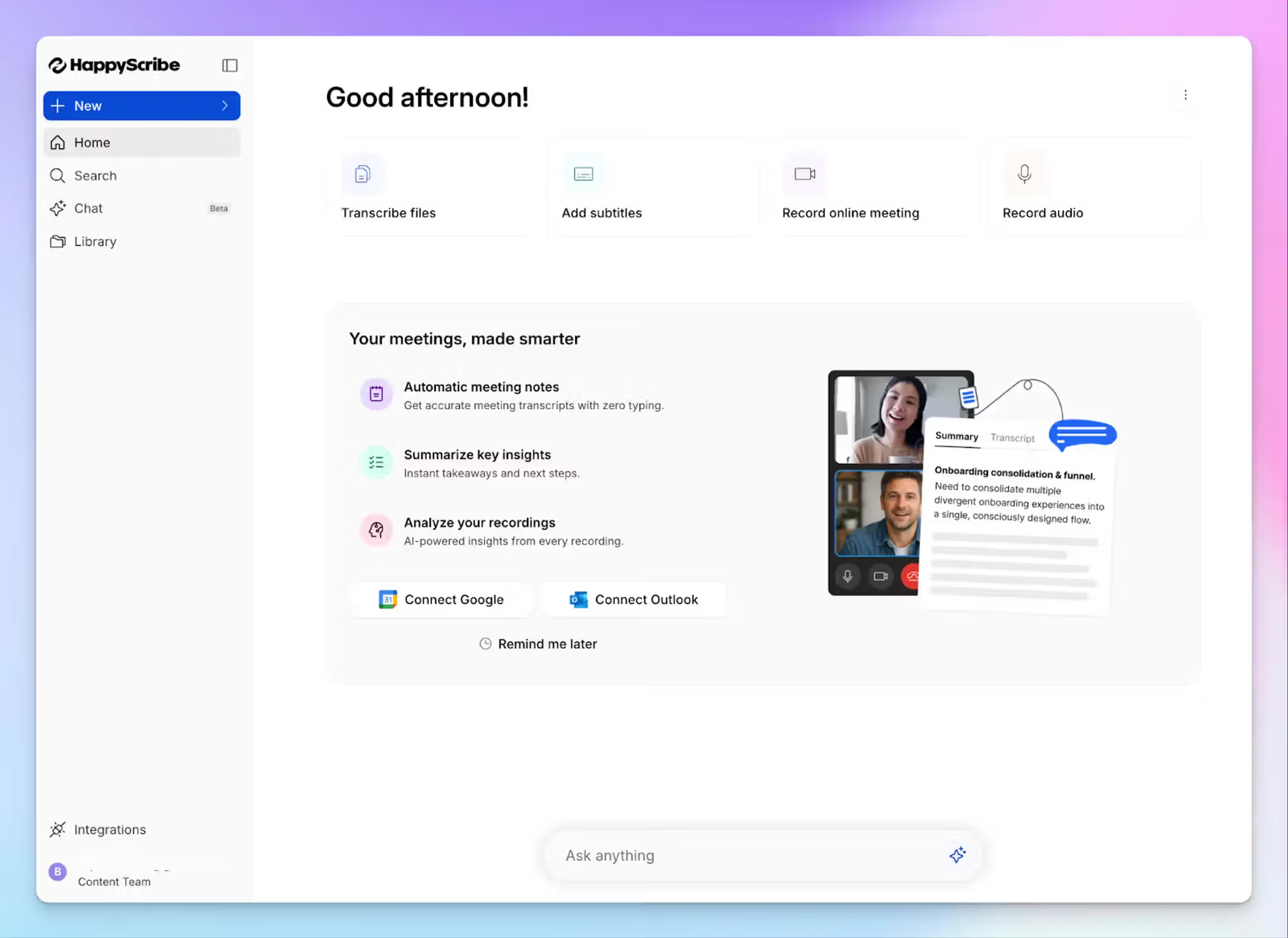
Barcelona-based HappyScribe is built to help multilingual teams get the best out of their conversations. As a product of one of Europe's most linguistically diverse regions, it doesn't treat non-English content as an afterthought.
Global teams get EU-grade security, affordable rates and native linguists who understand contexts and support diverse speeches.
HappyScribe's key features
1. 95%+ accurate AI transcripts in 150+ languages and dialects
HappyScribe's AI transcription engine delivers highly accurate transcripts across 150+ global languages and dialects. Be it crosstalk, fast speakers, or regional variation, HappyScribe AI generates transcripts within minutes.
Coverage extends beyond the usual suspects. You can run files in Lao, Icelandic, Uzbek, and Swahili through the same engine that handles French and Spanish. With custom glossaries, you can even add industry-specific terminology so the AI gets it right the first time.
Once your transcripts are ready, use the AI Chat to extract deeper insights from all of your meetings and files.
2. Human-verified transcripts with 99% accuracy in 60+ languages
For the times when you can’t trust AI accuracy, HappyScribe offers a human proofreading layer. Expert linguists review your audio or video file and deliver 99% accurate output in 60+ languages across Europe, Asia, and Africa.
Turnaround starts from 12 hours, which is faster than traditional agencies. All linguists are vetted and operate under NDAs, so legal depositions, medical interviews, and research content stay protected throughout the review process.
If you're in media production or any regulated field, human-verified transcription is what you need when a garbled name or a misheard context could derail your work.
3. Translate transcripts in 80+ languages and edit subtitles in one place
Once a transcript is done, you can translate it into 80+ languages without leaving the platform. That's useful for distributed teams sharing research interviews, training content, or client calls across regions.
The built-in subtitle editor handles timing, formatting, and export in over 40 formats, including SRT, VTT, DOCX, and TXT. If you have teams running video production or accessibility workflows, they don't need a separate tool for captioning.
4. Generous free plan and value for money paid plans
You can test the AI transcription with 10 free minutes before committing to a paid plan.
Paid AI plans start at $8.50/month, and human transcription starts at $2/minute for English, Spanish, and Polish. Most professional-services clients pay 5-10x less than they would at a traditional agency for the same 99% accuracy guarantee. Business and Enterprise users also get volume discounts on their orders.
5. Fast, secure transcription with built-in collaboration
HappyScribe runs on enterprise-grade encryption with EU-based data storage. The platform is GDPR and SOC 2 Type 2 compliant, so cross-border teams don't need to run a separate compliance review before uploading client audio. And that’s not all.
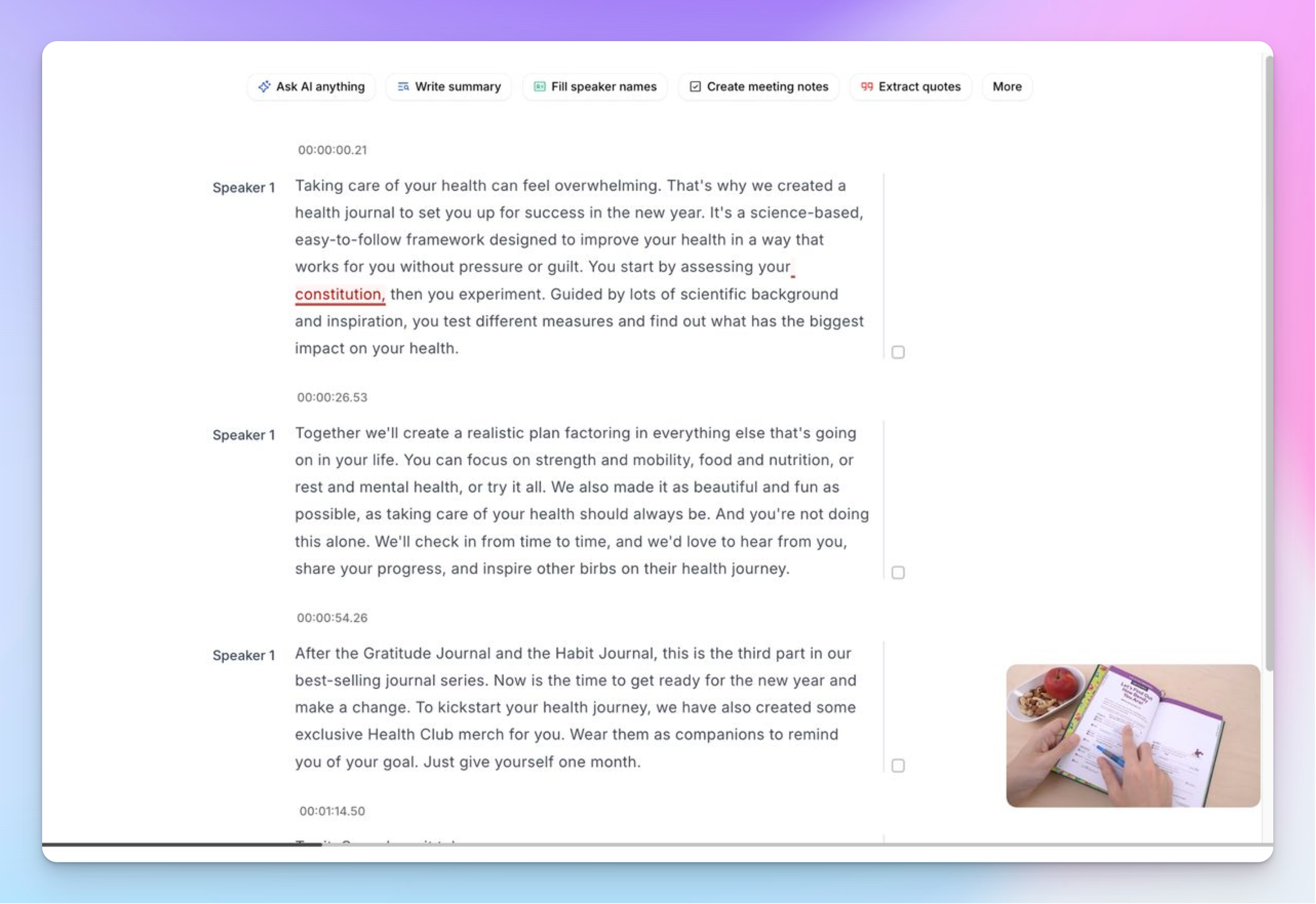
You can share transcripts with view-only or edit access, leave comments on specific timestamps, and work with teammates across time zones in real time. The API, MCP, and Zapier integrations let technical teams route files directly from their own systems.
HappyScribe's pricing
AI transcription and subtitling plans:
- Free: 10 minutes of AI transcription
- Basic: $8.50/month (billed annually) or $17/month (billed monthly)
- Pro: $19/month (billed annually) or $29/month (billed monthly)
- Business: $59/month (billed annually) or $89/month (billed monthly)
- Enterprise:Contact sales for tailored solutions
Human transcription and subtitles:
Human services are priced per minute of audio, and rates vary by language and turnaround time. You can estimate project cost using the human services pricing chart before placing an order.
HappyScribe’s pros
- Get transcription, translation, subtitling, and an AI note taker; all in one place
- Generate 95%+ accurate transcripts with AI in minutes, or request human experts for 99% accurate transcripts for sensitive topics
- Multi-meeting AI Chat surfaces key decisions and metrics to help you get the best out of large transcripts
- SOC 2 Type 2 and GDPR-compliant, along with EU data storage, making it one of the best transcription software in Europe
- Upload files from device and cloud storage, or paste links from YouTube directly to transcribe
- Fast, affordable, and easy to use for new users and bulk orders
- Get helpful support from real humans, not bots
HappyScribe’s cons
- Not ideal for real-time transcription
What are users saying about HappyScribe?
This transcriber works great.It is fast and very accurate even with specialized terminology as the one used in ATC (air traffic control)
I needed to transcribe talks given 30 years ago and the accuracy was astounding. Highly recommend it!
How to get multilingual transcripts with HappyScribe: a step-by-step guide
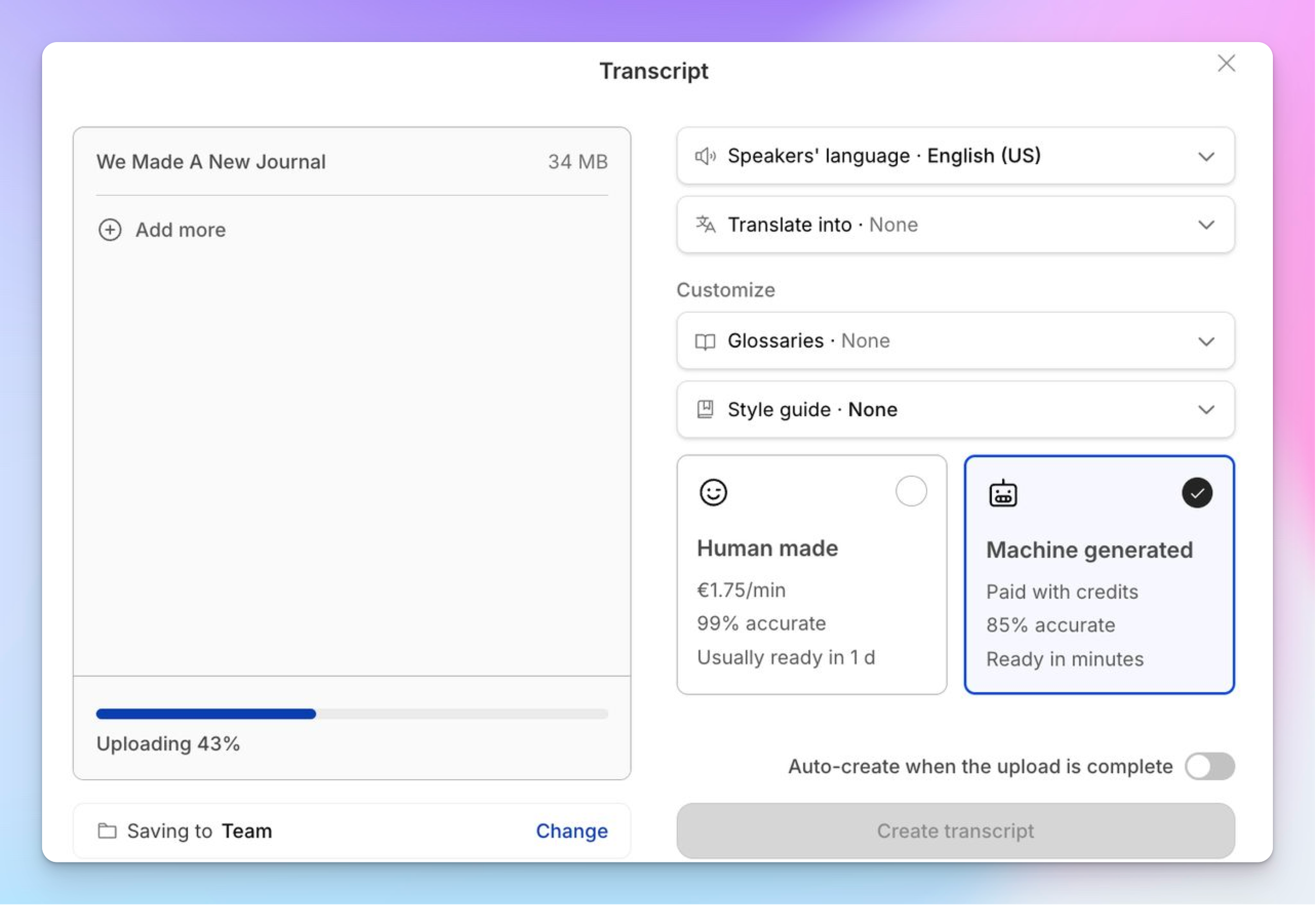
- Log in to your HappyScribe workspace and click Transcribe files at the top. You can upload directly from your device or import from YouTube, Vimeo, Dropbox, Google Drive, or Box
- Select your source language and language for translation (if any), style guide, and whether you need AI-generated or human transcription
- And that’s it! HappyScribe will upload your file and proceed to run the tasks selected by you
- Open the transcript in the interactive editor to edit timestamps, adjust speaker labels, and fix any errors
- Configure privacy settings before sharing the file or export it in a format of your choice
2. GoTranscript
Best for: Teams in legal, academic, and compliance-heavy industries that prioritize human-made transcription over AI speed
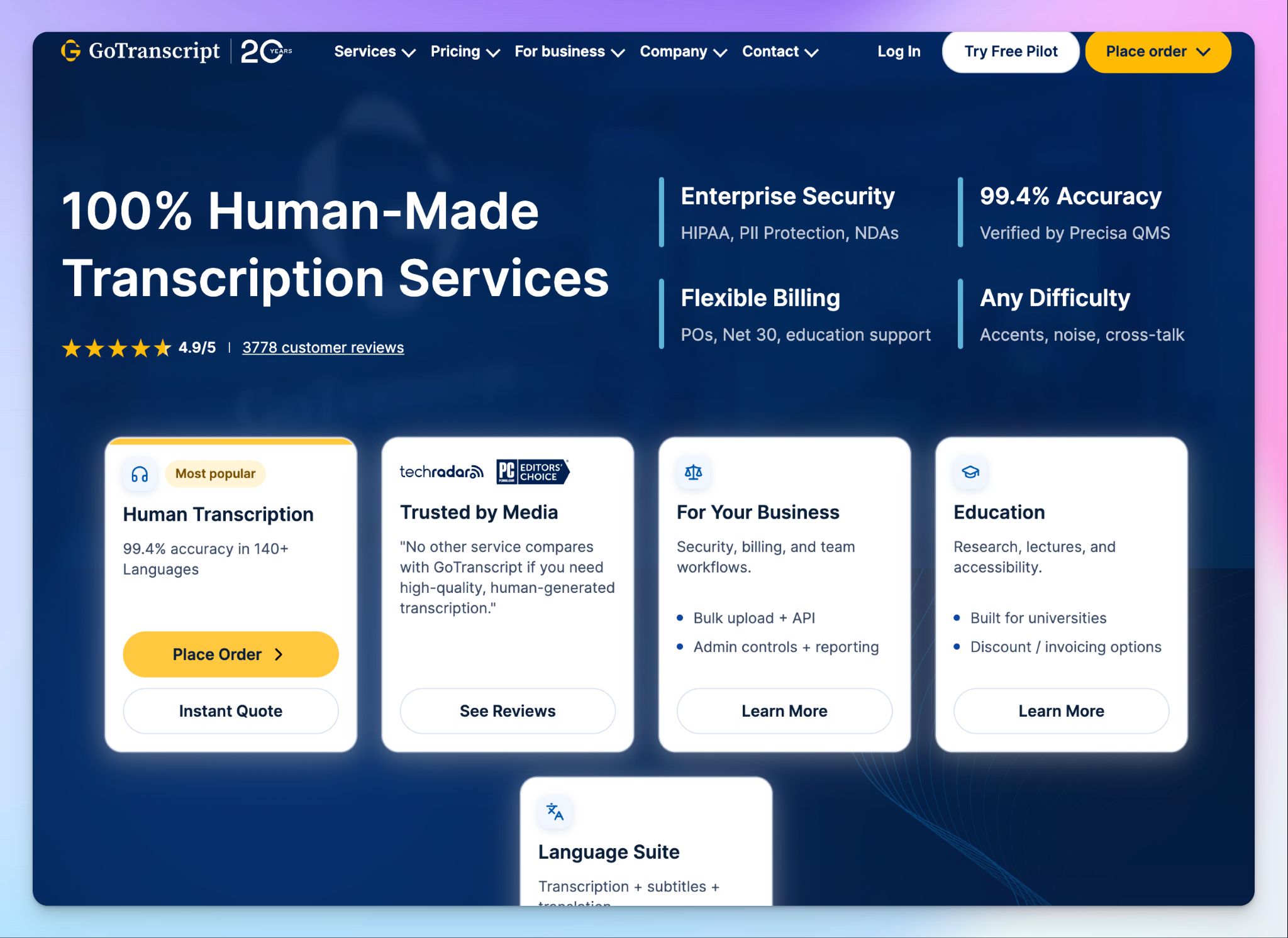
GoTranscript has been focused on human-made transcription since 2005. A network of over 30,000 transcribers handles files in 140+ languages, and the company claims 99.4% accuracy through its Precisa quality management system.
The service works well if your use case demands fully human output for compliance or evidentiary purposes. That said, the platform leans heavily toward human workflows, and its AI transcription tier feels secondary.
GoTranscript's key features
- Human transcription in 140+ languages with custom formatting options, including verbatim, speaker labels, and timestamps
- GDPR and HIPAA-aligned workflows with AES-256 encryption and NDA coverage for transcribers
- Custom data labeling with speaker IDs, sentiment tagging, and JSON exports for research and ML projects
- GoTranscript’s APIs for transcription, captioning, and proofreading help teams automate high-volume ordering
GoTranscript's pricing
- AI transcription (pay as you go): $0.20/minute
- AI transcription (subscription): $35/month (2,100 minutes)
- Human transcription: From $1.20/minute for English with a 5-day turnaround and no timestamps. Rush delivery (6-12 hours) costs significantly more
GoTranscript's pros
- Turnaround options range from 5 days to 6 hours, which gives you flexibility when deadlines shift on a project
- Volume discounts apply automatically at 2,500+ minutes, so teams with recurring large orders can bring down the per-minute cost
- Precisa QMS is one of the smarter accuracy control systems in the market
GoTranscript's cons
- The AI transcription tier is basic. Formatting is inconsistent, and post-processing tools are limited compared to alternatives
- GoTranscript’s pricing depends on several factors, making it complicated for smaller teams
- Some languages supported by GoTranscript exceed $10/minute on faster turnarounds
📚 Also read:
3. Maestra
Best for: Content teams and event organizers that need real-time multilingual captioning alongside standard transcription
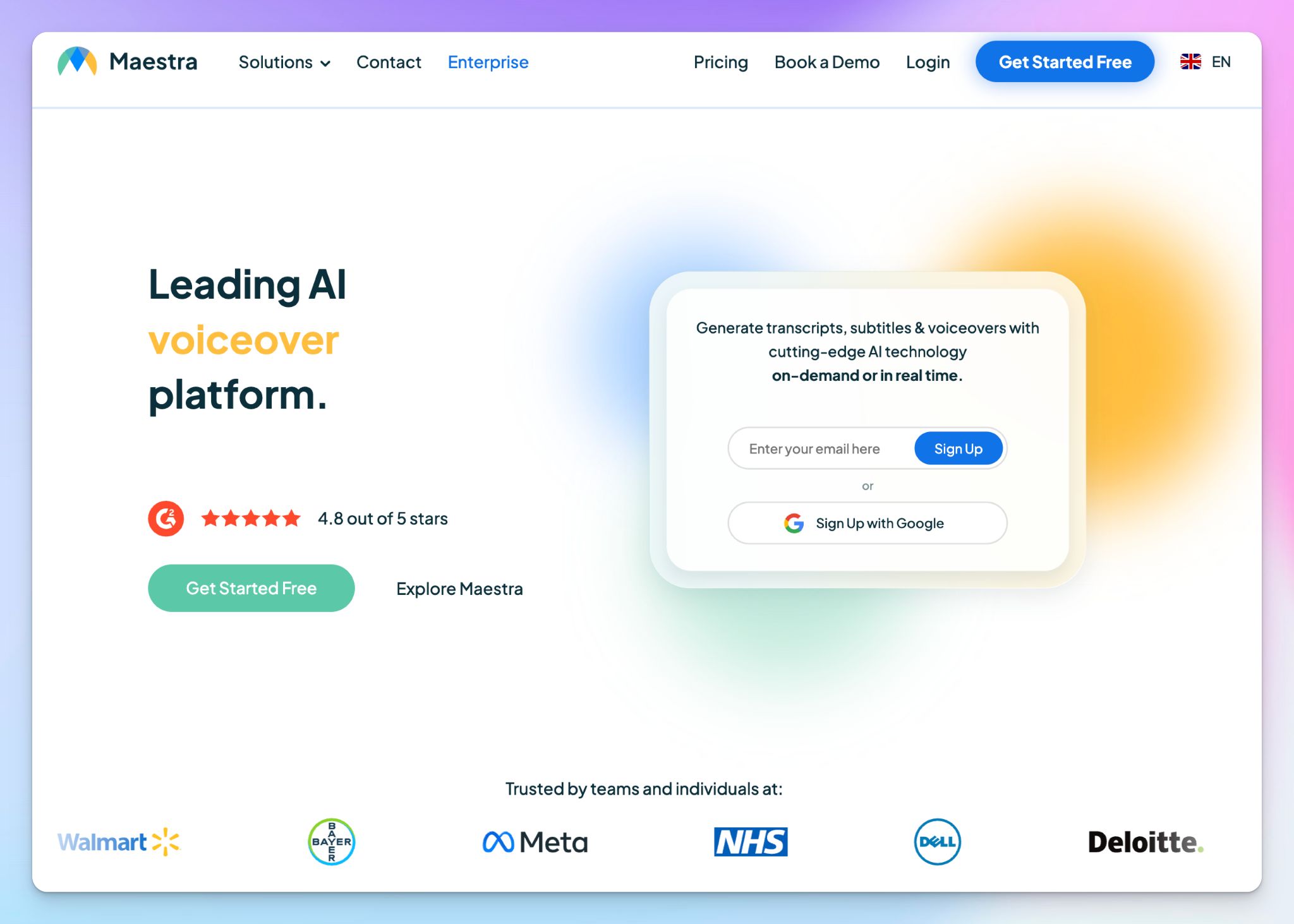
Up next is Maestra, which is an AI-powered platform for transcription, subtitling, translation, and dubbing in 125+ languages. It stands out for its real-time capabilities. You can run a live event where each attendee selects their preferred language and follows along as speakers talk.
For standard file transcription, it handles the basics, but the platform is built around live content localization rather than transcription accuracy.
Maestra's key features
- AI transcription in 125+ languages with automatic speaker detection and language auto-detect for multilingual audio
- Real-time captioning and translation for live events, with integrations for Zoom, TikTok, OBS, vMix, and YouTube
- You can use AI dubbing with voice cloning to convert voiceovers into 29 other languages while preserving the original speaker's tone
Maestra's pricing
- Pay as you go: $12 per 60 minutes
- Lite: $29/month (180 minutes)
- Basic: $49/month (360 minutes)
- Premium: $99/month (900 minutes)
- Enterprise: Custom pricing
Note: All the prices mentioned above are for transcription only
Maestra's pros
- Maestra covers several underrepresented languages, including Tamil, Zulu, and Macedonian
- It’s quick to set up, and doesn’t take a lot of time to generate transcripts and subtitles across languages
- Maestra’s customer support is responsive, especially for teams preparing live events
Maestra's cons
- There's no human transcription layer, so you can't escalate files where AI accuracy falls short
- Maestra prices transcription, subtitles, voiceover, and real-time captioning separately, so costs add up if you need more than one service
- There's no way to trial higher-tier plans without paying upfront, which makes it hard to evaluate for new users
📚 Also read:
4. Riverside
Best for: Podcasters and video creators who need studio-quality recordings with built-in transcription across languages
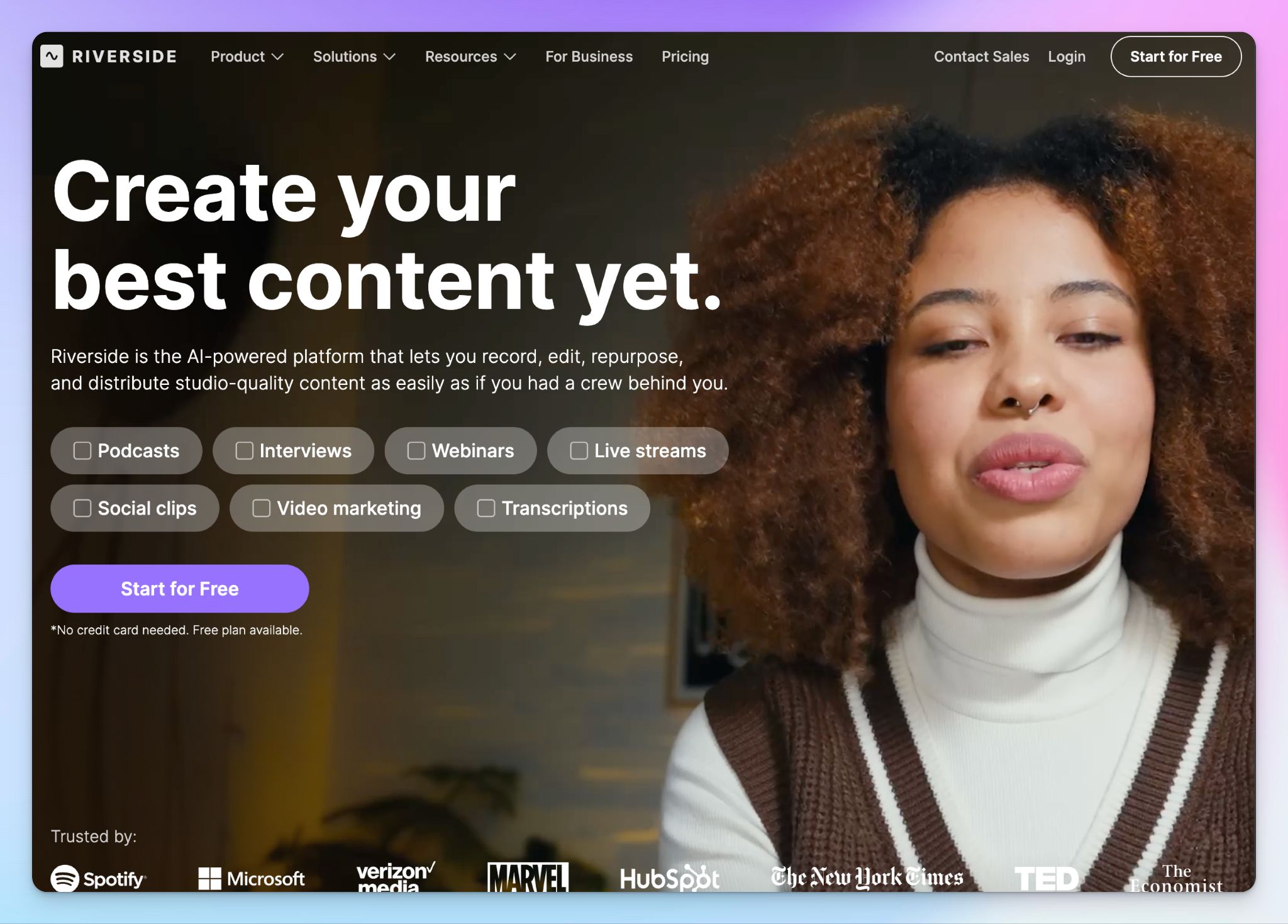
Riverside is a recording platform first. It captures separate audio and video tracks locally on each participant's device, so internet quality doesn't affect the output. Riverside gets on the list because it can transcribe speeches in 100+ languages, which is built into the editing workflow.
That said, the transcription exists to support text-based video editing, captioning, and content repurposing. Unless you’re running media productions via Riverside, using it for only transcription is overkill.
Riverside's key features
- AI transcription in 100+ languages with speaker detection that labels each participant based on their separate audio track
- Thanks to a text-based video editor, you can cut footage by deleting words from the transcript, which speeds up rough cuts for podcasters
- AI translation and dubbing into 30+ languages, so you can localize a recorded interview without re-recording
Riverside's pricing
- Free: 2 hours of multi-track recording, 720p, watermarked output
- Pro: $29/month
- Live: $39/month
- Webinar: $99/month
- Business: Custom pricing
Riverside's pros
- If you’re collaborating with others, you can let guests join recordings by clicking a link with no downloads required
- The text-based editing workflow is a time-saver for rough cuts
- Riverside’s podcast transcription engine is decent enough for daily tasks
Riverside's cons
- Speaker detection only works when each person records on a separate track. If you upload a single mixed-audio file, everyone's words get lumped under one speaker label
- The platform is built around recording and video editing. If you don't need those features, you're inviting complexity to get a basic transcript
📚 Also read:
5. OpenAI Whisper
Best for: Developers and technical teams that need a flexible, low-cost API or self-hosted multilingual transcription engine to build into their own workflows
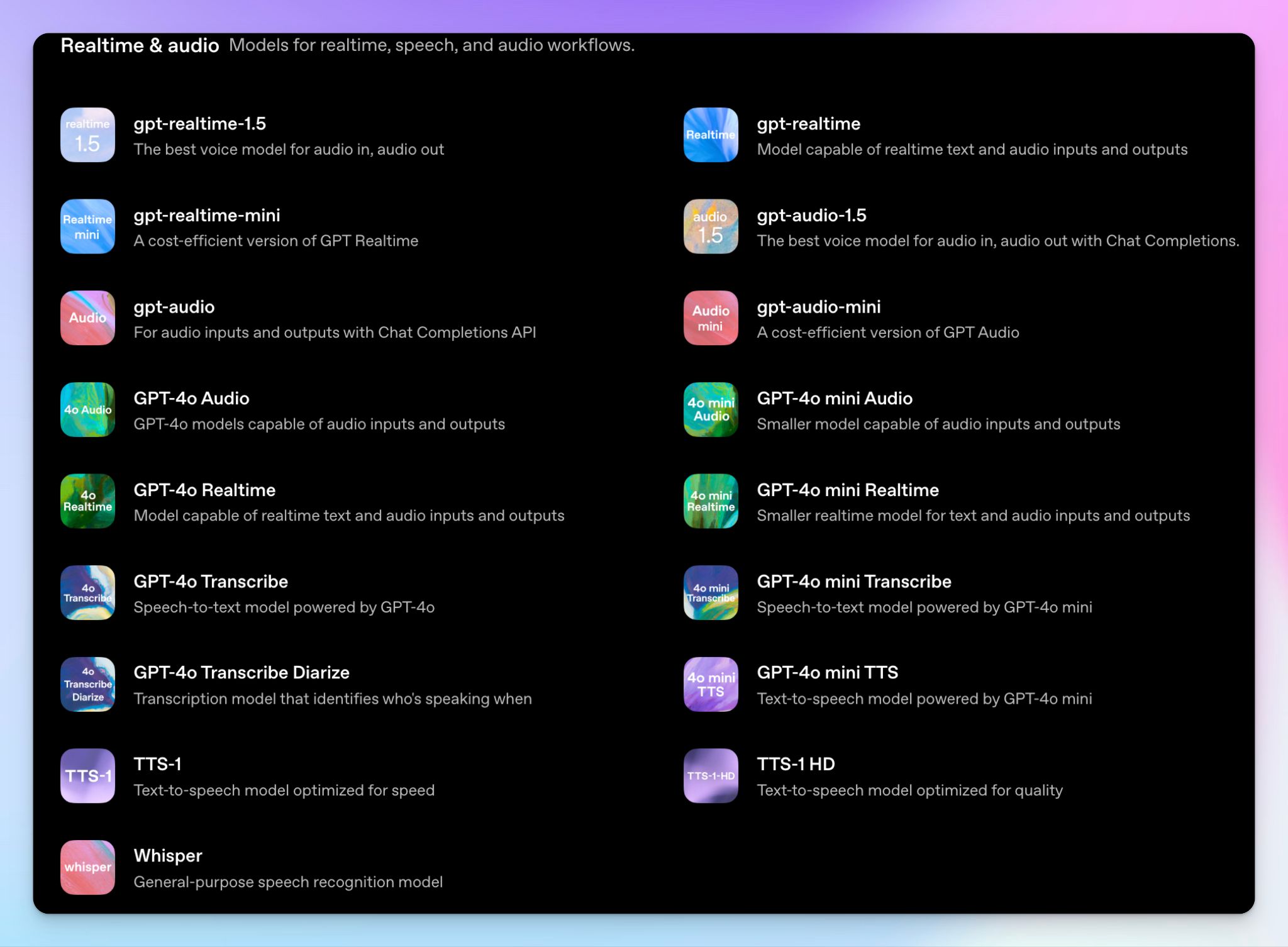
OpenAI Whisper rounds off the list as an open-source speech recognition model trained on millions of hours of multilingual audio.
It's not a transcription service in the way the other tools on this list are. There's no dashboard, no file upload button, and no support team to contact. What you get is an exceptionally capable model you can call via API or run locally on your own hardware.
If your team has the technical resources to integrate it, the cost-per-minute and flexibility are hard to match. If you don't, Whisper isn't the right starting point.
OpenAI Whisper's key features
- Transcription in 99 languages (with varying quality), trained on 5 million hours of multilingual audio data across Large-v3
- Self-hostable under an MIT license, which means you can run it entirely on your own infrastructure with no data leaving your environment
- Large-v3 Turbo processes audio at 216x real-time speed, so a 60-minute file transcribes in roughly 17 seconds on capable hardware
OpenAI Whisper's pricing
- Self-hosted: Free, but infrastructure costs apply
- Whisper API: $0.006/minute
- GPT-4o Mini Transcribe: $0.003/minute
OpenAI Whisper's pros
- The API integration is straightforward if you know what you’re doing. A working pipeline was up in minutes with the official Python package
- Accuracy on accented speech and noisy audio held up well in testing, which reflects the diversity of its training data
- The self-hosting option is useful for teams with data sovereignty requirements
OpenAI Whisper's cons
- Whisper’s accuracy drops significantly for underrepresented languages beyond the 57 languages listed by OpenAI
- Translation only outputs to English. If you need Spanish-to-French or any non-English target language, Whisper can't do it alone
- There's no UI or dashboard for non-technical teams, without a developer building a layer on top of it
Which multilingual transcription service should you choose?
Finding a transcription service that genuinely handles multiple languages is harder than it looks. Most tools deliver solid English and struggle everywhere else, which is a real problem if your work regularly crosses language lines.
👉 GoTranscript is the right pick for legal, academic, and compliance teams that need fully human-made transcripts.
👉 Maestra works best for event organizers and content creators who need real-time captioning in multiple languages and live localization.
👉 Riverside suits podcasters and video creators who are already recording inside the platform and want transcription built into their editing workflows.
👉 OpenAI Whisper is the right call for developer teams that need a low-cost, self-hostable transcription engine they can integrate into their own pipelines and control end to end.
👉 If you need accurate multilingual transcription across languages, a human-verified option for high-stakes content, and a platform built for global teams from the ground up, HappyScribe is the strongest choice.
HappyScribe is the only tool on this list that covers the full multilingual transcription stack in one place. The AI engine delivers 95%+ accurate transcripts across 150+ languages and dialects, which includes the underrepresented ones that most services ignore. The human proofreading option brings notes to 99% accuracy in 60+ languages, with pricing that undercuts traditional agencies.
The translation and subtitling tools sit in the same workspace, so you can go from raw audio in Japanese to a translated, timed, export-ready SRT file without moving between platforms. Data stays in EU-based servers under GDPR certification, which covers the compliance requirements that come with processing audio across jurisdictions.
FAQs on the best multilingual transcription services
What is the best multilingual transcription service in 2026?
HappyScribe is the best multilingual transcription service in 2026 for most teams. It combines an AI transcription tool with a human transcription service, covering 150+ languages for AI and 60+ for human-verified output. The platform handles complex audio with multiple speakers, supports speaker identification, and delivers highly accurate transcripts through an intuitive in-browser editor. Teams that handle multilingual meetings, market research interviews, or legal proceedings will find that it covers the full transcription workflow without switching tools. GoTranscript is worth considering for human-powered transcription in compliance-heavy environments, while OpenAI Whisper suits developers who want to build their own transcription process into a custom pipeline.
Is there a free transcription service for multiple languages?
Yes. HappyScribe offers a free plan with 10 minutes of AI transcription across 150+ languages, which is enough to test transcription quality on a real file before committing. OpenAI Whisper is free to self-host and supports 99 languages, though it requires technical setup. Riverside also has a free plan with limited recording time. Most free tiers restrict either the number of minutes or the languages available, so they work better for evaluation than ongoing use across different languages.
What is the difference between AI transcription and human transcription for multilingual content?
AI transcription tools convert audio to text automatically using speech recognition models. They're fast, affordable, and handle most multilingual support well under clean audio conditions. Human transcription service involves professional transcribers reviewing and producing transcripts manually, which delivers more accurate transcripts for complex audio, heavy accents, background noise, and technical or legal terminology. For multilingual content specifically, AI transcription is suitable for everyday files and meeting notes. Human transcripts are the better choice for legal proceedings, market research, or any file where a transcription error carries real consequences. Many teams use both: AI for volume and human transcriptionists for high-stakes content.
Which transcription service supports the most languages?
HappyScribe supports 150+ languages and dialects for AI transcription, which is the broadest coverage among the services on this list. GoTranscript covers 140+ languages through its human transcription service with native-speaking professional transcribers. Maestra supports 125+ languages, and OpenAI Whisper covers 99 languages, though transcription quality drops significantly for low-resource languages. If multilingual support across both AI and human tiers matters for your transcription workflow, HappyScribe covers the widest range.
What is the most accurate transcription service for non-English languages?
For AI transcription, HappyScribe delivers 95%+ accuracy across 150+ languages, including complex audio conditions. For human transcription, GoTranscript uses a two-pass quality system with native-speaking human transcriptionists and claims 99.4% accuracy across 140+ languages. The most accurate transcripts for non-English content generally come from human-powered transcription services, since professional transcribers can handle dialect variation, background noise, and domain-specific terminology that AI tools miss. For enterprise-grade security alongside accuracy, HappyScribe's human tier covers both.
How much does multilingual transcription cost per minute?
Costs vary by service type and language. AI transcription tools are the most affordable: HappyScribe's paid plans start at $8.50/month for AI transcription, and OpenAI’s API costs $0.006/minute. Human transcription service costs more because it involves professional transcribers. GoTranscript starts at $1.20/minute for English transcripts with a 5-day turnaround, and rates rise for less common languages and faster turnaround. HappyScribe's human transcription starts at $2/minute for English, Spanish, and Polish. For complex projects in multiple languages, the transcription process costs more per minute as language availability and audio difficulty increase. Most services offer volume discounts for high-minute orders

Biplab Mazumder
Biplab is a content marketer and writer who helps high-growth brands scale content visibility across AI search channels. His works have been published in HubSpot, Freshworks, Atlassian, SurferSEO, etc. When he's not planning content strategy, he's testing AI content workflows and use cases.