TL;DR ⏩
After testing several podcast transcript generators on real episodes, here are the best ones worth your time:
- HappyScribe: Overall best for fast, accurate podcast transcripts in 150+ languages, with editing, subtitles, export, and AI Chat in one workspace
- VMEG: Best for video-first podcasters who want to localize and dub episodes for global audiences
- Kapwing: Best for turning long episodes into short, captioned clips for Shorts, Reels, and TikTok
- Async: Best for solo creators who want to record, edit, transcribe, and publish from one browser studio
- Adobe Podcast: Best for Adobe users who care most about studio-clean audio and video
Ask podcasters how they attract new listeners, and you will hear the usual answers: better guests, fancy waveforms, and maybe short clips on social media.
All of these sound reasonable if you have a wealth of time and resources. For the rest of us, the smart way to do it is through podcast transcriptions.
A clean, accurate transcript improves SEO, makes your episodes accessible to deaf and non-native audiences, and gives media something they can cite and link to. As a result, you show up in search results and industry roundups.
I’ve tried a bunch of options over the past year, but only a few stood out.
Based on my experience, here are the 5 best podcast transcript generators you should check if you’re serious about growing your podcast in 2026.
How did I evaluate the top podcast transcript generators?
Each podcast transcription tool was tested on real podcast episodes across different formats and audio qualities. The evaluation focused on whether the transcript was ready to use for publishing and repurposing. Here are the five factors that mattered most:
1. Transcription accuracy in real podcast conditions
I tested how well each tool handles multiple speakers, long-form discussions, accents, filler words, and imperfect audio. A transcript that needs heavy manual cleanup defeats the purpose.
2. Editing and speaker management
Good transcription does not stop at text output. I looked at how easy it was to identify speakers, fix mistakes, format dialogue, and export into PDF, TXT, DOCX, and SRT files.
3. SEO and content repurposing readiness
The best tools make it easy to turn transcripts into blog posts, quotes, summaries, and timestamps. I prioritized platforms that support structured text and content workflows.
4. Speed and scalability
I compared upload limits, processing time, and batch handling. Tools that struggle with longer episodes or frequent publishing schedules did not make the cut.
5. Language and accessibility support
If you want your podcast to reach global audiences, you must look into support for multiple languages for transcripts.
💡Fun fact: The name “podcast” comes from merging “iPod” + “broadcast”. The term was coined in early 2004.
Best podcast transcript generators: At a glance
| Category | HappyScribe | VMEG | Kapwing | Async | Adobe Podcast |
|---|---|---|---|---|---|
| Best for | Fast, accurate podcast transcripts in 150+ languages, with editing, subtitles, and AI Chat in one workspace | Video-first podcasters localizing and dubbing episodes for global audiences | Turning long episodes into short, social-ready clips | Solo creators who want to record, edit, transcribe, and publish from one browser studio | Podcasters who want studio-clean audio and treat the transcript as an editing aid |
| Key features | AI and human transcription, interactive editor, subtitles, translation, AI Chat, mobile apps, MCP | Multi-speaker transcription, translation, voice cloning, dubbing, lip-sync | Text-based editing, Smart Cut, AI Clip Maker, auto-subtitles | Remote recording, text-based editing, AI audio cleanup, hosting and publishing | Enhance Speech, Studio recording, transcript-based editing, Mic Check |
| Supported languages | 150+ | 170+ | 100+ | 5 | 7 |
| Security | GDPR, SOC 2 Type II, AES-256 encryption, EU data center | GDPR and CCPA compliant | GDPR-aligned, SOC 2 Type II, and SSO on higher tiers | GDPR, SOC 2, encryption at rest and in transit | Standard Adobe Creative Cloud security |
| Starting price | Free. Paid from $8.50/month billed annually or $17/month | Free. Paid from $25/month | Free. Paid from $24/month | Free. Paid from $19.99/month | Free. Premium at $9.99/month |
1. HappyScribe
Best for: Fast and accurate podcast transcripts in 150+ languages, along with subtitling and EU data security for regular episodes
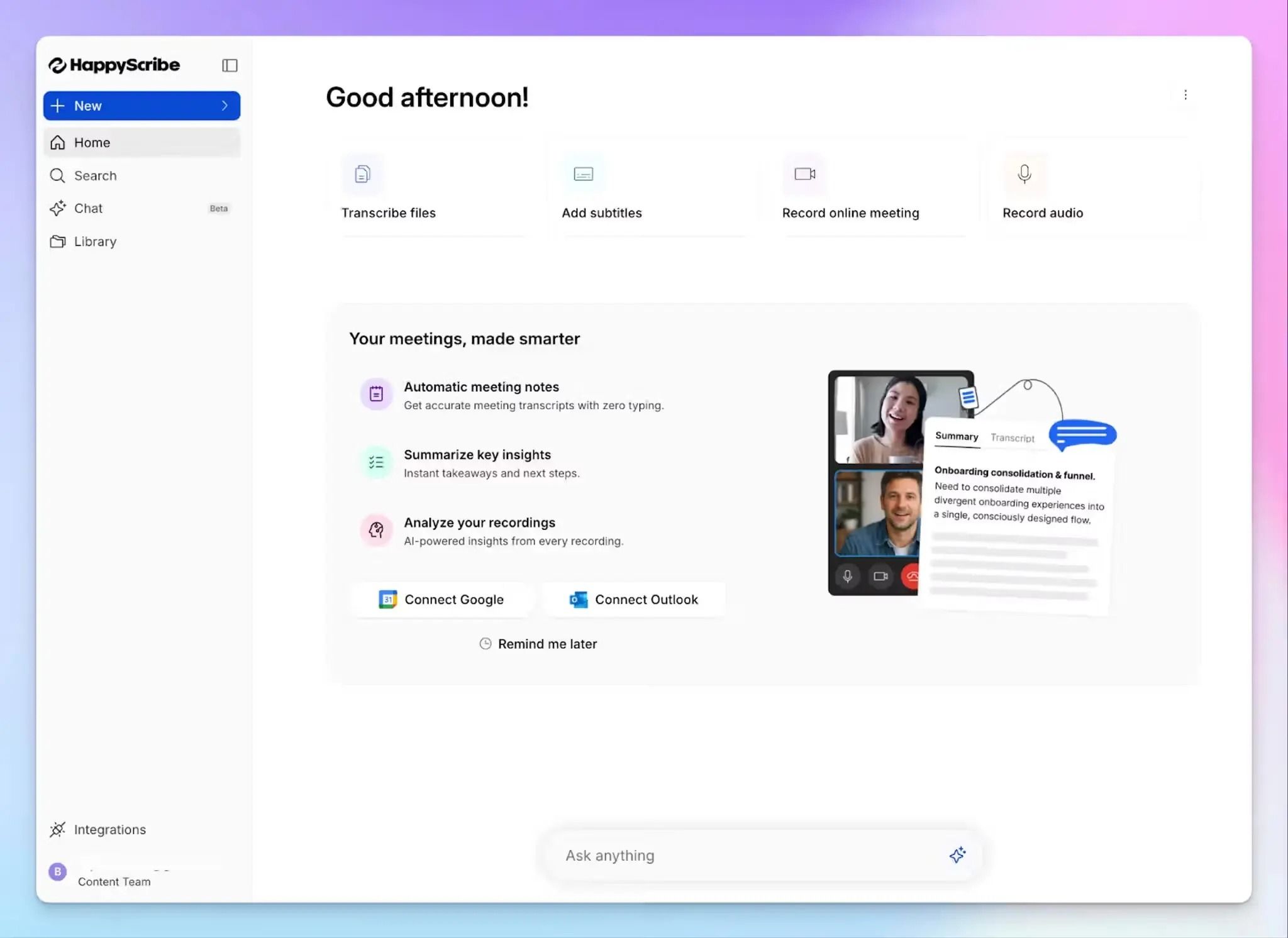
If you're a podcaster in 2026, HappyScribe should be the go-to tool for audio-to-text conversion and content repurposing.
Simply upload a file or share links of your episode, select the language, and choose between "Human made" or "Machine generated." And that's it. HappyScribe will deliver neatly formatted and accurate transcriptions to you.
The best part is how easy the whole process feels. You can try the HappyScribe transcript generator for free and see what works for you.
HappyScribe's key features
1. Transcribe podcasts in 150+ languages
Whether your podcast is in Hungarian, Swahili, Korean, or English, HappyScribe AI can accurately detect cultural nuances and dialects with 95%+ accuracy.
The wide range of language support means anyone can confidently use HappyScribe without worrying about context or data loss.
And if you want an expert linguist to review your transcript, just request a human-made transcription via HappyScribe. You're guaranteed to get a transcript that's 99% accurate.
2. Rich editor for collaboration
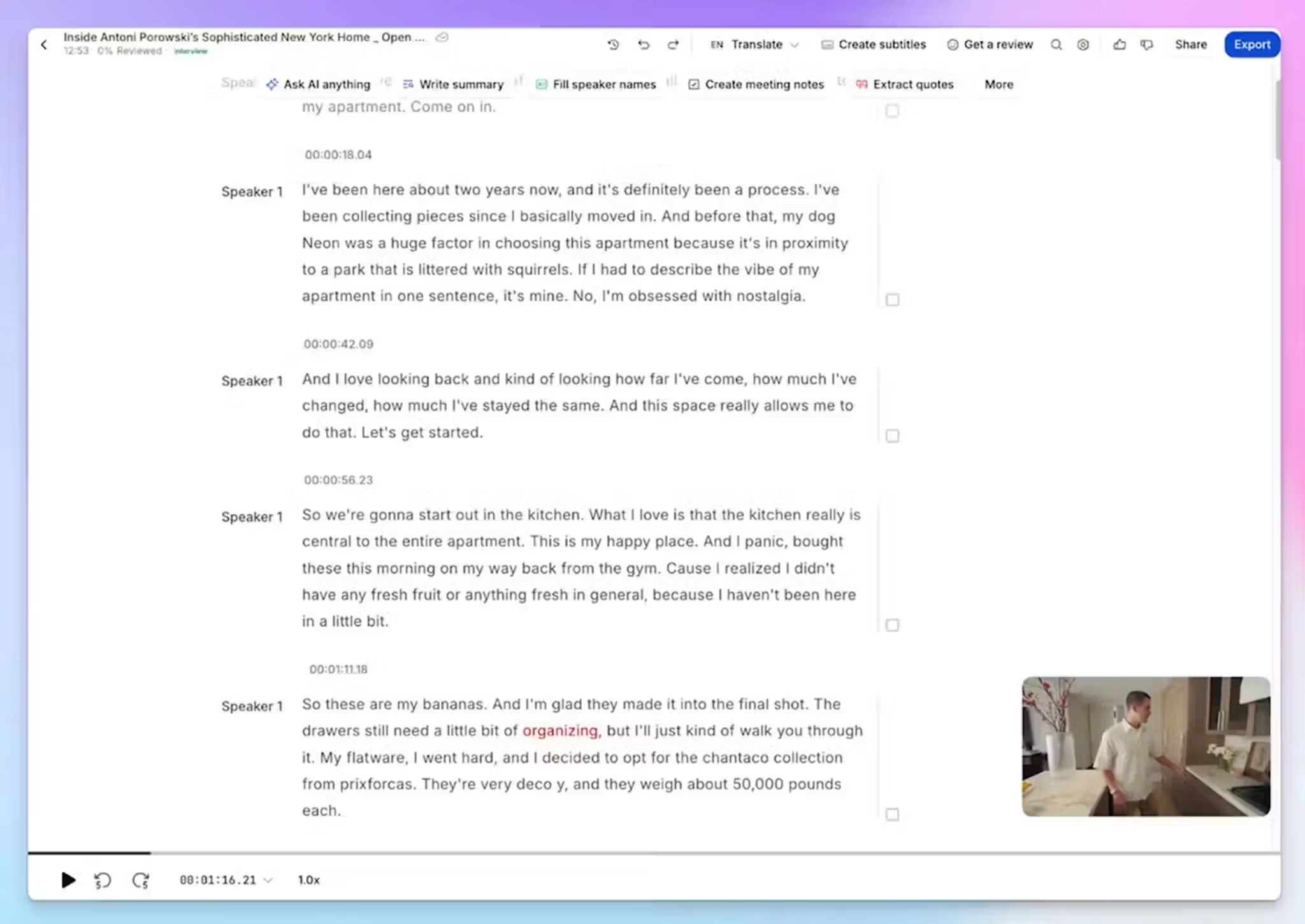
Once you have the transcript, you can format texts, edit speaker tags, insert timestamps, mark sections as reviewed, and scrub the media file to verify the text.
Need to bring in another set of eyes? Simply share the link to invite others. You can give edit, view, or full access and configure company-wide permissions. All of these options keep you in control and protect your privacy, which is why Swiss media company Tamedia recommends HappyScribe.
Tamedia uses HappyScribe to accurately transcribe complex languages like Swiss-German and Swiss-French. Thanks to features like SSO login, click-to-listen, and bulk order pricing, Tamedia can run massive transcription projects involving hundreds of journalists.
The quality is now very good with HappyScribe, so adoption happened organically. Journalists recommended it to their colleagues, and now it's a standard tool in the newsroom.
3. Ask AI Chat anything about your episodes
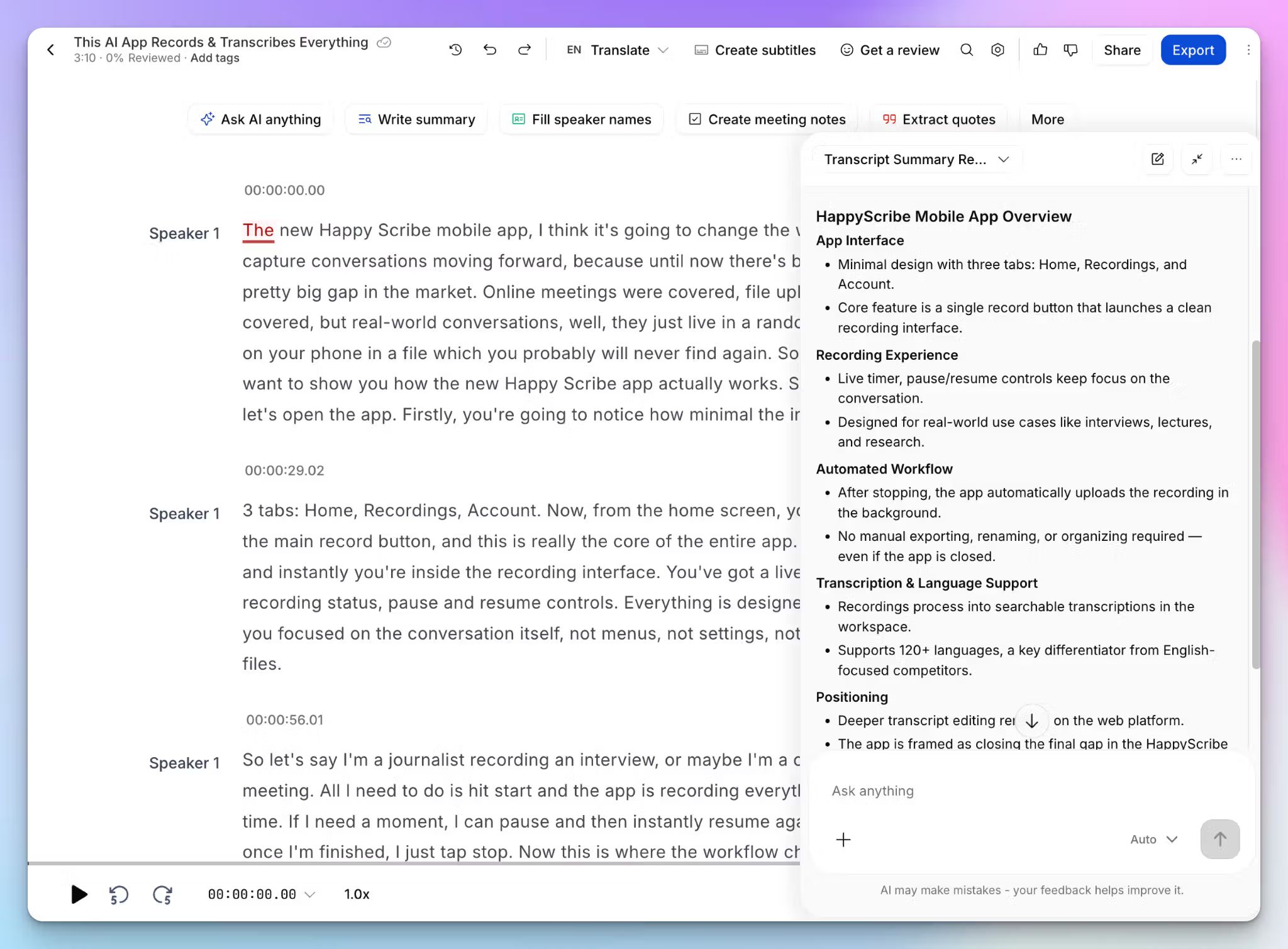
Recording and transcribing an episode is step one. The real work starts when you have to dig back through a 90-minute conversation to find the right quotes, stats, or hot takes worth promoting. HappyScribe AI Chat skips the scrolling.
Open any transcript, and you can ask AI questions in plain language. Pull the most quotable moments for social, extract every point a guest made about a topic, or summarize the episode into show notes and a blog draft.
Every answer is grounded in what was actually said, with the source cited back to the transcript. AI Chat works on a single file, on a batch of transcripts, and on folders across your workspace.
4. Translate, create subtitles, and export files
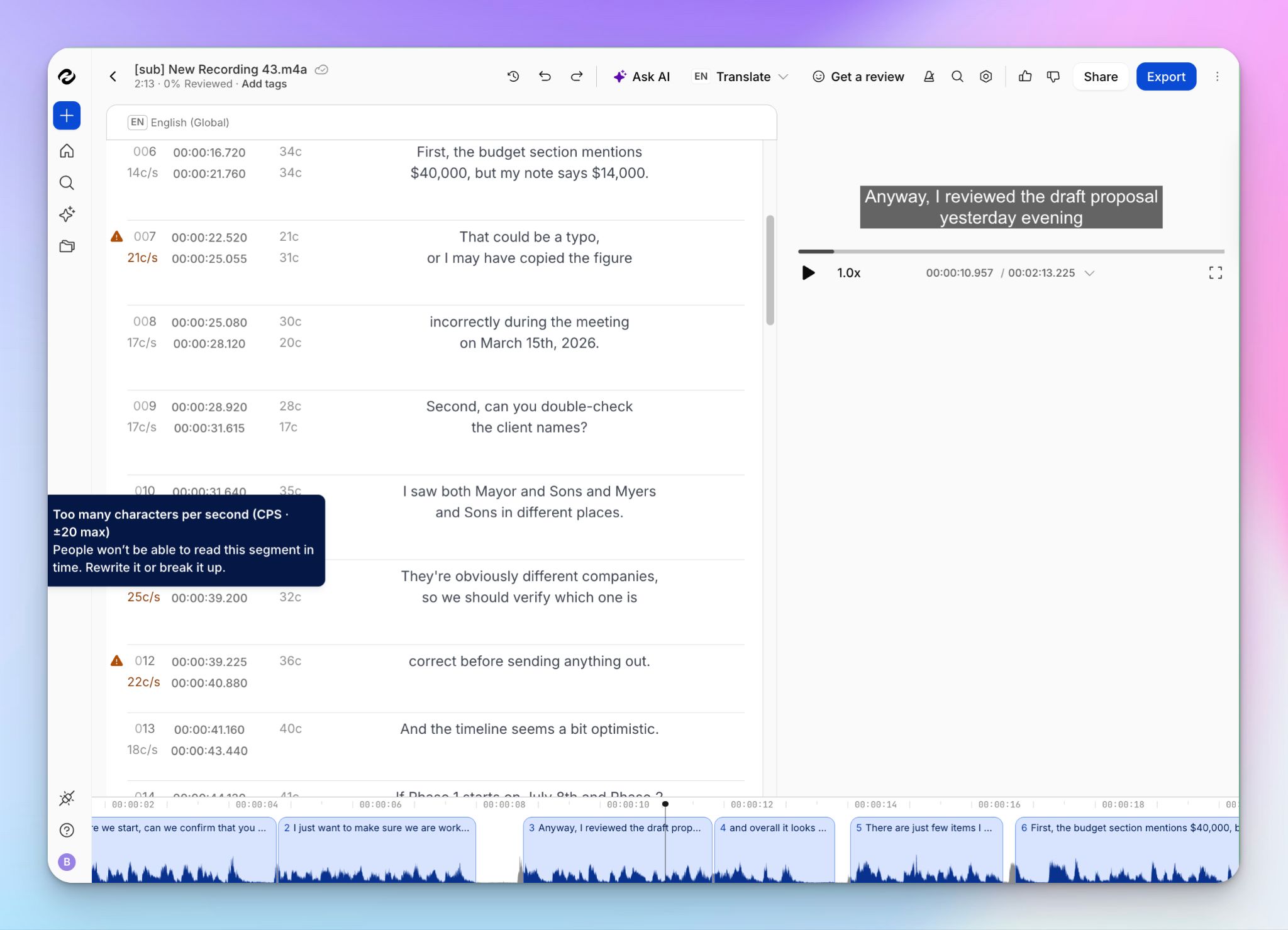
HappyScribe lets you translate podcast transcripts into 150+ languages, which is useful if you're planning to localize content across countries. For social media, you can create and edit subtitles for videos and make them publish-ready. All of these happen within one platform, so you're not switching between three tools.
Ready to share files with others? HappyScribe lets you export files not only in DOCX, PDF, and TXT, but also in SRT, HTML, XML, CSV, JSON, and XLSX.
5. Record on the go and connect to your AI stack
Podcast prep doesn't always happen at a desk. With HappyScribe mobile apps for iOS and Android, you can record in-person interviews, pre-show chats, or field segments straight from your phone, and everything syncs to the same workspace you edit from on the web.
For creators running a bigger content operation, the MCP server connects your transcripts, notes, and subtitles directly to AI apps like Claude and ChatGPT. You can also connect through the API or Zapier.
6. Enterprise-grade security for sensitive recordings
If you're worried about security and privacy, HappyScribe has got you covered. It's GDPR and SOC 2 Type II compliant, uses AES-256 encryption, and offers SSO login to enterprise users, making it one of the most secure transcription platforms in the market.
Want to see how HappyScribe fares with podcasts? Check out the Podcasts by HappyScribe library to gauge performance.
HappyScribe's pricing
- Free: Unlimited meeting recordings (45 min per recording), plus a 10-minute trial of AI transcription, subtitling, and translation
- Basic: $8.50/month billed annually or $17/month billed monthly
- Pro: $19/month billed annually or $29/month billed monthly
- Business: $59/month billed annually or $89/month billed monthly
- Enterprise:Contact sales to get tailored solutions directly
HappyScribe's pros
- Generates podcast transcripts with up to 99% accuracy in 150+ languages
- Integrates with YouTube, Box, Vimeo, Dropbox, Wistia, Google Drive, along with API and MCP support
- Subtitling and translation within the same platform for accessibility and content repurposing
- Rich, interactive editor with media playback and access control for collaboration
- AI Chat to pull quotes, summaries, and show notes from any episode or a whole season
- iOS and Android apps to record interviews on the go
- Europe-grade note-taking security with GDPR and SOC 2 Type II compliance and EU data center
HappyScribe's cons
- Not ideal for real-time transcription
What are users saying about the HappyScribe podcast generator?
I use HappyScribe in combination with ZoomCalls with my colleague to document our podcast. It is really easy to use and a professional tool to record everything. My recommendation to this wonderful tool.
Great transcript service. I had an issue with a deal I bought but they took care of it in a few weeks. I use it for subtitling my videos and transcribing podcast interviews. I have to change minor details in the outcome. Highly recommend it.
How to transcribe podcasts with HappyScribe: A step-by-step guide
- Upload your audio from your device, Google Drive, YouTube, Box, Dropbox, or Wistia
- Keep the auto-selected language or pick from 150+ supported languages and choose "machine generated" or "human made"
- Start reviewing AI transcripts within minutes. Human-made transcripts are delivered within 24 hours
- Download your transcript as TXT, DOCX, PDF, HTML, etc. Just export and you're done
2. VMEG
Best for: Video-first podcasters who localize and dub episodes for global audiences in 170+ languages
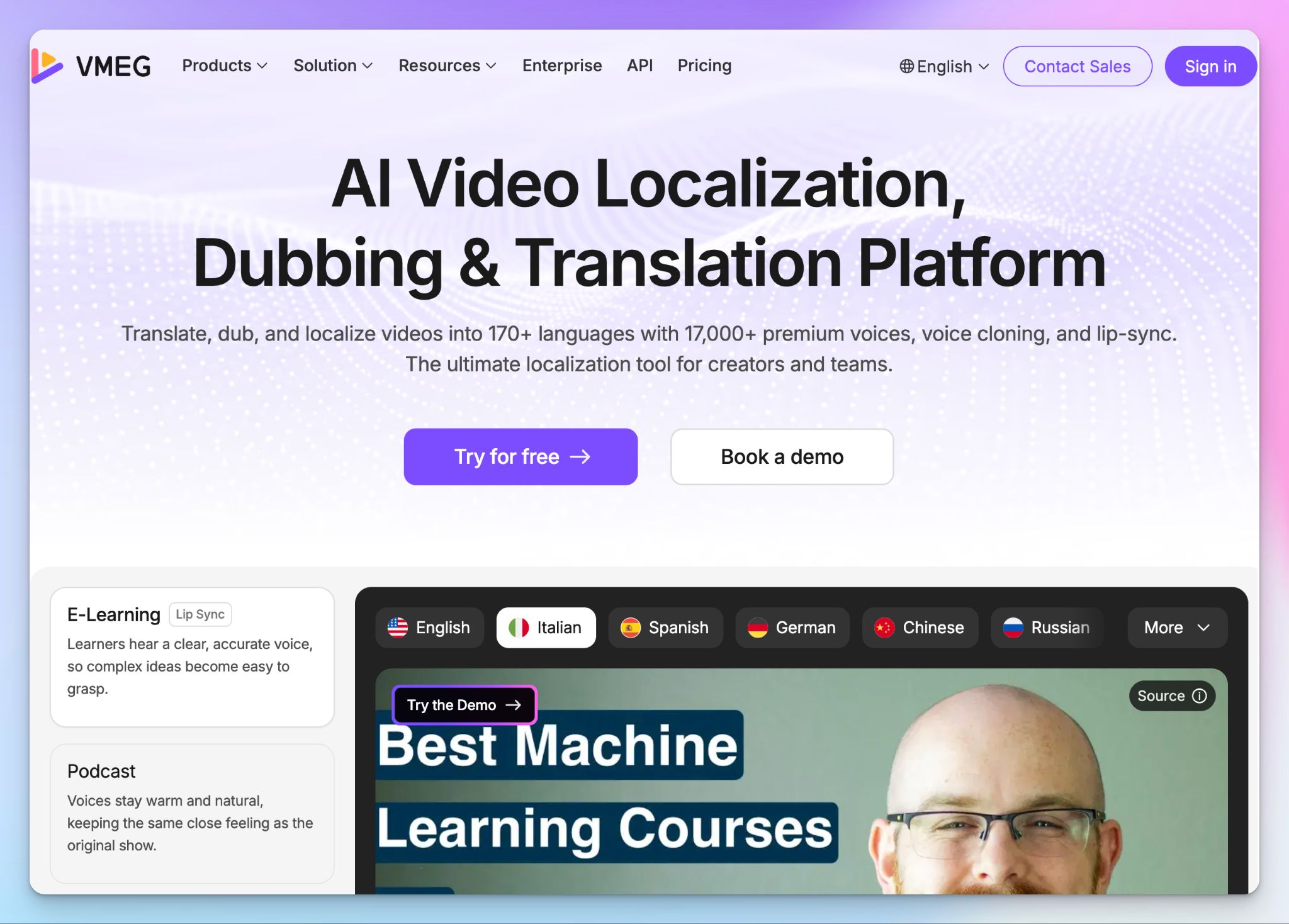
VMEG is built for content creators who publish in more than one language and care about how their voice carries across borders. It converts podcast audio and video into editable text in dozens of languages, keeps each speaker distinct, and preserves timestamps so the transcript stays usable.
What sets VMEG apart is the localization layer stacked on top of transcription. Once you have the text, you can translate it, dub it with cloned voices, and lip-sync the result, which makes it a strong fit for creators who run video podcasts on YouTube and Spotify.
VMEG's key features
- Multi-speaker detection paired with transcription, so panel episodes and multi-guest interviews come back with each voice labeled separately
- Voice cloning captures every speaker in the episode rather than a single narrator, then carries those cloned voices into 170+ languages for dubbing
- With lip-sync alignment, dubbed audio matches on-screen mouth movements, making sure translated video episodes look natural
- VMEG’s side-by-side editor shows source and translated text together, so you can adjust scripts, pacing, and intonation, and re-render quickly
VMEG's pricing
- Free: 180 credits to test translation, dubbing, and subtitles
- Studio Basic: $25/month (900 credits)
- Studio Starter: $48/month (1,800 credits)
- Studio Creator: $90/month (3,600 credits)
- Studio Pro: $100/month in a limited-time offer (9,000 credits)
- Enterprise: Custom pricing
VMEG's pros
- VMEG’S reliable speaker identification maintains accuracy across crowded, multi-guest recordings
- It has the widest language range in this lineup at 170+, backed by 7,000+ AI voices and per-speaker cloning for true localization
- Dubbing and lip-sync work together to keep video podcasts sounding and looking native in each target language
- In-editor tweaks and re-renders don't consume extra credits, so you can fine-tune a translation until it's right without watching your balance drain
VMEG's cons
- Credit-based pricing climbs quickly for long-form or high-frequency shows, since translation, dubbing, and lip-sync draw from the same monthly pool
- The whole platform is built around video-first localization, so audio-only podcasters pay for dubbing and lip-sync machinery they'll not use
📚 Also read:
3. Kapwing
Best for: Podcasters turning long episodes into short, social-ready clips
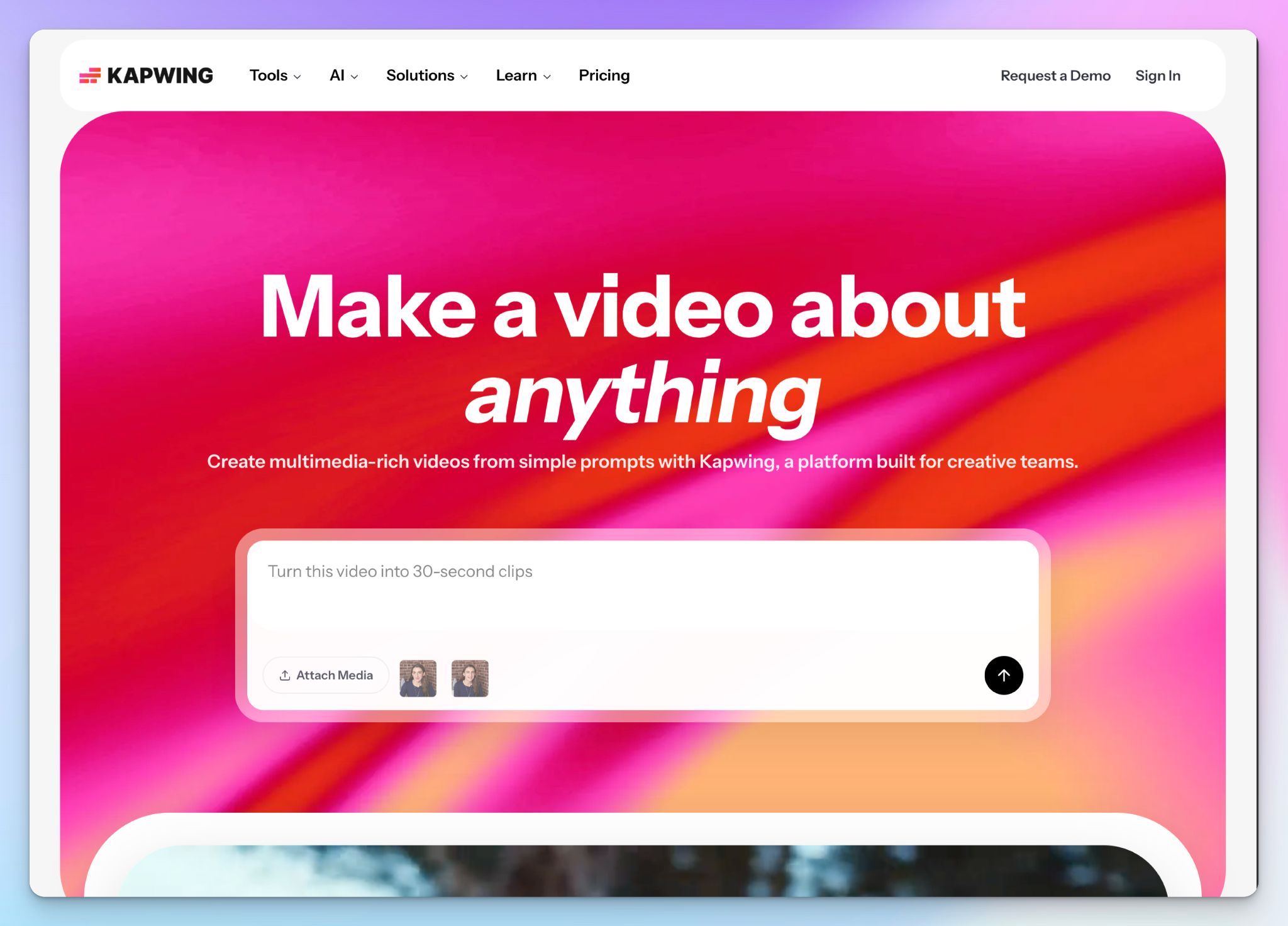
Kapwing isn't a transcription tool per se, but a cloud-based video editor where the transcript is the foundation for cutting, captioning, and repurposing rather than the finished product.
Its real strength for podcasters is speed from raw episode to publishable clip. Paste a YouTube link, generate a transcript, and start cutting by deleting words straight from the text. If your goal is fast social distribution rather than archive-quality transcripts, this is where Kapwing earns its place.
Kapwing's key features
- With text-based editing, you can delete a word from the transcript and trim the matching video, like how you’d edit a document
- Two repurposing tools that do the slow work for you. Smart Cut clears dead air and filler automatically, while the AI Clip Maker pulls the most clip-worthy segments out of a long episode
- Create subtitles and run translation across 100+ languages, with 1,000 minutes of caption generation on Pro and full styling control so captions match your show's look
- Paste a link from YouTube, TikTok, or X to import source video directly, plus built-in screen and camera recording for quick episode inserts
Kapwing's pricing
- Free: Unlimited projects with watermarks and 720p export
- Pro: $24/month
- Business: $64/month
- Enterprise: Custom pricing
Kapwing's pros
- Text-based editing makes clip-cutting fast and approachable, even for someone who has never opened a timeline editor
- Built for short-form and social-first work, with caption styling and one-click vertical resizing aimed at Shorts, Reels, and TikTok
- Fully browser-based with nothing to install, so a whole team can edit from any machine
Kapwing's cons
- Video editing comes first, so transcript accuracy and a clean full-length export aren't the priority
- Longer exports render slowly, and you might face glitches and lost edits on heavier projects
- AI features draw from a monthly credit pool that runs down fast under steady use, which pushes regular creators toward the pricier tier
📚 Also read:
4. Async
Best for: Solo and small-team podcasters who want to record, edit, transcribe, and publish from one browser studio
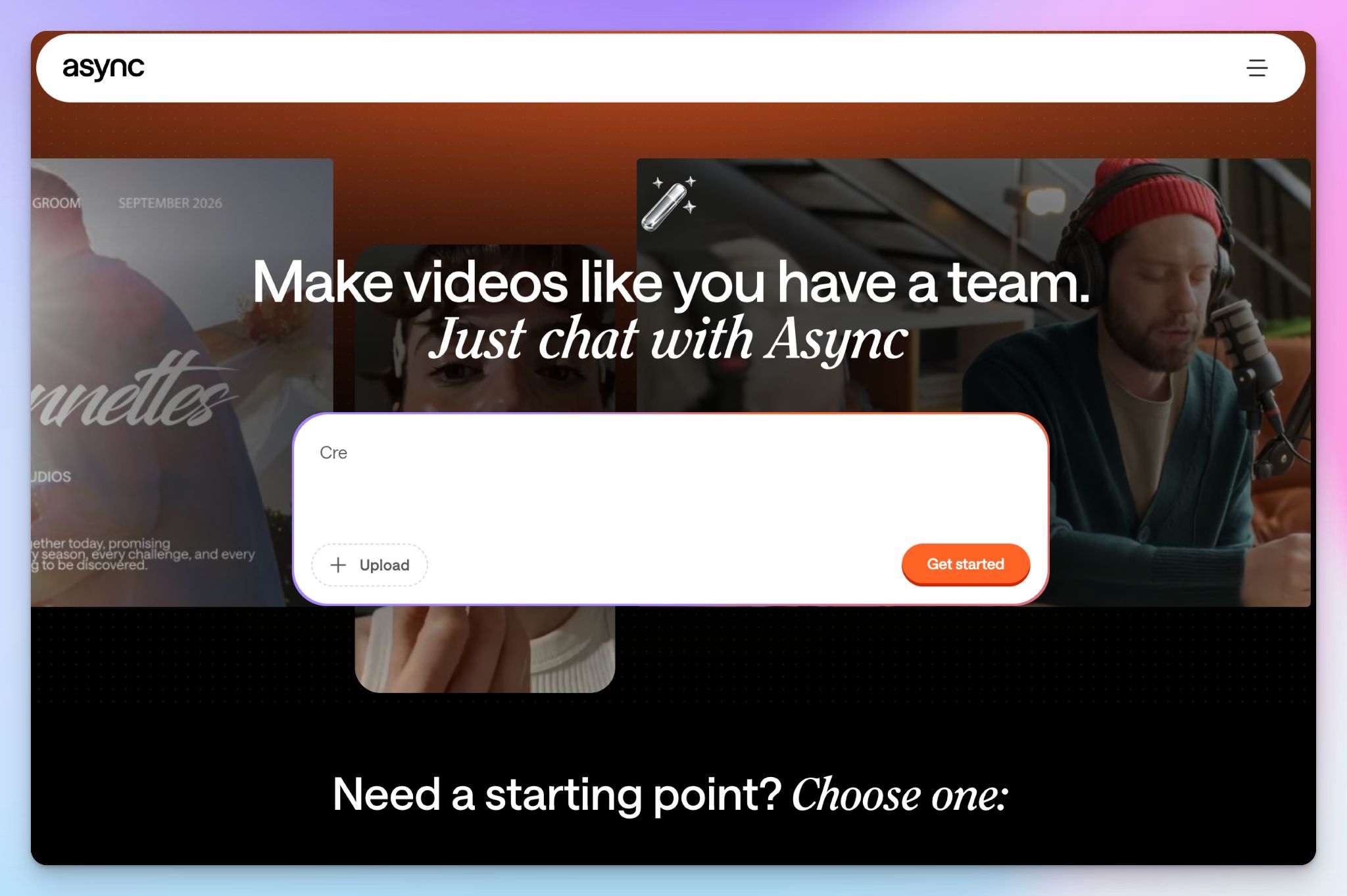
Async (formally known as Podcastle) is a full production system, and its transcription tool isn't something to overlook. You can record guests, clean audio, edit multitrack timelines, and generate transcripts without leaving your browser.
For creators who don't want to juggle a recorder, a separate editor, and a standalone transcription app, Async consolidates everything together.
Transcription here is linked to editing. Once the text is generated, you cut, trim, and polish episodes by editing the transcript instead of the waveform.
Async's key features
- Remote recording for up to 10 participants, with each track captured locally, so audio quality stays high even if a guest's connection gets shaky
- Text-based editing synced to audio and video, where fixing a word in the transcript updates the recording to match
- Async’s AI audio suite pairs Magic Dust cleanup with one-click silence removal, filler-word detection, and auto-generated episode summaries of audio files
- It has built-in hosting with one-click publishing to the major podcast networks, plus subtitle translation for repurposing clips
Async's pricing
- Free
- Essentials: $19.99/month
- Pro: $39.99/month
- Teams: $84.99/month
- Business: Custom pricing
Async's pros
- A true all-in-one: record up to 10 remote guests, edit, transcribe, host, and publish without ever leaving the browser
- Async’s text-based editing helps you correct the transcript and the audio at the same time, which cuts turnaround for solo creators
- A deep AI voice toolkit, with 1,000+ voices and Revoice voice cloning for intros, ad reads, or patching a flubbed line
Async's cons
- Automatic transcription covers only five languages (English, Spanish, French, German, and Italian)
- Transcription is capped by the hour on every tier, and the recent push into AI video generation adds a credit system that makes budgeting harder to predict
- Async has recurring billing issues, including surprise renewal charges and friction around refunds
💡Did you know?
Podcast listeners globally have reached about 584.1 million in 2025! At this point, if you’re not listening to a podcast, you’re the plot twist.
5. Adobe Podcast
Best for: Podcasters in the Adobe ecosystem who care most about studio-clean audio and treat transcription as a built-in editing aid
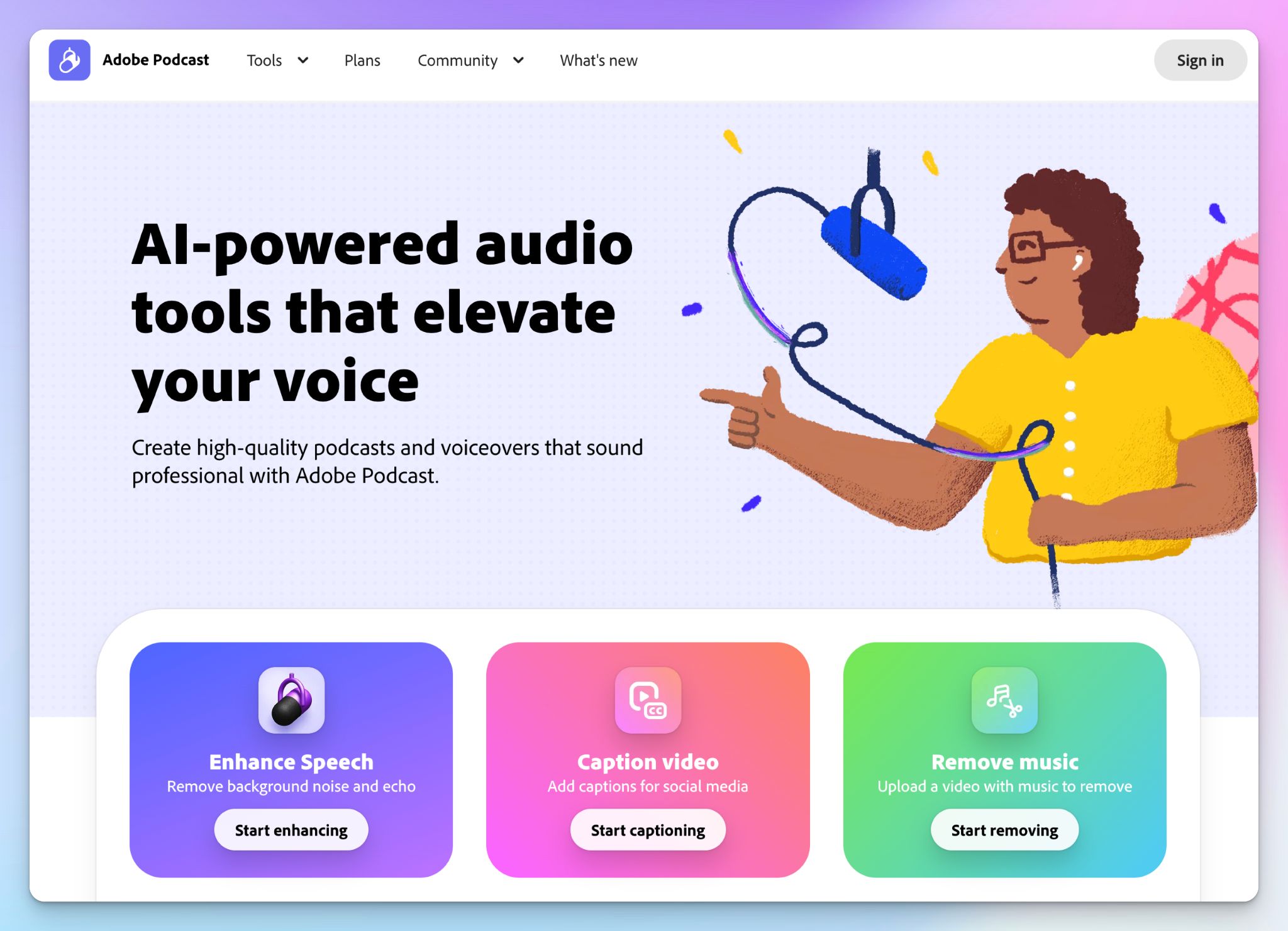
Adobe Podcast is mainly a media-enhancement and recording suite first, and transcription is a part of its Studio tool. Its real claim to fame is Enhance Speech, an AI filter that strips out noise and echo so a laptop-mic recording sounds like it came from a studio.
If your priority is clean audio and you're already in the Adobe ecosystem with other tools, Adobe Podcast will fit you well. Just know that the transcription works in 7 languages only, and Studio runs only in Chromium browsers, so it isn't built for heavier workloads.
Adobe Podcast's key features
- Enhance Speech, a one-click AI cleanup that pulls noise and echo out of a recording, with extra sliders for speech and music to dial the effect back when it sounds over-processed
- Studio is a web recording space that captures each guest on a separate 16-bit/48kHz track and auto-transcribes the session for editing
- With transcript-based editing, you can trim the text to edit audio, so small fixes don't require a separate media workstation
- Mic Check is a free pre-recording test that flags echo, room noise, and weak input levels before you waste a take
Adobe Podcast's pricing
- Free
- Premium: $9.99/month
Adobe Podcast's pros
- Best-in-class AI audio and video cleanup for the price, which turns rough home recordings into clean, listenable episodes without any extra hardware
- Adobe Podcast runs entirely in the browser with nothing to install, and the free tier is capable enough to try the enhancements properly
- It fits naturally into an existing Adobe setup, with Premium features extending to Adobe Express and a clean handoff to Audition or Premiere Pro for deeper edits
Adobe Podcast's cons
- Transcription via Studio is limited to 7 languages and the Chrome browser, so it's no help if you publish in other languages or work in a different browser
- Transcript is a light editing aid in Adobe Podcast, rather than a polished, export-ready product
- The newer enhancement models tend to sound robotic and leave artifacts, and the strength slider can only mask that slightly
📌 Also read:
What’s the best podcast transcript generator in 2026?
The right pick for podcast generator pick comes down to what you actually do with the transcript lean export, social clips, full-episode production, localization, or audio polish.
👉 VMEG is the one when you publish video episodes and want to reach non-English audiences, with dubbing and lip-sync that make a translated show feel native.
👉 Kapwing earns its place if your real goal is turning long episodes into short, captioned clips for Shorts, Reels, and TikTok.
👉 Async (formerly Podcastle) fits solo creators who want to record, edit, transcribe, and publish from one browser studio without stitching tools together.
👉 Adobe Podcast is worth it when studio-clean audio is your priority and you treat the transcript as a built-in editing aid rather than the main deliverable.
👉 HappyScribe is the top pick for most podcasters. It turns episodes into accurate transcripts in 150+ languages, then lets you edit, translate, subtitle, and pull quotes or show notes with AI Chat from the same workspace.
From human-checked 99% accuracy to EU-based data security, you'd be hard-pressed to find a tool that takes you from raw audio to publish-ready transcript as cleanly.
The free plan is an easy way to test it on your own episodes.
Frequently Asked Questions about Podcast Transcript Generators
How do I turn a podcast into a transcript?
Upload your audio files to an AI-powered audio to text converter or transcription software. Tools like HappyScribe automatically transcribe audio content, add speaker labels, handle background noise, and let you export to Google Docs or publish-ready formats with chapters.
Can ChatGPT transcribe a podcast?
No. ChatGPT cannot directly transcribe audio files from a podcast app. You first need an audio transcription tool or transcription service, such as HappyScribe, to convert audio content into text, then you can use ChatGPT for editing or content creation.
Can AI generate podcast transcripts?
Yes. Modern AI-powered transcription services use automatic transcription to convert audio files into accurate text within minutes. Leading tools like HappyScribe combine AI audio transcription with optional human transcription for higher accuracy when needed.
Is it legal to transcribe podcasts?
Yes, if you own the audio content or have permission from the creator. Transcribing your own podcast for search engines, accessibility, and social media posts is legal. Transcribing third-party podcasts without rights can violate copyright.
What is the best way to make podcast transcripts?
Use a dedicated transcription service rather than manual typing. The best approach is AI-powered transcription for speed, combined with light editing or human transcription for accuracy, speaker labels, and clean formatting suited for SEO.
What is the best transcription tool for podcasts?
If your goal is search visibility, repurposing, and scalable content creation, HappyScribe is the strongest option. It handles audio files reliably, supports automatic transcription and human transcription, reduces issues from background noise, and produces transcripts optimized for search engines and publishing workflows.

Rodoshi Das
Rodoshi is the Content Lead at HappyScribe, the privacy-first transcription and AI notetaker platform based in Barcelona. Shaping content strategies and building AI workflows excites her as much as exploring new SaaS tools. She specializes in product-led content that informs rather than sells, grounded in honest product benchmarking and low tolerance for empty marketing speak.