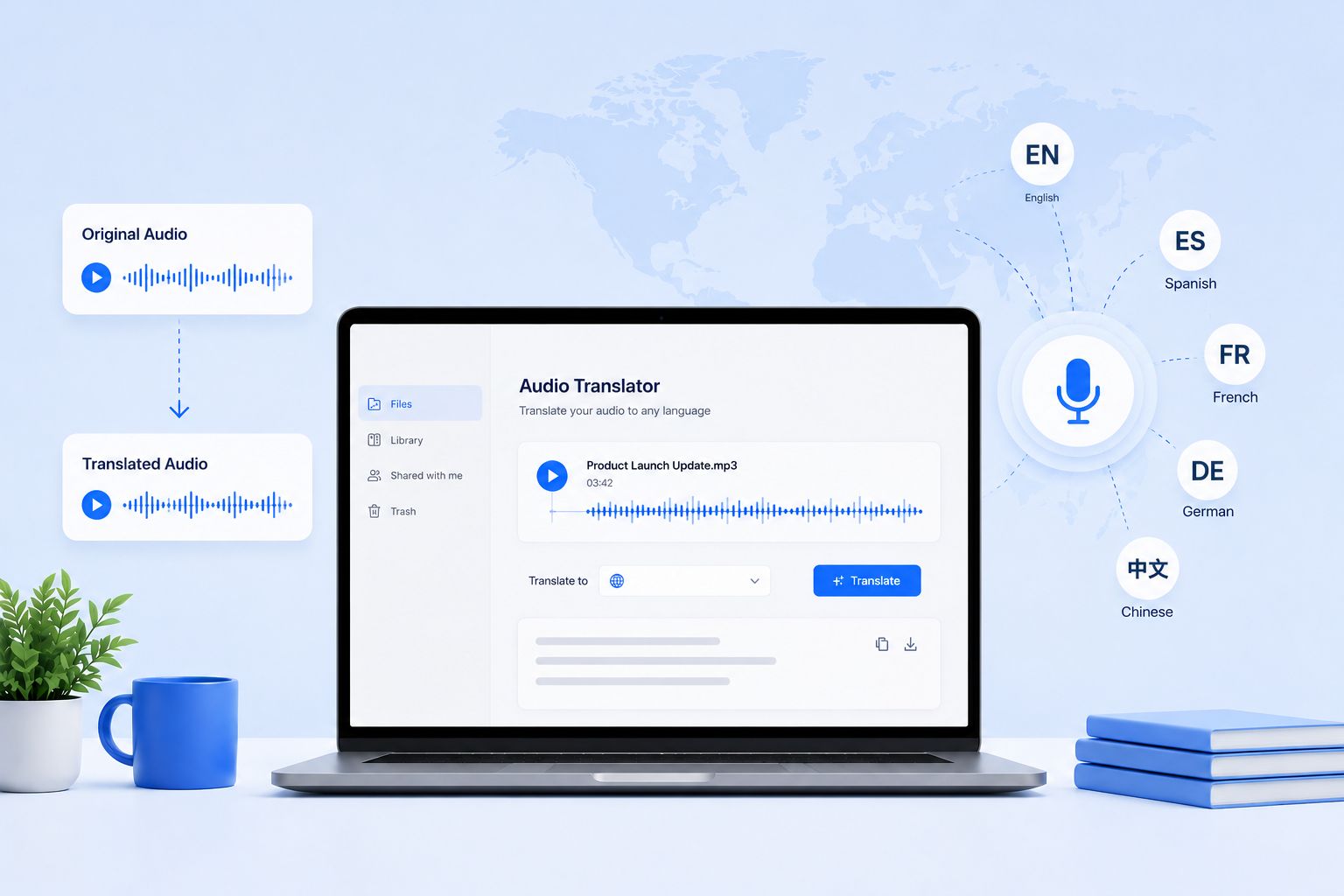
![5 Best Audio Translator Tools [2026]](/sanity-images/ejgwz1gl/redesign/c1c37286653770770b4bb803724f85a725420cab-1536x1024.jpg?auto=format&w=1536.0&rect=0,128,1536,768&h=768)
TL;DR ⏩
I tested a range of audio translators on real recordings to see which ones deliver. Here's the short version:
- HappyScribe: Overall best audio translator for fast, secure, and accurate audio translation across 80+ languages, with subtitles, AI note taking, and EU-grade security
- VEED: Best for creators who want audio translation bundled into a full AI video editing suite
- DeepL Voice: Best for real-time speech translation in live meetings and in-person conversations
- NoteGPT: Best for students who want quick, no-sign-up audio translation in the browser
- Adobe Firefly: Best for Adobe users who want to dub pre-recorded audio while keeping the speaker's voice
If you’ve ever tried repurposing an international podcast or audio clip, you know the struggle. You upload the file to a free translator and end up getting broken sentences and missing context.
The best voice translator makes life easier for professionals and content creators. It understands context, preserves tone, and gives you ready-to-use translations across formats. But it's important to find the right tool that works for you.
I've gone ahead and tried a bunch of options available. Based on my experience of using them, here are the best audio translators for people who can’t be stopped by language barriers.
What to look for in an audio translator tool?
Before you pick an audio translator, it’s worth knowing what separates a decent one from a truly reliable option:
1. Accuracy and context handling
A good audio translator works in two steps: first, it accurately transcribes speech to text, and then it translates the meaning. Look for tools that maintain tone, idioms, and context instead of giving you awkward or literal translations.
2. Multi-language support
The more languages and dialects a tool supports, the more versatile it is. This is especially useful if you handle global content, international clients, or multilingual projects.
3. Speed and automation
The best speech translator should process large audio files fast. Bonus points if it can automatically detect the spoken language and automate tasks with API access.
4. Export options
Being able to download transcripts in multiple formats, such as TXT, SRT, or VTT, and share private links of the editor will save tons of time in your workflow.
5. Data security and privacy
If you’re uploading client recordings or confidential files, choose a translator that keeps your files secure. Data encryption, SSO, GDPR, and SOC 2 Type II compliance are must-haves for professional use.
Comparing the best audio translator tools, at a glance
| Category | HappyScribe | VEED | DeepL Voice | NoteGPT | Adobe Firefly |
|---|---|---|---|---|---|
| Best for | Secure, fast, and accurate audio translation | Audio translation inside a full AI video suite | Real-time speech translation for meetings | Quick, no-sign-up translation for students | Dubbing for creators in the Adobe ecosystem |
| Key features | Transcribe and translate, subtitle editor, up to 99% accuracy with human proofreading, 15+ export formats, API, and MCP support | Subtitles, dubbing, voice cloning, AI video generation, team workspaces | Real-time speech-to-speech, native Teams and Zoom, enterprise compliance | Audio translation, batch and long-file processing, voice cloning | Speech-to-speech dubbing, voice preservation, lip sync, Creative Cloud integration |
| Supported languages | 150+ transcription, 80+ translation | 125+ subtitles, 29 dubbing | 40+ | 100+ | 20+ |
| Security | SOC 2 Type II, GDPR, AES-256 encryption, EU data center, SSO | Standard enterprise options, Trust Center, SSO | ISO 27001, SOC 2 Type II, GDPR, HIPAA, no training on user data | Limited security measures | Enterprise-grade, Content Credentials on every output |
| Starting price | Free. Paid from $8.50/month billed annually or $17/month | Free. Paid from $25/month | Starts from $25/month | Free. Paid plan starts from $9.99/month | Starts from $9.99/month |
1. HappyScribe
Best for: Fast, secure, and accurate audio translation across 80+ languages, from a single file to a whole backlog
When it comes to getting reliable translations done quickly, you can't go wrong with HappyScribe. Simply upload the audio recording, select the source language (or let HappyScribe auto-detect), start the transcription, and translate the file into your language.
Once you have the translation, export the file in a preferred format. Translating audio with HappyScribe is that easy.
HappyScribe’s key features
1. Transcribe and translate into 80+ languages
If you have an audio file, chances are HappyScribe can already translate it to a language of your choice. From Basque and Macedonian to Zulu and Korean, HappyScribe can automatically transcribe in 150+ languages and translate audio files in 80+ languages and dialects.
Even if you ever come across a language that's not covered by HappyScribe out of the box, simply reach out to the sales team to get a custom translation done.
2. Get super fast translations with up to 99% accuracy
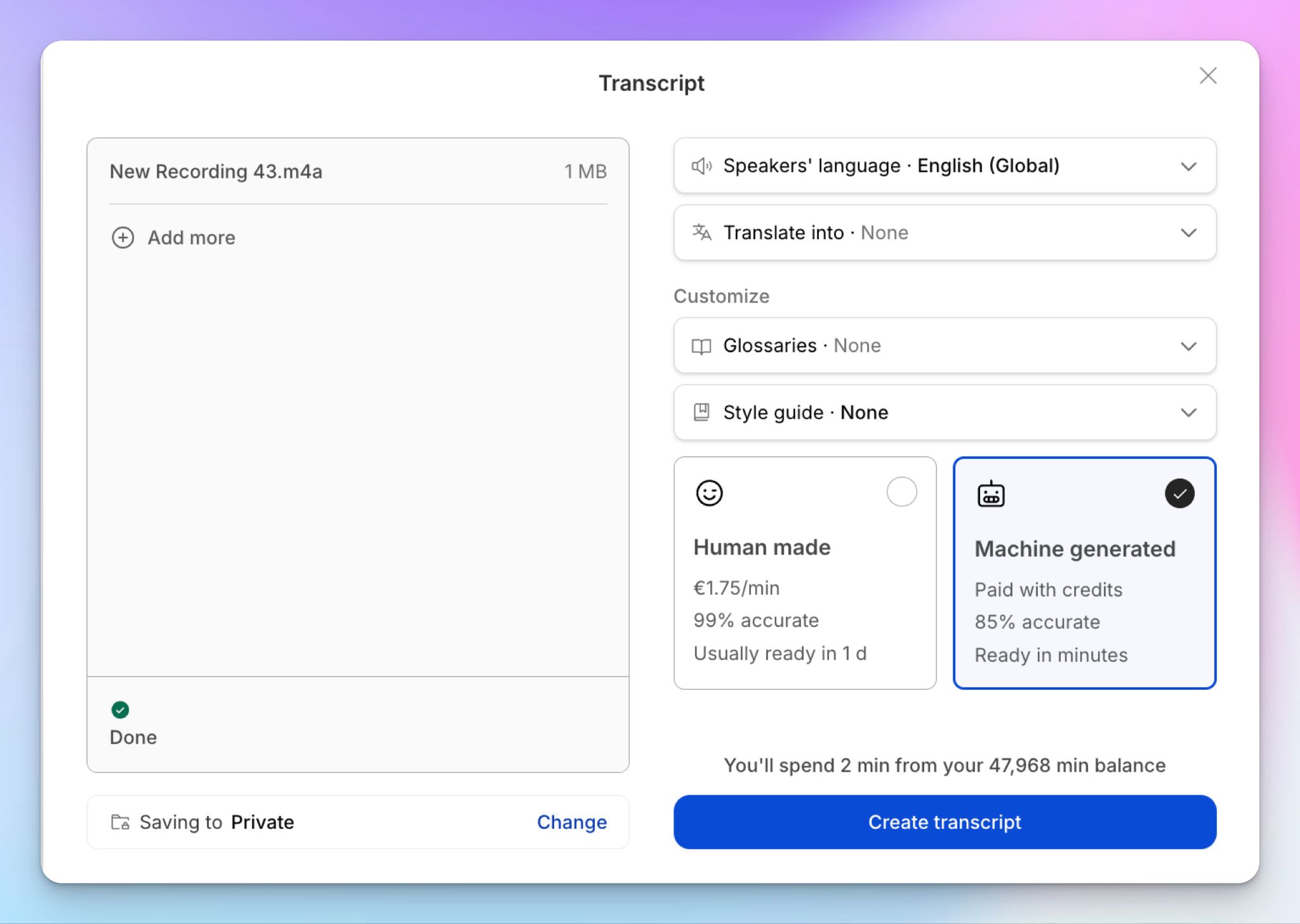
HappyScribe gives you the ultimate freedom: pick the automatic translation option and get your files ready in seconds with 95%+ accuracy, or rope in a human proofreader to reach 99% accuracy. Whatever you choose, you're always in control of the output.
HappyScribe's human experts can also help you adapt idioms, humor, and slang to local references. Perfect for entertainment, marketing, seminars, and social media content.
Skydance Sports started using HappyScribe's translation services after struggling with quality and deadlines with their previous option. It ended up saving 75% of the time in processing translation while getting consistent and high-quality files.
“I used to spend half of my time managing translators, which I didn’t know how to do… now that’s all outsourced, and it’s a game changer."
3. Export in 15+ formats, share securely, and connect your AI tools
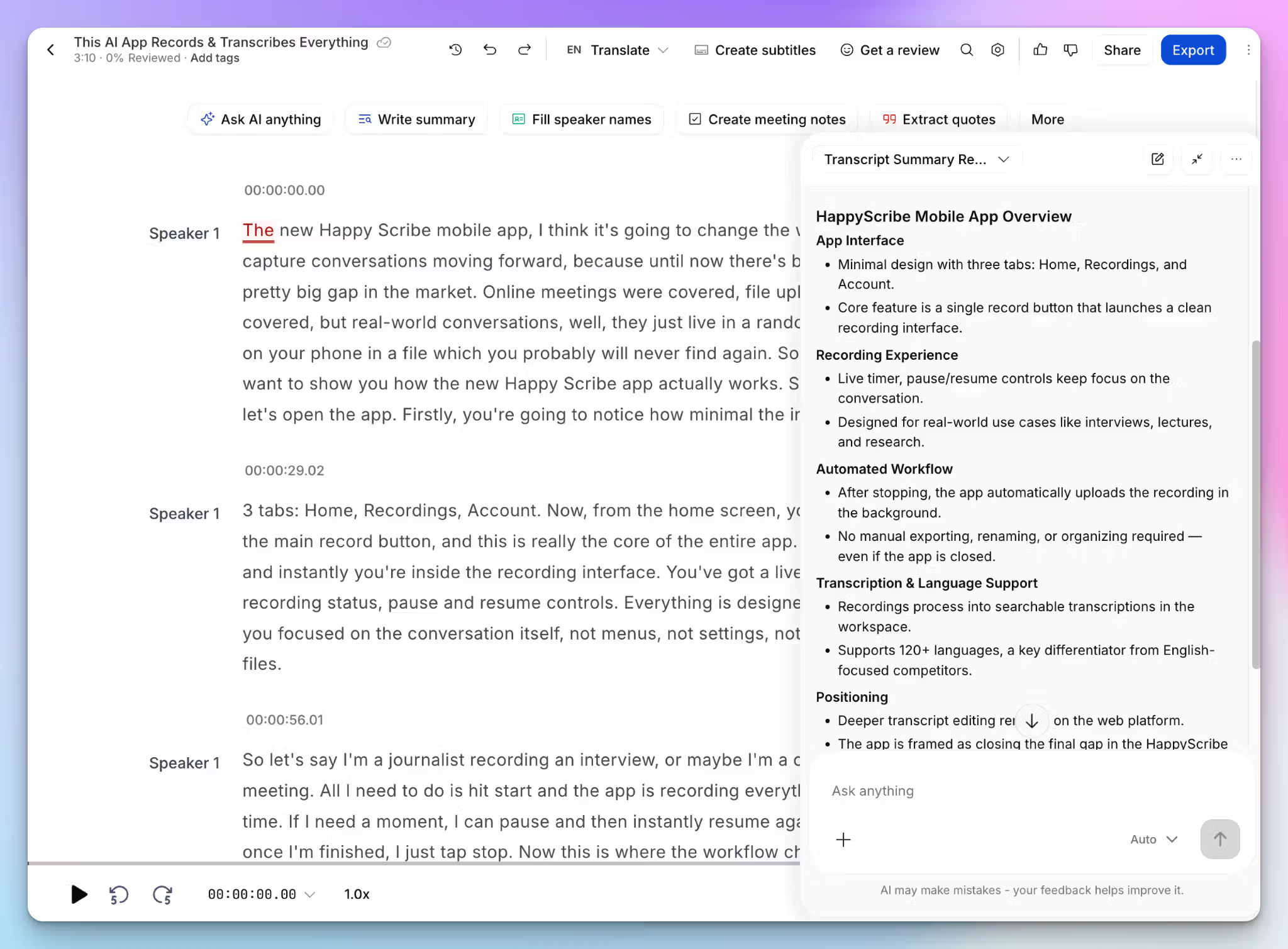
Once the translation is ready, you can export it in whatever format your workflow needs. TXT, PDF, XLSX, and DOCX for documents, SRT and VTT for subtitles, plus HTML, CSV, JSON, and more.
If you'd rather not download anything, just send a private link to invite others into the editor, and you stay in control of who can open it.
Through the MCP server, you can connect your transcripts and translations to Claude or ChatGPT, so the file feeds into the AI tools you already work in.
4. Review side by side and pull insights with AI Chat
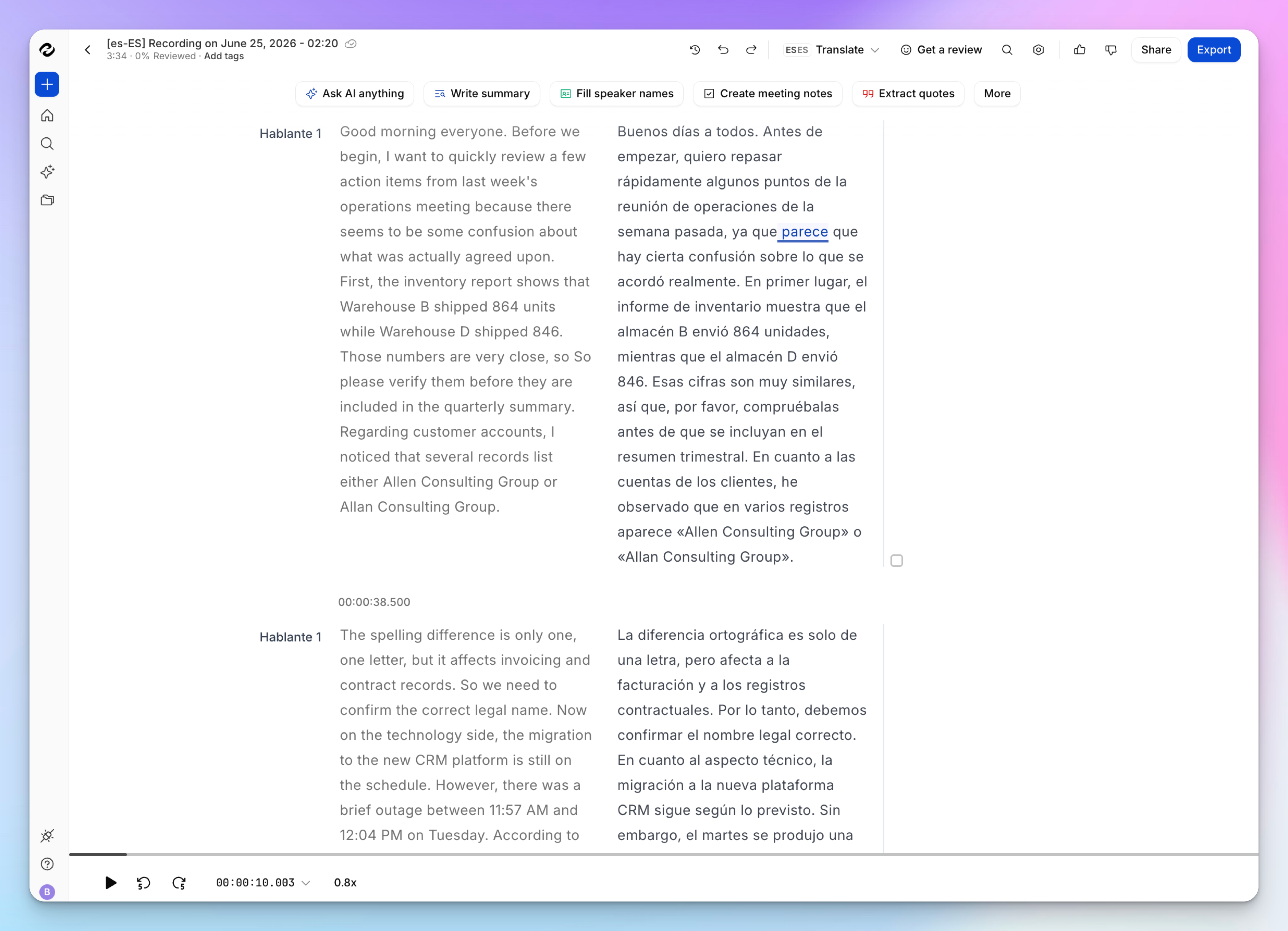
HappyScribe is built for teams that work on extensive projects. You can compare the translated content with the original side-by-side and edit accordingly. The dual-view editor is great for manual review or when you have to get it approved by someone else.
When you want to find exact info, AI Chat answers questions straight from the transcript. You can pull a summary, lift a direct quote, or draft a follow-up without combing through the whole file.
For teams handling subtitle work, the same editor turns the translated text into timed captions.
5. Enterprise-grade security
According to Deloitte’s 2025 Connected Consumer Survey, 70% of people are worried about data privacy and security of AI tools. These can often stop you from achieving serious productivity gains. But that's not the case with HappyScribe.
HappyScribe is SOC 2 Type II certified and GDPR compliant, stores data in an ISO 27001-compliant EU data center, and encrypts files in transit with TLS and at rest with AES-256.
For larger teams, SSO and role-based permissions control who can access which files. You can also permanently delete a file whenever you want, so a finished project doesn't sit on a server longer than it has to.
HappyScribe's pricing
- Free: Unlimited meeting recordings (45 mins per recording), plus a 10-minute trial of AI transcription, subtitling, and translation
- Basic: $8.50/month billed annually or $17/month billed monthly
- Pro: $19/month billed annually or $29/month billed monthly
- Business: $59/month billed annually or $89/month billed monthly
- Enterprise:Contact sales for tailored solutions
HappyScribe's pros
- Transcribe and translate in minutes, with the source auto-detected across 80+ languages and dialects
- Export in 15+ formats or burn translations straight into video as subtitles
- API and Zapier support to automate translation inside the rest of your stack
- SOC 2 Type II, GDPR, and EU data storage make HappyScribe one of the most secure transcription platforms
- A feature-rich dual-view editor that makes manual review and sign-off fast
- iOS and Android mobile apps for on-the-go audio capture
HappyScribe's cons
- It isn't built for live, real-time speech translation during a call
What are real users saying about HappyScribe?
For this particular video editing project, I had to translate Portuguese, Mexican Spanish, Peruvian Spanish and Tagalog before creating a script from previous video interviews. I tried Premier, Descript, and Rev with limited results. With the help of HappyScribe and a team of native speakers made it possible for me to work on this month long multiple language project.
I used the ai translator. It is quick and easy to use. The time stamp makes it easy to navigate through your recordings to make adjustments where the translation can be improved. A great time saver!!
How to translate audio with HappyScribe: a step-by-step guide
- Sign in to HappyScribe for free, then click Transcribe files at the top of your dashboard to upload your audio directly, or import it from YouTube, Vimeo, Wistia, Dropbox, Google Drive, or Box
- Select the spoken language or let automatic detection identify it for you
- Choose between AI transcription or human transcription, then start the file
- Once the transcript is ready, open it and pick your target language to generate the translation in seconds
- Review the original and translation side by side in the editor, then export as TXT, SRT, VTT, DOCX, PDF, or HTML, or burn it into a video as subtitles
2. VEED
Best for: Creators who want audio translation bundled into a full AI video editing suite
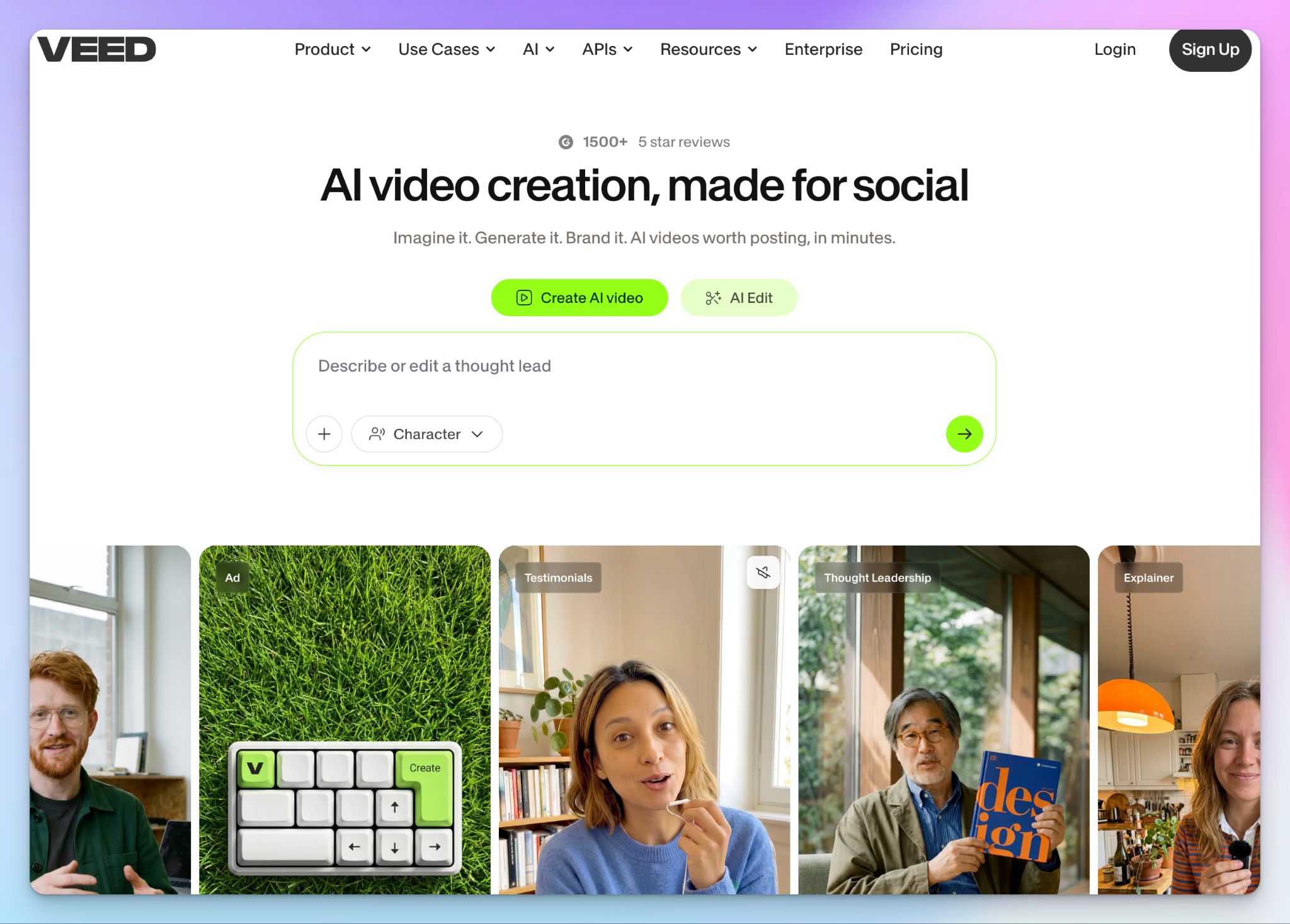
VEED markets itself as an AI Swiss army knife of content. Among many other things, it lets you translate audio quickly. You upload your file, pick a language, and the tool handles transcription, translation, and voice cloning in one workflow.
VEED is the kind of platform that might work well for creators, marketers, and teams who want to localize content without any hassle.
VEED’s key features
- Generate translated subtitles in 125+ languages, with separate lists for transcription and translation, so coverage depends on your exact language pair
- Generate or edit video in the same workspace using VEED's Fabric model plus hosted Veo, LTX, Kling, MiniMax, and Seedance engines, all drawing on a shared AI credit pool
- Collaborate through shared projects, comments, and a brand kit so teams keep localized content on-brand
- Nice quality of life features like stock media, templates, background removal, and AI avatars
VEED’s pricing
- Free
- Creator: $25/month (500 credits)
- Pro: $45/month (2,500 credits)
- Studio: $79/month (15,000 credits)
- Enterprise: Custom quote
VEED’s pros
- VEED’s interface is beginner-friendly, so a marketer with no editing background can translate and publish a video in one sitting
- Subtitle and dubbing accuracy is decent on clean audio, and the voice cloning keeps the dubbed output sounding like the original speaker
- Translation, editing, generation, and localization all live in one browser tab, which removes the file-shuffling between separate tools
VEED’s cons
- Dubbing is limited to only 29 languages against 125+ for subtitles, so many language pairs can be captioned, but not voiced
- The AI credit system makes costs unpredictable. High-end generative models burn credits quickly, and unused credits don't carry over at renewal
- The browser editor can lag or buffer on large files, which brings a quick localization job to a crawl
📌 Also read:
3. DeepL Voice
Best for: Real-time speech translation in live meetings and in-person conversations
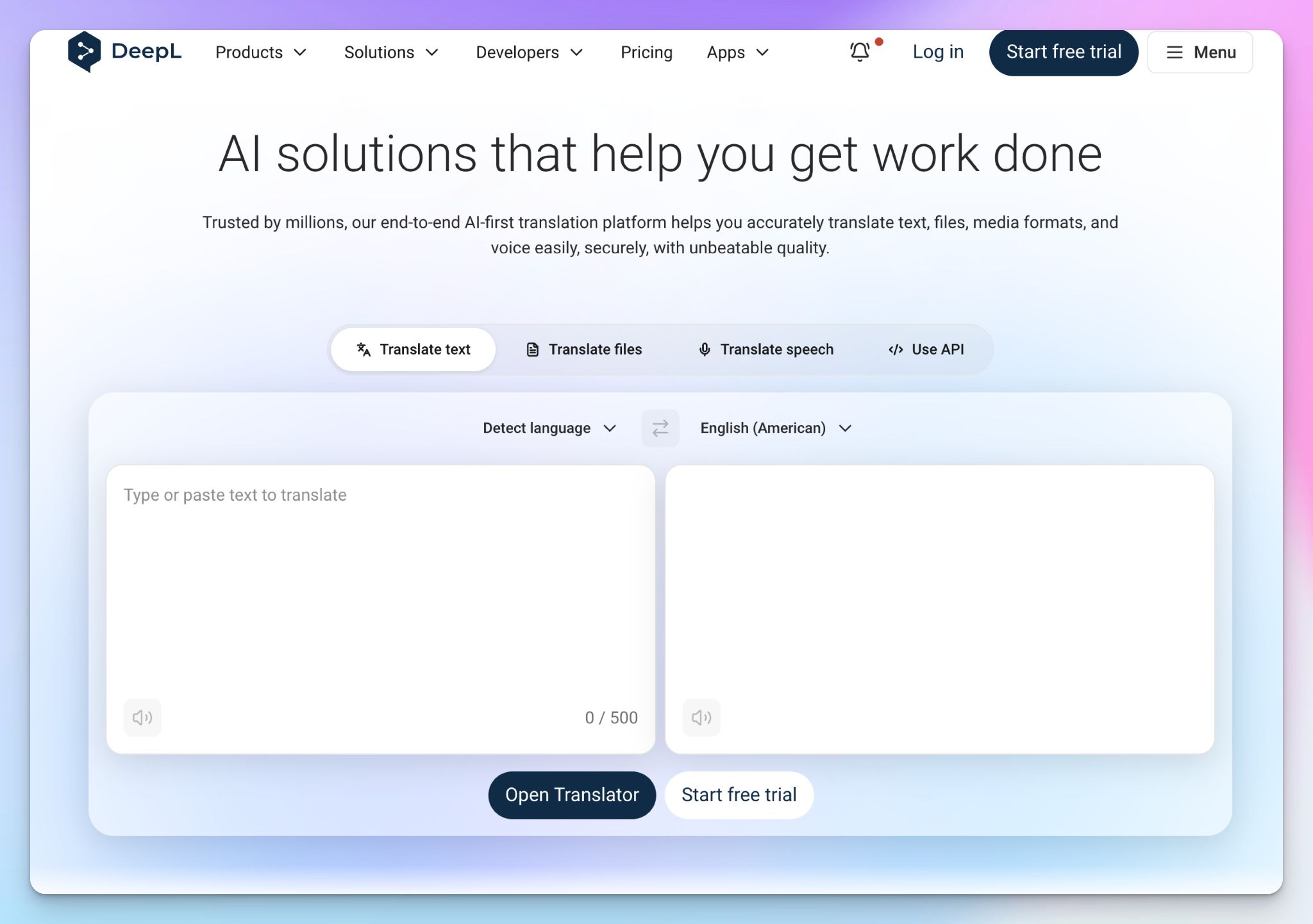
DeepL Voice brings DeepL’s popular translation engine into real-time conversations. It’s designed for teams that need secure and accurate speech translation during live meetings or day-to-day interactions, without compromising privacy.
What sets DeepL Voice apart is its balance of speed and context. It recently released the Voice-to-Voice service, which does more than caption. Speech gets converted to text, translated through DeepL's engine, then spoken back in the target language, so a meeting can run with each person speaking and hearing their own language.
DeepL Voice’s key features
- Translate live speech across 40+ languages, including all 24 official EU languages plus additions like Arabic, Thai, Vietnamese, and Bengali
- Run real-time translation natively inside Microsoft Teams and Zoom, or use Voice for Conversations on mobile and web for in-person conversations
- You can apply glossaries and spoken-term customization so product names, technical jargon, and proper nouns come through correctly in fast or specialized speech
- Enterprise-ready with ISO 27001 certification, HIPAA and GDPR compliance, SSO, and granular data controls
DeepL Voice’s pricing
Translation
- Individual: $10.49/month
- Team: $34.49/month
- Business: $68.99/month
- Enterprise: Custom pricing
Voice for Meetings
- Core: $25/month
- Business: $38/month
DeepL Voice’s pros
- DeepL’s real-time accuracy is the standout, and it could be occasionally better than native translation in Teams, Zoom, and Google
- It doesn’t use your data to train its models and deletes meeting data from memory once the call ends, which suits legal, healthcare, and financial users
- DeepL Voice covers both remote meetings and in-person conversations from one product, rather than forcing you to pick a tool per setting
DeepL Voice’s cons
- It translates into a fixed synthetic voice rather than preserving the speaker's own. Voice preservation is still in the pipeline
- Real-time output has a noticeable lag, which DeepL attributes to the word-order differences between languages
- It's built for live conversation, not transcribing or translating pre-recorded audio files, so it's a poor fit if you're working from a backlog of recordings
📚 Also read:
4. NoteGPT
Best for: Students who want quick, no-sign-up audio translation in the browser
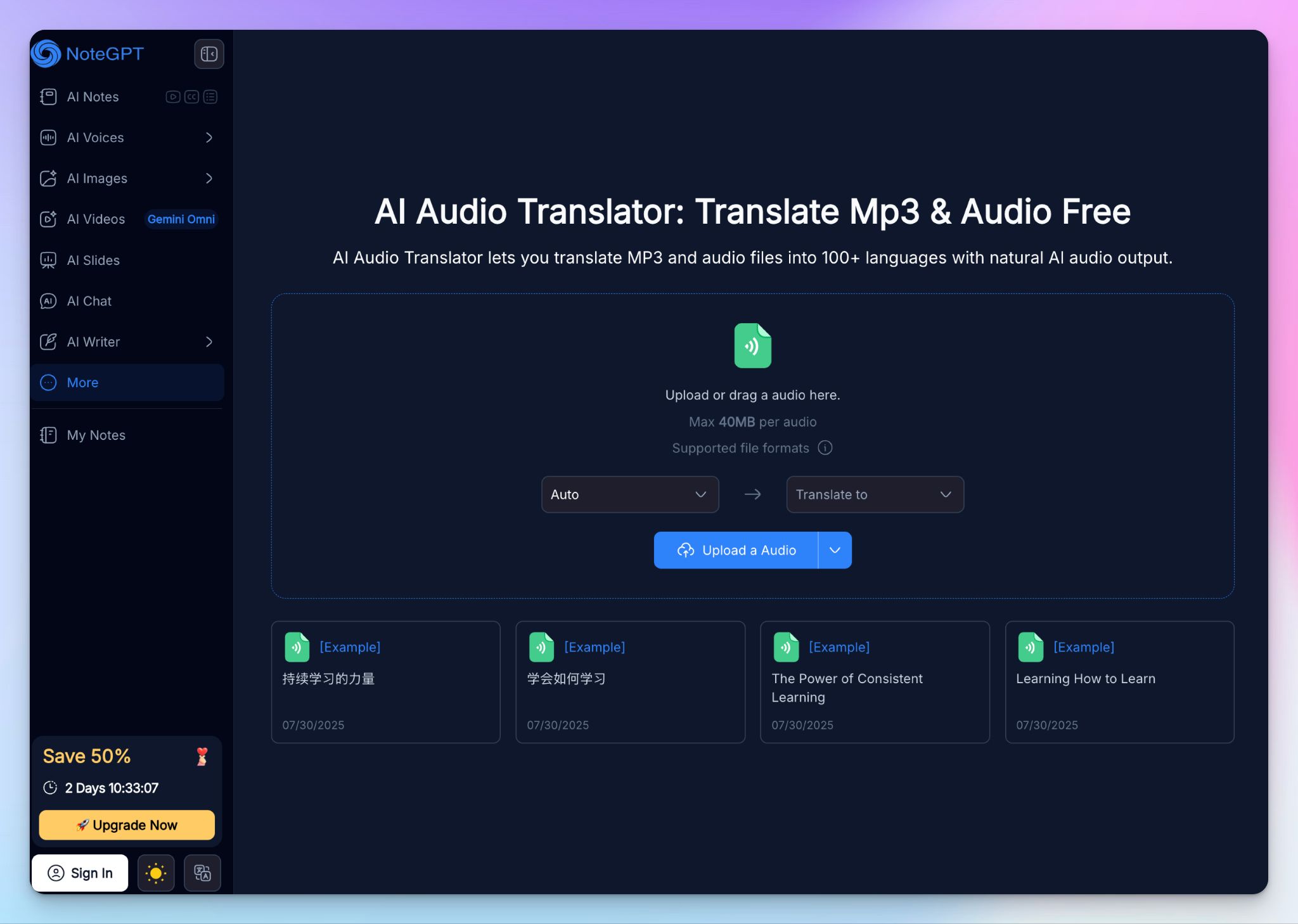
NoteGPT is an AI learning and content suite, and audio translation is part of a much larger kit. Where DeepL is built for enterprise meetings, NoteGPT keeps things simple and accessible: you upload a lecture, MP3, or a recorded conversation, pick a target language, and get translated text or voice back.
The appeal is the plug-and-play model. Most of NoteGPT’s tools run in the browser with no account required, so it's an easy pick for a student or solo creator who needs a fast translation without committing to a subscription.
NoteGPT's key features
- Translate audio and voice into 100+ languages, with natural AI speech output and support for accents and less common dialects
- Process long recordings whole and run several files at once through batch translation, with single files supported up to 5GB
- You can generate voice-to-voice output with optional voice cloning, so the translation can keep the original speaker's sound
- Export translations as MP3, WAV, SRT, or TXT, all from a browser-based tool with no sign-up for basic use
NoteGPT's pricing
- Free
- Pro: $9.99/month
- Unlimited: $29/month
- Max: $99/month
NoteGPT's pros
- It's quick and easy to reach, with most translation tools running in any browser without an account
- The 100+ language range and dialect handling cover more than some competitors, which helps with niche source material
- Wide range of productivity and study tools to help users document and edit files quickly
NoteGPT's cons
- NoteGPT’s security and data-handling processes are not reliable, so it's a poor fit for confidential or client recordings
- Accuracy slips on noisy or casual recordings, where the lack of editing depth forces you to correct output by hand
- The interface is built for speed over control, so there's little room to fine-tune a translation the way a dedicated editor allows
📚 Also read:
5. Adobe Firefly
Best for: Adobe users who want to dub pre-recorded audio while preserving the speaker's voice
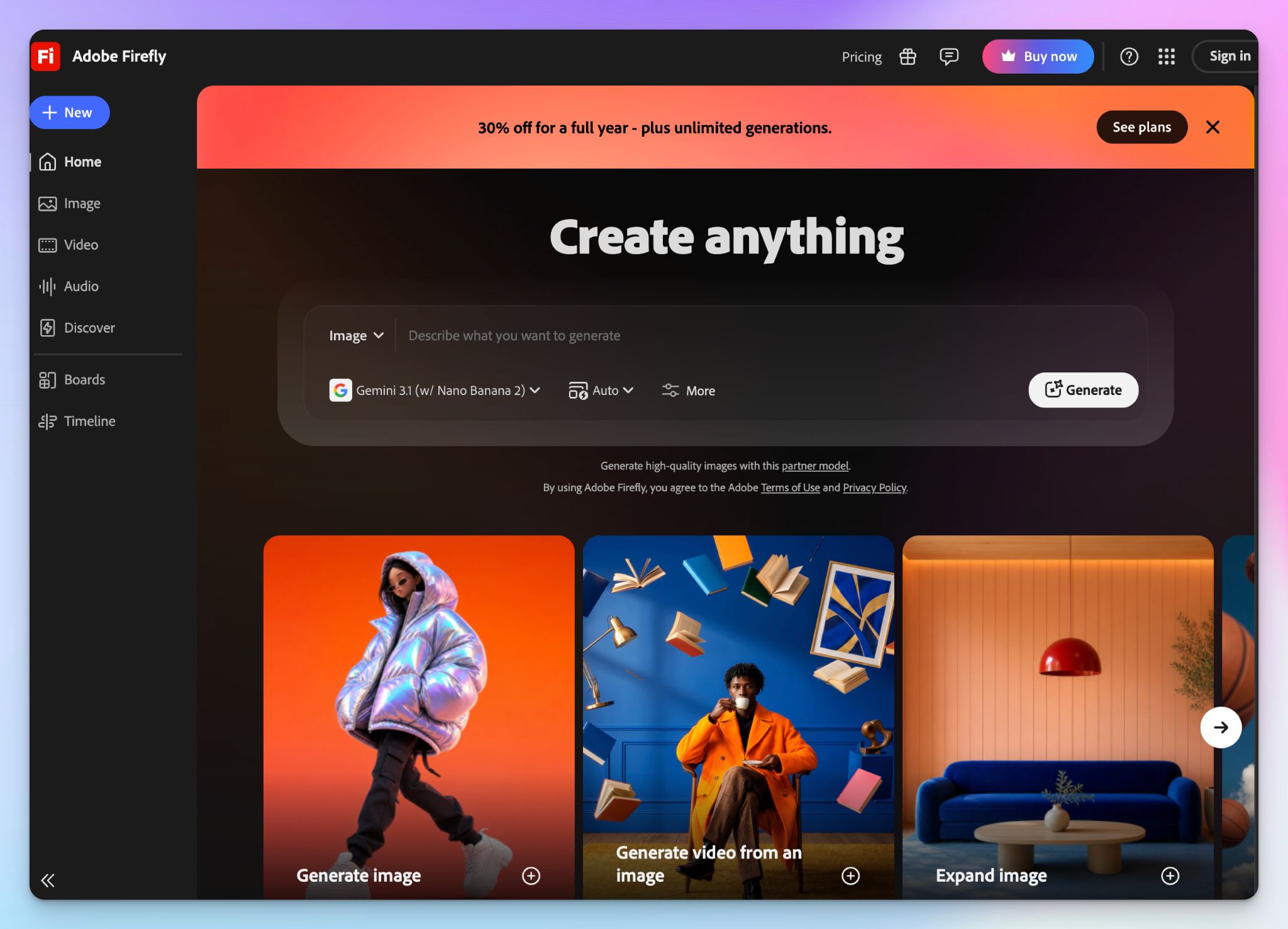
Adobe Firefly brings the AI audio translator into Adobe’s creative ecosystem. It’s designed to help creators and teams translate and dub audio into multiple languages while keeping the speaker’s original tone, rhythm, and emotion intact.
The workflow is simple: upload a file, pick up to five target languages, and Firefly generates dubbed versions in a few minutes. If you already work in Photoshop, Premiere, or Express, it slots into tools you know.
Adobe Firefly's key features
- Dub pre-recorded audio into 20+ languages with speech-to-speech AI that preserves the speaker's tone and cadence
- Translate into up to five target languages at once from a single file, with automatic source-language detection
- You can add lip sync to match mouth movements to the translated audio, but it’s available only on eligible enterprise plans
- Get Content Credentials attached to every output to flag generative-AI use, with files delivered as WAV and kept for seven days
Adobe Firefly's pricing
- Firefly Standard: $9.99/month
- Firefly Pro: $19.99/month
- Firefly Pro Plus: $49.99/month
- Firefly Premium: $199.99/month
Adobe Firefly's pros
- Firefly maintains the speaker's voice across languages instead of a stock voice, which suits creators protecting a personal or brand sound
- The interface is familiar and simple for anyone already in Adobe, with reliable automatic source-language detection
- Multi-language batch output and Content Credentials help creators who publish content across regions
Adobe Firefly's cons
- It only handles single-speaker, pre-recorded files up to 10 minutes, so interviews, panels, and live audio are out of scope
- The features creators most want, voice cloning, lip sync, and transcript editing, are locked to enterprise plans, with standard users shut out
- Credits get used up quickly on heavy load, and existing Creative Cloud subscribers still need a separate Firefly plan for real translation volume
Which audio translator tool is best for you?
The right audio translator comes down to what you're translating, who it's for, and where you’re struggling the most.
👉 VEED makes sense when translation is one step in a larger video project, and you want editing, subtitles, and dubbing in the same browser tab.
👉 DeepL Voice is the pick when you need real-time translation in live meetings or in-person conversations, and translation quality is more important than working from recordings.
👉 NoteGPT works when you want a fast translation in the browser and aren't handling anything confidential.
👉 Adobe Firefly fits creators already inside Creative Cloud who want to dub short, single-speaker recordings while keeping the speaker's own voice.
👉 HappyScribe stands out as the AI audio translator that covers the most ground. It transcribes and translates in one flow across 80+ languages, and it's the only tool here that lets you choose between AI speed and 99% human-proofread accuracy when a file has to be right.
You get European-grade security, powerful subtitle workflows and dual-view editor, and AI Chat to make reviews fast. For anyone translating interviews, podcasts, or client recordings rather than dubbing short clips, it's the most complete and secure option.
Start on the free plan and run it against your own audio before spending anything.
Frequently Asked Questions on Audio Translators
How do you auto-translate audio files?
You can auto-translate audio files by uploading them to an AI translator or transcription software like HappyScribe. It converts speech to text using speech recognition, then translates it into your preferred language. You can also export the translation in common file formats such as TXT, SRT, or DOCX.
Which is the best audio translator in 2025?
The best audio translator depends on your needs. HappyScribe is the most balanced option for accuracy, privacy, and broad language coverage. VEED and DeepL Voice are strong choices for real-time translation, while NoteGPT works well for quick browser-based projects.
Is there a live audio translator for real-time communication?
Yes. Live translation tools like DeepL Voice let you have real-time conversations across languages. They use speech recognition to capture what’s being said and instantly translate it for both sides. For professional settings or long audio files, HappyScribe offers a better workflow with transcription and translation combined.
Does Google have a voice translator?
Yes. Google Translate includes a voice translator that can handle spoken conversations. It’s useful for travel and quick exchanges, but it’s less reliable for longer recordings or mixed audio content compared to dedicated audio translation apps like HappyScribe or DeepL.
Can AI translators handle multiple languages accurately?
Most AI translators support wide language coverage, but accuracy depends on the model and the language pair. Tools like HappyScribe and VEED handle major global languages very well, though niche dialects may need human review for best results.
What’s the difference between audio translation and transcription software?
Transcription software converts speech into text, while audio translation tools translate that text into another language. The best voice translators now combine both, letting you turn audio or video files into translated text or subtitles in one step.

Rodoshi Das
Rodoshi is the Content Lead at HappyScribe, the privacy-first transcription and AI notetaker platform based in Barcelona. Shaping content strategies and building AI workflows excites her as much as exploring new SaaS tools. She specializes in product-led content that informs rather than sells, grounded in honest product benchmarking and low tolerance for empty marketing speak.