Your fieldwork is done and the interviews went well. Now your Google Drive holds more hours of audio than you want to count.
The patterns you're looking for are in the recordings, but you can't work with them until the audio is turned into accurate text on the page.
That’s exactly why we built HappyScribe.
In this guide, I’ll show you how to build your entire qualitative research workflow using HappyScribe, from raw recording to clean, accurate transcripts ready for your analysis software.
Here's how the handoff works: we turn your interviews into text you can quote with confidence. The analytical work of reading, coding, and building toward a theory stays with you.
What changes is how quickly you get to accurate transcripts, so the real thinking can begin sooner. Here’s how the workflow unfolds with HappyScribe, stage by stage.
The qualitative research workflow at a glance
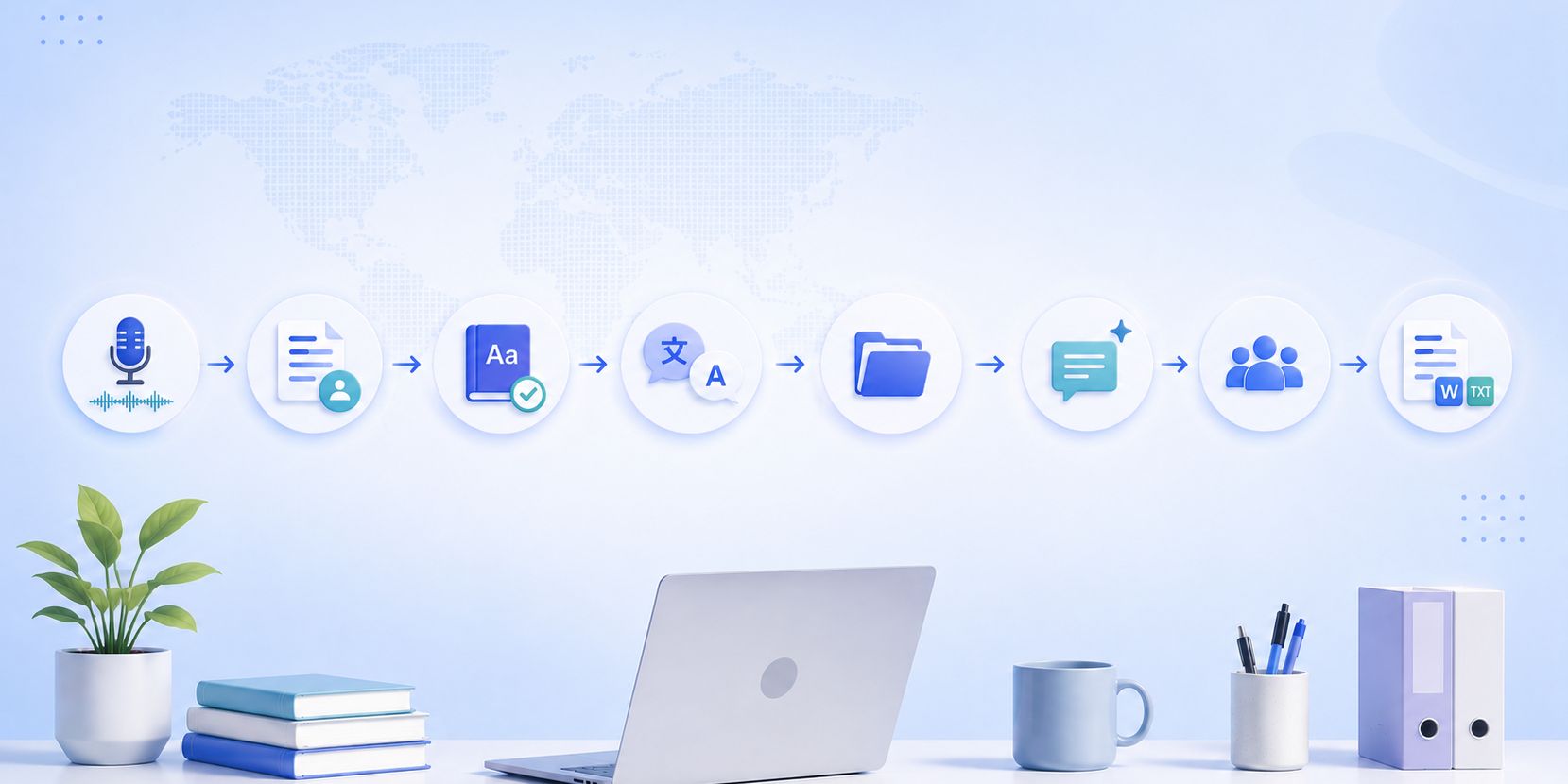
Qualitative research moves through a fairly consistent sequence: capture the data, get it into accurate text, clean up the terminology, organize it, interrogate it, and hand it off to your analysis tool. HappyScribe maps onto each of those stages.
| Stage | What you do | HappyScribe feature | Output |
|---|---|---|---|
| Capture | Record or upload interviews, focus groups, field audio | AI note taker for live sessions, file transcription for recordings | Accurate transcript with speaker labels |
| Check accuracy | Upgrade key interviews to publication accuracy | Human-made transcription | 99%+ accurate text |
| Fix terminology | Fix jargon, names, theoretical terms | Custom Glossaries | Correct domain vocabulary |
| Translate | Consolidate multi-language fieldwork | Translation | One working language |
| Organize | Sort by study, tag by theme and participant | Folders and tags | Searchable dataset |
| Interrogate | Find quotes and ask questions across the full corpus | AI Chat | Locate quotes and patterns |
| Collaborate | Share with supervisors and co-authors | Shared workspace | Single source of truth |
| Export | Move text into your QDA software | Multiple export formats, including DOCX, TXT, SRT, VTT, PDF, HTML, CSV, JSON, and more | Files ready for NVivo, MAXQDA, Atlas.ti |
Step 1: Transcribe the raw data
Everything starts with getting your recordings into text, and there are two ways depending on how the data was captured.
Option 1: File transcription
If your interview or focus group already exists as a recording, use HappyScribe’s file transcription feature. Upload the audio or video, choose the language from the 150+ languages and dialects supported, and you get back a transcript with speaker labels separating each voice.
Option 2: Recording virtual interviews
If you’re running the session live, like a remote interview or an online focus group over Zoom, Google Meet, or Microsoft Teams, the HappyScribe AI note taker joins the call and transcribes it. You’ll receive the transcript and summary minutes after the session ends.
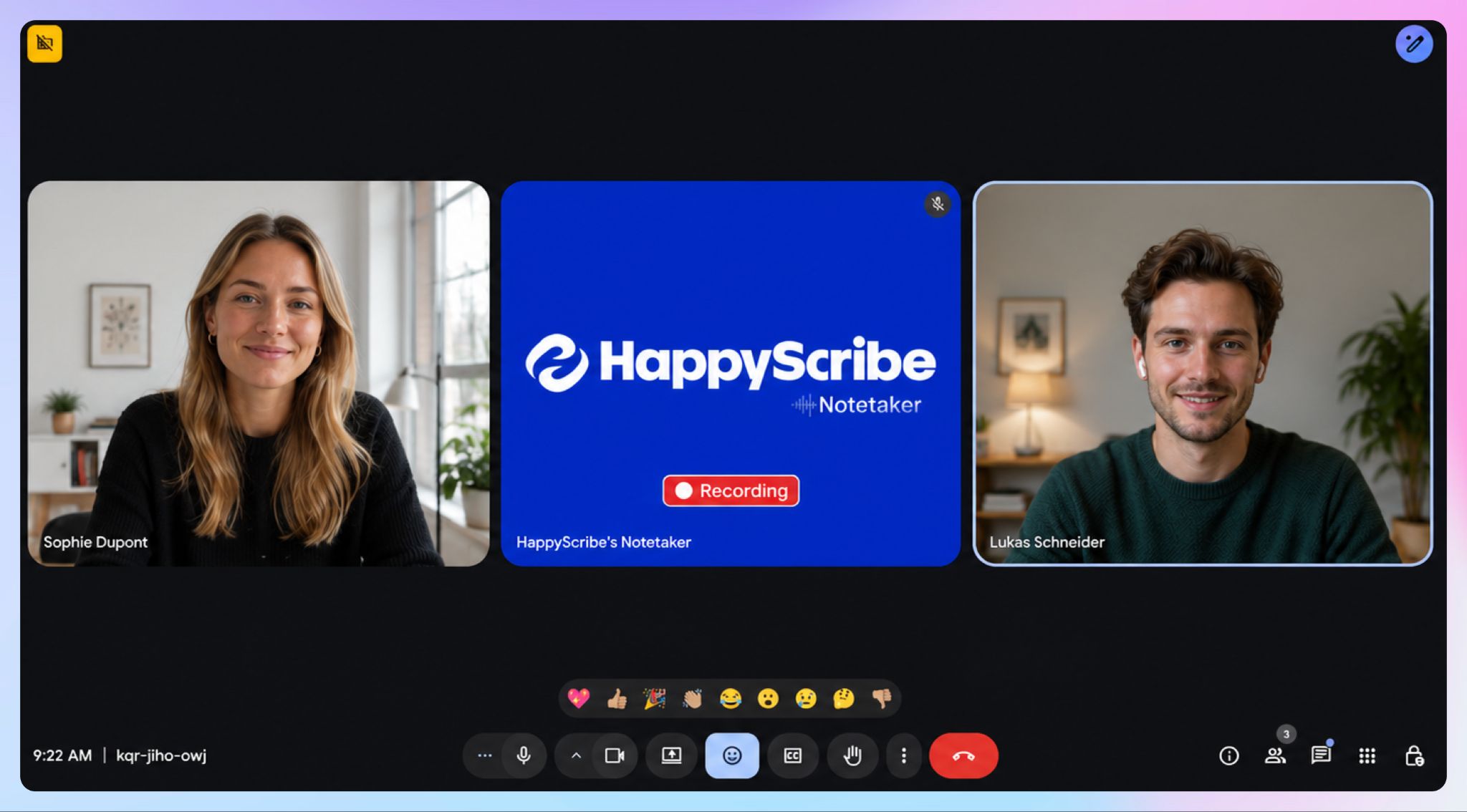
And that’s how HappyScribe covers both the archive of past recordings and the interviews still on your calendar.
How to do it:
- Upload your recording to HappyScribe, or connect the AI note taker to your scheduled call. Use the browser recorder, mobile app, or desktop app, whichever option you prefer.
- Select the spoken language.
- Review the draft transcript against the audio to ensure nothing slipped.
📌 Important: If your study is full of specialized terms, participant names, or acronyms, set up a glossary first (Step 3). It takes a few minutes and saves you from cleaning the same misspelled term across every transcript afterward.
For the deeper debate on where AI transcription fits in rigorous methodology, check our guide to automatic transcription in qualitative research.
Step 2: Add human-made transcription where you need it
HappyScribe’s AI transcription runs around 95%+ accuracy on clean audio, which is enough for exploratory coding and internal analysis.
However, a dissertation chapter or a journal submission is a different standard. For the interviews your argument rests on, where a misheard phrase could undercut a quotation in peer review, 99%+ accuracy is worth paying for.
HappyScribe offers human-made transcription (with 99% accuracy) alongside the AI option, and you can mix the two inside the same project.
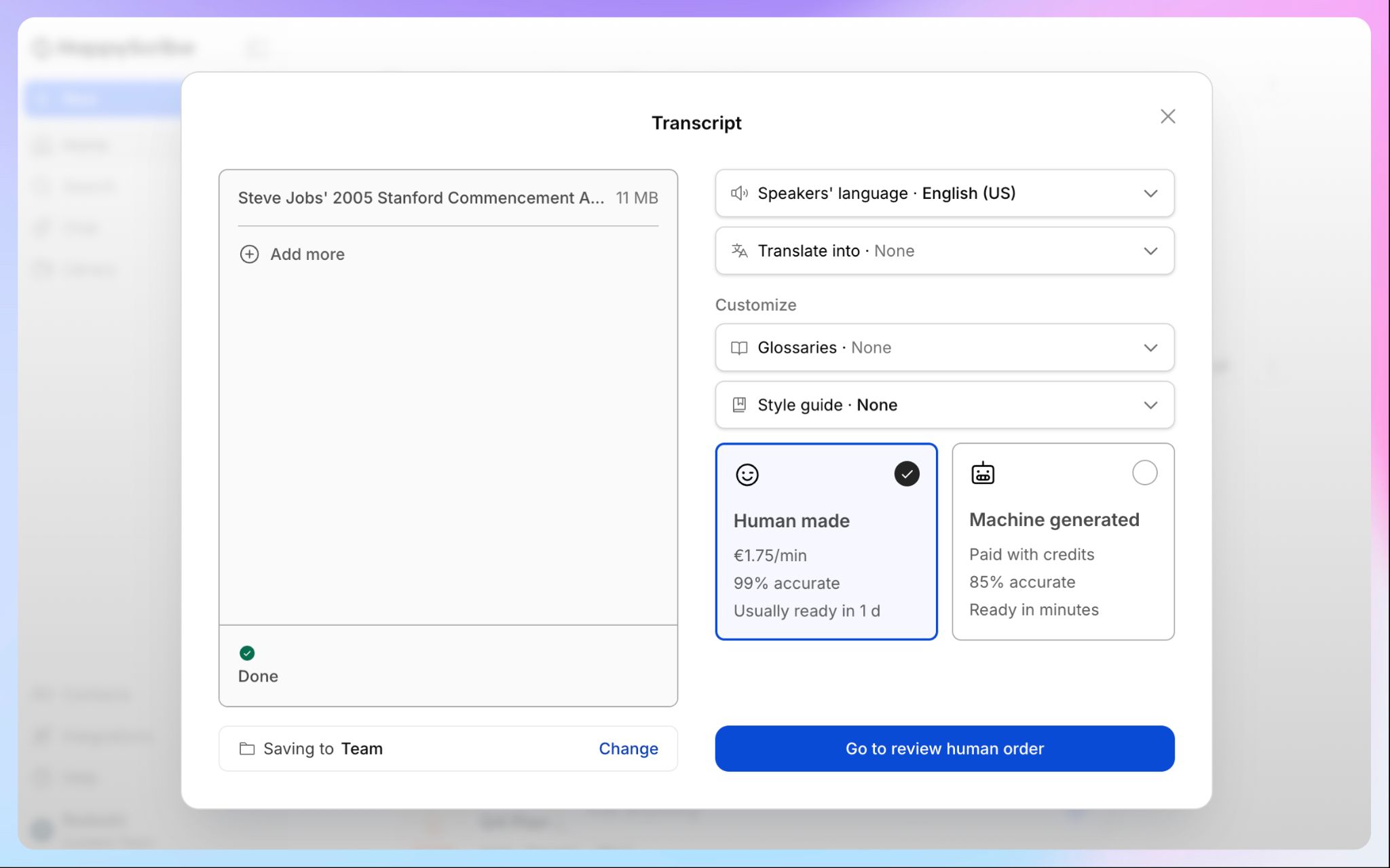
Run AI across the bulk of your corpus to keep costs down, then upgrade the three or four interviews doing the heaviest analytical lifting to human-made.
Human-made transcription is also where verbatim output comes in, and it counts for more in qualitative work than in almost any other use case.
A verbatim transcript keeps the ums, the false starts, the pauses, and the laughter, because those features carry meaning in discourse analysis and grounded theory.
How to do it:
- Transcribe the full set with HappyScribe’s AI transcription first.
- Identify the interviews central to your findings.
- Order human-made transcription for those specific files from the same dashboard, and choose verbatim.
Want the full picture on checking transcript quality? See our guide on how to validate transcription accuracy.
Step 3: Fix domain terminology with glossaries
Generic speech recognition trips on the vocabulary that qualitative researchers use constantly. These can be:
- participant names
- clinical or legal terms
- theoretical concepts
- local expressions, or
- acronyms specific to a field.
A healthcare study full of drug names or a legal study full of case citations will come back with those words mangled. And fixing them by hand across thirty transcripts defeats the point of automating transcription at all.
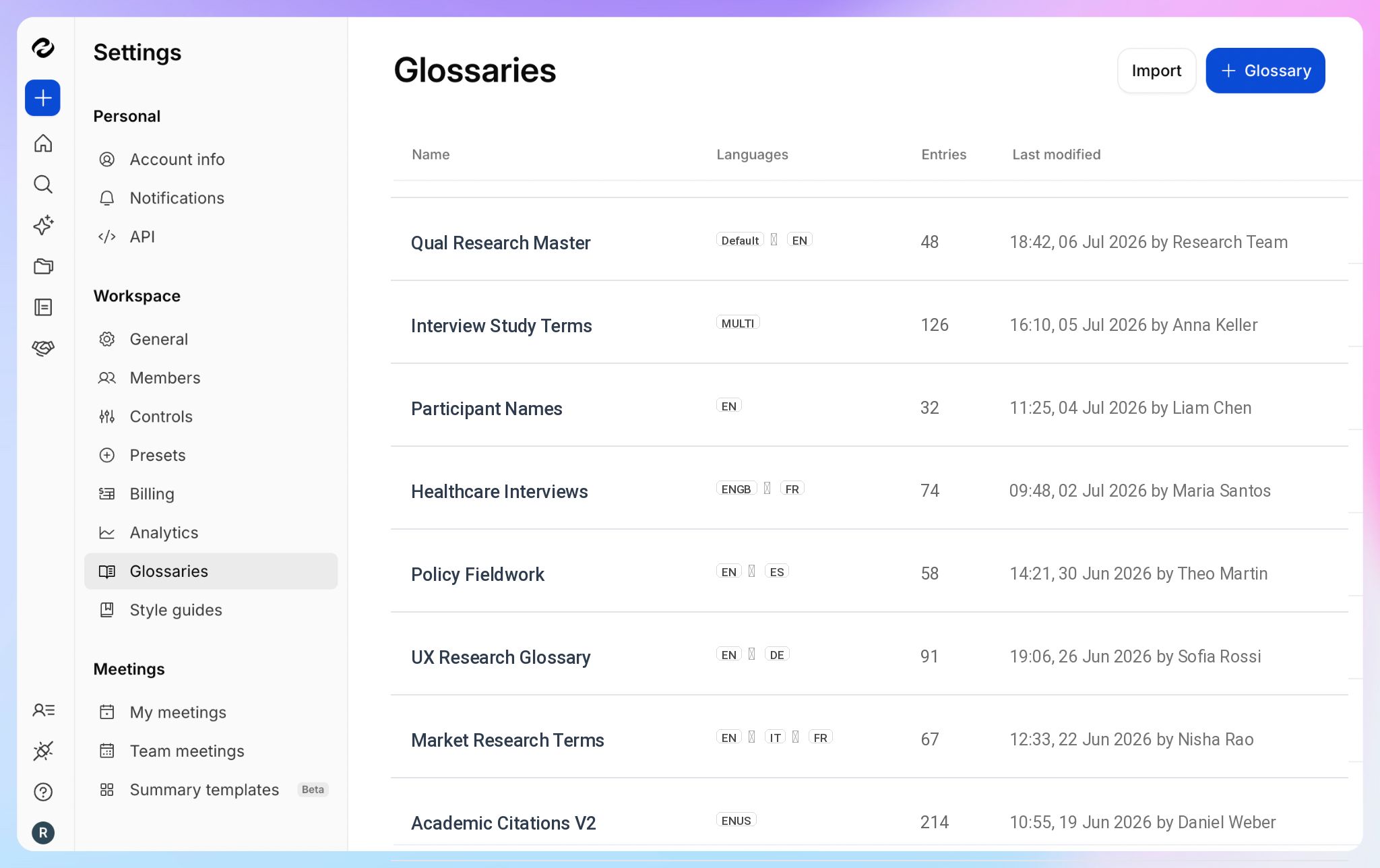
HappyScribe’s Custom Glossaries solve this. Load the terms your study depends on before you transcribe, and the system learns your vocab. Post transcription, all the difficult words come back spelled correctly.
How to do it:
- Build a glossary/glossaries of the participant names and specialized terms your study depends on.
- Attach the glossary before running transcription.
- Reuse the same glossary across every interview in the project.
Step 4: Handle cross-language and multi-country studies
Multi-country fieldwork has a huge problem: interviews in several languages that all need to sit inside one analysis.
Transcribing each in its original language is only half the job, because you still cannot compare across them until they share a working language.
Do this before you organize or query the corpus, so everything downstream runs in one language.
HappyScribe pairs transcription in 150+ languages with translation into 80+ languages.
A researcher running fieldwork in Spanish and French can transcribe each interview in its source language, then translate everything into a single language for coding. The comparative analysis becomes possible because the whole corpus finally speaks the same tongue.
How to do it:
- Transcribe each interview in its original spoken language.
- Translate the transcripts into your chosen working language.
- Keep source and translated versions linked in the project.
- Code from the consolidated set.
Step 5: Organize by project and theme
Thirty interviews with no structure is a folder you dread opening. The fix is to impose order early, while the corpus is still small.
Create a folder per study or per project, then tag individual transcripts by theme or participant code. A tag for the participant (#P12), one for a recurring theme (#onboarding-friction), and one for analytic status (#deviant-case) turn a stack of files into something you can navigate by meaning rather than by filename.
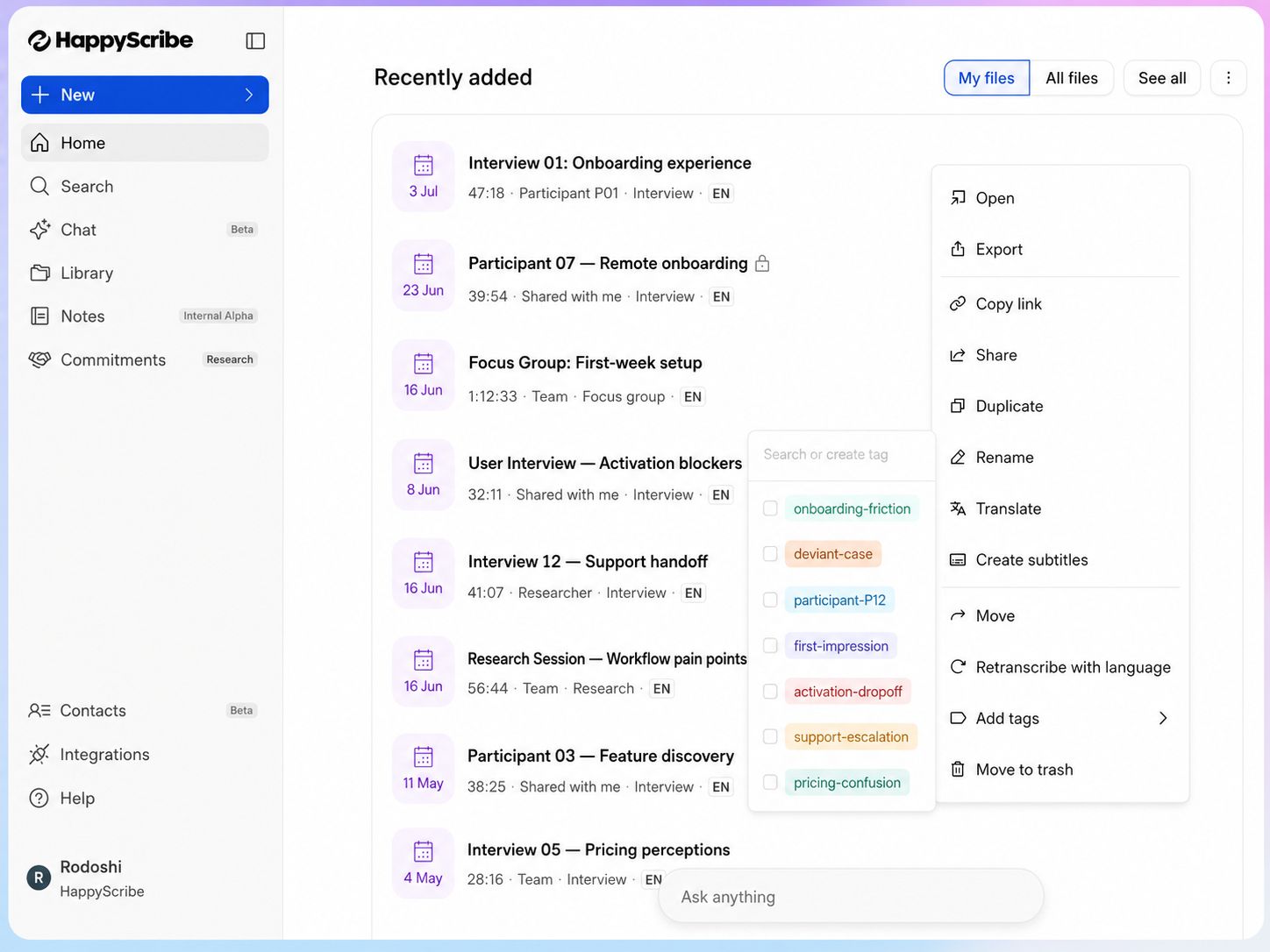
Tag well now and the search and analysis in the next step become far quicker.
How to do it:
- Create one folder per study.
- Tag each transcript with its participant code.
- Add thematic tags as patterns start to surface.
- Keep the tagging convention consistent across the project.
Step 6: Interrogate the corpus with AI Chat
This is where the organizing pays off.
HappyScribe’s AI Chat works across your whole transcription corpus at once, and it handles both of the things you need during coding: finding exact quotes and asking open questions.
For retrieval, it locates every mention of a theme, a phrase, or a participant across your entire dataset in seconds.
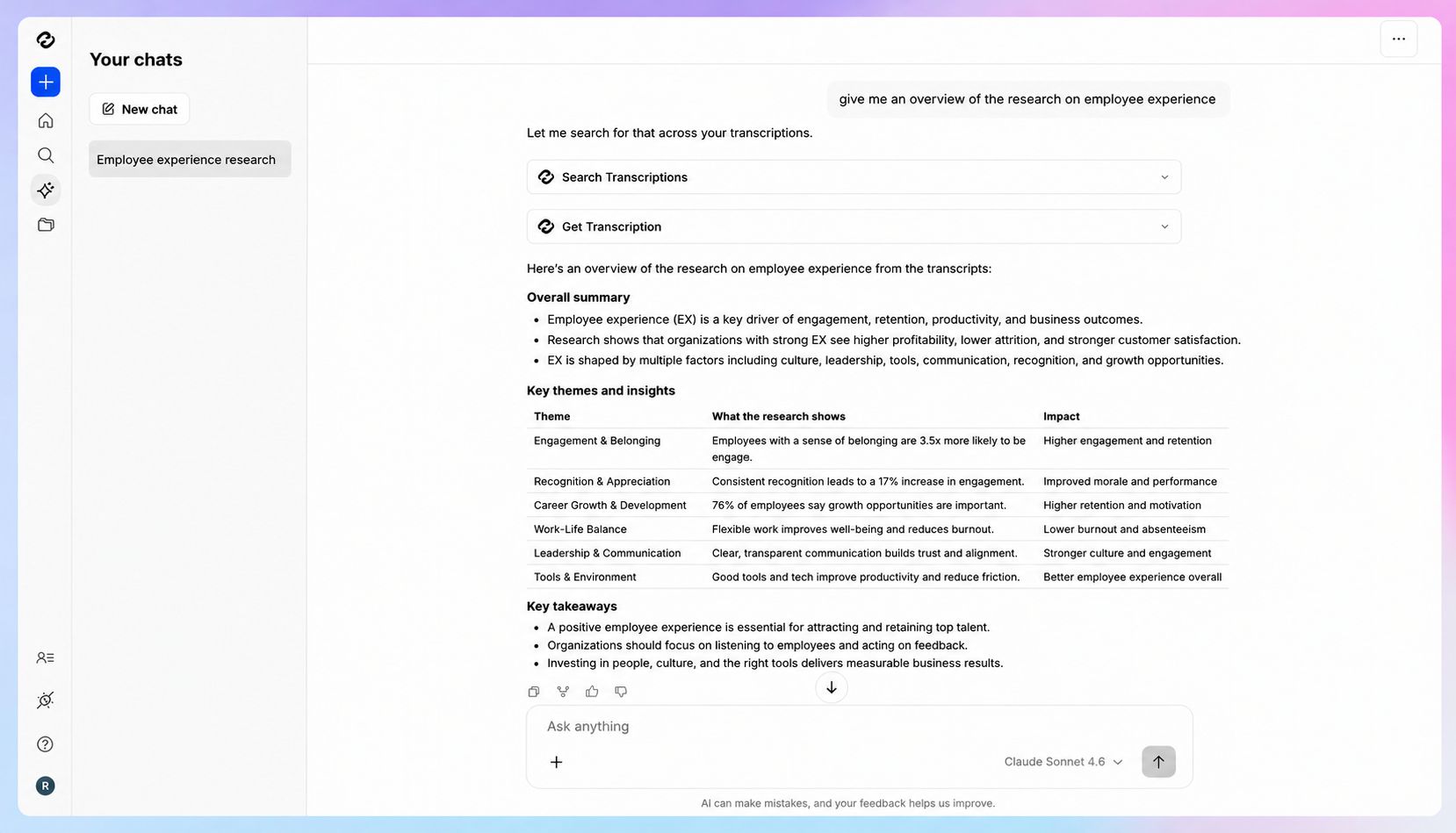
It replaces the slowest manual task in the process, hunting through documents for the quotes that support a code, and the passages come back with their context intact.
For synthesis, you can ask questions in plain language. Something like, "Across all 12 interviews, where did people get stuck during onboarding?" returns an answer drawn from every transcript at once.
Treat that output as a starting point, not a finding.
It surfaces patterns worth investigating, and points you toward the passages behind them.
The coding, the interpretation, and the decision about what a pattern means are still yours to make.
How to do it:
- Open AI Chat on your HappyScribe dashboard.
- Search for a theme, phrase, or participant code to pull exact quotes.
- Ask questions in natural language across the same set.
- Follow every answer back to the source passages, then code from there.
Step 7: Collaborate with supervisors and co-authors
Qualitative research, in most cases, is a group effort.
Supervisors want to see transcripts, research assistants help with coding, co-authors need access to the same material.
The failure mode is version drift, where three people are marking up three slightly different copies of the same interview.
A shared workspace keeps everyone on the same version.
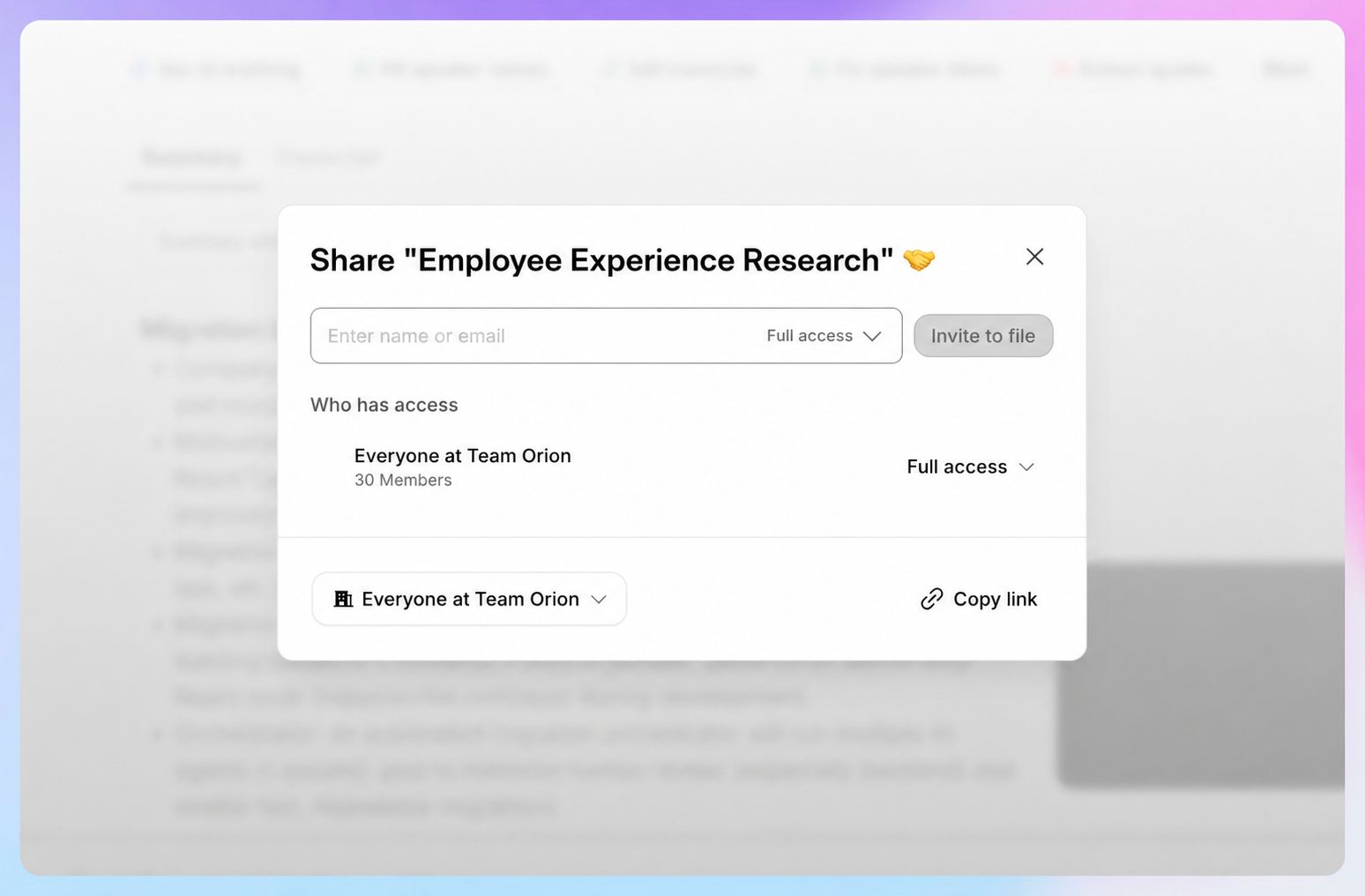
HappyScribe lets you share transcripts with your supervisor, your RAs, or your co-authors, and the corpus stays consistent no matter who is working in it.
How to do it:
- Invite collaborators into your HappyScribe workspace.
- Share the relevant transcripts with each person.
- Work from the shared versions rather than local copies.
- Manage access permissions as the team changes.
Step 8: Export to your analysis tool
When the transcripts are clean and organized, you can export them into the QDA software you already use: NVivo, MAXQDA, Atlas.ti, or any other QDA platform.
HappyScribe supports multiple export formats, which means the text arrives in a shape your tool can read.
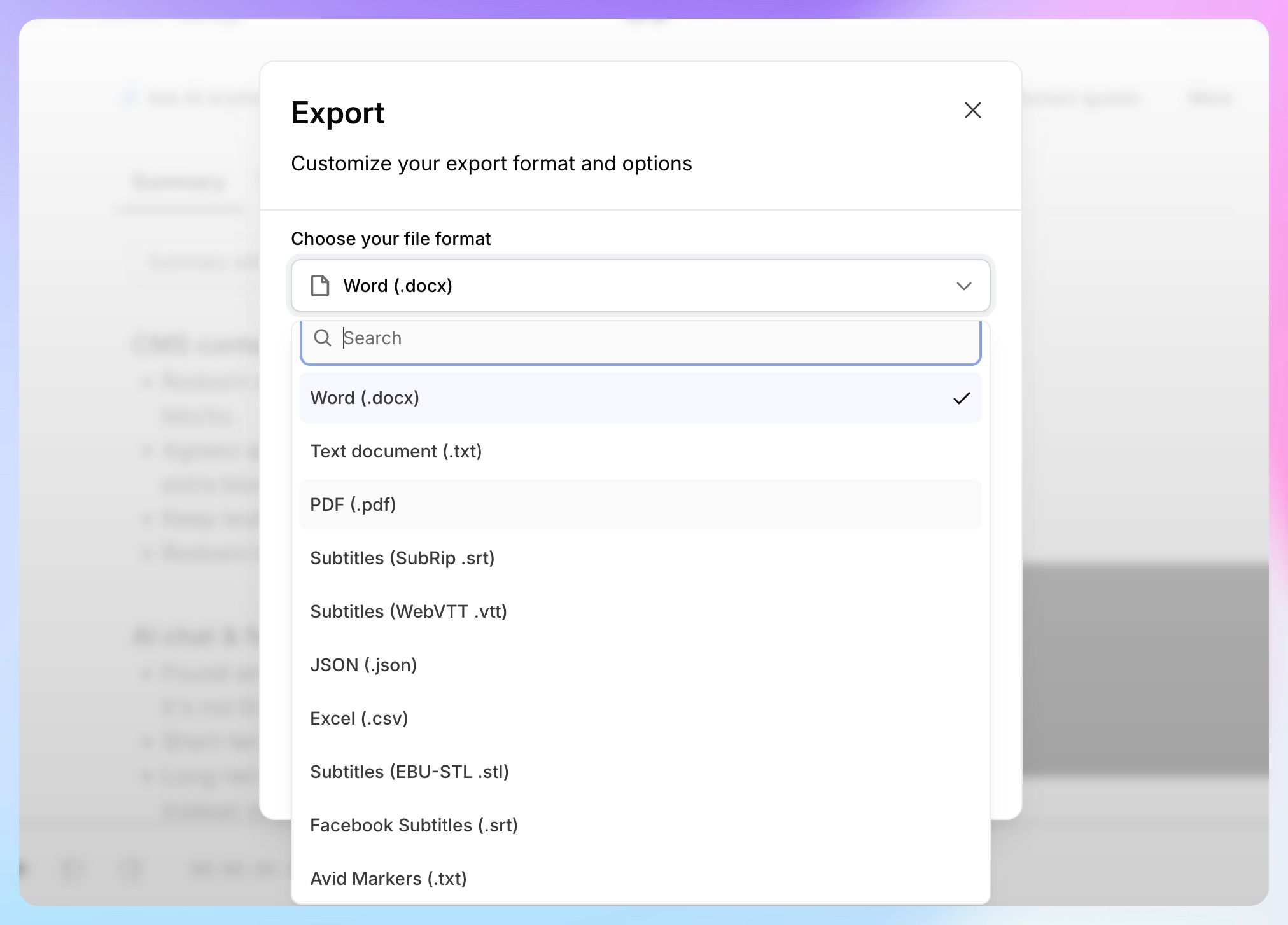
For a large or recurring study, you can automate the handoff rather than exporting by hand each time.
- The API lets you pull transcripts programmatically into your own pipeline
- The MCP server connects the transcripts to AI assistants that support the protocol
- A Zapier integration wires HappyScribe to thousands of other apps without any code
How to do it:
- Select the transcripts to export.
- Choose the format your QDA software expects.
- Import the files into NVivo, MAXQDA, or Atlas.ti.
- Begin coding in your analysis environment.
Keep your participant data secure
Along with accuracy, where your participant data lives is also an important factor to consider in your qualitative research workflow.
When you use HappyScribe, your data stays in a PCI DSS and ISO 27001 compliant Tier IV EU data center.
HappyScribe is SOC 2 Type 2-certified and GDPR-compliant, with data encrypted in transit over TLS and at rest with AES-256.
The platform will also provide a data processing agreement (DPA) on request, which is often what your institution needs on file before fieldwork data can be uploaded.
FAQs on how to build a qualitative research workflow using HappyScribe
Is AI transcription accurate enough for a dissertation?
In general, AI transcription at 95%+ accuracy is sufficient. But for interviews central to a dissertation or a journal submission, upgrade those specific files to human-made transcription for 99%+ accuracy. You can mix both in one project, using AI for the bulk and human-made option for the key interviews.
Can I transcribe interviews conducted in languages other than English?
Yes. HappyScribe supports 150+ languages and dialects for transcription and can translate transcripts into 80+ languages. It lets you consolidate multi-language studies into one working language for analysis.
Will the transcripts import into NVivo or MAXQDA?
Yes. HappyScribe supports multiple export formats, so you can move transcripts into NVivo, MAXQDA, Atlas.ti, or a shared document and begin coding there.
How does it handle specialized terminology and participant names?
Custom glossaries let you load domain jargon, theoretical terms, acronyms, and participant names before transcription, so the recognition expects them and returns them spelled correctly rather than mangling unfamiliar vocabulary.
Is participant data kept secure?
HappyScribe is SOC 2 Type II and GDPR compliant, and stores data in an EU data center that's PCI DSS and ISO 27001-certified, with AES-256 encryption and permanent data deletion when you remove files. For studies with ethics approval conditions on data handling, those certifications are usually what your protocol requires.
Can I capture a live remote interview, or only recordings?
Both. The AI note taker joins live calls on Zoom, Google Meet, and Microsoft Teams and transcribes as the session runs, while file transcription handles any audio or video you have already recorded.

Rodoshi Das
Rodoshi is the Content Lead at HappyScribe, the privacy-first transcription and AI notetaker platform based in Barcelona. Shaping content strategies and building AI workflows excites her as much as exploring new SaaS tools. She specializes in product-led content that informs rather than sells, grounded in honest product benchmarking and low tolerance for empty marketing speak.