![5 Best Transcription Software for Qualitative Research [2026]](/sanity-images/ejgwz1gl/redesign/cc1808a0a21842c0260dd52fc71bff68f895daa5-1536x1024.jpg?auto=format&w=1536.0&rect=0,128,1536,768&h=768)
TL;DR ⏩
After testing several tools over the weeks, here are the best transcription software for qualitative research:
- HappyScribe: Best overall transcription tool for accurate qualitative research analysis in 150+ languages and data compliance
- Rev: Best for research projects with bigger budgets, looking for human transcriptions for difficult audio recordings
- NVivo Transcription: Best for researchers already coding inside NVivo who want transcription directly in their workspace
- Amberscript: Best for researchers who need true verbatim transcripts that preserve every hesitation and false start
- Trint: Best for media research teams who edit and annotate transcripts together in one shared workspace
A one-hour interview takes 4 to 6 hours to transcribe by hand. Now, if you run a study with 20 participants, you're looking at a hundred hours of typing before you code a single theme. So most researchers look for tools to speed up the process.
The catch is that a lot of transcription tools are only built for sales calls and meeting recaps, and not research. You’ll see the difference in accuracy and formatting the moment you export a transcript into your coding platform.
I've spent the past few weeks testing the tools researchers use, running real interviews through them, and reading what other researchers say about them. I judged them on the parameters that make a tool useful for research analysis:
- How cleanly they separate speakers
- How accurate they’re on messy audio
- Whether they preserve verbatim detail or polish it away
- What happens to your participants' data once it's uploaded
That last point isn't a security feature, actually. If your study went through an ethics board, protecting participant data and getting informed consent are conditions of doing the research in the first place.
Consent rules also vary by where you record, so if you're running interviews in the US or the UK, it's worth checking the local requirements before you collect a single recording.
The bar is high, so a few popular tools didn't make the cut. Otter and Fireflies are built for meeting notes, not research, and both have faced scrutiny over how they handle user data. Sonix is accurate but leans on per-hour pricing that gets unpredictable at scale. None of them is wrong for transcription; they just aren't built for serious research work.
5 best transcription software for qualitative research: At a glance
| Factors | HappyScribe | Rev | NVivo Transcription | Amberscript | Trint |
|---|---|---|---|---|---|
| Best for | Running accurate multilingual studies in one place with data compliance | Human transcription for complex audio on a bigger budget | Transcription inside an existing NVivo workflow | True verbatim transcripts for methodology-heavy work | Team-based collaborative editing for media research |
| Key features | 95% AI and 99% human accuracy, AI Chat, speaker labels, custom glossaries | AI or 99% human transcription, 50-file bulk analysis, custom dictionary | 90% AI accuracy, verbatim, in-browser editor, exports into NVivo | 99% human (clean read or verbatim), 90% AI, audio-synced editor | Up to 99% accuracy, live collaborative editor, AI Assistant, Premiere, and MAM integrations |
| Supported languages | 150+ | 37+ | 43 | 90+ | 40+ |
| Security | GDPR, SOC 2 Type II, ISO 27001-compliant EU data center, AES-256, DPA on request | SOC 2 Type II, GDPR, HIPAA on enterprise | HIPAA and GDPR, EU Azure servers | ISO 27001, ISO 9001, GDPR, EU servers, NDA, and DPA | ISO 27001, Cyber Essentials, EU or US storage, no AI training |
| Starting price | Free plan available. Paid plans from $8.50/month billed annually or $17/month billed monthly | Free, then $29.99/month | From $30/hour, add-on to NVivo | From €19/month | $100/month |
1. HappyScribe
Best for: Running accurate transcription and analysis for multilingual research studies with data compliance
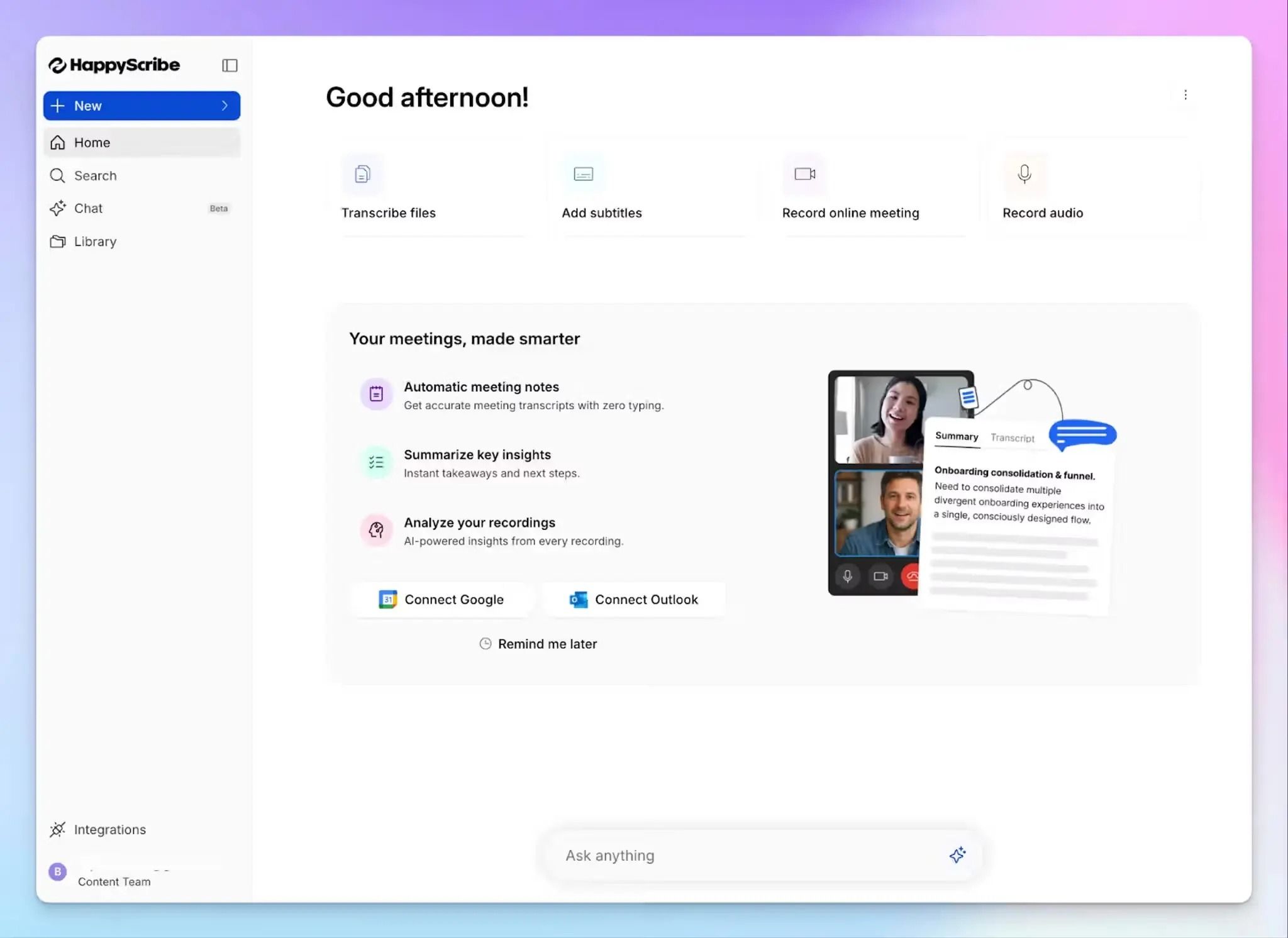
HappyScribe is the transcription tool for researchers who want to stop juggling four apps just to finish work. You record the interview, transcribe, summarize, and share it with collaborators, and run deep dives for patterns without switching between platforms.
For research studies that run across dozens of interviews and multiple languages, having all the features in one place makes a difference in speed and accuracy.
HappyScribe's key features for researchers
1. Generate 95% accurate AI transcripts and reach 99% accuracy with human experts
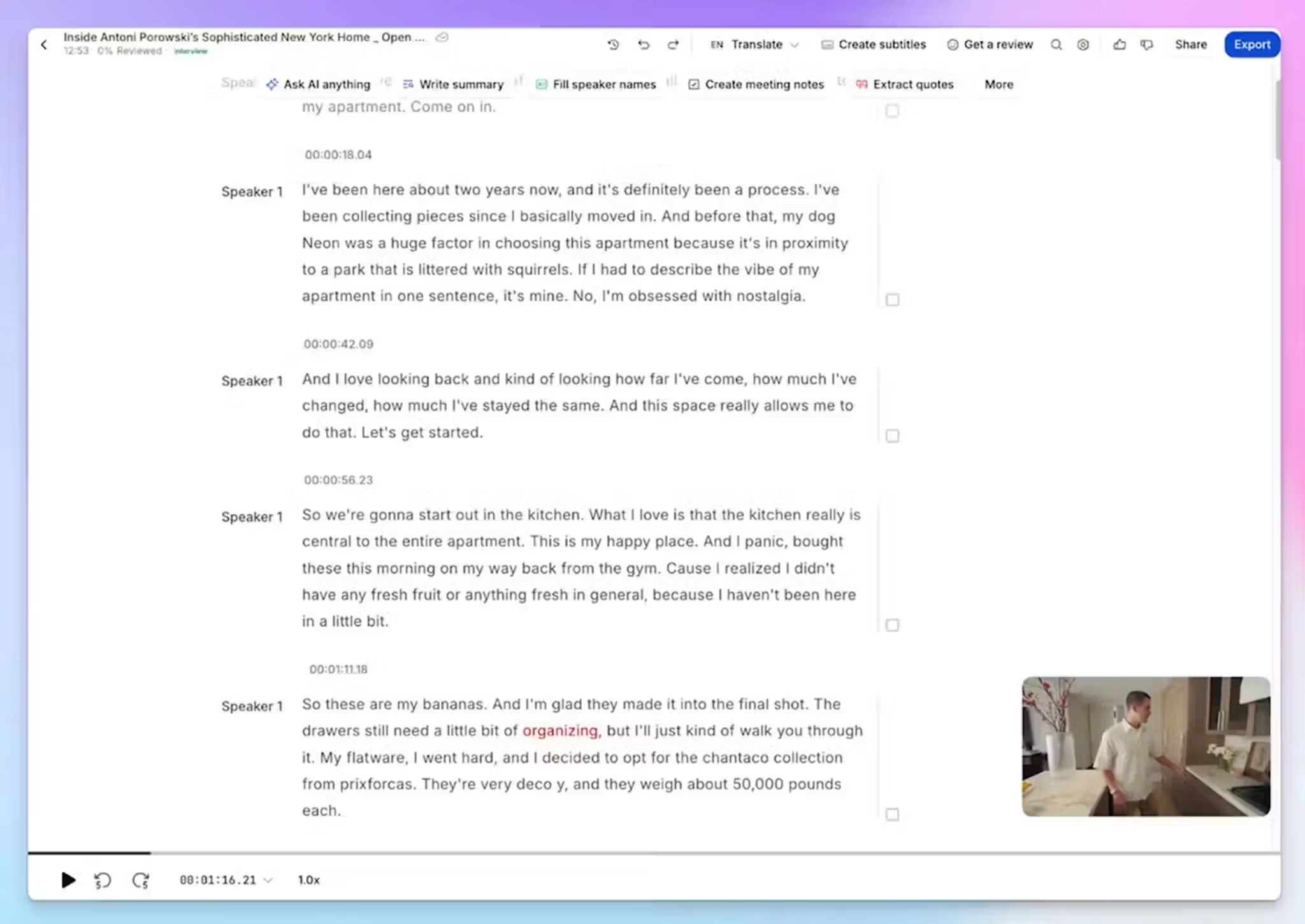
HappyScribe’s AI engine has been refined over the years to transcribe audio at 95%+ accuracy, which gets you a working draft in minutes instead of hours of manual transcription.
For recordings with overlapping speakers, thick accents, or quotes headed into a published paper, you can send a file to vetted experts for human transcription and get up to 99% accurate transcript within 24 hours. They also help you get a verbatim transcript if your research calls for one.
If you’re researching a niche domain, custom glossaries can improve accuracy. Load your study's terminology and field-specific acronyms up front, and HappyScribe starts identifying terms from the get-go.
2. Accurate speaker labels and timestamps in 150+ languages and dialects
The transcript you get from HappyScribe comes with clear speaker labels and timestamped dialogues. So when you quote a participant in your findings, you can jump straight back to the exact moment in the audio to check context.
For research projects that run across borders, HappyScribe can help you transcribe and translate interviews to overcome language barriers. Whether it’s a major language like English, Spanish, Mandarin, or Arabic, or regional varieties like Swiss German and Catalan, all your interviews get the same treatment.
3. GDPR and SOC 2 Type II compliance with EU data storage for security
HappyScribe keeps your files in an EU data center that's Tier IV, PCI DSS, and ISO 27001 compliant, with AES-256 encryption in transit and at rest.
It’s not only GDPR compliant but also has SOC 2 Type II certification for verified data security. HappyScribe will sign a Data Processing Agreement (DPA), and you control whether you want anonymized data to train its models.
The ethics board checks these data-protection standards, so you’re covered with HappyScribe.
4. Use AI Chat to surface themes and extract research insights
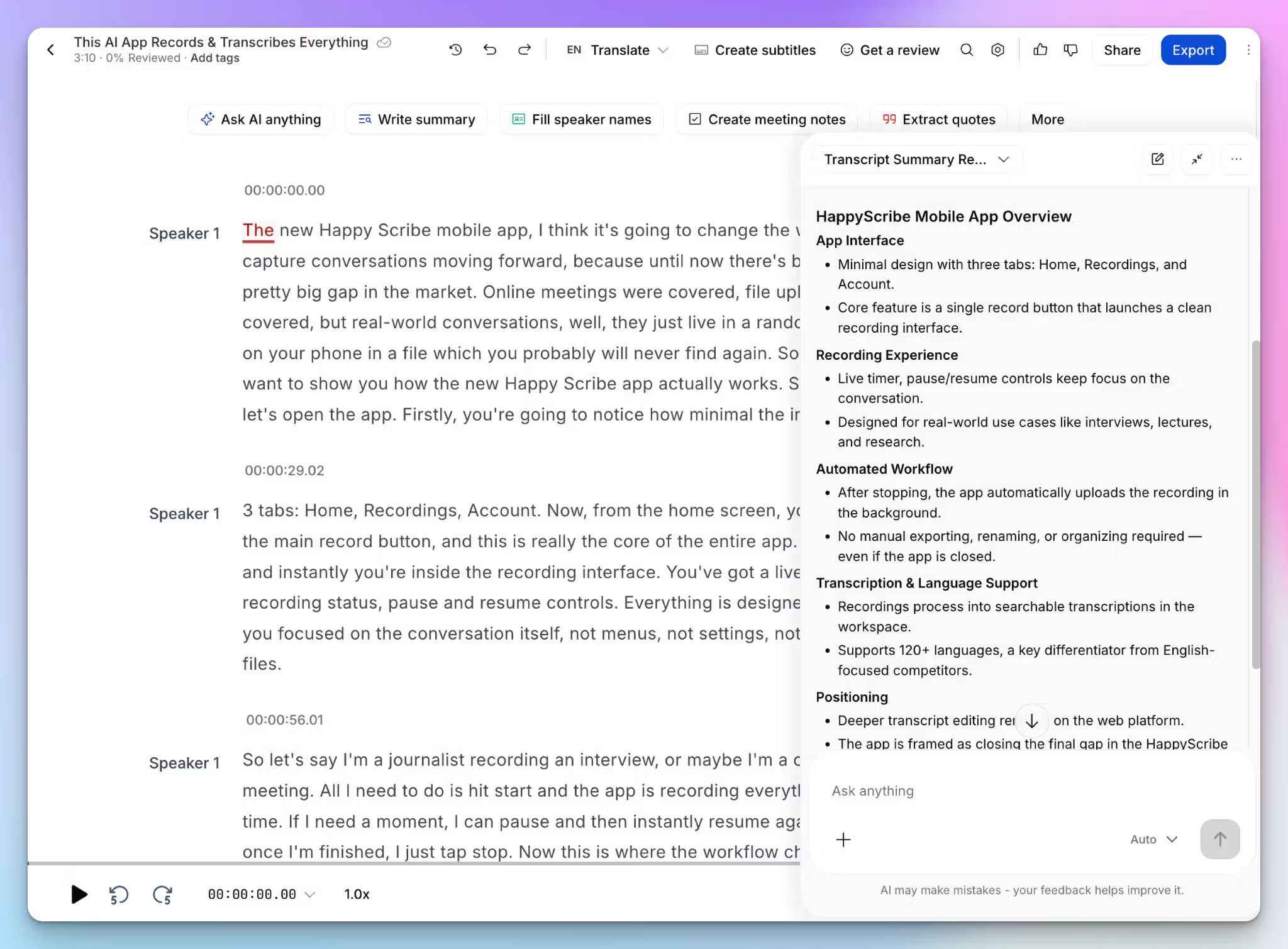
When you have hours of transcripts and files to go through, a research assistant can help you retrieve data quickly. And that’s what AI Chat is.
Ask it where participants pushed back on an idea, pull every quote that touches a specific theme, request a summary of recurring themes across a whole project, or draft the first version of a findings memo. It reads across all your research data to speed up the early, messy stage of analysis.
5. Upload recordings or join live interviews to transcribe data
HappyScribe lets you run interviews however the study requires. The AI meeting note taker auto-joins scheduled Zoom, Teams, and Google Meet calls and then records and transcribes them.
When a conversation is sensitive, the bot-free browser recorder captures audio straight from your device. For face-to-face interviews, HappyScribe mobile app turns your phone into a fieldwork recorder.
Whichever route you take, all your transcriptions are synced to your custom workspace folders, so you can organize and run parallel projects.
HappyScribe's pricing
AI transcription plans
- Free: Unlimited meeting recordings (45 mins per recording), 10-minute trial of AI transcription, subtitling, and translation
- Basic: $8.50/month (billed annually) or $17/month (billed monthly)
- Pro: $19/month (billed annually) or $29/month (billed monthly)
- Business: $59/month (billed annually) or $89/month (billed monthly)
- Enterprise:Contact sales for tailored solutions
Human transcription service: Starts from $2.00/min. Extra discount for Business users
HappyScribe's pros for researchers
- Integrate your research interview data with other tools via API, MCP server, and Zapier
- AI Chat surfaces key themes and codes for qualitative research
- Consolidate recording, transcription, and analysis in one place to cut your admin time sharply
- Simpler ethics approval thanks to clearly defined EU data storage, signed DPA, GDPR, and SOC 2 Type II compliance
- Human proofreading option for verbatim and near-flawless transcription accuracy
- Intuitive iOS and Android mobile apps for on-the-go recordings
HappyScribe's cons
- It isn't ideal for live, real-time transcription
What are users saying about HappyScribe?
Very impressed with transcriptions of recorded interviews for MSc research. Saved alot of time & stress. Thank you.
I needed to transcribe talks given 30 years ago and the accuracy was astounding. Highly recommend it!
How to transcribe a research interview with HappyScribe: a step-by-step guide
- Sign in and click Transcribe files at the top of your dashboard
- Upload your recording directly, or import it from YouTube, Vimeo, Dropbox, Google Drive, or Box
- Configure preferences and choose AI transcription or human transcription
- Open the finished transcript in the interactive editor to fix names or terms while you listen along
- Export it as DOCX, TXT, HTML, SRT, VTT, or PDF for your QDA tool, or open AI Chat to find deeper insights
2. Rev
Best for: Research projects with bigger budgets, looking for human transcriptions for difficult audio recordings
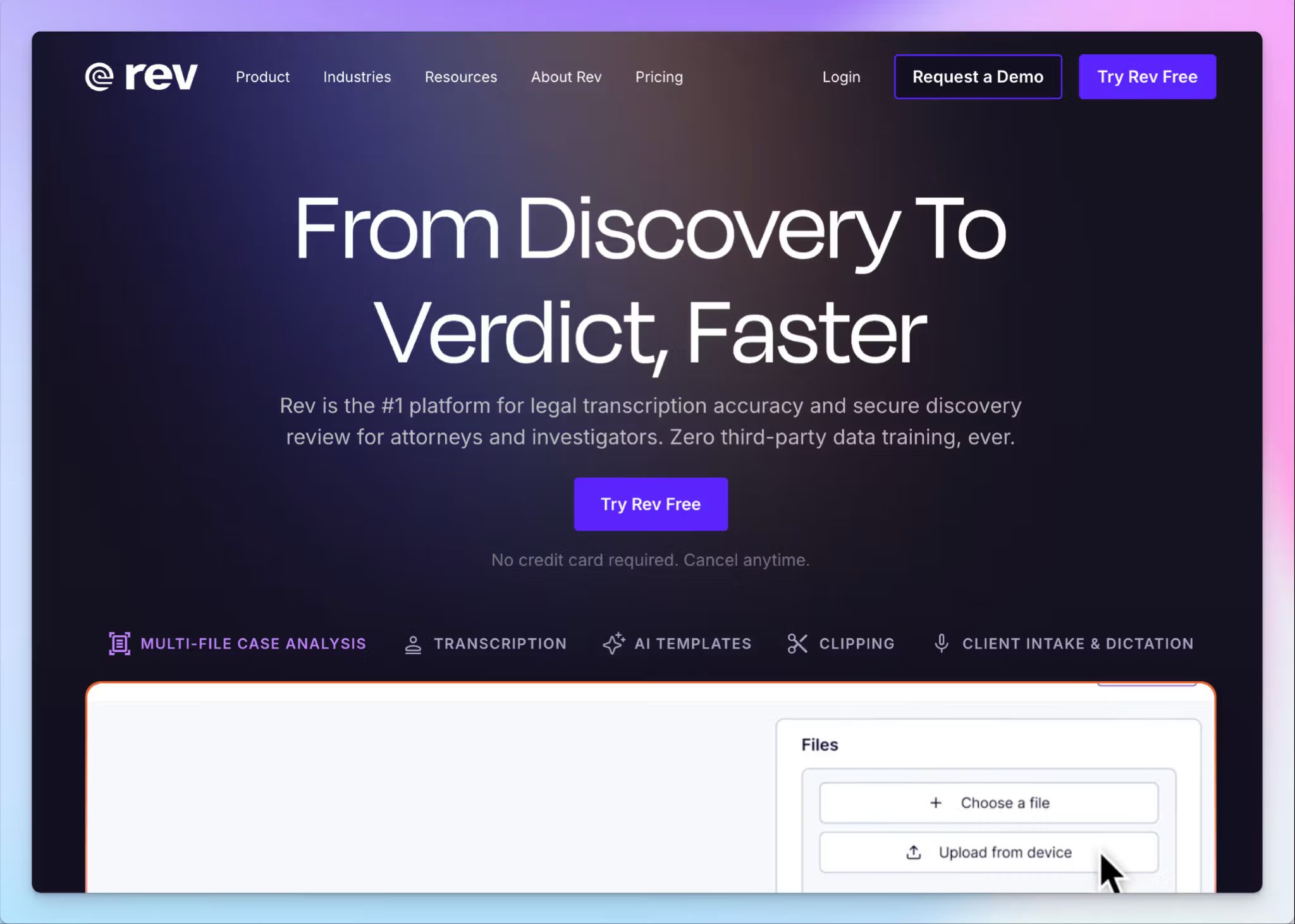
Rev is another solid transcription tool if accuracy is your main concern. Even though it has an AI option, Rev’s biggest draw is the human transcription service, which produces 99% accurate transcripts. It’s ideal for field recordings and messy meetings.
Keep in mind that Rev doesn’t run cheap, so it works better for research projects with bigger budgets.
Rev's key features
- Pick between AI or human transcriptions depending on your accuracy demands and budgets
- Rev lets you upload and analyze up to 50 files at once to find contradictions and patterns across interviews
- Rev’s AI meeting notetaker can also join online calls to transcribe notes and create summaries
- Build a custom dictionary of domain terms, participant names, and acronyms so specialized vocabulary comes through correctly
Rev's pricing
- Free: 45 AI minutes/month
- Essentials: $29.99/month
- Pro: $59.99/month
- Unlimited: Custom pricing
- Human transcription: Starts from $1.99/minute
Rev's pros
- Rev’s human transcription is a dependable option for complex interview audio
- Speaker recognition performs well with multi-speaker recordings, which helps when you're working through focus groups
- Rev’s mobile apps are well supported, helping you to capture interviews on the go
- Security is up to the task for sensitive participant data, with SOC 2 Type II and GDPR, while HIPAA is available on enterprise tiers under a signed BAA
Rev's cons
- The AI accuracy isn’t as good as competitors and you have to manually fix transcripts
- Rev’s UI can be complicated for researchers who just want to get to recordings and transcripts
- Rev’s services are comparatively costlier for the quality they offer, and given that it only supports the English language for human transcription, many users look for better Rev alternatives
3. NVivo Transcription
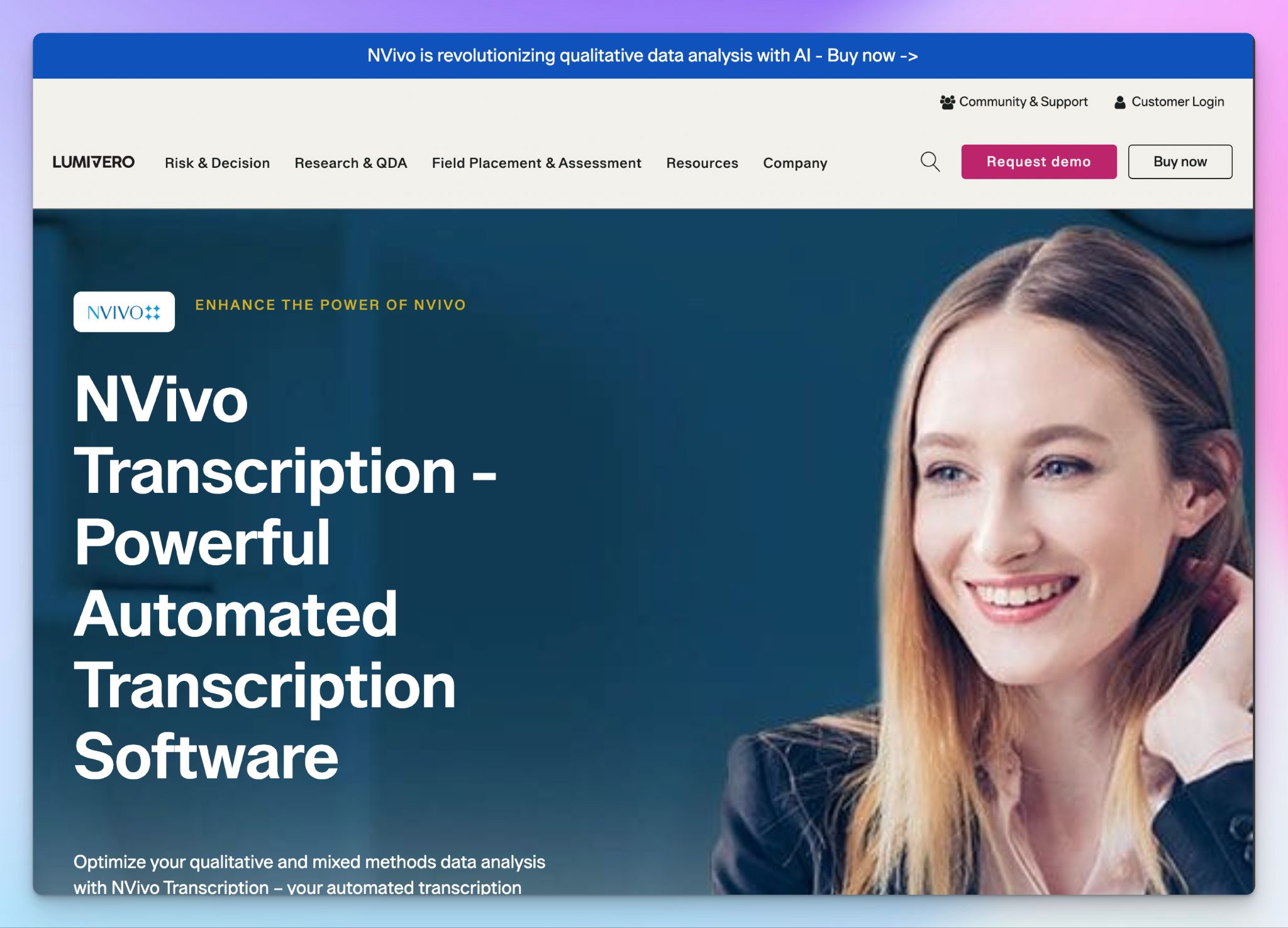
Best for: Researchers already coding inside NVivo who want transcription directly in their analysis workspace
If you’re already using NVivo for analysis, you might wonder if it makes sense to use it for transcription as well. With this, you don’t have to worry about exporting, formatting, and re-importing every file.
The transcripts come back already structured for qualitative coding inside NVivo, with speaker tags and timestamps preserved through the import. But keep in mind that NVivo Transcription is a paid add-on module from Lumivero.
It suits researchers and academic teams whose methodology is built around NVivo and who'd rather keep the whole workflow under one license than chase value for money rate.
NVivo Transcription's key features
- Transcribe audio and video at around 90% accuracy from clean recordings, with verbatim output and NLP handling 43 languages
- You can edit transcripts in an in-browser editor that lets you tag speakers, fix names and terms, and export in DOCX or TXT to bring straight into NVivo
- Files are stored and processed with HIPAA and GDPR compliance on Microsoft Azure servers in Europe, the USA, Canada, and Singapore
- You can manage transcription minutes across a research team through the MyLumivero admin portal, where you can allocate hours to individual users, track remaining credit, and see expiry dates in one view
NVivo Transcription's pricing
Academic:
- NVivo: $1,100 (one-time) or $520 (annual). No transcription
- NVivo + AI Assistant: $1,300 (one-time) or $770 (annual). No transcription
- NVivo Insights Bundle: $1,410 (one-time) or $820 (annual). 5 hours of transcription
- NVivo Insights Bundle: $1,650 (one-time) or $962.50 (annual). 5 hours of transcription
- Transcription (add-on): $499/50 hours (one-time) or $30/60 minutes (pay-as-you-go)
NVivo Transcription's pros
- Transcripts arrive in a format suitable for qualitative analysis and are imported into NVivo with speaker tags intact, saving you hours in review
- EEA-based hosting and GDPR compliance make the data path easy to document for ethics approval
- NVivo Transcription helps you create word clouds and hierarchy charts to make analysis visually appealing
- Sits within NVivo to give existing users a consistent experience
NVivo Transcription's cons
- NVivo’s collaboration platform isn’t intuitive, and you might face frequent cloud sync issues that break workflows
- The cost only adds up if you're already paying for NVivo. Given that it tends to ditch older versions as an upselling tactic, the license you buy might not last you long
- NVivo’s 90% accuracy ceiling means you might have to do occasional cleanup on files before coding, and there's no human review option for difficult audio
4. Amberscript
Best for: Researchers who need true verbatim transcripts that preserve every hesitation and false start
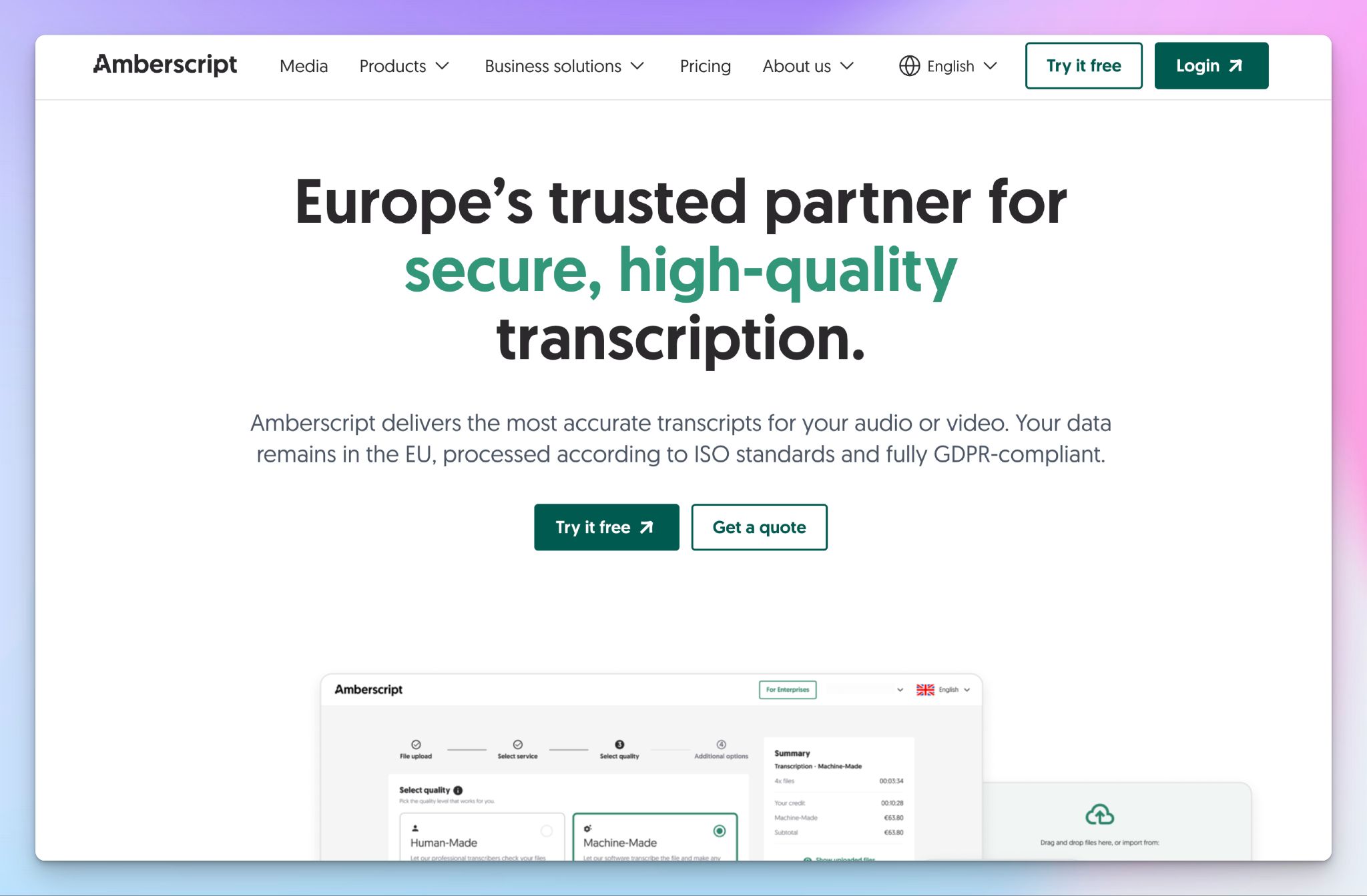
If you’re coding, a cleaned-up text is a good place to start. But for analysis, how something was said matters as much as what was said, so that clean-up might cost you data.
Amsterdam-based Amberscript has a major focus on verbatim. Their human transcribers offer a full verbatim option that captures speech errors, repetitions, filler words, and stutters exactly as spoken, alongside the clean read default for projects where readability matters more.
It suits researchers running discourse analysis, focus groups, or any project where the methodology demands precision over polish.
Amberscript's key features
- Order human-made transcription at 99%+ accuracy from native linguists in 28 languages, with a clean read or full verbatim available
- You can run AI transcription at around 90% accuracy across 90+ languages for a quick first pass, with custom dictionary support to lift specialized terminology
- Amberscript is ISO 27001 and ISO 9001 certified, with files stored on EU servers, and you can sign an NDA and DPA on human-made plans
- Edit AI transcripts in a browser editor that syncs audio playback with the text, so you can verify and correct passages without switching tools
Amberscript's pricing
- Starter: €19/month, 5 hours
- Pro: €29/month, 10 hours
- Power: €49/month, 25 hours
- Pre-paid credits: Start from €10/hour
- Human transcription: From €1.85/minute
- Enterprise: Custom quote
Amberscript's pros
- The full verbatim option is the safer choice when speech features carry analytic meaning, with NDAs and a signed DPA clearing ethics review
- Reliable and accurate transcripts help researchers move to analysis quickly
- The AI transcription covers a lot of languages, making it one of the best for multilingual research
Amberscript's cons
- Human transcription supports only 28 languages, and at €1.85 a minute, it works out to €111/hour of audio, which pushes many researchers away
- Amberscript’s AI transcription struggles with proper names and transcript summary, so expect cleanup before coding
📚 Also read:
5. Trint
Best for: Research teams who edit and annotate transcripts together in one shared workspace
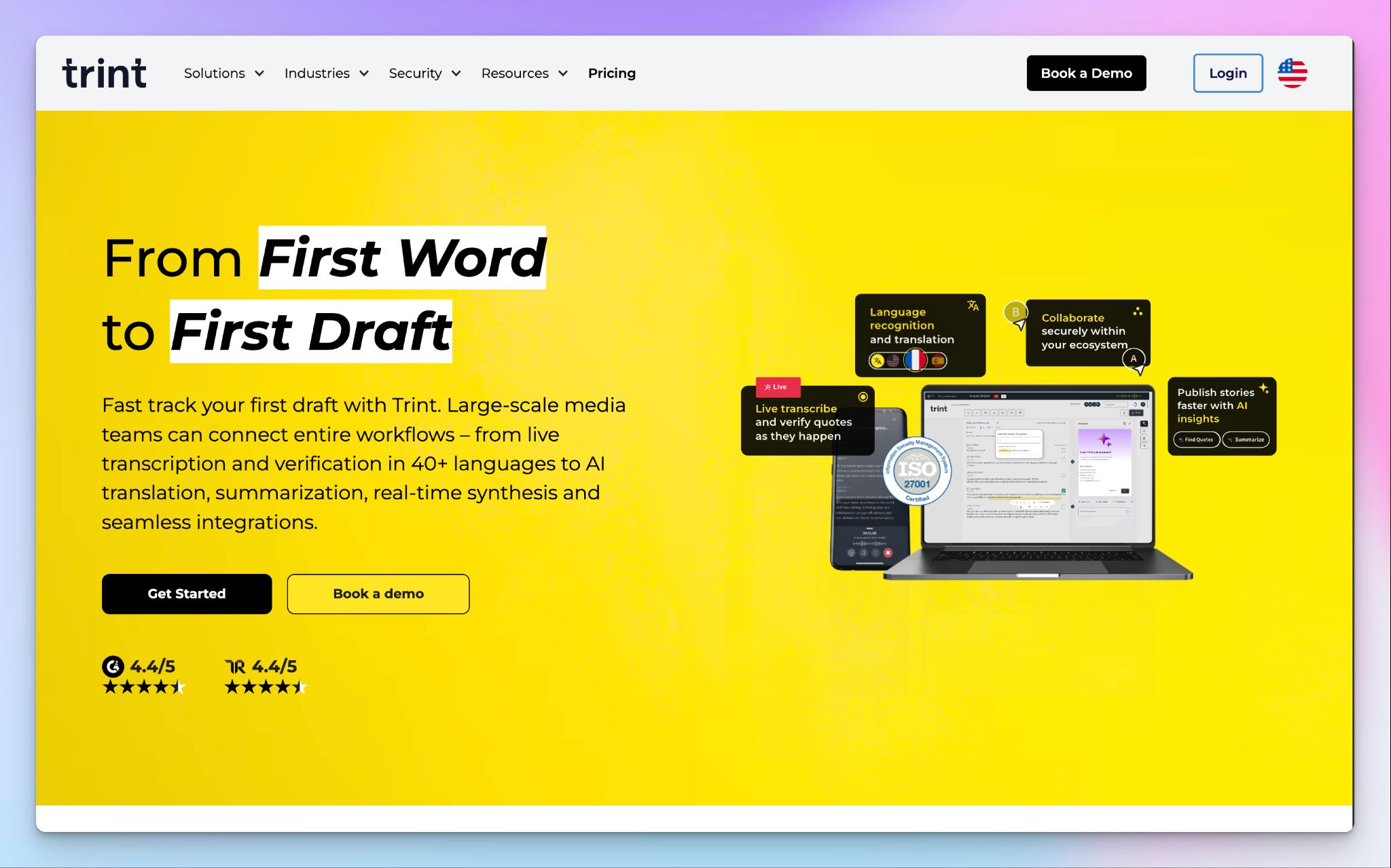
Even though Trint is built for journalists and newsrooms, it brings the same multi-contributor workflow to research teams.
Several people can edit the same transcript at once, leave comments, and verify quotes against the synced audio, within a shared workspace with controlled access.
It suits research teams and labs running shared analysis, particularly those already comfortable with a fast, editorial-style workflow over a methodology-heavy QDA tool.
Trint's key features
- Transcribe audio and video at up to 99% accuracy on clear recordings across 40+ languages, with translation into 70+ languages for cross-border work
- Edit transcripts simultaneously with your team in a shared workspace, leaving comments and verifying quotes against synced audio, even for collaborators without a Trint account
- Trint keeps data secure with ISO 27001 and Cyber Essentials certification, your choice of EU or US storage, AES-256 encryption, and no training of AI models on your files
- Use the AI Assistant to summarize transcripts, pull quotes, and surface insights, plus a custom dictionary to handle specialized terminology
Trint's pricing
- Pro: $100/month
- Team: $90/user/month (2-5 users)
- Business: Custom pricing
Trint's pros
- The collaborative editor lets research teams co-edit and comment on the same transcript in real time, rather than passing files around
- Trint has a strong privacy outlook for participant data, with an EU or US data residency option
- For media-based research, Trint plugs into the tools you already work in, with an Adobe Premiere plugin, Zoom and MAM integrations, and EDL exports for audiovisual analysis
Trint's cons
- Trint’s non-English transcription accuracy is noticeably weaker, and there's no verbatim mode for methodology that depends on it. Both are major limits for qualitative work
- There's no human transcription option, so difficult audio is on you to clean up, and no HIPAA certification for regulated participant data
- Per-seat pricing from $90 a month for team members is expensive for a research budget, which pushes many teams toward Trint alternatives
Which transcription software is best for qualitative research?
There's no single winner here, because the right tool depends on what your study actually demands. The best choice is the one that fits your audio, your languages, your budget, and your ethics requirements.
👉 Rev is a safe bet when your audio is rough, and your budget can absorb the cost of human transcription.
👉 NVivo Transcription makes sense if your analysis already lives inside NVivo and you want transcripts without the export step.
👉 Amberscript is the one to reach for when you need full verbatim, capturing every hesitation and false start for methodology that depends on it.
👉 Trint is built for media research teams who edit and annotate the same transcripts together in a shared workspace
👉 HappyScribe is the top pick for most qualitative researchers. It runs the whole study in one place, from recording and transcription to translation and preliminary analysis, with both AI speed and 99% human accuracy when you need it.
With support for 150+ languages and dialects and strict data compliance, HappyScribe works equally well for local interviews, multilingual studies, and large international research projects. Researchers can capture conversations, generate searchable transcripts, identify themes faster, and share findings without moving data across multiple tools.
The free plan is an easy way to test it against your own interview audio before you commit a budget.
FAQs on the best transcription software for qualitative research
What is the best transcription software for qualitative research?
The best transcription software for qualitative research is the one that fits your audio, languages, budget, and data-protection needs. HappyScribe is the strongest all-round pick for most researchers, with AI and human transcription, speaker identification, and export transcripts directly into your preferred coding and analysis software. For conducting qualitative research across multiple languages, it covers the whole process from raw qualitative data to preliminary analysis in one place.
How accurate is AI transcription for research interviews?
Automatic transcription reaches around 85 to 95% accuracy on clean audio and video files. Accuracy falls when there’s background noise or multiple speakers talking over each other, which is common in field recordings. For near-perfect results, human review pushes accuracy to about 99%, though it comes at the cost of turnaround speed.
Is AI transcription GDPR compliant for academic research?
It depends on the provider. Automated transcription services handling qualitative data should store files on EU servers, sign a Data Processing Agreement, and avoid training on your content. HappyScribe, for example, is GDPR compliant with EU data storage and a signed DPA, which makes it easier to clear an ethics board.
What are the tools for transcribing qualitative data?
The main automated transcription software options for qualitative data are HappyScribe, Rev, NVivo Transcription, Amberscript, and Trint. Each fits a different part of the research process, from human transcription for messy audio to collaborative editing for teams. The right pick depends on the accuracy, languages, and turnaround speed your study calls for.
What is the difference between verbatim and clean read transcription?
Verbatim transcription captures speech exactly as spoken, including filler words, repetitions, and false starts. Clean read removes those interruptions for a smoother, more readable transcript. Verbatim is important in qualitative research, where how something is said carries analytic weight, whereas a clean read suits projects that prioritize readability.
How much does NVivo Transcription cost?
NVivo Transcription costs $499 for 50 hours as a one-time purchase, or $30 per hour on pay-as-you-go. It's an add-on to an NVivo subscription, which costs more. It uses natural language processing to transcribe video recordings and audio at around 90% accuracy.
Can ChatGPT do transcription?
Not really, at least not as a dedicated tool. ChatGPT can auto-generate a rough transcript from some audio and video files, but it lacks reliable speaker identification and accuracy controls that the transcription process for qualitative data needs. A purpose-built automatic transcription tool is the more reliable option for research.
Does HappyScribe have a mobile app?
Yes. HappyScribe has a mobile app for both iOS and Android, so you can record and transcribe on the go. With one-tap recording, you can capture meetings, interviews, and voice notes straight from your phone and get accurate transcripts within minutes. The app syncs with your desktop workspace in real time, so you can browse, search, and manage all your transcriptions across devices, then export or share them in any format directly from your phone.

Biplab Mazumder
Biplab is a content marketer and writer who helps high-growth brands scale content visibility across AI search channels. His works have been published in HubSpot, Freshworks, Atlassian, SurferSEO, etc. When he's not planning content strategy, he's testing AI content workflows and use cases.