![5 Best AI Meeting Note Takers for One-on-One Calls [2026]](/sanity-images/ejgwz1gl/redesign/192752d3073a6e0cd7cdc6effd59d0773c385c41-1672x941.jpg?auto=format&w=1672.0&rect=0,0,1672,941)
TL;DR ⏩
Based on my evaluation, here are the best AI note takers for one-on-one calls:
- HappyScribe: Best for managers who want every 1:1 on record, online or in person, with a free plan that covers weekly check-ins
- Fellow: Best for managers who build a shared 1:1 agenda with their reports and carry action items forward
- Granola: Best for managers who jot their own notes and want a bot-free desktop app
- Avoma: Best for sales managers who use 1:1s to coach reps on their calls
- Built-in note takers: Best for small teams whose 1:1s all run on Google Meet, Zoom, or Microsoft Teams
Five direct reports and one 1:1 every week. That’s 260 conversations a year. Plenty of AI note takers’ free plans fall short in a couple of weeks because they’re not built for recurring meetings.
Then there’s the candor problem. Nothing says “you can be honest with me” like a third participant named Tim’s Notetaker.
I evaluated AI note takers against the 1:1s managers actually run, and some big names didn’t make it. Otter has strong live transcription but generic 1:1 features, and Fireflies brings a cavalry of sales tools to calls that don’t need them. Jamie is a good shout because it records without a bot, but its meeting limits don’t suit a weekly cadence.
Here’s what I looked for in an AI note taker for one-on-one calls:
- Capture that fits the conversation: A visible bot works for routine check-ins and compliance. Botless capture for sensitive and in-person 1:1s
- Memory across sessions: Searchable transcripts and AI chat across every 1:1, so you never lose context
- Limits that survive your meeting load: Free tiers and team plans measured against frequent 1:1s across a week, not just a demo call
- A record you can quote: A lot of tools claim 90%+ accuracy. The litmus test is when you need exact numbers and terms from your recording
Here’s how the five that made my list compare as an AI note taker for one-on-one calls:
What are the best AI note takers for one-on-one calls? At a glance
| Category | HappyScribe | Fellow | Granola | Avoma | Built-in note takers |
|---|---|---|---|---|---|
| Best for | Accurate 1:1 records, bot-free and in-person | Shared agendas and action item carryover | Managers who write their own notes | Sales managers coaching reps | Teams on one meeting platform |
| 1:1 features | 1 to 1 summary template, AI Chat across 1:1s, accurate notes | Shared agenda, private notes, pre-meeting briefs | Enhanced notes, 1:1 templates, Recipes | 1:1 template, talk-time insights, private comments | Auto notes for recurring 1:1s, recap emails |
| Capture | Bot and bot-free recording, including offline, mobile app | Bot, bot-free desktop, mobile app | Bot-free only, desktop and mobile | Bot or bot-free native recording | Native to each platform, My Notes bot-free |
| Languages | 150+ | 90+ | 31 on desktop | 70+ | 8 on Meet, 9 on My Notes |
| Free plan | Unlimited 45-minute recordings | 5 AI notes for life | Notes from the last 30 days | None, 14-day trial | My Notes Basic, 3 uses a month |
| Starting price | Free plan with unlimited meeting recordings, paid from $8.50/month billed annually or $17/month | Free plan. Paid plan starts from $11/month | Free plan. Paid plan starts from $14/month | Free plan. Paid plan starts from $29/month | Included in paid plans |
1. HappyScribe
Best for: Managers who want accurate 1:1s across online and in-person calls, with AI insights and EU data security
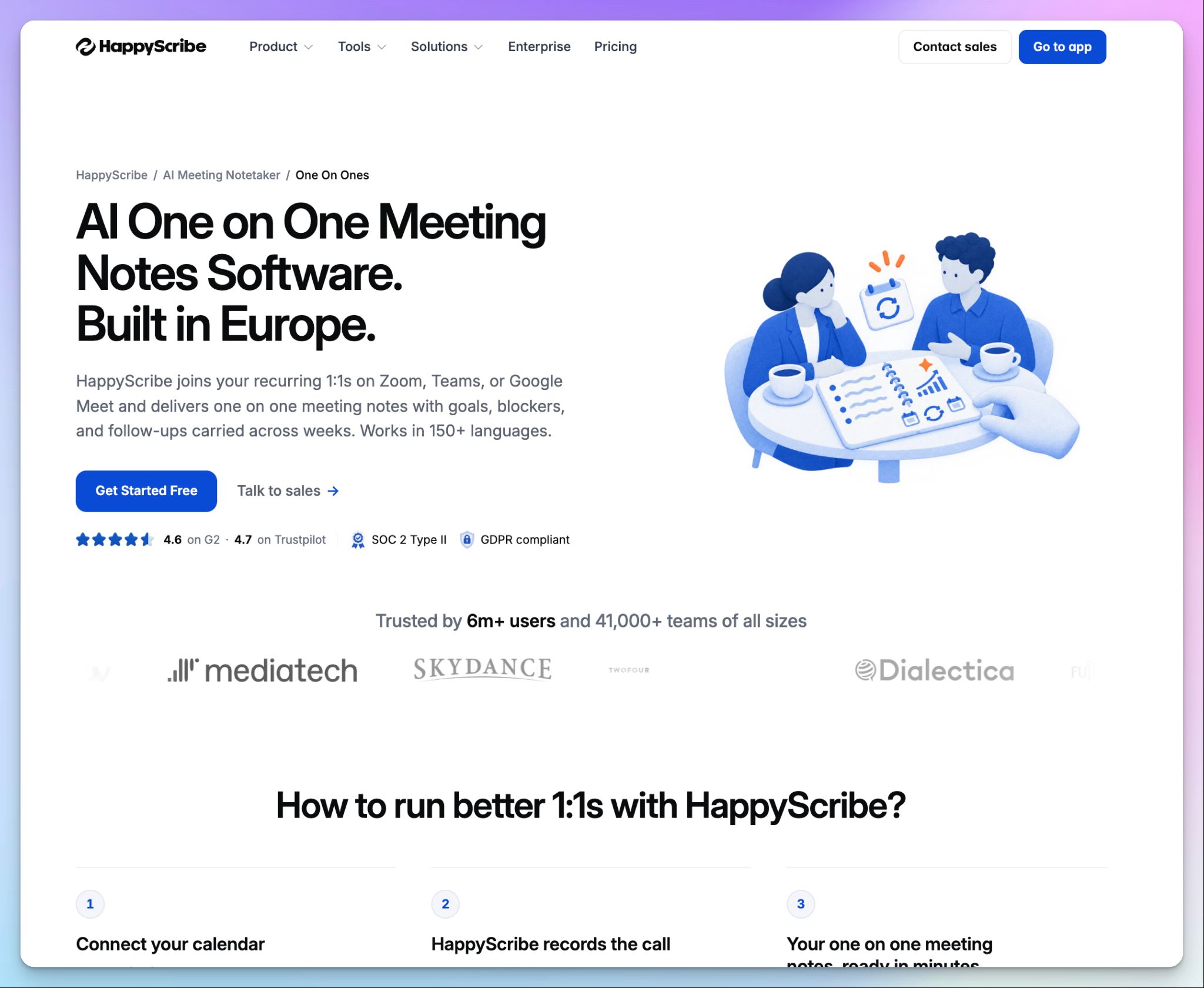
HappyScribe is a European AI meeting note taker that records and summarizes your one-on-one calls on Zoom, Google Meet, and Microsoft Teams. It covers the 1:1s that happen in person as well.
HappyScribe tops this list because it doesn’t force one way of working on you. You can choose how each 1:1 gets captured, and the recording stays behind every summary.
For regulated sessions, you can forward your meeting transcription to a human expert to review and format according to your specs.
What are HappyScribe’s key features for one-on-one calls?
1. Flexible capture methods for one-on-one calls
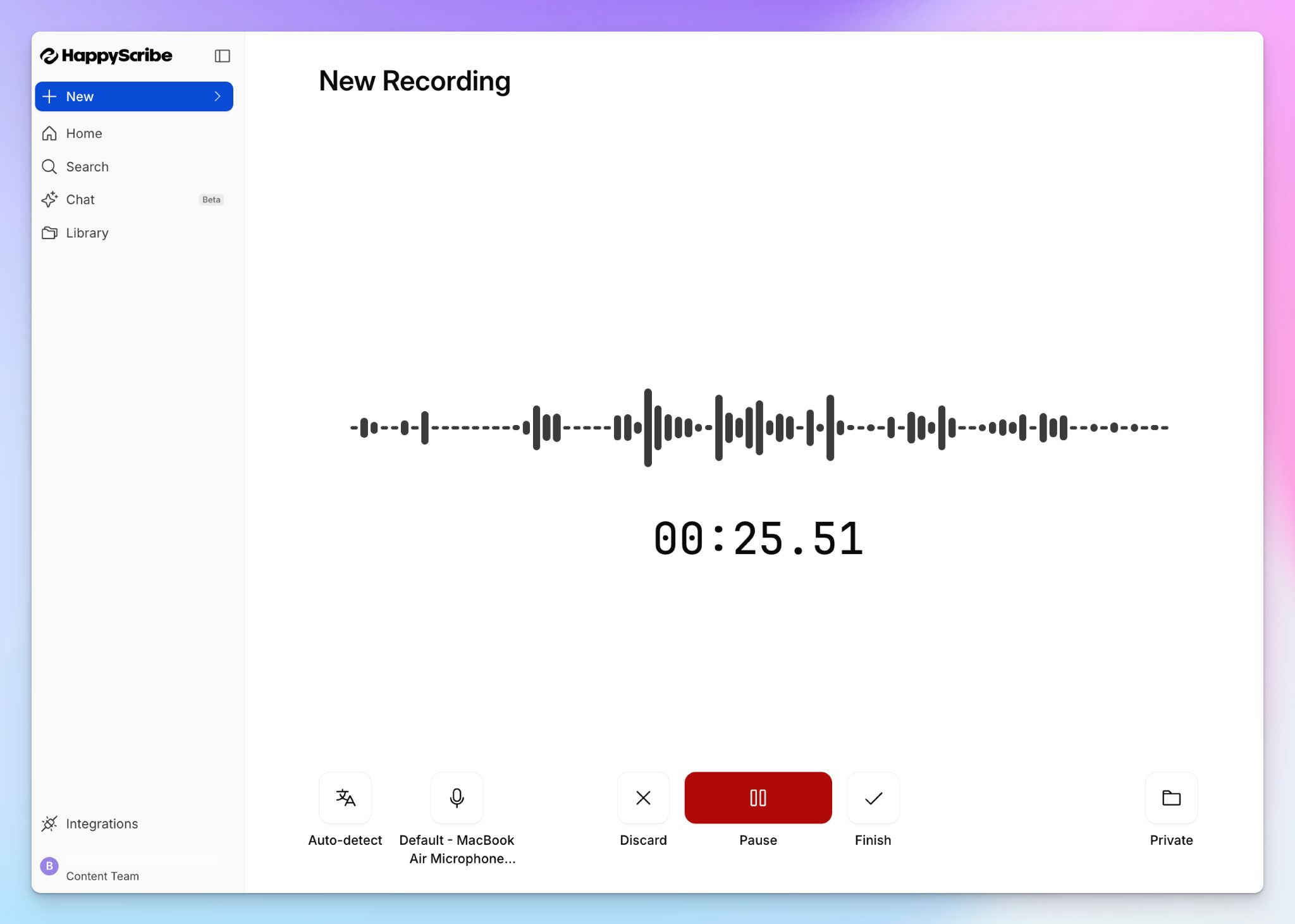
Connect your Google or Outlook calendar, and HappyScribe joins your recurring 1:1s as a visible participant. Your report can see it in the call, so consent is never a guessing game. You can also pause it or remove it mid-call.
For a sensitive conversation, switch to the bot-free browser recorder and capture audio straight from your device. When the 1:1 happens over coffee, tap record in the HappyScribe mobile app, even offline.
After the call, pick the 1 to 1 summary template to sort your notes into updates, blockers, growth, feedback, personal context, and follow-ups for each of you.
2. Ask anything across every 1:1 with one person
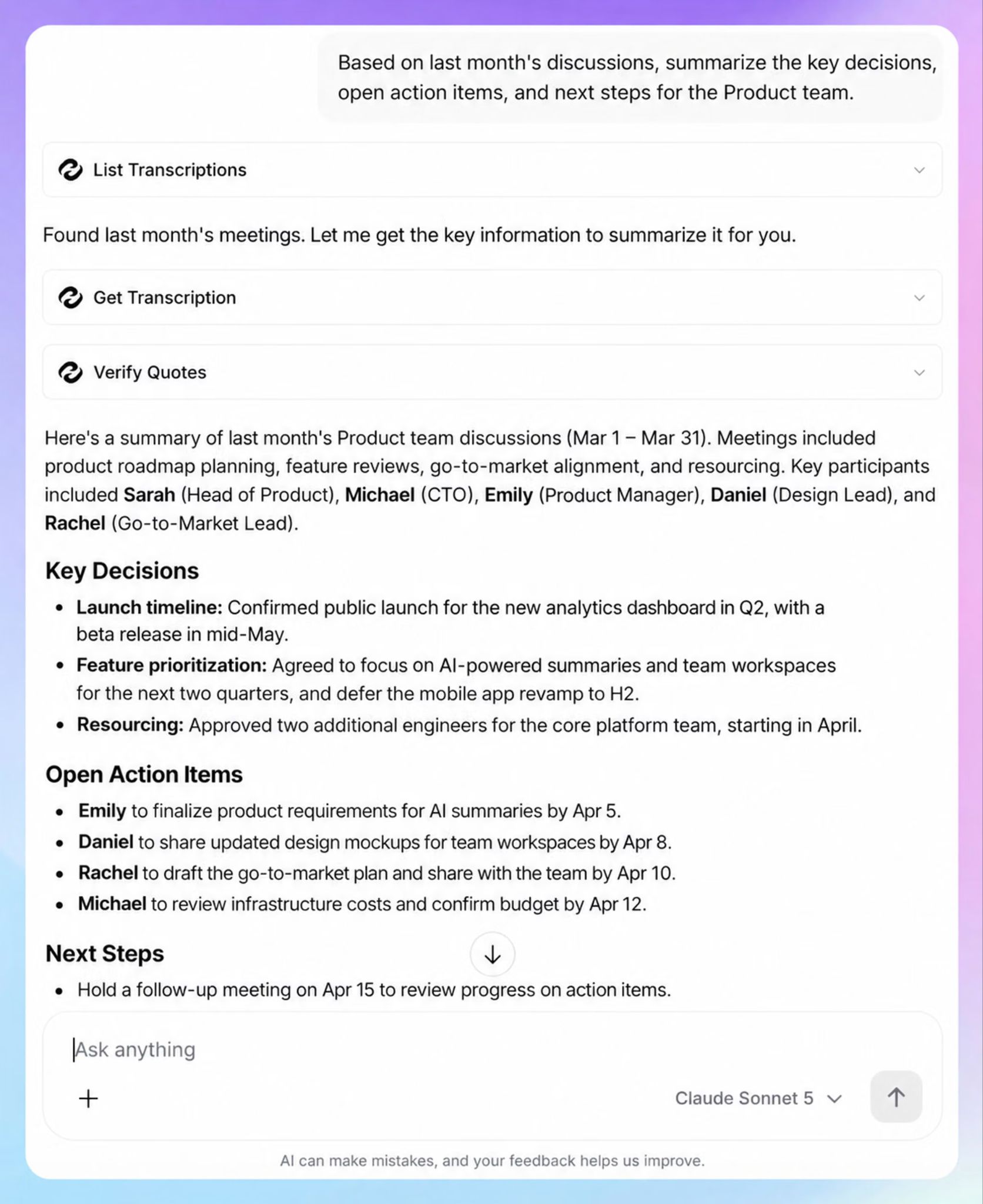
This week’s 1:1 only makes sense when you check the last five. HappyScribe builds conversation intelligence across every one-on-one, so you never walk into the next one cold.
Ask AI Chat something like “What did Jim say about the Scranton deal last month?” and you get the answer with a date and timestamp. One click takes you to that key moment in the recording, so you can follow the non-textual cues before you bring it up again.
3. Turn one-on-ones into a review draft with AI tools
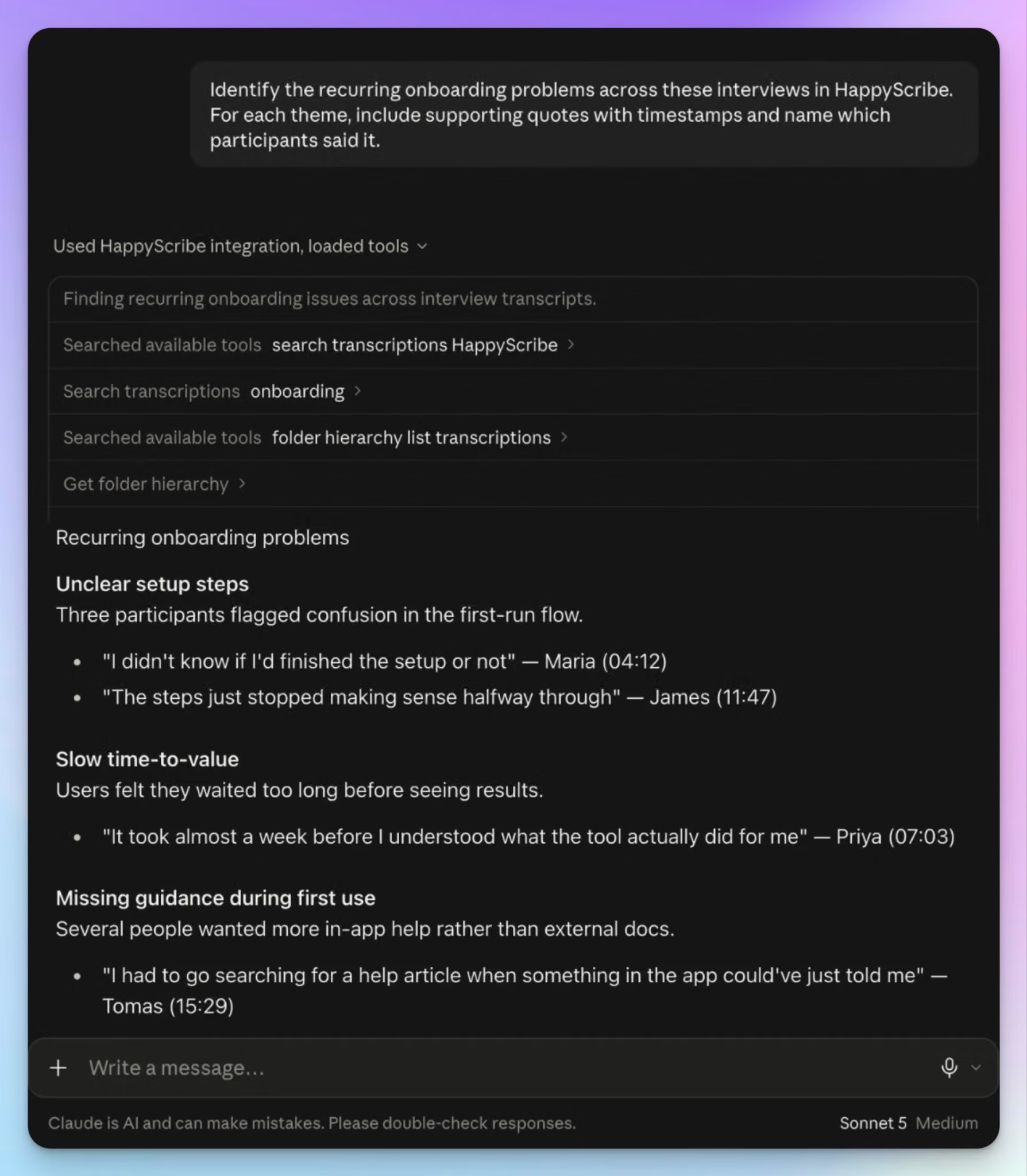
Review season is where most one-on-one notes fall apart. You can extract quotes in one click or ask Chat to turn three months of 1:1s into a performance review draft or a promo packet in seconds. Have extra files for context? Upload them for richer results.
Each point comes with timestamped quotes, so your feedback rests on evidence instead of memory.
If you already have organizational workflows built in Claude or ChatGPT, you can directly connect HappyScribe meeting data. For other tools like Lattice, 15Five, HubSpot, or Notion, you can push notes via Zapier.
4. Unlimited one-on-one calls for free
Gallup found that 15 to 30-minute conversations have a bigger impact than hour-long ones, as long as they happen regularly. That’s good news for your budget.
HappyScribe’s free plan includes unlimited meeting recordings of up to 45 minutes each. That covers a weekly 1:1 with every direct report, with no meeting count to ration.
HappyScribe’s pros
- You can run a 1:1 in your report’s first language, because HappyScribe detects 150+ languages and dialects and handles mid-call switching
- When a PIP needs a word-perfect record, you can send the file to human proofreaders for up to 99% accuracy
- Translate meeting notes in 80+ languages and create and edit subtitles for videos in the same platform on the same plan
- Private folders and per-meeting access let you decide who gets access to a transcript and when
- HappyScribe is a SOC 2 Type II-certified and GDPR-compliant note taker, and your content is not used to train AI models by default
HappyScribe’s cons
- Not ideal for real-time transcription during calls
What are users saying about HappyScribe?
We're a nonprofit running many recurring meetings, board sessions, and partner calls, and HappyScribe has become part of how we retain institutional memory. Instead of relying on someone's handwritten notes after a board meeting, we get a transcript automatically, and because it connects to Claude, we can ask follow-up questions across meetings instead of re-reading transcripts by hand.
Source:G2
Great product - very accurate and detailed. It picks up even fait conversation in a large group with non-native English speakers. Love the summaries and AI chat function. And it has strict privacy protection to boot.
Source:Trustpilot
HappyScribe’s pricing
AI transcription and meeting notes
- Free: Unlimited meeting recordings, up to 45 minutes each
- Basic: $8.50/month billed annually or $17/month billed monthly
- Pro: $19/month billed annually or $29/month billed monthly
- Business: $59/month billed annually or $89/month billed monthly
- Enterprise:Contact sales for custom pricing
Human services: Starts from $2.00/minute
How to use HappyScribe’s AI note taker for one-on-one calls?
- Sign up for free and connect your Google or Outlook calendar, or paste a meeting link to invite the notetaker.
- For in-person one-on-ones, record from the HappyScribe mobile app or the browser recorder without a bot.
- Open the summary tab, select 1 to 1 template, and click Apply template.
- Use AI Chat to search past 1:1s, or ask it to draft a review.
2. Fellow
Best for: Managers who want both sides to build the 1:1 agenda and carry action items from week to week
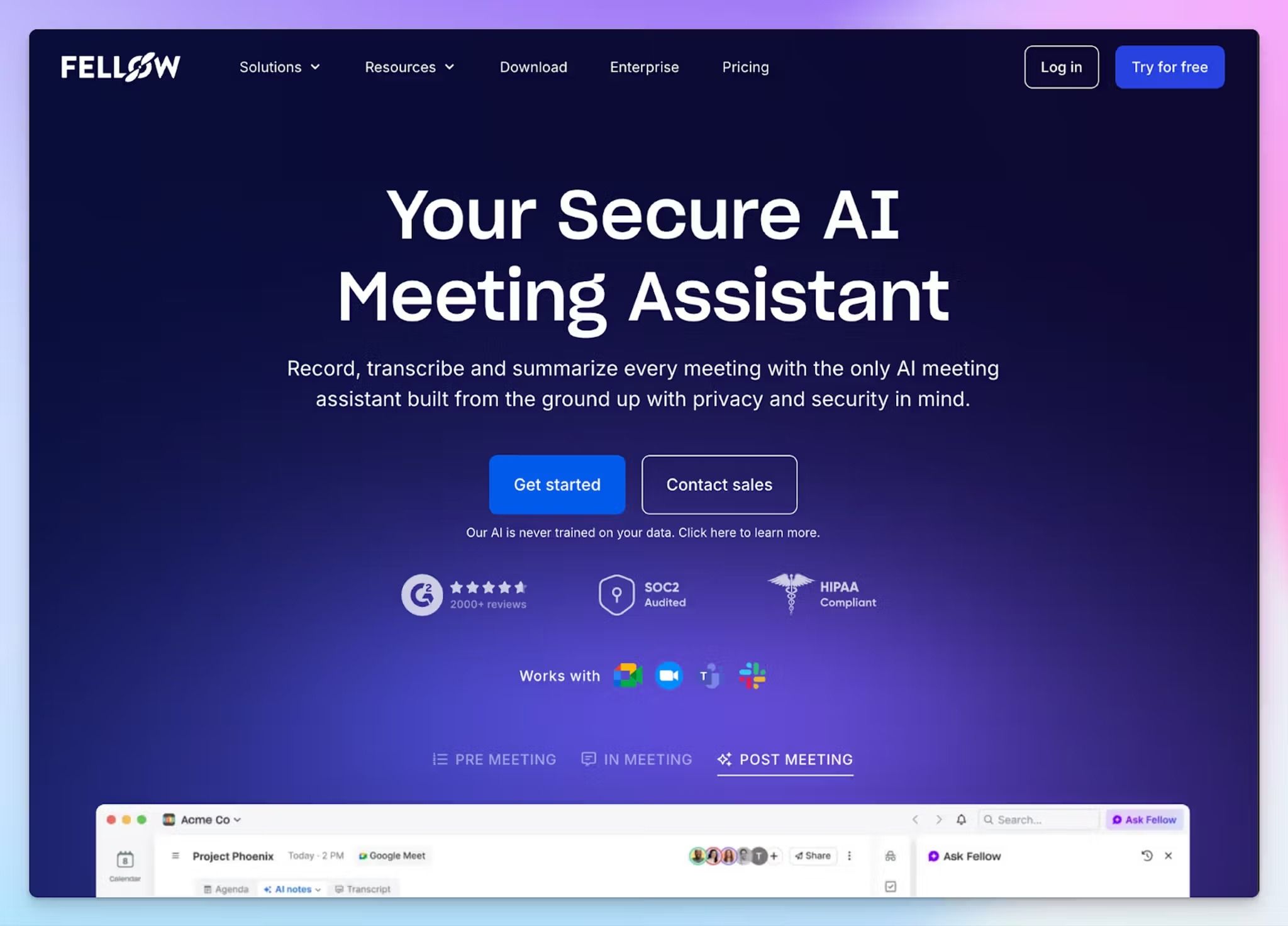
Fellow was building one-on-one meeting agendas long before it added an AI note taker, and it shows. You and your report add talking points to a shared agenda before the call, and unfinished action items carry into the next session until someone closes them.
That structure keeps 1:1s from sliding into status updates. If you already run them from a doc and only want a record, you’ll pay for meeting management you won’t use.
What are Fellow’s key features for one-on-one calls?
- Pre-meeting AI briefs recap your last 1:1 and flag what to follow up on, so you walk into upcoming meetings with context
- A private notes panel sits next to the shared meeting agenda, where you can prep coaching points or jot down personal details
- You can record with a visible bot or bot-free from the desktop and mobile apps. Pause mid-call when the talk turns personal
- Ask Fellow searches across your past 1:1s, and 50+ native integrations let you push follow-ups into tools like Jira and Slack
Fellow’s pricing
- Free
- Solo: $29/user/month
- Team: $11/user/month
- Business: $23/user/month
- Enterprise: $25/user/month (billed annually)
Fellow’s cons
- AI notes run out fast. Free gives you only 5 notes, and the Team plan runs out in two weeks for a manager with five weekly 1:1s. The lack of value for the money is why many users look for Fellow alternatives
- The meeting bot sometimes skips a call without warning. In a recurring 1:1, one missed session breaks the thread you’re trying to document
- Fellow stores data in North America with no EU residency option, which is a hard sell when your 1:1 notes contain performance feedback on European staff
3. Granola
Best for: Managers who jot their own notes during a 1:1 and want a bot-free note taker in a desktop app
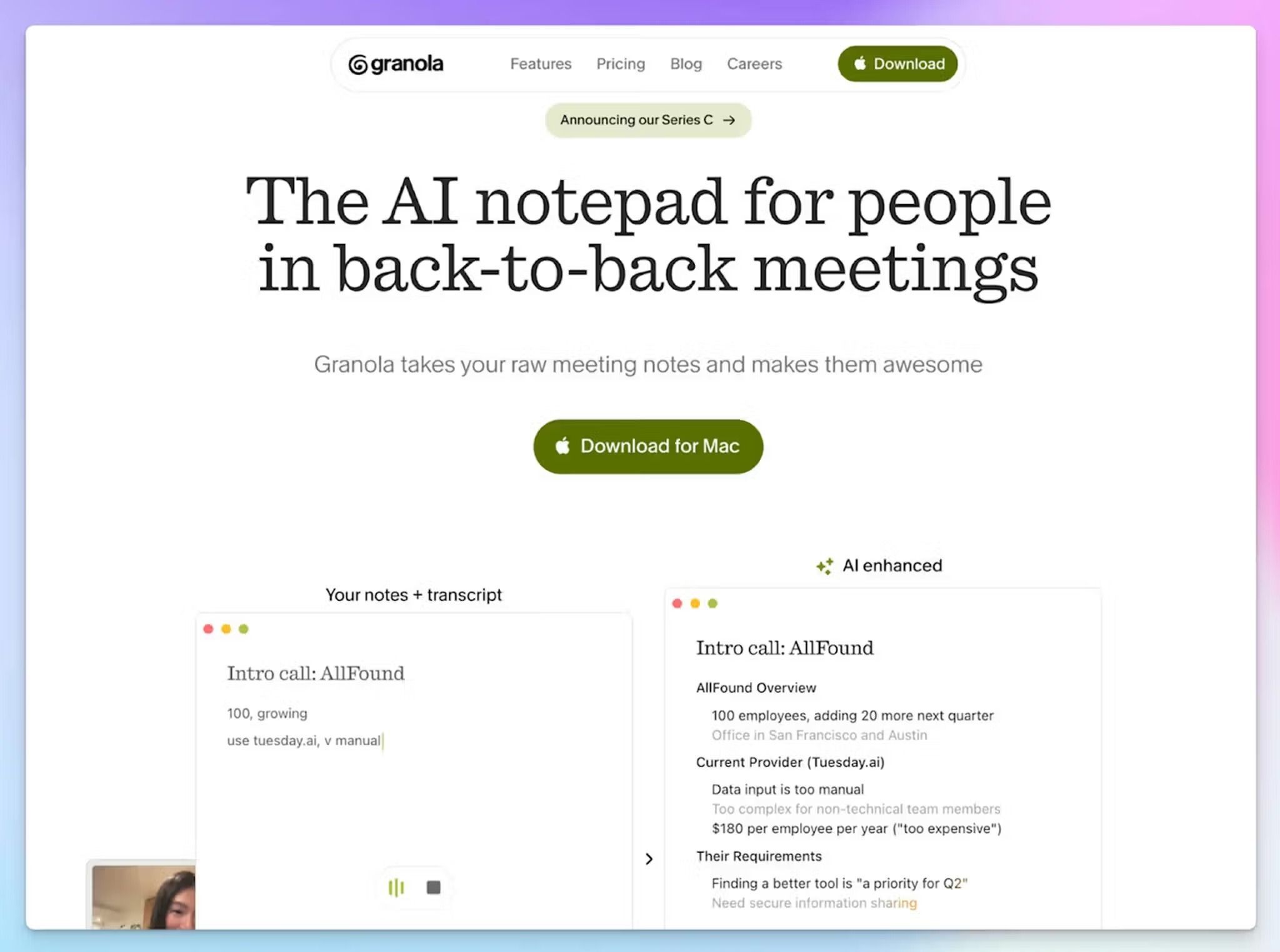
Granola doesn’t offer a meeting bot, and that’s how it approaches note-taking. It’s a notepad that listens through your device. You type a few words during the one-on-one, like “wants to lead Q4 launch,” and Granola enhances your rough notes with context from the transcript once the call ends.
That suits managers who think better with a pen in hand. If you’d rather not take notes at all, a tool that records the full call will serve you better.
What are Granola’s key features for one-on-one calls?
- Granola captures audio without joining as a bot on Zoom, Google Meet, or Microsoft Teams. The iOS, Android, and Apple Watch apps cover walk-and-talk 1:1s and phone calls
- On paid plans, a pre-meeting brief opens before each 1:1 with the open threads from your last conversation
- You can remix Granola Recipes and 1:1 note templates, then ask Granola Chat questions like “What did I commit to in my last three 1:1s?”
- Granola connects with HubSpot, Slack, and Notion, so follow-ups extend to the tools your team already uses
Granola’s pricing
- Basic: Free
- Business: $14/user/month
- Enterprise: $35/user/month
Granola’s cons
- The free plan only shows notes from the last 30 days, so last quarter’s 1:1s stay locked until you pay. That’s a common reason managers look at Granola alternatives
- Granola deletes audio after transcription, which helps with privacy, but doesn’t allow you to replay and verify data. Transcripts can also miss figures and names
- Nothing tells your report that Granola is running unless you turn on its notification. A proposed class action filed in July 2026 alleges it records participants without consent, so say it out loud before you start
4. Avoma
Best for: Sales managers who use 1:1s to coach reps on their calls, not just review their pipeline
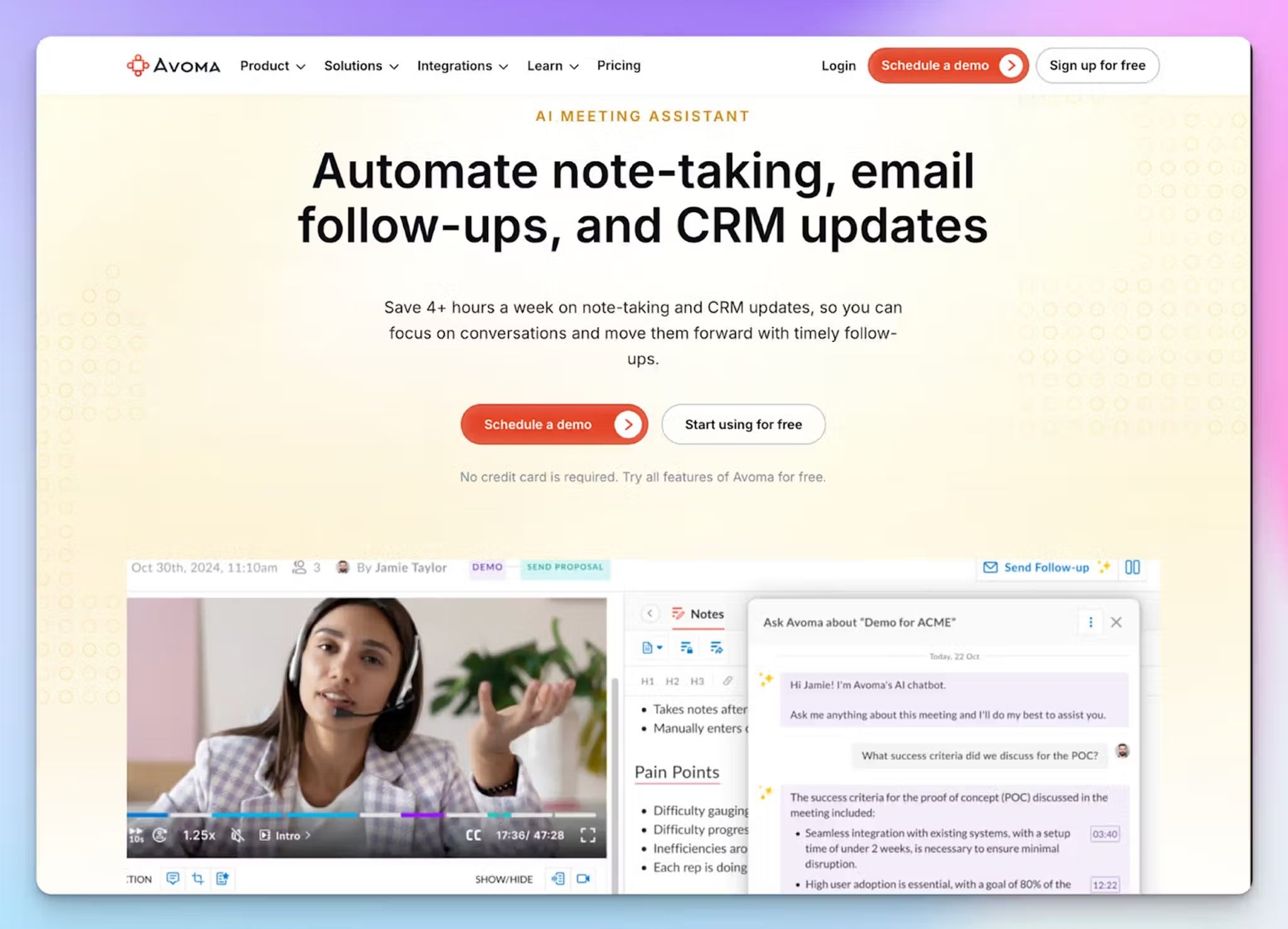
Avoma is a note taker built for sales teams, so it runs one-on-one the way a sales leader would. Alongside the notes, it measures how the conversation went, which makes it as much a coaching tool as an AI note taker.
That suits a sales manager whose 1:1s cover deal reviews and call feedback in the same half hour. It also offers a free scheduler that handles the booking, with unlimited 1:1 links that work across your reports’ time zones
But if your 1:1s center on career growth and wellbeing, most of Avoma’s revenue features will sit unused.
What are Avoma’s key features for one-on-one calls?
- A 1:1 template is among Avoma’s 10+ default AI note templates, and the Organization plan lets you build custom ones for coaching sessions or pipeline reviews
- Avoma’s speaker insights show talk time and the questions each person asked. Run them on your own 1:1s to check whether you listen more than you talk
- With sentiment analysis and smart chapters, you can jump to the key moments in a recording, and you don’t have to replay the whole call
- You can send AI-drafted follow-ups after the call ends, and on the Organization plan, private comments let you leave coaching notes only you can see
Avoma’s pricing
- Startup: $29/user/month
- Organization: $39/user/month
- Enterprise: $39/user/month (billed annually)
Avoma’s cons
- Avoma has no free plan. After the 14-day trial, your account switches to view-only until you pay for a recording seat
- Flagship features like conversation intelligence, revenue intelligence, and lead router are paid add-ons
- Avoma’s notetaker sometimes leaves calls early, and transcripts slip with accents or background noise
📚 Also read:
5. Built-in note takers in Google Meet, Zoom, and Microsoft Teams
Best for: Managers whose 1:1s all run on one platform the company already pays for
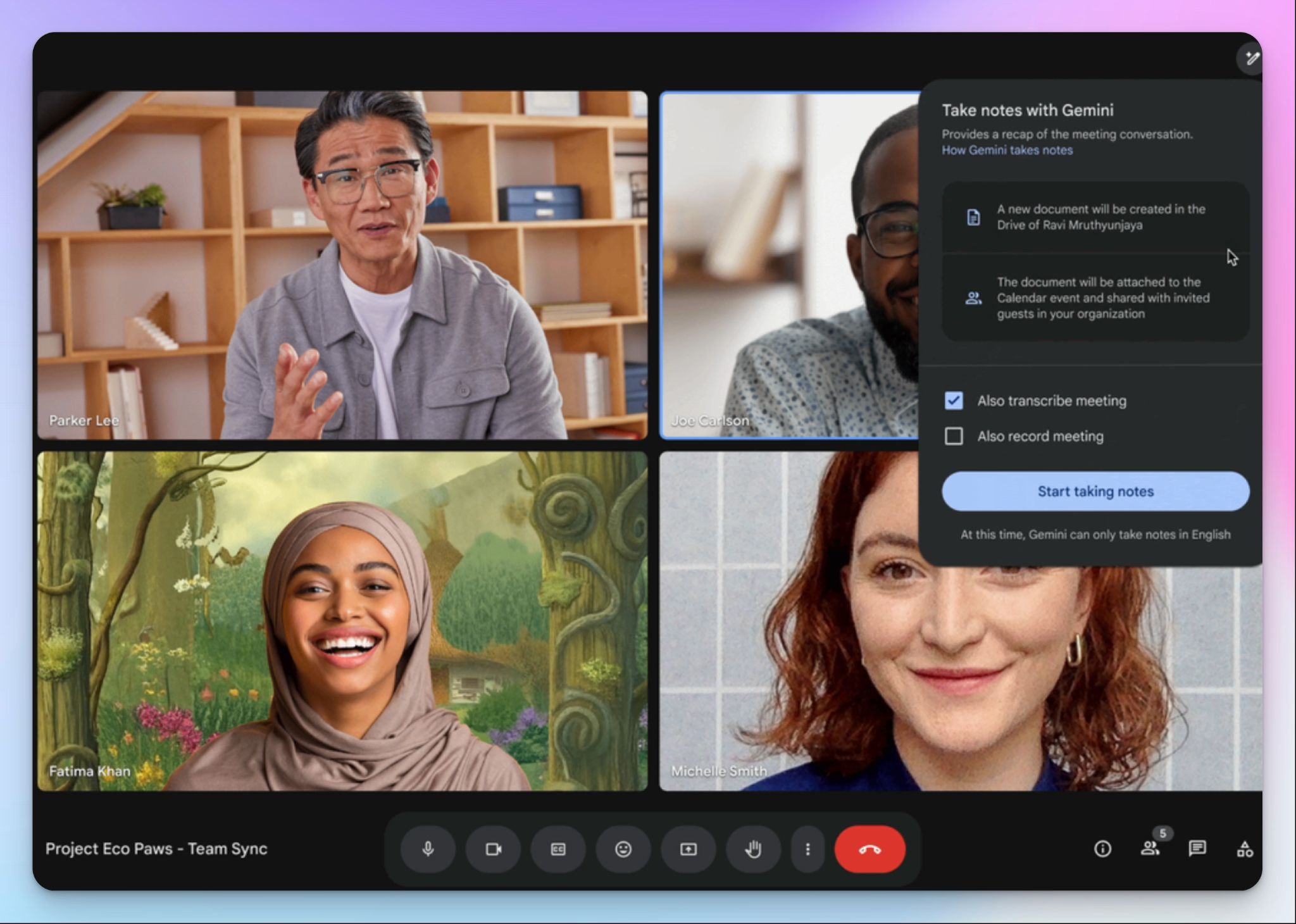
If you prefer to keep the meeting stack lean, check what your meeting platform already includes. Google Meet, Zoom, and Microsoft Teams can each summarize a one-on-one without a third-party tool, so there's no new vendor for IT to approve.
The catch is in the fine print. What you get depends on your plan, and often on the meeting organizer's license rather than yours.
What are built-in note takers’ key features for one-on-one calls?
- Google Meet's "Take notes for me" writes a meeting summary with decisions and next steps into a Google Doc in the organizer's Drive. For a recurring 1:1, one setting keeps it on for every future meeting
- Zoom's My Notes comes bundled with Workplace paid plans. It works across Zoom, Microsoft Teams, Google Meet, and in-person calls without a bot, and generates key takeaways and action items you can send as a recap email
- Microsoft recommends running 1:1s from a favorited Teams chat, with shared files pinned in a tab. With Teams Premium or Microsoft 365 Copilot, intelligent recap adds AI notes, tasks, and speaker markers to 1:1 calls
Pricing
- Google Workspace Business Standard: $16.80/user/month
- Zoom Workplace Pro: $16.99/user/month
- Microsoft Teams Premium: $10/user/month (billed annually), on top of Microsoft Teams Enterprise
Cons of built-in note takers
- The organizer's plan sets the rules. Meet only takes notes if the organizer has an eligible Workspace edition, and Teams recap needs a paid add-on on top of Microsoft 365. A lot of users end up using a bot-free note taker for Microsoft Teams
- Language support is thin for global teams. Meet takes notes in 8 languages, one per meeting, and My Notes covers 9
- Meet shows a pencil icon on every screen while it takes notes, so your report always knows about it
- In our Zoom My Notes review, speaker separation slipped even in one-on-ones
📚 Also read:
Which AI note taker is best for one-on-one calls?
The right AI note taker for one-on-one calls depends on where your 1:1s happen, and what challenges you’re facing.
👉 Choose Fellow if you and your reports want to build the agenda together and want action items to carry from week to week.
👉 Choose Granola if you think better with a pen in hand and want nothing joining the call.
👉 Choose Avoma if your 1:1s double as call coaching for a sales team.
👉 Choose built-in note takers if every 1:1 runs on one platform your company already pays for.
👉 Choose HappyScribe if you want every 1:1 on record, online or in person, with a free plan that covers your whole team.
Every tool on this list can summarize a 1:1. The difference shows up at review time, when you need last quarter’s conversations.
By then, Fellow’s AI notes have run out on the Team plan. Granola has deleted the audio and locked free notes older than 30 days. Avoma keeps search across past 1:1s behind a paid add-on. The built-in note takers depend on the organizer’s license and support fewer than 10 languages.
HappyScribe keeps the recording behind every summary and lets you choose bot or bot-free capture for each conversation, including on your phone. AI Chat searches every 1:1 with a report, in 150+ languages. It’s also the only tool here that sends a sensitive file to human proofreaders for up to 99% accuracy. The free plan covers unlimited 45-minute recordings, which is enough for a weekly 1:1 with every report.
For managers who need 1:1 notes they can stand behind at review time, HappyScribe is the easiest choice on this list.
FAQs about AI note takers for one-on-one calls
What is a good AI note taker for one on one calls?
HappyScribe is a good AI note taker for one on one calls. It can record meetings online and in person, and it keeps meeting context from one session to the next. Its calendar integration joins your recurring 1:1s on its own, and AI summaries turn each call into structured notes with key points and follow-ups. Unlike most AI note taking tools, the free plan includes unlimited recordings, with 95%+ transcription accuracy in 150+ languages.
Is there an AI note taker for phone calls?
Yes, but most of them need a separate app on your phone. Granola’s mobile app captures phone calls, and Microsoft Teams adds AI recaps to Teams Phone calls with a Premium or Copilot license. Sales professionals often log client calls through dialer integrations in tools like Avoma. If your phone already records calls, you can upload the file to HappyScribe for a transcript. Its mobile app can also record audio for in-person transcription and offline meetings. Consent and recording laws vary by jurisdiction, so tell the other person before you start.
Which AI note takers work for managers running weekly 1:1 calls?
The best AI meeting assistants for weekly 1:1s keep a running record for each report. Fellow suits managers who want shared agendas and collaboration features, though unlimited AI notes start on its Business plan. Zoom’s My Notes can automatically create recap emails and create tasks after internal meetings. HappyScribe lets you search every past 1:1 with AI Chat. Its free plan is an easy entry point for a small business, and the Pro plan is the best value for money when billed annually.
Can ChatGPT take notes from a Zoom call?
Yes, with limits. ChatGPT’s record mode can capture a Zoom call, but only in the macOS desktop app and on paid plans. You also have to start it manually for every call, and it works best in English. A dedicated assistant is simpler for recurring 1:1s. HappyScribe joins the Zoom call, saves your meeting transcripts, and connects to ChatGPT through its MCP server. That way, your personal AI can work with every past 1:1 alongside its other AI features.
Is there a completely free AI note taker?
Most AI note takers cap their free plans by meetings, minutes, or history. Granola’s free plan only shows notes from the last 30 days, and Fellow’s stops at 5 AI notes. HappyScribe has a generous free plan with unlimited meeting recordings of up to 45 minutes each, so a weekly 1:1 doesn’t need manual note taking. Whichever tool you pick, check that it meets your company’s security and legal requirements. HappyScribe offers enterprise-grade security with SOC 2 Type II certification and GDPR compliance.

Biplab Mazumder
Biplab is a content marketer and writer who helps high-growth brands scale content visibility across AI search channels. His works have been published in HubSpot, Freshworks, Atlassian, SurferSEO, etc. When he's not planning content strategy, he's testing AI content workflows and use cases.