![5 Best AI Meeting Note Takers for Small Business [2026]](/sanity-images/ejgwz1gl/redesign/3ebf04a65c86b08854bbe7d49e396517dd6aea37-1672x941.jpg?auto=format&w=1672.0&rect=0,53,1672,836&h=836)
TL;DR ⏩
After using dozens of meeting tools, here are the five best AI meeting note takers for small businesses:
- HappyScribe: Best for lean teams that want accurate and unlimited meeting notes on a free plan, with EU data residency and transcription across 150+ languages on every tier
- Fathom: Best for solo founders who record constantly and don't need the AI layer on every call
- My Notes by Zoom: Best for teams already paying for Zoom Workplace who want bot-free capture across any platform
- MeetGeek: Best for small European teams that want conversation analytics and a choice of where their meeting data sits
- Fireflies: Best for CRM-heavy teams that need meeting outcomes pushed into the tools they already run
Small businesses have people wearing multiple hats throughout the day. The last thing you need is another app that tests your patience.
That’s especially true with AI meeting note takers. Many are packed with complex setups and pricing plans designed around enterprise needs. For a small team, all those extras get in the way of real work.
So when you prioritize what actually matters to SMBs and startups, the shortlist gets much smaller: reliable meeting notes, a simple UI, and a price that makes sense for a lean team.
I test meeting assistants for a living, and here are the best AI meeting note takers for small businesses that want quality notes minus the enterprise bloat.
Top 5 AI meeting note takers for small businesses: At a glance
| Feature | HappyScribe | Fathom | My Notes by Zoom | MeetGeek | Fireflies |
|---|---|---|---|---|---|
| Best for | Small teams that want unlimited meeting notes for free with EU security | Solo founders who record constantly and don't need the AI layer | Teams already paying for Zoom Workplace | Small European teams that want conversation analytics | CRM-heavy teams that need meeting data in their existing tools |
| Key features | Unlimited free meeting notes, bot-assisted and bot-free capture, AI Chat, file transcription, translation, and subtitles in one plan | Unlimited free recording and transcription, Ask Fathom, customizable capture | Bot-free capture, voice activity detection, in-call scratchpad, Zoom Docs integration | Conversation intelligence, meeting type auto-detection, agentic workflows | Deep AI-powered search across meetings, native CRM sync, in-call assistant |
| Multi-language support | 150+ languages | 38 languages | 38 languages | 100+ languages | 100+ languages |
| Meeting platform integration | Zoom, Google Meet, Microsoft Teams, and in-person meetings | Zoom, Google Meet, Microsoft Teams | Zoom, Microsoft Teams, Google Meet, phone calls | Zoom, Google Meet, Microsoft Teams, and in-person via mobile | Zoom, Google Meet, Microsoft Teams, Webex |
| Security | GDPR, SOC 2 Type II, AES-256, ISO 27001-certified EU data center | SOC 2 and GDPR. No ISO 27001. HIPAA and SSO on Enterprise | Zoom admin controls and enterprise security | GDPR, SOC 2 Type II, HIPAA, EU, or US data residency | SOC 2 and GDPR. HIPAA and SSO on Enterprise |
| Starting price | Free plan with unlimited meeting recordings. Paid from $8.50/month (billed annually) or $17/month (billed monthly) | Free plan. Paid plans start from $20/user/month | My Notes add-on from $10/user/month | Free plan. Paid plans start from $15.99/user/month | Free plan. Paid plans start from $18/user/month |
1. HappyScribe
Best for: Small teams that want unlimited meeting notes on a free plan, with easy to use interface and EU data security
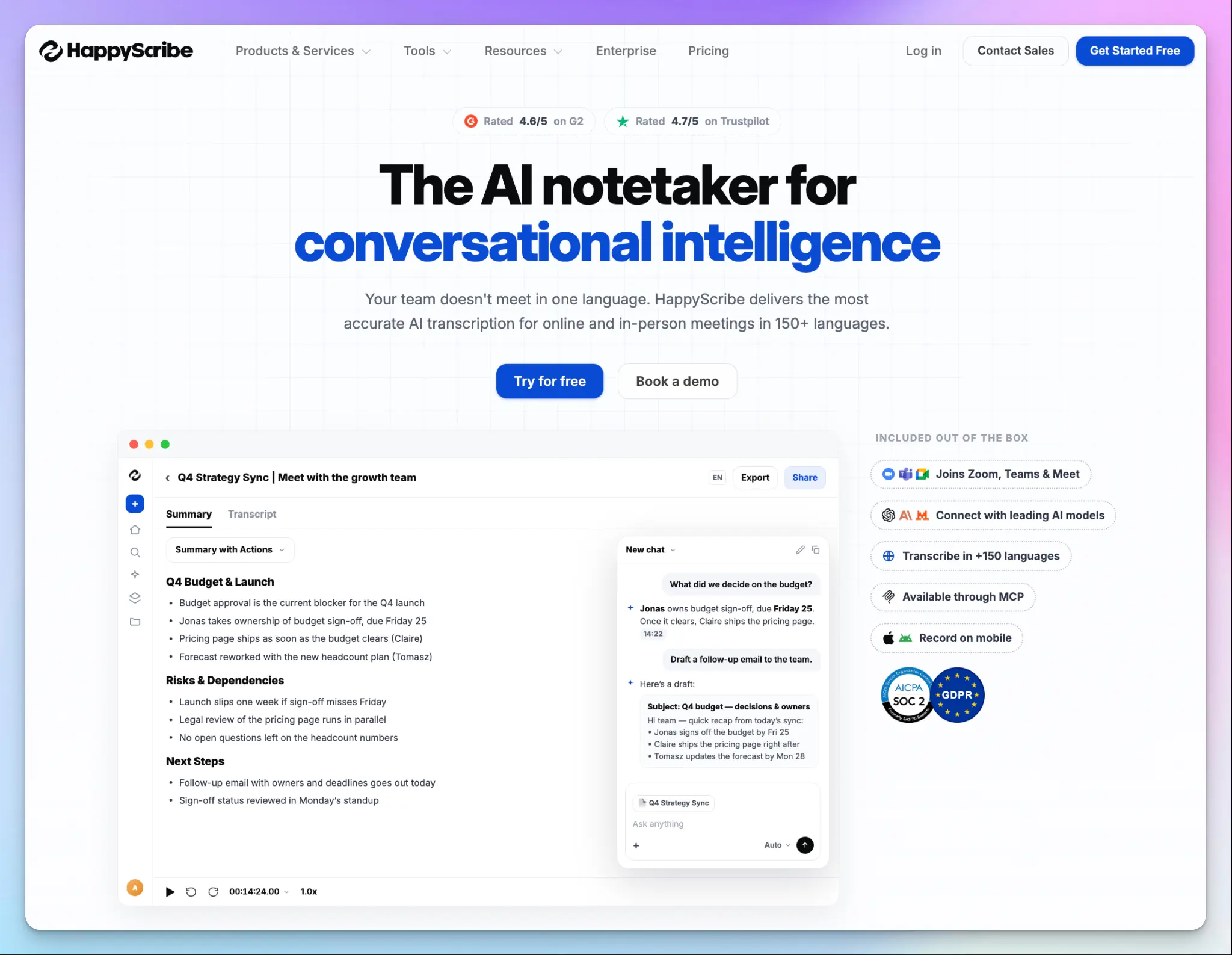
HappyScribe is a Barcelona-based meeting assistant that does one job properly instead of six jobs adequately. It records online and offline meetings and generates structured notes with action items in 150+ languages.
For a lean team, the appeal is that nothing important is fenced off. The free plan gives you proper summaries and notes rather than a trial, and the security posture is the same whether you pay nothing or run an enterprise contract.
HappyScribe's key features for small businesses
1. Unlimited meeting notes for free
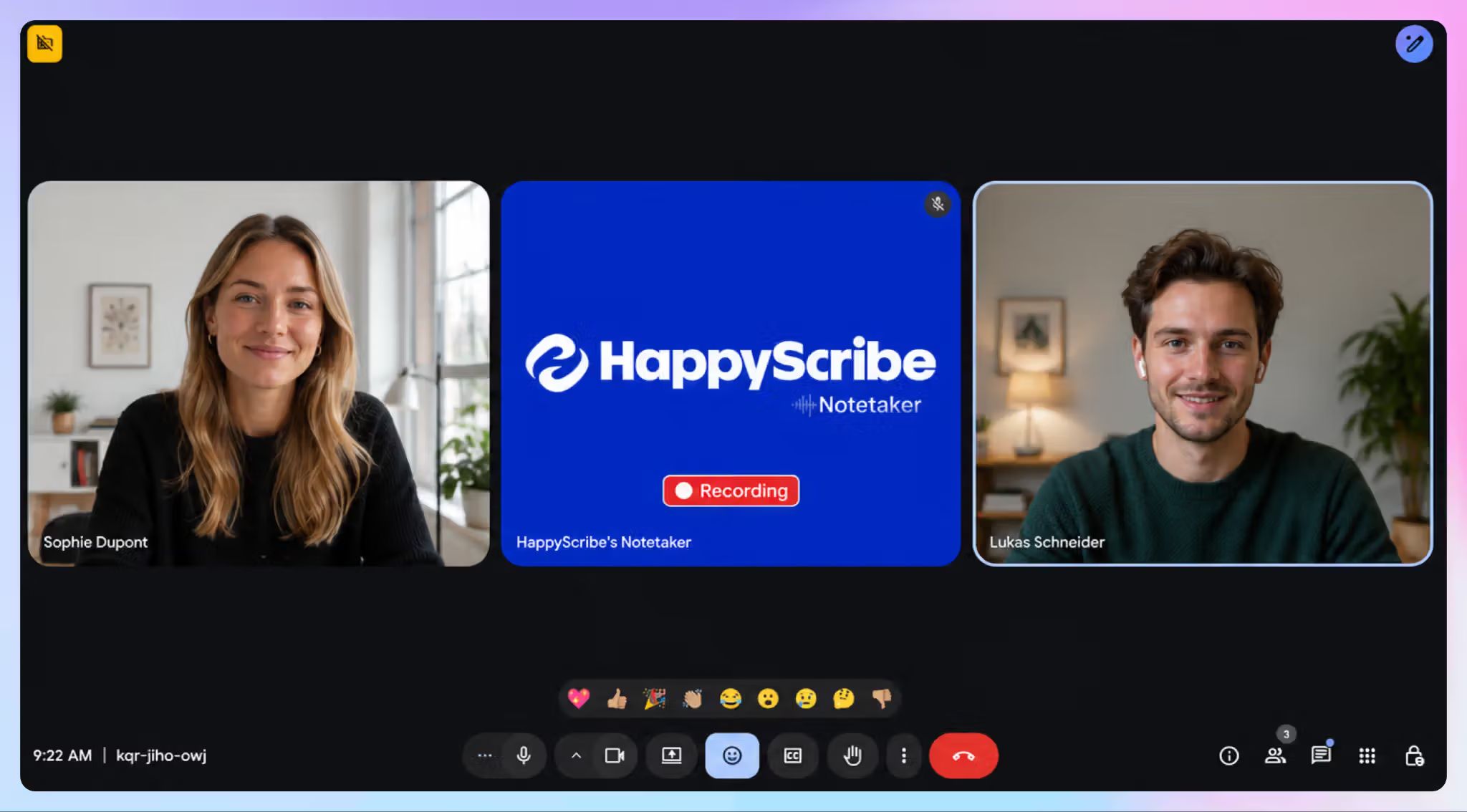
HappyScribe’s free plan records unlimited meetings at up to 45 minutes each, with no credit card at signup. You get timestamped speaker labels, summaries, media playback, and action items attached.
Even though the free plan is primarily for meetings, you can also upload existing audio and video files as a trial. All your client calls, webinars, and in-person chats run through the same workflow.
2. Easy to navigate notes and settings
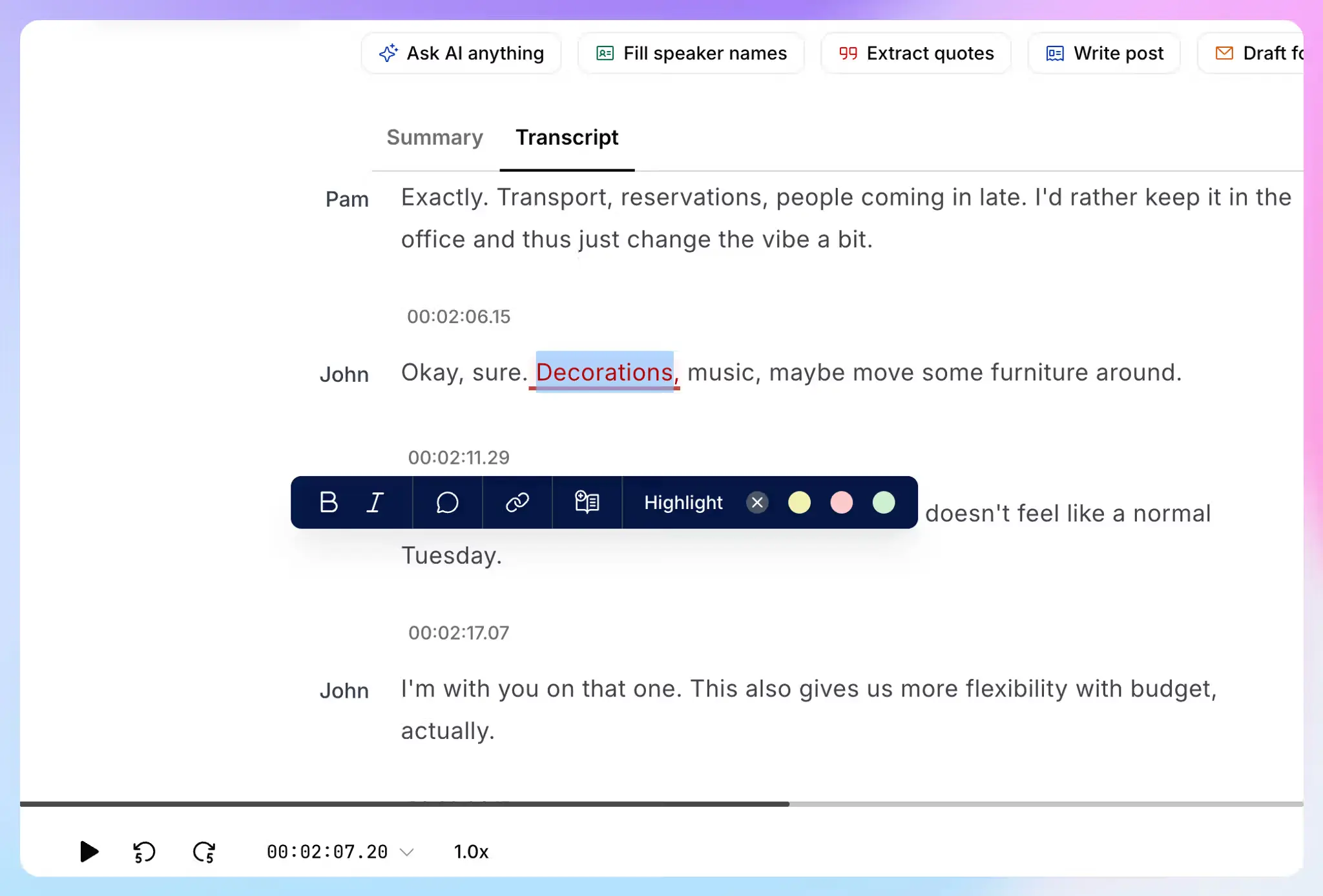
Setup takes a minute. You connect your Google Calendar or Outlook calendar, and the AI meeting note taker auto-joins scheduled calls. Unlike Fireflies and Granola, you don’t have to hand over Google or Microsoft accounts at sign-up.
Check out the options in settings to make it behave the way you want. You can select which meetings HappyScribe attends, who receives the email summary, and how it looks in meetings.
3. Meeting notes, file transcription, translation, and subtitles in one plan
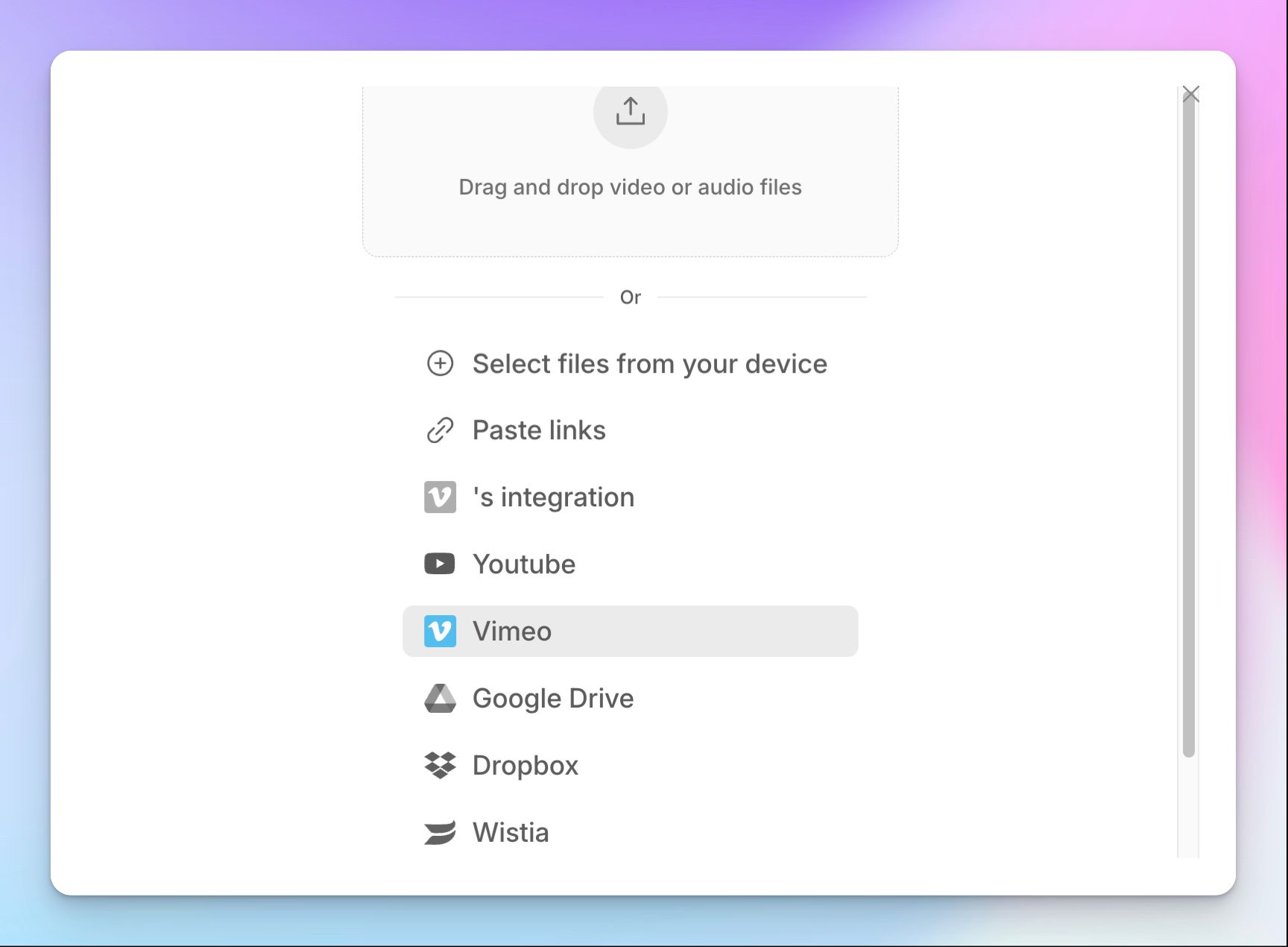
Small businesses usually pay multiple vendors for tasks that can be done within one workflow. HappyScribe covers meeting transcription, file transcription, translation across 80+ languages, and subtitles from a single workspace.
If a sales call needs to become a clip for the website, you generate subtitles from the same file, export them as SRT or VTT, and edit them in the browser. For anything that has to be exact, such as a legal record or a research interview, you can escalate the file to professional transcribers for up to 99% accuracy without moving to another vendor.
4. Ask AI Chat to extract key insights from your conversations
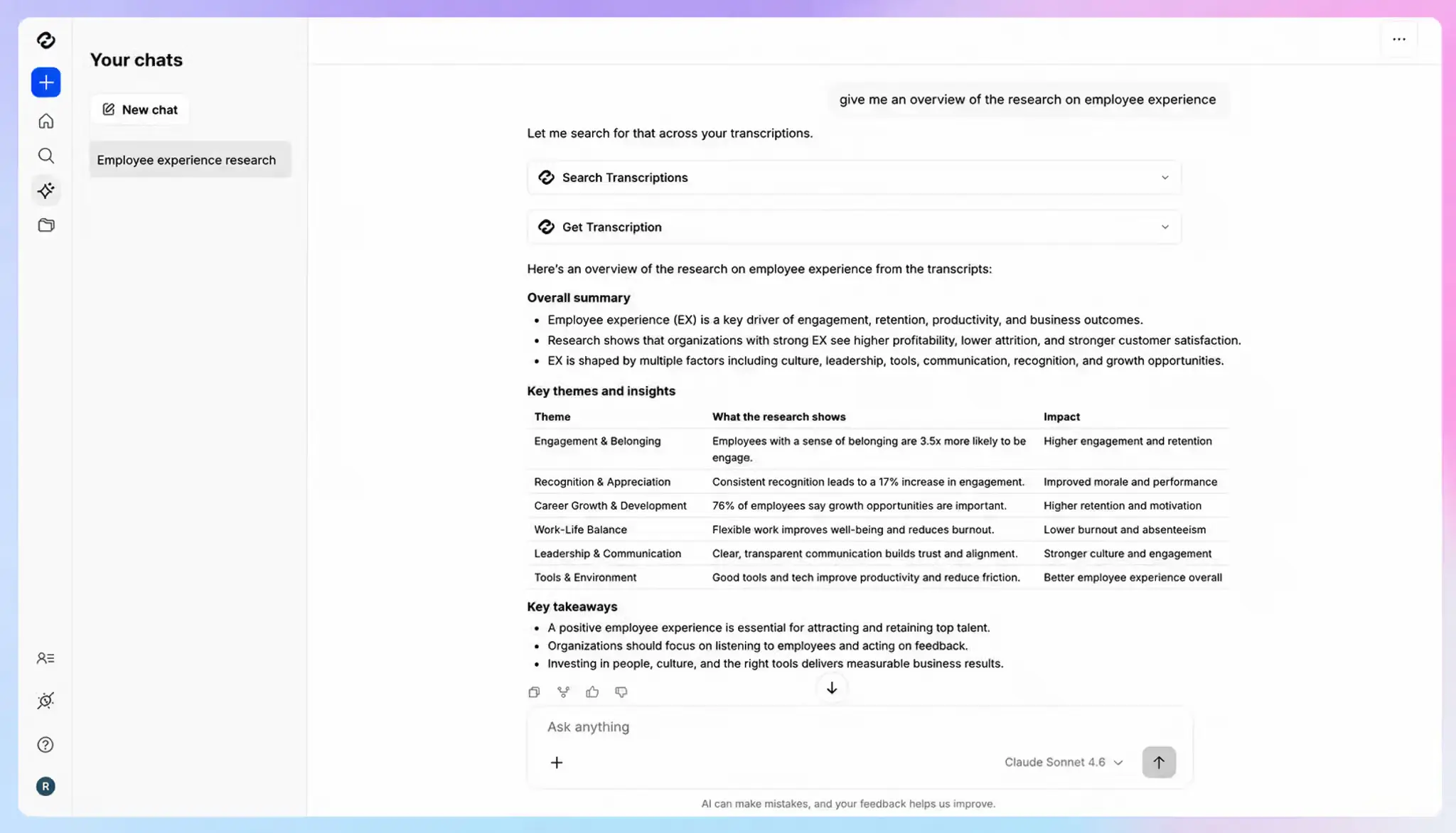
HappyScribe AI Chat turns your archive into something you can question. Ask what a client objected to last quarter, and it pulls exact quotes from past meetings.
AI-powered search runs across your whole meeting history and surfaces the decisions a call produced. You can also ask the AI to draft follow-ups from the conversation itself. This way, you can build conversational intelligence for your business over time.
You can also connect HappyScribe meetings to Claude and ChatGPT, if that’s part of your work.
5. Secure AI note taker with EU data residency
Your files sit in an ISO 27001-certified EU data center, encrypted in transit with TLS and at rest with AES-256. HappyScribe is GDPR compliant and SOC 2 Type II certified, and role-based access controls keep files away from people who shouldn't see them.
The part that counts for a small business is that none of this is tiered. A solopreneur on the free plan gets the same storage location and the same certifications as an enterprise buyer.
HappyScribe's pros
- 95%+ AI accuracy across 150+ languages and dialects, with a near-perfect human proofreading path for sensitive files
- Bot-free capture through the mobile apps, so you can record in-person meetings and client conversations without a third-party bot joining
- Speaker identification and custom vocabulary keep client names and technical terms accurate
- Connect meetings to your post-meeting workflow through the MCP server, Zapier, or the API
- Fast support from real people rather than chatbots
HappyScribe's cons
- Not ideal for real-time transcription
- The desktop app is in the pipeline
What are users saying about HappyScribe?
As a small team, the Pro plan gives us incredible value, and its reliability has far exceeded our expectations. Since I use it primarily for offline meetings rather than Zoom or video calls, it has been an absolute game-changer.
Read the full G2 review here
I appreciate how HappyScribe lets me transcribe a recording within minutes and translate the content into several languages. The interactive interface is enjoyable, and the built-in editor is incredibly useful since the audio and text stay aligned with minimal need for manual corrections.
Read the full G2 review here
HappyScribe's pricing
- Free: Unlimited meeting recordings, up to 45 minutes each
- Basic: $8.50/month billed annually or $17/month billed monthly
- Pro: $19/month billed annually or $29/month billed monthly
- Business: $59/month billed annually or $89/month billed monthly
- Enterprise:Contact sales
How to use HappyScribe's AI note taker
- Connect your Google or Outlook calendar, or paste a meeting link to invite the notetaker. For bot-free meetings, use the mobile app or web browser.
- Open Settings to choose which calls the notetaker joins and who receives the email summary.
- Click Transcribe files on your dashboard to upload recordings, or import them from YouTube, Vimeo, Wistia, Dropbox, Google Drive, or Box.
- Open the finished transcript in the interactive editor to correct terms as you listen, or open AI Chat to pull decisions and draft follow-ups.
2. Fathom
Best for: Solo founders and individual users who want unlimited free recording and don't need the AI layer on every call
Like HappyScribe, Fathom records and transcribes without a monthly minute cap, and its desktop app is fleshed out with features.
The reason it ranks below HappyScribe is that a small business gets less out of each dollar here. Fathom can't transcribe files you upload, translation applies to summaries but not transcripts, and there's no toolkit for subtitling. A lean team has to pay other vendors for broader meeting productivity tasks.
Fathom's key features for small businesses
- Unlimited free transcription and video recording for individual users, with no minute cap and no credit card at signup
- Ask Fathom answers your questions about meetings and drafts follow-ups from what was said, and you can use reusable prompts to speed up work
- Fathom integrates with tools SMBs use, such as Slack, Zapier, Notion, GetAccept, and AI assistants via MCP. Not all integrations are part of the free plan
- Customize how you want to record meetings: media type, bot-presence, scratchpad, templates, etc.
Fathom's pricing
- Free
- Premium: $20/user/month
- Team: $19/user/month (2-user minimum)
- Business: $34/user/month (2-user minimum)
- Enterprise: Contact sales
Fathom's cons
- Fathom covers only 38 languages. Coverage is narrower than most rivals at this price, which rules it out for teams selling across borders
- Many flagship AI features, like using Ask Fathom on live calls and meeting action items are actually paywalled
- It doesn’t have ISO 27001 certification, something an EU procurement review of Fathom might consider
- HIPAA coverage sits on the enterprise tier, so a small clinic or agency handling health data can't buy the protection it needs at a small business price
📌 Also read:
3. My Notes by Zoom
Best for: Small teams already paying for Zoom Workplace that want a bot-free note taker
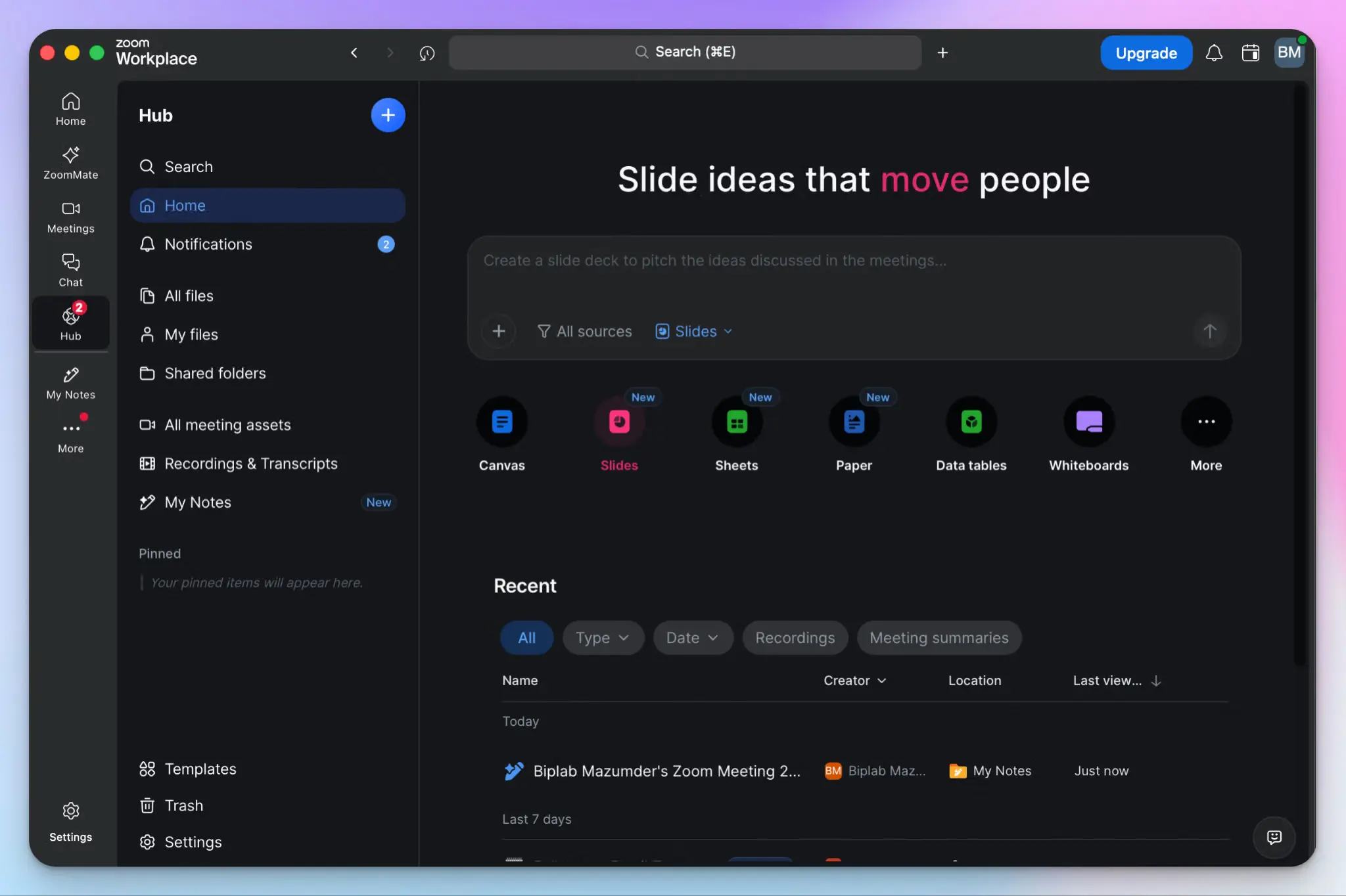
Zoom My Notes is the one you may already have. If your business pays for Zoom, the note taker comes bundled to transcribe and extract notes from meetings, and it costs nothing extra. For a team maximizing the value of active subscriptions, it might be a cheap starting point.
I recommend it over “Take notes for me” in Google Meet and Copilot in Teams because My Notes is not limited to Zoom calls. You can use the bot-free note taker on any platform, and it’s much more polished than its predecessor, Zoom AI Companion.
My Notes' key features for small businesses
- Capture online and in-person meetings without a bot joining, since it uses the device's microphone and audio channels
- A solid array of quality of life features, including voice activity detection, in-call scratchpad for manual notes, live transcripts, and task-specific templates
- Your notes are tightly integrated with Zoom Docs, Zoom Canvas, ZoomMate, and other tools for formatting and sharing
- Feature-packed mobile and desktop apps, along with Zoom’s admin controls and integration support, give you more control over meetings
My Notes' pricing
- Zoom Basic (free): 3 AI notes a month
- My Notes add-on: $10/user/month
- Zoom Workplace Pro: $16.99/user/month
- Zoom Workplace Business: $21.99/user/month
- Zoom Workplace Enterprise: Custom pricing
My Notes' cons
- The free tier is a trial at best. If you don’t have a workplace plan, the standalone My Notes feature will cost you $10/month
- Transcript quality is the weak link, and speaker labels drift in small meetings. You can read our detailed Zoom My Notes review to see if it suits you
- Meeting hosts can switch off your bot-free recordings even if you’re on a personal plan
- My Notes is burdened by Zoom’s sprawling corporate product roadmap, and it’s a hassle to find summaries and notes as the UI keeps changing
📚 Also read:
4. MeetGeek
Best for: Small European teams that want conversation analytics and a choice of where their meeting data lives
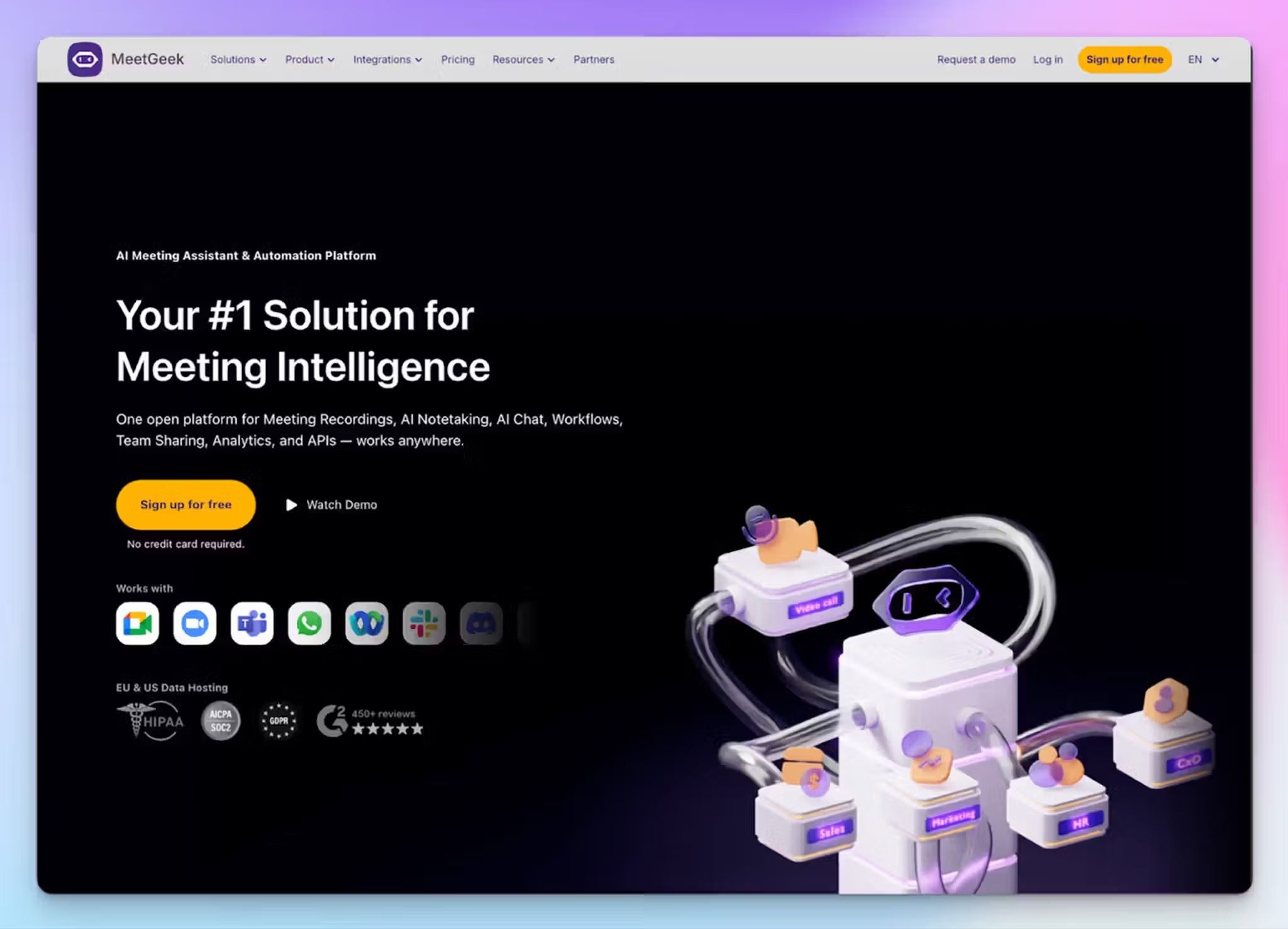
MeetGeek is one of the two note takers on this list that is actually European. The company operates out of Bucharest, and it lets you pick whether your data sits in the EU or the US, which goes a long way for data sovereignty.
It’s here because of the layer above meeting notes. MeetGeek analyzes interactions across every meeting you've had, so a small business owner can see who dominates calls, which topics keep resurfacing, and how conversations trend over a quarter. It helps you fix your meeting culture for a reasonable price.
MeetGeek's key features for small businesses
- Context-aware capture that auto-detects language across 100+ languages and identifies the meeting type to apply the right summary template, with no-bot recording through desktop apps
- You get conversation intelligence across your whole meeting history, covering talk-to-listen ratios, speaker distribution, sentiment, and risk and theme detection against 100+ KPIs
- EU data residency option, backed by a DPA with standard contractual clauses, SOC 2 Type II, HIPAA, and a zero data training commitment
- MeetGeek’s agentic workflows connect call data through Zapier, Make, and n8n to other apps, with public API and MCP access available from the free plan
MeetGeek's pricing
- Basic: Free
- Pro: $15.99/user/month
- Business: $27/user/month
- Enterprise: Custom pricing
MeetGeek's cons
- Recording consent notifications and private-by-default meetings start at Business, so the controls a client-facing team needs sit two tiers up
- The free plan gives 3 hours of transcription a month with 3 months of transcript storage, so the best features are part of paid plans. It’s the main reason why MeetGeek isn’t ranked higher
- It tries to do a great deal at once, and the analytics dashboard takes real time to learn, forcing many users to look for MeetGeek alternatives way too early
5. Fireflies AI
Best for: CRM-heavy small teams that want the widest integration catalog and conversational metrics across calls
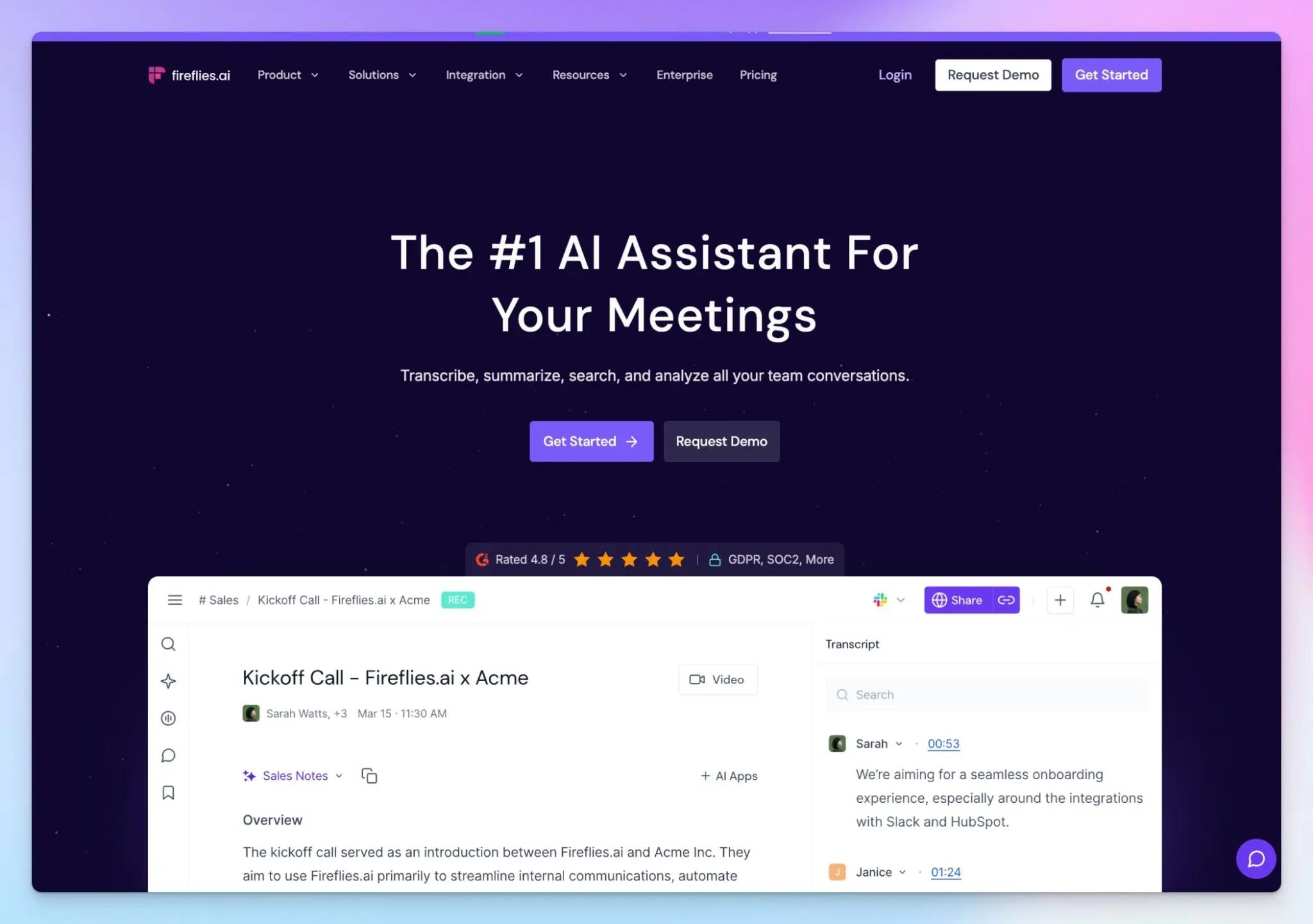
Fireflies is the most connected tool on this list. It has native CRM sync plus a catalog of more than 100 connectors and AI skills for repeatable tasks, so meeting outcomes flow into the systems your team already built and works with.
It ranks last because of the privacy record. Fireflies is facing two active class actions in Illinois, both alleging that its speaker recognition creates voiceprints of meeting participants without written consent. For a small business running client calls, it’s worth taking a look. I’ve covered it in detail in my Fireflies AI review.
Fireflies' key features for small businesses
- AI-powered search across your entire meeting history, with soundbites you can clip and share, and public or private channels for distributing recaps to the right people
- The deepest integration catalog here, with native CRM sync to Salesforce, HubSpot, and Zoho, plus Slack, Zapier, and API access. Business adds integration rules so you control which meetings actually log to the CRM
- Fireflies’ in-call assistant and AI voice agents help you stay in the loop and keep meetings running when you’re busy
- Unlimited transcription on every plan, including free, so the limiter is storage and AI credits instead of minutes recorded
Fireflies' pricing
- Free: Free
- Pro: $18/user/month
- Business: $29/user/month
- Enterprise: $39/user/month (annual only)
Fireflies' cons
- You can't sign up without handing over full calendar access, so there's no way to trial it on a single call first. It also builds profiles of non-users without consent
- Fireflies’ meeting bot is invasive and unreliable. It has stayed on multiple calls after I left the room, which needed manual intervention every time
- It struggles with meeting transcript accuracy, speaker labels, and summaries, even in good conditions, pushing users to look for Fireflies alternatives
- HIPAA, SSO, and custom data retention sit on Enterprise at $39 per user, and the AI features run on limited monthly credits
📚 Also read:
Which AI meeting note taker is right for your small business?
For small businesses, the best AI meeting note taker is the one that solves the biggest challenges while offering the best value for money.
👉 Choose Fathom if you record constantly and can live with action items and follow-up drafts sitting on a paid tier.
👉 Choose My Notes by Zoom if your team already pays for Zoom Workplace and you want to type your own notes as the call runs.
👉 Choose MeetGeek if you want to fix how your team runs meetings with automated templates and need EU or US data residency as a choice.
👉 Choose Fireflies if you need to connect meeting outcomes to CRMs and management tools, and you aren't bound by strict consent rules.
👉 Choose HappyScribe if you want accurate notes and affordable features for a lean team.
HappyScribe is the strongest meeting note taker SMBs and startups can use today. It covers meeting notes, file transcription, translation across 80+ languages, and subtitles, with 95%+ accuracy in 150+ languages and human review for 99% accurate transcripts. Your files stay in an ISO 27001-certified EU data center, and the free plan records unlimited meetings. It’s a no-brainer for those looking for the best bang for their buck.
FAQs on the best AI meeting note takers for small businesses
What is the best AI note taker for business meetings?
The best AI meeting notetaker for business meetings is the one that gets the meeting summary right the first time. HappyScribe hits 95%+ accuracy across multiple languages, and it can identify speakers and handle background noise better than most note-taking tools out there.
What is the best meeting note taker for small businesses?
For small businesses, HappyScribe is the strongest all-round pick for meeting note taker. It covers online meetings on Zoom, Google Meet, and Microsoft Teams, and you can record in-person meetings through the mobile app without a bot joining. The free plan is generous enough to run on, and AI Chat handles the post-meeting workflow by pulling decisions and helping you draft follow-up emails.
Can ChatGPT take meeting notes?
Not on its own. ChatGPT can't join a call or record audio, so it can't replace AI note taking tools. It can summarize a transcript you paste in, which still leaves you doing manual note taking or exporting from somewhere else. A better setup is connecting a dedicated notetaker like HappyScribe to ChatGPT, so one tool captures the call and the other works on the output. Check each vendor's policy on AI training before you send meeting data anywhere.
How much does an AI meeting note taker cost?
Most AI note taker apps cost $10 to $39 per user per month. Entry tiers cover transcription and summaries. A team plan usually adds shared workspaces, and a business plan offers advanced features like sentiment analysis and CRM sync, which matter most to sales teams. Watch the per-seat math, since an AI meeting assistant at $20 a seat costs a five-person team $1,200 a year. HappyScribe’s generous free plan offers unlimited meeting notes, and the paid plans start at only $8.50 per month when billed annually.
Is there a free AI tool that can take meeting notes for startups?
Yes. Several free AI note takers work for startups, though the limits vary. HappyScribe's free plan records unlimited meetings at up to 45 minutes each with unlimited AI summaries, which makes it the best free AI option for a small team. Fathom and MeetGeek also have free tiers worth testing. Free plans usually cap integrations, so pushing a meeting recap into project management tools often needs a paid plan.

Biplab Mazumder
Biplab is a content marketer and writer who helps high-growth brands scale content visibility across AI search channels. His works have been published in HubSpot, Freshworks, Atlassian, SurferSEO, etc. When he's not planning content strategy, he's testing AI content workflows and use cases.