![5 Best Zoom AI Companion Alternatives for AI Meeting Notes [2026]](/sanity-images/ejgwz1gl/redesign/c223c572f3aa8f5fd29ff2bba9e4202be43cd0f3-2048x1152.jpg?auto=format&w=2048.0&rect=0,64,2048,1024&h=1024)
Zoom AI Companion is one of those tools that makes sense on paper. If your team is already paying for Zoom, getting a built-in meeting assistant at no extra cost is a no-brainer. But after using it for a while, you realize how limited it is.
Zoom’s meeting assistant doesn’t accurately detect key points and tends to gloss over context. It’s also not reliable with accents and crosstalk.
As a result, I ended up spending several weeks testing Zoom AI Companion alternatives for note taking. I also dug through customer feedback and talked to people who'd made the switch.
The five tools in this article are the ones that solve specific problems Zoom AI Companion doesn't.
TL;DR ⏩
- HappyScribe: Best overall Zoom AI Companion alternative for global teams that want 95%+ accurate AI meeting notes in 150+ languages, audio and video playback, file transcription, and a stable platform that just works
- MeetGeek: Best for managers and HR teams that want conversation analytics and structured summaries across recurring workflows
- Tactiq: Best for Chrome-first users who want bot-free live transcription across Google Meet, Zoom, and Microsoft Teams
- Fireflies: Best for RevOps and sales teams that need CRM automation, a searchable meeting archive, and AI SDRs that can attend calls
- Sembly: Best for professional services teams and consultants who need deep meeting intelligence and client-ready deliverables directly from calls
Why users are looking for Zoom AI Companion alternatives
1. Inaccurate meeting notes
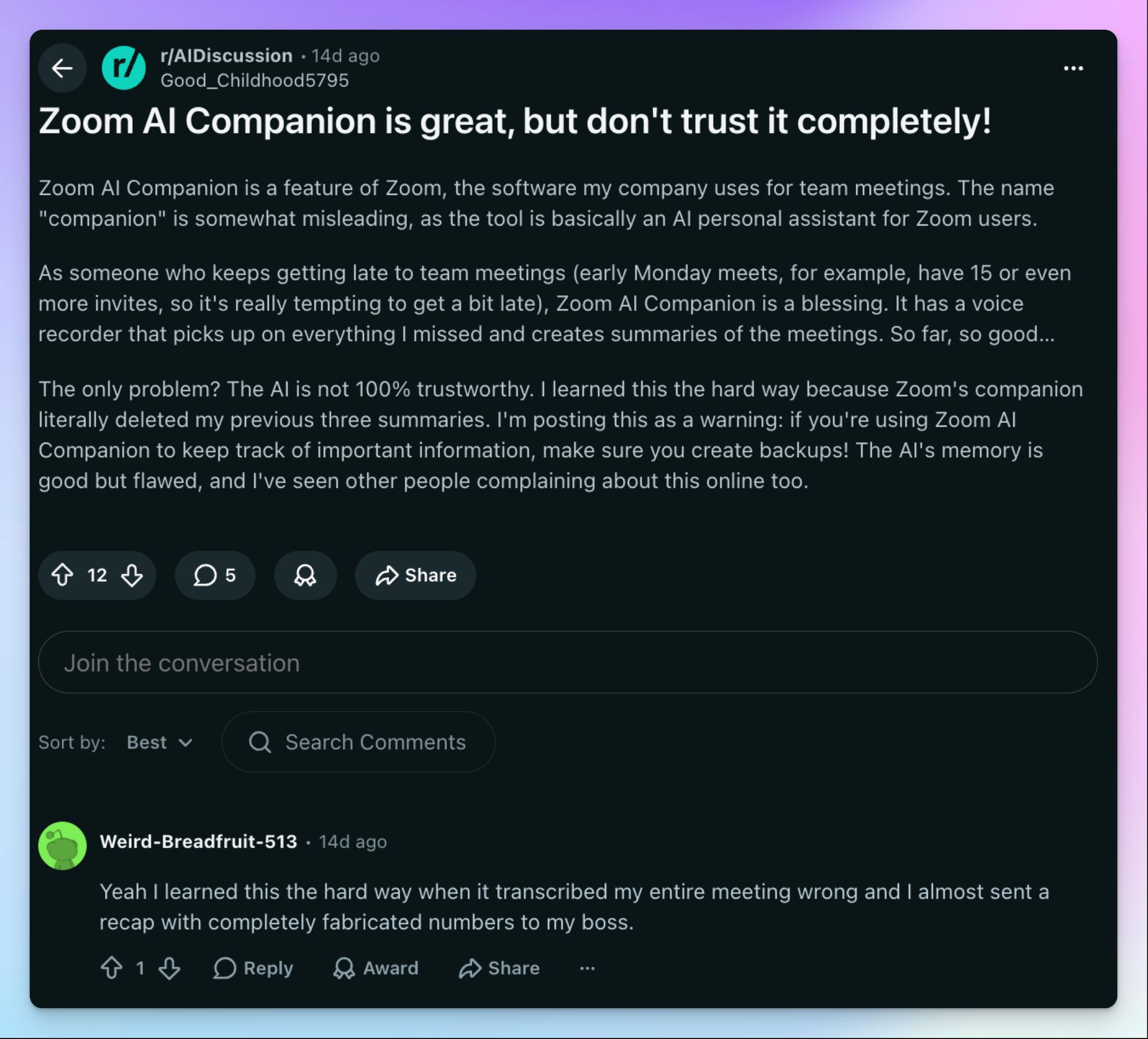
I've seen this firsthand. Zoom AI Companion summaries miss critical decisions while elevating minor comments that are just fillers. Since the notes are vague, you can’t make meaningful decisions based on them.
It gets worse with context. The AI isn’t super reliable when it comes to unique terminology or industry-specific jargon, so technical meetings produce transcripts full of errors.
💡 Did you know?
Atlassian's research found that 54% of workers leave meetings without a clear idea of next steps or task ownership. Inconsistent AI notes make that problem worse.
2. Unreliable Zoom bot and platform integration
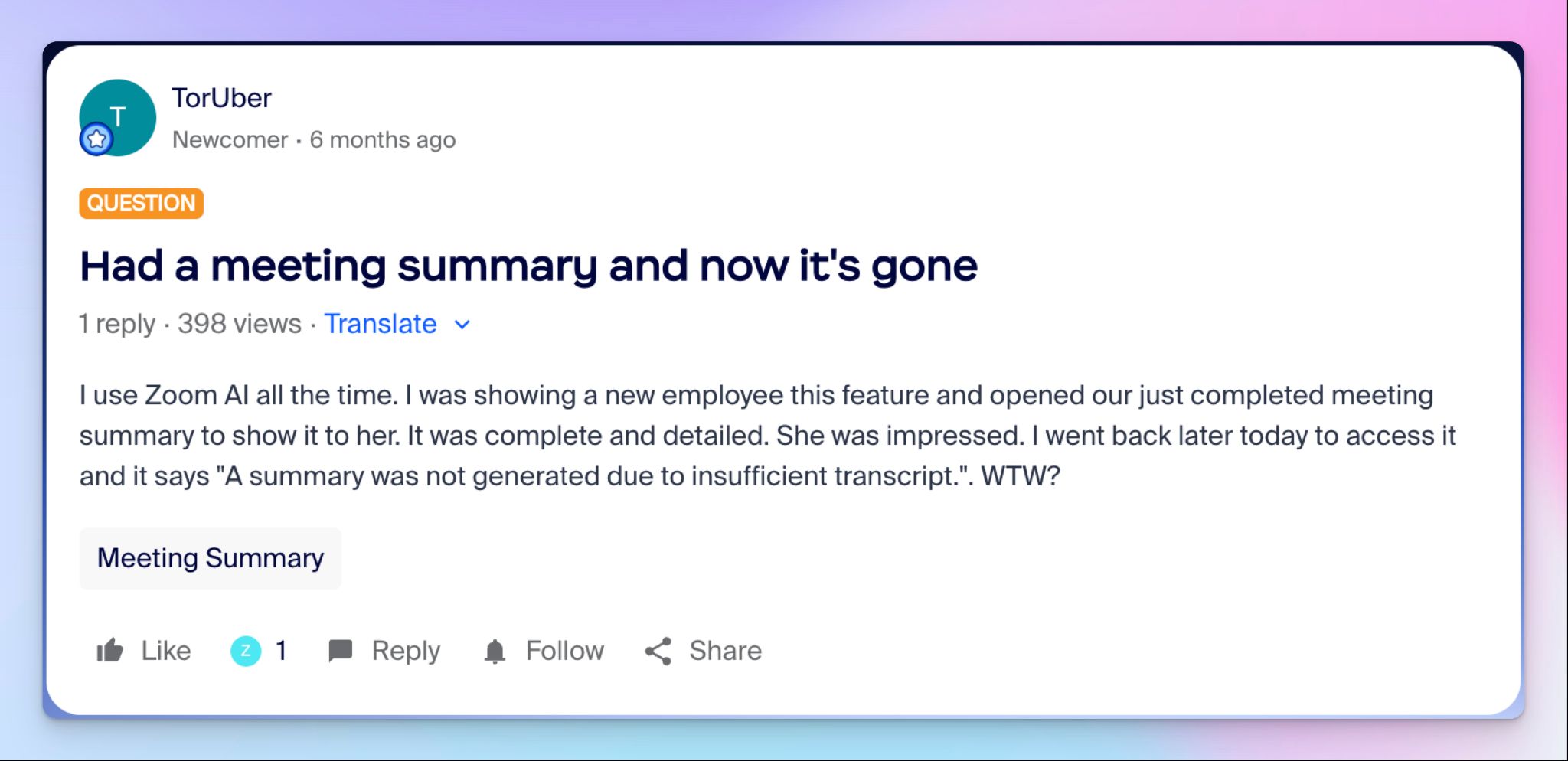
During my testing, I had meetings where summaries were generated as expected, and for some meetings, nothing came through at all. The notes just didn't show up. I checked settings (which is an issue on its own), my dashboard, and even my colleague's workspace, but the notes simply didn’t register. And I’m not the only one who faced this.
3. Complex settings
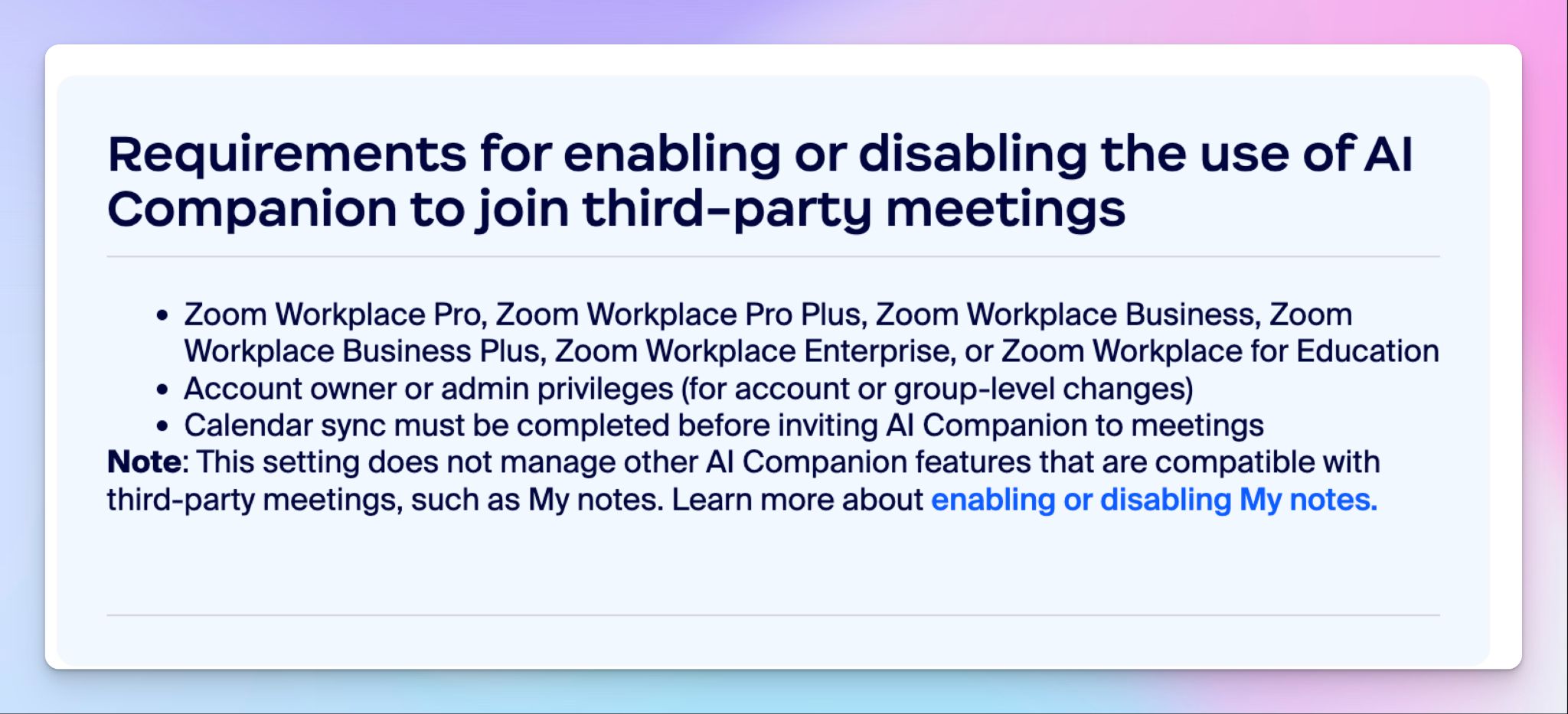
Setting up Zoom AI Companion took me longer than it should have. The meeting assistant runs across multiple settings levels, and if something is locked at the account level, you can't override it as an individual user. What frustrated me most was how non-obvious the failure points are.
For example, the above image tells you all the things Zoom needs to be able to take notes on a Google Meet call.
Top 5 Zoom AI Companion alternatives at a glance
| Category | HappyScribe | MeetGeek | Tactiq | Fireflies.ai | Sembly |
|---|---|---|---|---|---|
| Best for | Global teams that want accurate multilingual notes, playback, and file transcription | Managers and HR teams that want conversation analytics and meeting templates | Chrome users who want bot-free live transcription | RevOps and sales teams that need CRM automation and a searchable archive | Consultants who need client-ready deliverables from meetings |
| Key features | 95%+ accurate notes, bot-free in-person recording, AI Chat, translation, subtitling | Meeting type auto-detection, AI Voice Agents, conversation analytics, knowledge hub | Bot-free real-time transcription, custom AI prompts, and AI Workflows | AskFred search, Topic Trackers, AI Voice Agents, CRM auto-fill | AI Artifacts, Semblian 2.0, sentiment analysis, Collections |
| Supported languages | 150+ languages and dialects | 60+ languages | 30+ languages | 100+ languages | 48 languages |
| Meeting platform integration | Zoom, Google Meet, Microsoft Teams, and in-person meetings | Zoom, Google Meet, Microsoft Teams, Webex, in-person | Google Meet, Zoom, Microsoft Teams (Chrome only) | Zoom, Google Meet, Microsoft Teams, Webex | Zoom, Google Meet, Microsoft Teams, Webex |
| Security | SOC 2 Type II, GDPR, and ISO 27001-compliant EU data center | SOC 2 Type II, GDPR, HIPAA, US or EU residency | SOC 2 Type II, ISO 27001, GDPR | SOC 2 Type II, GDPR, HIPAA | SOC 2 Type II, GDPR, HIPAA, EU-US DPF, FERPA, PCI DSS |
| Starting price | Free plan (unlimited recordings). Paid plans start from $8.50/month (billed annually) or $17/month. | Free plan, paid from $15.99/month | Free plan, paid from $12/month | Free plan, paid from $18/month | Paid from $17/month (no free plan) |
1. HappyScribe
Best for: Global teams that want 95%+ accurate AI meeting notes in 150+ languages, audio and video playback, file transcription, and a platform that just works
HappyScribe AI note taker for Zoom is the strongest AI Companion alternative because it fixes what Zoom’s meeting assistant gets wrong. HappyScribe runs across Google Meet, Zoom, Microsoft Teams, and even in-person meetings from one workspace.
The setup is simple. Connect your Google or Outlook calendar to let HappyScribe auto-join scheduled meetings, or paste the meeting link manually. There are no admin locks and no risks of notes disappearing after a call.
HappyScribe vs. Zoom AI Companion
| Category | HappyScribe | Zoom AI Companion |
|---|---|---|
| Platform support | Works across Zoom, Google Meet, Microsoft Teams, and in-person meetings | Key features like speaker identification and smart chapters are only available for Zoom calls |
| File transcription | Upload pre-recorded meeting files from your device, Google Drive, Dropbox, etc., to transcribe them | Doesn’t support file transcription |
| Language support | 150+ languages and dialects with 95%+ accuracy | Limited language support, with weak performance on accents and crosstalk |
| Setup complexity | One workspace, clear settings, no admin lock-ins | Different settings layers (account, group, user) with hidden toggles that block features |
HappyScribe's key features
1. Generate 95%+ accurate meeting notes in 150+ languages and dialects
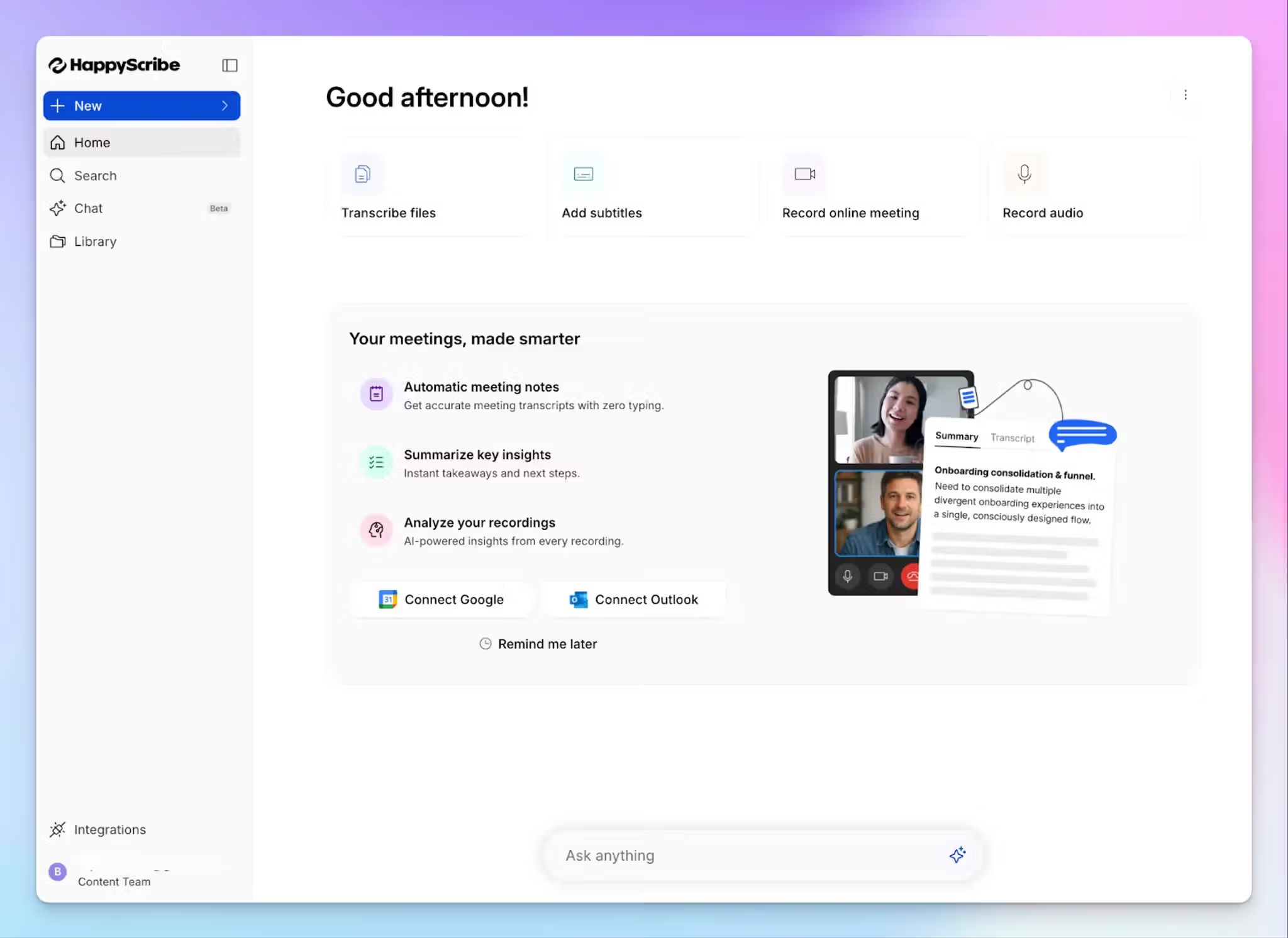
Zoom AI Companion struggles to transcribe accents, crosstalk, or industry jargon. HappyScribe handles all three. You get 95%+ accurate transcripts across 150+ languages and dialects, with automatic speaker detection even when multiple people are talking at once.
Whether your team speaks in Korean, Swahili, Swiss German, or Spanish, HappyScribe captures every decision and key point without missing context. You can also build custom glossaries so the AI gets your product names, client names, and technical terms right from the first session.
2. Run bot-assisted online meetings and bot-free in-person meetings
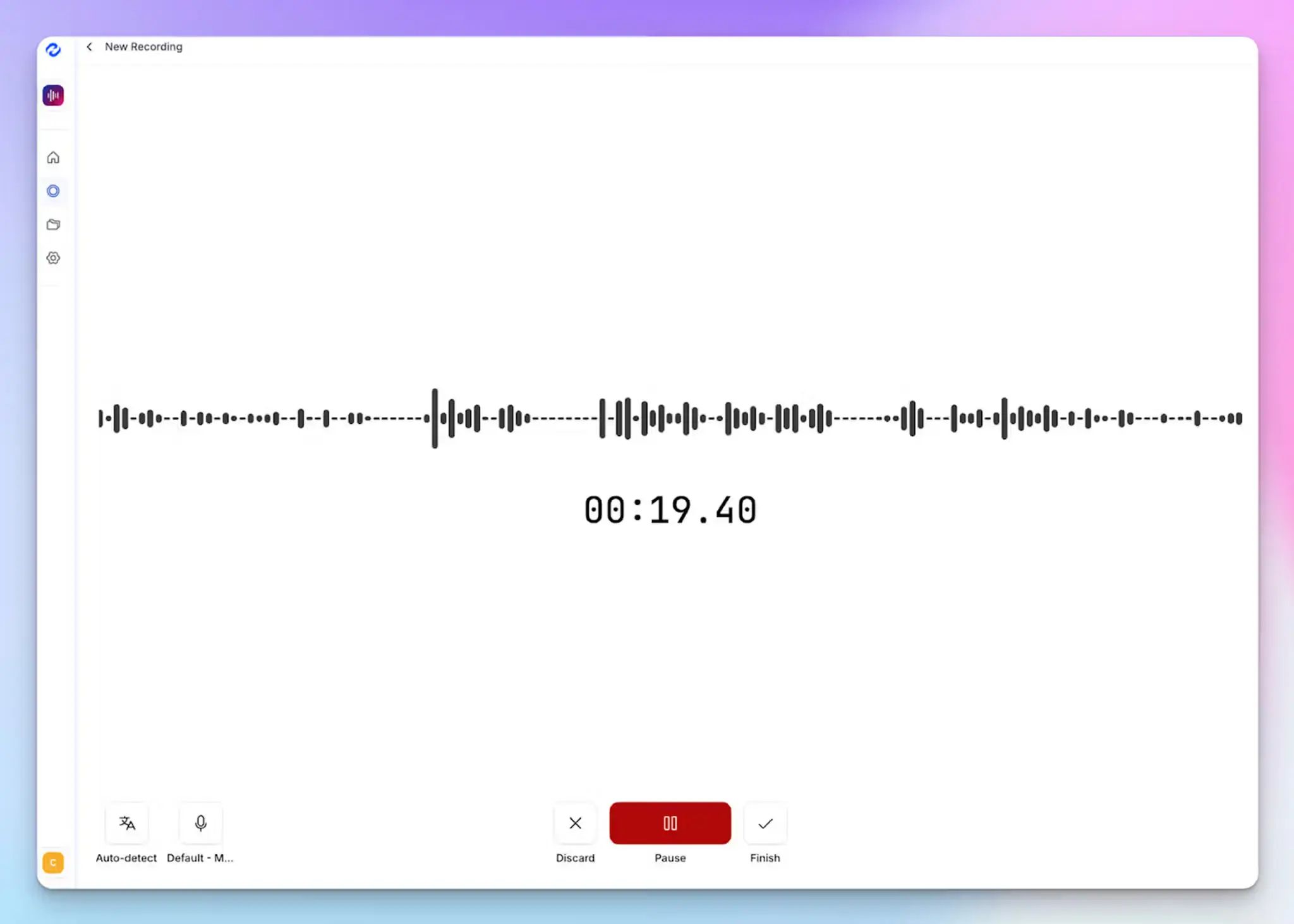
Zoom AI Companion is built for online calls. For in-person meetings, it doesn't show up at all unless you fiddle with a mobile voice recorder.
HappyScribe handles both easily. For online meetings, a transparent calendar bot joins automatically, announces itself to attendees, and handles consent clearly. You can customize its name, appearance, and compliance message, and control it mid-call by typing "!help" in the chat.
For in-person meetings or any conversation where a visible bot would be intrusive, HappyScribe's audio recorder captures the session silently. That makes it one of the best bot-free note takers on the market.
3. Upload pre-recorded meeting files for transcription and use AI Chat for multi-meeting insights
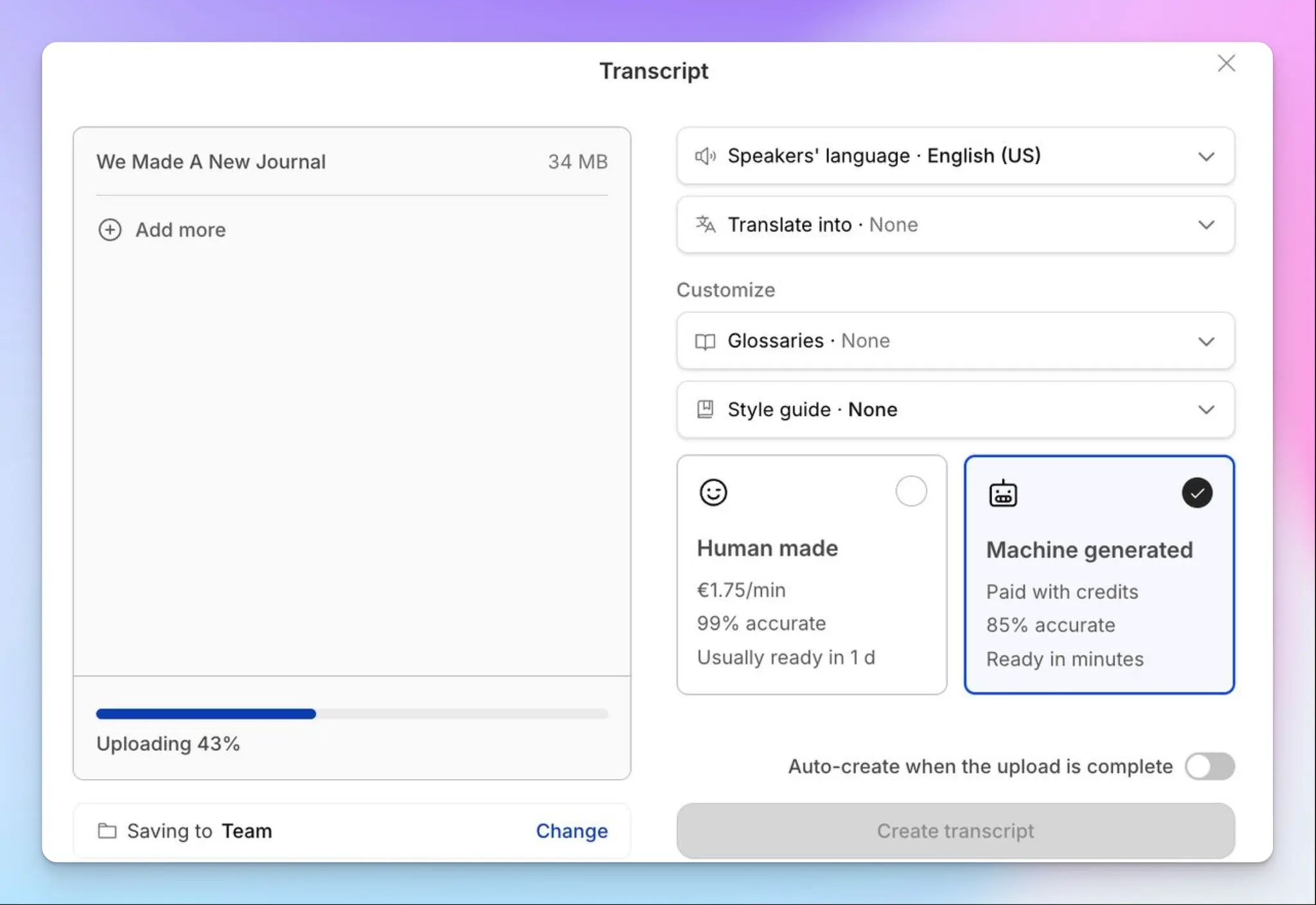
If you have a backlog of recorded webinars, client calls, or town halls, Zoom AI Companion can't help you document them. But you can upload audio and video files to HappyScribe directly from your device, Google Drive, Dropbox, or Vimeo, and produce the same high-quality notes you'd get from a live meeting.
The AI Chat takes it further. You can ask questions across your entire meeting history to surface decisions, extract speaker quotes, or draft follow-up emails. Your meeting archive becomes a searchable knowledge base so you can work faster.
4. Translate your transcripts and add subtitles to videos
HappyScribe translates meeting notes into 80+ languages, so stakeholders across markets stay aligned in their own language without waiting on a separate workflow. This is useful for global teams that run multilingual meetings and need to share outputs with international stakeholders.
And that’s not all.
If you repurpose video recordings for onboarding, training, or internal communications, the subtitle editor lets you create, edit, and burn subtitles directly onto video files before distribution. Zoom AI Companion doesn't offer either capability natively, which means you end up paying for tools to do what HappyScribe handles in one workspace.
5. Clean and easy-to-use platform with stable workflows
Unlike Zoom AI Companion, HappyScribe keeps the workspace simple. Recordings, transcripts, summaries, and AI Chat all live in one dashboard, with no nested admin panels or universal toggles to wrestle with.
The recording status is always visible. You know when the bot is in the meeting, when it's transcribing, and when the summary is ready. There are no silent failures and no missing transcripts hours after the call ended.
HappyScribe's pricing
- Free: Unlimited meeting recordings (45 mins/recording)
- Basic: $8.50/month (billed annually) or $17/month (billed monthly)
- Pro: $19/month (billed annually) or $29/month (billed monthly)
- Business: $59/month (billed annually) or $89/month (billed monthly)
- Enterprise:Contact sales for tailored solutions
HappyScribe's pros
- Generous free tier with unlimited meeting recordings (capped at 45 minutes each) and trial access to AI Chat, translation, and subtitling
- GDPR-compliant and SOC 2 Type II certified, with all data stored in a Tier IV, PCI DSS, and ISO 27001-certified EU data center, making it one of the best AI note takers available in the market
- Integrate meeting data into your existing stack via Zapier, API, and the MCP server
- Get quick support from real humans, not chatbots
- iOS and Android apps coming soon
HappyScribe's cons
- Not suited for real-time transcription
What are real users saying about HappyScribe?
Straight forward and easy to use this app is extremely accurate in my experience so far. Love it.
This transcriber works great. It is fast and very accurate even with specialized terminology as the one used in ATC (air traffic control)
How to use HappyScribe's AI note taker? A step-by-step guide
- Link your Google or Outlook calendar or paste the meeting link to invite the HappyScribe note taker. For in-person meetings, you can record audio without a bot.
- Click on your profile menu visible at the bottom left and select Settings to customize when the note taker should join, who can view transcripts, and who should receive the email summary.
- During an online call, the note taker must be admitted by the meeting host to start recording. You can chat with the note taker to control it mid-call.
- The meeting will be saved in your Workspace files or in the Private section, depending on your privacy settings.
2. MeetGeek
Best for: Managers and HR teams who want conversation analytics, meeting type auto-detection, and structured summaries across recurring workflows
MeetGeek is an AI meeting assistant that auto-detects whether you're in a sales call, standup, or interview and applies the right template for summary. Once you have the notes, you can track conversation analytics such as talk time, punctuality, sentiment, and engagement.
MeetGeek vs. Zoom AI Companion
MeetGeek makes sense if your team runs a mix of meeting types. Zoom AI Companion outputs the same generic summary whether it's a client QBR or a standup, but MeetGeek adapts the format automatically and saves you time.
The bigger shift is analytics. Zoom has its own meeting analytics, but it’s not as granular as MeetGeek. MeetGeek surfaces who dominates talk time, which topics recur, and how sentiment shifts across a call series.
MeetGeek also works beyond Zoom without dropping a visible bot into every call. The Chrome extension and desktop recorder both support bot-free capture for sensitive client conversations.
MeetGeek's key features
- Meeting type auto-detection applies templates for sales calls, standups, interviews, and 1:1s, with support for custom formats
- AI Voice Agents can join calls on your behalf to ask pre-set questions. Useful for first-round screening or discovery
- You can store and categorize meeting notes, videos, and highlights to maintain a company-wide knowledge hub
- iOS and Android apps capture in-person meetings in the same workspace as virtual calls
MeetGeek's pricing
- Basic: Free (3 hours/month)
- Pro: $15.99/user/month
- Business: $27/user/month
- Enterprise: Contact sales
MeetGeek's pros
- MeetGeek’s structured summaries with clear action items are useful for Zoom users who run several meetings every week
- It integrates with tools like RingCentral, Asana, Close CRM, Jira, Trello, HubSpot, Zapier, and n8n to push meeting data into CRMs and task tools
- SOC 2 Type II, GDPR, and HIPAA compliant, with a choice of US or EU data residency
MeetGeek's cons
- MeetGeek’s transcription accuracy isn't reliable beyond English
- Pro plan caps transcription at 20 hours per month with $0.50/hour overages, pushing heavy users toward MeetGeek alternatives
- The bot sometimes fails to join ad-hoc meetings outside your calendar
3. Tactiq
Best for: Chrome-first users who want bot-free live transcription across Google Meet, Zoom, and Microsoft Teams
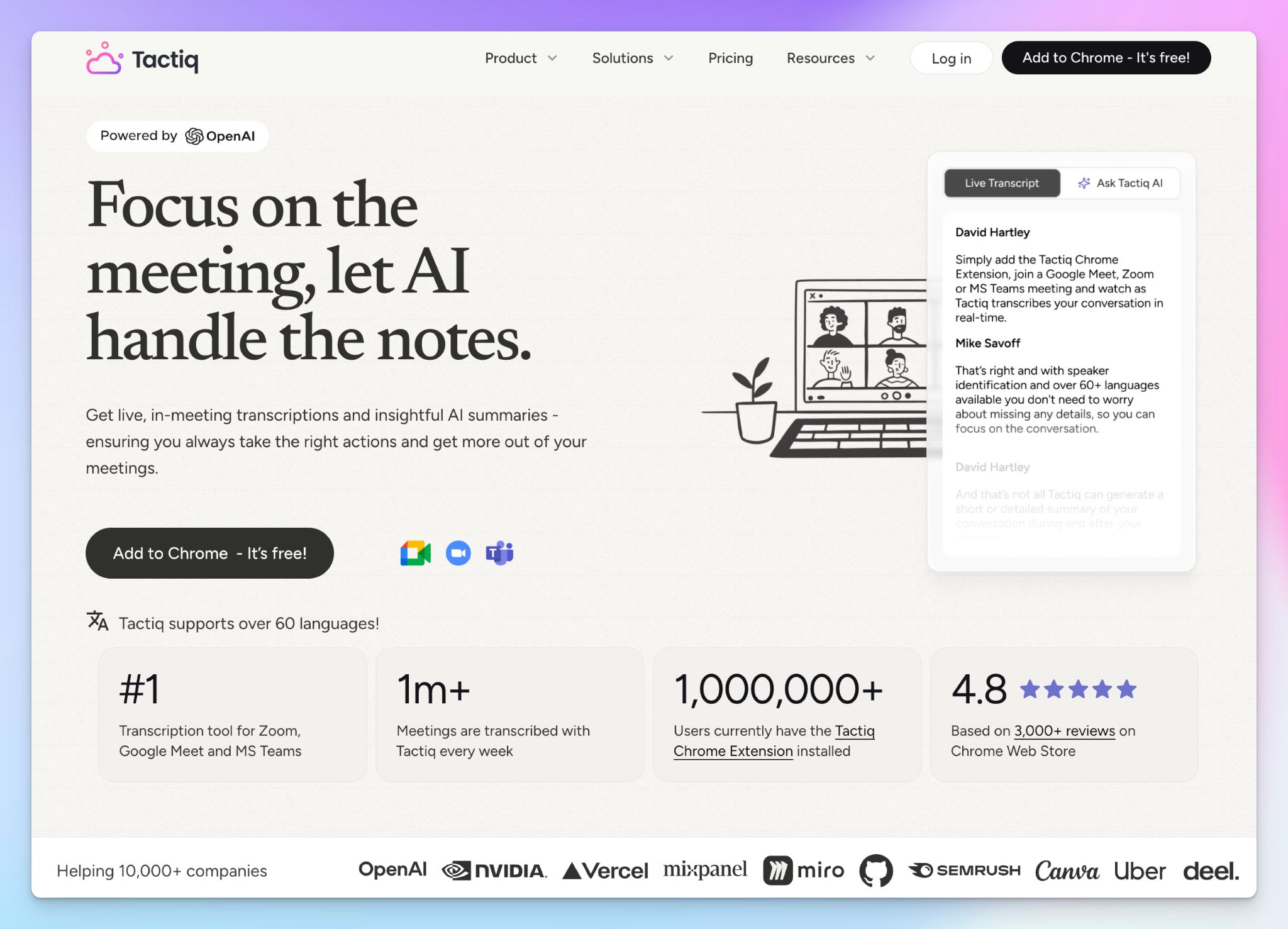
Tactiq is a Chrome extension that transcribes meetings in real-time without a bot joining the call. It captures live speech as text inside a side panel, then lets you generate AI summaries, action items, and custom prompts with one click after the meeting ends.
Tactiq vs. Zoom AI Companion
Tactiq makes sense if you want a bot-free note taker as a Chrome extension. Unlike Zoom AI Companion, you can push structured insights to HubSpot, Slack, Linear, or your knowledge base the moment a meeting ends, which is useful for consultants and sales teams.
Platform-wise, Tactiq also beats Zoom AI Companion on flexibility. You're not locked into a paid Zoom subscription to use it, and the free tier gets you 10 transcripts per month.
Tactiq's key features
- Real-time transcription with speaker identification across Google Meet, Zoom, and Microsoft Teams, all inside a Chrome extension
- From short overviews to detailed notes and citation-based summaries, you control how notes appear with one-click AI summaries
- Custom AI prompts you can save and reuse to generate action items, follow-up emails, or Jira and Linear tickets directly from transcripts
- AI Workflows automate post-meeting handoffs by pushing insights to HubSpot, Slack, Google Drive, and other tools based on meeting type or participants
Tactiq's pricing
- Free: $0 (10 transcripts/month)
- Pro: $12/month
- Team: $20/month
- Business: $40/month
- Enterprise: Contact sales
Tactiq's pros
- Screenshots taken during the meeting auto-attach to the transcript, useful for presentations or whiteboard sessions
- Tactiq is ISO 27001, GDPR, and SOC 2 Type II compliant, so it holds up for teams with strict security policies
- Bot-free setup keeps client calls and external meetings uninterrupted, with no awkward AI participant joining
Tactiq's cons
- Chrome extension dependency means it won't work in desktop meeting apps or on other browsers like Safari and Firefox
- Tactiq doesn't support media playback, so you can’t verify meeting notes
- The credit-based AI model caps summaries on Pro plans, pushing heavy users toward Tactiq alternatives
📚 Also read:
4. Fireflies
Best for: RevOps and sales teams that need CRM automation, a searchable meeting archive, and AI SDRs that can attend calls
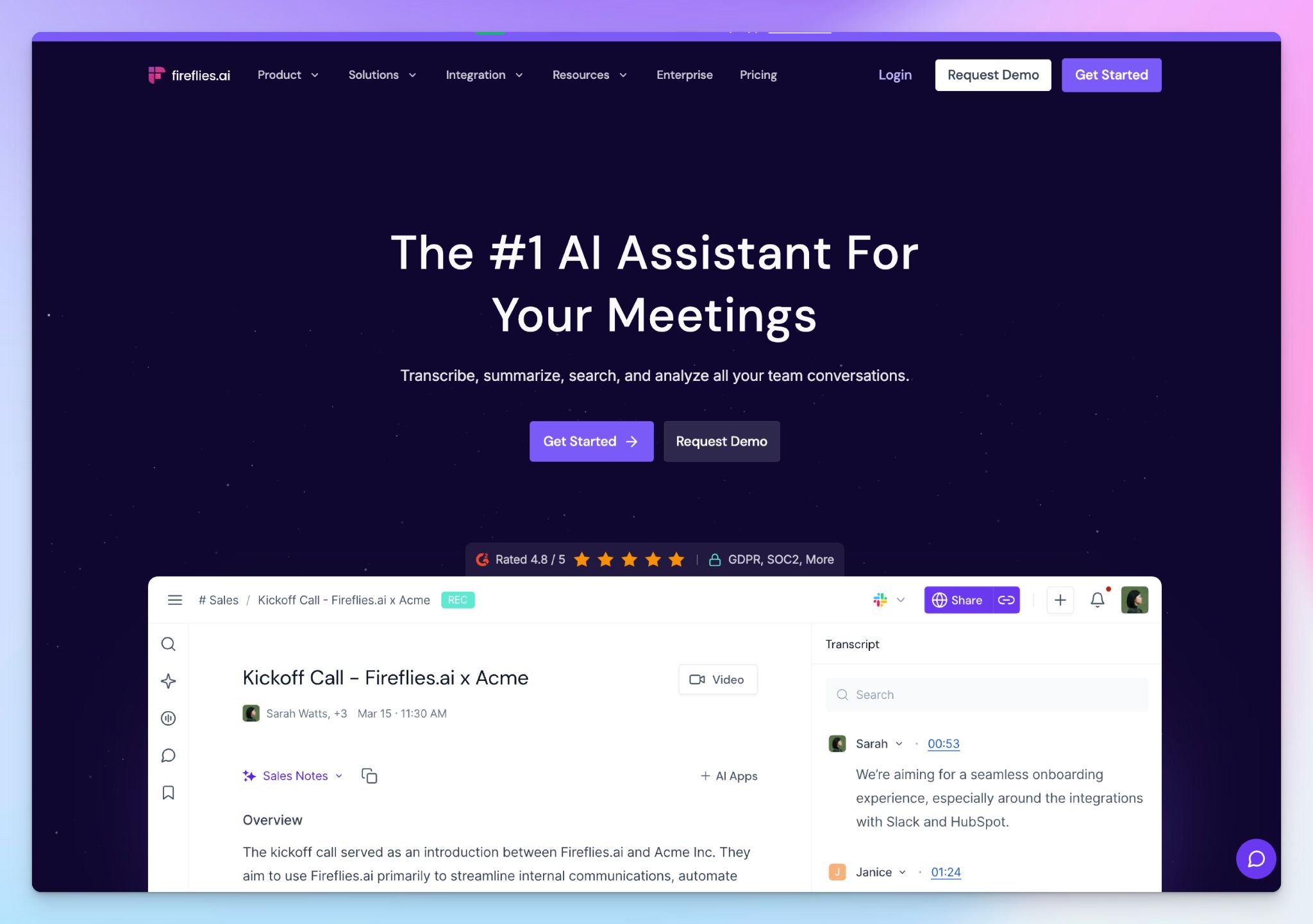
Up next is Fireflies, which is a popular AI meeting assistant that records, transcribes, and summarizes calls across Zoom, Google Meet, Teams, and Webex. With AskFred, you can search through your entire meeting history and track keywords and sales calls KPIs.
Fireflies.ai vs. Zoom AI Companion
Fireflies makes sense if your workflow extends beyond Zoom and your notes need to be linked to a CRM automatically. Zoom AI Companion, on its own, doesn't push data anywhere. Fireflies syncs summaries, action items, and call logs with Salesforce, HubSpot, Zoom Phone, Airtable, Linear, and Slack.
Fireflies also supports AI voice agents that can attend and speak in meetings on your behalf, handle first-round screening calls, or run structured discovery sessions autonomously. Zoom AI Companion has no equivalent.
Fireflies.ai's key features
- Topic Trackers automatically flag keywords like competitor names or pricing objections across every meeting, so patterns surface without manual review
- With Live Assist, sales reps and customer success teams get real-time support on what to say and how to improve their on-call performance
- AI voice agents attend and participate in calls autonomously; useful for high-volume outreach, first-round interviews, or discovery sessions
Fireflies.ai's pricing
- Free: $0 (800 mins storage/seat)
- Pro: $18/month
- Business: $29/month
- Enterprise: $39/month (billed annually)
Fireflies.ai's pros
- Fireflies has a generous free plan, with 800 minutes of storage/month and real-time notes at no cost
- It has a strong security infrastructure, with support for SOC 2 Type II, GDPR, and HIPAA
- Fireflies supports a wide range of AI skills to run recurring tasks based on specific workflows
Fireflies.ai's cons
- Fireflies’ transcript accuracy isn’t reliable for non-standard accents and technical jargon, and speaker labeling breaks down on longer calls
- Video recording is locked behind the Business plan, pushing teams toward Fireflies alternatives
- It can be quite aggressive about calendar permissions and joining meetings
📚 Also read:
5. Sembly
Best for: Professional services teams and consultants who need deep meeting intelligence and client-ready deliverables directly from calls
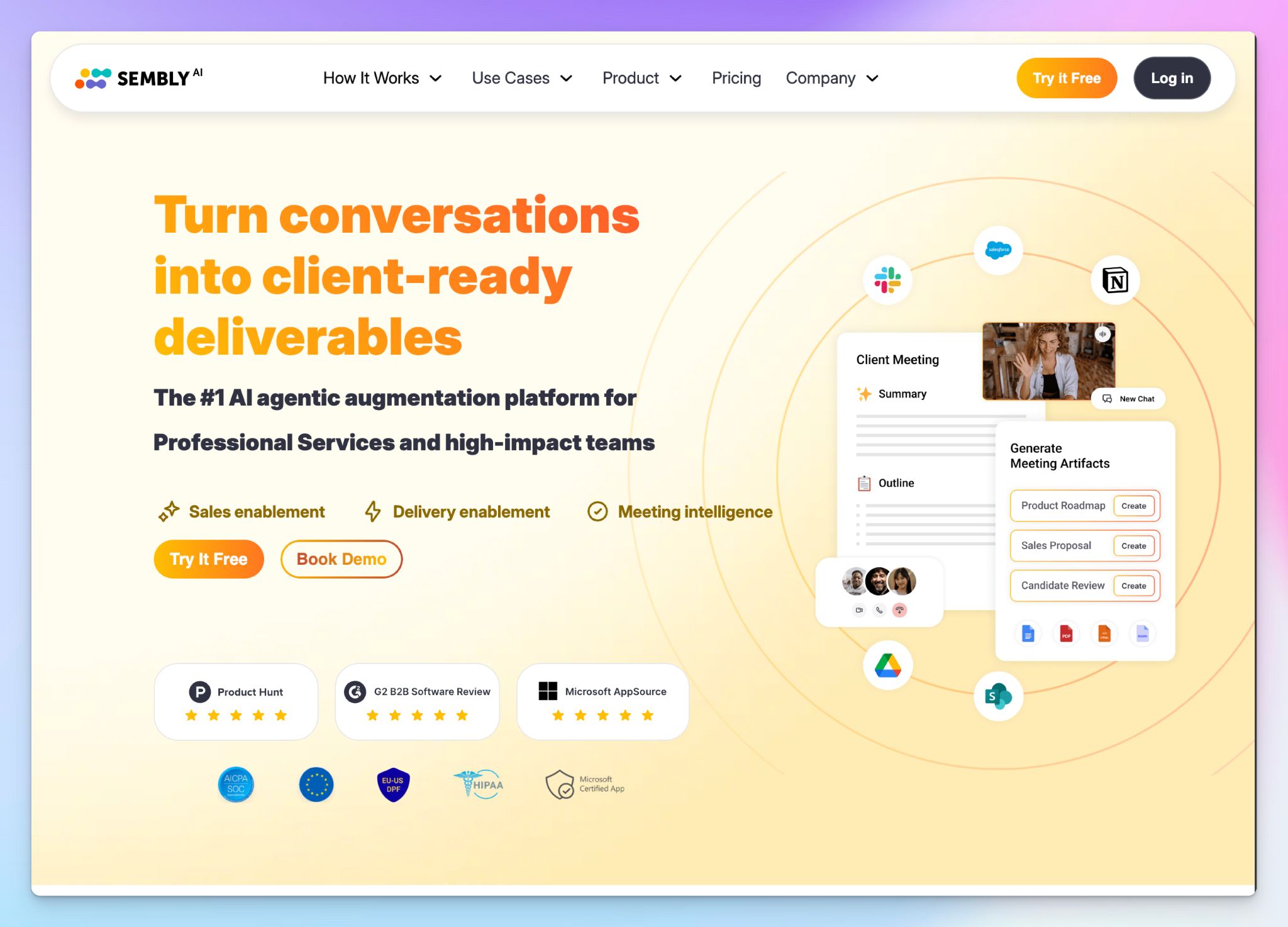
Sembly wraps up the list of AI companion alternatives because it’s another well-rounded tool that transcribes and structures calls across Zoom, Google Meet, and Teams. What sets it apart is AI artifacts, which let you generate sales proposals, gap analyses, and client reports directly from meeting content.
Sembly vs. Zoom AI Companion
Sembly makes sense if your meetings produce work products that need to be shipped somewhere. Zoom AI Companion gives you a summary, but Sembly takes that further by turning the same insights into internal documents.
For consultants and PMO teams who run several client calls a day, Sembly’s search capability is another meaningful difference. Unlike Zoom AI Companion, Sembly's multi-meeting AI chat goes deeper and turns your meeting archive into a retrievable knowledge base.
Sembly's key features
- AI Artifacts generate client-ready deliverables like sales proposals, project briefs, and board summaries directly from your meeting data
- Sembly’s sentiment analysis helps you track risks, issues, engagement, and notable events automatically, so they don't disappear into a long transcript
- Semblian 2.0 goes deeper into multi-meeting insights to help you search data points and build organizational intelligence
- Collections let you group related meetings into structured data sets, useful for tracking client engagement or a hiring round across multiple calls
Sembly's pricing
- Basic: $17/user/month
- Pro: $29/user/month
- MAX: $39/user/month
- Enterprise: Contact sales
Sembly's pros
- GDPR and SOC 2 Type II compliant with US and EU data residency
- Sembly supports 48 languages with mixed-language meeting detection, making it a strong fit for international teams that run multilingual calls
- It supports file uploads, so you can transcribe pre-recorded meetings
Sembly's cons
- Sembly doesn't offer a free plan anymore, which restricts its evaluation for new users
- AI Artifacts are capped at 5 per user on Pro and 40 on MAX, which can run out quickly for teams generating deliverables from every client call
- Video recording is HD only on MAX, and meeting history is capped at one year on Basic and two years on Pro, pushing teams toward Sembly alternatives
📚 Also read:
So, which Zoom AI Companion alternative should you choose?
Zoom AI Companion works only if your entire team lives inside Zoom and meetings are straightforward.
👉 Go with MeetGeek if your team runs a mix of recurring meeting types and you want conversation analytics that help managers coach reps and track how meetings actually perform.
👉 Pick Tactiq if you work primarily inside Chrome and want a bot-free transcription tool that stays out of the way during client calls.
👉 Choose Fireflies if your sales and RevOps workflows depend on CRM automation, deeper conversational metrics, and AI agents that can attend calls on your behalf.
👉 Opt for Sembly if you run consulting engagements or client-facing work that needs to be packaged into structured deliverables directly from meetings.
👉 Choose HappyScribe if you want the strongest all-round Zoom AI Companion replacement. It's the only tool on this list that combines 95%+ accurate transcription in 150+ languages with audio and video playback, bot-free in-person recording, pre-recorded file uploads, and translation into 80+ languages, with GDPR compliance and SOC 2 Type II certification. Start with the free plan to record unlimited meetings and see the difference before spending a cent.
So, which Zoom AI Companion alternative should you choose?
What is the best AI meeting assistant for Zoom in 2026?
HappyScribe is the best AI meeting assistant for Zoom for teams that need accurate transcripts, speaker recognition, and post-meeting summaries across all your meetings. It works across Zoom, Google Meet, and Microsoft Teams with seamless calendar integration, so the AI assistant joins upcoming meetings automatically without manual setup. For sales teams that need CRM automation and a searchable meeting archive, Fireflies is a strong pick. For managers who want conversation analytics across internal meetings, MeetGeek is worth considering.
What is the best Zoom AI Companion alternative for meeting note taking?
HappyScribe is the strongest Zoom AI Companion alternative for meeting note taking. It delivers 95%+ accurate transcripts in 150+ languages, stores full audio and video recordings for playback, and works across Zoom meetings, Google Meet, and Teams from one workspace. Unlike Zoom AI Companion, it doesn't lock advanced features behind complex settings layers. Fireflies suits RevOps teams that need meeting bots to auto-join and push data directly to CRM tools. Tactiq is a good pick if you want a bot-free meeting experience inside Chrome.
What is the best free AI note taker for Zoom meetings?
HappyScribe's free version includes unlimited meeting recordings up to 45 minutes each, with AI-generated post-meeting summaries and speaker recognition at no cost. It's the strongest free plan for teams on a tight budget who don't want to compromise on accuracy. Fathom is another solid free option, with unlimited audio recording and transcripts for Zoom meetings. Tactiq offers 10 free transcripts per month if you prefer a bot-free meeting experience inside your browser. All three handle Zoom meetings without requiring a paid subscription to get started.
Why is my Zoom AI Companion not generating meeting summaries?
Zoom AI Companion runs across three settings levels: account, group, and user. If an admin has locked a setting at the account level, you can't override it individually, which silently blocks summary generation. A few common causes: cloud recording, automatic captions, and the AI Companion toggle all have to be active at the same time. There's also a hidden toggle called "Only share meeting summaries by email" that can prevent summaries from appearing in your Zoom Workplace dashboard entirely. If a participant declined the AI Companion prompt on entry, that can also disable note capture for the full meeting.
Which AI meeting assistant works best for multilingual Zoom calls?
HappyScribe is the best AI tool for multilingual Zoom calls. It transcribes in 150+ languages and dialects with 95%+ accuracy, handles background noise and crosstalk reliably, and keeps the conversation flow intact across different accents and speakers. You can also build custom glossaries for industry-specific terms and translate transcripts into 80+ languages after the call, which makes it easy to share key insights with stakeholders across different markets. Fireflies supports 100+ languages, and Sembly handles 48 languages with mixed-language meeting detection, making both worth considering if your team runs calls in two or three languages regularly.

Biplab Mazumder
Biplab is a content marketer and writer who helps high-growth brands scale content visibility across AI search channels. His works have been published in HubSpot, Freshworks, Atlassian, SurferSEO, etc. When he's not planning content strategy, he's testing AI content workflows and use cases.