![5 Best AI Meeting Assistants for Zoom [2026]](/sanity-images/ejgwz1gl/redesign/4354a97d880285b4025d48cb7a7deb1fbd7b2519-1536x1024.jpg?auto=format&w=1536.0&rect=0,0,1536,1024)
If you’re struggling with Zoom fatigue, it has a native AI meeting assistant to help with that. The problem is that the Zoom AI companion isn’t very good.
I found the notes were shallow and missed key data points. The worst was when a couple of transcripts simply vanished from my dashboard.
Given that more than 50% of all meetings happen on Zoom, many users look for better AI meeting assistants for Zoom. So I tested a few options and spoke to Zoom users to shortlist the best AI meeting assistants for Zoom.
If you spend hours on Zoom every week, these tools might help you bring order to chaos.
TL;DR ⏩
- HappyScribe is the best all-rounder AI meeting assistant for Zoom users who need 95%+ accurate meeting notes in 150+ languages, file transcription, translation, and full control over how recordings are captured
- MeetGeek is useful for team leads and HR managers who need conversation analytics and structured meeting summaries for Zoom
- Meetily suits privacy-conscious developers and entrepreneurs who need a local, bot-free AI note taker for Zoom calls
- Circleback works well for consultants and small teams who want polished Zoom meeting notes with post-meeting automations
- Leexi is suitable for European sales and customer success teams who need Zoom meeting intelligence fed directly into their CRM
How Did I Shortlist the Best AI Meeting Assistants for Zoom?
1. Stable Zoom integration
An AI meeting assistant is only useful if it actually joins the call. I tested how each tool connects to Zoom, whether through calendar events, manual link invites, or native app integration. Tools that failed to join on time or got stuck in waiting rooms lost points quickly.
I also checked whether the tool gives you bot-assisted and bot-free options. Sometimes you need a meeting bot for compliance, and sometimes you may prefer uninterrupted recordings.
2. Transcription accuracy across languages and crosstalk
People talk over each other and even switch between languages in online meetings. I ran each tool through calls with overlapping speakers, fast-paced discussions, and cross-border attendees to see how they actually performed.
If your Zoom calls regularly involve multilingual participants, this is where the good ones separate themselves from the rest.
🧠 Did you know?
A 2025 study found that up to 60% of global teams face language-related issues during virtual communication, which makes transcription accuracy a real concern.
3. AI summary quality and speaker identification
A transcript is just the starting point. What matters is whether the tool can turn a 45-minute Zoom call into a summary with actual decisions. I compared the AI-generated outputs side by side and looked for tools that went beyond surface-level bullet points.
Speaker identification was equally important. If a tool can't tell who said what, the summary loses most of its value. Tools like Granola AI didn’t make the list because its desktop app can't identify individual speakers yet.
4. Cross-platform support and productivity features
Zoom might be your primary platform, but most teams don't use Zoom alone. I evaluated whether the tools also support Google Meet, Microsoft Teams, and in-person meetings, so you're not locked into a single workflow.
Beyond platform coverage, I looked at productivity features that save time after the call ends. File uploads, translation, AI chat, and CRM integrations all factored into the final ranking.
What Are the Top AI Meeting Assistants for Zoom? At A Glance
| Category | HappyScribe | MeetGeek | Meetily | Circleback | Leexi |
|---|---|---|---|---|---|
| Best for | Business leaders, researchers, journalists, and teams that want accurate multilingual notes, file transcription, and translation | Team leads and HR managers who want conversation analytics | Privacy-first developers who want local Zoom capture | Consultants who want polished Zoom notes with CRM automations | European sales teams who want Zoom meeting data fed into CRM |
| Key features | AI Chat, bot-free and bot-assisted recording, 95%+ accuracy, file uploads, subtitles, translation | Meeting type auto-detection, AI voice agents, and conversation analytics | Local processing, custom AI model support | Auto-assigned action items, cross-meeting AI search, post-meeting automations | Custom prompt library, VoIP integration |
| Supported languages | 150+ languages and dialects | 60+ languages | 90+ languages via Whisper | 100+ languages | 100+ languages |
| Meeting platforms | Zoom, Google Meet, Microsoft Teams, and in-person meetings | Zoom, Google Meet, Microsoft Teams | Any platform via system audio capture | Zoom, Google Meet, Microsoft Teams, Slack Huddles, GoTo | Zoom, Google Meet, Microsoft Teams, Aircall, Ringover, Teams Phone |
| Security | GDPR, SOC 2 Type II, AES-256 encryption, EU data center | GDPR, SOC 2 Type II, HIPAA, EU or US data storage | GDPR and HIPAA compliant by design through local processing | GDPR, SOC 2 Type II, EU-U.S. DPF | GDPR, ISO 27001, data hosted in France |
| Starting price | Free plan (unlimited recordings). Paid plans start from $8.50/month (billed annually) or $17/month | Free plan. Paid plans start from $15.99/month | Free and open-source. Pro from $10/month (billed annually) | No free plan. Paid plans start from $25/month | No free plan. Paid plans start from $15/month |
1. HappyScribe
Best for: Business leaders, researchers, journalists, and professionals who need accurate multilingual meeting notes, file transcription, translation, and full control over how recordings are captured
Barcelona-based HappyScribe is overall the best AI note taker for Zoom users who care about transcription quality and data privacy. It connects to your calendar, joins Zoom calls on time, and delivers structured notes with 95%+ accuracy across 150+ languages and dialects.
But HappyScribe isn't limited to Zoom. It works across Google Meet, Microsoft Teams, and in-person meetings, so you're covered if your team switches between platforms. You also get meeting productivity features to help you run a lean tech stack.
HappyScribe's key features
1. Reliable Zoom integration with granular controls
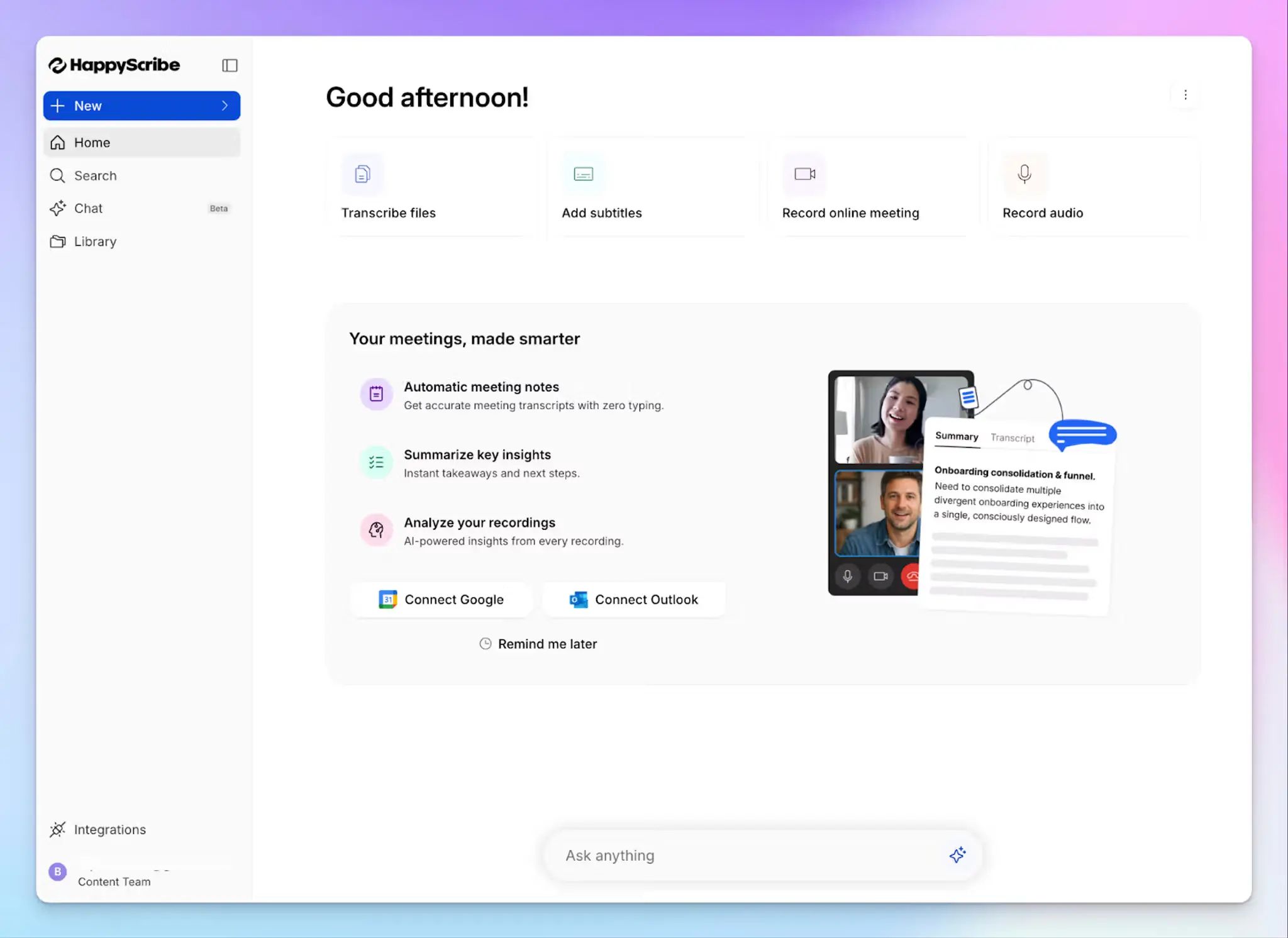
Connect your Google or Outlook calendar to let HappyScribe auto-join scheduled Zoom calls. For ad hoc calls, you can paste the meeting link to invite the bot manually. Either way, the bot joins on time and doesn't get stuck in waiting rooms once the host admits it.
You can configure exactly which Zoom meetings the bot joins, when it starts recording, and who receives the post-meeting email summary.
Once done, use the AI Chat to ask questions about past meetings, extract speaker quotes, generate follow-up emails, or create timestamped video chapters.
2. Generate Zoom notes with 95%+ accuracy in 150+ languages and dialects
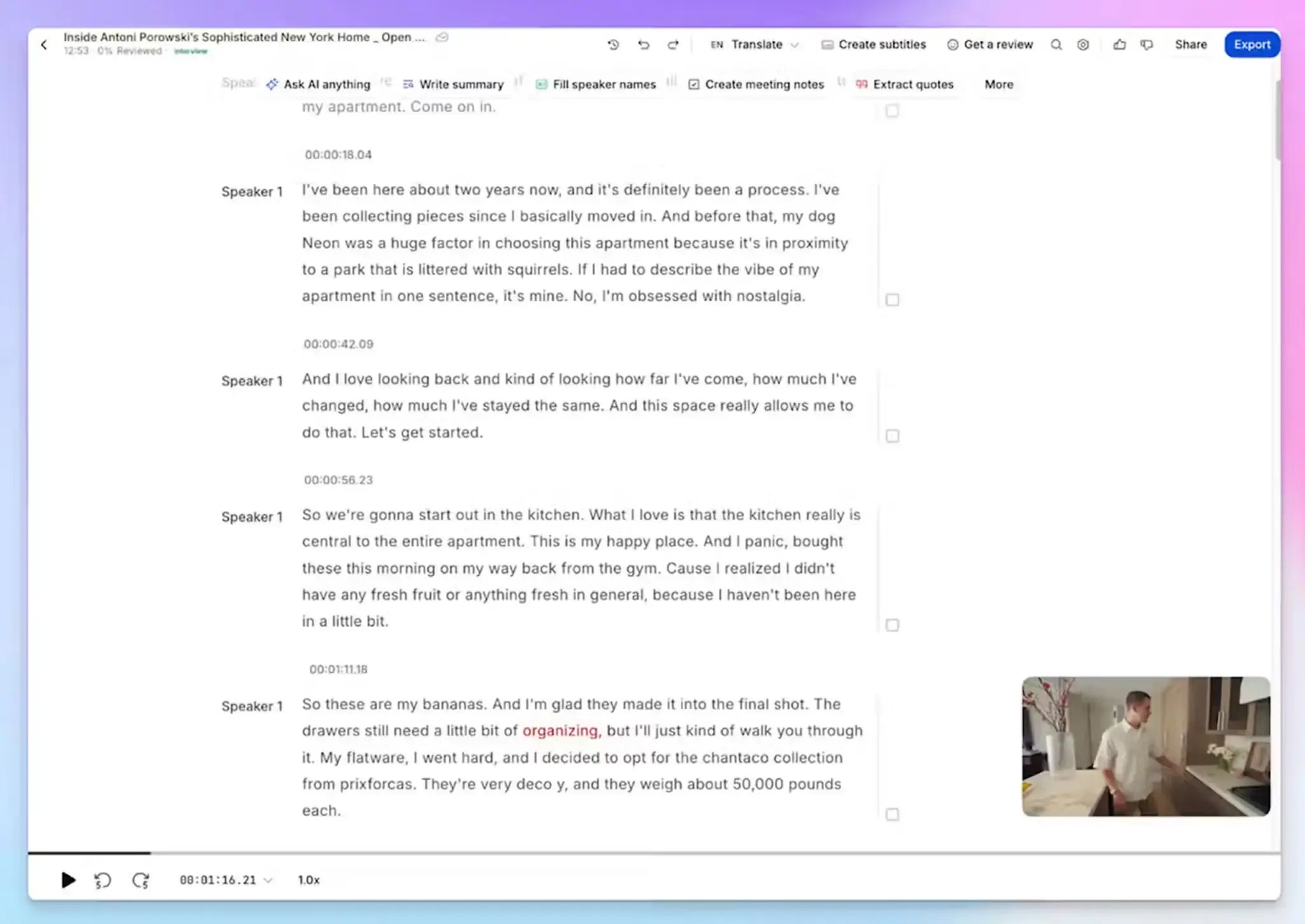
Most AI note takers struggle with overlapping speakers and regional accents. HappyScribe's ASR engine is fine-tuned for these conditions and delivers meeting summaries and action items with over 95% accuracy.
From Galician to Swiss German to Japanese, you get clean transcripts across 150+ global languages and dialects. You can also add custom glossaries to make sure the AI handles specific industry jargon correctly.
All of your data is stored in an EU-based data center and encrypted with AES-256, making HappyScribe one of the most secure AI note takers in Europe.
3. Bot-free and bot-assisted recordings for flexibility
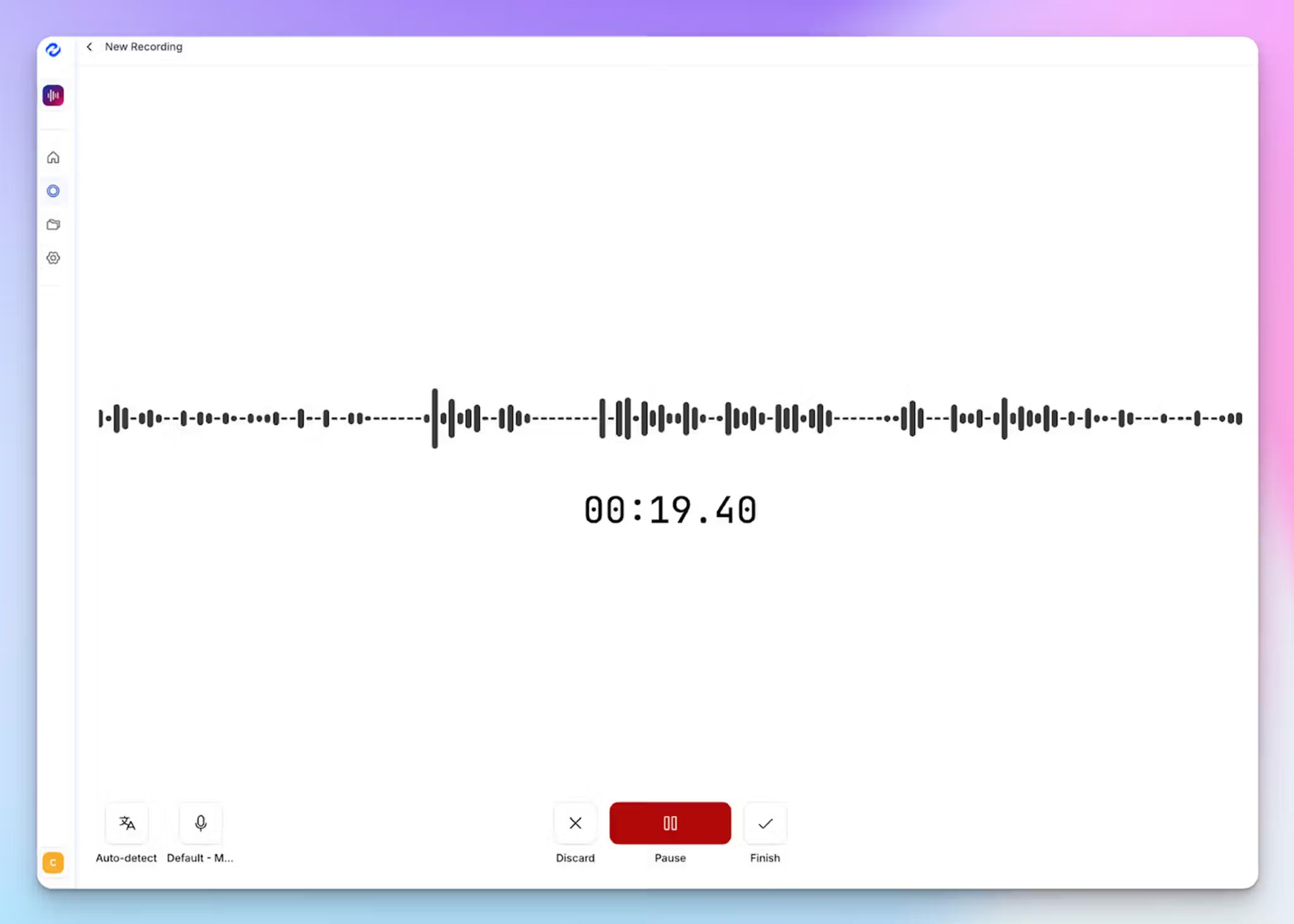
Not every Zoom call needs a visible bot. If you're on a sensitive client call or an informal check-in, HappyScribe lets you record audio directly from your browser without a bot joining the meeting.
When you do want the bot, you get full control over its behavior. You can customize the bot's display name and the message it shows to attendees. Anyone on the call can type "!help" in the Zoom chat to pause, resume, or remove the bot entirely. This level of control is rare among AI meeting assistants and keeps your recordings compliant.
4. Meeting productivity features like file transcription, translation, and subtitles
HappyScribe does more than capture live Zoom calls. You can upload pre-recorded video and audio files from your device, YouTube, Box, Vimeo, Dropbox, or Google Drive and get the same structured transcript and summary output.
Need to share a Zoom recording with a team in another country? Translate meeting notes into 80+ languages directly inside HappyScribe. You can also generate subtitles for any video file and turn it into a shareable internal asset.
HappyScribe also connects to your broader tech stack through API, MCP server, and Zapier integrations, with SSO and SAML login available for enterprise teams.
HappyScribe's pricing
- Free: Unlimited meeting recordings (45 mins per recording)
- Basic: $8.50/month (billed annually) or $17/month (billed monthly)
- Pro: $19/month (billed annually) or $29/month (billed monthly)
- Business: $59/month (billed annually) or $89/month (billed monthly)
- Enterprise:Contact sales for tailored solutions
HappyScribe's pros
- Joins Zoom calls reliably through calendar sync or manual invite
- 95%+ transcription accuracy across 150+ languages, which handles Zoom calls with mixed accents and crosstalk well
- SOC 2 Type II and GDPR-compliant with EU data residency, so your Zoom recordings aren't stored on US servers
- Generous free plan for AI note-taking and affordable paid plans for teams to scale
- Fast and simple UI with an easy-to-use dashboard for power users
- Responsive customer support from real humans, not chatbots
HappyScribe's cons
- Not ideal for real-time transcriptions
What are users saying about HappyScribe?
I needed to transcribe talks given 30 years ago and the accuracy was astounding. Highly recommend it!
In a meeting with 25 people I recorded a talk on debt restructuring with my phone from the back of the room. The notes were concise, albeit not totally to the point, since this was not a formal meeting. The AI prompted narrative summary of less than 500 words nailed it though!
How to use HappyScribe's AI note taker on Zoom: a step-by-step guide
- Link your Google or Outlook calendar to let HappyScribe auto-join scheduled Zoom meetings. For ad hoc calls, paste the Zoom meeting link to invite the bot manually. For in-person meetings, record audio without a bot.
- Select Meetings in the left sidebar and customize when the note taker joins and who receives the email summary.
- Click Settings at the top right to choose when recording starts and who can view the transcript.
- During the Zoom call, the host admits the bot to start recording. Anyone on the call can type "!help" in chat to pause, resume, or remove it.
- Once the meeting ends, notes and transcripts are saved in your Workspace or Private section, depending on your privacy settings.
2. MeetGeek
Best for: Team leads and HR managers who need conversation analytics and structured meeting summaries for Zoom
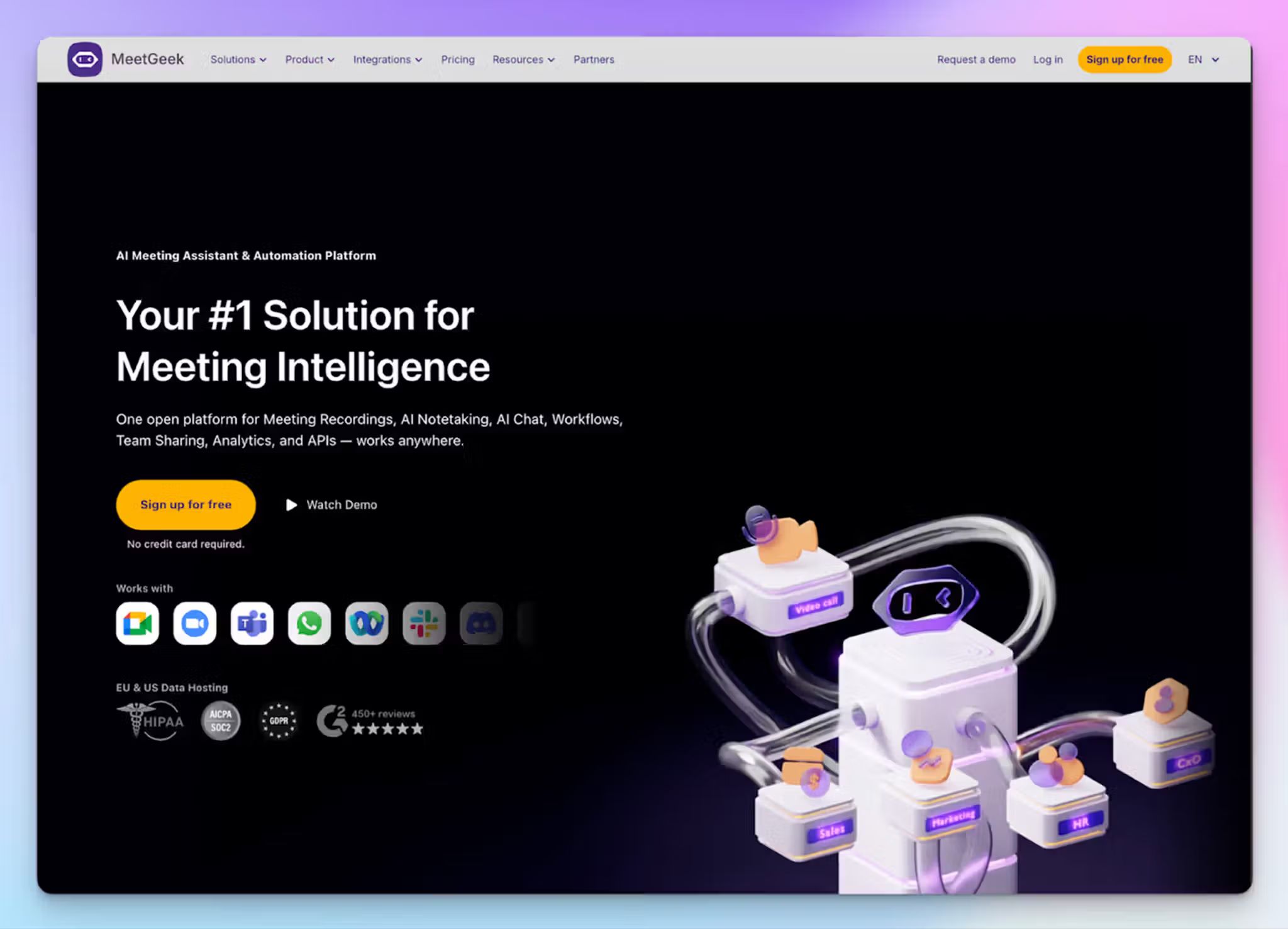
MeetGeek gets on the list because it records your Zoom calls and analyzes how the meeting went. You get talk time distribution, engagement scores, and sentiment tracking, making it useful for managers who want to improve how their teams communicate.
MeetGeek auto-joins scheduled Zoom calls through calendar sync and also offers a Chrome extension for bot-free recording.
MeetGeek's key features
- Automatically detects the meeting type, whether it's a standup, sales call, or job interview, and applies the right summary template without manual setup
- You can set up AI voice agents to join meetings on your behalf to listen, ask questions, and follow workflows for screening calls
- Conversation analytics track talk time, sentiment, engagement, and speaker balance at both the individual and team levels
- MeetGeek integrates with HubSpot, Salesforce, Pipedrive, Slack, Jira, Notion, Zapier, and Make
MeetGeek's pricing
- Basic: Free (3 hours/month of transcription)
- Pro: $15.99/month
- Business: $27/month
- Enterprise: Custom pricing
MeetGeek's pros
- MeetGeek lets you store and organize meetings into playlists so you can quickly find decisions and create a knowledge hub
- It holds SOC 2 Type II, GDPR, and HIPAA certifications, with the option to choose between EU and US data storage.
- Mobile apps on iOS and Android let you record in-person meetings
MeetGeek's cons
- MeetGeek’s transcript accuracy drops noticeably with strong accents and background noise, prompting many users to look for MeetGeek alternatives
- The bot occasionally joins meetings uninvited or sends post-call emails to external attendees, which creates friction with clients
- The Pro plan caps transcription at 20 hours per month with a $0.50/hour overage fee
3. Meetily
Best for: Privacy-conscious developers and entrepreneurs who need a local, bot-free AI note taker for Zoom calls
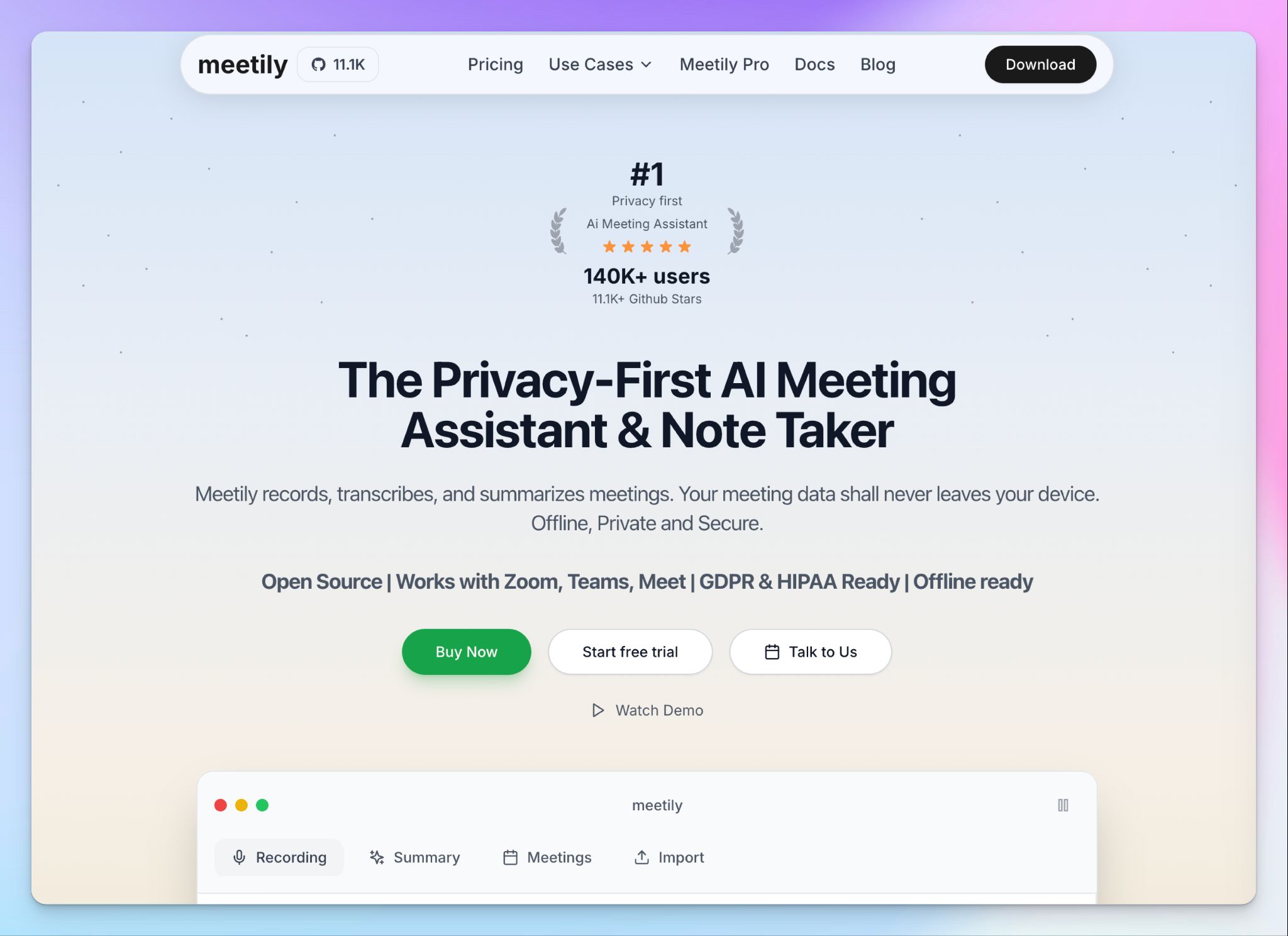
Meetily takes a different approach to Zoom meetings. Instead of sending a bot into your call or storing data in servers, it captures system audio directly on your device and generates summaries and action items. If you choose a local model, your Zoom recordings, transcripts, and summaries never leave your device.
The tool is open-source under the MIT license, which means you can inspect the code and self-host it. That said, Meetily’s pro tier launched in late 2025 and is still developing, so it's worth testing before committing.
Meetily's key features
- Local processing using Whisper and Ollama models for transcription and summarization, with no cloud dependency
- Meetily auto-detects when a Zoom meeting starts, and begins recording without manual input
- You can connect your own AI models, including OpenAI, Anthropic, or local LLMs, to control how summaries are generated
- Meetily is GDPR and HIPAA-compliant by design through local-only processing
Meetily's pricing
- Community: Free and open-source
- Pro: $10/month (billed annually)
- Enterprise: Custom pricing
Meetily's pros
- If you set it up to run locally, you don't need to worry about Zoom recordings being stored on third-party servers or used for AI training
- The open-source codebase gives technical teams full transparency over how the tool handles meeting data
- No bot joins your Zoom call, so there's zero friction with attendees and no consent complications from a visible recorder
Meetily's cons
- Meetily’s local architecture comes with strict system requirements, so it can be heavier than other AI note takers
- It’s still early-stage, so expect bugs in speaker labels, note accuracy, and UI compared to more established tools
- Meetily’s best capabilities are enjoyed by developers with a tech background, creating a barrier to entry for non-tech folks
📚 Also read:
4. Circleback
Best for: Consultants and small teams who want polished Zoom meeting notes with post-meeting automations
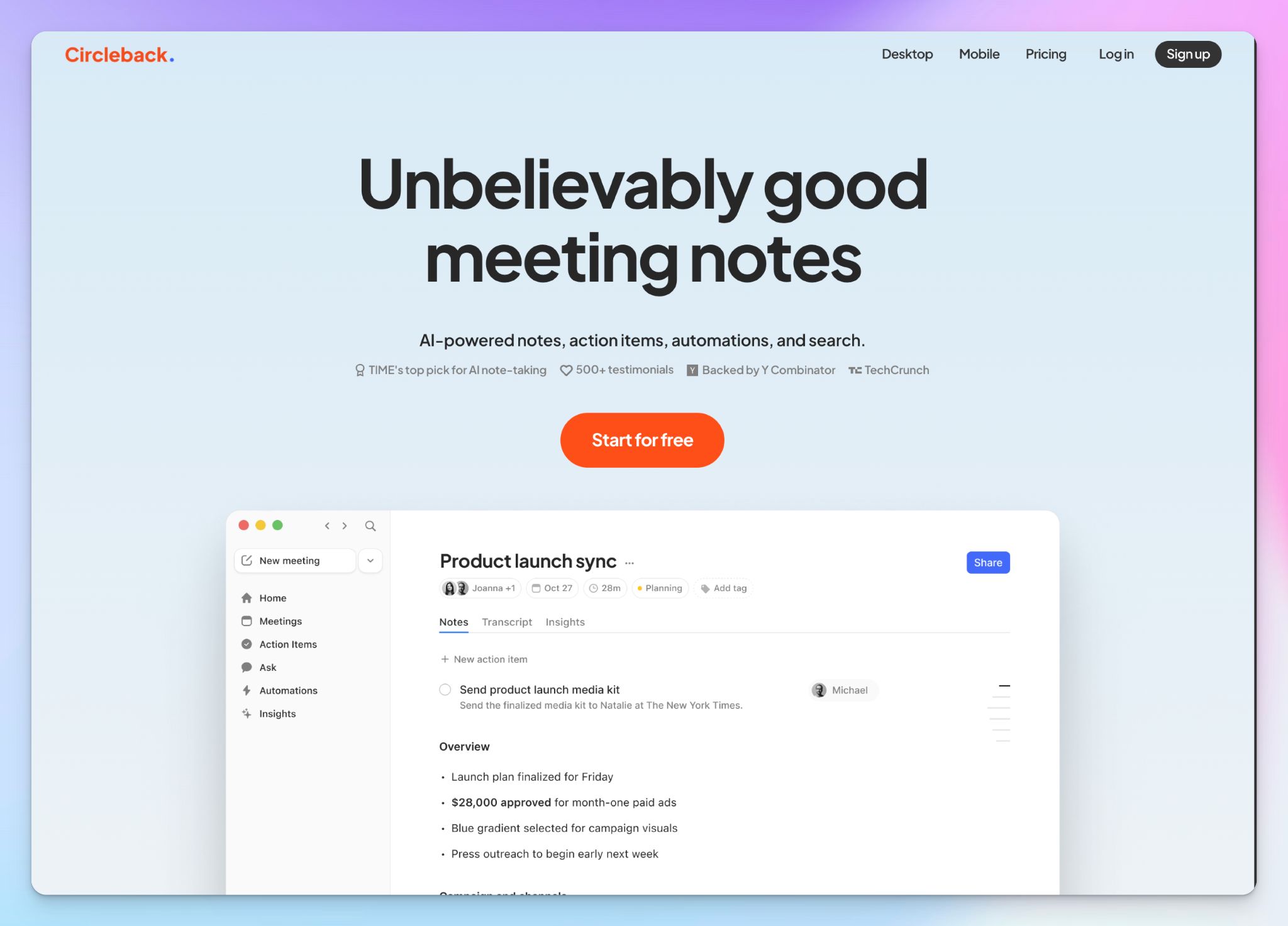
Circleback's strength isn't just capturing your Zoom calls. Once you’re done with a meeting, you can set up automations to push action items into HubSpot, Salesforce, Attio, or Slack, removing the manual steps between meetings and follow-ups.
It lets you record through a calendar-synced bot or use the desktop app for bot-free capture. Circleback works across Zoom, Google Meet, Microsoft Teams, Slack Huddles, and any platform that allows it to record audio.
Circleback's key features
- AI-generated notes with auto-assigned action items, speaker identification, and structured summaries after every Zoom call
- You can ask questions across your entire meeting history and get answers that draw context from every past conversation
- Native post-meeting automations let you route meeting data to HubSpot, Salesforce, Attio, Linear, Slack, and more apps via Zapier and the MCP server
Circleback's pricing
- Individual: $25/month
- Team: $30/month per user
- Enterprise: Custom pricing
Circleback's pros
- If your workflow depends on getting Zoom meeting outputs into a CRM or project tool fast, Circleback handles that with ease
- Well-designed desktop and mobile apps let you record in-person meetings and import past recordings
- Circleback is GDPR, SOC 2 Type II, and the EU-U.S. DPF-certified, and doesn't use customer data to train AI models
Circleback's cons
- There's no free plan, only a 7-day trial, which makes it hard to properly evaluate the tool before paying $25/month
- If you don't actively use CRM automations, the pricing is harder to justify against other Circleback alternatives
📚 Also read:
5. Leexi
Best for: European sales and customer success teams who need Zoom meeting intelligence fed directly into their CRM
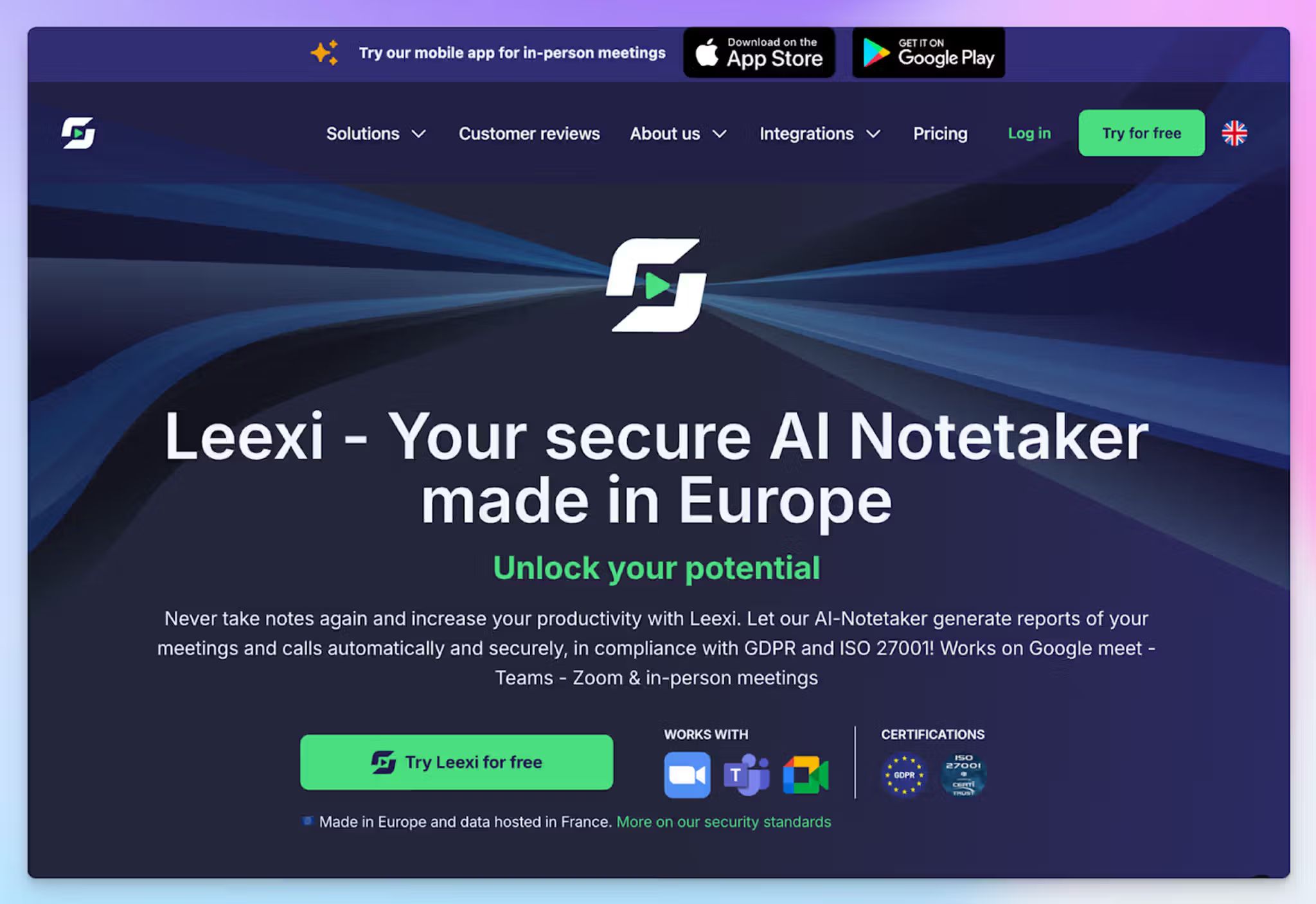
Leexi is a Belgian AI meeting assistant built for teams that run a lot of Zoom calls and need the output to flow straight into their sales workflow. It records your Zoom meeting and automatically pushes meeting data into your CRM.
What sets Leexi apart is the VoIP integration. If your team also takes calls through Aircall, Ringover, or Teams Phone, Leexi captures those alongside your Zoom meetings in the same dashboard.
Leexi's key features
- Transcription in 100+ languages with automatic language detection across Zoom, Google Meet, Microsoft Teams, and VoIP platforms
- With a custom prompt library, you can shape how summaries are structured, so sales calls and interviews produce different outputs
- Leexi’s Business plan integrates with a wide range of tools, including Salesforce, HubSpot, Pipedrive, Zoho, RecruitCRM, Telavox, Ringover, Vonage, and Zapier
Leexi's pricing
- Starter: $15/month
- AI-Meeting: $29/month
- Business: $49/month
- Enterprise: Contact sales
Leexi's pros
- The mobile app captures in-person meetings when you're away from your desk
- Leexi is easy to set up, and the platform UI is clean enough for non-technical teams to adopt quickly
- ISO 27001 certification, EU data hosting, and GDPR compliance addresses European security concerns
Leexi's cons
- Leexi's transcription accuracy drops beyond French and English, which limits its usefulness for multilingual Zoom calls with diverse participants
- Leexi doesn't allow you to upload pre-recorded meeting files to transcribe
- CRM integrations and VoIP connectivity are locked behind the $49/month Business plan, so lighter users end up looking for value-for-money Leexi alternatives
📚 Also read:
So, which AI meeting assistant for Zoom should you choose?
Zoom's built-in AI assistant covers the basics, but it's not enough if you need reliable transcripts or cross-platform flexibility.
👉 MeetGeek works best for team leads and HR managers who want conversation analytics and structured summaries to improve how their teams meet.
👉 Meetily is worth exploring if you're a developer or founder who needs fully local, bot-free meeting capture and is willing to look past unstable features.
👉 Circleback fits consultants and small teams who want polished notes that automatically push action items into their project tools.
👉 Leexi is built for European sales teams who need Zoom meeting data flowing directly into Salesforce, HubSpot, or Pipedrive alongside VoIP calls.
👉 If you want accurate meeting notes across 150+ languages, file transcription, translation, and European-security baked in, HappyScribe is the strongest all-round choice.
HappyScribe delivers 95%+ transcription accuracy across Zoom, Google Meet, Microsoft Teams, and in-person meetings. You get both bot-assisted and bot-free recording options, and the AI Chat lets you search across past meetings to find insights.
HappyScribe’s free plan includes unlimited meeting recordings capped at 45 minutes each, so you can test the full experience before paying.
FAQs on the best AI meeting assistant for Zoom
What is the best free AI meeting assistant for Zoom?
HappyScribe offers one of the most generous free plans for Zoom users. You get unlimited meeting transcripts capped at 45 minutes per recording, along with AI-powered notes and meeting insights. Most other tools limit transcription minutes and AI features on free tiers. MeetGeek offers 3 free hours per month, and Meetily's community edition is completely free if you can set up local processing. For teams on a tight budget that want to test tools across multiple meetings, HappyScribe covers the most ground
What is the best AI note taker for Zoom meetings?
HappyScribe is the best AI note taker for Zoom meetings. It joins your Zoom calls through Outlook or Google Calendar, delivers 95%+ accurate transcripts in 150+ languages, and gives you both bot-assisted and bot-free recording options. You can extract key insights from past conversations using the AI Chat, upload pre-recorded video calls, and translate meeting content into 80+ languages. For teams focused on conversation intelligence and sentiment analysis, MeetGeek is a good choice.
Can AI meeting note takers work without a bot on Zoom?
Yes. Several AI meeting assistants offer bot-free recording on Zoom. HappyScribe lets you capture audio directly from your browser without a visible meeting participant joining the call. Meetily records system audio locally on your device, so no bot or cloud upload is involved. Circleback's desktop app also supports bot-free capture for video conferencing apps. Bot-free note-taking is useful for sensitive client calls or internal meetings where a visible recorder can disrupt the conversation.
Are AI note takers for Zoom safe to use?
Most reputable AI note takers for Zoom include security features like encryption, access controls, and compliance certifications. HappyScribe is GDPR and SOC 2 Type II-compliant, stores data in an EU data center, and lets users opt out of AI training. Circleback holds SOC 2 Type II and EU-U.S. DPF certifications, while MeetGeek offers GDPR, SOC 2 Type II, and HIPAA-compliance with the option to choose EU or US data storage. Before adopting any tool for confidential Zoom calls, check where your data is stored and whether the vendor allows you to delete recordings permanently.
Can AI meeting assistants transcribe Zoom calls in multiple languages?
Yes. HappyScribe transcribes Zoom calls in 150+ languages and dialects with 95%+ accuracy, which makes it practical for cross-border video calls with diverse participants. Circleback and Leexi support 100+ languages, and MeetGeek handles 60+ languages. If your Zoom meetings regularly involve participants switching between languages, multi-language support is important. Some tools struggle with non-English transcription, so it's worth testing with real calls before you manage meetings at scale.
What is a better alternative to Zoom AI Companion?
Zoom AI Companion covers basic meeting recap and scheduling meetings, but falls short on accuracy and advanced features like in-person transcription, multi-language support, and collaboration features. HappyScribe is a stronger alternative to Zoom AI Companion because it works across Zoom, Google Meet, Microsoft Teams, and in-person meetings. You get AI-powered search across past conversations, video recording with playback, and productivity tools like file transcription and translation. For teams that prefer separate tools to manage meeting workflows and extract key moments, HappyScribe works across all platforms.

Biplab Mazumder
Biplab is a content marketer and writer who helps high-growth brands scale content visibility across AI search channels. His works have been published in HubSpot, Freshworks, Atlassian, SurferSEO, etc. When he's not planning content strategy, he's testing AI content workflows and use cases.