![5 Best Notion AI Alternatives for AI Meeting Notes [2026]](/sanity-images/ejgwz1gl/redesign/e35e4163fe164a9c827f9c51135cec267ba4bdc0-1600x900.jpg?auto=format&w=1600.0&rect=0,50,1600,800&h=800)
We use Notion for internal project management, so when Notion rolled out AI meeting notes, we had to test it. After dozens of meetings over a few weeks, we concluded that Notion has a long way to go before it becomes a reliable AI note taker for businesses.
But that conclusion made us wonder: if this is how we felt, there must be other people looking for Notion AI alternatives for AI meeting notes, which led to this article.
To curate a list of the best Notion AI alternatives, we tested several other tools, talked to professional users, and analyzed reviews online. If you’re someone who’s struggling with Notion’s underdeveloped meeting notes, this is the list for you.
TL;DR ⏩
- HappyScribe: Best overall Notion AI alternative for 95%+ accurate AI meeting notes in 150+ global languages, meeting playback, file transcription, translation in 80+ languages, subtitles, and affordable plans
- ChatGPT Record: Best for individuals and solopreneurs looking for a simple macOS-based bot-free meeting note taker
- Circleback: Best for fast-moving product teams running multilingual meetings and looking for well-designed desktop apps
- ClickUp AI Notetaker: Best for ClickUp-centric teams that value all-in-one project management over flexible transcription tools
- Sembly: Best for operations leaders who need deep behavioral analytics and proxy attendance features
Why users are looking for Notion AI alternatives
1. Notion AI doesn’t auto-join meetings and struggles with multiple speakers
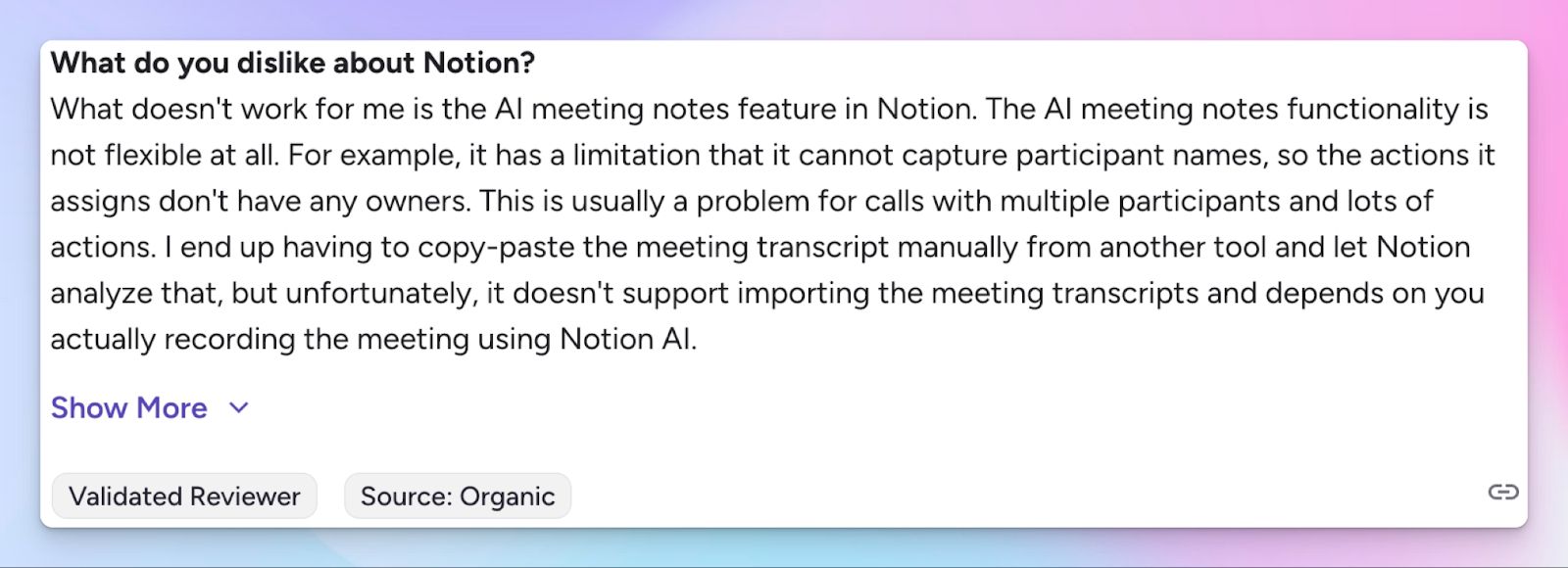
Notion AI relies on your computer microphone and system audio to capture conversations. Since it doesn’t have a bot that connects to your calendar events, you must remember to manually start the recording on the Notion desktop app before every call.
The consent message is also short and vague, so you have to focus on that as well.
And that’s not all. Notion AI note taker fails to automatically label speakers if you have a large number of attendees. For reliable notes and tasks, you have to edit the transcript manually.
2. Notion AI supports only a limited number of languages
If you manage international teams or speak with global clients, Notion AI might not be enough for you. It currently supports only 16 languages, so if you have a meeting in Italian, Turkish, or Indonesian, you’re out of luck.
To capture cross-border nuances and accurate transcripts, you have to rely on dedicated AI meeting assistants.
3. More AI tasks, more system lag
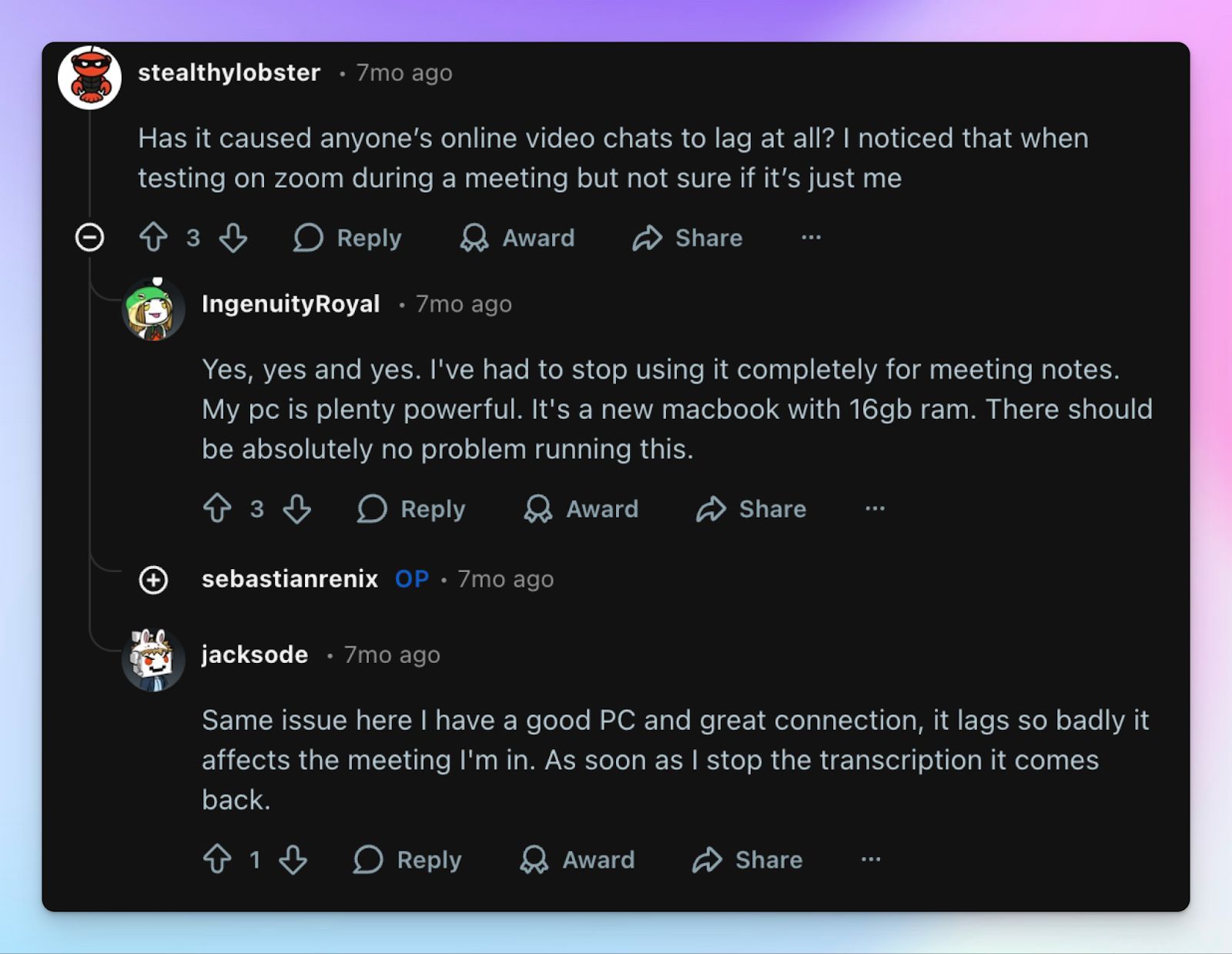
AI meeting notes are only a part of Notion’s AI push, and you feel it immediately after trying to scale with it. When you add real-time AI transcription and automated summaries to already complex Notion databases, the processing load increases significantly.
We experienced performance issues and severe lagging when trying to manage notes and run AI tasks simultaneously. And we’re not the only ones.
You need a meeting assistant that operates seamlessly in the background without freezing your primary workspace.
4. No audio or video recording playback to verify notes
Notion AI generates a live text transcript and a meeting summary based solely on the audio it hears in the background. However, it does not actually capture or store the raw audio or video file of the call itself.
If you spot a contextual error in the transcript or need to verify something, you have no way to replay the original media. Even though Notion has recently enabled workspace owners to allow some members to temporarily download an audio copy, the process is not remotely convenient.
5. Too complex and expensive for AI meeting note-taking
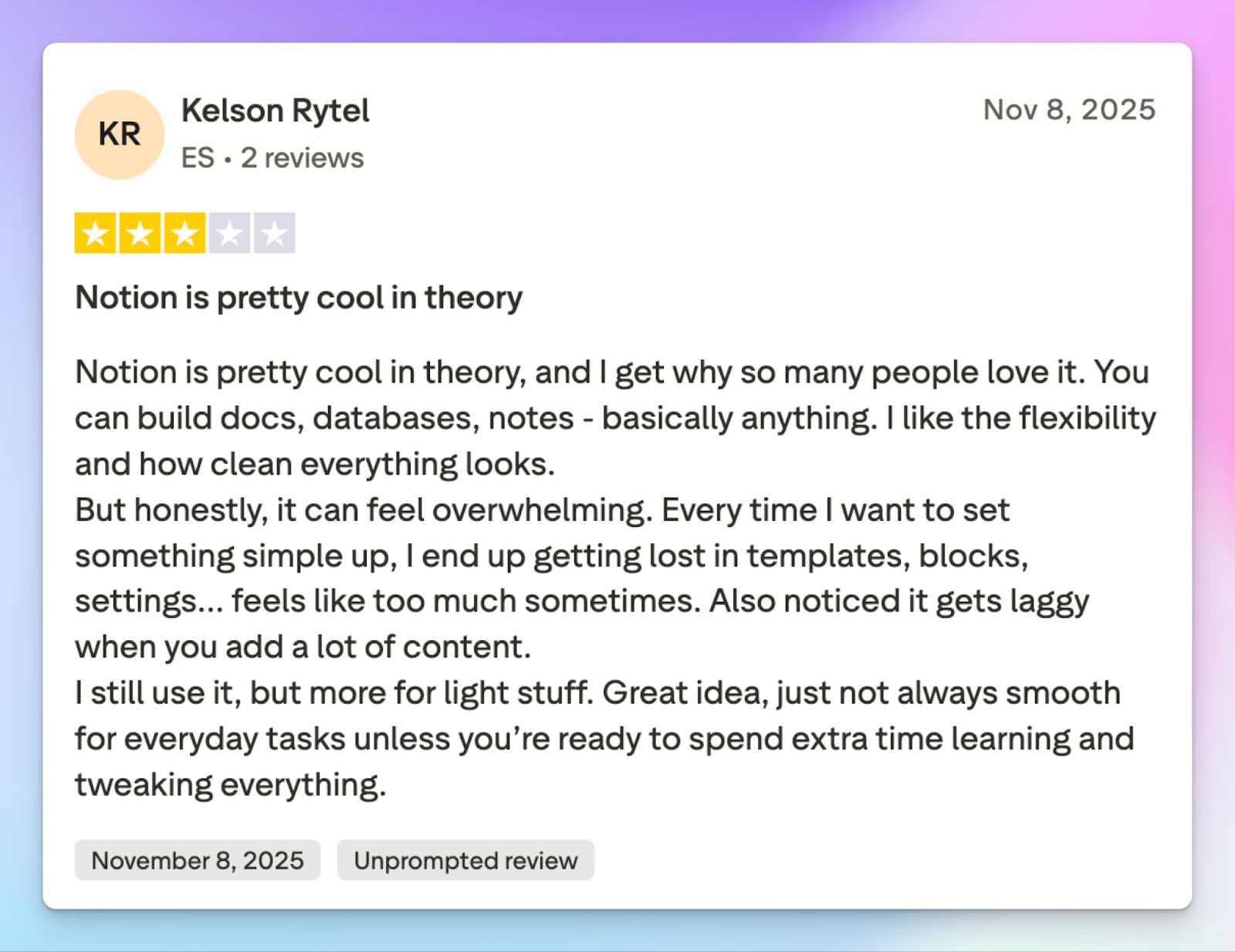
AI meeting notes are not a core feature of Notion, but to use it, you have to pay for the $24/month Business plan, which is more expensive than most AI note takers.
If you just want a reliable tool to transcribe and summarize your daily meetings, it doesn’t make sense to commit to a project management suite.
Top 5 Notion AI alternatives at a glance
| Feature | HappyScribe | ChatGPT Record | Circleback | ClickUp AI Notetaker | Sembly |
|---|---|---|---|---|---|
| Best for | Secure, accurate AI meeting notes with full audio and video playback | Individuals seeking a simple macOS-based bot-free meeting notes | Fast-moving product teams running multilingual meetings | ClickUp-centric teams that want all-in-one project management | Operations leaders who require deep behavioral analytics and proxy attendance |
| Key features | 95% accuracy, video playback, transparent bot or bot-free recorder, translation, and subtitle editor | 120-minute live transcription, editable Canvas document, bot-free operation | CRM synchronization, calendar bot, silent desktop app | Native SyncUps video calls, task automation, and video storage under an hour | Behavioral analytics, proxy attendance, unified task dashboard |
| Supported languages | 150+ languages and dialects | 50+ languages, but works best for English | 100+ languages and dialects | 100+ languages and dialects | 40+ global languages |
| Meeting platform integration | Zoom, Google Meet, Microsoft Teams, in-person | System audio via macOS desktop app | Zoom, Google Meet, Microsoft Teams | Zoom, Microsoft Teams, Google Meet, native SyncUps | Scheduled calendar events via bot |
| Security | GDPR compliant, SOC 2 Type II certified, EU data residency | GDPR, SOC 2 Type II compliant | GDPR, HIPAA, SOC 2 Type II compliant | SOC 2 compliant, ISO certified, GDPR compliant | SOC 2 Type II certified, GDPR, HIPAA compliant |
| Starting price | Free plan with unlimited meeting recordings. Paid plan starts from $8.50/month (billed annually) or $17/month (billed monthly) | No free plan. Paid plan starts at $20/month | No free plan. Paid plan starts at $25/month | No free plan. Paid plan starts at $10/month + add-on at $12/month | No free plan. Paid plan starts at $17/month |
1. HappyScribe
Best for: Secure and accurate AI meeting notes in 150+ languages with full audio and video playback
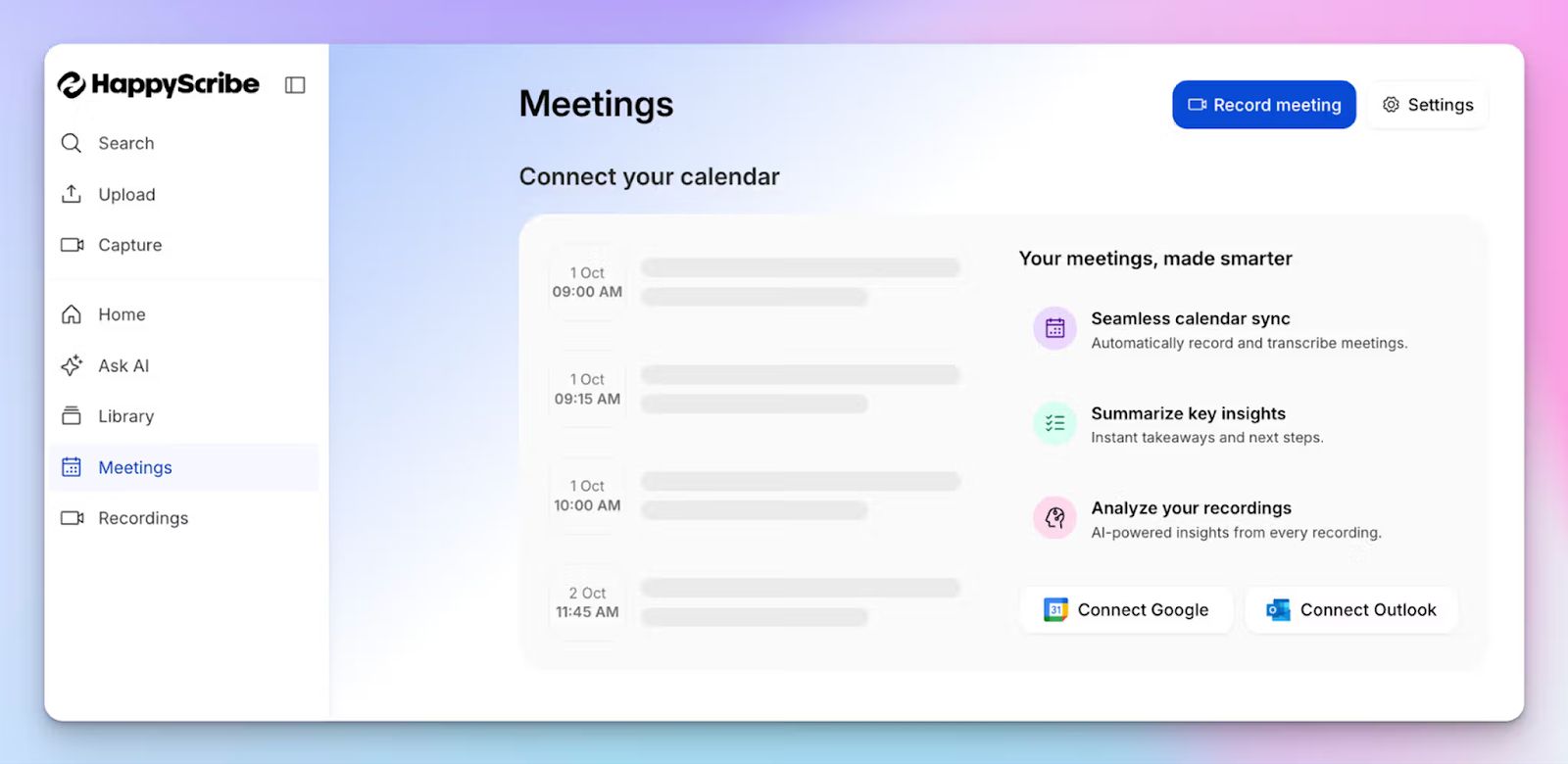
You already know that forcing a generic workspace tool to act as a specialized meeting assistant rarely ends well. When you step away from Notion AI and switch to a dedicated tool like HappyScribe AI note taker, you instantly reclaim control over your meeting data.
Simply connect HappyScribe with your Google or Outlook calendar or manually paste the meeting link. It works with Zoom, Google Meet, Microsoft Teams, and in-person meetings.
HappyScribe vs. Notion AI
| Category | HappyScribe | Notion AI |
|---|---|---|
| Meeting capture | HappyScribe offers an automated bot for online calls and a bot-free recorder for in-person meetings | Notion relies strictly on manual desktop audio recording without a bot |
| Accuracy and languages | It delivers 95% accuracy across 150+ languages and regional accents | Supports only 16 languages and struggles with multiple speakers |
| Meeting playback | HappyScribe records audio and video so you can click the transcript to verify context | Notion generates text summaries only, without easy media playback options |
| Content sharing | Offers tools for subtitling, translation, and file conversion to repurpose meeting media | Text-only notes remain trapped inside the workspace ecosystem |
HappyScribe’s key features
1. Generate 95%+ accurate meeting notes in 150+ languages and dialects
When participants use heavy industry jargon or speak with regional accents, basic add-ons like Notion AI can’t keep up. HappyScribe steps up by delivering precise transcripts across 150+ languages.
Whether you’re finalizing a deal in Catalan, Swiss German, or Swahili, you receive clean action items and highly accurate speaker labels ready for immediate use. To make notes even more accurate, you can add custom vocabulary so HappyScribe always gets your industry terms right.
2. Customizable meeting bot for transparency and a bot-free option for in-person meetings
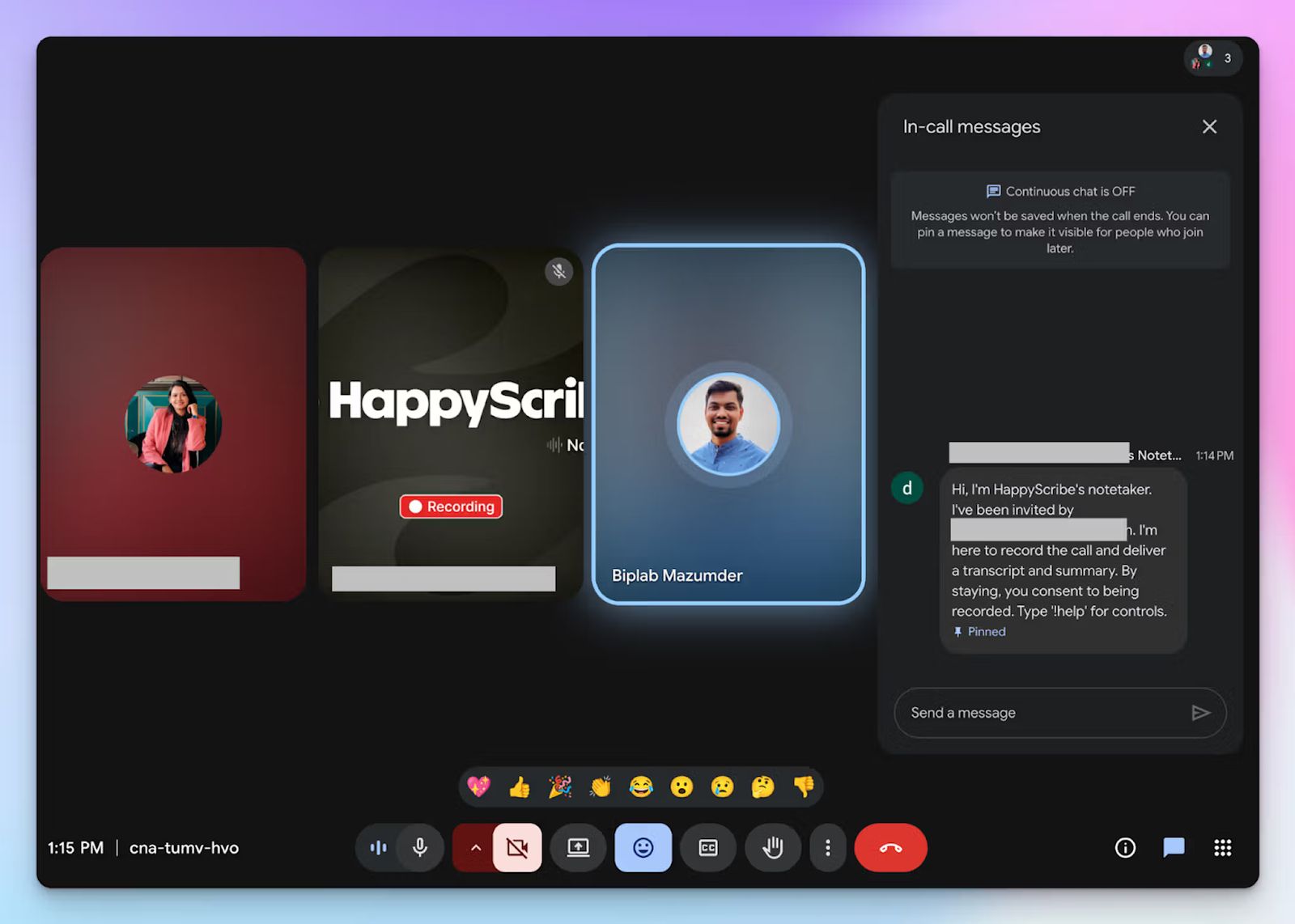
Relying on a manual desktop recorder means you have another thing to worry about while joining a meeting.
HappyScribe provides a transparent bot that automatically joins your scheduled calendar events and clearly announces itself for compliance. You have granular controls over how the bot behaves before and after meetings, and you can even customize its branding to make it look like your company asset.
And if you need a more discreet setup, you can easily use the bot-free web recorder for in-person syncs. Perfect for those ad-hoc meetings with the boss or a coffee shop chat.
3. Audio and video playback for added reliability
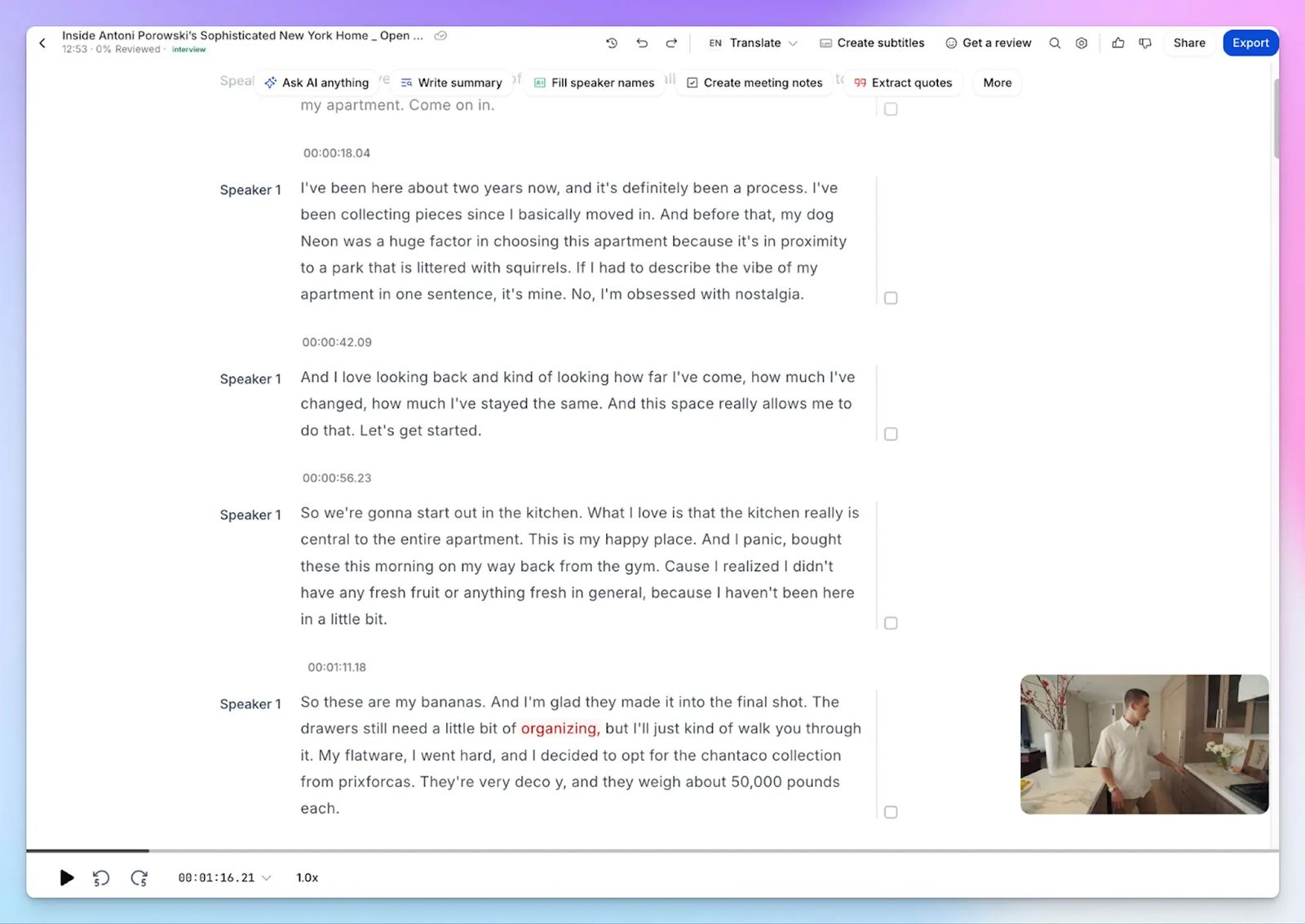
Reviewing a flat text block is incredibly frustrating when you need to verify a specific conversational tone or recall exact feedback. HappyScribe captures the full audio and video tracks alongside your transcript.
You can simply click on any word or swipe along the progress bar to find the precise context of the conversation and edit the text with complete confidence.
4. Edit meeting video subtitles and translate notes
Notion AI limits how you share content because it traps your data inside its own ecosystem. HappyScribe allows you to translate those notes into 80+ languages for seamless global collaboration.
It also features a professional subtitle editor so you can create, edit, and burn subtitles in videos. Perfect for repurposing meeting clips for broader team alignment.
5. Affordable plans along with a generous free tier
Notion’s Business plan is too big a commitment for just meeting notes. HappyScribe offers a generous free tier that lets you record an unlimited number of meetings, making it one of the best free AI note takers.
Once you’re ready to scale, the paid plans provide incredible value without hidden paywalls. If you pay annually, Notion will cost you $20/month, while HappyScribe does a better job at $8.50/month.
HappyScribe’s pricing
- Free: Unlimited meeting recordings (45 mins/recording)
- Basic: $8.50/month (billed annually) or $17/month (billed monthly)
- Pro: $19/month (billed annually) or $29/month (billed monthly)
- Business: $59/month (billed annually) or $89/month (billed monthly)
- Enterprise:Contact sales to get tailored solutions directly
HappyScribe’s pros
- Ask the AI conversational chatbot for multi-meeting insights, speaker quotes, video chapters, follow-up emails, and post drafts; all in one place
- Connect HappyScribe meeting data with your existing tech stack using Zapier, API, and MCP server
- Upload and transcribe files and pre-recorded meetings from your device, YouTube, Box, Vimeo, and Dropbox
- HappyScribe is a GDPR-compliant AI note taker, along with SOC 2 Type II certification and EU data residency for security and privacy
- iOS and Android mobile apps are coming soon
- Get fast and helpful support from real humans, not bots
HappyScribe’s cons
- Not ideal for real-time live transcriptions
What are real users saying about HappyScribe?
HappyScribe is fast, effortless, and accurate—getting straight to the point every time. It makes transcription and subtitling a breeze. Truly grateful for such a reliable tool!
I used HappyScribe to get a high quality transcript for a video in English. The transcript was done quickly and I could paste it on my document. I thought it was extremely convenient as it saved me a lot of time.
How to use HappyScribe’s AI note taker? A step-by-step guide
1. Link your Google or Outlook calendar or paste the meeting link to invite the HappyScribe note taker. For in-person meetings, you can record audio without a bot.
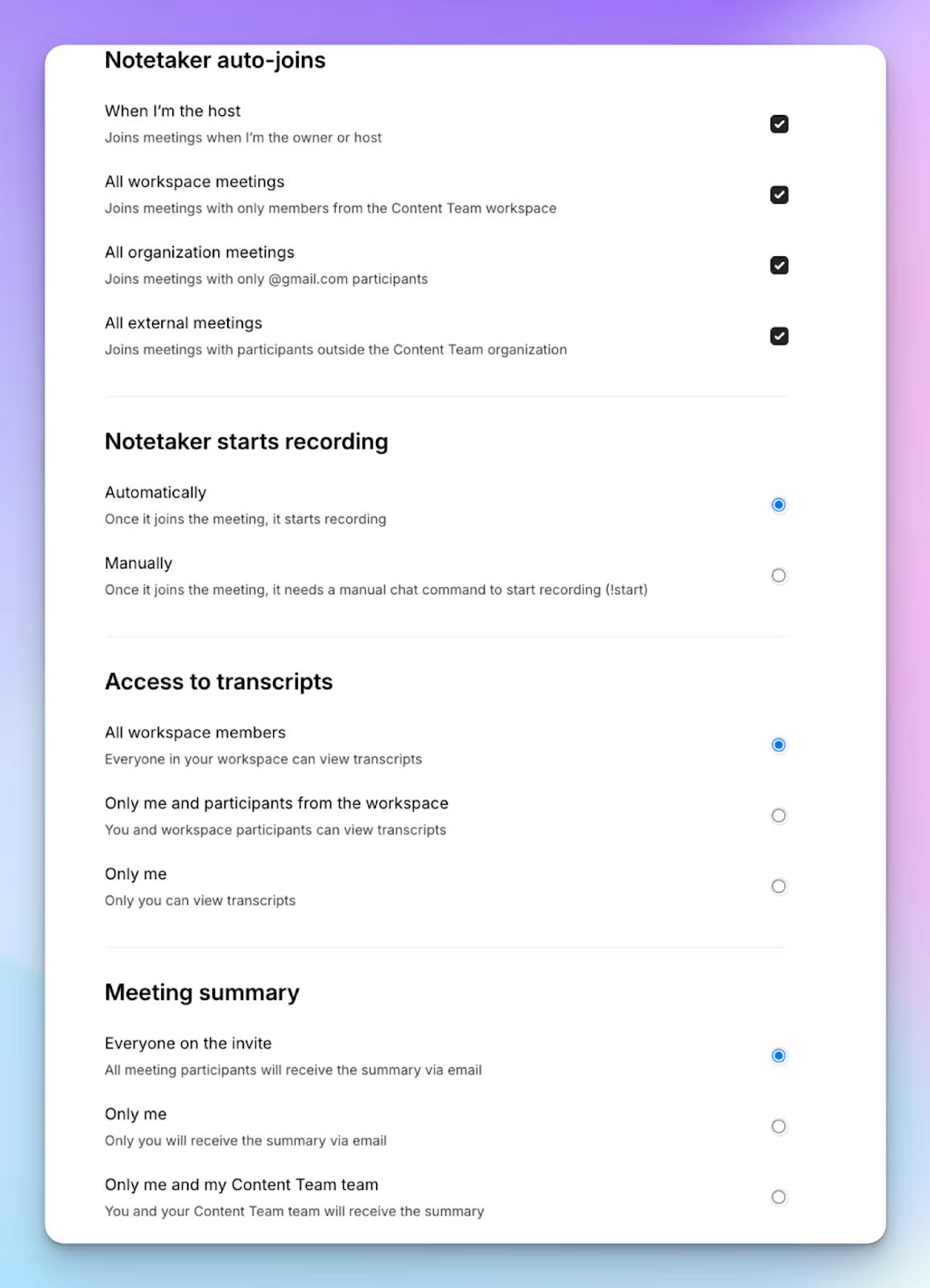
2. Select Meetings in the left sidebar and then check the options at the right to customize when the notetaker should join and who should receive the email summary.
3. Click on the Settings button at the top right to select when the notetaker should start recording and who can view the meeting transcription.
4. During an online call, the notetaker must be admitted by the meeting host to start recording. You can chat with the notetaker to control it.
5. And that's it! The meetings should be saved in your Workspace files or in the Private section, depending on your privacy settings.
2. ChatGPT Record
Best for: Individuals and solopreneurs looking for a simple macOS-based bot-free meeting note taker
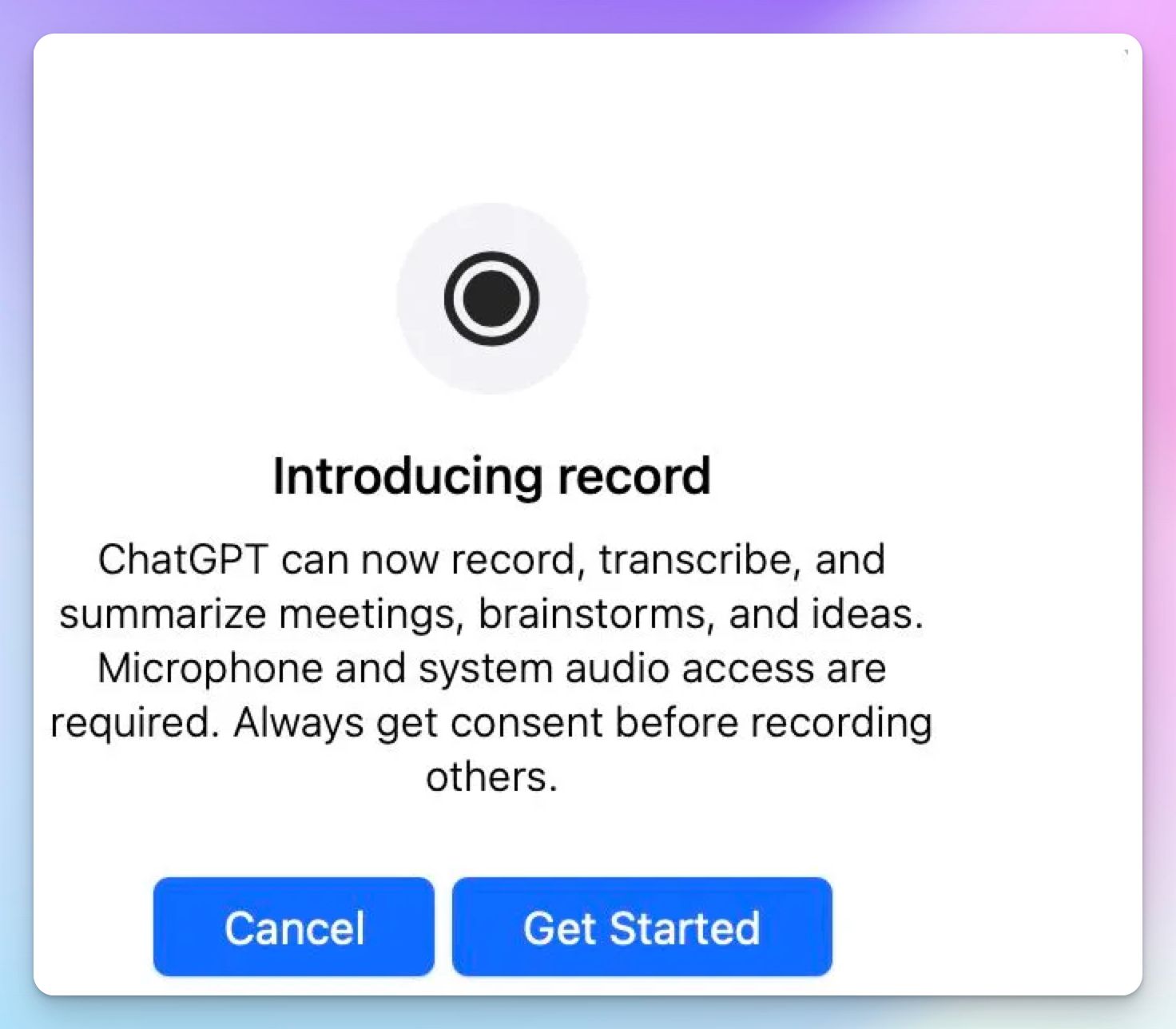
If you already use ChatGPT for other tasks, using it to transcribe your meetings feels like an obvious choice. OpenAI launched ChatGPT Record last year in the macOS app to capture your system audio without an awkward bot.
Compared to Notion AI, ChatGPT is built entirely around conversational intelligence, and it drops your transcribed meeting into an editable Canvas document.
To keep you within the ecosystem, Notion offers ChatGPT models for AI tasks, but you can flip the script and take your meetings to ChatGPT instead.
ChatGPT Record vs. Notion AI
| Category | ChatGPT Record | Notion AI |
|---|---|---|
| Ecosystem integration | Transcripts are pushed to a private Canvas where you can chat directly with the data | Notes are generated as flat text blocks inside project management databases |
| Processing speed | Delivers a full transcript and structured summary in minutes | AI transcription heavily slows down large workspaces |
| Media retention | Deletes audio files immediately after transcription to maintain basic privacy | Does not capture or store raw media files of the call itself |
| Platform availability | Strictly limited to Plus and above tiers through the macOS desktop app | Available across Windows, macOS, Android, and iOS apps for all workspace members |
ChatGPT Record’s key features
- Live-transcribe up to 120 minutes of system or microphone audio at a stretch directly inside the macOS desktop app
- You can store the completed transcript and structured summary in an editable Canvas document and chat with it
- Capture audio discreetly without joining calendar events to ensure bot-free meeting notes
ChatGPT Record’s pricing
- Plus: $20/month
- Pro: $200/month
- Business: $30/user/month (minimum 2 users)
- Enterprise: Custom pricing
ChatGPT Record’s pros
- Eliminates the learning curve because ChatGPT Record exists inside an interface you already use
- Allows you to search quotes and context, brainstorm tasks, and get clarity on the meeting agenda quickly
- ChatGPT Record makes sure you don’t disrupt the natural flow of conversations by operating completely bot-free
ChatGPT Record’s cons
- Erases the original audio immediately after processing, so you have absolutely no way to verify the transcript
- ChatGPT Record traps your meeting intelligence inside private chat threads without native CRM integrations
- Restricts availability strictly to paid users operating the macOS desktop application
3. Circleback
Best for: Fast-moving product teams running multilingual meetings and looking for well-designed desktop apps
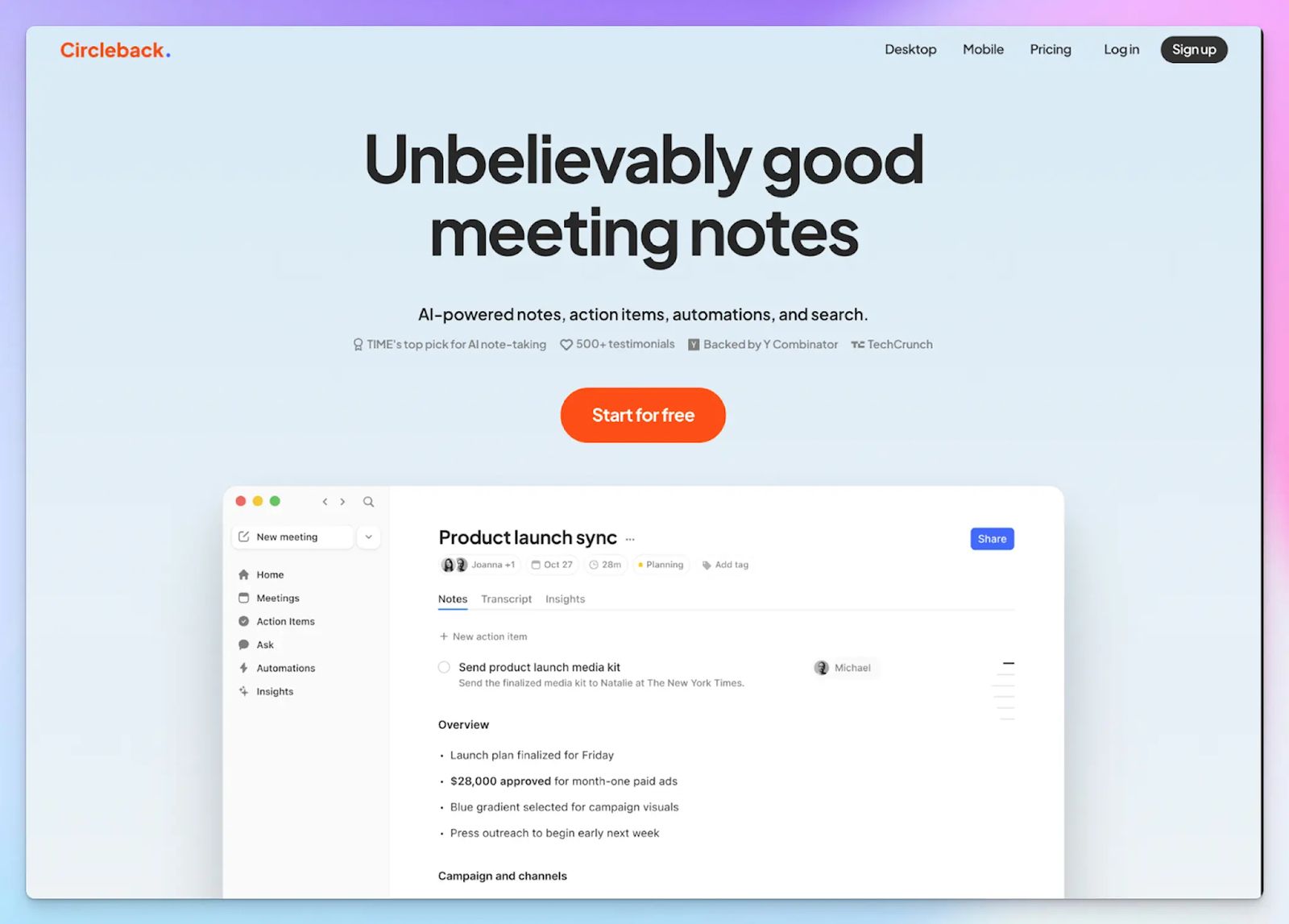
Circleback is built around workflow automation, and it acts as a central dispatcher for your meeting data. You can use its apps to capture conversations without inviting a bot, making it an excellent choice for sensitive investor discussions or sales calls.
When you compare it to Notion AI, the difference in ecosystem flexibility is massive. Notion restricts your transcripts inside its own workspace, while Circleback is a simpler, clutter-free note taker that pushes your meeting outcomes directly into tools like Salesforce and Zoho.
Circleback vs. Notion AI
| Category | Circleback | Notion AI |
|---|---|---|
| Meeting capture | Provides both an automated calendar bot and a silent desktop app for online calls | Relies on manual desktop audio capture without any Google or Outlook calendar bot options |
| Language support | Circleback supports 100+ languages for meetings | Notion AI note taker supports only 16 languages |
| Task distribution | Identifies commitments and runs cross-platform data entry via integrations | Integration set is limited and requires you to manually build database relations to track action items |
Circleback’s key features
- Captures and transcribes conversations precisely across more than 100 global languages and regional dialects
- From Slack, HubSpot, Attio, and Linear to Zapier and MCP server, you can sync complex action items instantly to your existing sales workflows
- Circleback offers both calendar-based bot recording and bot-free audio capture via the desktop and mobile apps
Circleback’s pricing
- Individual: $25/month
- Team: $30/month
- Enterprise: Custom pricing
Circleback’s pros
- Captures ad-hoc, face-to-face discussions using mobile apps
- Circleback detects nuanced verbal commitments accurately, so you never miss a promised deliverable
- Easy-to-use UI and well-designed apps for faster team adoption
- Circleback is GDPR, HIPAA, and SOC 2 Type II compliant
Circleback’s cons
- Lacks a permanent free tier, offering only a brief 7-day trial before you must purchase a full subscription
- Circleback charges a premium for note-taking that feels difficult to justify if you don’t actively use external CRM integrations
4. ClickUp AI Notetaker
Best for: ClickUp-centric teams that value all-in-one project management over flexible transcription tools
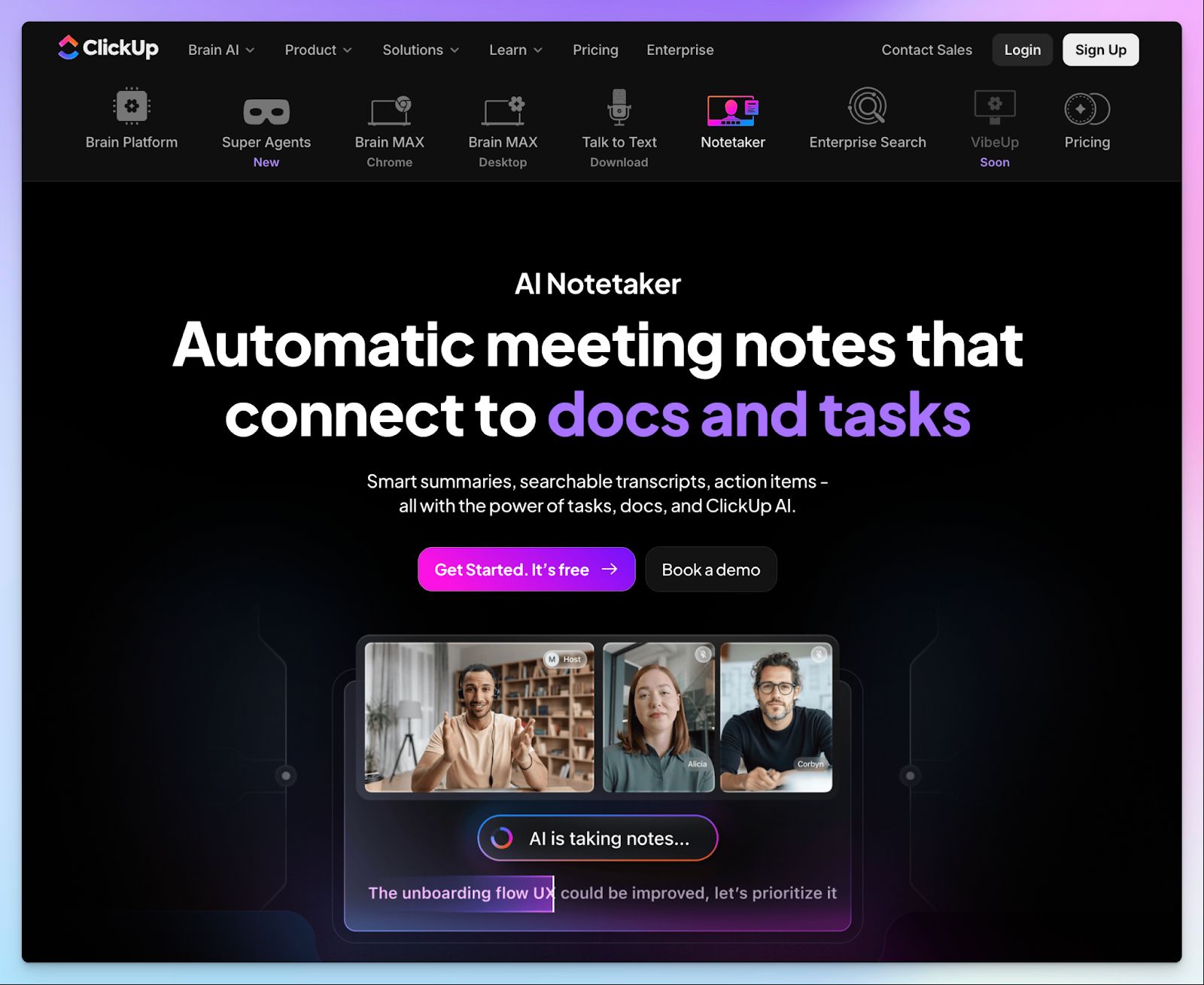
If your team already runs the project management stack in ClickUp, you can check out the built-in AI note taker. ClickUp recently launched the tool to capture meetings and link transcripts directly to your workspace tasks.
While Notion generates text summaries from other meeting tools, ClickUp goes a step further by offering native SyncUps for video calls. But don’t worry, if you’re not all-in with ClickUp, the note taker also integrates with platforms like Zoom, Teams, and Google Meet.
ClickUp AI Notetaker vs. Notion AI
| Category | ClickUp AI Notetaker | Notion AI |
|---|---|---|
| Workflow automation | Pushes meeting decisions directly into native project pipelines with built-in statuses and dependencies | Relies on user-configured Custom Agents to automatically route tasks and update custom databases |
| Meeting capture | Deploys a calendar bot to record online calls and provides native SyncUps for internal video syncs | Captures audio manually through the desktop application without offering an automated calendar bot |
| Media retention | Stores the full video recording for calls under an hour so you can visually verify conversation context | Generates text-only transcripts and completely lacks any audio or video playback capabilities |
ClickUp AI Notetaker’s key features
- Automatically joins video conferencing platforms via a calendar bot to capture call transcripts and structured summaries
- Converts meeting action items into actionable project tasks with automated assignees and strict deadlines
- Chat with your transcript using ClickUp Brain to instantly extract meeting summaries, past decisions, and workspace knowledge
- You can capture full video recordings for meetings under an hour and embed them directly inside your private ClickUp Docs
ClickUp AI Notetaker’s pricing
- ClickUp requires a base paid plan, starting at $10/user/month
- AI Notetaker add-on: $12/month (60 hours of meetings)
- Everything AI bundle: $33/user/month (unlimited Notetaker usage)
Note: All the AI plans are introductory offers and are slated to rise in the coming months
ClickUp AI Notetaker’s pros
- Eliminates context switching by keeping your meeting transcripts and project management tools in the same dashboard
- Automates your post-meeting workflow by letting AI agents create and assign follow-up tasks immediately
- Connects your entire organizational knowledge base so you can search for meeting decisions alongside older project documents
ClickUp AI Notetaker’s cons
- Pricing is complex, and the note taker is strictly restricted to paid workspace plans
- ClickUp AI Notetaker defaults to audio-only recordings for any meeting extending past the strict one-hour video limit
- Lacks a bot-free recording option for capturing in-person conversations or highly sensitive offline discussions
💡 Also read:Otter AI alternatives for AI note taking
5. Sembly
Best for: Operations leaders who need deep behavioral analytics and proxy attendance features
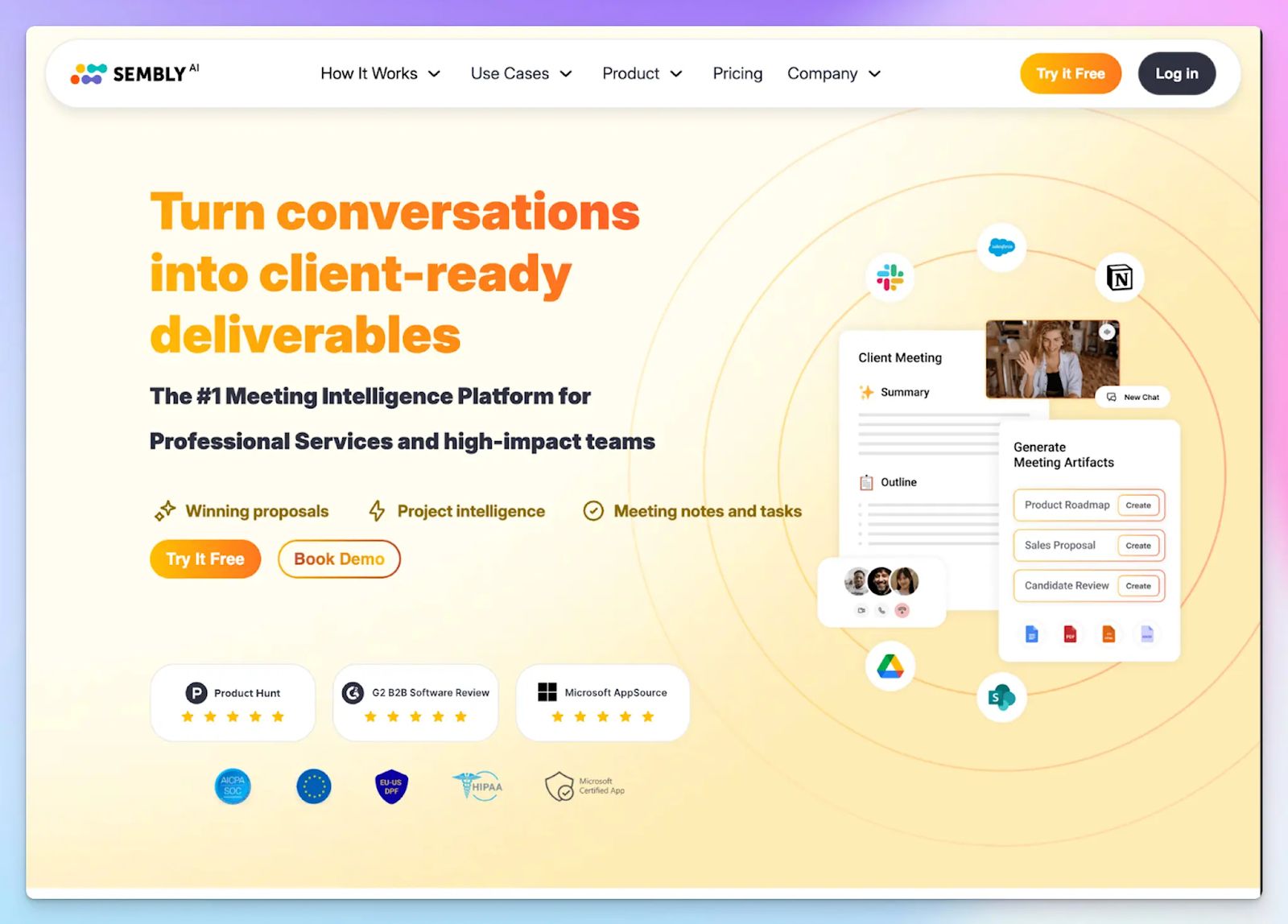
If you manage a demanding schedule, simply having a text transcript of a call isn’t enough. Sembly acts as a meeting intelligence platform and actively tracks your meeting productivity over time.
You can even send the Sembly bot to attend overlapping syncs on your behalf, so you never miss critical updates during a double-booked afternoon.
While it is true that Notion offers powerful task integrations and workspace intelligence, it still relies on custom agents and manual database edits. Sembly natively tracks conversational metrics like individual talk time and meeting sentiment, and provides a level of behavioral analysis that Notion simply cannot replicate.
Sembly vs. Notion AI
| Category | Sembly | Notion AI |
|---|---|---|
| Bot automation | Deploys a smart agent to automatically join and record your scheduled calendar events | Relies entirely on manual audio capture without offering a calendar bot |
| Behavioral analytics | Tracks talk ratios and sentiment to calculate overall meeting health | Processes raw text without analyzing the actual conversational dynamics |
| Meeting analytics | Tracks workspace productivity metrics to help managers reduce unnecessary calls | Lacks any native dashboards to analyze team meeting habits |
Sembly’s key features
- Generates highly accurate transcripts across more than 40 different global languages
- Use Semblian 2.0, an advanced multi-meeting agent, to surface insights, run tasks, and follow up on projects with ease
- You can create custom meeting templates for specific syncs like sales discovery or sprint planning, ideal for business leaders
- Upload pre-recorded meeting files to generate transcripts
- Features a unique "Glance View" so you can quickly review past meeting summaries without opening full documents
Sembly’s pricing
- Basic: $17/month
- Pro: $29/month
- Max: $39/month
- Enterprise: Custom pricing
Sembly’s pros
- Delivers comprehensive follow-up emails instantly to all attendees to keep your entire team aligned
- Sembly natively integrates with a wide range of platforms, including Slack, HubSpot, Jira, Close CRM, Wrike, and Trello
- You have the flexibility to decide whether to send the AI note taker bot to attend meetings or audio record without any bot
- Maintains a highly organized user interface so you never lose track of old meeting data
Sembly’s cons
- Sembly struggles to accurately separate speakers when attendees interrupt each other frequently
- The UI might look complex for new users, prompting many users to look for Sembly AI alternatives, especially after the recent price hike
Which Notion AI alternative should you choose?
Notion is an incredible workspace. But when you force it to act as a meeting assistant, you quickly realize it’s a dealbreaker for people who attend a lot of important meetings.
Your ultimate choice among Notion AI alternatives comes down to your specific workflows.
👉 If you’re a solo user on a Mac who needs a fast and native transcription experience, ChatGPT Record is a solid choice.
👉 Fast-moving teams that need a simple meeting note taker and well-designed apps will appreciate Circleback.
👉 If you’re a ClickUp user and want to connect your meeting decisions to your project pipelines, ClickUp AI Notetaker fits the bill.
👉 Operations leaders who want deep behavioral analytics and proxy attendance features can rely on Sembly.
👉 If you want highly accurate transcripts across global languages and reliable audio and video playback, HappyScribe is the smartest choice.
It delivers 95%+ accurate transcripts across 150+ languages and offers both bot-free and bot-assisted note-taking for scheduled meetings. You can replay the recording to verify exactly what was said and get the security of a European note taker with GDPR and SOC 2 Type II certifications.
FAQs on the best Notion AI alternatives for AI note taking
1. What is Notion AI note taker?
Notion AI note taker is an AI powered workspace add-on designed to capture meetings and generate summaries directly inside your existing databases. It operates within your primary knowledge management hub and uses your Notion data to help you organize project plans. However, running these heavy AI capabilities alongside standard databases can make the workspace a bit slow. It also requires you to purchase extra AI credits for custom agents and an expensive plan, which pushes many users to find a simpler Notion alternative.
2. What is the best free Notion AI alternative?
HappyScribe stands out as the best Notion alternative for free AI meeting notes. While generic workspace tools often have a steeper learning curve, HappyScribe provides an intuitive interface specifically built for high-accuracy transcription. It offers a generous free tier that lets you capture audio and video without requiring any technical knowledge. You gain immediate access to advanced AI features and enterprise-grade security, which makes it a highly reliable meeting assistant for global teams.
3. Why are people leaving Notion?
Users often look to replace Notion because the platform becomes incredibly heavy when you try to juggle project management features alongside real-time audio processing. Unlike Notion, dedicated meeting tools do not freeze when you try to run complex data analysis or manage team collaboration. While Notion offers robust collaboration features, relying on it for absolutely everything creates a bloated workflow, prompting teams to find a great Notion alternative that handles specific tasks much faster.
4. What is the best Notion alternative for personal use?
If you want to boost your personal productivity, ChatGPT Record operates as a highly effective AI assistant for solo users. When you want to capture scheduled conversations, you can connect your Google Calendar to dedicated meeting apps like HappyScribe instead. These specialized tools bypass sprawling project management suites and allow you to generate content without forcing you to pay for pricey plans.
5. What are the best Notion AI alternatives for AI note taking?
The top options include HappyScribe and ClickUp AI Notetaker. If you want a dedicated AI native platform, tools like HappyScribe provide superior language accuracy over generic workspace add-ons. If you require deep automation capabilities, ClickUp deploys specialized AI agents to connect your meeting notes directly to your task management pipelines. These dedicated platforms consolidate your workflow, which means you can stop bouncing between multiple tools. You can easily integrate your meeting insights with your existing tools while getting all the features your team expects from a modern workspace.

Biplab Mazumder
Biplab is a content marketer and writer who helps high-growth brands scale content visibility across AI search channels. His works have been published in HubSpot, Freshworks, Atlassian, SurferSEO, etc. When he's not planning content strategy, he's testing AI content workflows and use cases.