![5 Best European Alternatives to Fireflies AI [2026]](/sanity-images/ejgwz1gl/redesign/d06a3ea1a2673c6633334f85abbf9f182825ffae-2240x1260.png?auto=format&w=2240.0&rect=0,70,2240,1120&h=1120)
TL;DR ⏩
The top European alternatives to Fireflies are:
- HappyScribe: Best for European teams that want accurate, GDPR-compliant meeting notes across 150+ languages with flexible bot and bot-free capture
- MeetGeek: Best for managers who want detailed meeting summaries and conversation analytics with broad integrations
- Noota: Best for recruiters and sales teams that need structured candidate scorecards and CRM/ATS sync
- Leexi: Best for sales and customer success teams that want call analytics and CRM-fed meeting intelligence
- Klang AI: Best for public sector and legal teams that need strict data sovereignty and auditable transcripts
Fireflies is one of the default names in the AI note-taking space. It’s a tool people reach for without much thought.
But for European teams (or if you’re based outside the EU but work with European clients/teams), that reflex is worth a second look. Recently, a lot of them are weighing up European alternatives to Fireflies.
The reason goes beyond features. Fireflies is now facing two class action lawsuits in Illinois federal court, Cruz v. Fireflies.AI Corp. and Fricker v. Fireflies.AI Corp., both alleging that its note taker captures and stores "voiceprints" of participants without proper consent under the Illinois Biometric Information Privacy Act.
The heart of both cases is the auto-join feature, which quietly records everyone on the call, including the clients, candidates, and partners who never signed up for the tool or agreed to a thing.
Then there is the data residency question. Fireflies stores and processes your data in the US by default, which means that data is subject to US law.
EU storage exists, but only on the Enterprise plan, and even then the processing still happens in the US.
For calls that touch regulated, confidential data, that puts your recordings under US jurisdiction and raises the cross-border transfer and lawful-basis questions GDPR was written to handle.
So where does that leave you?
Fireflies still works, but European teams have a solid case for picking an AI meeting note taker built around their rules from day one: EU data residency, clear consent, and sensible retention, all handled by default.
So I put on my researcher’s hat and found the top European alternatives to Fireflies that won’t push you into compliance battles. Enjoy!
📌 Important:
While Fireflies has genuinely helpful use cases, it helps to be aware of the full picture before you pay for it. Fireflies draws flak from users for its lack of transcription accuracy and intrusive bot behavior, among many other reasons. We've covered these in our in-depth Fireflies AI review.
What are the best alternatives to Fireflies in Europe? At a glance
| Category | HappyScribe | MeetGeek | Noota | Leexi | Klang AI |
|---|---|---|---|---|---|
| Best for | European teams that want accurate, multilingual notes with transparent meeting capture | Managers who want detailed summaries and conversation analytics | Recruiters and sales teams that need structured reports in their ATS or CRM | Sales and CS teams wanting call analytics and CRM sync | Public sector and legal teams that need strict data sovereignty |
| Key features | Bot and bot-free capture, AI Chat, custom glossaries, translation | Auto-detected summary templates, meeting analytics, AI Chat | Candidate scorecards, ATS/CRM sync, VoIP recording | Call analytics, VoIP support, CRM-fed reporting | High-accuracy transcription, MCP/API, self-hosting option |
| Languages | 150+ | 60+ | 80+ | 100+ | 40+ |
| Data location | PCI DSS and ISO 27001-certified EU data center | EU or US storage | EU (France) | France | EU (France, Scaleway) |
| Security and compliance | GDPR, SOC 2 Type II | SOC 2, GDPR, HIPAA | GDPR, SOC 2 (in progress) | GDPR, ISO 27001 | GDPR, ISO 27001:2022 |
| Starting price | Free, then $8.50/mo (billed annually) or $17/month (billed monthly) | Free; paid from $15.99/user per month | Free; paid from $29/user per month | No free plan; paid from $15/user per month | Free; paid from €20/user per month |
1. HappyScribe
Best for: European teams that want accurate, multilingual meeting notes with the flexibility to record with or without a bot, backed by verified EU data residency
HappyScribe is a Barcelona-based platform that handles meeting notes, transcription, and translation in one place.
It covers the things that push European teams away from Fireflies in the first place: your data lives in an EU data center, the platform is GDPR compliant and SOC 2 Type II certified, and you decide how and when recording happens rather than letting a bot auto-join everything on your calendar.
HappyScribe handles virtual meetings, in-person conversations, and also transcribes pre-recorded files. Use the tool directly from your browser, via the desktop app, or download the mobile app on your iOS or Android device…you get all the flexibility you need.
HappyScribe's key features
Enterprise-grade security and data control
With HappyScribe, your meeting data is encrypted in transit (TLS) and at rest (AES-256), and stays in a Tier IV EU data center that is ISO 27001 and PCI DSS compliant.
You can opt out of AI training with a single toggle.
Deleted data is permanently removed from the servers, and Enterprise plans add SSO, SAML, and granular file-sharing permissions.
Signed data protection agreement is available on request.
Bot and bot-free recording
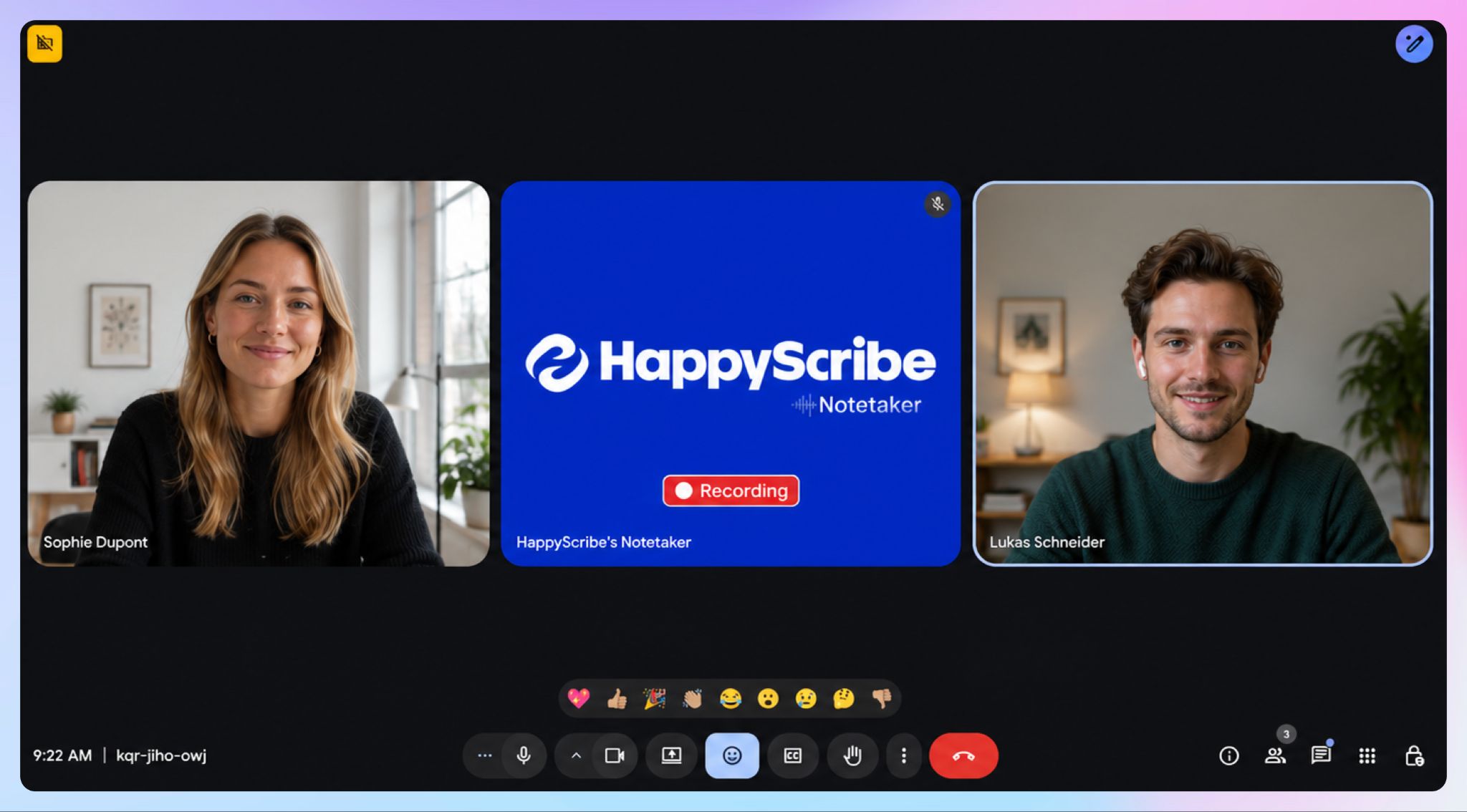
You can connect your Google or Outlook calendar and let HappyScribe join scheduled calls as a visible bot. It announces itself, and attendees can type "!help" to pause, resume, or remove it.
Or, you have the option to skip the bot entirely and capture audio through the browser recorder or mobile app. If you’re going bot-free, always inform your participants in advance that you’ll be recording the call, to stay compliant with consent requirements.
You can decide beforehand which calls HappyScribe should and shouldn't record.
P.S. In the Pro plan and above, you can customize the note-taking bot and add your own brand name.
Get meeting notes in 150+ languages
HappyScribe transcribes with 95%+ accuracy across 150+ languages and dialects, and translates notes into 80+ languages.
For a cross-border European team whose calls move between English, French, German, and Spanish in the same week, a meeting held in one language can be documented and shared in another without a second tool involved.
AI Chat across your meetings
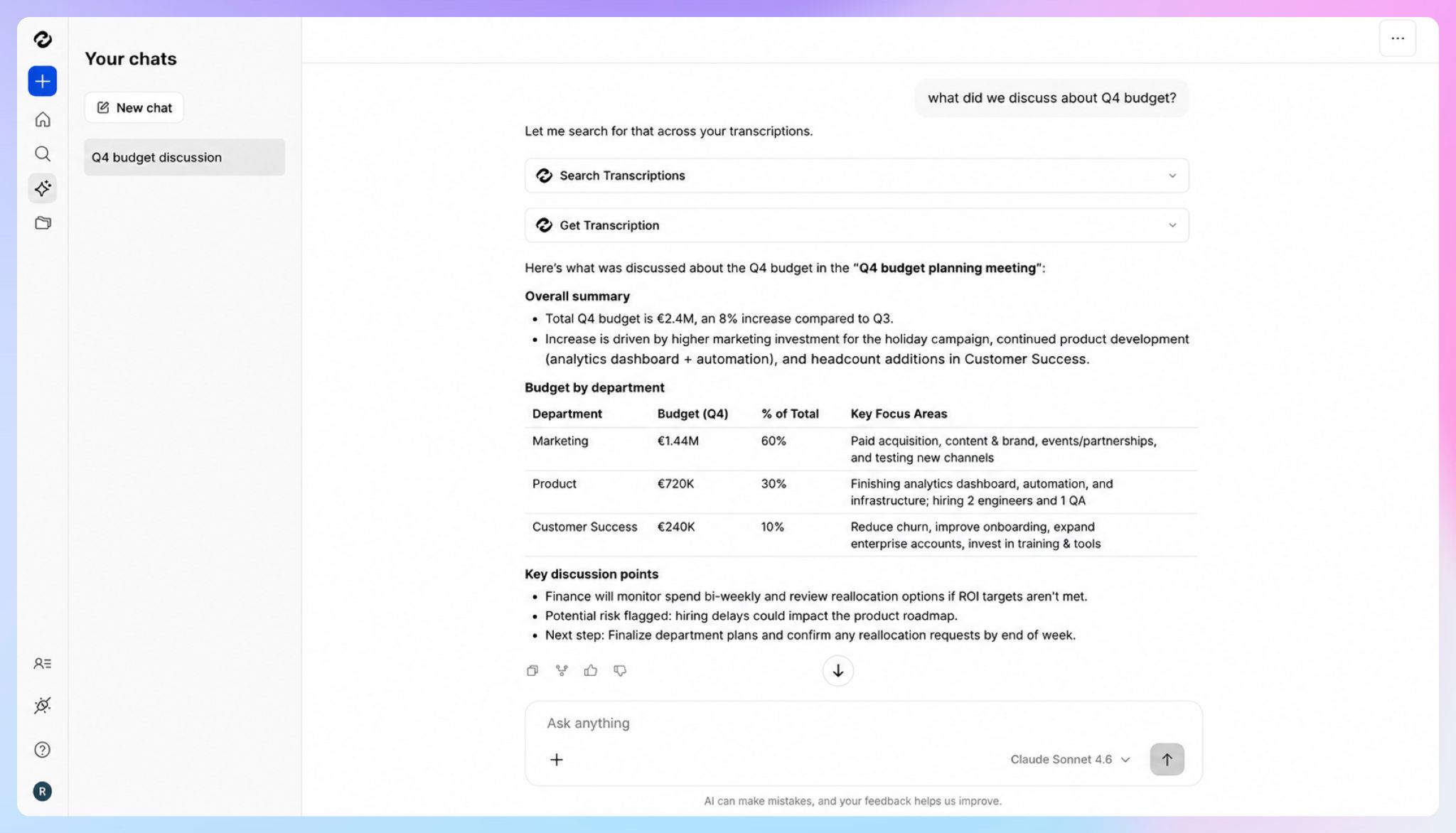
Rather than scrolling a long transcript, you can ask HappyScribe's AI Chat for the decisions, action items, or exact quotes from a call. It can pull context from a single meeting or your entire meetings library at once.
AI Chat also generates follow-up emails and summaries, which is where most of the post-call time savings come from.
Custom glossaries and integrations
Custom glossaries teach the engine your industry terms and acronyms, so the words specific to your business come back spelled correctly.
Connections through the API, an MCP server, and Zapier let notes and transcripts flow into the tools you already use.
HappyScribe's pricing
- Free: Unlimited meeting recordings, capped at 45 minutes per recording
- Basic: $8.50/month billed annually, or $17/month
- Pro: $19/month billed annually, or $29/month
- Business: $59/month billed annually, or $89/month
- Enterprise: Contact sales
HappyScribe's pros
- One platform for virtual meetings, in-person conversations, and file uploads, which removes the need to run a separate recorder, transcription tool, and translation tool
- Free plan includes unlimited recordings at 45 minutes each, enough to trial it across weeks of real meetings before paying
- Strong support across European languages
- Full recording control: the meeting assistant announces itself on join, and attendees can type "!help" to pause, resume, or remove it mid-call
- One-toggle opt-out of AI training, with permanent deletion of data from the servers on request
- Custom glossaries for product names and industry terms, so specialized vocabulary comes back spelled correctly
- Use summary templates to format your meeting notes the way you prefer
- Integrates with Zoom, Google Meet, MS Teams, Google Calendar, Outlook Calendar, YouTube, Vimeo, Wistia, Google Drive, Dropbox, Box, Vimeo, and more
- API, MCP server, and Zapier integrations to push notes and transcripts into your existing tech stack
- iOS and Android app for capturing in-person meetings on the move
- Enterprise plans add SSO, SAML, and granular file-sharing permissions for larger, governed rollouts
HappyScribe's cons
- No real-time transcription; notes and summaries are generated once the meeting ends
What are users saying about HappyScribe?
I just started using HappyScribe but the customer service alone makes it highly recommendable! The transcriptions come out very clean and their AI tools are of higher quality than the last service I used. I'm impressed.
I am using Happyscribe for many years now. The pricing is ultra fair. The deals if they are active are amazing and the quality of transcripts is astronomical. It is so well, that most of the time, I can leave everything as is.
How to take meeting notes using HappyScribe?
- Link your Google or Outlook calendar, or paste a meeting link to invite the HappyScribe assistant manually. For in-person meetings, record audio via the browser-based recorder or the HappyScribe mobile app.
- Open Meetings in the left sidebar and set when the assistant should join and who receives the email summary.
- In Settings, choose when recording starts and who can view the transcript.
- During an online call, the assistant is admitted by the host to begin recording, and you can chat with it to control it.
- After the call, find your notes, transcript, and summary in your Workspace or Private section, and use AI Chat to pull action items or draft a follow-up.
2. MeetGeek
Best for: Managers who want detailed, automatically formatted meeting summaries and conversation analytics
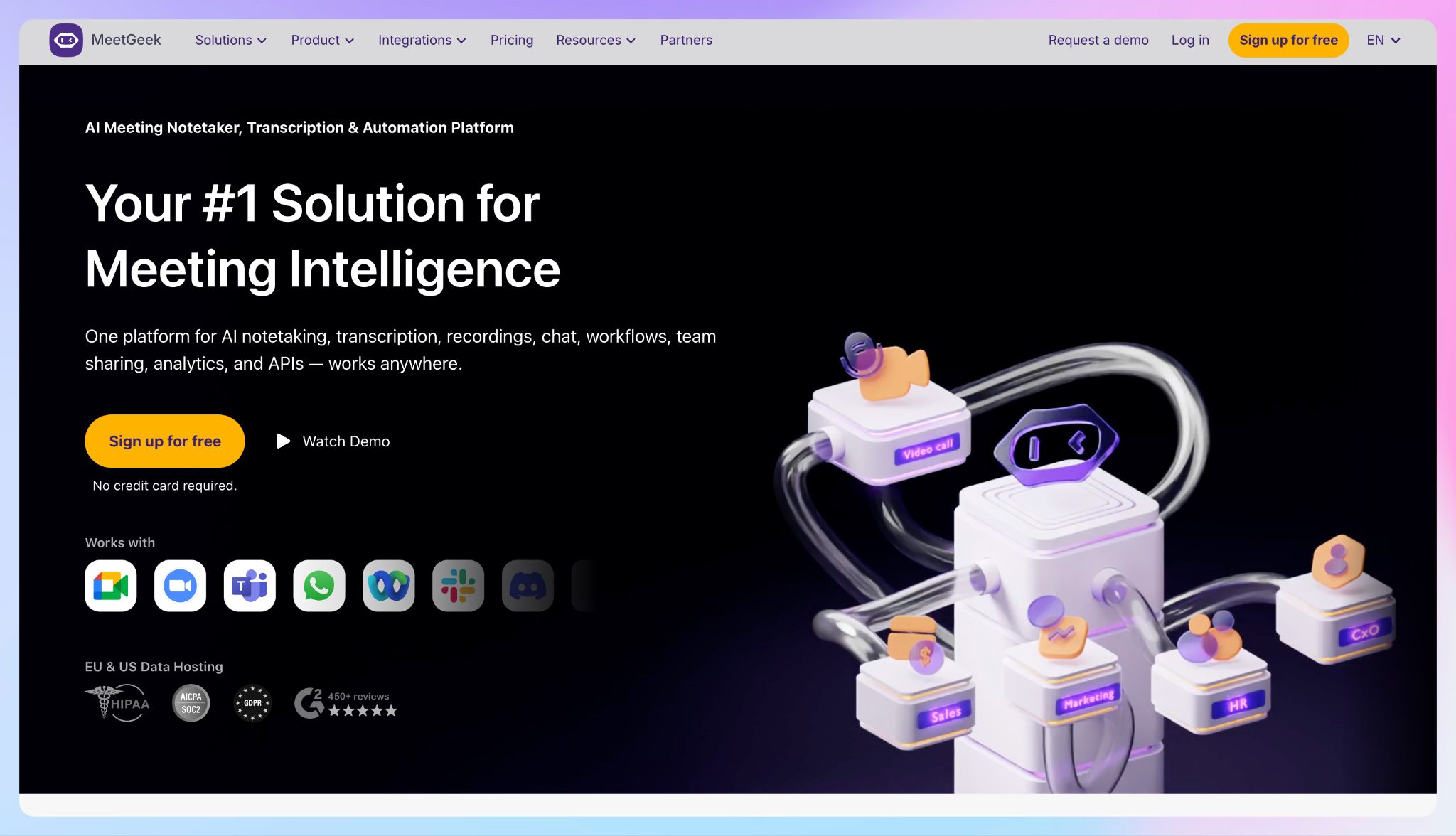
MeetGeek is a Romania-based meeting assistant that leans harder into summaries and analytics than most tools in this list.
It records and transcribes your calls, then applies summary templates matched to the meeting type, so a sales discovery call and a team standup come back structured differently rather than as one generic block of notes.
For a manager who cares less about raw transcripts and more about what happened across a dozen meetings a week, that structure is the draw.
MeetGeek tracks meeting metrics, sentiment, and engagement, giving team leads a read on how calls are going. But for deeper team-wide analytics, you’ll need the Business plan.
MeetGeek's key features
- Summary templates that auto-detect the meeting type, with custom templates and adjustable summary depth on paid plans
- AI Chat and global search across a searchable repository of past meetings
- Bot and no-bot recording through a Chrome extension or desktop app, plus mobile apps for in-person meetings
- Integrations with HubSpot, Salesforce, Slack, Notion, and other apps via Zapier, Make, and n8n; public API and MCP server available
MeetGeek's pricing
- Basic: Free, with 3 hours of transcription per month, 3-month transcript and 1-month audio storage
- Pro: $15.99/user per month
- Business: $27/user per month
- Enterprise: Custom pricing
MeetGeek's pros
- You can choose between EU or US data storage
- Comes with SOC 2, GDPR, HIPAA, and CCPA compliance
- No training on your data
MeetGeek's cons
- Transcription accuracy can slip on strong accents, background noise, and multilingual calls, which pushes teams to explore MeetGeek alternatives
- The free plan caps transcription at 3 hours per month with limited retention
3. Noota
Best for: Recruiters and sales teams that need structured interview or call reports pushed straight into their ATS or CRM
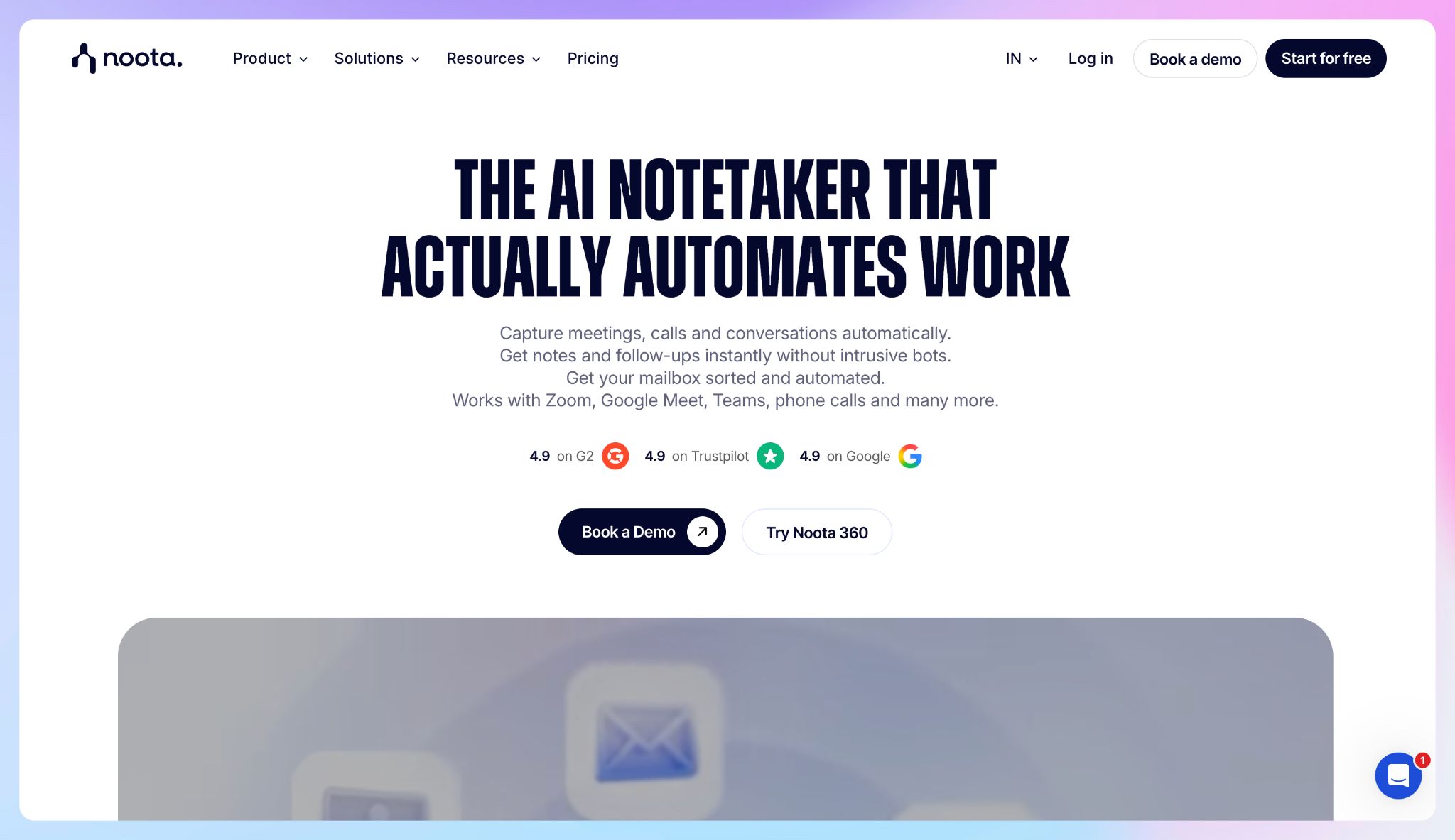
Noota is a tool built in Paris that focuses on a specific idea: the conversation is only useful if it turns into structured data in the system you already run.
After interviews, Noota generates candidate scorecards, sales-call scoring against your playbook, and reports formatted to your templates, then syncs them into your ATS or CRM automatically.
It also goes wider than video calls. Noota records in-person and over-the-phone through a built-in VoIP dialer, so a recruiter screening candidates by phone gets the same transcript, summary, and report as they would from a Zoom interview.
Noota's key features
- Structured candidate scorecards and sales-performance scoring generated from the conversation
- Native ATS and CRM sync, plus integrations with Zoom, Google Meet, Teams, Slack, and more
- Built-in VoIP dialer for recording and transcribing phone calls
- Bot and bot-free recording across video platforms; mobile apps for in-person meetings
- Automated follow-up email drafting and customizable report templates
Noota's pricing
- Free: Unlimited recording and300 minutes of AI per month, with data archived after one month
- Pro: $29/user per month
- Business: $49/user per month
- Enterprise: Custom pricing
Noota's pros
- Specifically designed for recruiters
- EU data residency by default, with data centers in France, Belgium, and the Netherlands, AES-256 encryption, and built-in participant consent prompts
- No AI training on your data, no selling, no sharing, backed by GDPR compliance
- Strong French transcription and translation
Noota's cons
- The platform packs in recordings, templates, ATS sync, a dialer, and email automation, so getting to a simple interview summary takes more clicks than a leaner tool
- Transcription can default to the wrong language on bilingual calls, which is one reason users look for Noota alternatives
4. Leexi
Best for: Sales and customer success teams that want call analytics and meeting notes fed straight into their CRM
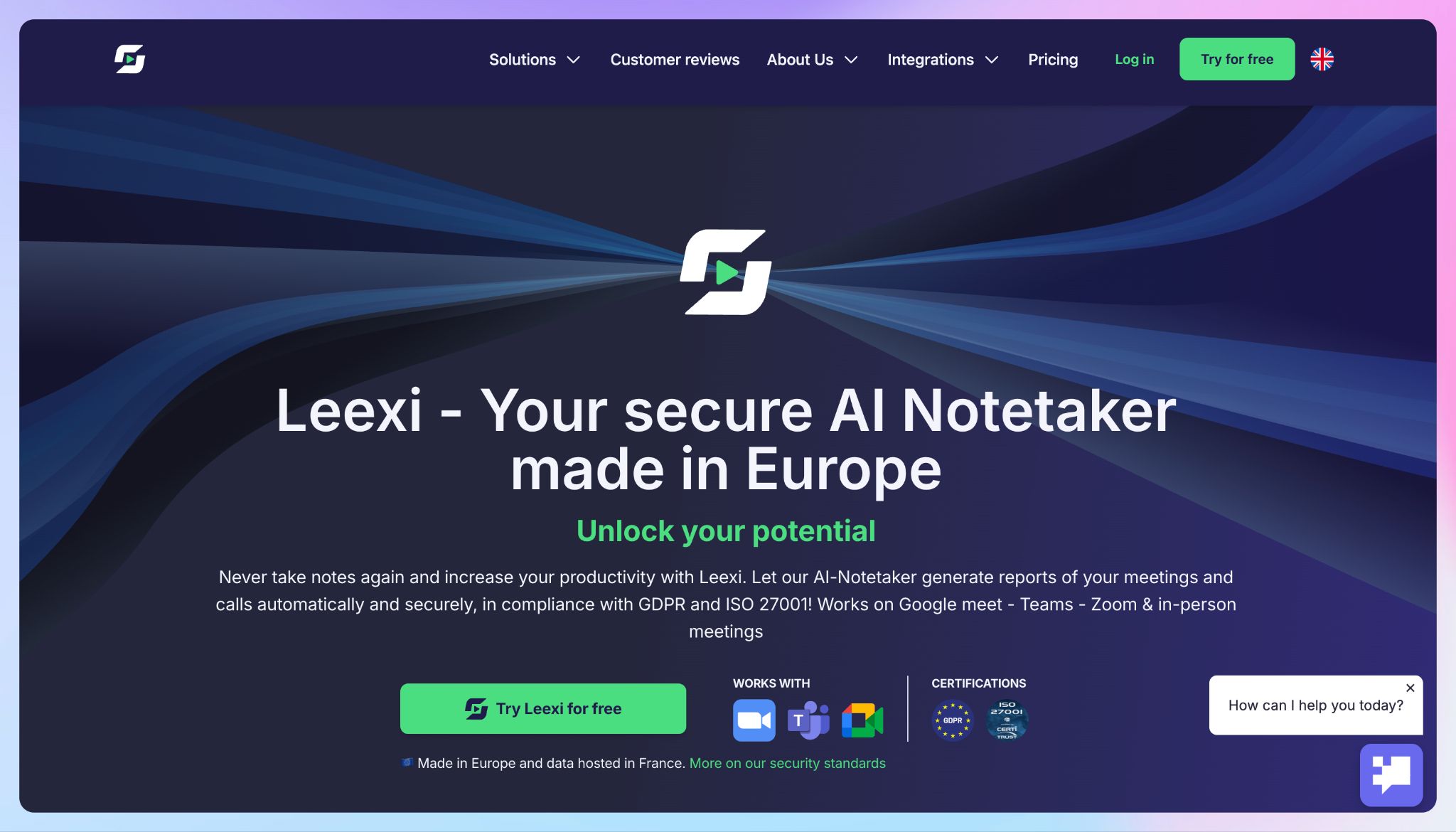
Leexi is a Belgium-based note taker that treats the meeting as the start of a workflow.
It records your video calls, VoIP calls, and in-person meetings, then turns each one into a structured report, a set of assigned follow-up tasks, and a CRM update pushed to the right contact, deal, or company automatically.
For a sales team that lives in HubSpot or Salesforce and runs calls through Aircall or Ringover, the end-to-end automation is one of the key reasons to choose it.
The other differentiator is analytics. Leexi's top tier gives managers conversation intelligence across the team: talk-time distribution, call performance, topic analysis, and scorecards, which turns a pile of recorded calls into something a sales lead can act on.
Leexi's key features
- Automatic recording and reporting across video meetings, VoIP calls, and in-person conversations
- CRM and ATS sync that writes summaries and tasks back to HubSpot, Salesforce, Pipedrive, and more
- VoIP integrations with Aircall, Ringover, 3CX, Teams Phone, Cloudtalk, and Vonage
- Conversation intelligence with talk-time, topic analysis, and scorecards for managers
- A prompt library, "Ask Leexi" search, public API, and MCP support
Leexi's pricing
- Starter: $15/user per month
- AI-Meeting: $29/user per month
- Business: $49/user per month
- Enterprise: Custom pricing
Leexi's pros
- Data stored and processed in France, ISO 27001 certified and GDPR-compliant, with end-to-end encryption
- Transcription in 100+ languages with automatic language detection, plus a mobile app for in-person meetings
- Public API and MCP support for teams that want to build Leexi into their own stack
Leexi's cons
- No free plan, so there’s no long-term free tier to lean on
- The features that define Leexi are spread across tiers: CRM sync and VoIP sit on Business, while the conversation analytics and scorecards managers want are Enterprise-only, so the real cost runs well above the entry price
- Transcription accuracy dips on heavily accented speech, and some users find the interface cluttered when juggling several meetings
📚 Also read:
5. Klang AI
Best for: Public sector and legal teams that need strict data sovereignty and transcripts
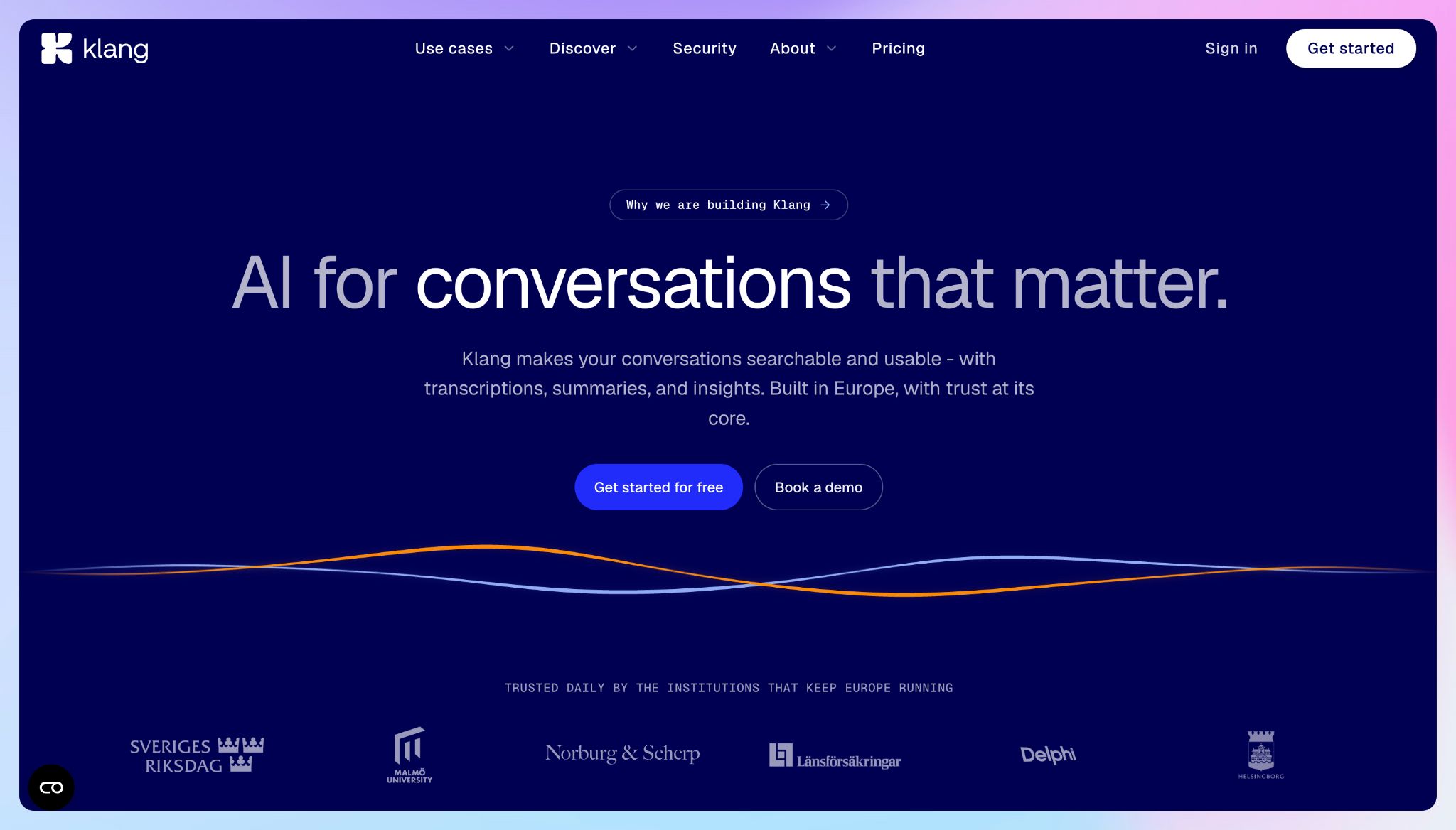
Klang is a Swedish platform built for organizations that treat data location as a hard requirement rather than a preference.
Founded in Skåne and running entirely under European law, it keeps transcripts, summaries, and even the underlying model inside European infrastructure, with data stored on Scaleway servers in France.
For a city audit office or a legal team handling sensitive recordings, the combination of European hosting and traceable, verifiable transcripts is helpful.
What sets it apart is deployment. Klang can run inside your own infrastructure through Docker images and Helm charts, support bring-your-own-LLM, and operate fully offline in air-gapped environments.
Klang AI's key features
- Transcription with speaker identification and suggested edits
- AI meeting notes from Microsoft Teams, Zoom, and Google Meet, plus browser and mobile recording
- Phone-call recording with speaker recognition and AI summaries through the mobile app
- API and MCP support to connect transcripts to your own tools and agents
Klang AI's pricing
- Freemium: Unlimited transcription
- Pro: €20/user per month
- Enterprise: Custom pricing
Klang AI's pros
- Data stored in the EU on French servers, run entirely under European law and shielded from extraterritorial reach
- Never trains on customer data, with permanent deletion and end-to-end encryption
- Self-hosting, bring-your-own-LLM, and air-gapped deployment for the most regulated environments
- Generous free plan with unlimited transcription
- Strong Nordic language support built on Klang's own speech models
Klang AI's cons
- The free plan's collaboration and integration features are limited
- Phone transcription and integrations only unlock on Pro
Which Fireflies alternative should European teams choose?
Every tool here clears the bar Fireflies stumbles over: your meeting data stays in Europe, and consent and retention are treated as obligations. So the decision is not about compliance anymore. Now you have to consider what happens to the conversation once the call ends.
👉 HappyScribe is the best European alternative to Fireflies, thanks to its wide language support and top-tier accuracy.
👉 If you manage a team and want to see patterns across everyone's meetings, MeetGeek turns a week of calls into summaries and analytics, as long as you switch on EU storage yourself.
👉 If you hire or sell, Noota writes the scorecard and updates the ATS or CRM for you, and its built-in dialer means phone screens count too.
👉 If your pipeline runs on CRM and VoIP, Leexi ties calls, video meetings, and coaching numbers into one thread your reps do not have to maintain by hand.
👉 If data sovereignty is a rule you answer to rather than a preference, Klang AI offers self-hosting and air-gapped deployment.
HappyScribe holds EU data residency and SOC 2 Type II certification while transcribing 150+ languages at 95%+ accuracy, and it records virtual calls, in-person meetings, and uploaded files with or without a bot.
For a European team whose meetings cross languages and touch sensitive data, it is the safest default and the easiest one to grow into. The support team is based in Europe and super helpful; you don’t have to deal with annoying chatbots.
The best part is, HappyScribe is absolutely free to get started with: you can enjoy unlimited meeting recordings (capped at 45 minutes each), and upgrade only when you’re happy with the services!
FAQs on European alternatives to Fireflies
Is Fireflies GDPR compliant?
Fireflies offers GDPR-related features and a data processing agreement, but by default it stores and processes data on US servers, which places that data under US jurisdiction. EU storage is available only on its Enterprise plan, and even then processing still happens in the US.
Why are European teams moving away from Fireflies?
Two reasons tend to come up. The first is legal exposure: Fireflies is facing class action lawsuits over how its auto-join bot captures participants who never consented. The second is data residency, since US-based processing raises cross-border transfer questions under GDPR. Neither makes the tool unusable, but together they push privacy-conscious teams toward tools built for European rules from the start.
What is the best GDPR-compliant alternative to Fireflies in Europe?
HappyScribe is the strongest all-round GDPR-compliant option for European teams, with EU data residency, SOC 2 Type II certification, and accurate transcription across 150+ languages. Recruiters may prefer Noota, sales teams may prefer Leexi, and regulated organizations may prefer Klang AI.
Are AI meeting notes legal in the EU?
Generally yes, but the rules vary by country and situation. Recording and transcribing a meeting is lawful across the EU when you have a valid legal basis under GDPR, and many member states also expect participants to be informed or to consent before recording begins.
Some countries apply stricter rules than others. The safer tools make compliance easier by announcing the recording, offering participant consent prompts, and keeping data in the EU, but the responsibility to secure consent and set appropriate retention still sits with you as the organizer. For anything sensitive, it’s worth checking your local requirements.

Rodoshi Das
Rodoshi is the Content Lead at HappyScribe, the privacy-first transcription and AI notetaker platform based in Barcelona. Shaping content strategies and building AI workflows excites her as much as exploring new SaaS tools. She specializes in product-led content that informs rather than sells, grounded in honest product benchmarking and low tolerance for empty marketing speak.