TL;DR ⏩
- HappyScribe: Best for European teams and public bodies that want AI and human transcription, subtitles, and meeting notes in one secure workspace
- Rev: Best for US legal and investigative teams that need English transcripts verified by humans
- Sonix: Best for medical researchers and agencies with uneven volume that want to pay by the hour for transcription
- Trint: Best for newsrooms that verify quotes during live events and build stories straight from transcripts
- Klang: Best for public bodies and regulated teams that want EU-hosted meeting notes with private cloud or on-premise deployment
Amberscript is an Amsterdam-based transcription service that European city councils and broadcasters trust with sensitive information. It offers AI and human transcription, and your files stay on servers in Frankfurt.
On paper, it’s a safe GDPR-compliant pick. But when I priced out a team setup, the cracks started to show.
People look for Amberscript alternatives because:
- Meeting notes run through Amber Notes, a separate app with its own account and plans, so your meetings and files aren’t stored in one place
- Human transcription covers only 18+ of its 90+ languages, so files in other languages can’t get a human proofread
- Human services can take up to 5 days, and the 1-day rush order comes with extra costs
- Unused monthly hours don’t roll over, and team accounts and SSO sit behind Enterprise
For AI and human transcription and meeting notes, I compared the Amberscript alternatives. Here are the best five.
Top 5 Amberscript alternatives at a glance
| Category | HappyScribe | Rev | Sonix | Trint | Klang |
|---|---|---|---|---|---|
| Best for | Secure transcription, subtitles, and meeting notes in one workspace | English legal transcripts verified by humans | Pay-by-the-hour AI transcription | Live newsroom transcription | EU-hosted meeting notes for public bodies |
| Key features | Human transcription, subtitles, AI Chat, meeting notes | Human transcripts in 12 hours, multi-file analysis | Folder-level AI analysis, broadcast subtitle exports | Trint Live, Story Builder | Private cloud, on-premise deployment |
| Supported languages | 150+ AI, 65+ human | 37 AI, English-only human | 54+ AI | 40+ AI | 19 AI |
| Meeting platform integration | Zoom, Google Meet, Teams, mobile apps | Zoom, Google Meet, Teams, Webex | Zoom, Google Meet, Teams on Pro | Zoom cloud recordings only | Zoom, Google Meet, Teams, mobile apps |
| Security | SOC 2 Type II, GDPR, EU data residency available | SOC 2 Type II, HIPAA, CJIS, no EU residency | SOC 2 Type II, data stored outside the EU | ISO 27001, EU or US storage | ISO 27001, GDPR, on-premise option |
| Starting price | Free plan, paid from $8.50/month billed annually | Free plan, Essentials at $29.99/seat/month | Pay As You Go at $10/hour | Pro at $100/month | Free plan, Pro at €17.50/person/month billed annually |
1. HappyScribe
Best for: European teams and public bodies that want AI and human transcription, subtitles, and meeting notes in one secure workspace
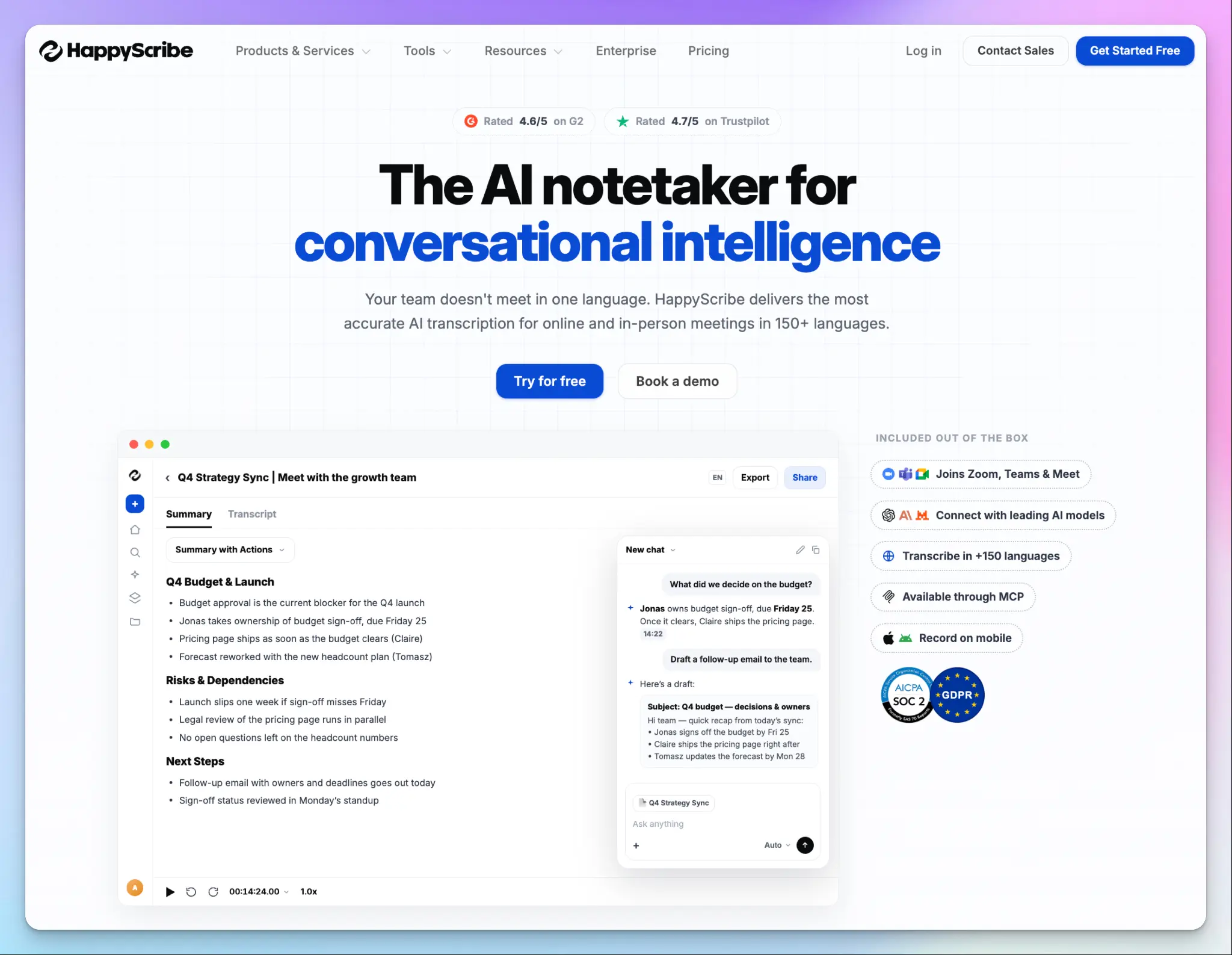
Amberscript splits your work across two products. HappyScribe keeps it on one platform, so the interview transcripts and the board meeting notes are available in the same dashboard.
HappyScribe is built in Barcelona under the same European rules Amberscript operates on. That’s why public institutions and newsrooms like Tamedia already trust it with sensitive recordings.
HappyScribe vs. Amberscript
| Category | HappyScribe | Amberscript |
|---|---|---|
| Meeting notes | AI note taker built into the same workspace as your files | A separate Amber Notes account and subscription |
| Human services | 65+ languages, delivered within 24-48 hours for most European languages | 18+ languages, delivered as late as 5 days |
| Free plan | Unlimited meeting recordings, up to 45 minutes each | Free trial only |
| Integrations | API support starts from the Basic plan, plus Zapier and an MCP server on every plan | API integrations only through Enterprise plan |
HappyScribe’s key features
1. Transcribe audio and video files in 150+ languages and dialects
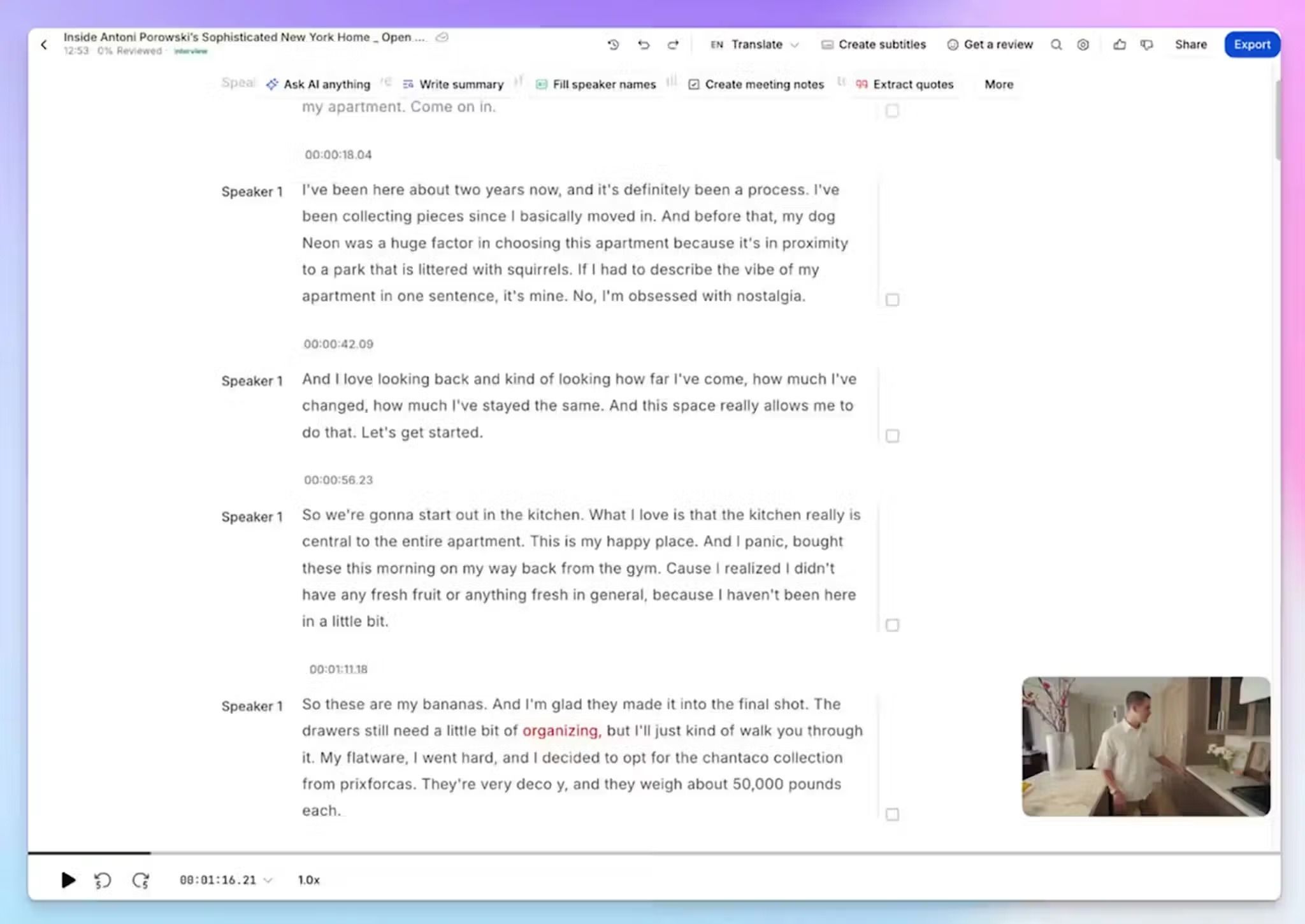
Language count sounds like a spec sheet number until your projects run across borders. HappyScribe supports 150+ languages, covering almost every project and workflow.
Imagine a Madrid agency running user research in Spain, Mexico, and Morocco in the same week. HappyScribe supports 21 Spanish variants and 17 Arabic variants, so the Mexico City accent and the Moroccan speaker each get their own language setting.
Upload the files or import them from YouTube, Vimeo, Google Drive, Box, or Dropbox. You get editable text in minutes with 95%+ accuracy, plus speaker labels and timestamps. The interactive editor plays the audio as you read, and you can export the result to DOCX, TXT, or PDF.
2. Get 99% accurate transcripts with expert human transcriptionists
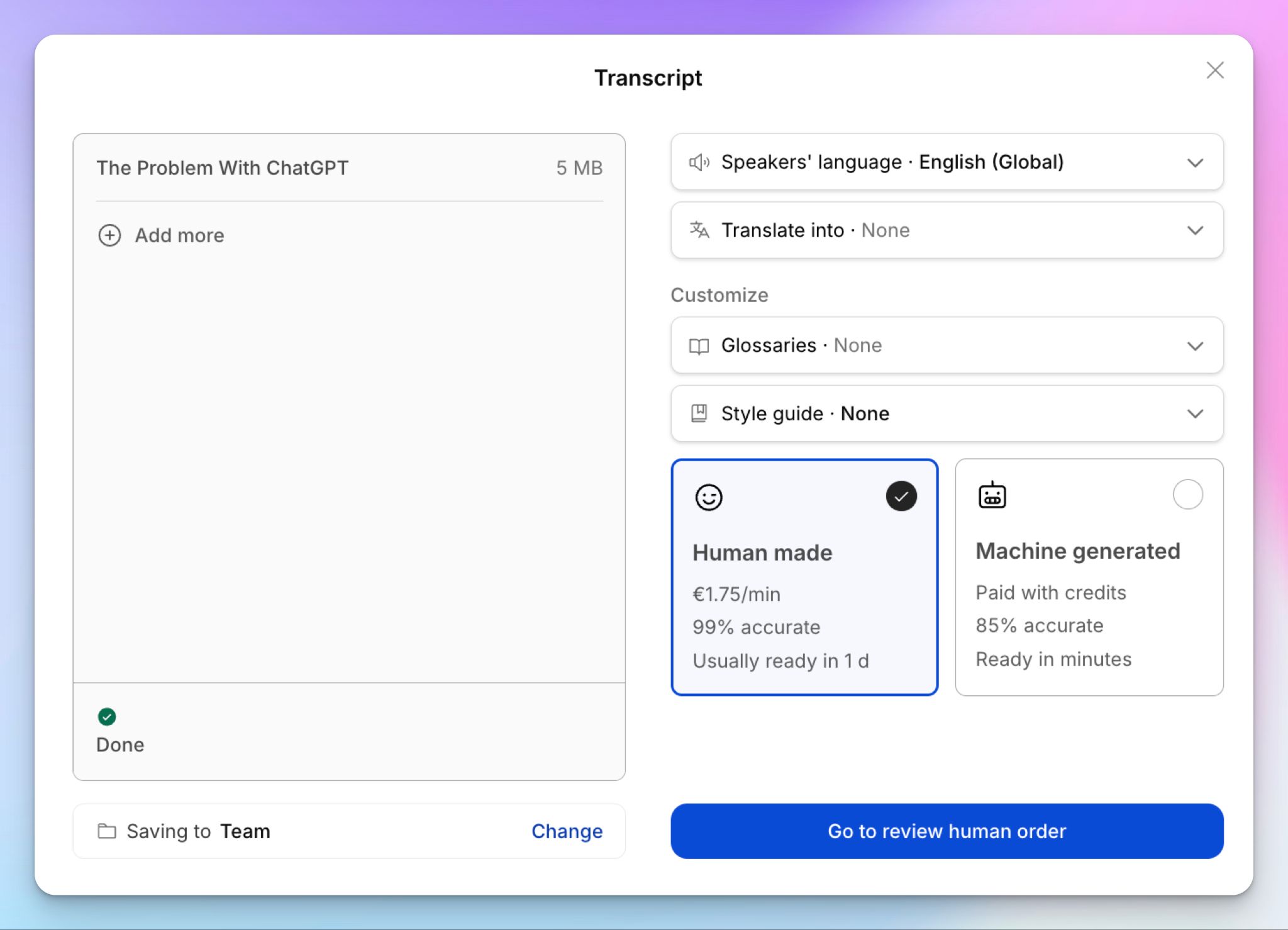
Picture a journalist in Athens with a 90-minute interview and a front-page deadline. The AI draft gets her most of the way, but one misheard quote can turn into a correction the next morning.
With HappyScribe, she sends the same file to professional transcribers and gets it back proofread to 99% accuracy. Greek, Czech, Croatian, Japanese, Chinese, and Arabic are all covered. None of them is supported by Amberscript.
Business plans get 5% off, and Enterprise teams can add custom guidelines and a dedicated project manager.
3. Take meeting notes from Zoom, Google Meet, Microsoft Teams, and in-person calls
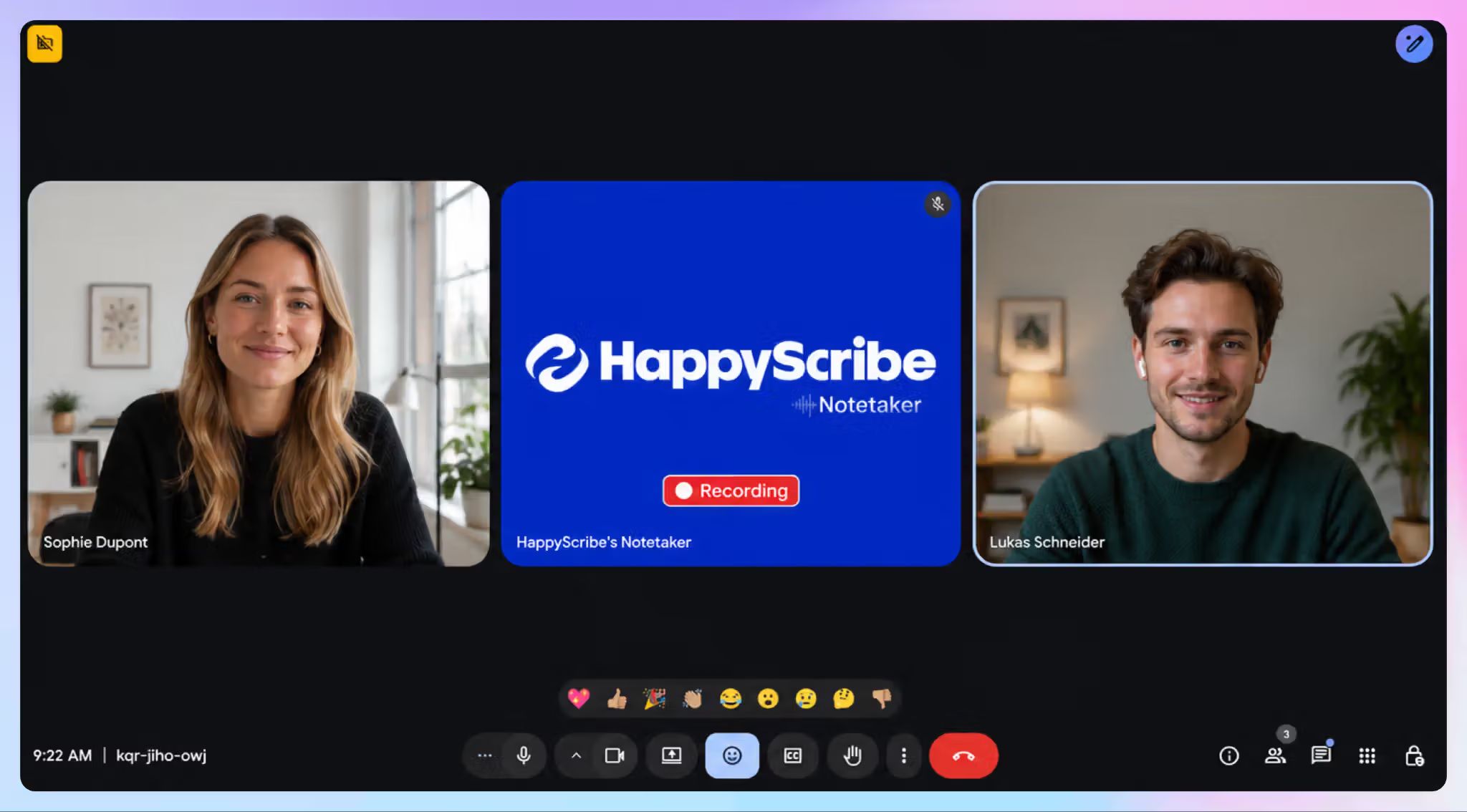
Connect your Google or Outlook calendar, and the AI notetaker joins your calls to transcribe. When a conversation goes off the record, you can pause the bot or remove it from the call.
But not every meeting has a link. HappyScribe’s web recorder captures impromptu calls, and the iOS and Android apps record in-person interviews even without an internet connection.
After each call, you get a meeting summary with action notes for tasks and deadlines, and you can edit or regenerate it. Amber Notes takes you to a different dashboard and doesn’t offer the same AI insights.
4. Create and edit subtitles and translate them into 80+ languages
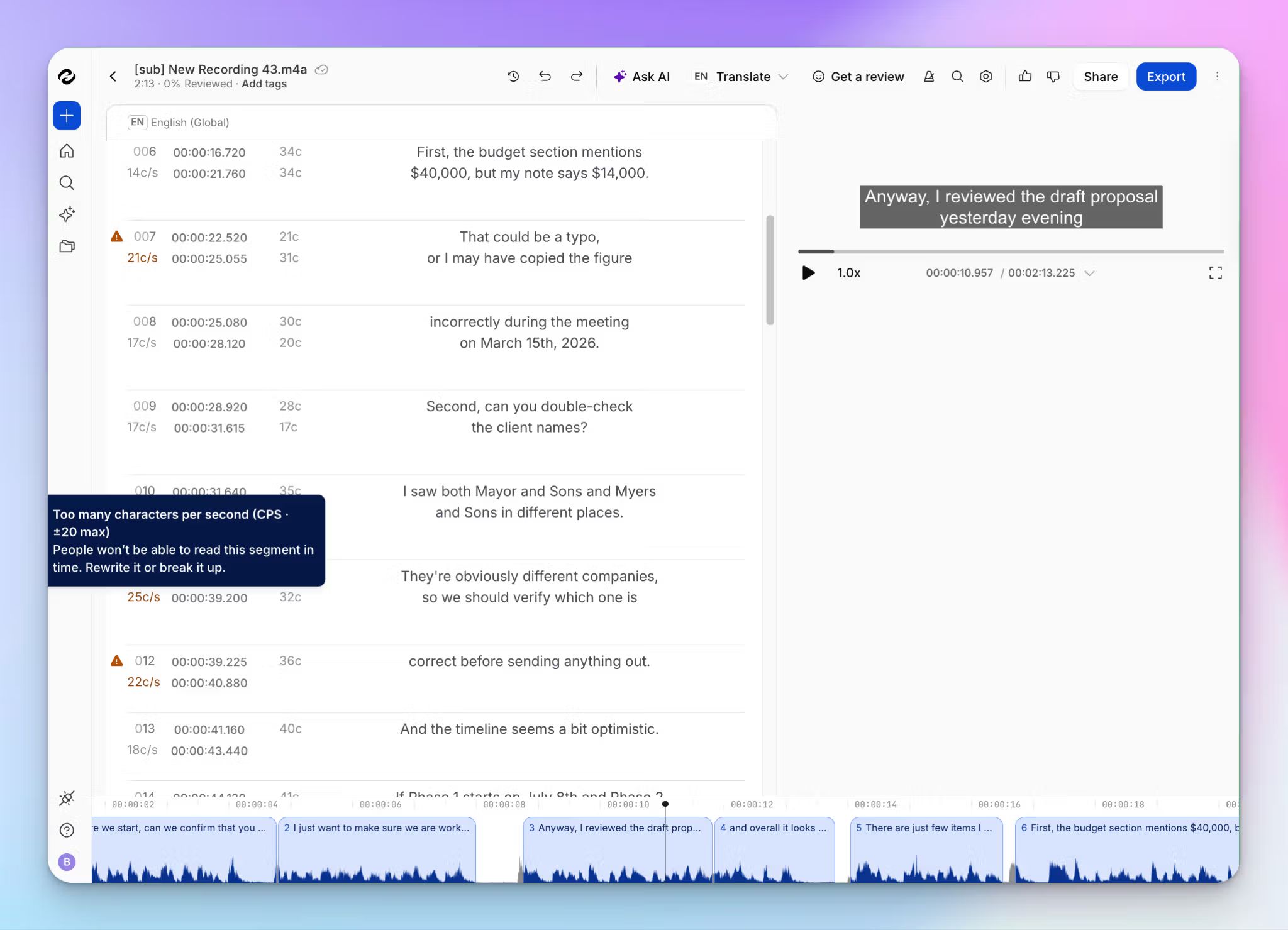
Say you produce a documentary in Lyon. It needs French captions for TV and English subtitles for a festival screening.
HappyScribe turns your transcript into subtitles, and you fix timing and line breaks in the subtitle editor. Then you export STL for the broadcaster or FCPXML for your video editor.
For the festival cut, AI translation covers 80+ languages, and human translators can polish the final version. If the broadcaster asks for captions for viewers with hearing impairments, you can order SDH subtitles from the same file.
5. European-grade security and granular access control
HappyScribe is a SOC 2 Type II certified note taker, a report Amberscript doesn’t have. EU data residency is available in a Tier IV, ISO 27001-compliant data center, and stored data is encrypted with AES-256.
In the Business plan, you can assign workspace roles and permissions. HappyScribe Enterprise adds SSO/SAML and retention controls, and procurement teams can get the SOC 2 report and DPA from the Trust Center.
HappyScribe’s pricing
- Free: Unlimited meeting recordings, up to 45 minutes each
- Basic: $8.50/month billed annually or $17/month billed monthly
- Pro: $19/month billed annually or $29/month billed monthly
- Business: $59/month billed annually or $89/month billed monthly
- Enterprise:Contact sales
- Human services: From $2.00/minute
HappyScribe’s pros
- Wide range of language support (150+ for AI transcription and 60+ for human transcription) for global projects
- AI Chat helps you interact with your notes and transcripts so you can extract decisions, patterns, and action items
- Top-up credits don’t expire with HappyScribe, while Amberscript’s monthly hours do, and its purchases must be activated within 60 days
- Your recordings don’t train AI models unless you opt in, and opted-in data is de-identified first
- On Enterprise, one SSO connection can cover several brands or subsidiaries, each in its own workspace, which suits media groups and multi-agency public bodies
- Choose the model behind AI Chat on Pro, including Mistral if you prefer a European AI model, or bring your transcripts into Claude and ChatGPT
HappyScribe’s cons
- Not ideal for real-time transcription
What are users saying about HappyScribe?
I can upload raw recordings, select human transcription, and confidently know the final deliverable will be ready on time and virtually error-free. In addition, HappyScribe has a user-friendly interface: navigating the dashboard, managing projects, and viewing transcriptions is clean, simple, and requires zero learning curve.
Source: G2
I needed Spanish language subtitles done quickly and (most importantly) done accurately. Happy Scribed delivered! As a feature film distributor having accurate subtitles is very important and I am very pleased with what I received back from Happy Scribe.
Source: Trustpilot
How to use HappyScribe: a step-by-step guide
- Sign up for free and click Transcribe files at the top of your dashboard to upload audio or video, or import a link from YouTube, Wistia, Vimeo, or Google Drive.
- Pick the language of your file, then choose AI transcription or order human proofreading for 99% accuracy.
- Connect your Google or Outlook calendar so the notetaker joins your Zoom, Google Meet, or Teams calls.
- Use AI Chat to extract insights and then export them as DOCX, SRT, or VTT.
2. Rev
Best for: US legal and investigative teams that need English transcripts verified by humans
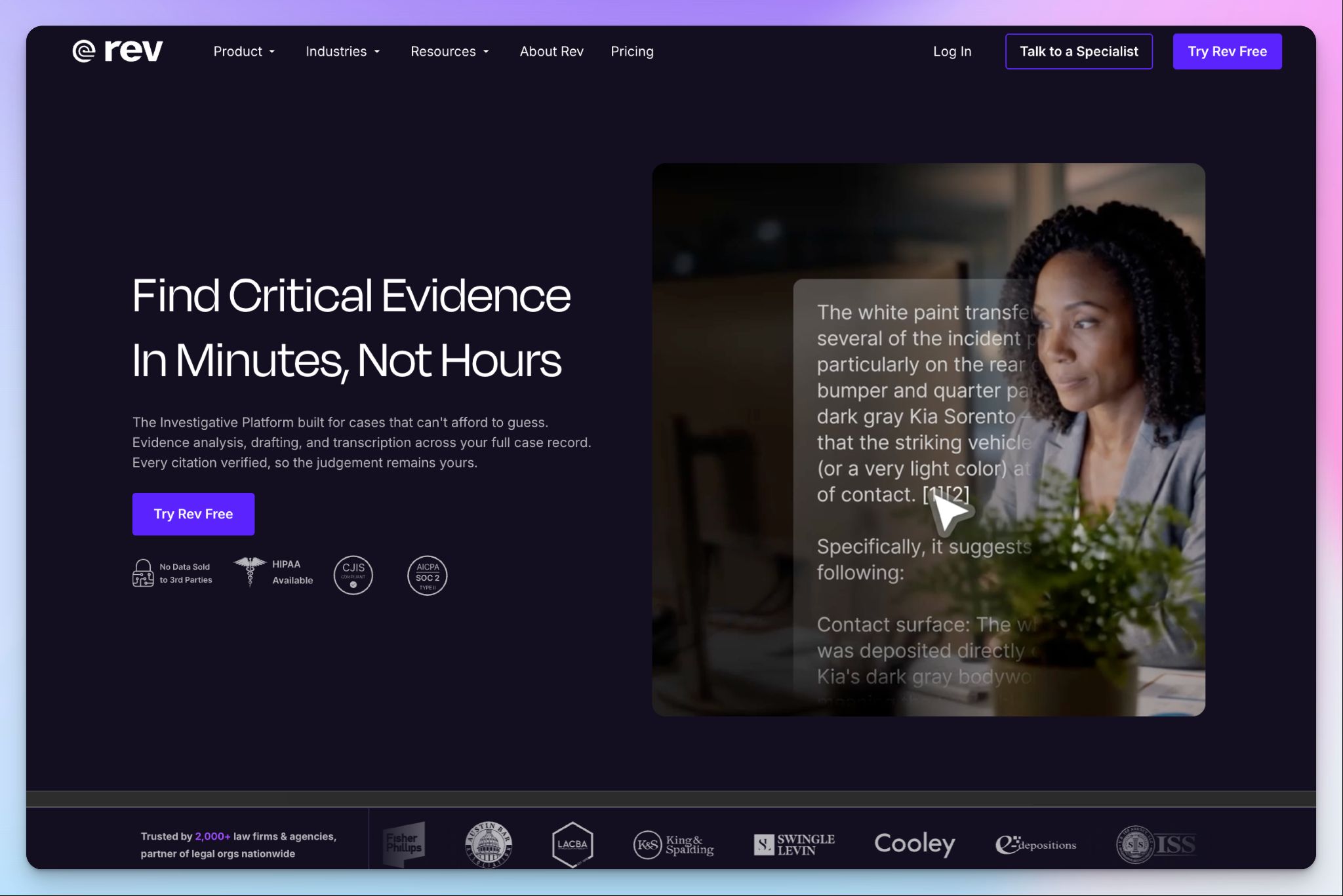
Rev started as a general transcription service, but today it sells itself as an investigative intelligence platform for prosecutors and police departments.
If your recordings are in English and end up in a courtroom, Rev deserves a closer look. If you picked Amberscript for its European languages, it won’t take you far.
Rev vs. Amberscript
Amberscript’s human files can take five days to transcribe. Rev guarantees 99%+ accurate human transcripts in 12 hours or less, and a rush order can bring that down to about two hours.
Rev also goes deeper on evidence. Its multi-file analysis can search bodycam footage, reports, and interview transcripts together, then flag contradictions with citations back to the source.
The asterisk is language. Rev’s human transcription is English only, and its human captions cover only English and Spanish.
Rev’s key features
- An AI notetaker joins Zoom, Google Meet, Microsoft Teams, and Webex calls, with live transcripts and meeting summaries of decisions and next steps
- Rev’s Legal Premium transcripts go through multiple quality checks for 99.7%+ accuracy, with question-and-answer formatting ready for court
- Open a video in the transcript editor, and Rev suggests clips based on your role, so you can save key moments in seconds
- Every freelance transcriptionist signs an NDA and passes ID verification and a background check. The Unlimited plan adds CJIS and HIPAA compliance
Rev’s pricing
- Free
- Essentials: $29.99/seat/month
- Pro: $59.99/seat/month
- Unlimited: Custom pricing
- Human transcription: $1.99/minute
Rev’s cons
- AI transcription in 37 languages needsthe Pro plan, and even then, Ukrainian, Estonian, Serbian, and Icelandic aren’t on the list. The Free plan is English only, and Essentials adds Spanish, which pushes many teams toward European alternatives to Rev
- Rev stores your files on AWS and offers no EU data residency option. As a US company, it also falls under the US CLOUD Act
- Rev’s terms let it use your content to keep training its own speech recognition models, and that stays in force after you cancel
📚 Also read:
3. Sonix
Best for: Medical researchers and agencies with uneven volume that want to pay by the hour for transcription and analysis

Sonix is a San Francisco-based transcription company that lets you start without a subscription. You pay $10 per hour of audio, prorated to the second, and move to a monthly plan only if your volume grows.
Sonix has leaned into legal and medical work, with SOC 2 Type II on every plan and HIPAA through Medical Sonix and Enterprise. But teams that want human proofreading will have to look elsewhere.
Sonix vs. Amberscript
Both tools sell AI transcription by the hour, but Sonix does more with each hour. Translation into 54+ languages draws from the same hours on every plan.
Sonix also reads across your files. Folder-level AI analysis pulls themes, sentiment, and named entities from dozens of async interviews at once, and every insight links back to a timestamp you can check.
The catch is the human layer. Sonix has no in-house transcribers. It points you to a directory of independent transcriptionists, and you negotiate rates and deadlines with them yourself.
Sonix’s key features
- Upload files up to 4GB, from MP3 to WebM, and get an hour of audio back as a transcript in a few minutes
- Build a custom dictionary for each client or project, so company names and jargon come out right the first time
- You can click any word in the browser editor to play the audio from that moment, then realign timecodes with one click after edits
- Export subtitles as SRT, VTT, TTML, FCPXML, or AVID markers, or burn styled captions into an MP4 with a 9:16 frame for vertical video
Sonix’s pricing
- Free trial: 30 minutes
- Pay As You Go: $10/hour
- Core: $25/month
- Advanced: $50/month
- Pro: $80/month
- Enterprise: Custom pricing
Sonix’s cons
- Pay-as-you-go doesn’t include AI workspace usage, so analysis needs a subscription
- Sonix Agent, its meeting bot for Zoom, Google Meet, and Teams, only comes with the $80 Pro plan. It can’t read your calendar either, so you paste every meeting link by hand
- Sonix’s privacy policy says your data is stored outside the EU and UK. It doesn’t list ISO 27001, so you might want to check European alternatives to Sonix
📚 Also read:
4. Trint
Best for: Newsrooms that verify quotes during live events and build stories straight from transcripts
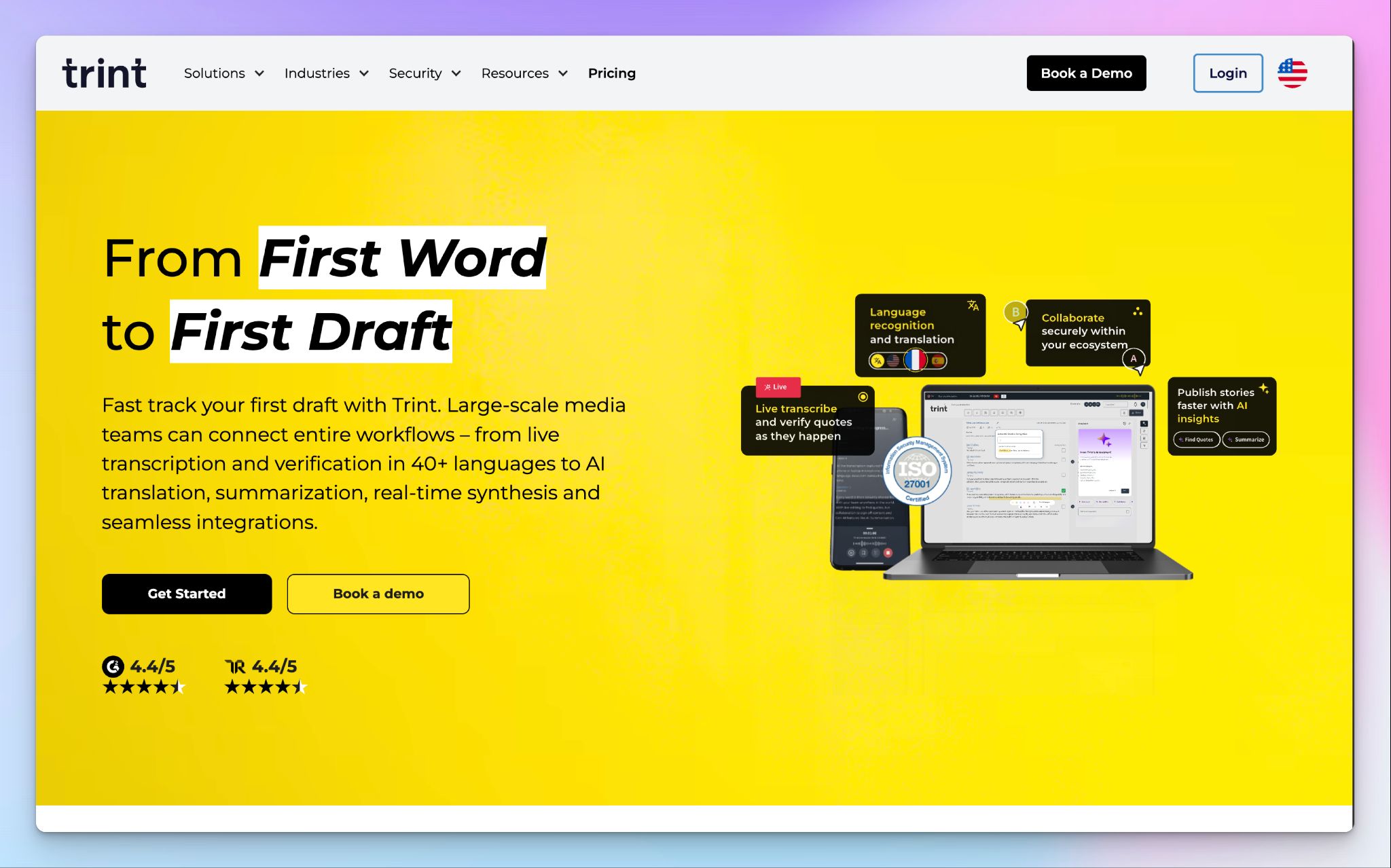
Trint was founded by a former war correspondent, and it shows. AFP uses Trint Live to cover summits like COP, with a reporter recording at the door while colleagues read the transcript back at the desk.
Trint is UK-based, ISO 27001 certified, and lets you store transcript data in the EU, so it matches much of Amberscript’s security posture. But teams that only need clean files and subtitles will pay for newsroom features they might never open.
Trint vs. Amberscript
Amberscript transcribes after you upload files. Trint Live captures speech as it happens, and your editors and field reporters follow the same transcript at once. Click any line to hear the audio, so you can check a quote before the press conference ends.
The fine print is coverage. Trint has no human transcription, and its Zoom integration only pulls cloud recordings. There’s no meeting bot for Microsoft Teams or Google Meet.
Trint’s key features
- Choose whether your data is stored in the EU or the US, with AES-256 encryption at rest and Cyber Essentials certification
- Transcribe in 40+ languages, and automatic language detection keeps multilingual events in one transcript
- Story Builder picks up where transcription stops. You can drag key quotes into a new order, add headings, and export a rough cut as EDL or XML for your video editor
- Plug Trint into newsroom systems like AP ENPS, Mimir, and Octopus, or transcribe a whole archive through BulkScribe
Trint’s pricing
- Pro: $100/month
- Team: $90/user/month (2-5 users)
- Business: Custom pricing
Trint’s cons
- There’s no free plan, and the 7-day trial stops at three files, which pushes many users toward Trint alternatives
- Trint might have spelling errors in non-English transcripts, which you’ll notice if you’re coming from Amberscript’s European language coverage
- Files must be under three hours or 3 GB, and you can’t paste a YouTube link, so long hearings and web videos need extra prep
📚 Also read:
5. Klang
Best for: Public bodies and regulated teams that want EU-hosted meeting notes with private cloud or on-premise deployment
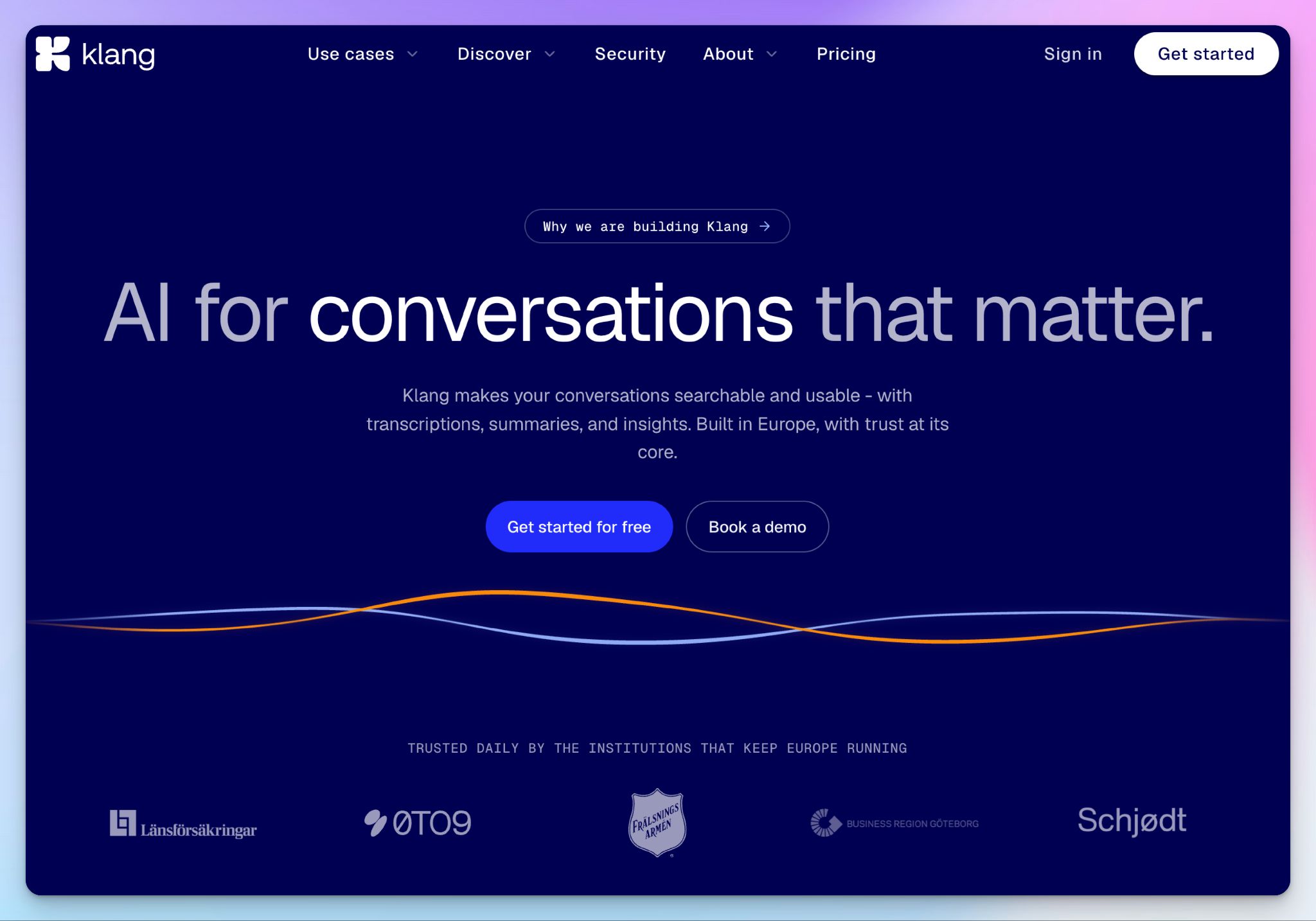
Klang competes more directly with Amber Notes than with Amberscript’s transcription service, and it goes further on control. The Swedish company has built much of its business around municipalities and public agencies.
If Amberscript won you over with its European credentials, Klang doubles down on them. Media teams will miss subtitles and human proofreading, though.
Klang vs. Amberscript
Amberscript keeps your files on Google Cloud in Frankfurt, but Klang lets you skip the shared cloud altogether. Its Team plan offers a single-tenant private cloud or full on-premise deployment.
It has also been tested by a regulator. Kalmar municipality took Klang through the Swedish data protection authority’s sandbox, and the authority found a legal basis for transcribing social services meetings, including sensitive personal data.
The catch is hosting clarity. Klang’s security page puts its servers in France with Scaleway, while its public sector page describes a Swedish private cloud. Ask which applies to your workspace before you sign.
Klang’s key features
- Record Zoom, Google Meet, and Microsoft Teams calls through calendar sync, and choose whether Klang joins every meeting or only the ones you organize
- You can also record in-person meetings on iOS or Android, even without a connection, and transcribe phone calls on Pro
- Klang’s Pianissimo model works well in Scandinavian languages, particularly in Swedish
- You can set up scheduled analyses to run saved prompts on every new conversation and send the results to Slack or email
Klang’s pricing
- Freemium: Free
- Pro: €17.50/person/month (billed annually)
- Team: Custom pricing
Klang’s cons
- Klang has no human transcription, so a hearing or research interview can’t go out for a proofread
- It transcribes only 19 languages, and Czech, Hungarian, Romanian, and Arabic aren’t among them
- Private cloud, on-premise, SSO, and your own encryption keys all sit on the Team plan, so the sovereignty features you’d switch for start with a sales call
📚 Also read:
Which Amberscript alternative should you choose?
Amberscript earns its place with European security. The real question is which of its limits you’re tired of working around.
👉 Choose Rev if your team works in English and needs human-verified transcripts ready for court within 12 hours.
👉 Choose Sonix if you’d rather pay by the hour for AI transcription and analysis.
👉 Choose Trint if your newsroom verifies quotes during live events and builds stories straight from transcripts.
👉 Choose Klang if your public body wants meeting transcripts on a private cloud or your own servers.
👉 Choose HappyScribe if you want AI and human transcription, subtitles, and meeting notes in one secure European workspace.
Each alternative leaves part of Amberscript’s job undone. Rev’s human transcription is English only. Sonix has no in-house transcribers, and its meeting bot needs the $80 Pro plan. Trint skips human transcription and has no note-taker for Teams or Google Meet. Klang transcribes only 19 languages, with no human proofreading.
HappyScribe covers everything in one platform. It transcribes files in 150+ languages and records your Zoom, Google Meet, and Teams calls in the same workspace, where your transcripts also turn into subtitles. It’s the only tool on this list with professional transcribers beyond English. And all of it runs from Barcelona, with SOC 2 Type II certification, with EU data residency available.
FAQs about Amberscript alternatives
Which transcription site is the best Amberscript alternative?
HappyScribe is the best Amberscript alternative for most teams. Like Amberscript, it pairs an AI-powered automatic transcription tool with manual transcription, but its human service covers 65+ languages instead of Amberscript’s 18+ languages. Speaker identification, meeting summaries, and translated subtitles sit in the same advanced dashboard. Allowing users to work across multiple languages in one place makes it a simpler transcription tool for small teams.
Which free AI is best for transcribing audio to text?
HappyScribe is the best free AI tool for businesses and individuals alike. Its free plan records unlimited meetings up to 45 minutes each, and a 10-minute trial lets you convert audio recordings you’ve already made. Multi-language support covers 150+ languages, with separate settings for regional variants, so transcription quality stays strong across different accents. Klang’s free plan is a handy tool for Swedish speakers, but it covers only 19 languages.
Is Amberscript secure and GDPR compliant?
Yes. Amberscript says it’s fully GDPR compliant and is ISO 27001 and ISO 9001 certified. It encrypts your files during upload and in storage, on Google Cloud servers in Frankfurt. Its Trusted Partner Network badge also puts it among film studios’ trusted partners. What it doesn’t list is a SOC 2 Type II report, which HappyScribe and Rev both have.
How much does Amberscript cost?
Amberscript pricing starts at €19 a month for 5 hours of machine-made transcription, or €10 an hour with one-time credits. Machine-made output is listed as 90%+ accurate, so plan significant time for edits if you need accurate transcription. Manual transcription with high accuracy starts at €1.85 per minute, with no extra charge for multiple speakers in your audio files. Translated subtitles need a custom quote, which slows media production teams that want to add subtitles on a deadline. Unused monthly hours expire, so compare pricing models if your volume of transcribed files changes month to month.
Does Amberscript have an AI note taker for meetings?
Yes, but it’s a separate product. Amber Notes records Zoom, Google Meet, Teams, and in-person meetings, then writes summaries with action points. It runs on its own domain with its own account and plans, so your calls never sit next to your Amberscript files. In HappyScribe, meeting notes are one of the core features of the same transcription software. Your meetings and video content share one online editor and a simple user interface, so you save time switching between tools.

Biplab Mazumder
Biplab is a content marketer and writer who helps high-growth brands scale content visibility across AI search channels. His works have been published in HubSpot, Freshworks, Atlassian, SurferSEO, etc. When he's not planning content strategy, he's testing AI content workflows and use cases.