![5 Best Fellow Alternatives for AI Meeting Notes [2026]](/sanity-images/ejgwz1gl/redesign/9721ebea43bc17ce9a698fe2c5cf469849b39cd1-2048x1152.jpg?auto=format&w=2048.0&rect=0,64,2048,1024&h=1024)
TL;DR ⏩
Based on my experience of trying various meeting note takers, here are the best Fellow alternatives for your meetings:
- HappyScribe: Best overall Fellow alternative for global teams that want 95%+ accurate AI meeting notes in 150+ languages, human proofreading, file transcription, and a proper free plan
- Spinach: Best for agile product and engineering teams that want a scrum master to run standups, sprints, and retros, and turn them into Jira tickets
- Bluedot: Best for sales and recruiting teams that want quiet, bot-free capture from a browser or desktop with notes flowing into their CRM
- Notion AI: Best for teams already using Notion who want meeting notes captured inside the same workspace as their docs and projects
- tl;dv: Best for sales and research teams that want multi-meeting AI intelligence and shareable clips
Fellow likes to position itself as a meeting management tool. And it broadly works like that, right up until you start paying attention to the nitty-gritties.
After a few weeks of back-to-back calls, I hit so many snags that I wasn’t able to enjoy its flagship features like meeting agendas and action items tracking. I finally decided to switch to help me with meeting tasks, which kicked off this article.
I tested several Fellow alternatives to see which ones actually came through, and analyzed feedback from real users to trim the list down.
If you’re in the same boat as I was, read on to know more about the best Fellow alternatives for your meetings.
Why users are looking for Fellow alternatives
1. Fellow has a complex and unstable UI
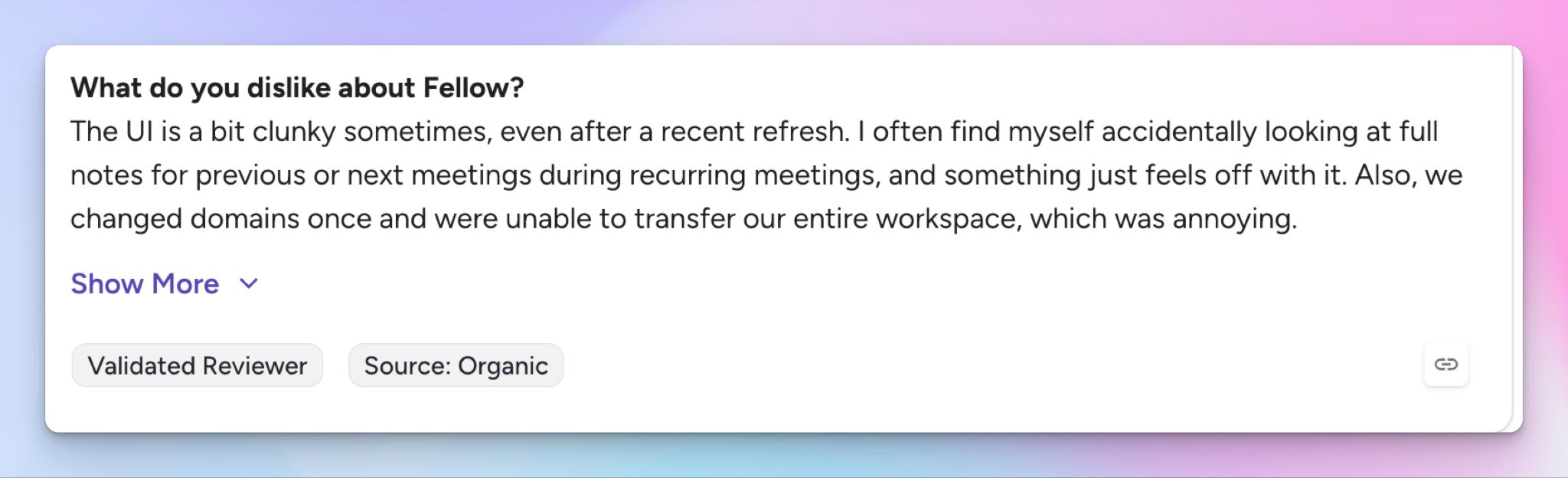
Fellow does a lot, with agendas, 1-on-1s, action items, feedback, and analytics all under one roof. The downside is an interface that takes time to learn and keeps shifting.
It has undergone sudden UI changes even after a refresh, and I kept landing on the wrong meeting notes during recurring calls. For teams onboarding new members, relearning workflows is a massive waste of time.
2. Fellow's free plan is so restrictive that it's a glorified trial
The recording cap gives it away: you get five meeting recordings per user, and that's a lifetime limit, not monthly. The free plan also locks you out of notes older than 14 days, so your meeting history disappears behind a paywall, and advanced features like AI templates and Ask Fellow aren't included.
Five lifetime recordings and a two-week memory is a trial disguised as a free plan, and you'll hit the limits within a week of regular use.
3. Clunky calendar integration and an unreliable meeting bot
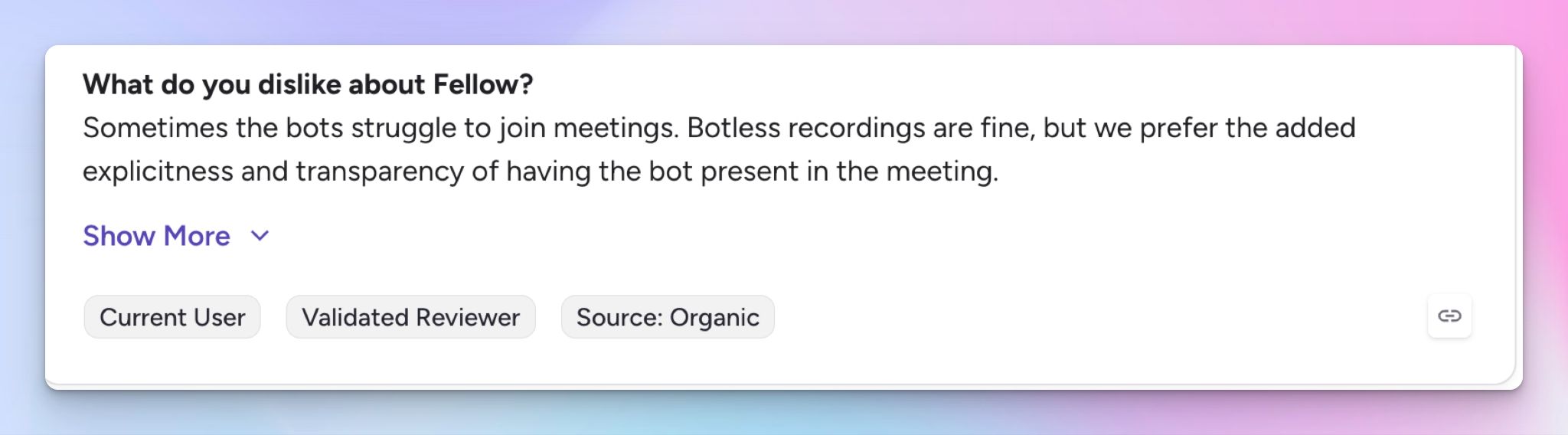
A note taker lives or dies by whether it shows up reliably. I struggled with Fellow’s Outlook integrations, and I wasn't the only one. You’ll find users reporting sync delays and meetings not surfacing where they should.
The bot has its own quirks, sometimes joining calls it shouldn't and other times missing the ones you wanted. The result is constant double-checking, which defeats the point of automating notes.
🧠 Did you know?
According to a Microsoft survey, inefficient meetings rank as the number one productivity disruptor. It's no surprise, then, that 80% want AI to handle their meeting summaries and action items, which is where a shaky note taker loses them.
4. Action items and summaries struggle with accuracy and flexibility
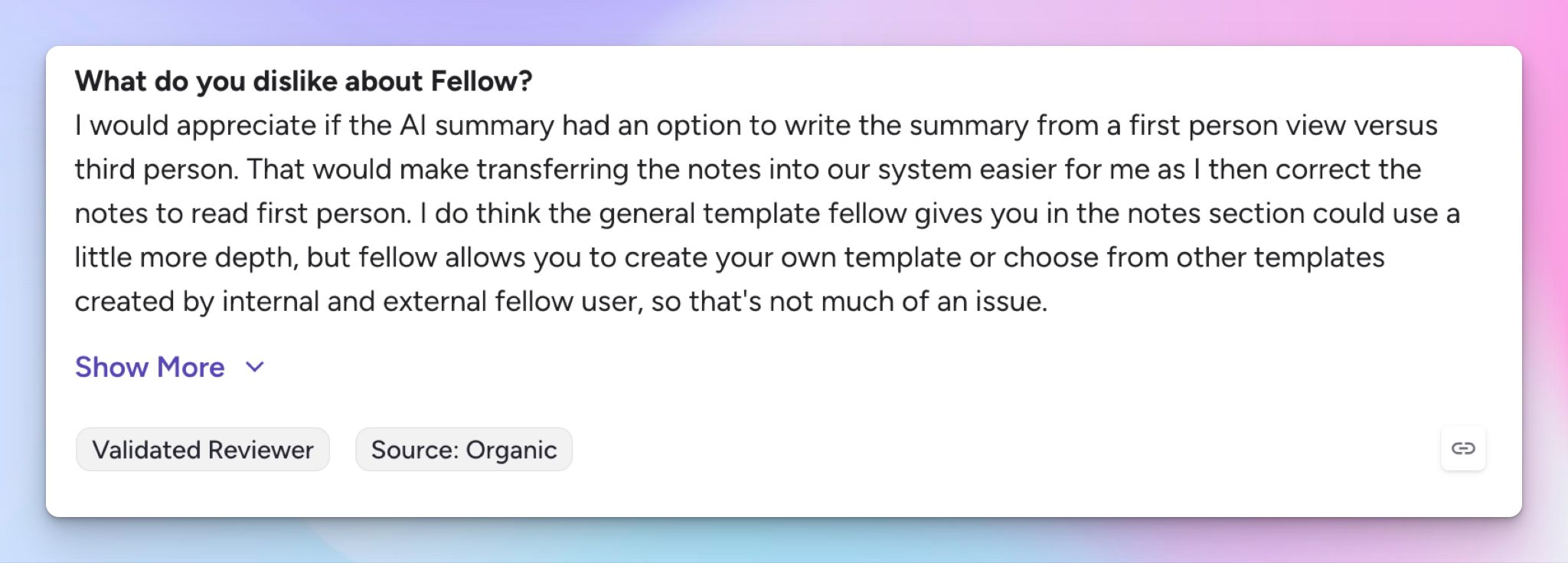
Fellow is fine on clean audio, but consistency is the issue. Transcription accuracy isn’t always guaranteed, which spills into the action items. The bigger issue is flexibility: summaries arrive in a fixed tone and structure with limited control over reshaping them.
For a tool built to turn meetings into accountable next steps, output that you have to correct and can't easily reformat undercuts the value.
Top 5 Fellow alternatives at a glance
| Category | HappyScribe | Spinach | Bluedot | Notion AI | tl;dv |
|---|---|---|---|---|---|
| Best for | Global teams that want accurate multilingual notes, human proofreading, and free meeting recordings | Agile product and engineering teams running standups and sprint ceremonies | Sales and recruiting teams that want bot-free capture | Teams already living in Notion who want notes inside their workspace | Sales and research teams that want shareable clips and multi-meeting AI |
| Key features | 95%+ accurate notes, bot-free in-person recording, AI Chat, translation, subtitling, mobile apps, MCP server | AI scrum master, one-click ticket creation, sprint summaries, Ask Spinach | Bot-free Chrome and desktop capture, CRM and ATS sync, API and MCP server | Notes inside Notion pages, calendar auto-create, Ask Notion across workspace | Multi-meeting reports, sales coaching, clips and Reels, AI Agents |
| Supported languages | 150+ languages and dialects | 100+ languages | 100+ languages | 19 languages | 30+ languages |
| Meeting platform integration | Zoom, Google Meet, Microsoft Teams, and in-person meetings | Zoom, Google Meet, Microsoft Teams | Zoom, Google Meet, Microsoft Teams, and in-person meetings | Zoom, Google Meet, Microsoft Teams via system audio | Zoom, Google Meet, Microsoft Teams |
| Security | SOC 2 Type 2, GDPR, and all data stored in ISO 27001-compliant EU data center | SOC 2 Type 2, GDPR, and HIPAA | GDPR, with SSO and SCIM on Business | SOC 2 Type 2, with no training on customer data | SOC 2 Type 2 and GDPR |
| Starting price | Free plan with unlimited recordings. Paid plans from $8.50/month (billed annually) or $17/month (billed monthly) | Free plan, paid from $2.90/meeting hour | Free plan, paid plans start from $18/month | Free plan, paid plans start from $12/month | Free plan, paid plans start from $29/month |
1. HappyScribe
Best for: Global teams that want 95%+ accurate AI meeting notes in 150+ languages, file transcription, and a note taker that holds up without the setup friction of Fellow
HappyScribe's AI meeting note taker is the strongest Fellow alternative because it shines in areas where Fellow falters. There's no thicket of agendas and templates to wade through, just accurate notes ready in minutes after your call.
Connect your calendar to let HappyScribe auto-join calls and transcribe notes or simply use the mobile app to record audio without a bot. Either way, you get a consistent UI and reliable transcripts that help you work faster.
HappyScribe vs. Fellow
| Category | HappyScribe | Fellow |
|---|---|---|
| Transcription accuracy | Consistent 95%+ accuracy on accents, crosstalk, and jargon across 150+ languages | Reliable on clean audio, but accuracy wavers on messy calls |
| Translation and subtitles | Translates transcripts into 80+ languages and edits subtitles for video | Transcribes in 93 languages, but can't translate transcripts or edit subtitles |
| Free plan | Unlimited meeting recordings on the free plan, capped at 45 minutes each | Five lifetime recordings per user, then you upgrade |
| Human proofreading | Human proofreading service at 99% accuracy across 60+ languages for high-stakes audio | AI transcription only, with no support for manual review for accuracy |
HappyScribe's key features
1. A simple and reliable note taker across video calls and in-person meetings
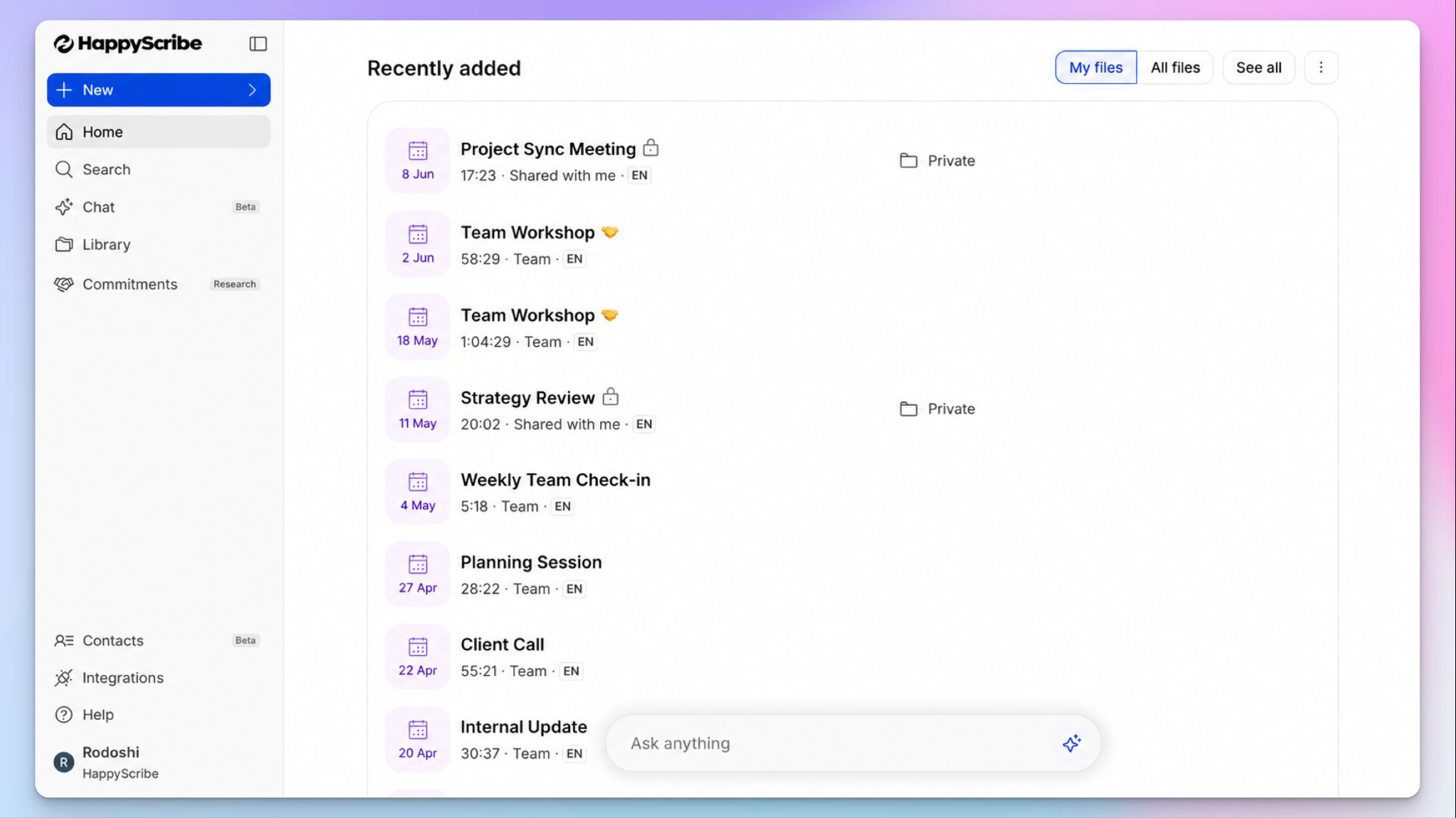
One HappyScribe workspace covers every meeting type, so there's nothing new to learn every week.
HappyScribe’s AI bot joins your scheduled Zoom, Google Meet, and Teams calls automatically. It announces itself for compliance so all attendees can be on the same page regarding consent and privacy. You can steer it mid-call by typing "!help" in the chat.
When the meeting happens offline, the bot-free recorder captures it without an awkward participant on the call. You can also use the mobile app for meetings and transcriptions on the go.
2. Generate transcripts with 95%+ accuracy in 150+ languages and dialects
HappyScribe’s AI transcription engine has been refined over the years to handle accents, crosstalk, and industry jargon at 95%+ accuracy. From Danish and Catalan to Korean and Amharic, it automatically detects multiple speakers and adds timestamps so you can verify the media and the text simultaneously.
You can also build custom glossaries so product names, client names, and technical terms come out right from the very first session.
When you need to be absolutely sure about transcription accuracy, you can send your files to HappyScribe's human transcription service for 99% accuracy. It’s ideal for journalists, lawyers, and researchers.
3. Ask AI Chat to surface insights from your meetings and files
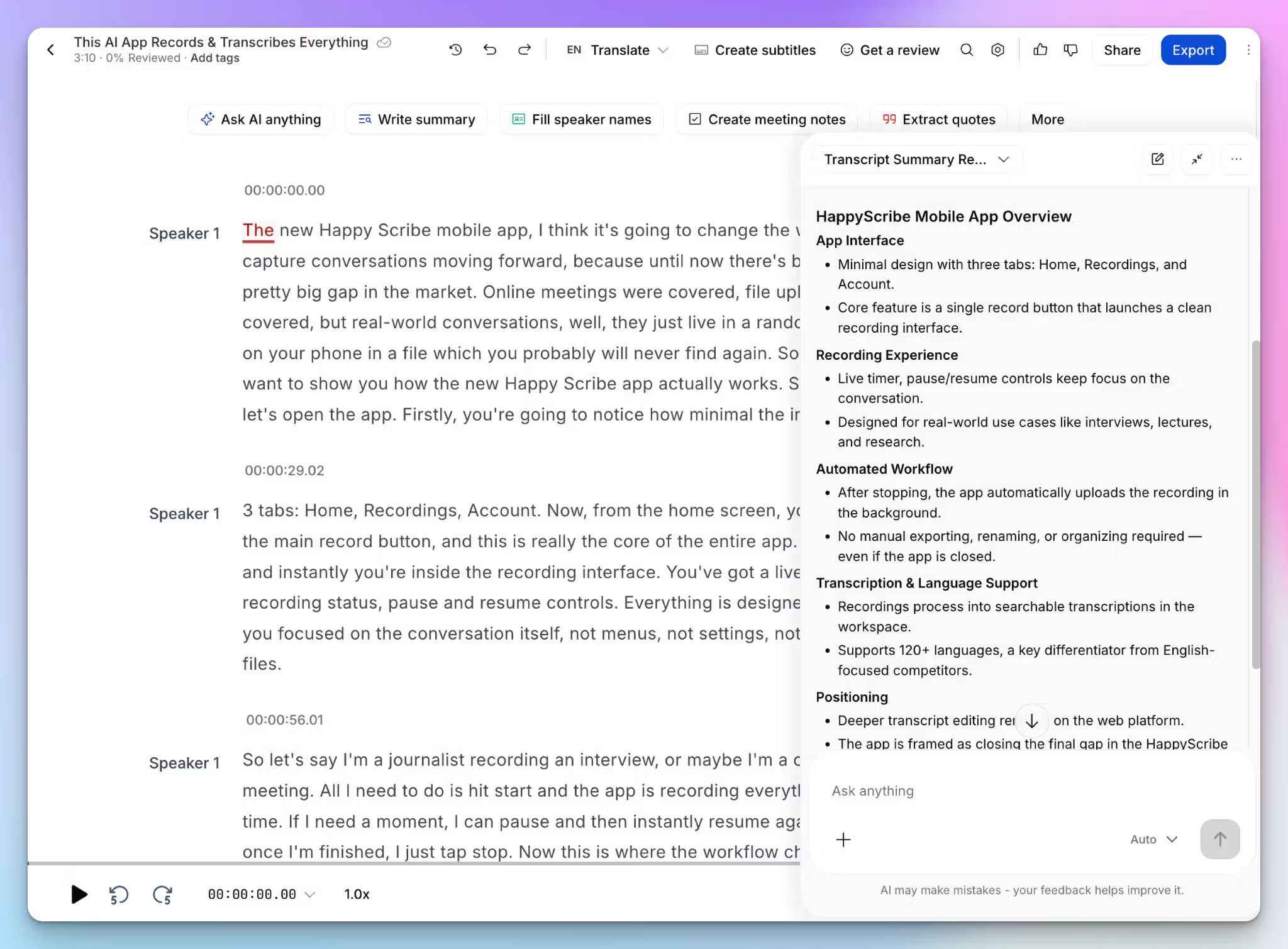
The AI Chat works across your whole meeting history, not one call at a time. Ask it to pull a decision from three weeks ago, lift a speaker quote, or draft a follow-up email, and it answers in seconds.
Since it works across uploaded files too, your back catalogue of recorded webinars and client calls becomes a record you can interact with and extract insights from.
4. A generous free plan and affordable paid plans
Unlike Fellow, HappyScribe’s free plan runs on unlimited recordings, so you can rely on it for daily meetings. You also get to test subtitling and translation, and the AI Chat deep dives. All the integrations are available for free users and your files are as secure as those of premium users.
When your work increases, paid plans scale up with competitive pricing and without locking core automation behind the top tier.
5. Translate transcripts and edit subtitles for video recordings
Fellow is a no-go if you want to edit subtitles or translate meeting notes. With HappyScribe, you don’t have to switch between tools for these tasks.
You can translate your meeting notes into 80+ languages so global stakeholders are on the same page. If you reuse recordings for onboarding or internal updates, the subtitle editor lets you create, edit, and burn subtitles directly onto video before you distribute it, all inside the same platform.
HappyScribe's pricing
- Free: Unlimited meeting recordings (45 mins per recording)
- Basic: $8.50/month billed annually or $17/month billed monthly
- Pro: $19/month billed annually or $29/month billed monthly
- Business: $59/month billed annually or $89/month billed monthly
- Enterprise:Contact sales for tailored solutions
HappyScribe's pros
- HappyScribe is GDPR compliant and SOC 2 Type 2 certified, with data stored in a Tier IV, PCI DSS, and ISO 27001-certified EU data center
- Bake transcription, subtitling, and translation straight into your own product using HappyScribe’s API
- Connect meeting data to your stack through Zapier and the MCP server
- Free tier includes trial access to AI Chat, translation, and subtitling, so you can test the premium tools before paying
- Quick support from real humans rather than chatbots
- iOS and Android apps for capturing in-person conversations on the go
HappyScribe's cons
- Not ideal for real-time transcription
What are users saying about HappyScribe?
I use HappyScribe in combination with ZoomCalls with my colleague to document our podcast. It is really easy to use and a professional tool to record everything. My recommendation to this wonderful tool.
I must say - the translations are superb! I'm impressed. I use AI translations for subtitles for my video projects and I am surprised at how minimal "fixing" I have to do afterwards! It says that machine generated translations are about 88% accurate, but I've experienced almost 97% . I also use for Greek translations and that's quite impressive too - not as good as English, but still very high accuracy! The customer service is excellent too - I get a reply immediately and the explanations to help me are very clear. 10/10 guys!
How to use HappyScribe's AI note taker: a step-by-step guide
- Link your Google or Outlook calendar or paste a meeting link to invite the note taker. For in-person meetings, use the web recorder or mobile app to record audio without a bot.
- Open your profile menu at the bottom left and select Settings to set when the note taker joins, who can view transcripts, and who receives the email summary.
- During an online call, the host admits the note taker to start recording, and you can type in the chat to control it mid-call.
- Once the call ends, your transcript, summary, and action items appear together in your Workspace files or the Private section, depending on your privacy settings.
- Open AI Chat to ask questions across the meeting, lift quotes, or draft a follow-up email.
2. Spinach
Best for: Agile product and engineering teams that want an AI scrum master to run standups, sprint planning, and retros
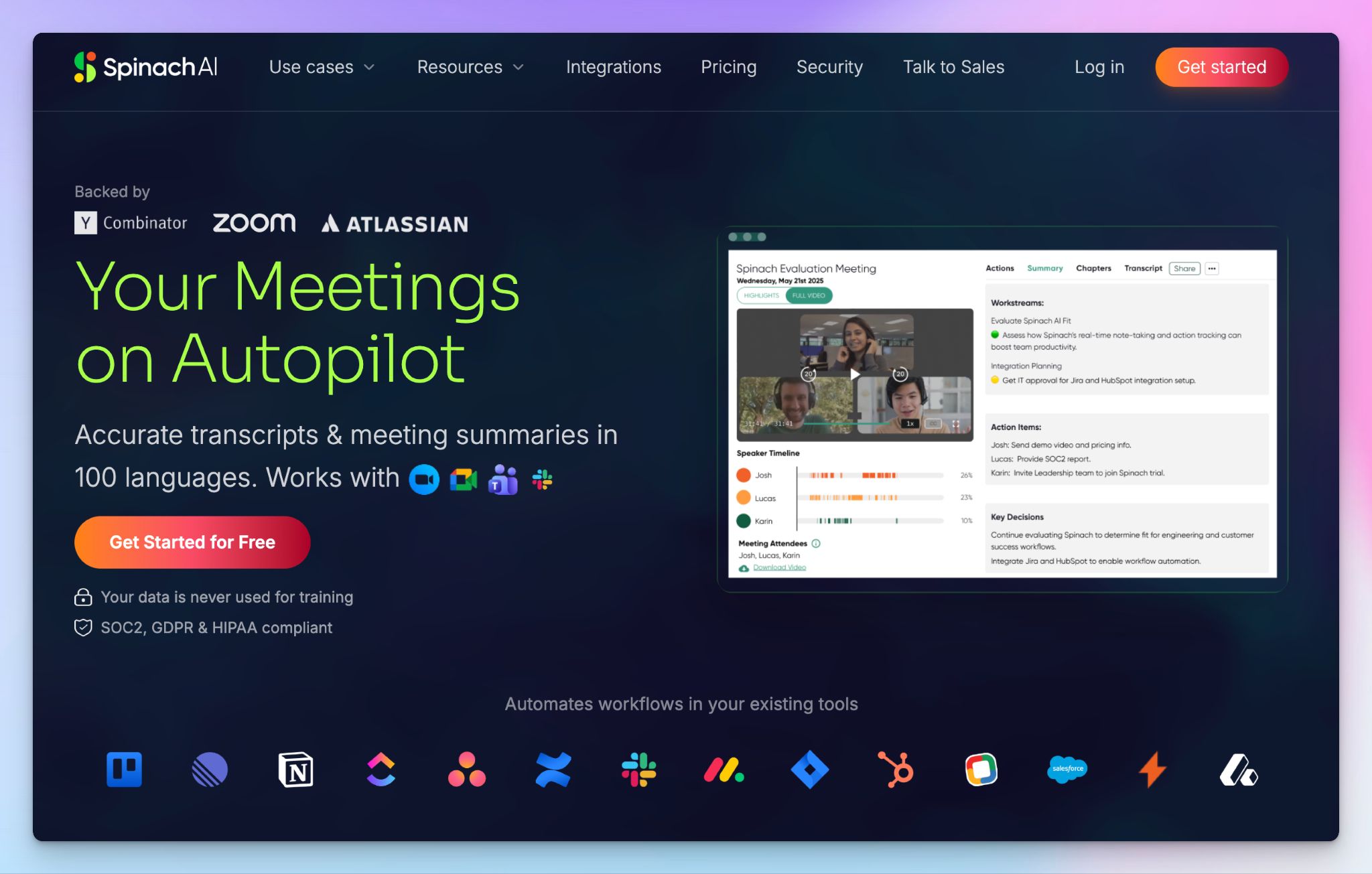
Spinach is an AI meeting assistant built specifically for agile teams. Instead of treating every call the same, it acts like a digital scrum master that runs your standups and sprints, captures blockers, and turns discussion into Jira tickets and status updates.
Spinach vs. Fellow
Spinach makes sense if your meetings are agile ceremonies, not general business calls.
Fellow is built around agendas and 1-on-1s for broad organizational use, while Spinach is tuned for the standup-sprint-retro cycle and pushes updates straight into Jira, Monday, and Linear. For an engineering team, that focus saves you from manual ticket admin.
Free plans tell a similar story. Fellow's free tier caps you at five lifetime recordings but Spinach's free plan runs on unlimited recordings and transcription in 100 languages, so a small squad can actually operate on it.
The trade-off is breadth, since Spinach won't manage your 1-on-1 program or company-wide meeting culture the way Fellow does.
Spinach's key features
- Acts as an AI scrum master that keeps standups on track, captures blockers, and suggests action items with owners
- Pushes updates directly into Jira, Linear, ClickUp, Asana, and Trello so tickets reflect what the team discussed
- Ask Spinach lets you search through past meeting content for decisions and follow-ups
- Spinach auto-generates sprint summaries and stakeholder status reports from your meeting data
Spinach's pricing
- Starter: Free
- Pro: $2.90/meeting hour (pay-as-you-go)
- Business: $29/month
- Enterprise: Custom pricing
Spinach's pros
- GDPR, HIPAA, and SOC 2 Type 2 compliant note taker, with no use of your data for LLM training
- Setting up Spinach takes minutes through a Google or Microsoft sign-in, with no heavy IT involvement
- Spinach supports HR and customer success teams by integrating meeting data with Lever, Greenhouse, Gainsight, and Vitally via Zapier
Spinach's cons
- The Pro plan's pay-per-meeting-hour billing makes costs unpredictable for teams with heavy meeting loads
- The Starter plan retains recordings for only 7 days, so history disappears fast unless you upgrade
- Spinach is built for agile ceremonies, so it doesn’t offer the same value to teams that need general business note-taking or 1-on-1 management
📚 Also read:
3. Bluedot
Best for: Sales and recruiting teams that want bot-free meeting capture from a Chrome extension
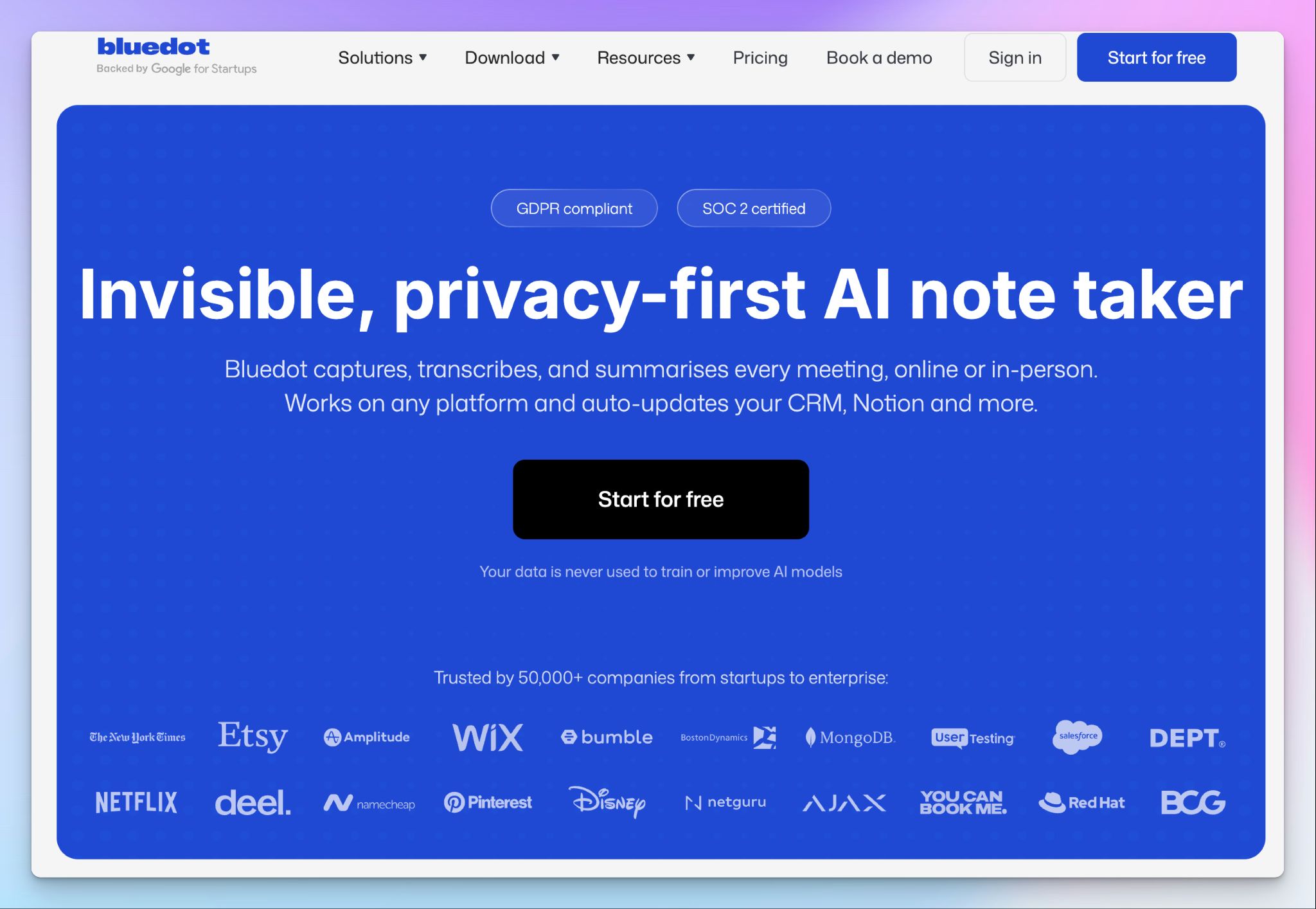
Bluedot takes a different approach to recording. If most of your work and calls happen within a web browser, Bluedot’s Chrome extension captures bot-free meetings. No calendar access required.
It’s a compelling benefit for client-facing teams that don't want an obvious AI bot sitting in on sensitive calls.
Bluedot vs. Fellow
Fellow can record with or without a bot, but Bluedot is bot-free across every capture method, running quietly in the background through the browser extension or desktop app. It suits sales demos and candidate interviews where a visible AI participant changes the tone of the conversation.
The pricing model is also different. Bluedot only charges for members who actually record, so you can add unlimited free viewers to a workspace without paying per seat. Fellow charges per user, so for a team where a few people record but many need to read the notes, Bluedot can work out cheaper.
Bluedot's key features
- Bot-free capture through a Chrome extension, desktop app, and mobile app, including in-person meetings
- You can sync notes, transcripts, and action items into CRMs and ATS platforms, with an API and MCP server for connecting tools like Claude
- Custom meeting templates tailored to sales calls, interviews, and all-hands
Bluedot's pricing
- Free: 5 meetings/lifetime
- Basic: $18/month (audio only)
- Pro: $25/month
- Business: $39/month
- Unlimited: Custom pricing
Bluedot's pros
- GDPR compliant with custom data retention, SSO, and SCIM on the Business plan
- Search across past meetings is strong, so finding a decision or a quote from weeks ago takes seconds
- Setup is fast, with most users up and recording within minutes of installing the extension
Bluedot's cons
- Bluedot occasionally struggles with transcript accuracy, forcing many users to look for reliable Bluedot alternatives for meeting notes
- The free plan stops at five lifetime meetings, which most users exhaust within their first week
- Extension works on Chromium browsers, so it won't work in Safari and Firefox
📚 Also read:
4. Notion AI
Best for: Teams already using Notion who want meeting notes captured inside the same workspace as their docs and projects
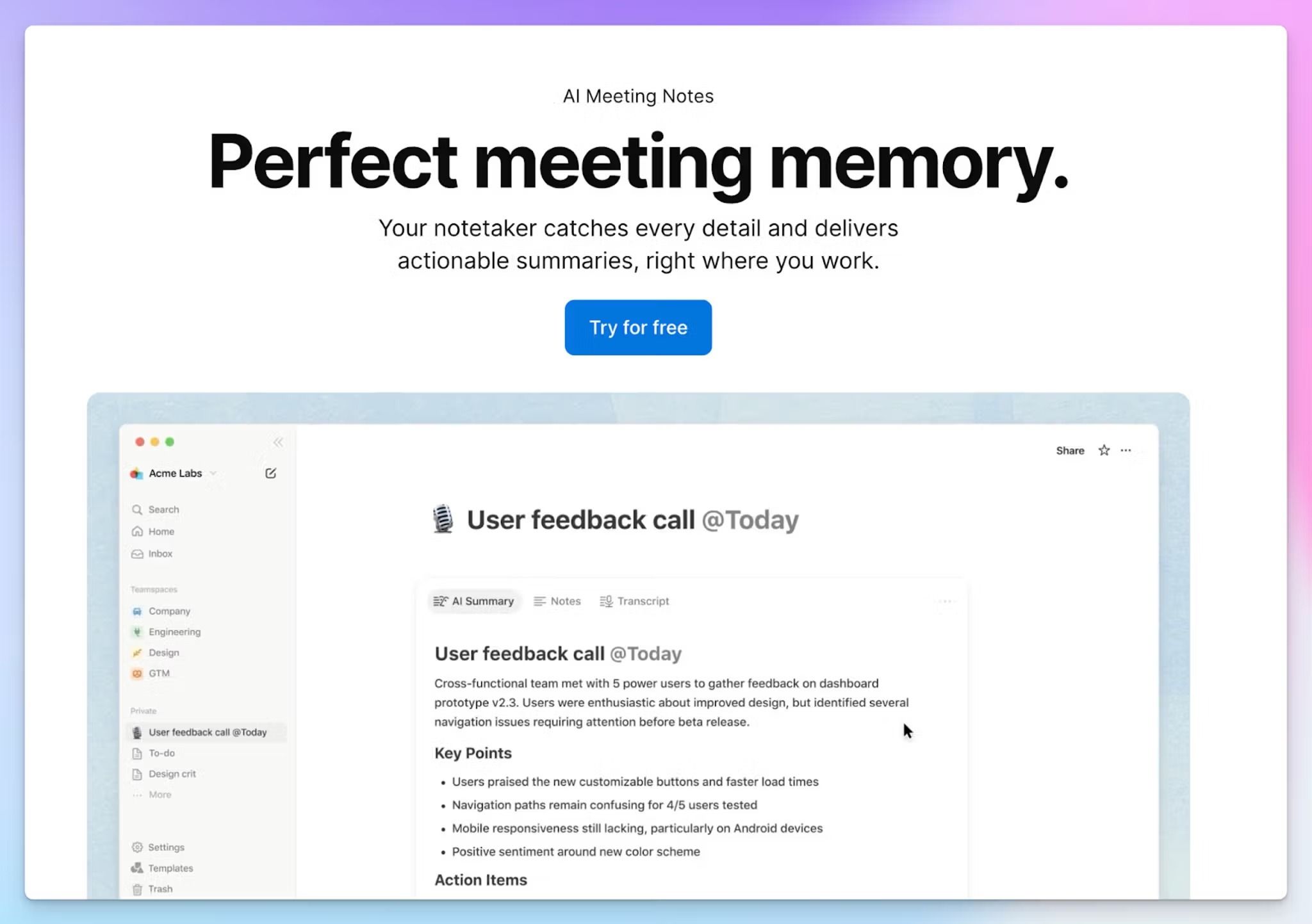
Notion AI’s meeting notes bring transcription and summaries into the page where your team already works.
Your notes are stored alongside your docs, wikis, and project boards, so a recap can drop straight into the relevant project automatically. Notion records system audio to capture Zoom, Google Meet, and Teams, without a bot.
Notion AI vs. Fellow
Even though you can feed meeting data from Fellow to Notion, it’s still a separate meeting platform. For documentation-heavy teams, one Notion workspace for meetings and project context is a solid upside.
The trade-off is depth. From my testing, it doesn't label speakers the way Fellow does. Language support is narrower as well.
Notion AI's key features
- Notes behave like any Notion doc, so you can @mention teammates, link to project databases, and spin up follow-up tasks right inside the transcript
- Summary templates for 1:1s, team syncs, client calls, and interviews structure the notes automatically
- Calendar sync detects upcoming meetings, then creates, starts, and shares the notes with attendees
- Ask Notion runs across both your meetings and your wider workspace, answering questions over hundreds of pages of docs and past calls in one place
Notion AI's pricing
- Free: Notion AI trial
- Plus: $12/month (limited Notion AI trial)
- Business: $24/month
- Enterprise: Custom pricing
Notion AI's pros
- Power users might save hours every week, since the recap, action items, and project pages all live in one spot
- Notion AI’s summaries and action items are usually clean and well-structured for clear audio
- SOC 2 Type 2 certified, with no training on customer data and configurable transcript retention on Enterprise
Notion AI's cons
- Proper use of AI meeting notes needs the Business plan, which pushes some users toward value for money Notion AI alternatives
- You can't upload past recordings, and meeting audio is saved only to the recorder's device when an admin enables it, so most users can't replay a call to verify notes
- Notion considers AI Meeting Notes to be still in Beta, so it's less battle-tested than dedicated note takers
- Notion AI doesn’t auto-join calls, so you have to remember to turn it on every single time
5. tl;dv
Best for: Sales and research teams that want to turn long recordings into short, shareable clips
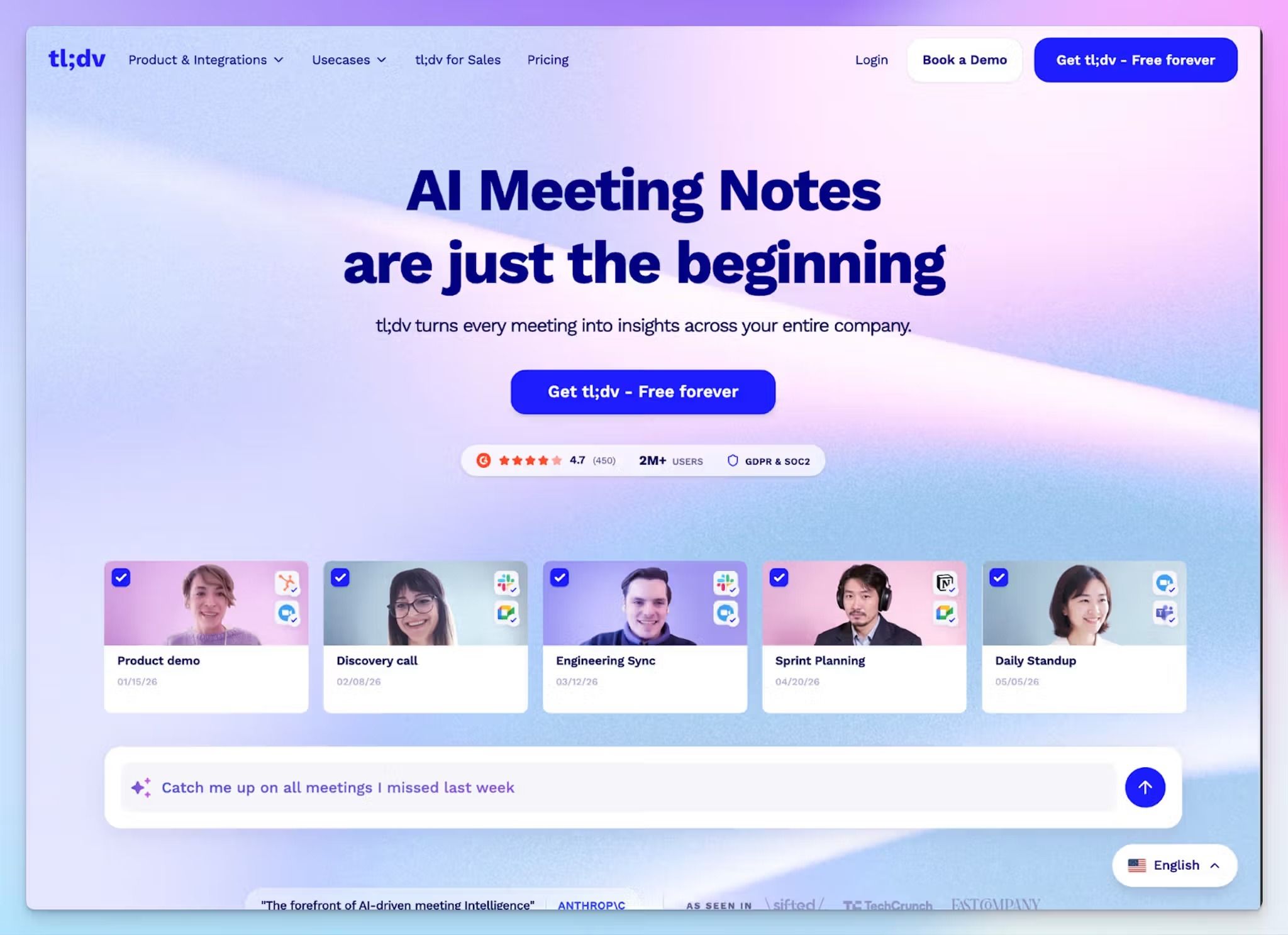
tl;dv records and transcribes calls across Teams, Zoom, and Google Meet, then lets you cut the moments that matter into short clips you can pass on.
Rather than sending a colleague a 60-minute recording, you clip the 90 seconds that count and share it. Useful for onboarding, recaps, or handing a customer soundbite to your product team.
tl;dv vs. Fellow
tl;dv makes sense if you want serious AI assistance on a free plan. Fellow gates its AI features and caps the free tier at five lifetime recordings, while tl;dv's free plan runs on unlimited recordings and transcription in 30+ languages, with a monthly allowance of AI notes on top.
The other real difference is multi-meeting intelligence. Compared to Fellow, tl;dv analyzes more calls accurately, so sales and research teams can track recurring objections, themes, and decisions.
tl;dv's key features
- You can record and transcribe bot-assisted and bot-free meetings across Zoom, Google Meet, and Teams in 30+ languages
- Multi-meeting reports collate data from hundreds of calls to surface recurring objections, feature requests, and trends
- With sales coaching, you can score each call for playbook adherence and objection handling, with benchmarks that managers use to compare reps
- Highlight any line in the transcript to auto-generate a shareable video clip, then string clips into a Reel so stakeholders get the story
tl;dv's pricing
- Free: 10 AI meeting notes/month
- Pro: $29/month
- Business: $39/month
- Enterprise: Custom pricing
tl;dv's pros
- Sales and CS teams can cut post-call admin with native CRM updates and follow-ups across Monday, Salesforce, Notion, Miro, Jira, Slack, etc.
- tl;dv’s speaker recognition and transcripts are mostly reliable, even on calls with several participants
- Searchable call history with shared folders means a manager can find one objection across a quarter of calls in seconds
tl;dv's cons
- tl;dv paywalls basic features like one-click copy transcript and best available transcription model, forcing users to look for tl;dv alternatives
- Free recordings are auto-deleted after three months, so older calls disappear without an upgrade
- tl;dv’s language support is limited for truly global teams
📚 Also read:
Which Fellow alternative should you choose?
Fellow works if your team needs a meeting management hub for agendas and 1-on-1s, and you can live with its restrictive free plan and inconsistent notes. Most users eventually outgrow the tool and look for something smarter to manage their meetings.
👉 Go with Spinach if your team runs on agile ceremonies and you want a scrum master that turns standups and sprints into Jira tickets.
👉 Pick Bluedot if you want bot-free capture from your browser or desktop, with notes flowing straight into your CRM for sales and recruiting workflows.
👉 Choose Notion AI if your work already lives in Notion and you want meeting notes captured on the same pages as your docs and projects.
👉 Opt for tl;dv if your sales or research team needs multi-meeting intelligence and shareable clips on a free-friendly plan.
👉 Choose HappyScribe if you want the strongest all-round Fellow replacement. It's the only tool here that pairs 95%+ accurate transcription in 150+ languages with a human proofreading service for high-stakes audio, bot-free in-person recording, translation into 80+ languages, and an actually usable free plan, all backed by EU-grade security.
Start with the free plan to record unlimited meetings and see the difference before spending a cent.
FAQs on the best Fellow alternatives
Is there a Fellow app alternative with a better free plan?
Yes. HappyScribe's free plan includes unlimited meetings with recordings up to 45 minutes each, making it a practical tool for productive meetings rather than a glorified trial. tl;dv offers unlimited recordings with a monthly AI notes allowance.
Spinach's free plan covers unlimited recordings and transcription across 100+ languages. Bluedot and Fellow both cap free users at five lifetime meeting recordings, which most teams exhaust within their first week. For teams that want to record meetings daily without hitting a paywall, HappyScribe and tl;dv are the strongest starting points among Fellow alternatives.
Which Fellow alternative works best for sensitive meetings and in-person meetings?
For external meetings and sensitive meetings where a visible bot changes the tone, Bluedot's bot-free recording through a Chrome extension or desktop app is a good option. For in-person meetings, HappyScribe covers the full range: its mobile app records audio without a bot, and its AI-powered meeting assistant joins video calls on Google Meet, Microsoft Teams, and Zoom automatically. That makes it a comprehensive solution for teams that move between internal and external meetings throughout the day without wanting to juggle multiple recording tools.
Which Fellow alternative handles recurring meetings, one-on-one meetings, and performance reviews?
HappyScribe auto-joins recurring meetings through Google Calendar or Outlook and keeps notes from previous meetings easy to find and search, so context carries forward without taking notes manually. For one-on-one meetings and performance reviews, Notion AI creates structured notes pages with summary templates automatically. Spinach tracks blockers, assign tasks, and action items across recurring standups. tl;dv lets sales teams gain insights from previous meetings by running multi-meeting reports that surface recurring themes and key points across your entire meeting lifecycle.
Which Fellow alternative is best for global teams that need multilingual support and AI meeting notes?
HappyScribe is the most comprehensive solution for multilingual global teams. Its AI meeting assistant transcribes in 150+ languages and dialects with 95%+ accuracy, including speaker identification and custom glossaries so technical terms come out right from the first session. It translates meeting content into 80+ languages and pairs AI summaries with a human proofreading service for high-stakes audio.
Tools like Fireflies AI and Otter AI are popular AI meeting assistant options too, but neither matches that combination of multilingual support, translation, and human accuracy verification for global teams.
Do Fellow alternatives support task management, goal tracking, and team collaboration across the entire meeting process?
Yes. The best Fellow alternatives go beyond note taking to support the entire meeting lifecycle. Spinach pushes key points and action items directly into Jira, Asana, Linear, and ClickUp so teams can assign tasks and track progress without leaving their project management tool. HappyScribe connects to existing tools through Zapier and an MCP server. tl;dv covers sales teams with CRM updates and AI-powered meeting intelligence.
For teams that want collaborative agendas, agenda templates, and goal tracking built in, Notion AI keeps meeting content inside the same workspace as docs and project boards, which tightens team collaboration across video calls and makes for more efficient meetings overall. Business and enterprise tiers across these tools unlock advanced features like unlimited storage and deeper integrations with existing tools.

Rodoshi Das
Rodoshi is the Content Lead at HappyScribe, the privacy-first transcription and AI notetaker platform based in Barcelona. Shaping content strategies and building AI workflows excites her as much as exploring new SaaS tools. She specializes in product-led content that informs rather than sells, grounded in honest product benchmarking and low tolerance for empty marketing speak.