![5 Best Bluedot Alternatives for AI Meeting Notes [2026]](/sanity-images/ejgwz1gl/redesign/1518d33b123157a596e0419a8cc87c190da18250-1600x900.jpg?auto=format&w=1600.0&rect=0,50,1600,800&h=800)
Anyone who has used Bluedot for meeting notes knows that it packs a lot of features on paper, but running it daily is a different story.
While using it, I found Bluedot struggles with transcript accuracy, especially when you have multiple speakers with different accents. Users who look for Bluedot alternatives for AI meeting notes also flag its not-so-stellar pricing.
As someone who tests AI note takers professionally, I wanted to put together something useful for frustrated Bluedot users. I ran hands-on tests, interviewed people who use AI note takers daily, and analyzed reviews to build a list of the best Bluedot alternatives.
If you’re someone who can’t afford inaccurate meeting insights, this is the list for you.
TL;DR ⏩
- HappyScribe: Best overall Bluedot AI alternative for 95%+ accurate AI meeting notes in 150+ languages, file transcription, translation in 80+ languages, bot-free recording, and affordable plans without ecosystem lock-in
- Sembly: Best for operations leaders and cross-functional teams who need multi-meeting AI intelligence, risk, and decision tracking, and automated post-meeting documents
- MeetGeek: Best for managers and team leads looking for conversation analytics, meeting type auto-detection, and workflow automation to improve team meeting performance
- Circleback: Best for fast-moving teams that want intelligent action item detection, automated CRM updates, and workflow automation that kicks in the moment a meeting ends
- Granola: Best for users who prefer a hybrid approach to note-taking, where they type rough notes during the call and let AI sharpen them into structured summaries
Why users are looking for Bluedot alternatives
1. Inaccurate meeting notes and summaries
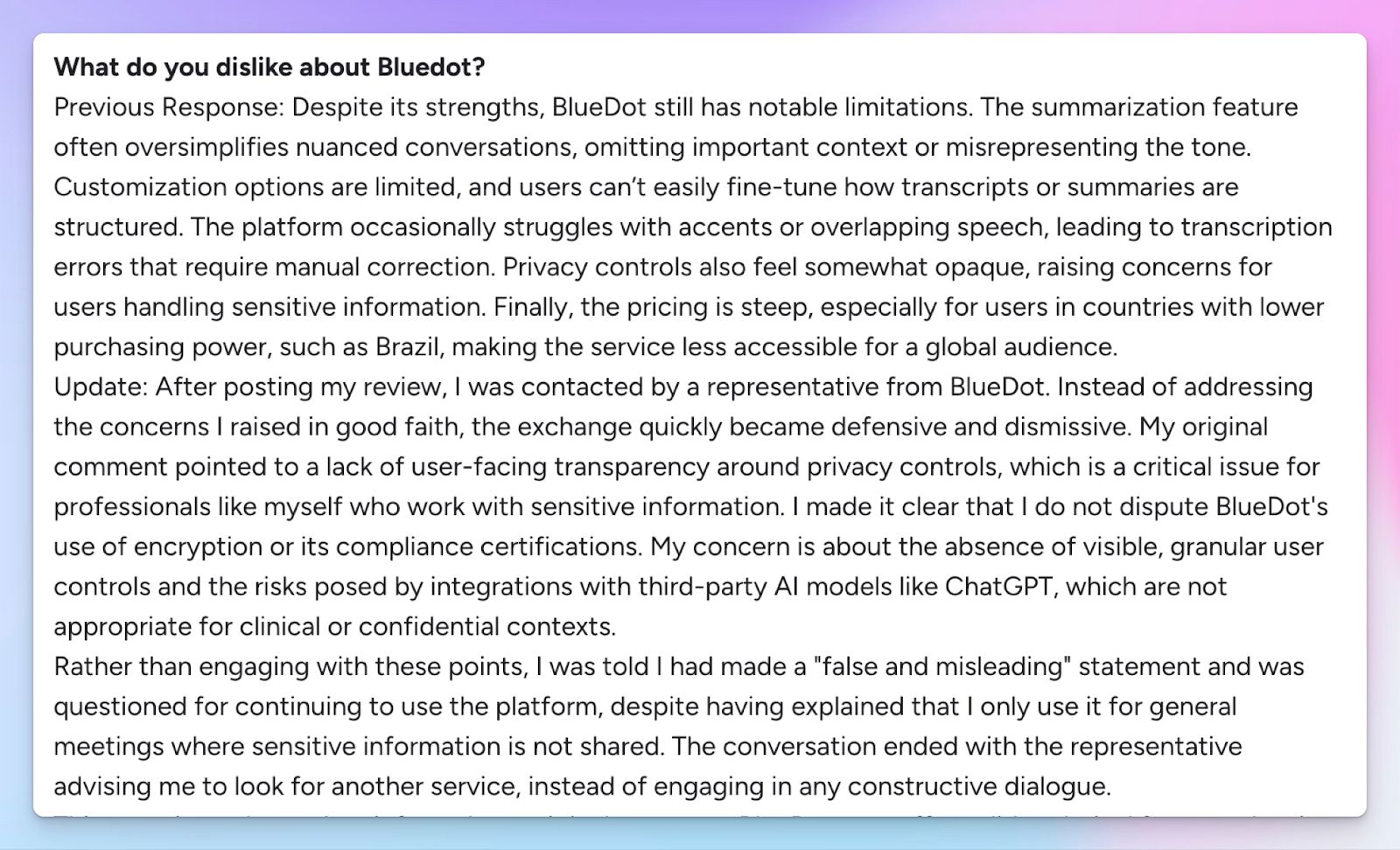
Bluedot’s AI notes consistently struggle with accuracy when meetings involve overlapping voices or non-standard accents. During my testing, jargon-heavy calls required manual corrections, and speaker attribution was a mess. And I’m not the only user who faced this.
If your meeting notes directly feed into CRMs or project pipelines, error-prone transcripts and decisions will create problems down the line.
2. Restrictive free tier
Bluedot's free tier gives you just five meetings for your account, with each recording capped at one hour. For anyone who attends daily standups, client calls, or team syncs, that limit disappears within the first week of use.
Even though it’s technically a “free” plan, Bluedot treats these five recordings as a one-time trial rather than an ongoing free tier. This pushes most users into a paid plan before they've had a chance to properly evaluate the tool.
3. Inconsistent note taking for browser calls

Bluedot started as a Chrome extension, and that origin still shapes how the product works. While it now offers desktop apps for Mac and Windows, the core recording experience is browser-first.
If your team operates in a managed IT environment where Chrome extensions are restricted, or if you use Firefox and Safari, you’ll face issues with Bluedot. The extension also sometimes fails to auto-join at the correct moment, so you have to pay attention to that as well.
4. Expensive paid plans
Bluedot's Basic plan costs $18/month, and it doesn’t offer key features like file transcriptions and video recordings. You have to upgrade to the Pro plan to get these features, but that’ll cost you $25/month. Many Bluedot users look for better AI meeting assistants that offer them greater value for their money.
Top 5 Bluedot alternatives at a glance
| Criteria | HappyScribe | Sembly | MeetGeek | Circleback | Granola |
|---|---|---|---|---|---|
| Best for | Global teams that need 95%+ accurate notes in 150+ languages with file transcription and EU-grade security | Operations leaders who need cross-meeting AI intelligence, risk tracking, and automated post-meeting documents | Managers tracking conversation analytics, meeting type auto-detection, and team performance workflows | Fast-moving teams that need accurate action item detection and automatic CRM and workflow updates | Users who prefer hybrid note-taking with AI-enhanced summaries and bot-free capture |
| Key features | High-quality meeting notes and summaries, file uploads, customizable bot or bot-free recording, subtitle editor, translation, API | Multi-meeting AI chat, Collections, risk/decision/event detection, AI-generated documents, analytics dashboard | Meeting type auto-detection, conversation analytics, bot or bot-free recording, 7,000+ integrations | Action item automation, CRM auto-fill, cross-meeting AI search, desktop app for bot-free recording | Hybrid AI notepad, bot-free system audio capture, custom templates, Attio/Notion/HubSpot integrations |
| Supported languages | 150+ languages and dialects | 45+ languages | 100+ languages | 100+ languages | 15+ languages |
| Meeting platform integration | Zoom, Google Meet, Microsoft Teams, and in-person meetings | Zoom, Google Meet, Microsoft Teams, Webex | Zoom, Google Meet, Microsoft Teams, and in-person via mobile app | Zoom, Google Meet, Microsoft Teams, BlueJeans, and in-person via mobile app | Any platform via macOS system audio; iPhone app for in-person |
| Security | GDPR-compliant, SOC 2 Type II certified, AES-256 encryption, and Tier IV, PCI DSS, ISO 27001-certified EU data center | SOC 2 Type II certified, GDPR compliant, HIPAA compliant (MAX plan) | SOC 2 Type II certified, GDPR, HIPAA, and CCPA compliant | SOC 2 Type II certified, HIPAA compliant, EU-U.S. DPF certified | AWS-encrypted cloud storage, opt-out of model training |
| Starting price | Free plan with unlimited meeting recordings. Paid plan from $8.50/month (billed annually) or $17/month (billed monthly) | No free plan. Basic paid plan starts from $17/month | Free plan available. Pro from $15.99/user/month | No free plan. Individual from $25/month | Free plan available. Business from $14/user/month |
1. HappyScribe
Best for: Global teams that need 95%+ accurate AI meeting notes in 150+ languages, file transcription, translation, European security standards, and affordable plans
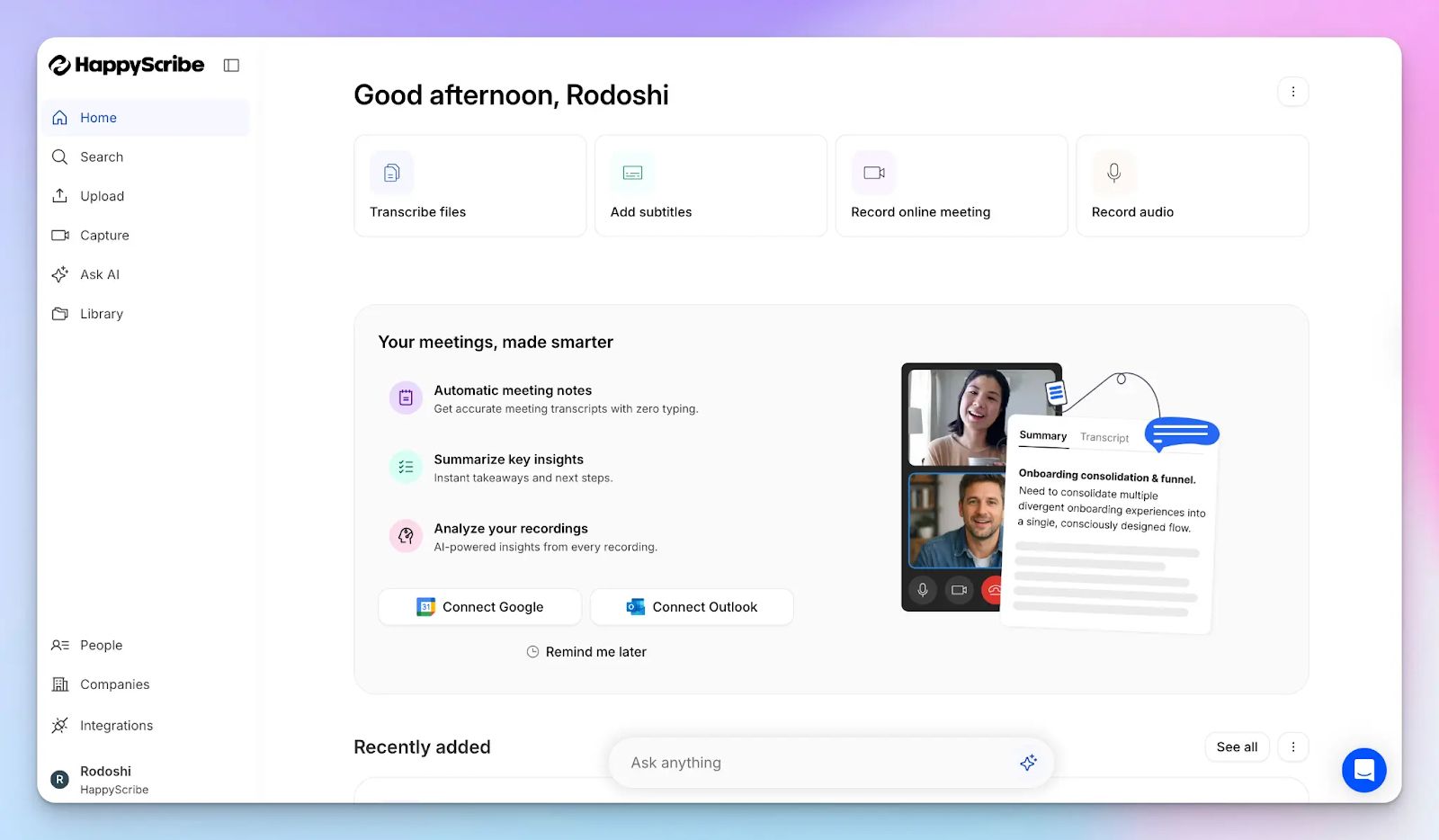
Bluedot is a capable tool inside a narrow setup, but as soon as your meetings cross languages, platforms, or the boundaries of a Chrome browser, you wish you had a more powerful note taker.
HappyScribe AI note taker is built to work wherever your work takes you, whether that's a scheduled Zoom call or an in-person client debrief. Simply connect your Google and Outlook calendars to let HappyScribe auto-join scheduled meetings, or paste the meeting link directly.
Unlike Bluedot, HappyScribe is a SOC 2 Type 2 compliant note taker, which means its security and data processes have been verified by independent auditors.
HappyScribe vs. Bluedot
| Category | HappyScribe | Bluedot |
|---|---|---|
| Free plan | Unlimited meeting recordings (up to 60 minutes each) with no lifetime cap on the number of sessions | Strictly limited to 5 total meetings for the lifetime of the account before a paid upgrade is required |
| Accuracy and vocabulary | Delivers 95%+ accuracy across 150+ languages; supports custom glossaries to handle technical jargon and brand terms | Accuracy significantly drops when encountering non-native accents, fast speech, or industry-specific terminology |
| Platform flexibility | Works natively across Zoom, Google Meet, and Teams, plus a mobile app for in-person recording | Heavy reliance on a Chrome extension which often conflicts with managed IT environments or restricted browser policies |
| File transcription | Allows direct uploads of audio/video files from local drives, Google Drive, Dropbox, and YouTube on all tiers | Restricts file imports to the Pro plan ($18/month) and above, with capped monthly upload allowances |
HappyScribe's key features
1. Generate 95%+ accurate meeting notes in 150+ languages and dialects
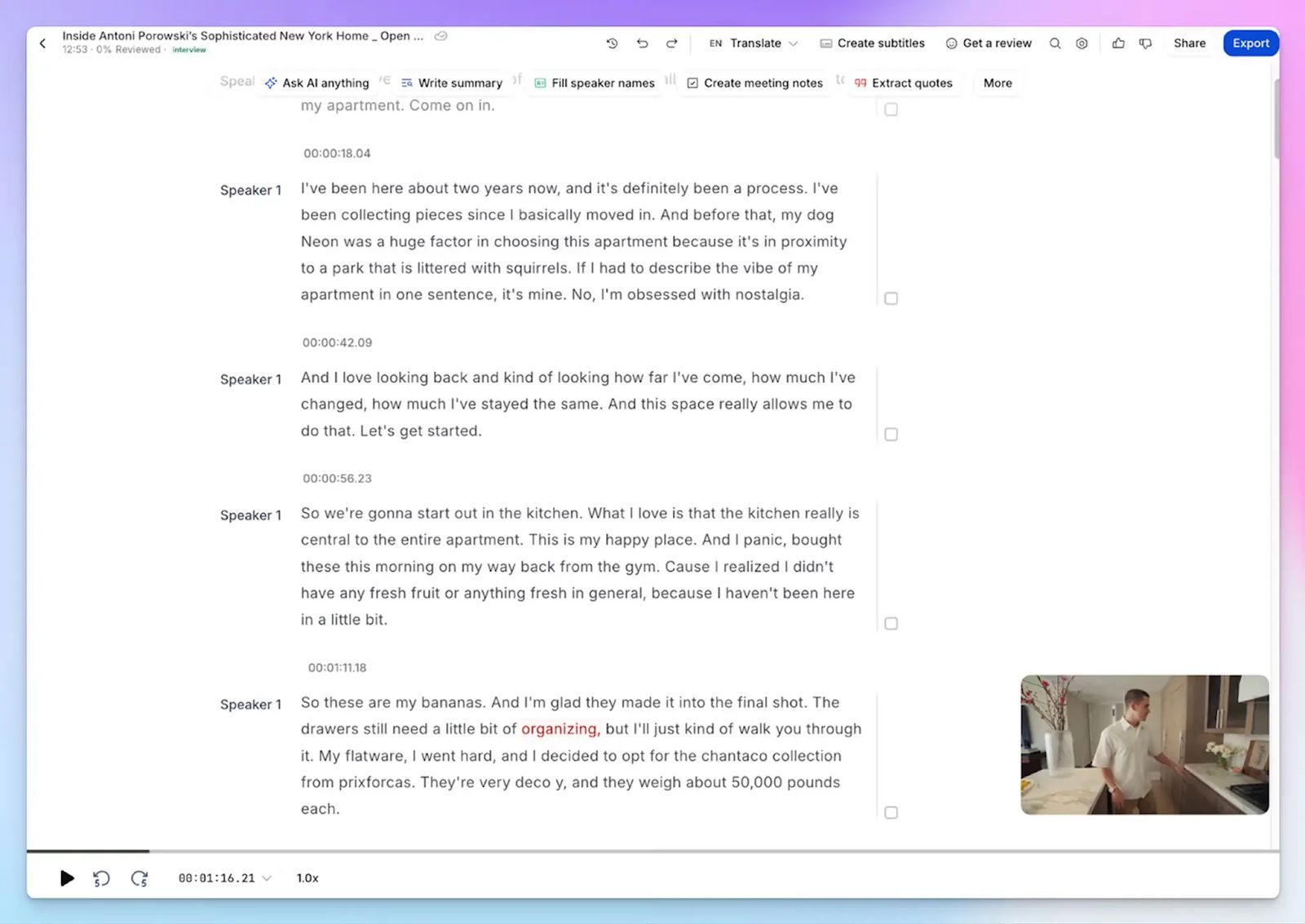
Be it speaker identification or unique phrases, Bluedot struggles to reliably jot down meetings. In contrast, HappyScribe handles 150+ languages and dialects with 95%+ accuracy.
You can even build custom vocabulary glossaries so the AI correctly identifies your product names, client names, and industry terminology from the very first recording.
Whether your team is closing deals in Catalan, conducting research in Korean, or onboarding a client in Swiss German, HappyScribe produces clean action items and accurate speaker labels without needing manual corrections. After using both the tools, the difference in transcription accuracy is the first thing you’ll notice.
2. Works across every platform and in-person meetings without browser dependency
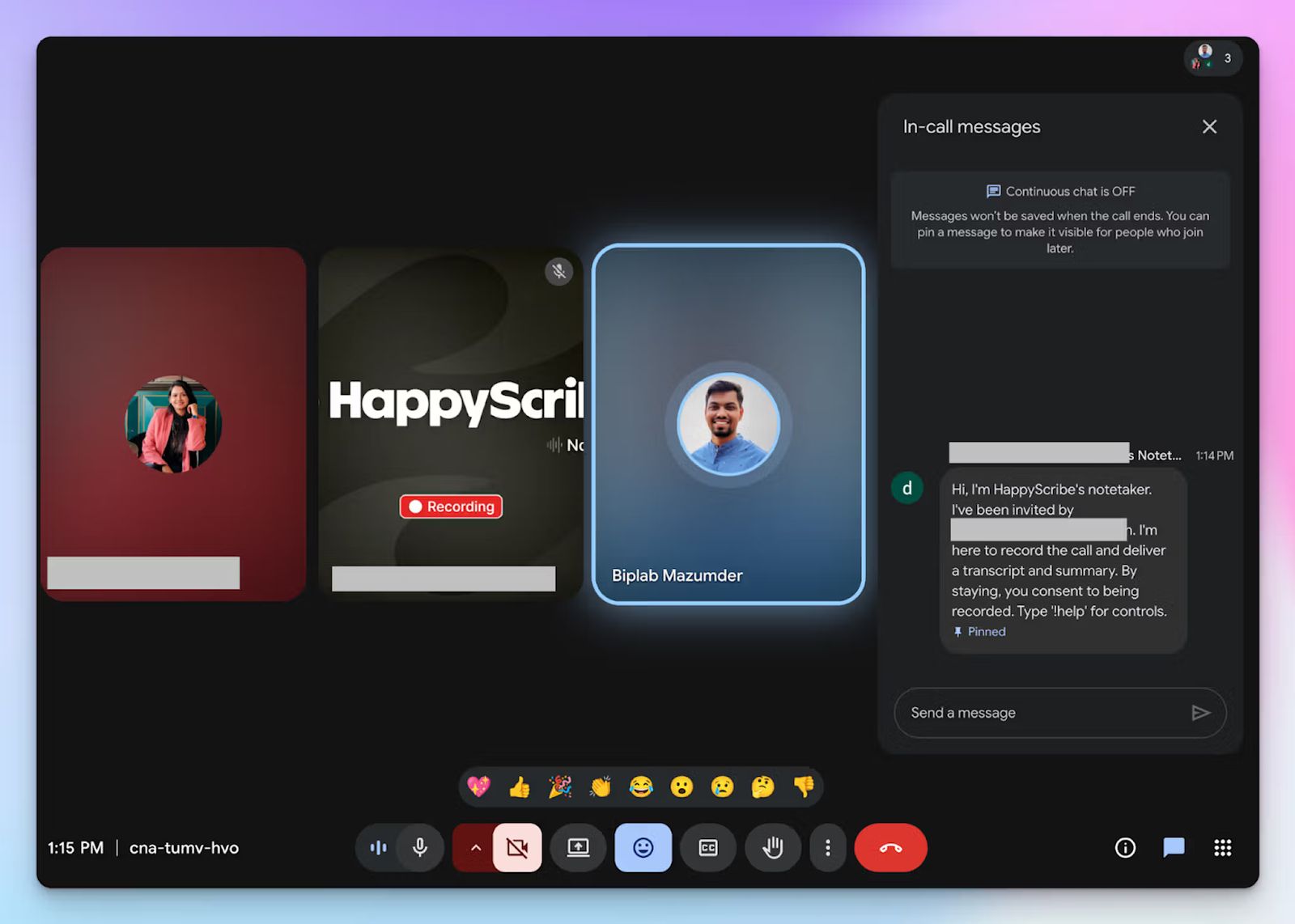
Bluedot's Chrome extension architecture means a single IT policy or browser switch can disrupt your entire note-taking workflow. HappyScribe connects to your calendar and auto-joins meetings across Zoom, Microsoft Teams, and Google Meet. No need to configure any browser extension.
During live online calls, you can type "!help" in the chat to control the bot, customize the compliance message it displays, and pause or remove it at any point. Attendees are in complete control over meeting privacy and consent.
For in-person client calls or any meeting where a visible bot would be intrusive, HappyScribe's web-based audio recorder captures the conversation without adding an extra participant.
3. Upload pre-recorded files to generate transcripts and subtitles
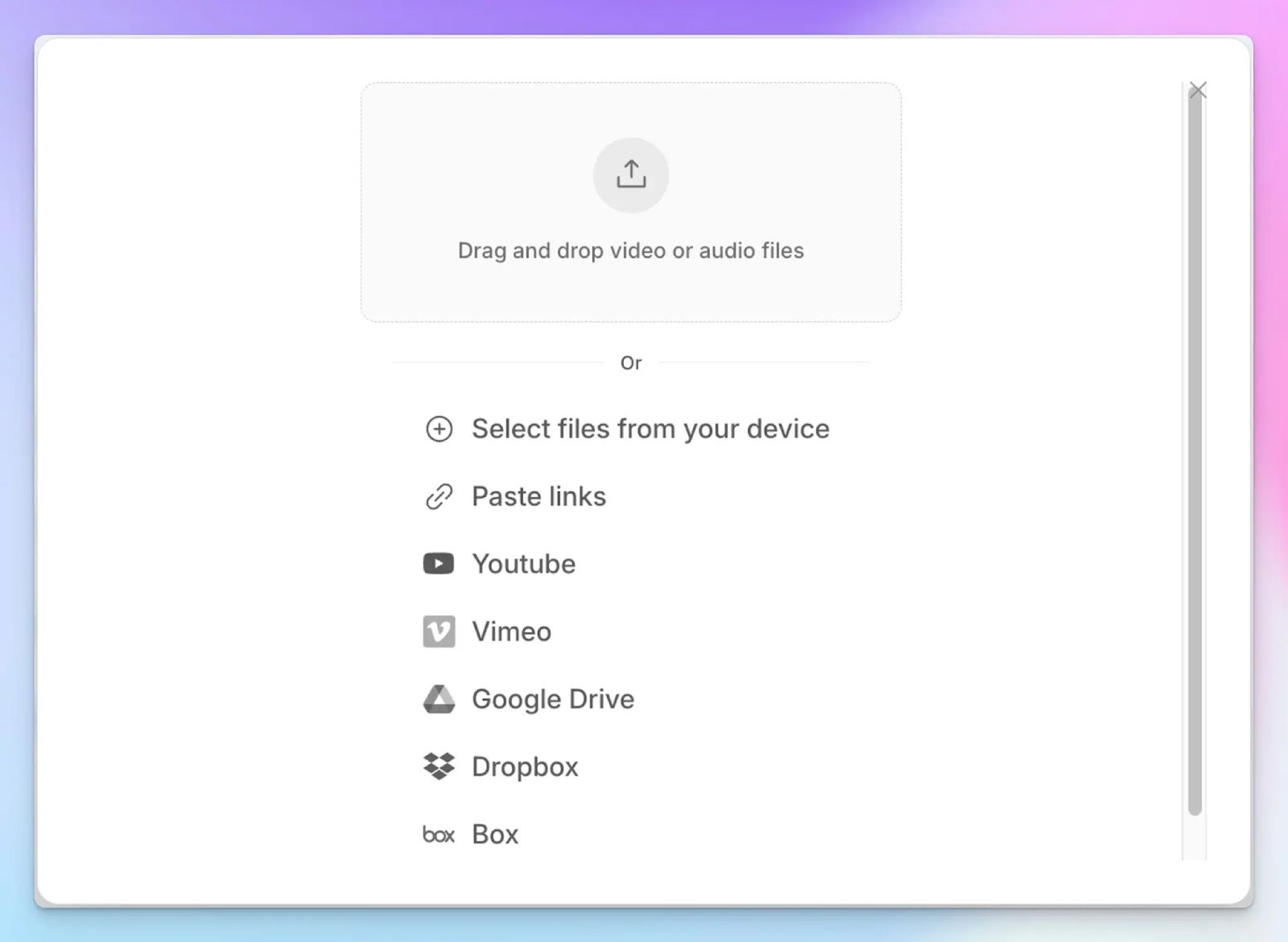
Bluedot gates file imports behind the Pro plan and limits upload volume. If you have a backlog of recorded client calls, sales demos, or internal town halls, Bluedot isn’t adequate.
HappyScribe lets you upload audio and video files directly from your device, Vimeo, Box, Google Drive, Dropbox, or YouTube, and generate the same high-quality notes you'd get from a live meeting.
4. Translate meeting notes and add subtitles to video recordings
Bluedot transcribes your calls and stops there. With HappyScribe, you can translate those transcripts into 80+ languages, so meeting insights reach every stakeholder regardless of their primary language.
If your organization records meetings for onboarding, compliance, or team training, the subtitle editor lets you create, edit, and burn subtitles directly into video files. That level of localization is difficult to replicate with a tool that has no translation feature.
5. Transparent and affordable pricing with a genuinely free tier
Bluedot's free plan functions as a five-recording trial. HappyScribe's free tier is designed for real, ongoing use, with unlimited meeting recordings. You can evaluate the AI summaries, multi-meeting AI chat, and translation quality across weeks of actual meetings before committing to a paid plan.
The paid plans are straightforward and scalable for high-volume teams. You can also connect HappyScribe to your existing tech stack via API, MCP server, and Zapier, so meeting data flows where your team already works.
HappyScribe's pricing
- Free: Unlimited meeting recordings (45 mins/recording)
- Basic: $8.50/month (billed annually) or $17/month (billed monthly)
- Pro: $19/month (billed annually) or $29/month (billed monthly)
- Business: $59/month (billed annually) or $89/month (billed monthly)
- Enterprise:Contact sales for tailored solutions
HappyScribe's pros
- GDPR compliant, SOC 2 Type II certified, and hosted in a Tier IV, PCI DSS, ISO 27001-certified EU data center, making HappyScribe one of the best AI note takers in Europe
- Ask AI conversational chatbot surfaces multi-meeting insights, speaker quotes, video chapters, follow-up email drafts, all in one place
- On paid plans, you can personalize the bot with your company name, logo, and a custom welcome message
- Connect HappyScribe to your tech stack using Zapier, API, and the MCP server
- Import files from Google Drive, Dropbox, Box, YouTube, and Vimeo to get transcripts, translate notes, and edit subtitles
- Real human customer support, not bots
- iOS and Android mobile apps coming soon
HappyScribe's cons
- Not ideal for real-time transcription
What are real users saying about HappyScribe?
Accurate and fast transcription, great summaries and detail. Massive time saver!
I tried HappyScribe with the free trial and was immediately impressed. The transcription accuracy is excellent, even with background noise and different accents. The interface is intuitive and easy to use, and the ability to download the transcript in multiple formats is a great plus. Highly recommended for anyone who needs a reliable and flexible transcription tool.
How to use HappyScribe's AI note taker? A step-by-step guide
- Link your Google or Outlook calendar or paste the meeting link to invite the HappyScribe note taker. For in-person meetings, you can record audio without a bot.
- Select Meetings in the left sidebar and check the options on the right to customize when the note taker should join and who should receive the email summary.
- Click on the Settings button at the top right to select when the note taker should start recording and who can view the meeting transcription.
- During an online call, the note taker must be admitted by the meeting host to start recording. You can chat with the note taker to control it.
- And that's it! The meetings will be saved in your Workspace files or in the Private section, depending on your privacy settings.
2. Sembly
Best for: Operations leaders and cross-functional teams who need multi-meeting AI intelligence, risk tracking, and automated post-meeting documents
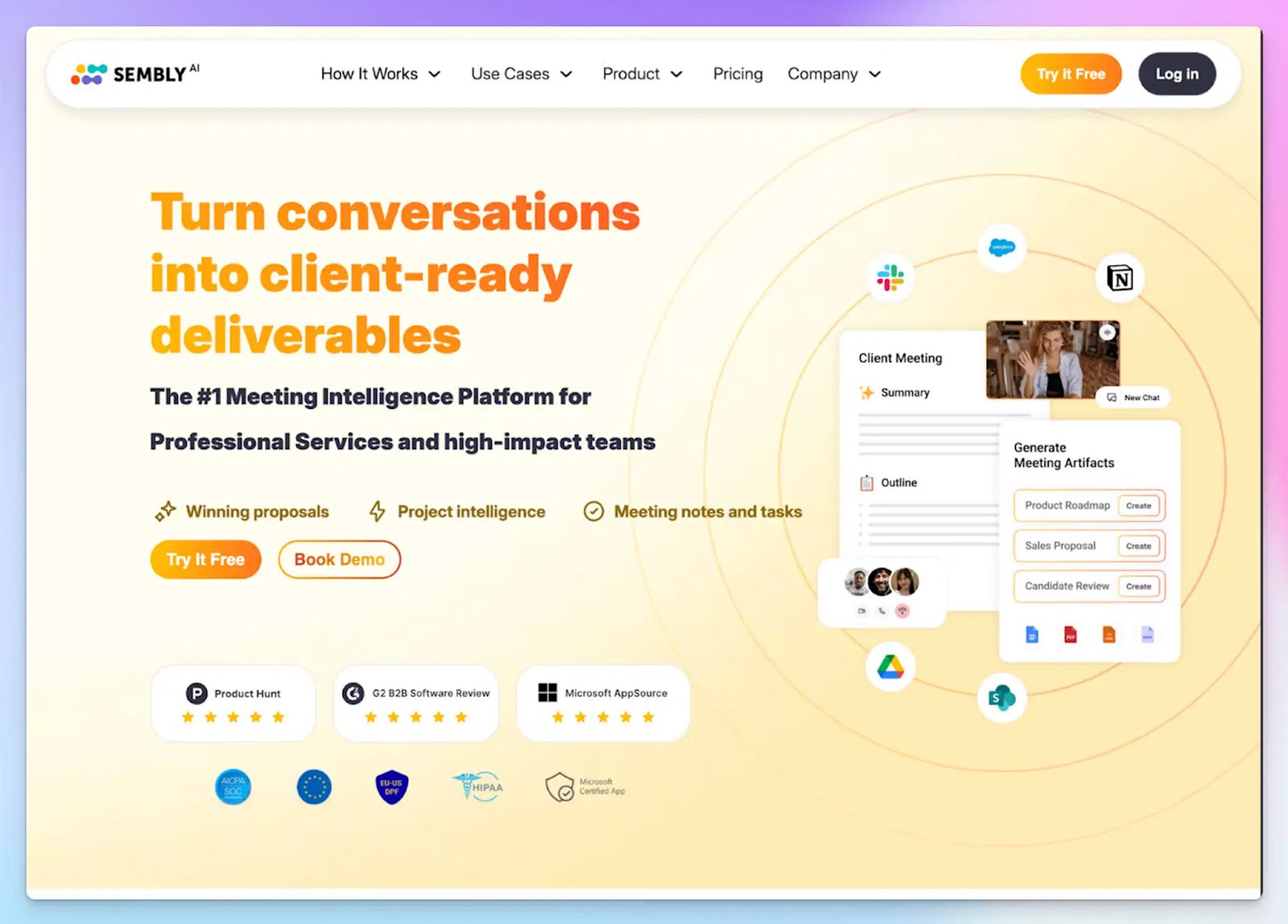
If a packed calendar means you regularly miss meetings that still need to be documented, Bluedot has no answer for that. Sembly does. Its proxy attendance feature lets you send the Sembly bot to attend a meeting on your behalf, complete with an optional message to attendees explaining that you won't be joining in person.
Beyond proxy attendance, Sembly operates as a full meeting intelligence platform. It tracks risks, sentiments, and key events, and lets you search insights across grouped sets of meetings.
Sembly vs. Bluedot
| Category | Sembly | Bluedot |
|---|---|---|
| Cross-meeting intelligence | The Collections feature lets you group meetings by project and query the AI across the entire set | Notes are sorted by individual meetings |
| Post-meeting documents | Generates structured documents like status reports, success plans, and project briefs from meeting content | Produces summaries and action items, but no automated document output |
| Risk and decision tracking | Automatically flags risks, issues, and notable events as separate trackable items | Captures action items but does not distinguish between decisions, risks, and routine discussion |
Sembly's key features
- With proxy attendance, Sembly can join a scheduled meeting in your place, send an automated message to attendees, and receive complete notes. It also works mid-meeting if you need to step out unexpectedly
- Semblian is a multi-meeting AI assistant that lets you ask questions across past meetings and find decisions without manually searching transcripts
- Sembly generates post-meeting documents in the form of AI artifacts, from status reports and success plans to gap analyses and sales proposals
Sembly's pricing
- Basic: $17/month
- Pro: $29/user/month
- MAX: $39/user/month
- Enterprise: Custom pricing
Sembly's pros
- SOC 2 Type II certified, GDPR compliant, and HIPAA compliant on the MAX plan, with opt-out settings for model training on non-enterprise plans
- Sembly integrates with Salesforce, HubSpot, Notion, Slack, Jira, and 50+ tools via native automations, Zapier, and webhooks, with MCP access on Pro and above
- Mixed-language meeting support lets you select up to two languages simultaneously from 40+ available, which is useful for bilingual teams
Sembly's cons
- Sembly's interface can feel dense for users who only need a quick daily summary, since the full feature set is designed for structured organizational workflows
- Long meetings are sometimes split into separate sessions, which creates discontinuity in the transcript and summary
- The free trial is limited, and the Basic plan restricts multi-meeting AI chat to single sessions, forcing many users to look for Sembly alternatives
🕵️♀️ Did you know?
54% of employees leave meetings without a clear idea on next steps!
3. MeetGeek
Best for: Managers and team leads looking for conversation analytics, meeting type auto-detection, and team performance workflows
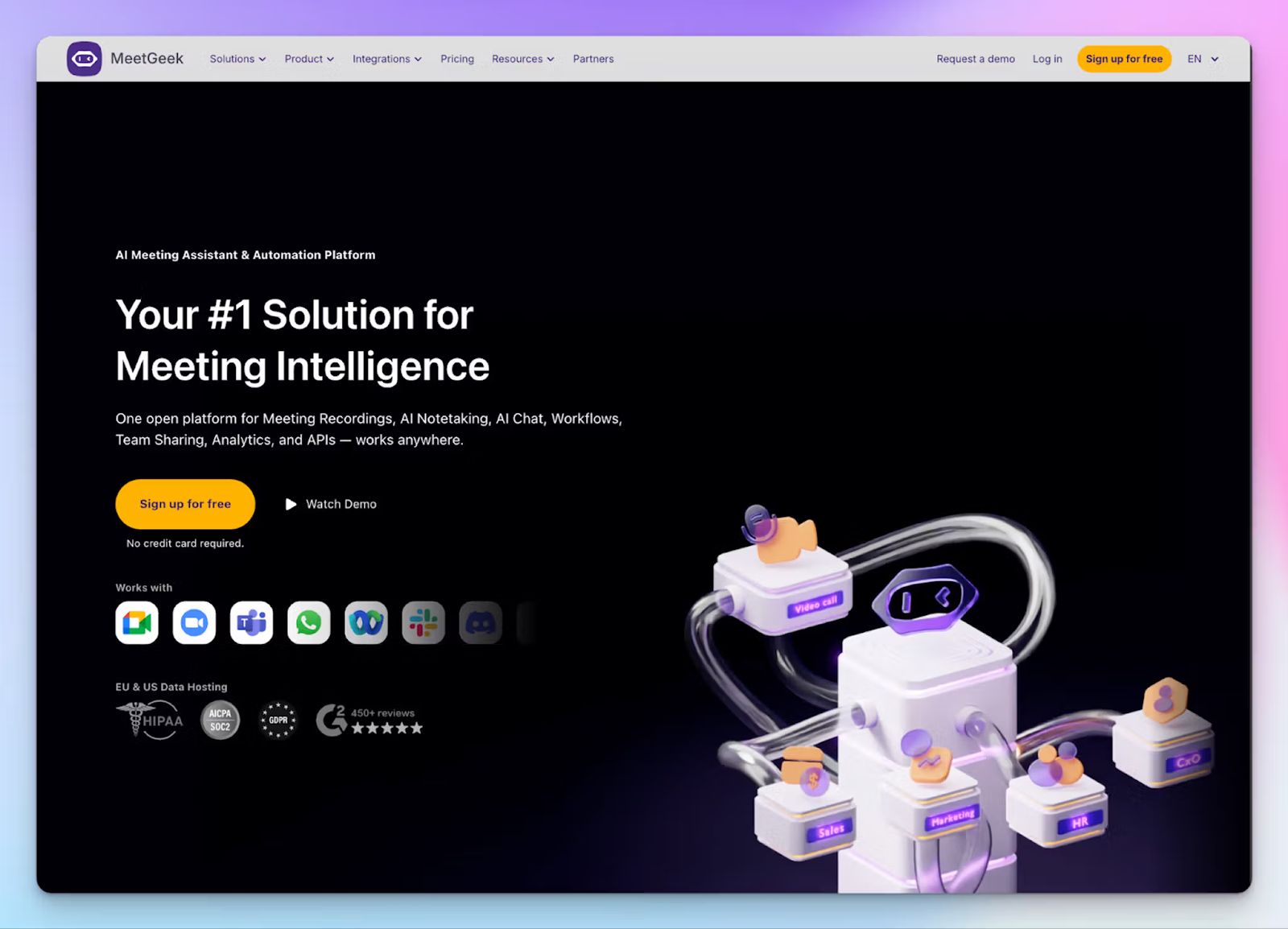
Bluedot requires you to manually set meeting templates, while MeetGeek identifies sales discovery calls, standups, and client QBRs and applies the right structure automatically. For managers who oversee different meeting types across different teams, that intelligence removes the manual step of mapping notes to context.
Beyond individual meetings, MeetGeek's conversation analytics track talk time, sentiment, engagement, and topic coverage at both the individual and team level, so you can identify patterns in how teams perform over video calls.
MeetGeek vs. Bluedot
| Category | MeetGeek | Bluedot |
|---|---|---|
| Meeting type detection | Automatically detects whether a meeting is a standup, sales call, interview, or planning session and applies the right template | All meetings receive the same summary format unless you manually pick a template |
| Team analytics | Tracks talk time, sentiment, and engagement at the individual and team level on the Business plan | No advanced conversation analytics |
| Free plan | Includes 3 hours of monthly transcription, unlimited AI meeting summaries, and access to all integrations | Five lifetime recordings with no monthly reset |
MeetGeek's key features
- With Voice Agents, you can set up bots to auto-join and actively run structured calls on your behalf in up to 10 sessions simultaneously
- MeetGeek's transcript comments let any team member leave direct notes, ask follow-up questions, flag a concern, or share context with a manager, all without leaving the meeting record
- MeetGeek integrates natively with HubSpot, Salesforce, Slack, Notion, Jira, ClickUp, Google Drive, and Zapier, and AI tools via the MCP server
MeetGeek's pricing
- Basic: Free (3 hours of transcription/month)
- Pro: $15.99/month
- Business: $27/month
- Enterprise: Custom pricing
MeetGeek's pros
- iOS and Android mobile apps, a macOS desktop app, and a Chrome extension cover every recording scenario, including in-person meetings via the mobile app
- SOC 2 Type II, GDPR, HIPAA, and CCPA compliant, with EU and US data hosting options
- MeetGeek’s conversation analytics are more detailed and customizable than most competitors
MeetGeek's cons
- The Pro plan caps monthly transcription at 20 hours with a $0.50/hour overage charge, which adds up quickly for teams with frequent meetings, forcing them to look for MeetGeek alternatives
- The meeting bot occasionally fails to join or sends redundant post-call emails to external attendees, which can create friction with clients
💡 Also read:
4. Circleback
Best for: Fast-moving teams that need accurate action item detection and automatic CRM and workflow updates the moment a meeting ends
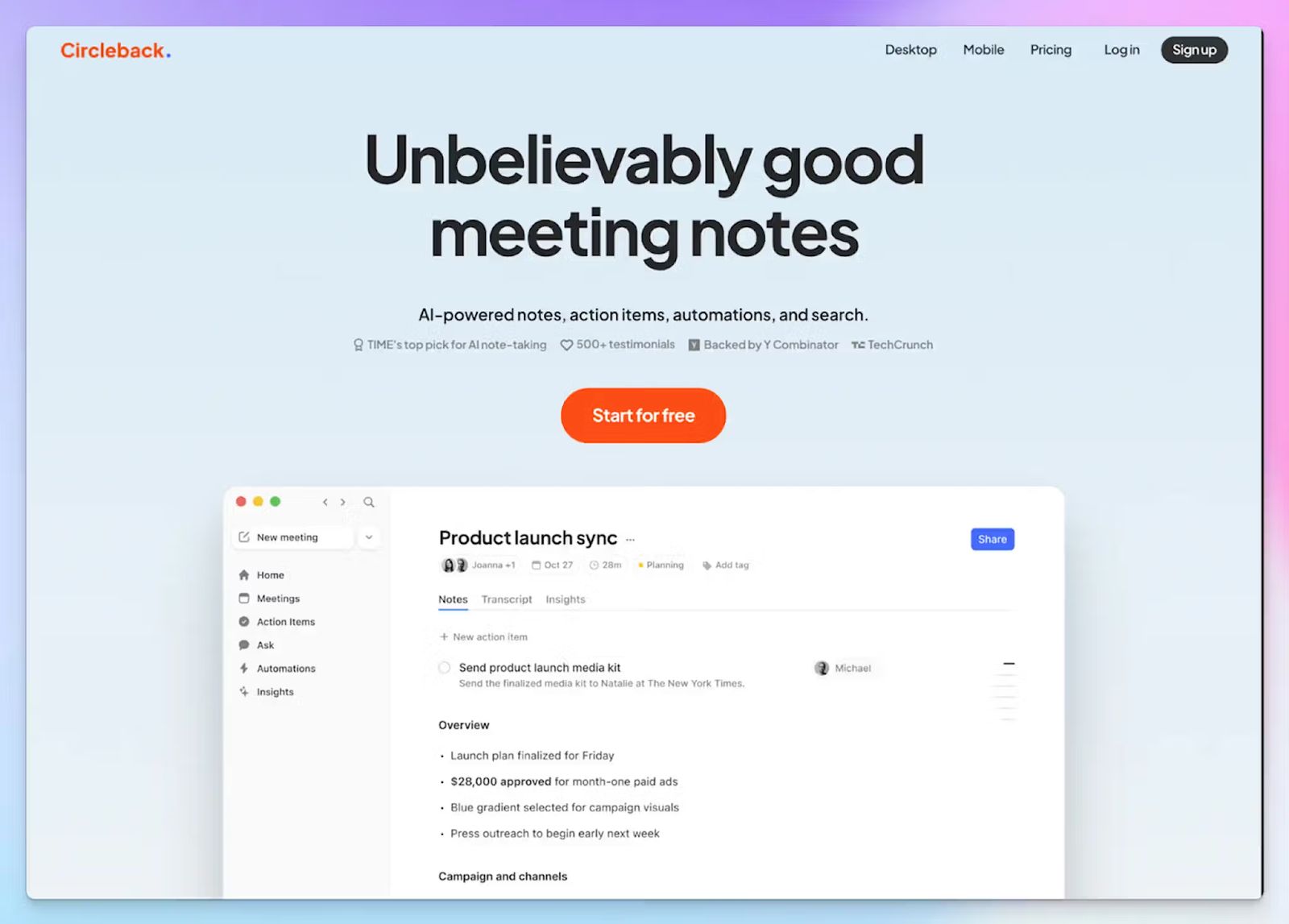
Bluedot produces a transcript and summary and hands the work back to you. Circleback's real value is what it does with that content after the meeting. You can use the automation workflow to set up conditions and tasks, allowing Circleback to update HubSpot or Salesforce, create Linear tasks from product feedback, or post a summary to Slack, without any manual intervention.
Compared to Bluedot, which gates CRM integrations behind the $32/month Business plan and provides no automation engine, Circleback is a more powerful option for fast-moving teams.
Circleback vs. Bluedot
| Category | Circleback | Bluedot |
|---|---|---|
| CRM automation | Auto-updates HubSpot deals and Salesforce opportunities with meeting notes and action items immediately after each call | CRM integrations are available on the Business plan only, with no automation engine |
| Voice detection | Circleback can detect multiple voices from the same device and sort the quotes | Bluedot struggles to pick multiple voices, and it doesn’t pick multiple voices from the same source |
| File upload | Accepts audio and video uploads up to 2 GB on all paid plans | File imports are restricted to the Pro plan and above |
Circleback's key features
- Circleback's workflow engine lets you define custom automation rules per meeting type, number of attendees, and teams, without any manual steps for each meeting
- Cross-meeting AI search lets you ask questions across your full conversation history and receive contextual answers with cited sources
- Circleback connects with Attio, Linear, Slack, Notion, Monday, Zoho, Zapier, and Make
Circleback's pricing
- Individual: $25/month
- Team: $30/month
- Enterprise: Custom pricing
Circleback's pros
- SOC 2 Type II certified, HIPAA compliant, and EU-U.S. DPF certified, with a policy of not training AI models on customer data
- Circleback’s mobile and desktop apps are neatly designed, which helps in faster team adoption
- It supports 100+ languages with strong accuracy on accents and technical terminology, according to user reviews across multiple platforms
Circleback's cons
- There is no free plan, only a 7-day trial, which makes it difficult to evaluate the automation engine properly before paying $25/month
- The pricing is steeper than several alternatives on this list, and the value proposition is harder to justify for teams that don't actively use CRM automation, leading users to look for Circleback alternatives
🧠 Fun fact:
50% of tech companies are using AI to reshape business workflows. Advanced integrations and automations are the way to go!
5. Granola
Best for: Users who prefer a hybrid note-taking approach, where they capture their own thoughts during the call and let AI enhance them into structured summaries
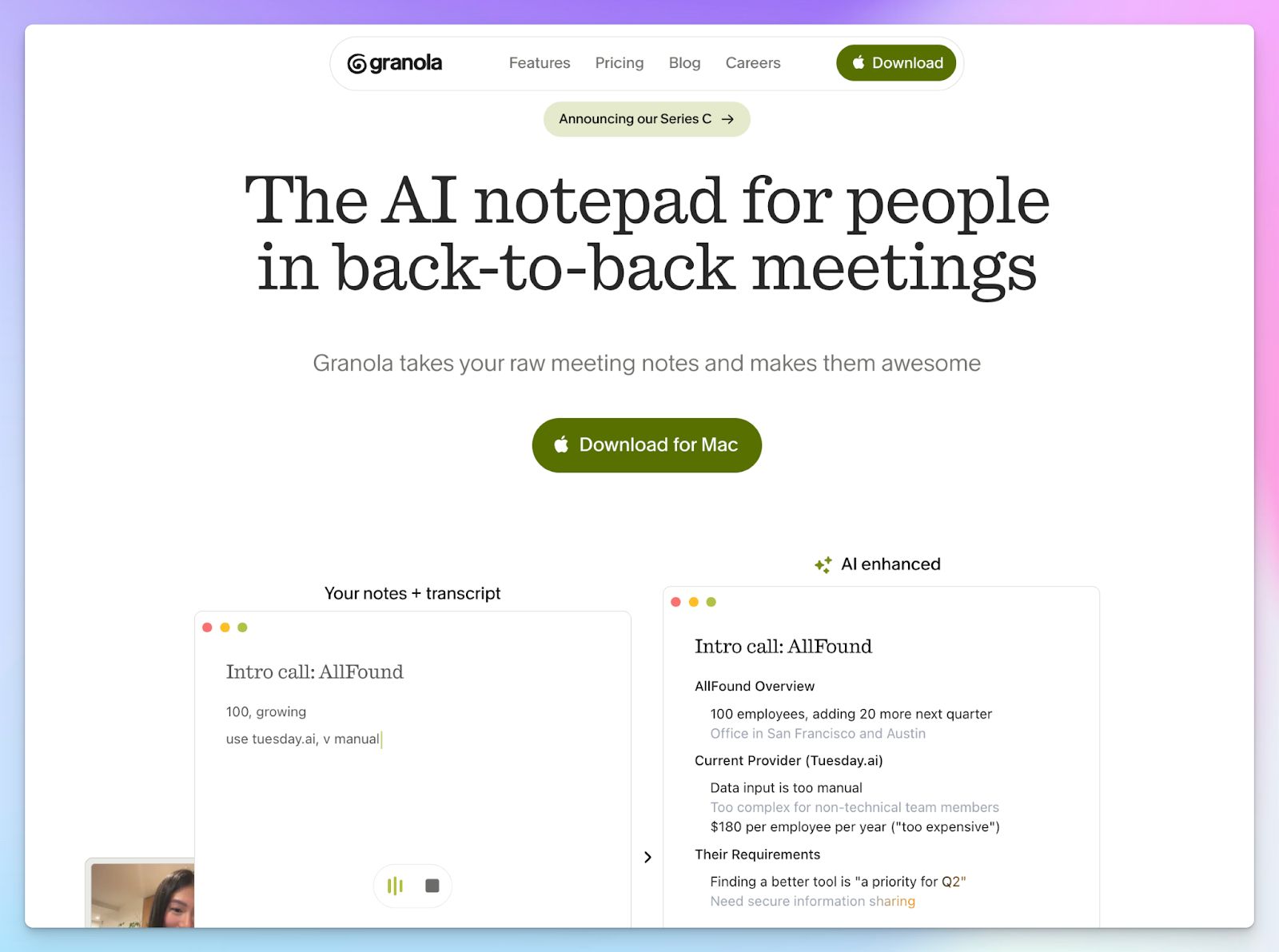
Granola solves a specific problem that Bluedot doesn't address: sometimes you know what matters in a meeting better than the AI does. Rather than replacing your notes, Granola blends what you type during the call with the audio transcript to produce a summary that reflects both the conversation and your perspective on it.
Granola's hybrid approach produces notes that contain deeper insights, which makes them immediately actionable.
Granola vs. Bluedot
| Category | Granola | Bluedot |
|---|---|---|
| Note-taking approach | Combines your in-call typed notes with the audio transcript to produce context-aware, AI-enhanced summaries | Fully automated post-call summary with no in-call input from the user |
| Free tier | The free plan gives 25 free meetings before requiring a paid upgrade | Bluedot's free plan has a lifetime cap of just 5 meetings |
| Platform coverage | Works on any meeting platform that runs audio on Windows and macOS; iPhone app for in-person and mobile calls | Works across all platforms with dedicated apps and a Chrome extension |
Granola's key features
- The AI notepad lets you type rough notes, keywords, or agenda items during the call, and Granola's AI uses those alongside the full transcript to generate a structured summary
- With custom note templates, you can shape meeting summaries for specific meeting types, whether that's a sales call, a board update, or a product review
- Granola natively integrates with Attio, Notion, Slack, HubSpot, and Affinity
Granola's pricing
- Basic: Free (limited meeting history)
- Business: $14/month
- Enterprise: $35/month
Granola's pros
- As a bot-free note taker, Granola reads system audio directly from your device, which means it works with any platform
- It’s GDPR and SOC 2 Type 2 compliant, and the notes are stored on AWS-encrypted cloud infrastructure
- Granola’s Business plan is one of the most competitively priced options in this category, covering unlimited meetings, advanced integrations, MCP access, and team management
Granola's cons
- As of writing this article, Granola supports only 10 languages in macOS and Windows, and 7 more via iPhone, which is not good enough for global, multilingual teams
- You need to manually start Granola before each meeting since it has no calendar bot or auto-join capability
💡 Also read:
Which Bluedot alternative should you choose?
Bluedot works well within a specific setup, but error-prone notes, a five-recording free plan, and feature walls on lower tiers push most teams toward something more flexible sooner than expected.
👉 If your meetings generate cross-project decisions, risks, and deliverables that need to be tracked over time, Sembly gives you the organizational intelligence to manage them at scale.
👉 Managers who want automatic meeting type detection, team-level conversation analytics, and workflow automation at an accessible price point will find MeetGeek a strong fit.
👉 Teams that want to set up automations and prefer easier-to-use desktop apps will find Circleback useful.
👉 Users who want clean, context-aware notes without a bot or a complicated setup will appreciate how Granola gets out of the way of conversations.
👉 If you need 95%+ accurate meeting notes across 150+ languages, the ability to transcribe pre-recorded files, and EU-grade security without any browser lock-in, Barcelona-based HappyScribe is the strongest all-rounder note taker.
HappyScribe gives you a free plan with unlimited recordings, cross-platform support that works with or without a bot, custom vocabulary for accurate industry-specific transcription, and translation tools that extend your meeting data to global teams.
FAQs on the best Bluedot AI alternatives for AI note taking
1. What are some free alternatives to Bluedot for meeting note taking?
Bluedot's limited free plan gives you only five lifetime recordings, and that’s impractical for anyone attending daily online meetings or internal meetings regularly. HappyScribe offers a genuinely free tier with unlimited AI notes across Zoom, Google Meet, and Microsoft Teams calls, with no lifetime cap. MeetGeek's free plan includes three hours of monthly transcription and unlimited AI-generated summaries. Granola offers 25 free meetings before requiring an upgrade. All three are capable AI meeting note takers that let you evaluate core AI features before committing to a paid plan.
2. Is Bluedot safe to use in meetings?
Bluedot is GDPR compliant, but doesn’t have SOC 2 Type II certification yet, so it doesn’t meet data security standards for business use cases. Teams with stricter compliance requirements should look for better alternatives. HappyScribe, for instance, is SOC 2 Type II certified and hosted in a Tier IV, PCI DSS, and ISO 27001-certified EU data center, which makes it one of the stronger options for data security among AI-powered meeting assistants. Circleback and Sembly are also SOC 2 Type II certified and HIPAA compliant, which is worth considering for healthcare and enterprise teams.
3. Is Bluedot AI accurate for meeting notes and summaries?
Bluedot's accuracy is inconsistent. It struggles with speaker identification when multiple speakers talk over each other, and AI-generated summaries lose reliability when meetings involve non-standard accents or industry jargon. This makes it a weak choice for sales teams, customer success teams, and multilingual teams who depend on precise meeting summaries to capture key moments and decisions. AI note takers like HappyScribe achieve 95%+ accuracy with strong speaker recognition across 150+ languages, which makes a noticeable difference in the quality of meeting summaries, especially across multiple meetings and video calls.
4. What is the best Bluedot alternative?
The best alternative depends on what Bluedot is failing you on. HappyScribe is the strongest AI meeting assistant for teams that need multilingual transcription across 150+ languages, bot-free AI, and advanced AI features like file uploads, subtitle editing, and translation. It covers the entire meeting lifecycle, from live online meetings and in-person meetings to pre-recorded file imports, without browser lock-in. Sembly is better suited for operations teams that need conversation intelligence and automated post-meeting documents. MeetGeek is ideal for managers who want speaker insights and meeting dynamics tracked at a team level. Circleback works best for sales teams that need CRM automation the moment a call ends.
5. What are the best bot-free alternatives to Bluedot?
If you want an AI-powered meeting assistant that captures conversations without adding a visible bot to the call, Granola and HappyScribe are the two strongest options. Granola reads system audio directly from your Mac or Windows device and works across any platform, but it supports only around 15 languages and requires you to manually start it before each session. HappyScribe's bot-free AI recorder works for in-person meetings and any audio source, and it supports 150+ languages with the same transcription accuracy you get from its bot-joined recordings. For teams that want bot-free recording without sacrificing multilingual transcription or unlimited AI notes, HappyScribe is the more scalable choice.

Biplab Mazumder
Biplab is a content marketer and writer who helps high-growth brands scale content visibility across AI search channels. His works have been published in HubSpot, Freshworks, Atlassian, SurferSEO, etc. When he's not planning content strategy, he's testing AI content workflows and use cases.