TL;DR ⏩
- Technical decisions get lost after the meeting because writing the ADR feels like extra work
- AI meeting notes cut that work, but they can log a tentative idea as a final decision
- Before the group moves on, restate each decision out loud with its status and owner
- Draft the ADR from the HappyScribe’s Decision-making meeting template, then check every field against its timestamp in AI Chat
- Commit the record to your repo with Claude Code and the HappyScribe MCP server, and supersede old decisions instead of editing them
A new engineer joins your team and asks a fair question: why does the order service use Amazon SQS instead of Kafka?
You remember the debate, but the reasoning is lost in a 50-minute recording. Everyone pitched in, but no one wrote it down.
This guide fixes that with a single design review from your meetings. You'll follow a team as they choose between Kafka and SQS for order events. By the end, you'll have an architecture decision record (ADR) in your repo, with every line linked to the moment someone said it.
Spot where technical decisions get lost after a meeting
The first weak point is the write-up. Your team picks an option after an hour of debate and moves on. Writing the ADR feels like extra work, so it slips.
AI meeting notes take care of most of that work, but they need some alignment. In an August 2026 study, researchers used AI to turn real design meeting transcripts into ADR drafts. The drafts covered about 18 of the 23 decisions that senior architects found. But they also treated some tentative ideas as accepted decisions and added numbers no one said.
So your process has to pass two tests: it should take little effort, and the record should match what your team actually said.
Set up your architecture decision record (ADR) fields
An ADR is a short document that records one technical decision and the reasoning behind it. Most teams start from Michael Nygard's format and add a few fields. Here's a version built for decisions made in meetings:
# ADR-0042: [Decision title]
Status: Proposed | Accepted | Superseded
Owner: [Name]
Source: [Meeting link and timestamp]
## Context
## Decision
## Alternatives rejected
## Consequences
## Review trigger
You have two fields that protect you from AI errors:
- Status tells readers whether the team accepted an idea or only proposed it.
- Source points to the exact minute in the meeting transcript, so anyone can check the claim.
Decide which choices need a full ADR
Match the record to the weight of the decision:
| Decision type | Example | Where it goes |
|---|---|---|
| Small and easy to reverse | Swapping a parsing library | Verbal agreement |
| Affects several people | Changing a code review rule | A line in your decision log |
| Limits future work | Choosing a message queue | Full ADR |
If you're unsure, ask one question: would a new teammate find this choice arbitrary six months from now? If yes, write the ADR.
How to document technical decisions from meetings in 7 steps
Step 1: Add your stack's terms to a custom glossary
Your ADR is only as accurate as the transcript behind it. If the transcript notes "SQS" as "SKS," that error carries into the draft.
Before the design review, add your team's vocabulary to a custom glossary in HappyScribe. Include service names like order-events, tools like SQS and Kafka, and terms like ‘idempotency key’.
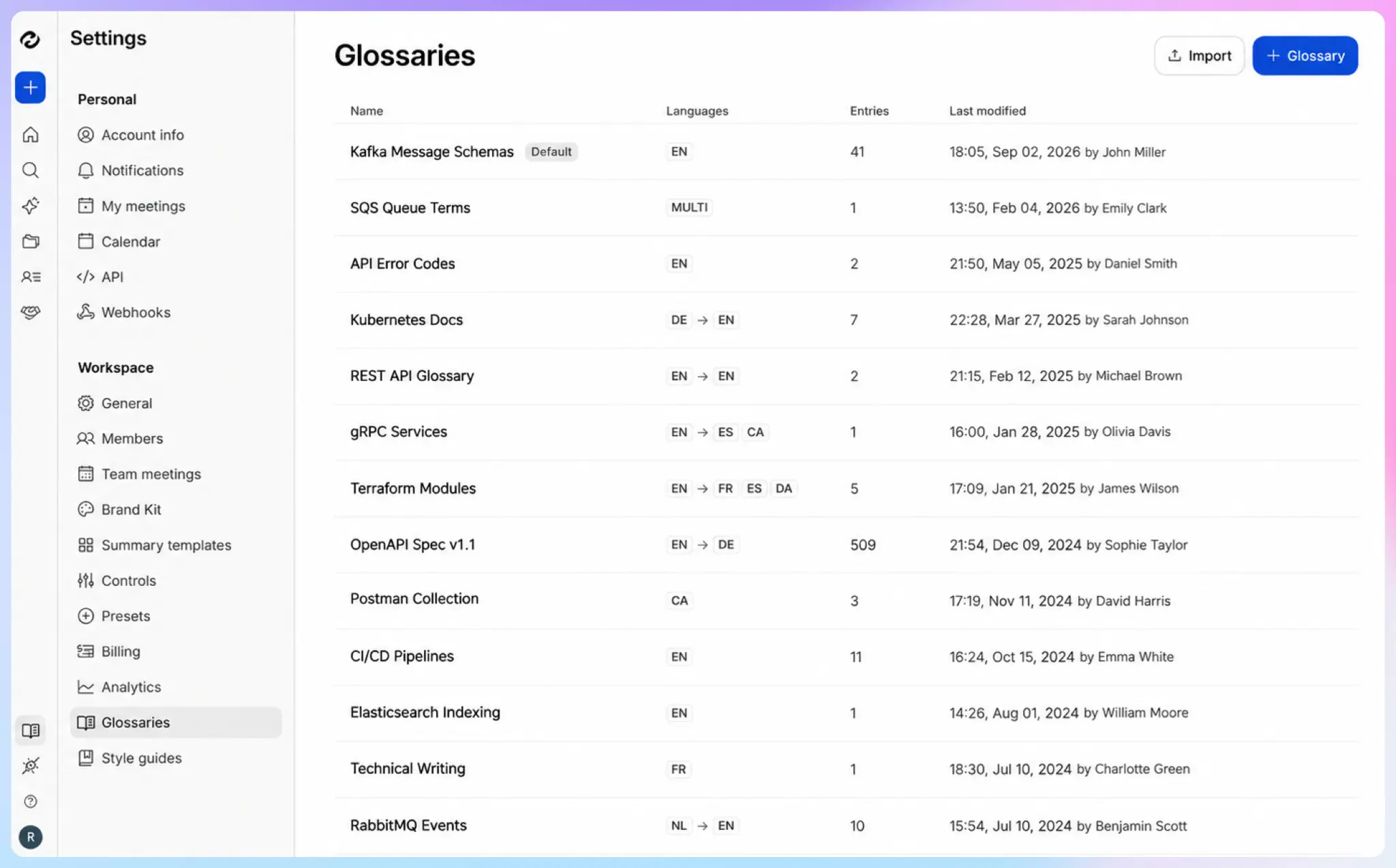
You can also fix terms as you go. Highlight a word in any transcript and click Add to glossary in the toolbar.
HappyScribe applies the glossary to every future transcript and summary, so names stay consistent from one meeting to the next.
Step 2: Record the design review with an AI note taker
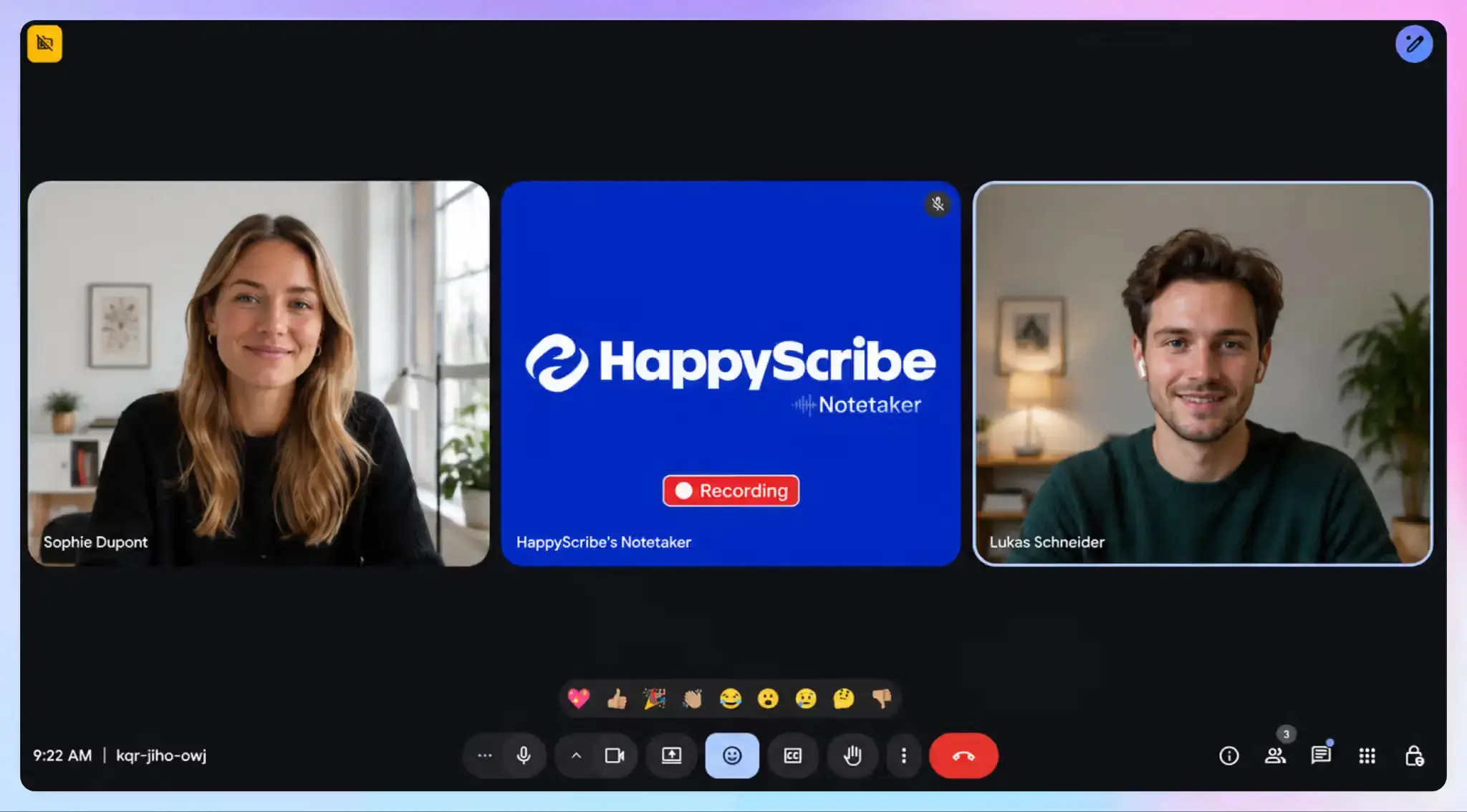
Connect your Google or Outlook calendar and turn on auto-join. The HappyScribe meeting note taker joins your Zoom, Google Meet, or Microsoft Teams call and records it with speaker labels. You'll see who argued for Kafka and who pushed back.
But some design reviews happen at a whiteboard. For those, record the room with the HappyScribe mobile app, and your in-person meeting notes get the same transcript and summary as your online calls.
Some technical decisions happen outside design reviews, like an API integration you agree on with a customer. Record those client calls the same way, and they feed the same ADR process.
Step 3: Restate each decision out loud before you move on
This step takes just a few seconds and protects the whole record. Before the group moves to the next topic, the facilitator says one line:
"Decision: we use SQS for order events. Status: accepted. Owner: Dev."
It’s a habit borrowed from board meeting notes, where the chair states each resolution before the vote so the minutes record it word for word.
Do the same for ideas that aren't settled. In our example, someone suggests a dead-letter queue for failed orders, but no one commits to it. So the facilitator says,
"Dead-letter queue. Status: proposed. Mark will test it."
The test also shows up in the meeting’s action items with Mark as the owner, so it doesn’t slip after the call. Now the transcript contains a clear sentence for every decision and its status. In Step 5, you'll use these lines to check the AI draft.
Step 4: Turn the meeting transcript into an ADR draft with a summary template
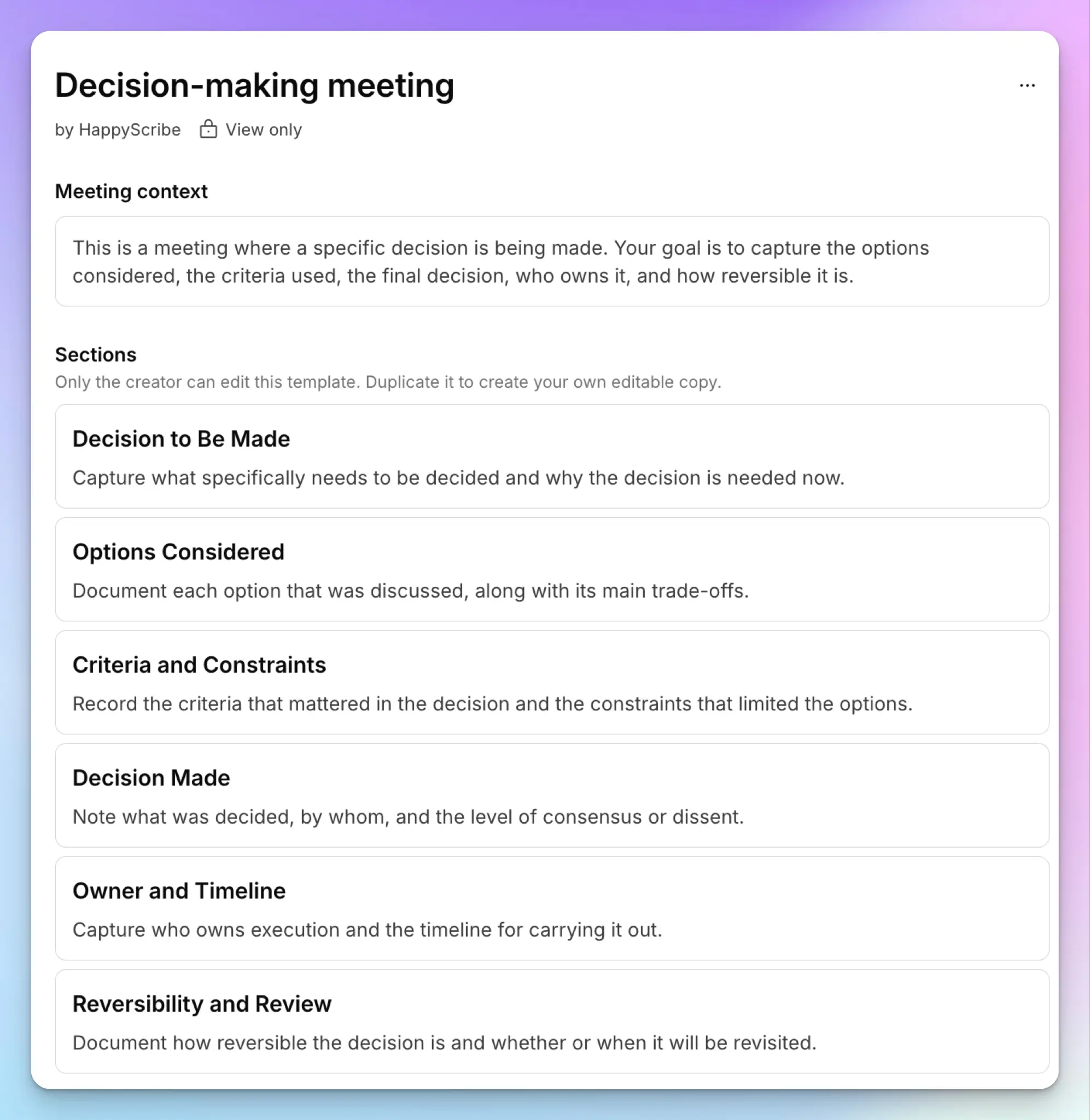
HappyScribe generates meeting notes after every online and offline call. For an ADR, you want those notes to follow your record format. Here’s how to use templates:
- Start from the Decision-making meeting template in HappyScribe. It already covers most of an ADR: the decision to be made, options considered, criteria and constraints, the decision made, the owner, and when to review it. Pre-made templates are view only, so duplicate it to get an editable copy.
- In your copy, add three sections the template doesn't have: Status, Consequences, and Source. Then add one instruction to the meeting context: "Mark a decision Accepted only if someone says it was agreed. Otherwise, mark it Proposed." This gives the AI a clear signal to follow.
- Set the copy as the default for your design reviews, or switch to it from any transcript.
Templates live at the workspace level, so every engineer on your team gets consistent meeting summaries. In our example, the draft lists SQS as accepted, Kafka as rejected, and the dead-letter queue as proposed.
Step 5: Check every ADR field against its transcript timestamp
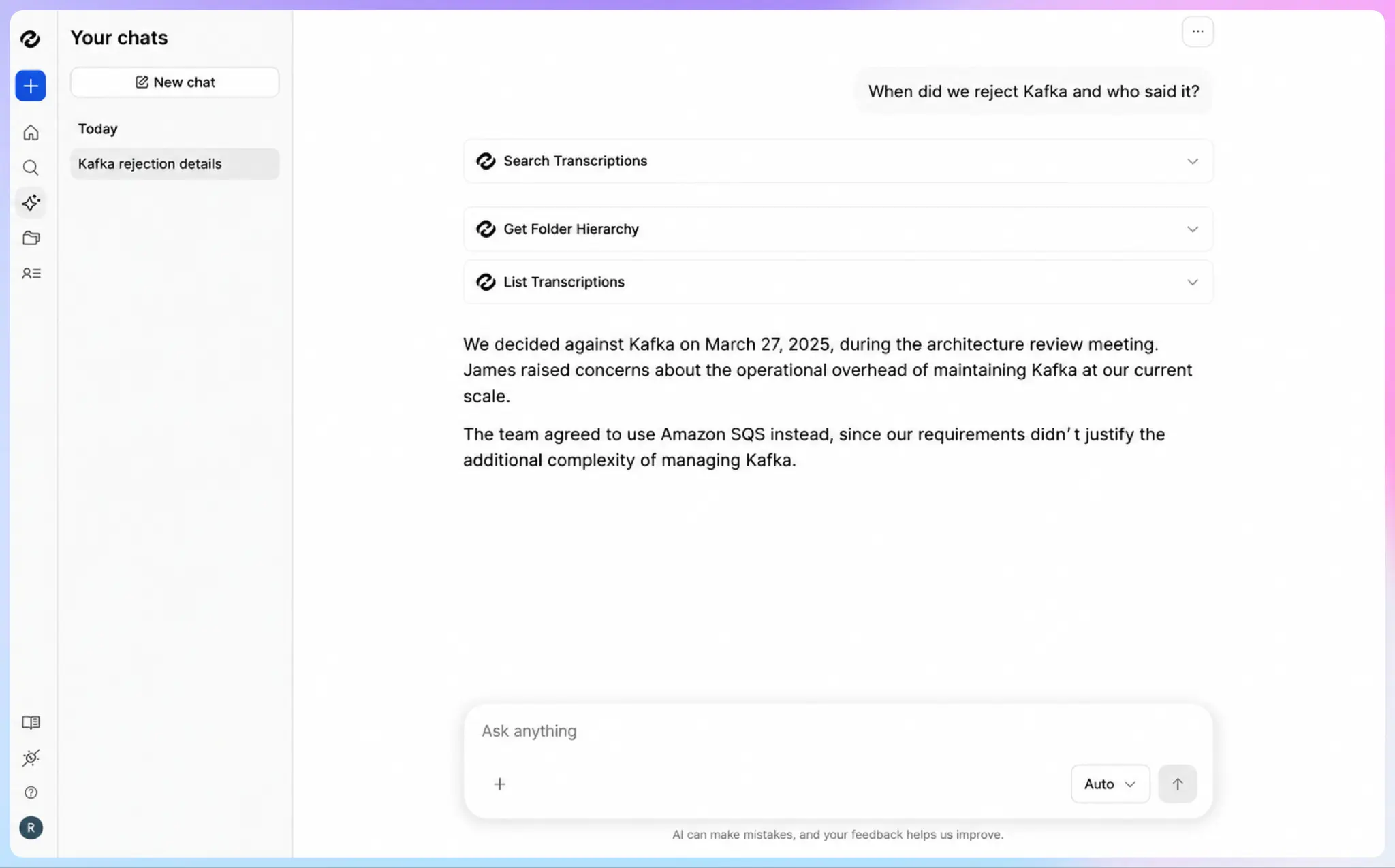
The draft saves you the writing. Now confirm that it matches what your team said.
Open the meeting and ask AI Chat direct questions about each field:
- Where did we reject Kafka, and who said it?
- Did anyone give a number for expected order volume?
- Did we agree on the dead-letter queue?
AI Chat answers with the exact timestamp, so you can click and listen to the moment itself. Then fix what doesn't match. Delete any number that has no source in the transcript. Move tentative ideas from Accepted to Proposed, and confirm the owner named in Step 3.
Add each timestamp to the Source field as you go. You’ve overcome AI errors because every line traces back to the meeting.
For smaller decisions, you can stop here. Copy the Decision Made line into your team’s decision log, which product managers often keep for roadmap context.
Step 6: Commit the ADR to your repo with Claude Code and the HappyScribe MCP server
Most engineering teams keep ADRs as Markdown files in the codebase, next to the code they describe. The HappyScribe MCP server lets Claude Code read your meeting transcripts directly, so you don't copy anything across.
Add the server once from your terminal:
claude mcp add happyscribe --transport http https://www.happyscribe.com/mcp
Then prompt Claude Code from your repo and paste your checked draft at the end:
"Find yesterday's design review on order events in HappyScribe. Write docs/adr/0042-use-sqs-for-order-events.md from my checked draft below, and keep the source timestamps. Then open a pull request."
Your team reviews the ADR like any other change. The same server works in Cursor. If your team keeps decisions in Notion or Confluence, connect HappyScribe through Zapier instead.
Congrats! You’ve passed the main challenge of extracting decisions from meetings. No more retyping the record at every instance.
Step 7: Search past meetings and supersede outdated decisions
Your new ADR may replace an older decision. Open AI Chat from the sidebar and ask across all your meetings: "Have we discussed event streaming for orders before?"
It searches every meeting you’ve recorded, from design reviews to the one-on-ones where an engineer first raised the idea.
In our example, AI Chat finds a review from March where the team leaned toward Kafka. That decision lives in ADR-0031. Don't edit the old record. Change its status to Superseded and link it to ADR-0042. Microsoft treats the ADR as an append-only log, so the history stays readable.
Run the same search before every design review. Your team then starts from what it already decided.
See the finished ADR from one design review
Here's ADR-0042 after the seven steps:
# ADR-0042: Use Amazon SQS for order events
Status: Accepted (supersedes ADR-0031)
Owner: Dev
Source: Design review, Nov 4, 2026
## Context
The order service needs a reliable queue as order volume grows. [12:40]
## Decision
Use Amazon SQS for order events. [31:05]
## Alternatives rejected
Kafka. The operations work outweighs the throughput gain for now. [24:18]
## Consequences
Lower operations cost. Strict ordering requires FIFO queues.
Dead-letter queue: proposed, owner Mark. [38:52]
## Review trigger
Revisit if order volume outgrows SQS FIFO throughput limits. [41:10]
Now go back to the new engineer from the start. They open ADR-0042 and click the timestamp next to Kafka. In under a minute, they have the reasoning in your team's own words.
The record took minutes to produce, and every line matches the meeting.
Turn every meeting into a decision record
Technical decisions get lost when the write-up depends on someone's spare time. With HappyScribe, the design review produces the draft, and the transcript proves each line.
Design reviews often cover proprietary architecture, so where your recordings live is part of the decision. HappyScribe is SOC 2 Type 2 certified and GDPR-compliant and stores all meeting data in ISO 27001-compliant European servers.
You can join meetings knowing that HappyScribe captures all decisions, names, and numbers across 150+ languages.
FAQs about documenting technical decisions from meetings
How do you document technical decisions from meetings?
Record the meeting with an AI meeting note taker like HappyScribe, and restate each decision out loud with its status and owner before you move on. Then turn the transcript into an architecture decision record and check every field against the meeting. HappyScribe drafts the record from a summary template and links each answer in AI Chat to the timestamp where it was said.
What tools do you need to document technical decisions from meetings?
You need an AI note taker to record and transcribe the meeting, and a place to store the record, such as your code repository or a wiki. HappyScribe covers the capture side with transcripts, custom glossaries, and summary templates. Its Zapier connection pushes data to Jira and Linear, and the MCP server lets Claude Code or Cursor write the ADR straight into your repo.
What is an architecture decision record (ADR)?
An ADR is a short document that records one significant technical decision. It explains the context, the decision, the options you rejected, and the consequences, so future teammates understand why the system works the way it does.
Can AI write architecture decision records?
Yes, AI can write a solid first draft from a meeting transcript. But it can mark a tentative idea as a final decision or add details that no one said, so a person should review it. With HappyScribe, you can check each field against its timestamp before you commit the record.

Biplab Mazumder
Biplab is a content marketer and writer who helps high-growth brands scale content visibility across AI search channels. His works have been published in HubSpot, Freshworks, Atlassian, SurferSEO, etc. When he's not planning content strategy, he's testing AI content workflows and use cases.