TL;DR ⏩
Based on my research, here are the best AI note takers for board meetings:
- HappyScribe: Best for board secretaries who need accurate and structured minutes from any sitting, with granular privacy controls, stored securely in the EU
- Fellow: Best for regulated industries that want board meetings under one recording policy
- Plaud Note Pro: Best for in-person boards that want a dedicated recorder
- OnBoard: Best for boards that want AI minutes inside their portal and meet on Zoom or Teams
- Diligent: Best for listed companies and nonprofit boards using Diligent that want one system of record
You might’ve seen corporate lawyers telling boards to keep AI note-taking out of the boardroom. A federal court in New York has ruled an executive’s chats with Claude weren’t privileged, partly because it could train on what he typed.
The actual risk is using generic AI tools without guardrails. They store offhand remarks on third-party servers and give you a casual recap when your board needs a formal record.
I compared AI note takers against board portals because they document board discussions differently. Note takers record the meeting, while portals prefer to write the minutes.
Here’s what I looked for in an AI note taker for board meetings:
- Minutes structured by agenda items, with attendance, votes, resolutions, and action items with deadlines
- Capture meetings on Google Meet, Microsoft Teams, Zoom, and in person, so the tool fits wherever your board meets
- Encryption, strict access controls, deletion rights, and a clear answer on whether vendors train AI models on your board’s data
- The full transcript for you to compare the meeting summary, since AI-generated minutes still need human review
Read on to see which one fits your board meetings.
What are the best AI note takers for board meetings? At a glance
| Best for | Accurate and structured minutes from any sitting | One recording policy for regulated teams | In-person boards | AI minutes inside a board portal | One system of record |
|---|---|---|---|---|---|
| Key features | Board minutes templates, bot-free and offline capture, AI Chat, human transcripts | Recording blocks, zero-day retention, Ask Fellow | Card-sized recorder, 5 m pickup, Plaud MCP | Minutes AI, Agenda AI, approvals | Smart Minutes, Style Library, version control |
| Supported languages | 150+ | 90+ | 112 | English only | 7 |
| Meeting platform integration | Zoom, Google Meet, Microsoft Teams, and in-person calls via mobile app | Zoom, Google Meet, Microsoft Teams, desktop, and mobile | In person, Plaud Desktop | Zoom, Microsoft Teams | Doesn’t record |
| Security | SOC 2 Type II, GDPR, ISO 27001-compliant EU data center, access and retention controls | SOC 2 Type II, GDPR, HIPAA | SOC 2 Type II, ISO 27701, GDPR, HIPAA | SOC 2, ISO 27001, GDPR, HIPAA | SOC 2 Type II, ISO 27001, FedRAMP Moderate |
| Starting price | Free plan available, paid plans from $8.50/month billed annually or $17/month billed monthly | Free plan, Paid plan starts from $11/month | $189 device, free Starter plan for AI | Custom pricing | Custom pricing |
1. HappyScribe
Best for: Board secretaries who need accurate and structured minutes from any sitting, online or in person, with records stored in the EU
HappyScribe is a Barcelona-based AI note taker that records board meetings on Zoom, Google Meet, Microsoft Teams, and in person. It turns each sitting into a speaker-labeled transcript and a first draft of your board meeting minutes.
You need a draft you can check against the source, not only a meeting recap. HappyScribe gives you both, and you stay the author of the official record. Once the board approves the minutes, export them to your board portal as a PDF or DOCX.
HappyScribe’s key features for board meetings
1. Record every meeting your way, online or in the boardroom
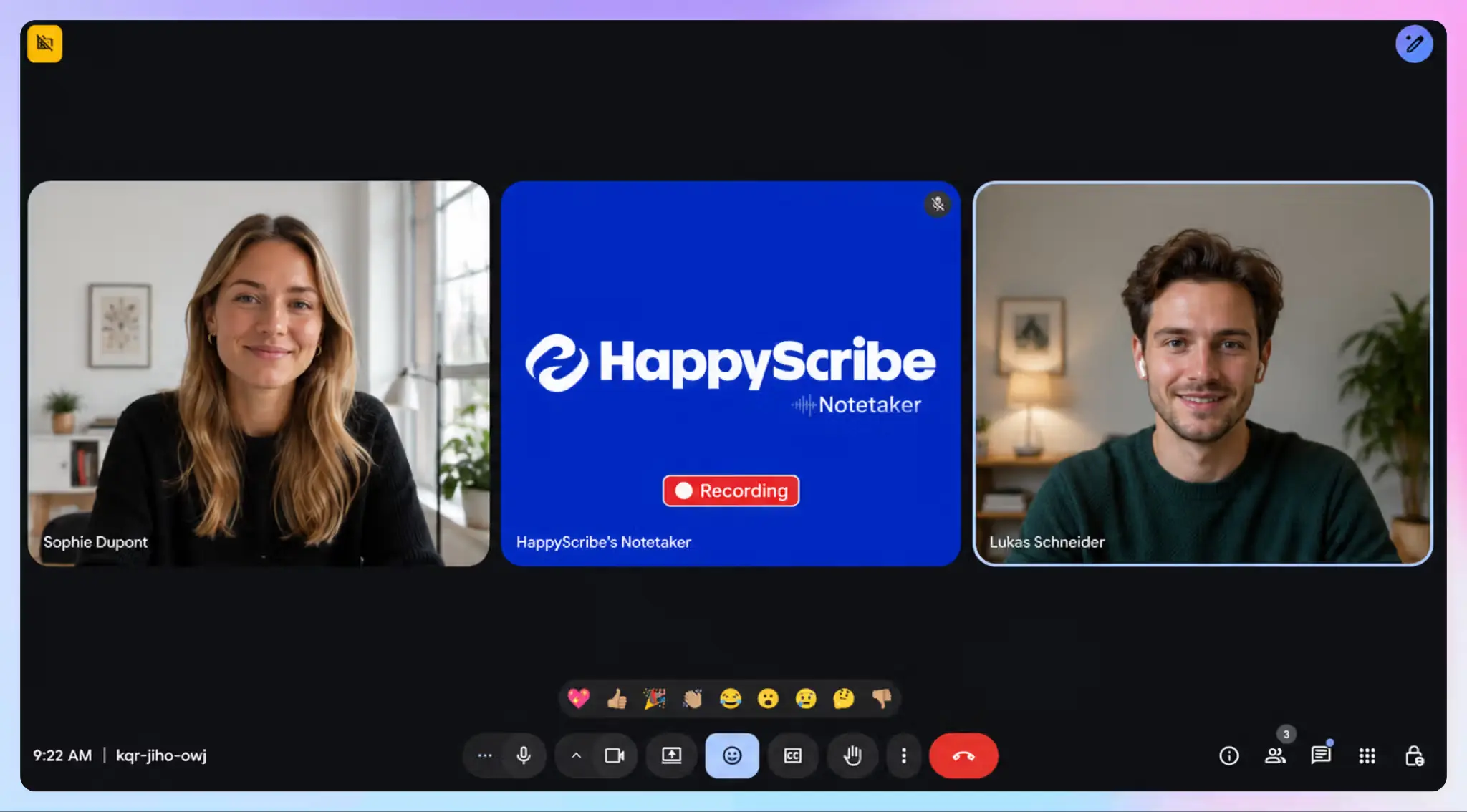
Connect Google Calendar or Outlook, and the HappyScribe notetaker joins scheduled board meetings on Zoom, Google Meet, or Microsoft Teams. If you’d rather avoid bots joining a sensitive call, use the app or the web recorder.
For in-person meetings, put the mobile app on the table. It records without internet and uploads once you’re back online. You can also upload past recordings or import them from Google Drive, Box, and Dropbox.
2. Get board minutes structured by agenda item
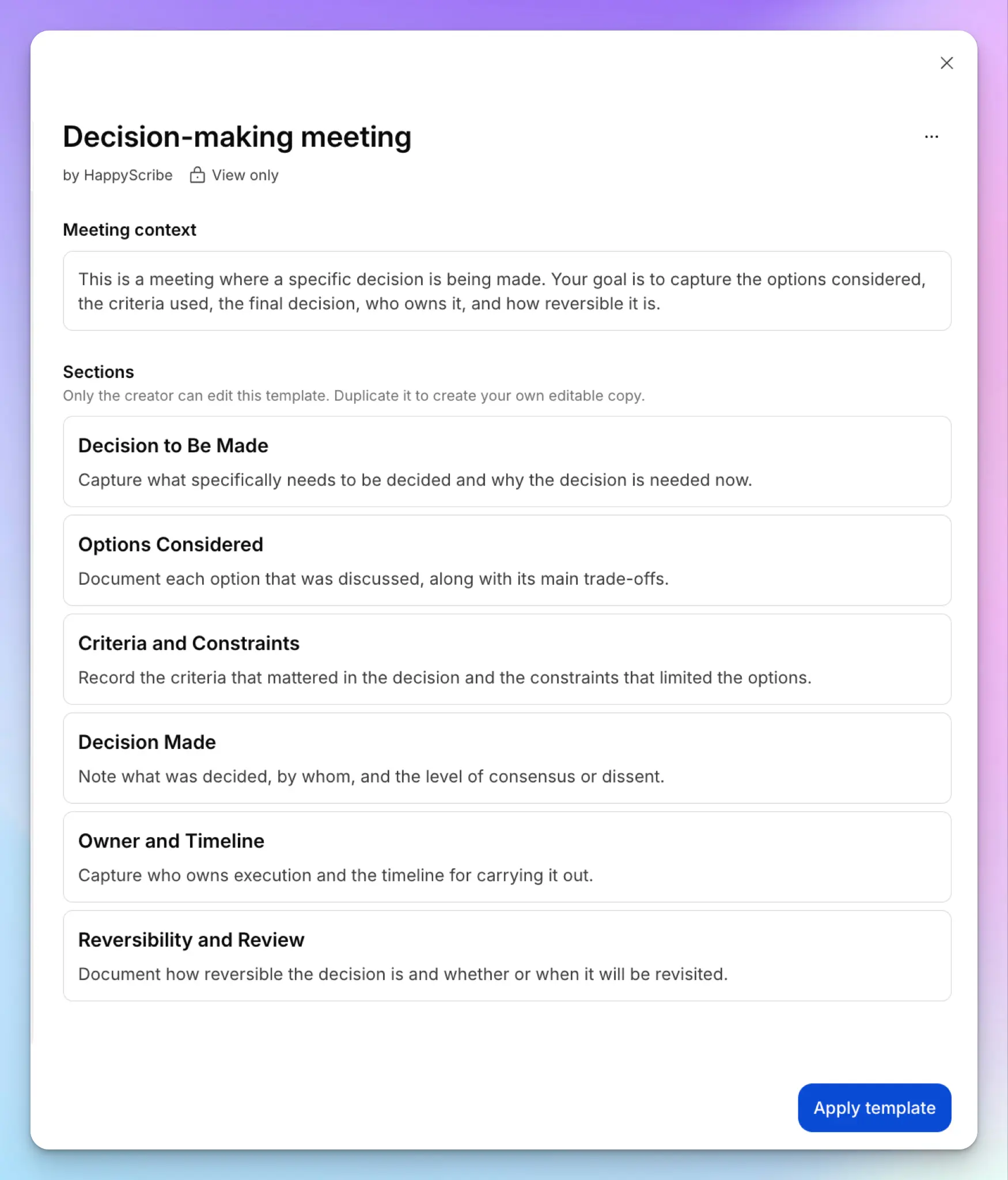
A casual meeting summary won’t satisfy your bylaws. HappyScribe’s summary templates shape the AI output before you read it. Pick a pre-built template like QBR or Decision-making meeting, or create your own.
You can build your board minutes template around your agenda items, with sections for attendance, quorum, motions, votes, resolutions, and action items. Every sitting produces minutes in the same format, which makes approval faster.
3. Track every vote and find past resolutions
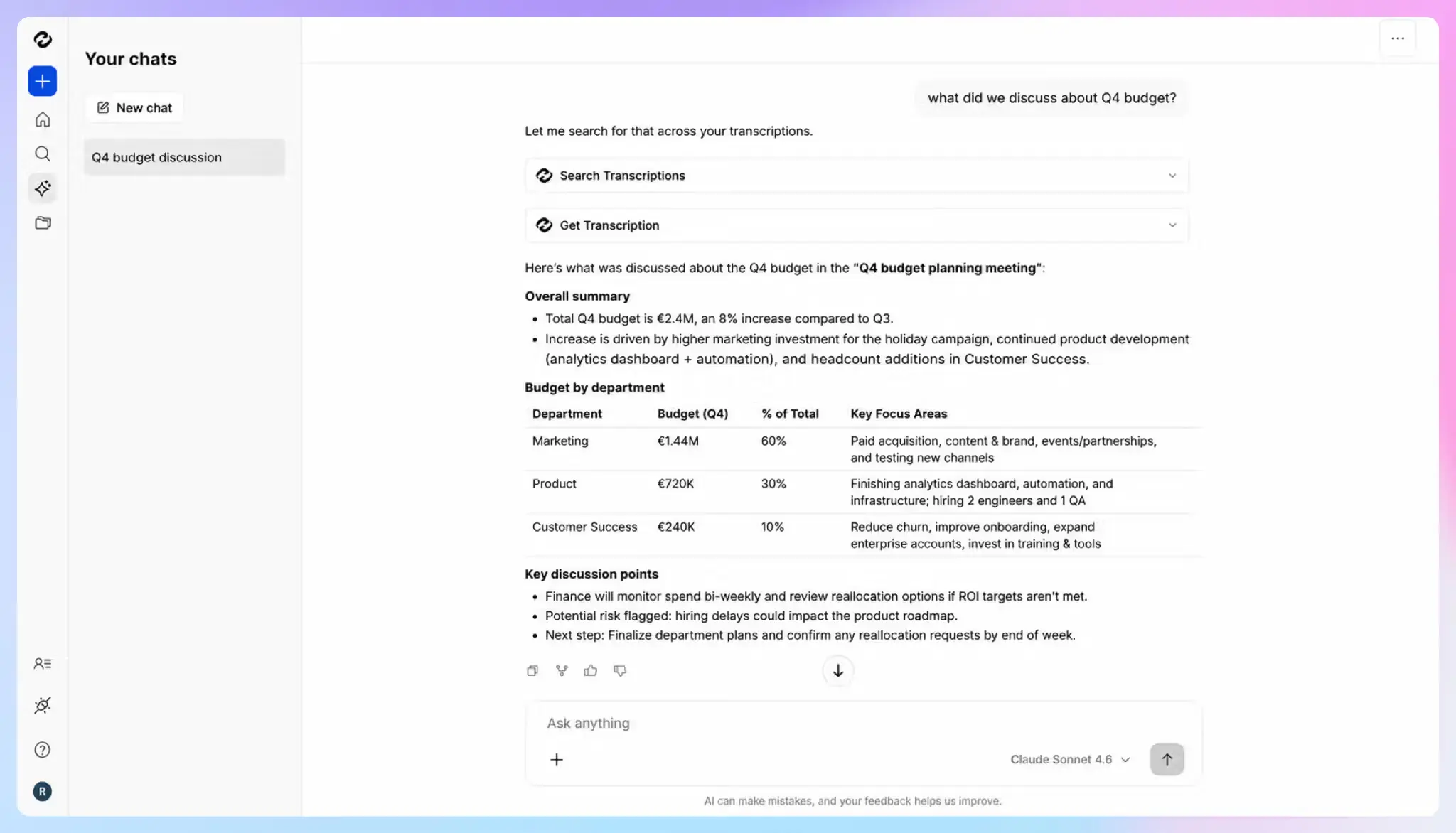
HappyScribe has refined its transcription for almost a decade, and it handles 150+ languages and dialects. Each director gets a speaker label, and every line carries a timestamp. If the draft says a motion carried 6 to 1, jump to that moment and confirm who voted against.
When the transcript is too long, you can simply talk to your meetings. AI Chat answers questions across your meeting history, such as when the board approved last year’s budget or the general theme of the last call.
4. Keep the board record secure and under your control
HappyScribe is SOC 2 Type II certified and GDPR-compliant, and it stores your meeting data in an ISO 27001-compliant EU data center. Data is encrypted in transit and at rest.
You also get role-based access to limit who sees board recordings. You can delete recordings and transcripts on demand, and Enterprise adds retention windows that match your records policy. Your board’s data isn’t used to train AI models unless you opt in.
HappyScribe’s pros
- Send contested sittings to human transcribers for 99% accuracy, since the record can’t afford a misheard vote
- Add directors’ names and company terms to a custom glossary, so the transcript spells them right
- Translate transcripts into 80+ languages for boards with directors in different countries
- Push minutes and follow-ups into your other tools through the MCP server, Zapier, or the HappyScribe API
HappyScribe’s cons
- Not ideal for real-time transcription during live sessions
What are users saying about HappyScribe?
A colleague uses a different notetaker that joins uninvited and has to be manually kicked out — HappyScribe's approach is simply more respectful of everyone on the call, which matters given how many external partners and board members join ours…HappyScribe complies with EU data privacy standards (GDPR, SOC 2 Type II, ISO 27001), stricter than several competitors could confirm. For an organization handling board discussions and partner communications, that's real peace of mind.
Source: G2
We run a small startup-support company working in Portuguese, and our weekly syncs and stakeholder meetings carry decisions we cannot afford to lose. HappyScribe turns those recordings into text we can search, summarise and file into our knowledge base, so decisions and commitments are documented instead of living in someone's memory.
Source: G2
HappyScribe’s pricing
AI transcription and meeting notes
- Free: Unlimited meeting recordings, up to 45 minutes each
- Basic: $8.50/month billed annually or $17/month billed monthly
- Pro: $19/month billed annually or $29/month billed monthly
- Business: $59/month billed annually or $89/month billed monthly
- Enterprise:Contact sales for custom pricing
How to use HappyScribe for board meetings: a step-by-step guide
- Sign up for free and connect your Google Calendar or Outlook, so the notetaker joins scheduled board meetings
- For in-person sittings, open the HappyScribe mobile app or start the web audio recorder
- Add names and terms to a glossary before meeting, and pick a summary template after
- Verify the transcripts, ask AI Chat questions, and export the approved minutes as a PDF or DOCX
2. Fellow
Best for: Governance teams in regulated industries that want board meetings under the same recording policy as other meetings
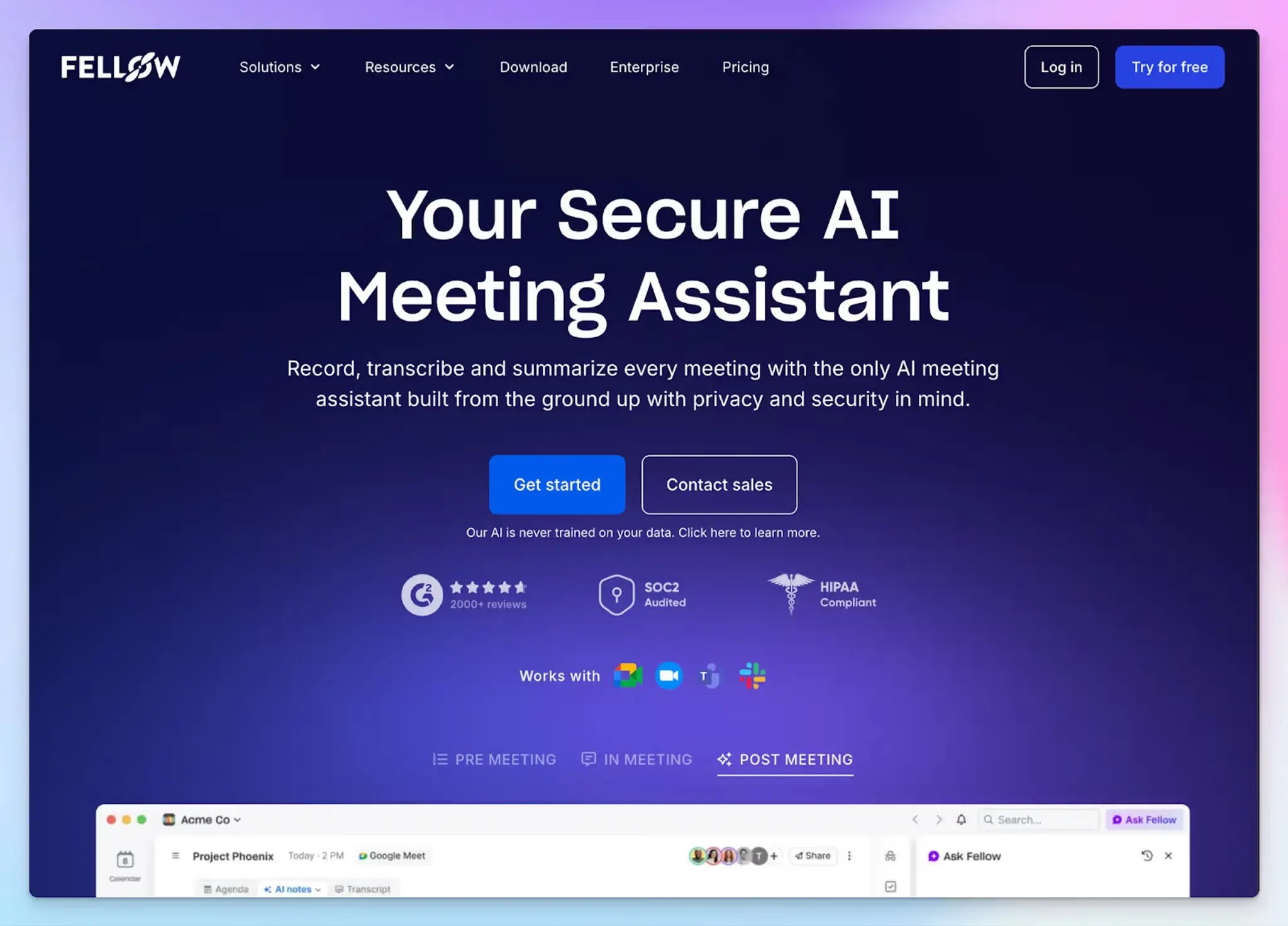
Fellow is an AI meeting assistant positioned toward regulated industries like private equity. If your company already runs it, board meetings follow the same admin rules as every other call. Fellow hosts data on AWS in Canada, though, so EU boards often look for Fellow alternatives in Europe.
It has AI policy templates, including board and committee meetings, to help you structure data according to your goals.
Fellow’s key features for board meetings
- Admins can block recording when words like “Confidential” appear in the title, so executive sessions stay off the record. Anyone can pause recording, and Fellow tells everyone on the call
- Zero-day retention keeps only the summary and action items, then deletes recordings and transcripts. That shrinks the record a lawsuit could reach
- Ask Fellow answers your questions across past meetings and can draft board reports. Each answer links to the transcript snippet behind it
- Record with a bot, or without one on desktop or mobile. Fellow is a SOC 2 Type II certified note taker and doesn’t train its AI on your data
Fellow’s pricing
- Free
- Solo: $29/month
- Team: $11/user/month
- Business: $23/user/month
- Enterprise: $25/user/month (billed annually)
Fellow’s cons
- Fellow’s meeting bot can be a hit or miss. The unreliability often pushes teams to look at Fellow alternatives
- Transcript redaction and auto-record rules need Enterprise, which starts at 10 users. A seven-person board ends up paying for seats it won’t fill
- Fellow is a complex and heavy software that takes a while to get used to, and even then, you might encounter occasional loading screens across tasks
📚 Also read:
3. Plaud Note Pro
Best for: Boards that meet in person and want a physical recorder with no bot and no Wi-Fi
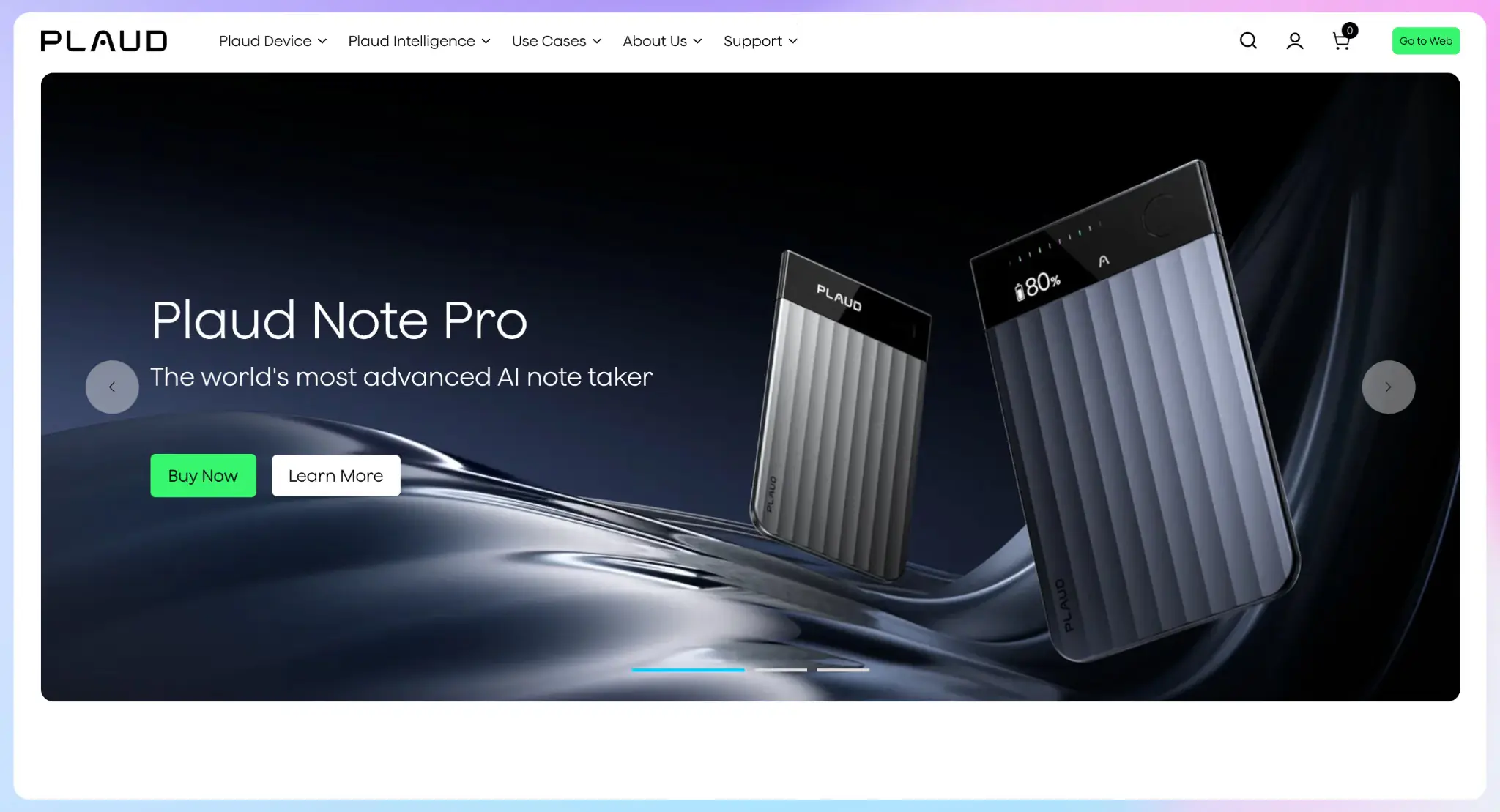
Plaud Note Pro is a card-sized recorder you place on the boardroom table. It stores audio on the device and syncs later, so it works as an offline meeting recorder. Despite the hardware, Plaud tells you to mark missing vote details for confirmation and not let the AI guess.
It ranks third because it works best for in-person meetings, while online calls rely on Plaud Desktop.
Plaud Note Pro’s key features for board meetings
- Four mics pick up voices up to 5 meters away in Enhance mode, with up to 30 hours of battery
- Short-press the button when the chair calls a vote, so you can find that moment fast in the draft
- You can apply a custom board minutes template or ask AI tools for draft minutes through Plaud MCP. The Ask Plaud answers are linked back to the source audio
- Plaud Desktop records Zoom, Google Meet, and Microsoft Teams calls without a bot. It’s SOC 2 Type II, GDPR, and HIPAA compliant, and doesn’t train AI models on your recordings
Plaud Note Pro’s pricing
- Plaud Note Pro: $189 (device)
- Starter: Free
- Pro: $17.99/month
- Unlimited: $29.99/month
- Team: $28/user/month
Plaud Note Pro’s cons
- Outside the Team plan, recordings are stored in one person’s account. Features like seat management, secure offboarding, and a DPA only come with Team
- Starter’s 300 minutes a month covers about two long board meetings, and Ask Plaud and the industry glossary need Pro
- Plaud’s transcript accuracy and speaker labels are not always reliable, especially on technical calls, so make sure you skim the notes first
📚 Also read:
4. OnBoard
Best for: Boards that want AI minutes inside their board portal and use Zoom or Microsoft Teams
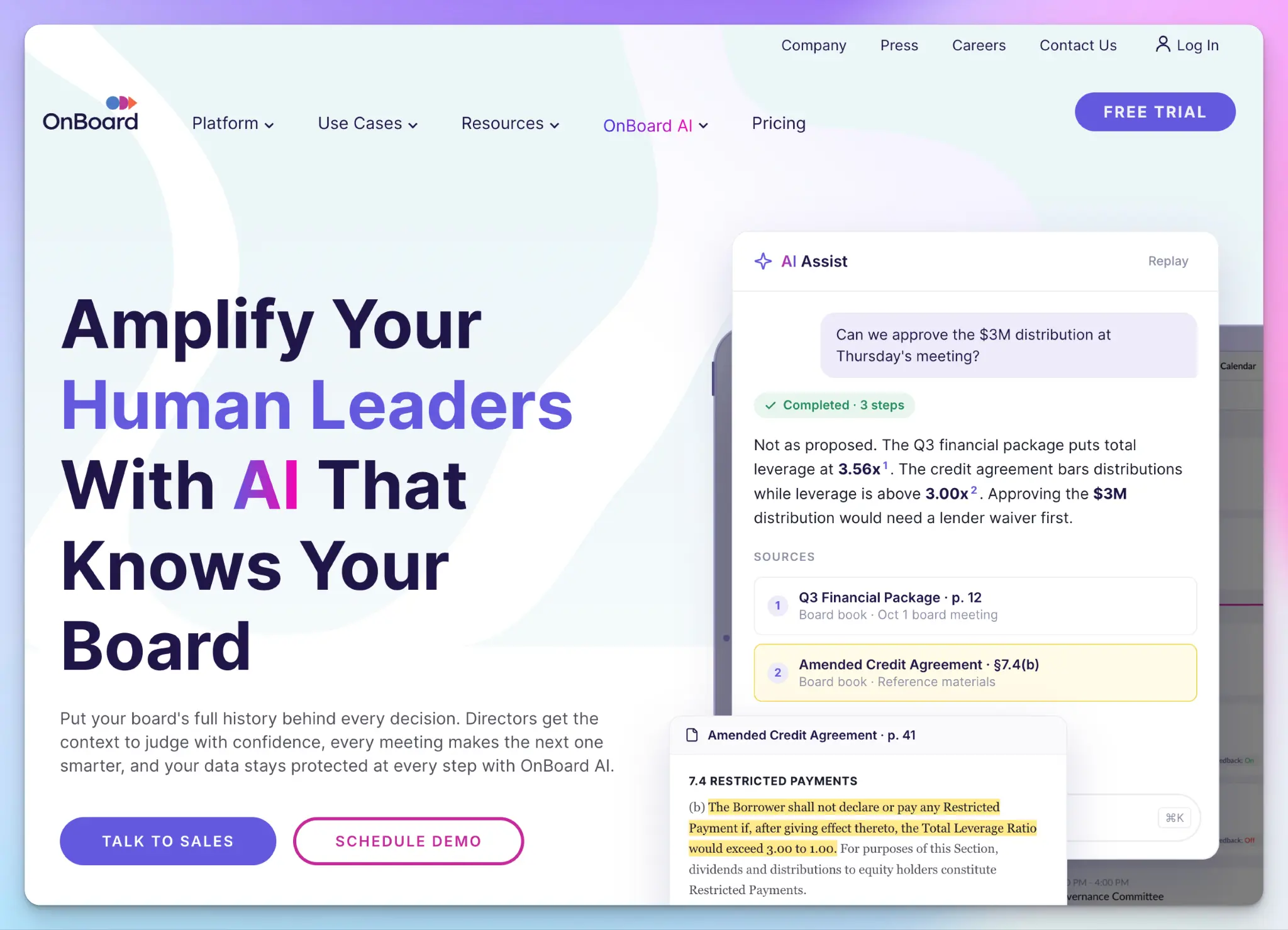
OnBoard is a board portal that runs the whole board cycle. It integrates AI minutes with agenda creation and board book compilation, so the draft follows your published agenda.
Everything lives in one place, which cuts version control risks. If you run a late edit, it refreshes the board book for every director.
OnBoard ranks fourth because, unlike Diligent, it records the meeting itself, though only on Zoom and Teams.
OnBoard’s key features for board meetings
- The recording assistant joins Zoom or Teams, and turns the transcript into draft minutes so the admin can edit them inside the agenda
- Agenda AI builds sections, presenters, and durations from a short prompt. Book AI summarizes each section of the board book for directors
- Directors can ask AI Assist questions across board books and past minutes, and it cites the page behind each answer
- With features like voting and approvals, DocuSign eSignatures, and task management, OnBoard keeps decisions and action items in one record. You can switch AI off per meeting
OnBoard’s pricing
- Essentials: Custom pricing
- Premium: Custom pricing
- Ultimate: Custom pricing
OnBoard’s cons
- For in-person or Google Meet sittings, a device in the room has to join a Zoom or Teams call
- Key AI features like agenda, book, and minutes are add-ons in the Essentials and Premium plans
- OnBoard covers the board, not the rest of the company. If you want one tool for every meeting, compare AI meeting note takers for enterprise
5. Diligent (Diligent Boards and BoardEffect)
Best for: Listed companies on Diligent Boards, and nonprofit, healthcare, and higher-ed boards on BoardEffect, that want one system of record
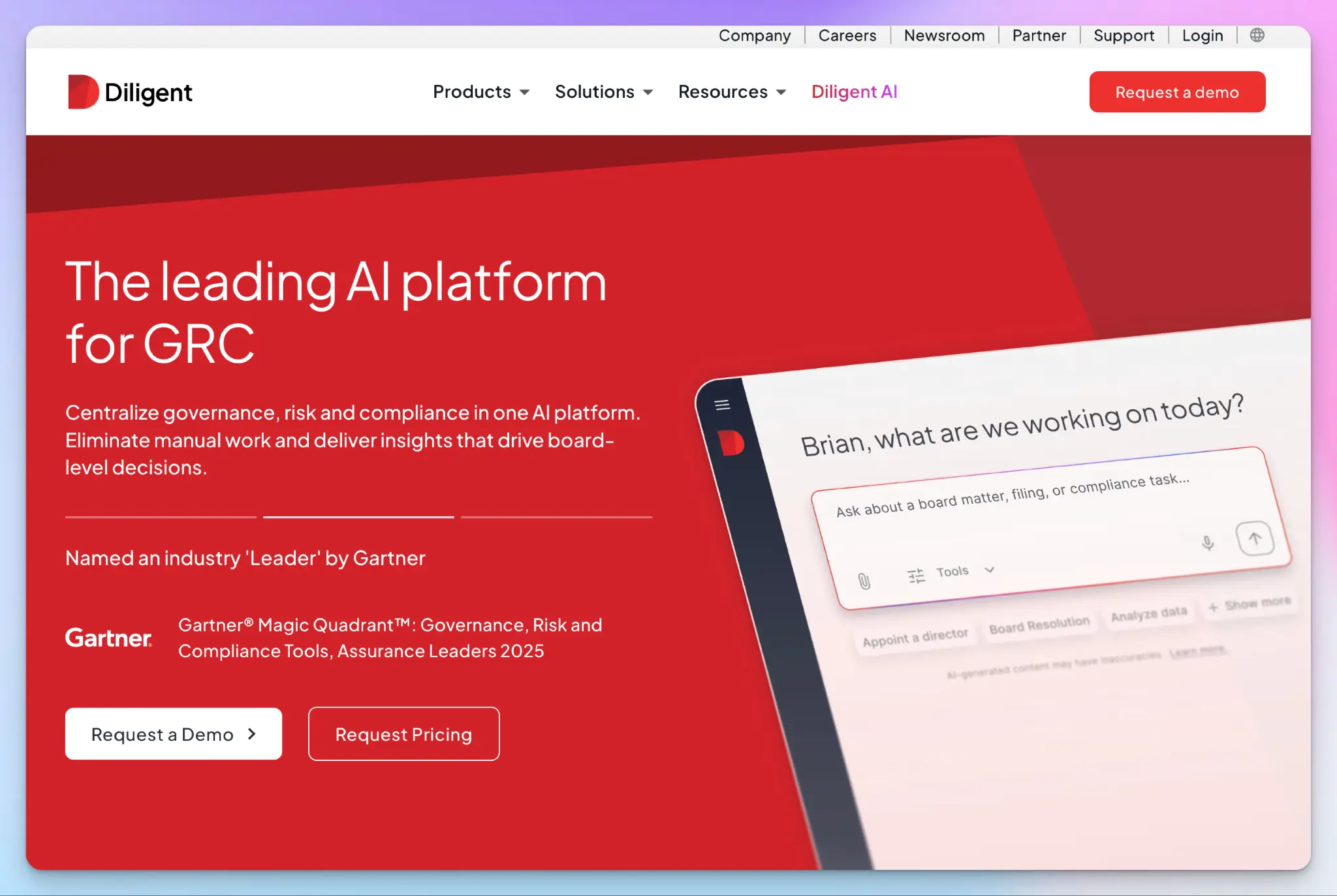
Diligent is a major player in this space, and a lot of large companies use it. Diligent Boards serves corporate and listed boards, while BoardEffect focuses on nonprofit and healthcare boards. Both use GovernAI, Diligent’s AI layer.
Diligent’s approach to board meetings is to prioritize minutes as summaries, instead of raw transcripts. It generates governance-quality minutes within its platform, but it drafts from the notes, board materials, or meeting transcripts you supply. It doesn’t record the meeting.
Diligent wraps up the list because it’s the most specialized pick. You’ll have to pair it with a capture tool.
Diligent’s key features for board meetings
- The Style Library learns your writing style from a set of approved minutes and applies it to every AI draft. Minutes move between draft and in-review statuses, and reviewers work on one document instead of emailed copies
- Diligent Boards keeps immutable records with version control and audit trails. Votes carry e-signatures and audit logs
- BoardEffect’s minutes module lets you assign action items to owners, send notifications, and export an action log for each meeting
- Every GovernAI answer traces back to its source in your board materials. Diligent doesn’t use your data to train AI models
Diligent’s pricing
- Diligent Boards: Custom pricing
- BoardEffect: Custom pricing
Diligent’s cons
- Neither product records your board meeting, so you still need a recorder or an AI note taker to produce the transcript
- BoardEffect’s AI Smart Minutes needs GovernAI enabled, and its writing style tools need the Plus package
- Getting Diligent requires a demo and a sales quote, which is slow for a small nonprofit board that wants to start this quarter
Which AI note taker is best for board meetings?
The right pick depends on where your board meets and who drafts the minutes.
👉 Choose Fellow if your company already runs it and wants board meetings under the same recording policy.
👉 Choose Plaud Note Pro if your board meets in an office and you want a dedicated recorder.
👉 Choose OnBoard if you want AI minutes inside your board portal and use Zoom or Microsoft Teams.
👉 Choose Diligent if you need one system of record and already have a way to capture the meeting.
👉 Choose HappyScribe if you need structured minutes from any sitting, online or in person, stored securely in the EU.
Each tool leaves part of the job to you. Fellow’s UI and meeting bot push away users. Plaud struggles with accuracy and relies on a desktop app for online calls. OnBoard only records on Zoom and Teams. Diligent drafts minutes but doesn’t record the meeting.
HappyScribe records on Zoom, Google Meet, and Microsoft Teams, with or without a bot, and the mobile app for meeting transcription covers the boardroom. Your board minutes template turns each session into a draft with motions, votes, and resolutions. Then you export it into OnBoard or Diligent as a PDF or DOCX.
For sittings where every vote counts, HappyScribe’s human transcribers deliver 99% accuracy. None of the other four platforms offers that.
When your minutes have to stand up to an auditor, the choice is easy.
FAQs about AI note taker for board meetings
Can I use AI to take meeting notes?
Yes. An AI notetaker joins your video conferencing calls on multiple platforms, either with bots joining the call or through a bot-free recorder. It uses speaker identification to show what each meeting participant said. After the call, an AI meeting assistant turns meeting transcripts into summaries and follow-up emails, so post-meeting follow-ups take only minutes, and your whole team gets the same record.
Is AI good for board meeting minutes?
AI is good for the first draft of board minutes, not the final record. Generic tools write casual recaps of meeting discussions. Board governance needs structured minutes with motions, votes, and resolutions, since they help directors fulfill their statutory duties. AI also misses meeting context like sarcasm, so governance professionals review every draft. HappyScribe’s board minutes templates give minutes a structured start, and you can export the draft to your board portal.
What is the best AI meeting note taker device?
Plaud Note Pro is one of the dedicated devices for in-person meetings. Its four mics pick up voices up to 5 meters away, which improves audio quality at a long boardroom table. Transcription quality depends on clean audio input, and good AI summaries leave out filler words. If you’d rather not buy hardware, HappyScribe’s mobile app records offline and can identify speakers once you upload.
How much does an enterprise AI meeting note taker cost?
Most enterprise AI note takers use custom pricing. Rates often start around $30 per user per month, billed annually, with a seat minimum. Board portals like OnBoard, Diligent, and Board Intelligence quote by board size. Build your evaluation criteria around what you need, like multi-language support or AI agents. Skip features built for sales calls, like sentiment analysis, if you only need minutes. HappyScribe’s Enterprise plan adds SSO and enterprise-grade security on a custom quote.
Are AI note takers safe for board meetings?
They’re safe when the tool keeps your data secure and under your control. Standard AI note takers may not meet the security needs of board meetings, since some store meeting content on third-party servers. Before you sign, check where data lives, who gets easy access to it, and whether the AI assistant trains on it. Retention should also match your legal requirements for minutes. HappyScribe stores data in the EU and doesn’t train AI models on your content unless you opt in.

Biplab Mazumder
Biplab is a content marketer and writer who helps high-growth brands scale content visibility across AI search channels. His works have been published in HubSpot, Freshworks, Atlassian, SurferSEO, etc. When he's not planning content strategy, he's testing AI content workflows and use cases.