![5 Best AI Meeting Note Takers for Enterprise [2026]](/sanity-images/ejgwz1gl/redesign/c15d51ef11b3436d8c92f6dc0a73f3099a6f4c9e-1672x941.jpg?auto=format&w=1672.0&rect=0,0,1672,941)
TL;DR ⏩
Based on my testing and research, here are the best AI meeting note takers for enterprise users:
- HappyScribe: Best for global enterprises that want 95% accurate meeting notes in 150+ languages, EU-grade security, and granular access and retention controls
- Fellow: Best for regulated organizations that want recording policies and access controls set centrally
- Notion AI: Best for enterprises that already run their knowledge base and projects in Notion and want meeting notes stored in Notion pages
- Decisions: Best for Microsoft 365 organizations that run board and leadership meetings with formal governance
- Meetily: Best for security-first organizations that want meeting audio to stay on employee devices and the backend on their own servers
AI meeting note takers might look like cool productivity hacks, but for enterprises, they shape sales, recruitment, strategies, and everything in between.
When done right, meetings can become a searchable repository of institutional knowledge that outlives any single team member. But with that many stakeholders involved, note takers have to pass security reviews long before anyone judges the summaries.
I tested more than a dozen AI meeting assistants, and some of the best-known names fell short in my deep dives.
You won’t find Otter and Fireflies being recommended for enterprises because they’re both fighting class action lawsuits for privacy and consent violations. I also didn’t include Fathom because it lacks ISO 27001 certification, which narrows it for global teams and EU procurement.
The five tools that made this list earned their spot on four criteria:
- Security and compliance that pass procurement in regulated industries
- Clear answers on where meeting data lives and how they connect to the broader tech stack
- Accurate meeting transcripts across languages and industry jargon
- Admin controls that scale across teams and subsidiaries
If you’re an enterprise buyer, here are some AI meeting note takers that are tailor-made for your company:
Top 5 AI meeting note takers for enterprise: At a glance
| Category | HappyScribe | Fellow | Notion AI | Decisions | Meetily |
|---|---|---|---|---|---|
| Best for | Global enterprises that want accurate multilingual meeting notes and strict data governance | Regulated organizations that want centralized recording policies and access controls | Enterprises that run their knowledge base and projects in Notion | Microsoft 365 organizations that run board and leadership meetings | Security-first organizations that want meeting audio kept on employee devices |
| Key features | 95% accuracy, glossaries and style guides, multi-workspace SSO, retention controls, API and MCP server, human transcription, subtitles | Recording policies by meeting type, transcript redaction, SCIM, and audit logs, CRM field updates | Bot-free desktop capture, enforced consent messages, scheduled transcript deletion, and notes stored on Notion pages | Secure voting, decision log with audit trail, RAPID or RACI approvals, Planner sync | On-device transcription, self-hosted or air-gapped deployment, admin dashboard with audit log |
| Supported languages | 150+ languages | 99 languages | 16 languages | Uses Microsoft Teams transcription (50+ languages) | 99+ languages |
| Meeting platform integration | Zoom, Google Meet, Microsoft Teams, in-person meetings | Zoom, Google Meet, Microsoft Teams | Zoom, Google Meet, Microsoft Teams, in-person | Microsoft Teams, Outlook, in-person through mobile app | Bot-free desktop recording on Windows and macOS |
| Security | SOC 2 Type II, GDPR, ISO 27001 compliant EU data residency available | SOC 2 Type II, GDPR, HIPAA on Enterprise | SOC 2 Type II, ISO 27001, HIPAA, and EU or US data residency on Enterprise | SOC 2 Type II, ISO 27001:2022, AI processing in EU or US | Self-hosted, AES-256 encryption, BAA on Enterprise |
| Starting price | Free plan with unlimited meeting recordings. Paid plan starts from $8.50/month billed annually or $17/month | Free plan available. Paid plans start from $11/user/month | Free plan available. AI Meeting Notes start from $20/member/month | Free plan available. Paid plans start from €10/user/month | Free edition. Pro starts from $10/user/month (billed annually) |
1. HappyScribe
Best for: Global enterprises that want accurate meeting notes in 150+ languages, EU-grade security, and strict data governance
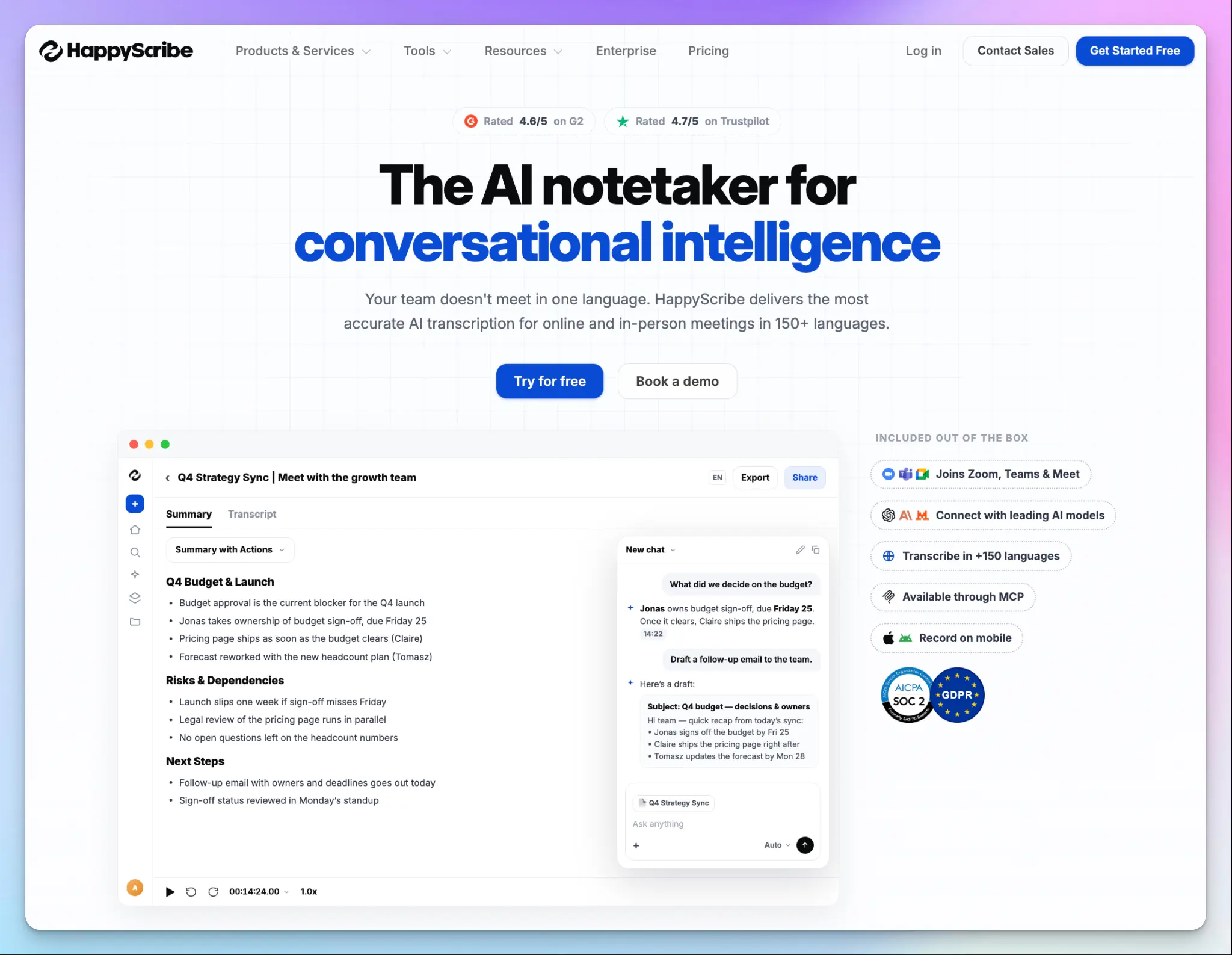
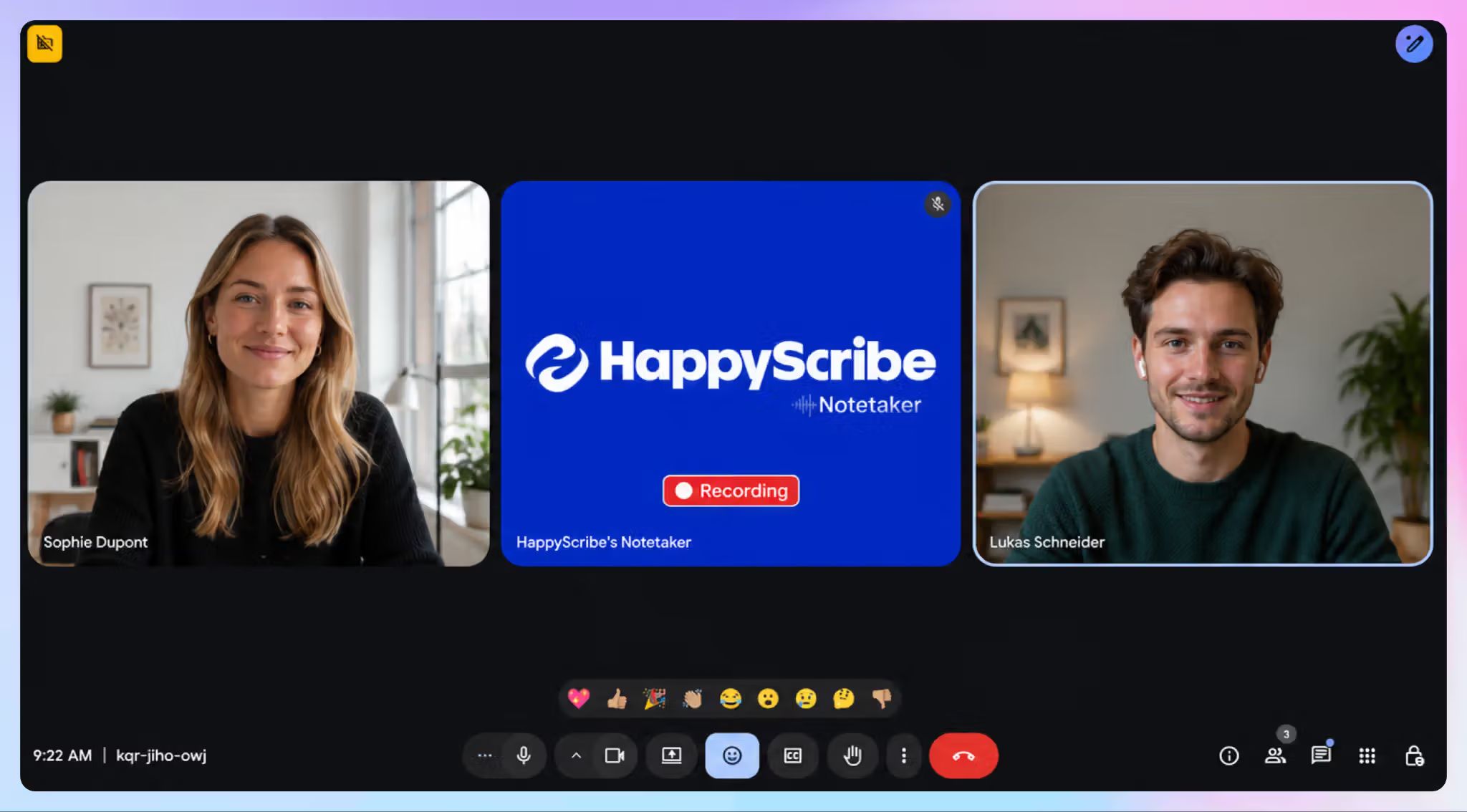
HappyScribe is a Barcelona-based AI meeting note taker that joins your Zoom, Google Meet, Microsoft Teams, and in-person calls and generates meeting transcripts and action items.
For an enterprise, the value is in the bundle. Meeting notes, AI insights, translation in 80+ languages, and subtitles all sit on one plan. You can turn a leadership town hall into searchable notes and a subtitled video for regional offices without a second contract.
HappyScribe's key features for enterprise teams
1. Accurate meeting transcripts in 150+ languages with glossaries and style guides
Most new AI note takers reach 80-85% accuracy with heavy accents or background noise, and generic models stumble on internal product names. HappyScribe’s transcription engine has been refined for nearly a decade, and it reaches around 95% accuracy across 150+ languages.
To make sure internal project codenames and client names come out right, Enterprise users can add unlimited glossaries and style guides. Since every team works from the same knowledge base, stakeholders deal with fewer edits.
2. SSO across multiple workspaces and retention controls for recordings and summaries
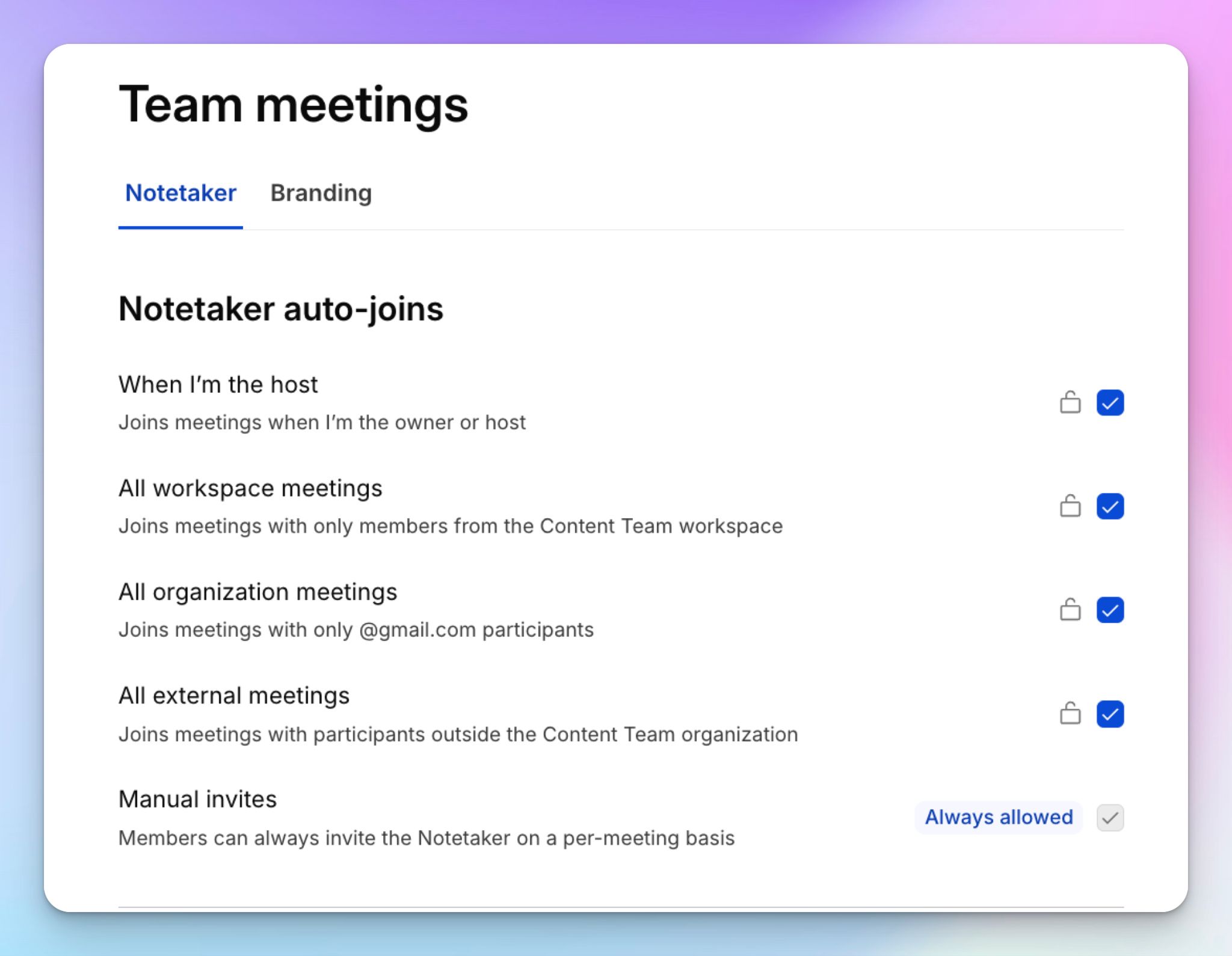
HappyScribe supports SSO through Okta and Microsoft Entra, which you can set up with the sales team. If you’re running separate brands or subsidiaries under a group, one identity provider connection can cover several email domains and map users into independent workspaces.
The Enterprise tier also gets granular retention controls. Admins can set separate windows for recordings, transcripts, and summaries, from 30 days to 10 years. Before saving a new policy, you get a deletion preview showing exactly how many files it will remove.
3. Security documentation ready for procurement
HappyScribe is SOC 2 Type II certified and GDPR compliant. It encrypts data in transit and at rest, and you also get EU data residency. Your security team can request the full documentation package, including a DPA, NDA, penetration test summary, breach notification policy, and SLA.
The Trust Center also shares the SOC 2 report under NDA and a sub-processor list with change alerts. Recordings and transcripts can be deleted on demand, which answers the questions legal teams ask about sensitive conversations.
4. API and MCP server for internal workflows
Meeting insights are only useful when they reach the systems your teams already use. The HappyScribe API pushes transcripts and summaries into your CRM or project management tools, so all decisions and action items flow to where work gets assigned.
HappyScribe’s MCP server also connects your meeting history to Claude and ChatGPT. Teams can build AI workflows on top of past meetings, such as an internal assistant that answers questions about client commitments or drafts follow-up emails from the full conversation.
5. Custom human services at scale
Some meeting content needs more than AI. Your board minutes, investor calls, and compliance interviews in regulated industries might need a human in the loop.
HappyScribe's professional transcribers deliver up to 99% accuracy, and Enterprise accounts get volume discounts, a dedicated project manager, and custom guidelines that match your brand style. You can move a file from AI to human review in the same workspace, without onboarding another vendor.
HappyScribe's pros
- Going over your seat count triggers a conversation to resize the plan. You don’t get a surprise invoice
- You can capture sensitive and impromptu client meetings without a bot in the room via HappyScribe apps and web recorder
- HappyScribe AI Chat pulls exact quotes, timestamps, objections, and tasks from past calls, so meeting recaps are easy to verify and act on
- Feature-loaded subtitle and translation editor to collaborate with global teams
- Support comes from real people and not bots, with an account manager on Enterprise plans
HappyScribe's cons
- Not ideal for live transcription during calls
What are users saying about HappyScribe?
I love the agility and quality of HappyScribe, especially the quality of the summaries. I really appreciate that there are always new features, which makes it really suitable for a business. Also, the tool allows for a quality summary right from the first time and to associate it with other tools to automate processes, such as in writing emails, in summaries, or project tracking.
(Source: G2)
I like the collaborative editing feature where multiple team members can edit the timestamps at the same time without any delay. The initial setup of HappyScribe was easy. The automatic engine handles heavy accents quite nicely, allowing our researchers to focus completely on behavioral coding. Finalized subtitle files are easily pushed into Adobe Premiere Pro for final video rendering.
(Source: G2)
HappyScribe's pricing
AI transcription and meeting notes
- Free: Unlimited meeting recordings, up to 45 minutes each
- Basic: $8.50/month billed annually or $17/month billed monthly
- Pro: $19/month billed annually or $29/month billed monthly
- Business: $59/month billed annually or $89/month billed monthly
- Enterprise:Contact sales for custom pricing
Human services: Starts from $2.00/minute
How to use HappyScribe's AI meeting notetaker
- Click Contact sales to book a demo, and the HappyScribe team configures SSO with your identity provider and maps your workspaces.
- Connect your Google Calendar or Outlook calendar so the notetaker automatically joins scheduled calls on Zoom, Google Meet, or Microsoft Teams.
- As an admin, open the Controls page to set retention windows for recordings, transcripts, and summaries, then review the deletion preview before saving.
- Open a finished transcript in the interactive editor to correct terms, or open AI Chat to pull decisions and draft emails.
2. Fellow
Best for: Regulated organizations that want recording policies and access controls set centrally
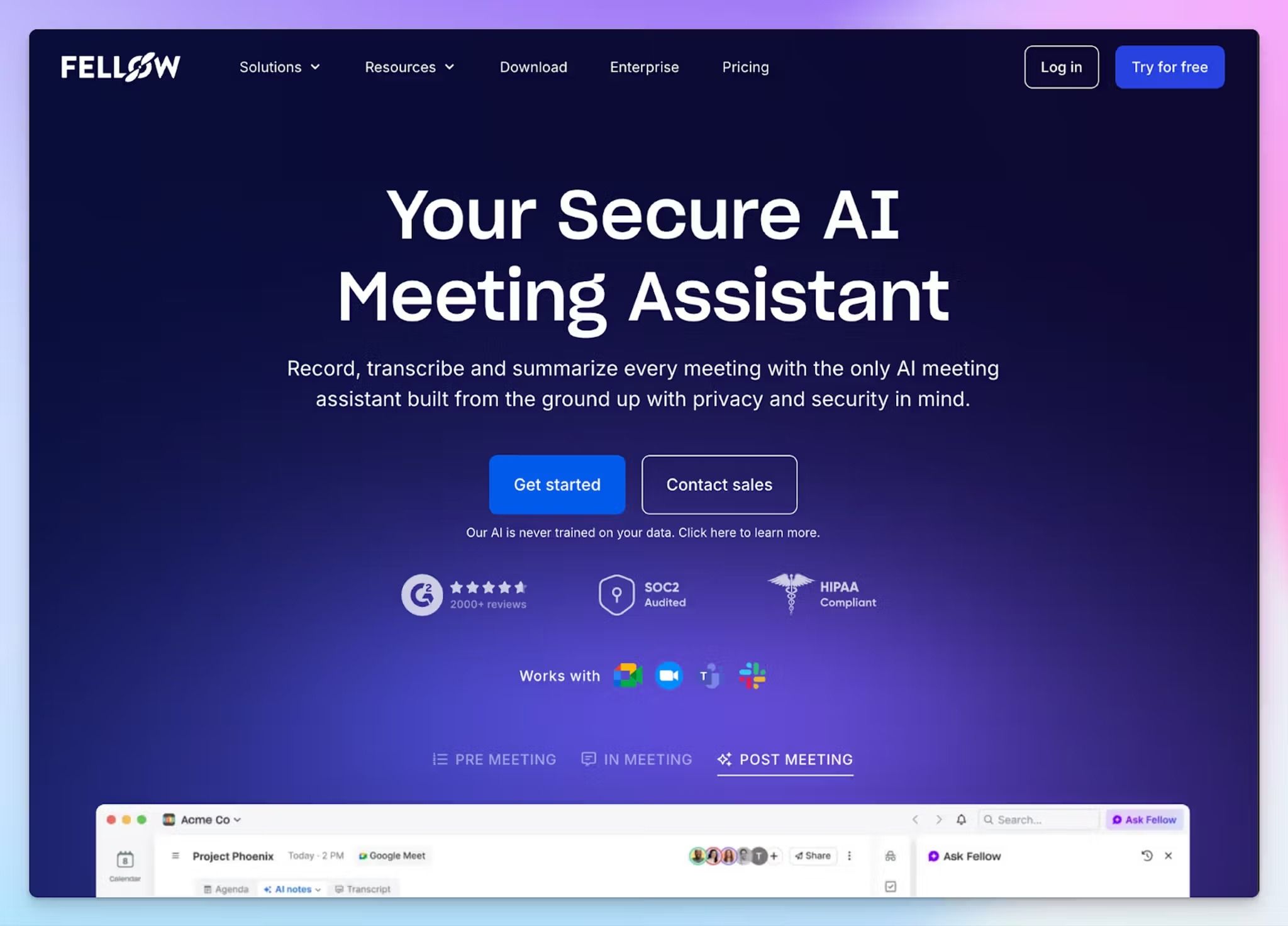
If your legal team's first question is "who can hit record?", Fellow has the most detailed answer on this list. Admins can restrict recording by user or meeting type, turn it off for sensitive conversations, and redact transcripts after the call.
That level of control, backed by HIPAA compliance, is why healthcare and financial services often consider Fellow.
So why isn't it first? Fellow's strength is governance, not the transcript itself. Its transcripts are AI-only, and its interface kept shifting on me during my Fellow alternatives testing. Global teams that need translated recaps or accurate records will outgrow it.
Fellow's key features for enterprise teams
- Set recording policies by meeting type. Admins can auto-record or block meetings based on title keywords like "HR" or "legal," external attendees, or invitee count
- Admins can let attendees redact sensitive details like MNPI before sharing, or lock transcripts as unaltered records. Every deletion and access event has SEC and FINRA-compliant audit trails
- Solid identity and compliance practices, including SSO through Okta or OneLogin, SCIM provisioning, audit logs, and HIPAA with a signed BAA on Enterprise
- AI-powered field updates in Salesforce and HubSpot, plus 50+ integrations, including Linear, Glean, and an MCP server
Fellow's pricing
- Free
- Solo: $29/user/month
- Team: $11/user/month
- Business: $23/user/month
- Enterprise: $25/user/month (billed annually)
Fellow's cons
- Meeting data is hosted on AWS in North America, which complicates EU procurement. European subsidiaries can compare Fellow alternatives with EU data storage
- SSO and HIPAA compliance are Enterprise-only, so regulated teams have to buy the top tier with a 10-user minimum
- Audio and video uploads cap at 50 per user per month, even on Enterprise, so importing a backlog of recorded meetings takes time
📚 Also read:
3. Notion AI
Best for: Enterprises that already run their knowledge base and projects in Notion and want meeting notes stored next to that work
There’s a good chance you already have a native note taker in one of the tools the company uses. But I wouldn't recommend “Take notes for me” in Google Meet and Copilot in Microsoft Teams because they’re both limited and can be complex. Same with Zoom My Notes, which is fairly new in this space.
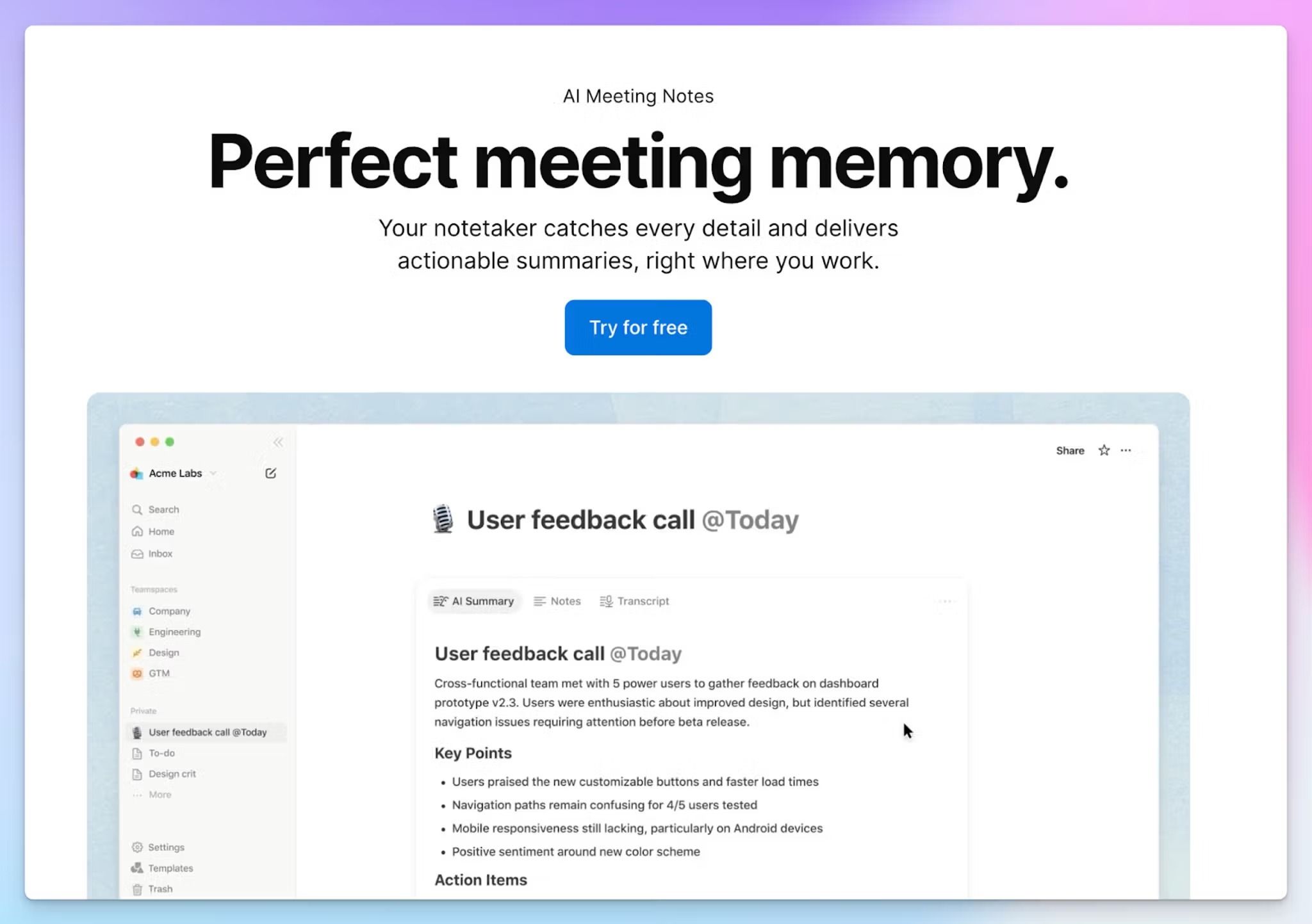
Enter Notion AI. It’s another tool you might be using already, and it packs a little meeting note taker. The transcripts sit as blocks on a Notion page, next to the PRD or client plan they relate to, and they inherit that page's permissions.
The trade-off is depth. Meeting notes are one feature inside a much broader workspace, and it shows its limitations once your meetings run across languages or large groups.
Notion AI's key features for enterprise teams
- Bot-free capture through the Notion desktop app, which records system audio from Zoom, Google Meet, and Microsoft Teams calls. A VDI plugin extends this to companies that run virtual desktops
- Workspace owners can enforce an automatic consent message for every member, so disclosure doesn't depend on each person remembering to ask
- Enterprise admins can schedule automatic transcript deletion while keeping summaries, and pages under legal hold are excluded
- SAML SSO from the Business plan, plus SCIM provisioning, audit logs, DLP and SIEM connections, HIPAA support, and EU or US data residency on Enterprise
Notion AI's pricing
- Free
- Plus: $10/member/month
- Business: $20/member/month
- Enterprise: Custom pricing
Notion AI's cons
- Notion’s meeting transcription covers only 16 languages, and speaker labels work in English only. Global, multilingual teams will likely need Notion AI alternatives for AI meeting notes
- Video calls need the desktop app, since the browser and mobile apps only pick up your own microphone
- AI Meeting Notes is locked to Business and Enterprise, and you can only upload audio files, not MP4 or MOV recordings
- Speaker labels become unreliable in group calls and in-person meetings, which makes multi-party discussions difficult to trust
4. Decisions
Best for: Microsoft 365 organizations that run board and leadership meetings with formal governance
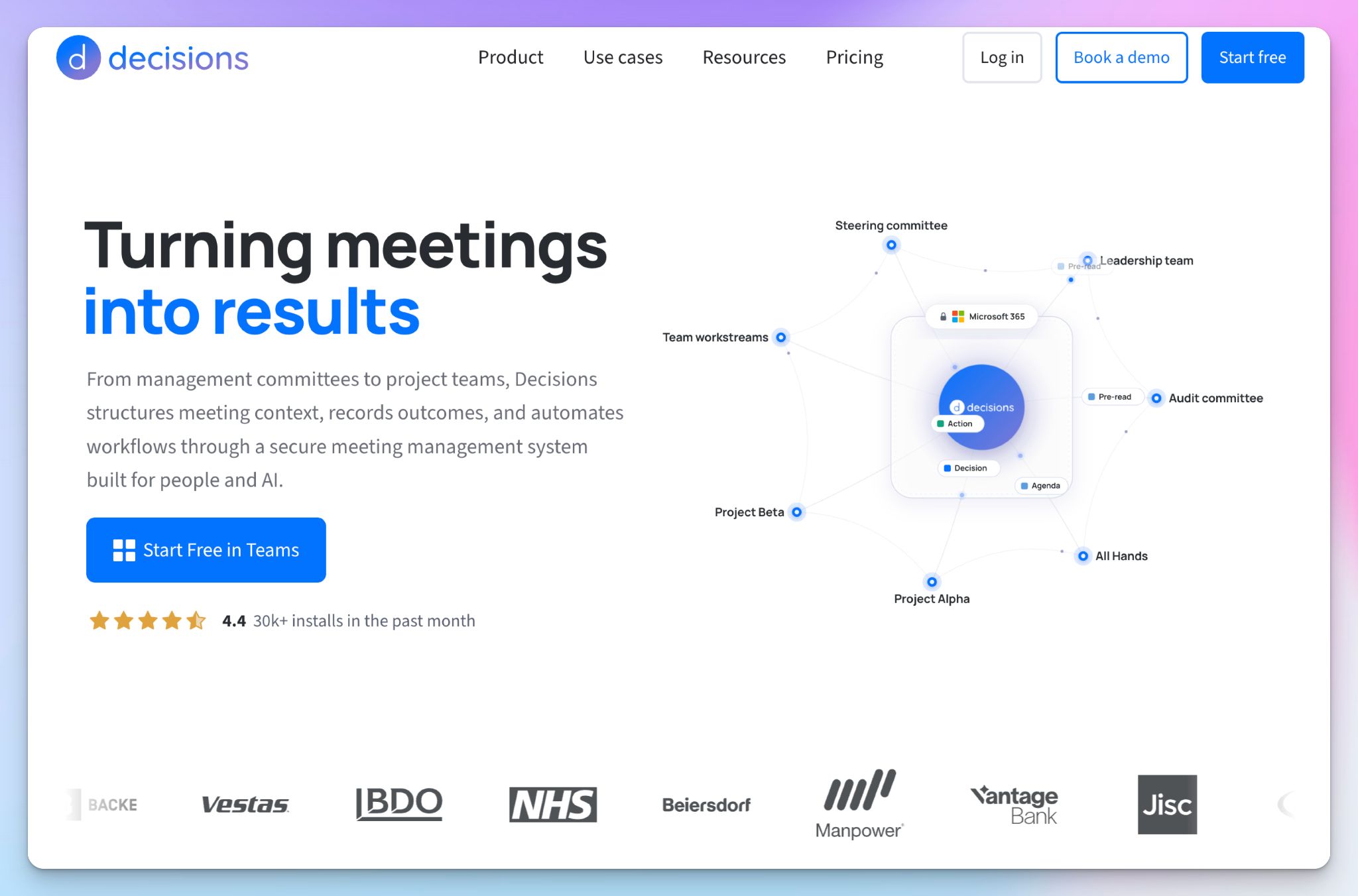
Decisions is a meeting management system built into Microsoft Teams and Outlook, used by organizations like Pennine Care NHS Foundation Trust and Beiersdorf. You plan the meeting, run votes during it, and get AI minutes afterward without leaving Teams.
The appeal for IT is where your data lives. Agendas, minutes, tasks, Planner syncs, and attachments stay in your own SharePoint, OneDrive, and Teams, and you control who gets access to them.
It sits at number four because it's built for the paperwork around a meeting rather than the transcript. If your org doesn’t operate strictly within the Microsoft 365 environment, Decisions offers fewer benefits.
Decisions' key features for enterprise teams
- Board tools like secure voting, conflict-of-interest handling, and e-signatures through Adobe Sign. You can also map who recommends and who decides with RAPID or RACI approvals
- A searchable decision log with a full audit trail. Circular resolutions let committees finalize formal decisions between meetings
- Share minutes for selected agenda items only, so confidential topics reach only the people cleared to see them
- SOC 2 Type II and ISO 27001:2022 certification, with sign-in through Microsoft Entra ID and AI processing in the EU or US
Decisions' pricing
- Free
- Basic: €10/user/month
- Business+: €18/user/month
- Executive: €35/user/month
Decisions' cons
- It only works inside Microsoft 365, so calls on Zoom or Google Meet fall outside it. Mixed-platform companies can compare AI note takers for Microsoft Teams that also cover other platforms
- Some Executive features are licensed per team. If you enable structured approvals for a team, every user in it needs the €35 Executive plan
- You can mix plans across your team, but AI minutes and recaps run on monthly credits below Executive, and automatic meeting summaries on the Basic plan publish without review, which is risky for sensitive meetings
📚 Also read:
5. Meetily
Best for: Security-first organizations that want meeting audio to stay on employee devices and the backend on their own servers
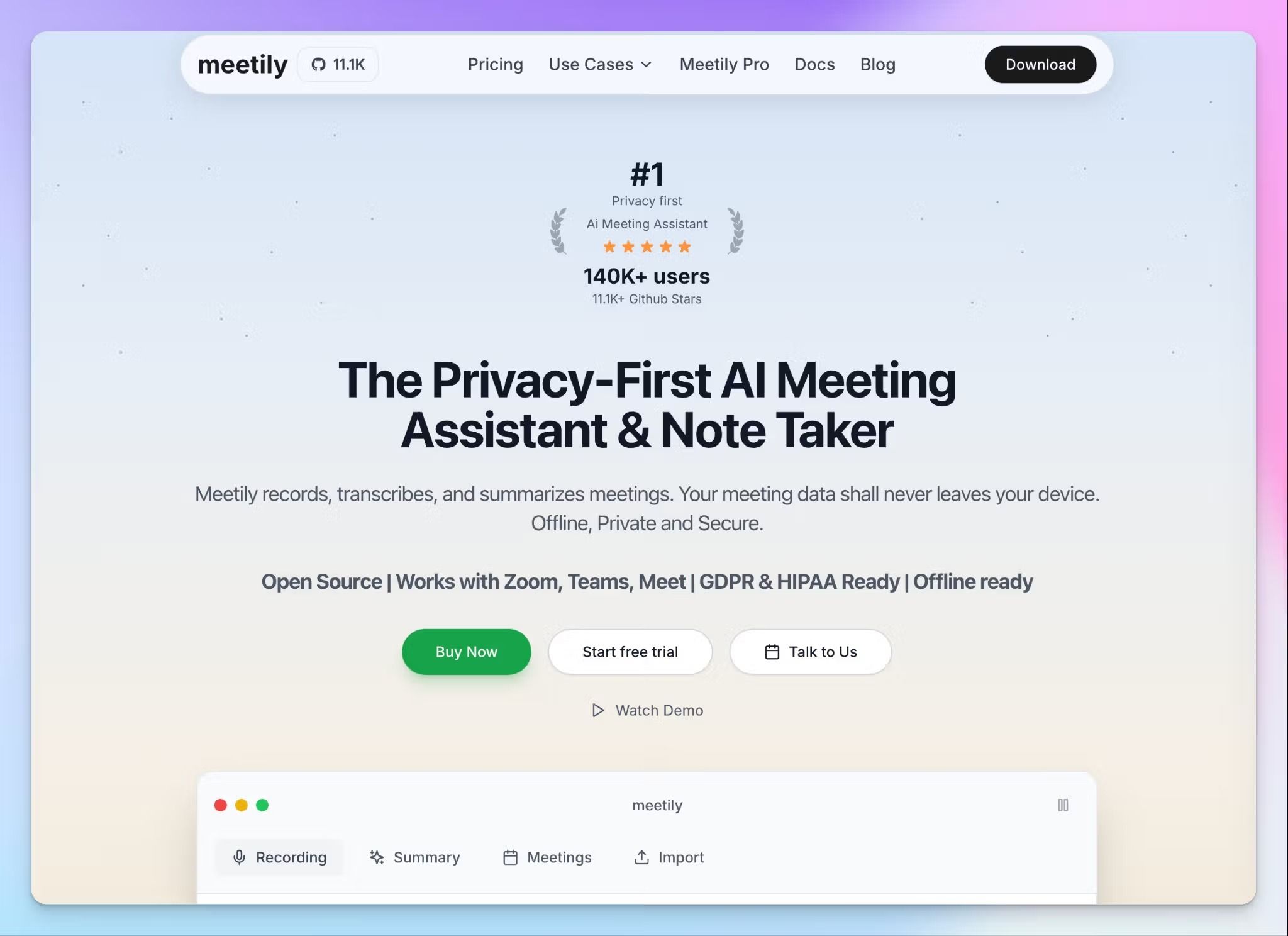
For some organizations, the safest meeting data is data that never reaches a vendor's server. Meetily is built for them.
It's an open-source note taker with nearly 30K GitHub stars. It transcribes meetings on each employee's laptop, and no bot joins the call. On Enterprise, you can run the admin backend on-premise or in an EU data center you choose, which suits hospitals, law firms, and public-sector teams.
It ranks fifth because that control comes with more work. Your IT team owns the deployment and the compliance paperwork, and Meetily is still missing features most enterprise tools already have.
Meetily's key features for enterprise teams
- Transcription runs entirely on the device with Whisper or Parakeet models, so meeting audio stays on the device. For summaries, you can pick a local Ollama model or bring your own API key, which sends transcript text only
- Deploy on-premise, in your own AWS, Azure, or GCP account, or in an EU data center like Hetzner or OVH. Air-gapped setups are available for classified environments
- Meetily offers admin dashboard with user provisioning, RBAC, and retention policies. Granular audit log shows who recorded what, when, and on which device
- LDAP and Active Directory integration, a BAA for HIPAA workloads, and 24/7 priority support with a named account manager on Enterprise
Meetily's pricing
- Community: Free
- Pro: $10/user/month (billed annually)
- Enterprise: Custom pricing
Meetily's cons
- Meetily doesn't hold independent SOC 2, GDPR, or HIPAA certification, so your organization carries that compliance work
- You can only install it on Windows and macOS, and each Pro license covers one device
- Meetily’s calendar integration, mobile apps, and AI chat with your meetings are still in active development
- Since everything runs locally, it requires modern hardware, and Meetily recommends 16GB of RAM
📌 Also read:
Which AI meeting note taker is right for your enterprise?
For large teams and enterprises, the right AI meeting note taker is the one that passes the data governance audit and plugs into your existing workflows without a hassle.
👉 Choose Fellow if you're in a regulated industry and want admins to set recording rules centrally.
👉 Choose Notion AI if your knowledge base already lives in Notion, and your meetings run mostly in English.
👉 Choose Decisions if your organization runs entirely on Microsoft 365 and needs formal board governance.
👉 Choose Meetily if meeting audio can never leave employee devices, and your IT team can own the deployment.
👉 Choose HappyScribe if you want meeting records every office can trust in 150+ languages, with security documentation ready before procurement asks. It’s easy to use, so employee adoption is not a problem you’d have to deal with.
Every other tool here asks for a trade-off on languages or platforms. With HappyScribe, one SSO connection covers every subsidiary, and retention controls decide how long recordings live. Meeting notes, translation, and subtitles sit on one plan, with EU data residency available.
FAQs about enterprise AI meeting note takers
Are AI meeting note takers safe for enterprise use?
Yes, as long as the vendor protects your conversation data as carefully as your own security team would. Most tools capture the entire conversation, so the real risks are consent, retention, and whether your meetings are used to train AI. A secure AI meeting notetaker should inform every meeting participant and delete recordings on a schedule you control. HappyScribe is SOC 2 Type II certified, and Enterprise admins can set retention windows for recordings, transcripts, and summaries.
What security certifications should an enterprise AI note taker have?
Start with SOC 2 Type II, which shows an auditor-tested security controls over several months instead of on a single day. ISO 27001 is useful for global procurement, and you'll need a signed DPA for EU data and a BAA for health data. Fellow, for example, is SOC 2 Type II certified and GDPR compliant. Certifications should also extend to the third-party tools a vendor relies on. HappyScribe shares its SOC 2 report and sub-processor list through its Trust Center.
What is the best meeting note taker for enterprise teams?
HappyScribe is the best AI notetaker for enterprise teams that meet across countries and languages. It summarizes meetings in 150+ languages with around 95% accuracy, and speaker identification keeps multi-party calls readable. Glossaries work like custom vocabulary, so product names and industry terms come out right. If your priority is the sales workflow, Fellow updates Salesforce and HubSpot from structured notes, which suits the sales tools you already use.
How to vet meeting note takers for enterprise use?
Run a security review first, then pilot the tool on real meetings. Ask for the SOC 2 Type II report and a written retention policy. During the pilot, test poor audio quality and industry jargon, since AI still struggles with nuances like sarcasm. Check whether a bot joins every call on your video conferencing platform or if bot-free capture is available. Finally, confirm which advanced features sit behind Enterprise pricing, because a free tier built for small teams rarely includes SSO.
Is there any meeting note taker for enterprise applications?
Yes. Several meeting assistants now include the SSO and compliance documentation that enterprise applications require. HappyScribe records online meetings and in-person conversations, then turns your meeting history into searchable knowledge. Its AI features include AI summaries with action items, so participants can focus on the discussion instead of note-taking. The AI chatbot works like an AI-powered search across past calls, and the MCP server lets an AI tool pull that context into meeting agendas for future meetings.

Biplab Mazumder
Biplab is a content marketer and writer who helps high-growth brands scale content visibility across AI search channels. His works have been published in HubSpot, Freshworks, Atlassian, SurferSEO, etc. When he's not planning content strategy, he's testing AI content workflows and use cases.