TL;DR ⏩
Based on my research, here are the best AI note takers for daily standups:
- HappyScribe: Best for accurate standup notes split by speaker in 150+ languages, searchable with AI Chat and integrated apps
- Fireflies: Best for a searchable record of every standup, with live transcription
- MeetGeek: Best for a ready-made standup template that tags blockers
- Fellow: Best for standups run from a shared agenda, with action items that carry over
- Spinach: Best for engineering standups that turn blockers into Jira or Linear tickets
A daily standup takes 10 to 15 minutes. Run one every workday, and your team sits through about 250 a year.
At that pace, manual note-taking falls apart. New updates come through quickly, and a blocker raised on Tuesday might get buried under the next person’s update. By the end of the week, you’ve lost track of who’s waiting on whom.
Most AI note takers are built for long client calls. A standup needs something else: structured notes for every speaker, with meeting workflows to keep your team productive.
Here’s what I looked for in AI note takers for daily standups:
- Plan limits that last a full month of standups, since some free plans run out within weeks
- Updates split by speaker, with blockers and dependencies flagged through custom templates that match how your team works
- An easy way into the call, whether that’s a bot joining on schedule or bot-free capture
- Integration with Slack, Linear, or Jira, so nobody has to update tickets by hand after the call
Five tools made the cut, and each turns your call into daily standup notes.
What are the best AI note takers for daily standups? At a glance
| Category | HappyScribe | Fireflies | MeetGeek | Fellow | Spinach |
|---|---|---|---|---|---|
| Best for | Accurate standup notes split by speaker, in any language | Searching past standups | A ready-made standup template | Standups run from a shared agenda | Engineering standups run on Jira or Linear |
| Key features | Summary templates with blockers and owners, AI Chat across meetings, bot-free and mobile capture, Zapier, and MCP | Standup Notes AI skill, AskFred, live transcription, Chrome extension | Blocker and dependency tags, meeting type detection, Meeting Skills, mobile app | Shared agendas, pre-meeting briefs, and action items with due dates | Jira and Linear ticket suggestions, Slack recaps, Ask Spinach |
| Supported languages | 150+ | 100+ | 100+ | 100+ | 100 |
| Meeting platforms | Zoom, Google Meet, Microsoft Teams, in-person | Zoom, Google Meet, Microsoft Teams, Webex, in-person | Zoom, Google Meet, Microsoft Teams, in-person | Zoom, Google Meet, Microsoft Teams, in-person | Zoom, Google Meet, Microsoft Teams, Webex |
| Starting price | Free plan available, paid plans from $8.50/month billed annually or $17/month billed monthly | Free plan, Pro $18/month | Free plan, Pro $15.99/month | Free plan, Team $11/month | Free plan, Pro $2.90 per meeting hour |
1. HappyScribe
Best for: Teams that want standup notes accurately split by speaker, searchable across past standups, in 150+ languages, with an intuitive UI
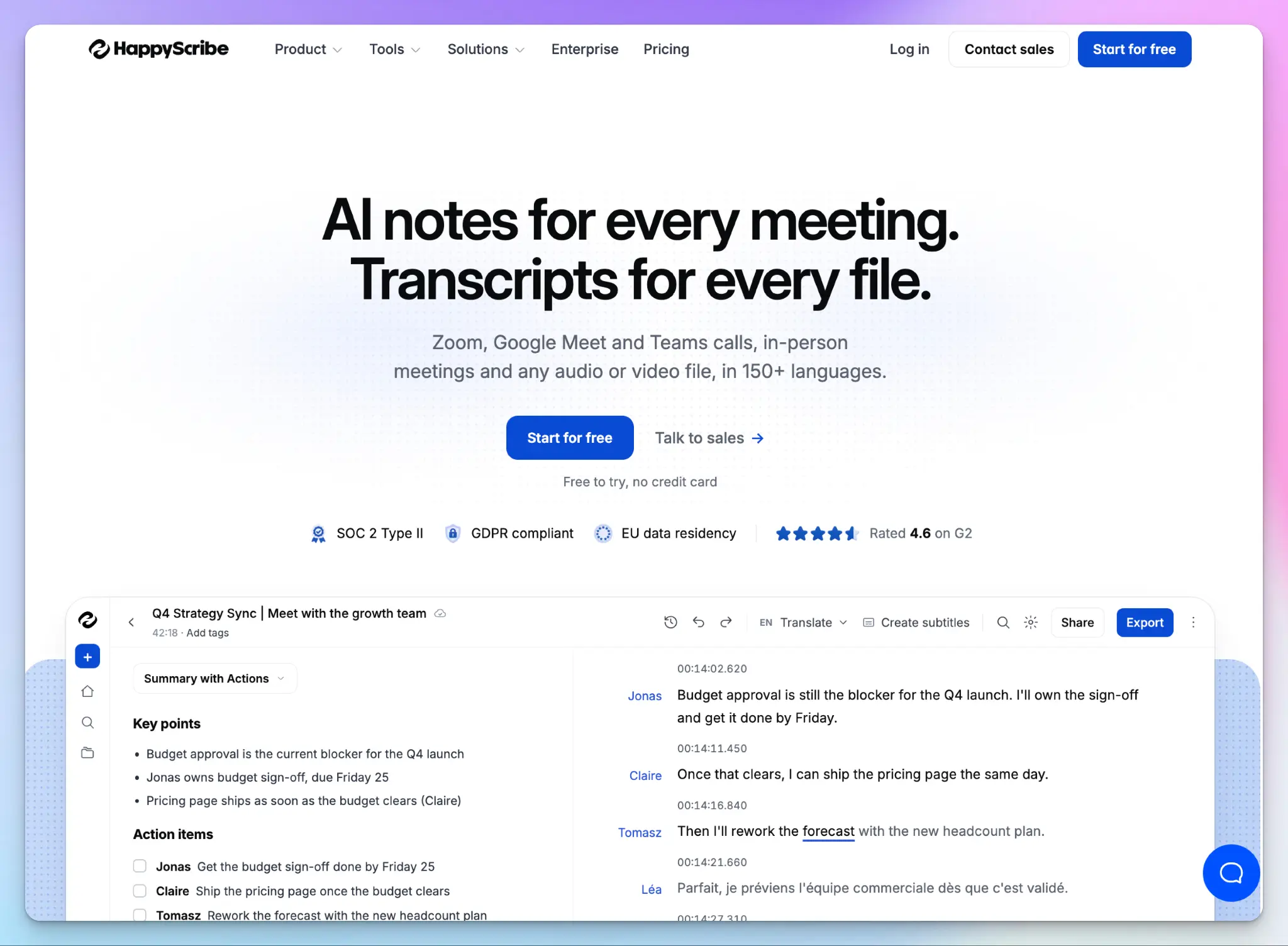
HappyScribe is a Barcelona-based AI note taker that joins your standup on Zoom, Google Meet, or Microsoft Teams. If your team meets in a conference room, you can record the standup on your phone instead.
For standups, the value is in the format. You’ll find yourself answering the same three questions every day, so HappyScribe lets you shape the meeting summary around them. When a blocker sounds familiar, you can search back through weeks of answers.
HappyScribe’s key features for daily standups
1. Use a standup template to split updates and assign people
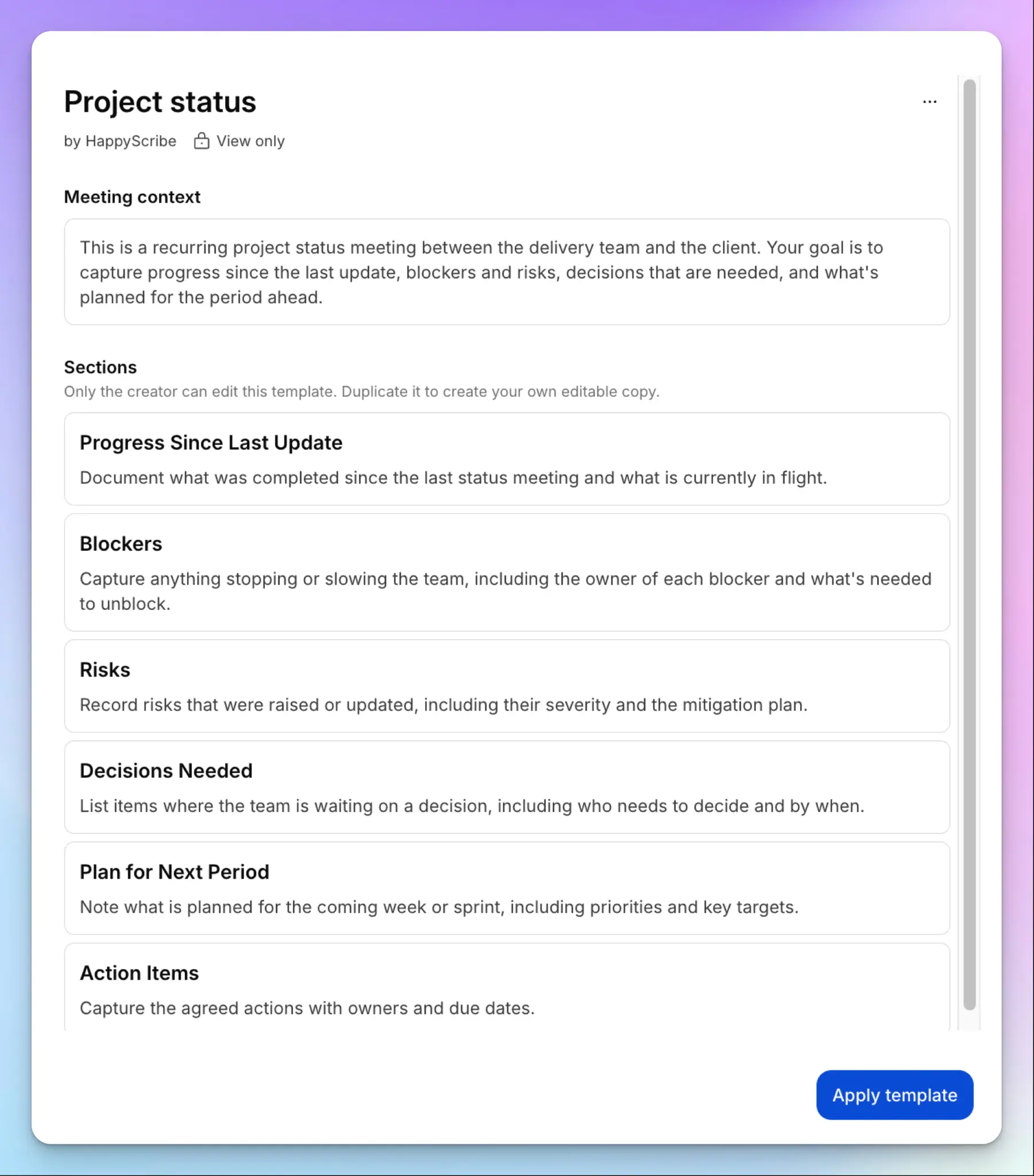
HappyScribe comes with tons of pre-built summary templates, from Summary with Actions to Retro/post-mortem. For a standup, start with Project status. It splits the summary into progress since the last update, blockers, decisions needed, the plan ahead, and action items with owners and due dates.
Each blocker comes with its owner and what they need to get unblocked. With HappyScribe’s accurate speaker identification, each update is linked to the right teammate, even when five people talk in ten minutes. And when the sprint ends, switch to the Retro/post-mortem template.
Want your team’s own format? You can duplicate a template and rename the sections to yesterday, today, and blockers. Templates are available at the workspace level, so every standup on your team comes out in the same shape.
2. Ask AI Chat which blockers keep coming back
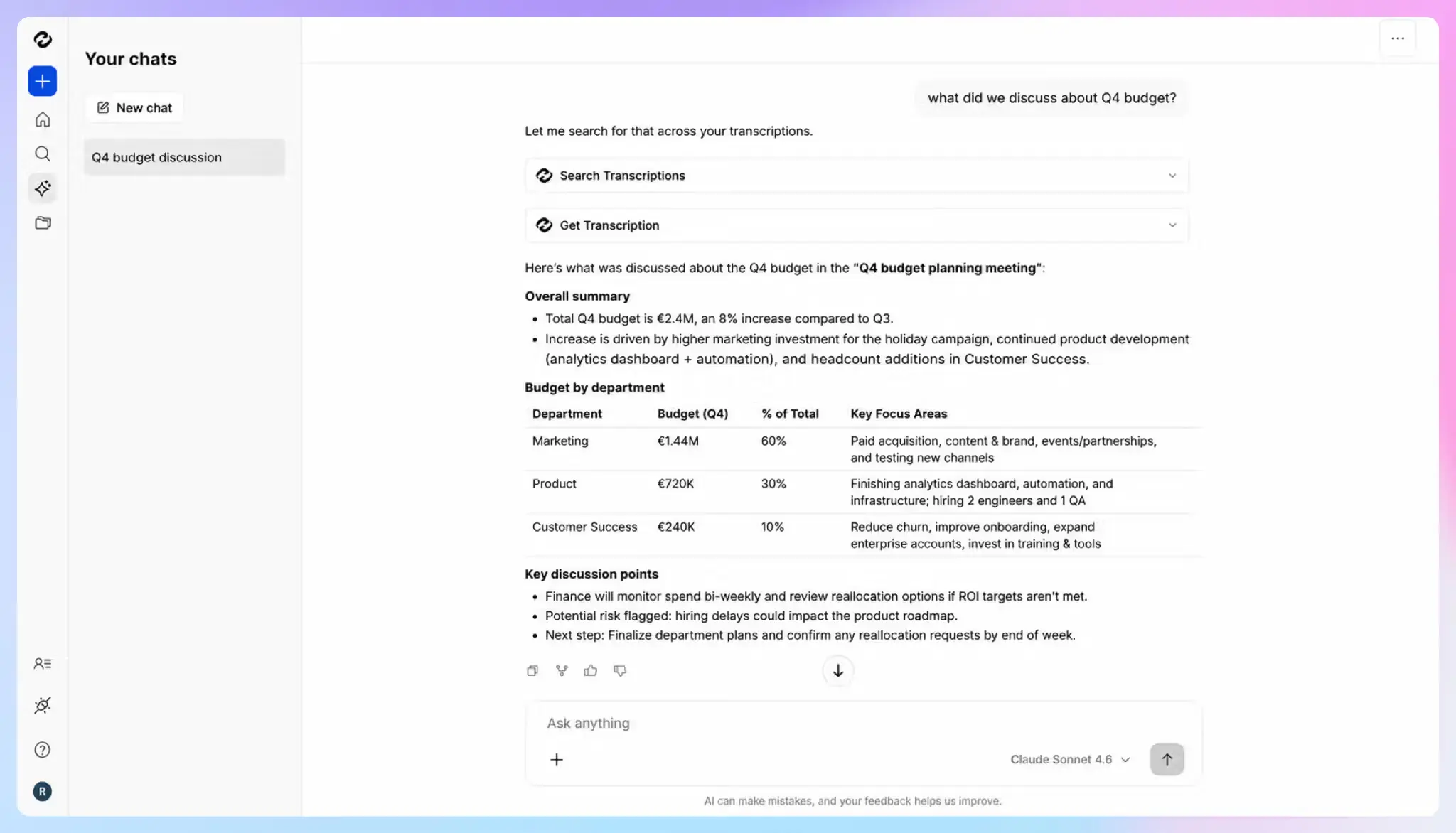
A blocker that shows up across the week creates a pattern. You’ll only spot it if you can scan through all the meetings. HappyScribe AI Chat searches your whole meeting history, so you can ask in plain words:
- Which blockers came up in more than one standup this sprint?
- What did Leslie say she was waiting on last week?
- Who committed to fixing the staging deploy, and by when?
Every answer links to a timestamp, so you can jump to the key moment and hear it yourself. AI Chat is unlimited on Pro, where you can also switch between Claude, ChatGPT, Mistral, and GLM models.
3. Record with a bot, without one, or in person
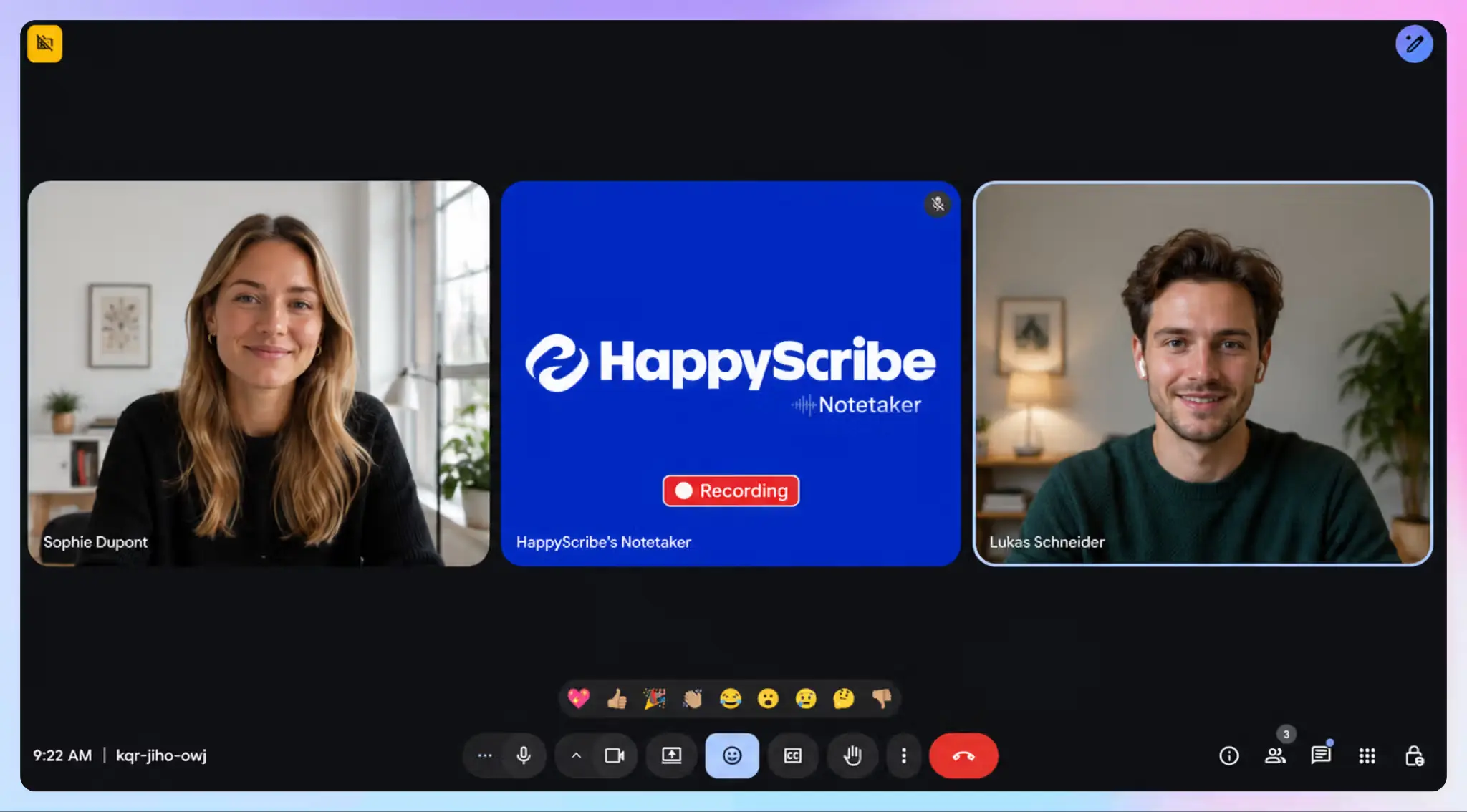
Connect Google Calendar or Outlook, and the notetaker joins every scheduled standup on its own. For transparency, HappyScribe announces itself when it joins. Anyone can pause or remove it by typing “!help” in the meeting chat.
If a bot joining every morning feels like too much, use the browser recorder for bot-free capture. The choice between bot-based and bot-free AI note takers can change by meeting, so you aren’t locked into one.
For in-person meetings around a whiteboard, use the HappyScribe mobile app to record calls on your phone. It even works without an internet connection, then syncs when you’re back online.
4. Send the digest to Slack, Linear, Jira, or Claude
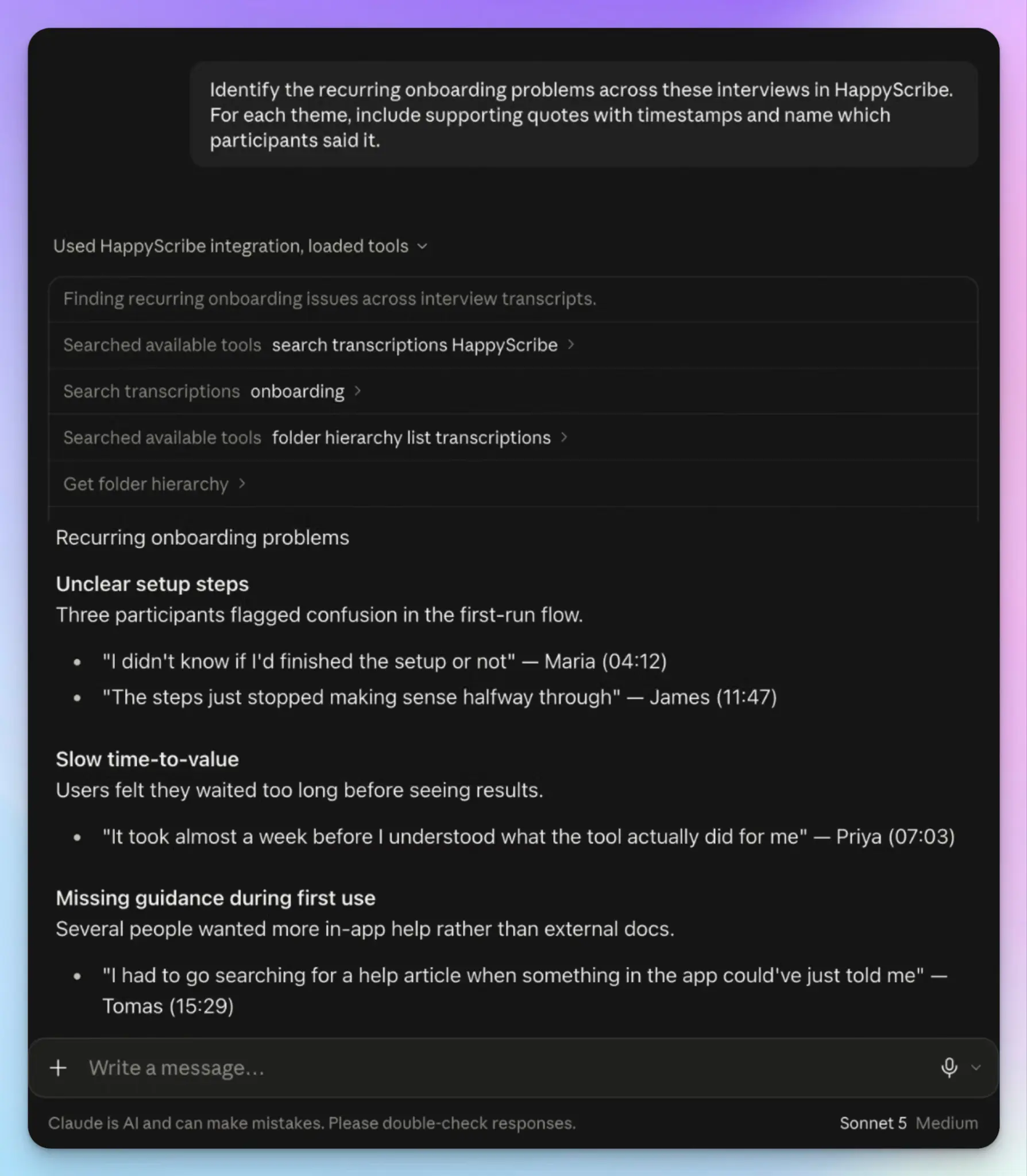
Standup notes help most when they reach the tools where your team works. With Zapier, you can post each summary to a Slack channel or turn action items into Linear or Jira tickets. Nobody has to copy updates by hand after the call.
You can also add HappyScribe to Claude from its app directory. Claude can search your standups, check quotes against the transcript, and rerun a summary with a different template. It can even fix the transcript, which most AI meeting note takers with Claude connectors don’t allow.
HappyScribe’s pros
- Transcribe 150+ languages at 95%+ accuracy and translate notes into 80+ languages, so teammates abroad can read the standup in their own language
- HappyScribe’s free plan includes unlimited meeting recordings of up to 45 minutes each, which covers any standup
- A custom glossary keeps ticket names and product codenames spelled right in every summary
- Upload a recorded update from your device, Google Drive, Box, or Dropbox, and it gets the same summary format
- HappyScribe is SOC 2 Type II certified and a GDPR-compliant note taker, with data stored in ISO 27001-compliant EU data centers
HappyScribe’s cons
- Not ideal for real-time transcription during the standup
What are users saying about HappyScribe?
HappyScribe solves, above all, the problem of information fragmentation and the risk of losing critical details after extensive creative meetings. As a producer, I manage several projects at once (for example, advertising campaigns and visual art developments) and, before using HappyScribe, I relied on handwritten notes that often left out technical nuances or key team decisions.
Source: G2
I’m very happy with HappyScribe. It does exactly what I need, and the meeting summaries work really well. Works like a charm!
Source: Trustpilot
HappyScribe’s pricing
AI transcription and meeting notes
- Free: Unlimited meeting recordings, up to 45 minutes each
- Basic: $8.50/month billed annually or $17/month billed monthly
- Pro: $19/month billed annually or $29/month billed monthly
- Business: $59/month billed annually or $89/month billed monthly
- Enterprise:Contact sales for custom pricing
Human services: Starts from $2.00/minute
How to use HappyScribe’s AI note taker for standups: a step-by-step guide
- Sign up for free and connect Google Calendar or Outlook, so the notetaker joins your standups on Zoom, Google Meet, or Microsoft Teams.
- Check meeting settings to set when the notetaker joins and who receives the email summary.
- Open a standup’s summary, pick Project status from the template list, and click Apply template. On Pro, create your own standup template.
- Open AI Chat to ask which blockers repeat across standups, or ask it to analyze themes and action items.
- Connect Zapier to send summaries to Slack, Linear, or Jira, or add HappyScribe to Claude from its app directory.
2. Fireflies
Best for: Teams that want a searchable record of every standup, with live transcription during the call
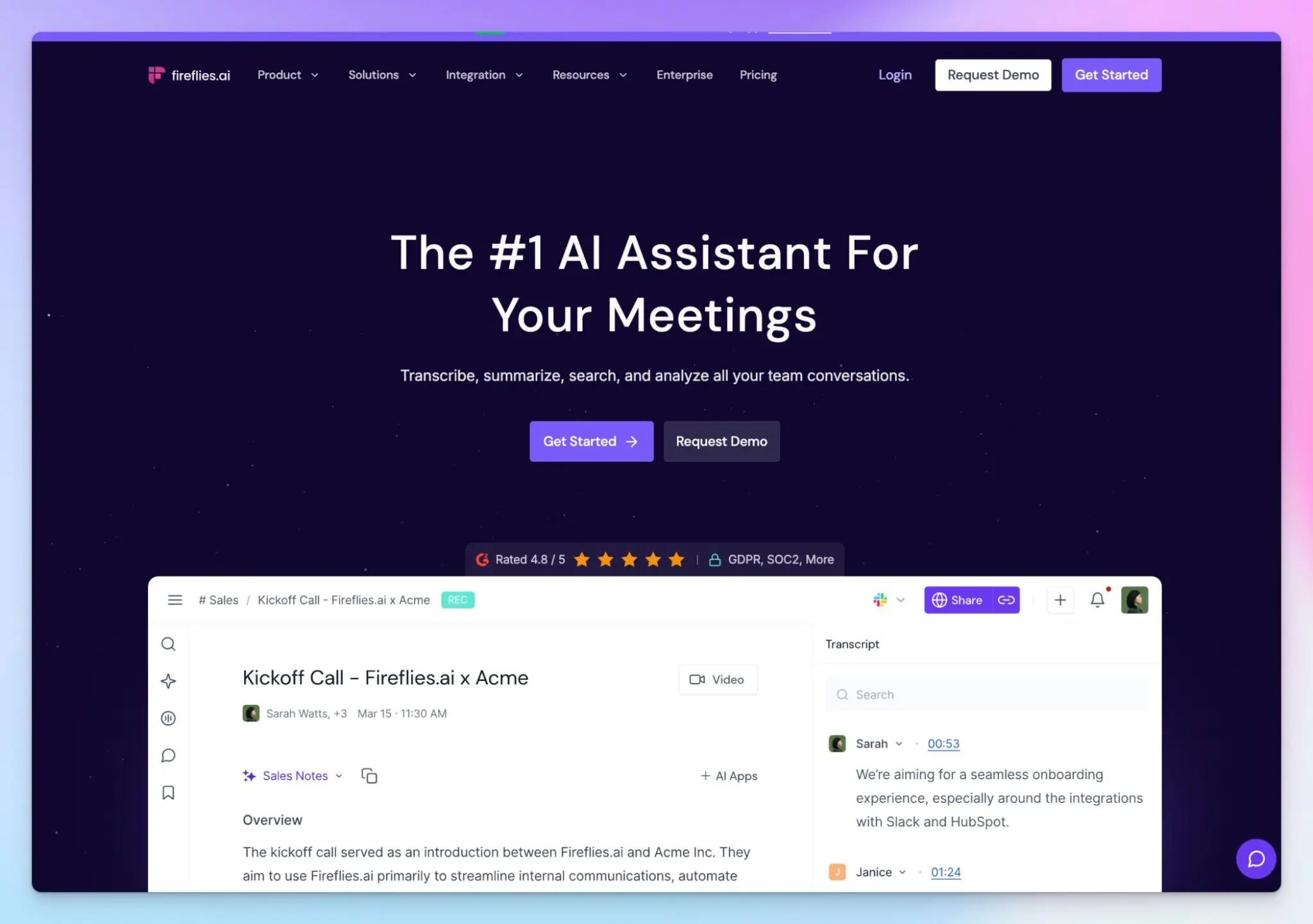
Fireflies is a popular name in AI note-taking, and it has features built for nearly every use case. For standups, its strength is memory. Your daily syncs are stored in one archive, and you can search them down to the sentence months later.
It ranks second because it’s the broadest tool on this list, with much of its depth built for sales teams. But with more features comes more complexity. Our Fireflies AI review covers the trade-offs that crop up in a sprawling platform.
Fireflies’ key features for daily standups
- The Standup Notes AI skill sorts objectives, blockers, and action items by speaker, with timestamps. Your notes sync to Notion, Google Docs, Jira, or Trello
- AskFred, the built-in AI assistant, answers questions across your meeting history, like which blockers came up in last week’s standups
- You get live transcription and real-time notes during the call, and the Chrome extension records Google Meet standups without the bot
- Daily Brief gathers action items, blockers, and open questions from your meetings, email, and Slack, so you walk into standup with context
Fireflies’ pricing
- Free
- Pro: $18/month
- Business: $29/month
- Enterprise: $39/month (billed annually)
Fireflies’ cons
- AskFred and AI skills run on a small pool of AI credits, 20 on Pro and 30 on Business. Running a skill on 20+ standups a month will drain them quickly, a common reason teams compare Fireflies alternatives
- The free forever plan caps storage at 400 minutes per team, which covers about five weeks of 15-minute standups
- Fireflies stores and processes data in the US by default, and EU storage is Enterprise only. That’s why teams under EU data rules look into European alternatives to Fireflies
3. MeetGeek
Best for: Teams that want a ready-made standup template that tags blockers and dependencies
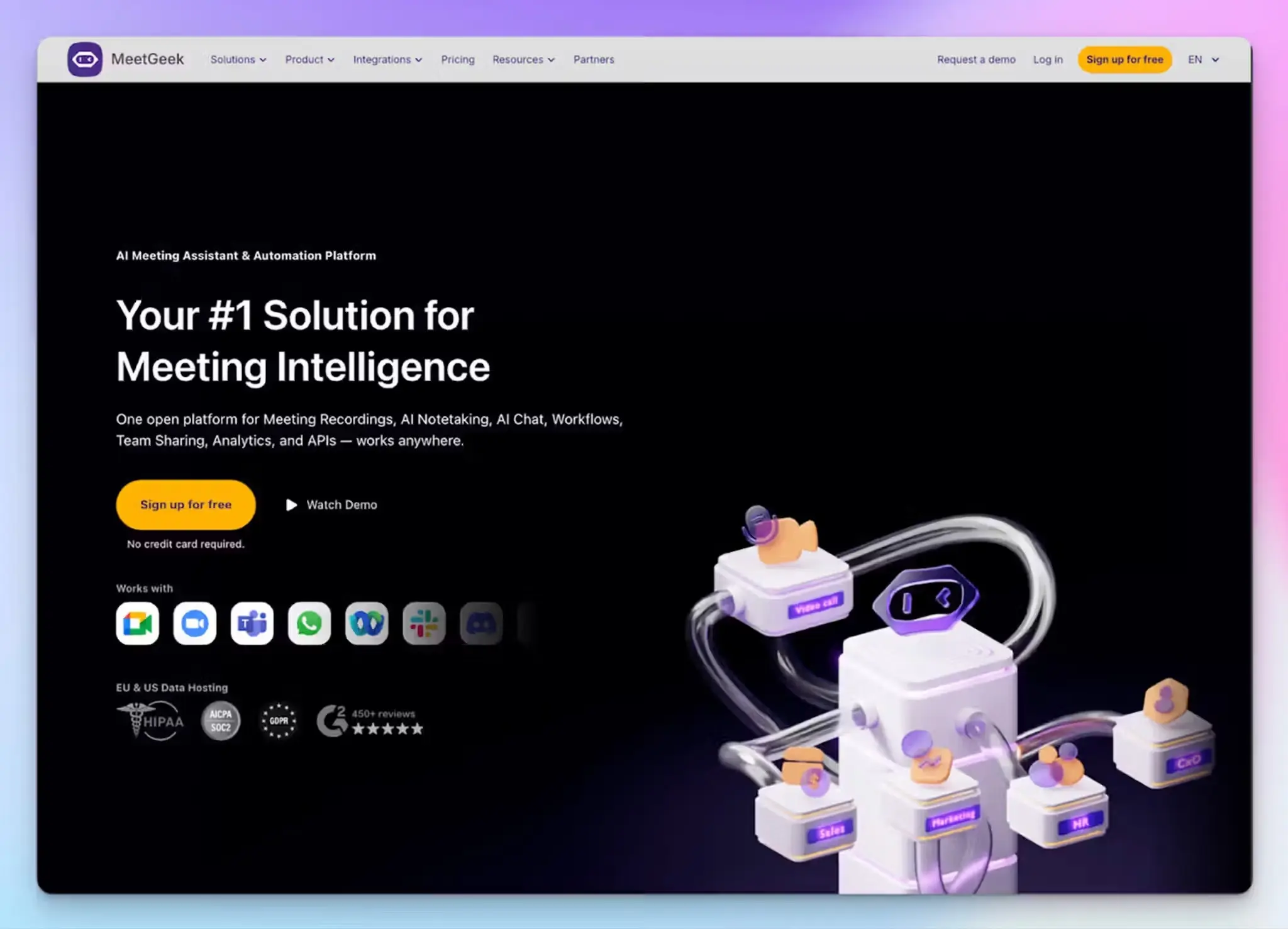
MeetGeek is a Romania-based note taker that formats each summary around the type of meeting. Its daily standup template comes with a pre-filled agenda and highlight tags, so blockers and dependencies get pulled out of the conversation.
It ranks third because it does more standup-specific work out of the box than Fireflies. Most of that work starts on the Pro plan, though.
MeetGeek’s key features for daily standups
- The standup template tags #blockers, #dependencies, #priority_shift, #progress, and #upcoming_tasks. It also scores each standup on KPIs like time-boxing, participation, and overtime
- MeetGeek’s automatic meeting type detection applies the standup template on its own, so you don’t have to select it before each call
- Meeting Skills run on a schedule. For example, a weekly engineering digest can post unresolved items and cross-team dependencies to Slack or Jira
- Record with a bot on Zoom, Google Meet, or Microsoft Teams, or go bot-free with the browser extension, desktop app, or mobile app
MeetGeek’s pricing
- Basic: Free
- Pro: $15.99/month
- Business: $27/month
- Enterprise: Custom pricing
MeetGeek’s cons
- Meeting transcript and notes accuracy are inconsistent with overlapping speakers and background noise, a common reason teams look at MeetGeek alternatives
- The free plan covers 3 hours of transcription a month, which is about 12 standups. It keeps audio for one month and includes no integrations
- Templates, meeting type detection, and Meeting Skills start on Pro, while team analytics needs Business
📚 Also read:
4. Fellow
Best for: Managers who run standups from a shared agenda and want open action items to follow the team into the next meeting
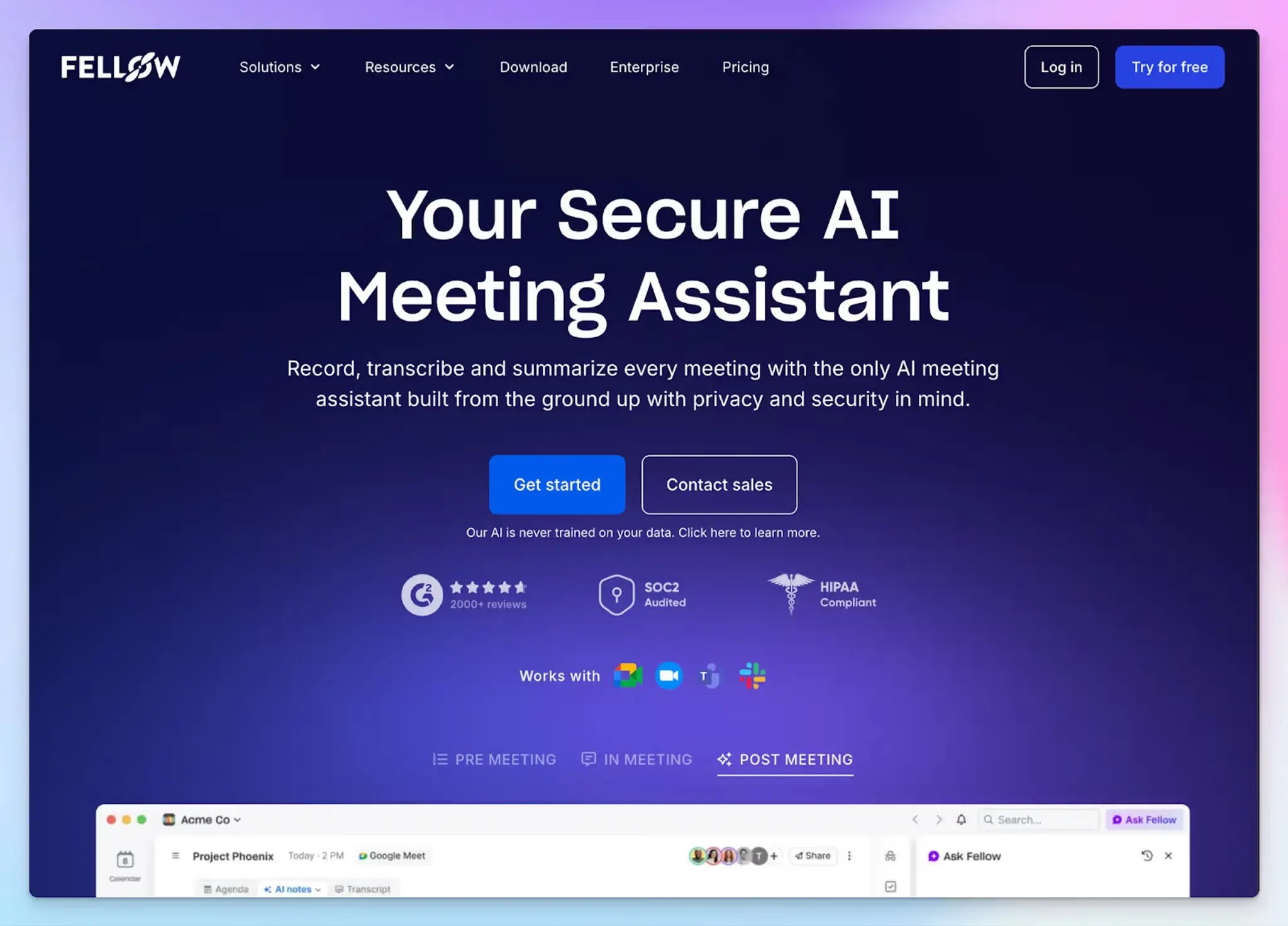
Fellow started as a meeting agenda tool and grew into an AI note taker. For standups, that history helps. Your team can add updates to a shared agenda before the call, and Fellow tracks what each person committed to afterward.
It ranks fourth because it’s built around the whole meeting workflow, with all its complexities and paywalled features. If standups are the only use for you, Fellow might be overkill.
Fellow’s key features for daily standups
- The daily standup template gives your team a shared agenda to fill in before the call, so updates are ready when the meeting starts
- With pre-meeting briefs, you can remind each attendee of open action items from earlier meetings, so commitments carry into the next standup
- AI-suggested action items come with assignees and due dates, and you can sync them to Jira, Linear, or Asana on paid plans
- Record with a bot or bot-free from the desktop app, then use Ask Fellow to find what was decided in standups you missed
Fellow’s pricing
- Free
- Solo: $29/month
- Team: $11/month
- Business: $23/month
- Enterprise: $25/month (billed annually)
Fellow’s cons
- The interface spreads agendas, templates, and recaps across several views, and the learning curve pushes some teams toward Fellow alternatives
- The Team plan includes 10 AI notes per user per month, which covers about half a month of daily standups. For teams, unlimited AI notes start on Business
- Fellow runs on AWS in Canada by default, which is why teams under EU data rules compare European alternatives to Fellow
5. Spinach
Best for: Engineering teams that run standups on Jira or Linear and want tickets filed from the conversation
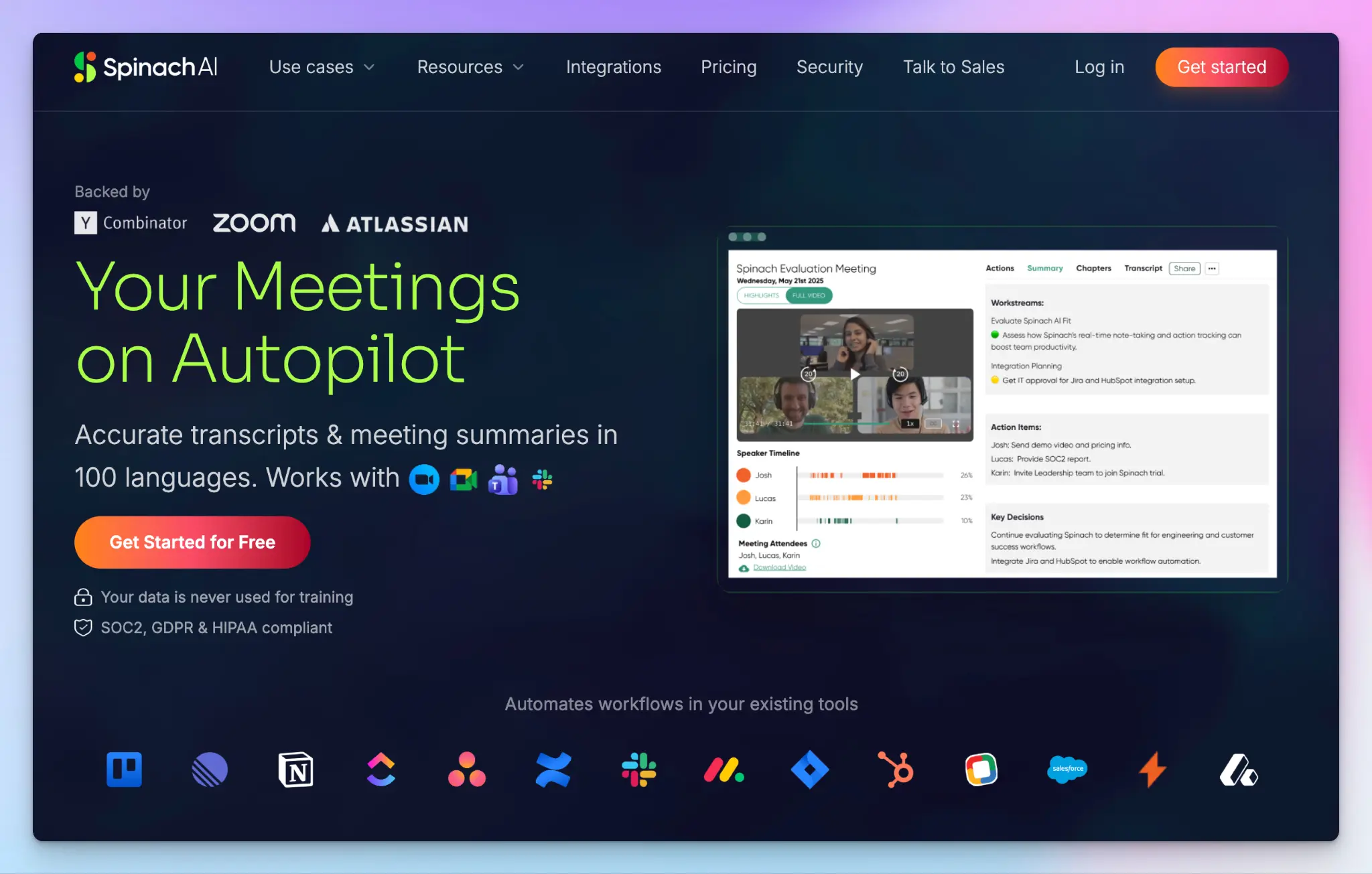
Spinach calls itself an AI scrum master. It joins your standup on Zoom, Google Meet, Microsoft Teams, or Webex and turns what people say into action items and ticket suggestions.
It ranks last because it’s the most specialized pick here. If your standup runs on tickets, Spinach removes the admin of updating them by hand. If it doesn’t, you may get more from the broader tools in our list of AI note takers for product managers.
Spinach’s key features for daily standups
- When someone voices a blocker, Spinach suggests a Jira or Linear ticket. If the discussion maps to an existing ticket, it can link to that one instead
- After each standup, a summary with action items and owners arrives in Slack or email
- A Slack bot nudges your team before standup with context from previous updates, and it takes async updates from teammates who can’t join live
- Ask Spinach and MCP connectors let you search past standups from Claude or ChatGPT in the paid plans
Spinach’s pricing
- Starter: Free
- Pro: $2.90/meeting hour
- Business: $29/month
- Enterprise: $39/month (billed annually)
Spinach’s cons
- The free plan keeps recordings for 7 days, so you can’t look back past last week’s standups. It also includes only basic summaries that you might not want to rely on
- The ticket workflow assumes your team works in Jira or Linear, so non-engineering standups get less out of it
📚 Also read:
Which AI note taker is best for daily standups?
The right pick depends on where your standup notes need to go after the call, and how far back you need to look.
👉 Choose Fireflies if you want a searchable record of every standup and live transcription during the call.
👉 Choose MeetGeek if you want a ready-made standup template that tags blockers and dependencies.
👉 Choose Fellow if you run standups from a shared agenda and want open action items carried into the next meeting.
👉 Choose Spinach if your engineering team runs standups on Jira or Linear and wants tickets suggested from the conversation.
👉 Choose HappyScribe if you want accurate standup notes split by speakers in any language, with a history you can search.
Most of these tools cost between $8 and $35 a month on paid plans, but daily meetings exhaust those limits fast. Fireflies’ free storage fills up after about five weeks of standups. MeetGeek puts its standup template behind Pro. Fellow’s Team plan stops at 10 AI notes per user each month. Spinach’s free plan deletes recordings after 7 days, and its ticket workflow only pays off if your team works in Jira or Linear.
HappyScribe keeps up with a daily cadence. The free plan includes unlimited meeting recordings of up to 45 minutes each, so every standup gets captured. Summary templates help you shape output, and AI Chat helps you spot the blockers that keep coming back. You can record with or without a bot, or in person on your phone.
HappyScribe also transcribes 150+ languages, more than any other tool on this list. A team spread across countries can read the same notes in the language each person works in.
If you need to look back at what was said weeks later, HappyScribe gives you the clearest record of every standup.
FAQs about AI note takers for daily standups
What is the best AI note taker for daily standups?
HappyScribe is the best AI note taker for daily standups if you want clear notes split by speaker. Summary templates pull each person’s updates, blockers, and key points into the same workspace, and AI Chat searches across past standups. HappyScribe also has the widest language coverage on this list, with 150+ languages. Spinach suits engineering teams on Jira, and Fellow suits managers who run meetings from a shared agenda. Fireflies and MeetGeek add meeting analytics and AI coaching, which help sales calls more than standups.
Is there a free AI note taker for daily standups?
Yes, several free AI note taker plans can handle a daily standup. HappyScribe’s free plan includes unlimited recording for meetings of up to 45 minutes each. That covers any standup, but not long meetings. Spinach also records for free, but it deletes recordings after 7 days. Fireflies caps free storage at 400 minutes per team, and its unlimited AI summaries start on Pro. When you compare the best free AI tools for standups, check storage and retention limits, not just recording minutes.
How do AI note takers work in standup meetings?
AI note takers work by joining your online meetings as a bot or by recording audio through local capture on your device. Speech recognition turns the audio into meeting transcripts with speaker labels. AI tools then pull out each person’s updates, blockers, and action items. Some AI note taking apps, like Fellow, also let you add your own notes during the call. AI still struggles with context-dependent nuance like sarcasm, so skim the summary before you share it.
What should you look for in an AI meeting assistant for standups?
Look for a meeting note format built for standups, with updates and blockers split by speaker. Team features like shared templates keep every standup in the same shape. The tool should add as little disruption as possible, whether a bot joins from your calendar or you record bot-free wherever meetings happen. If you discuss sensitive work, check where recordings are stored, since Fireflies offers private storage only on Enterprise. Priority support also helps for a tool you use every day, but many vendors reserve it for higher tiers. HappyScribe offers fast human support for all users.
Can AI note takers update Jira or Linear after a standup?
Yes. Spinach suggests Jira and Linear tickets from what people say in the call. Fellow syncs action items to Jira, Linear, or Asana on paid plans. HappyScribe connects to Slack, Linear, and Jira through Zapier, so you don’t have to update tickets by hand after every standup. Its MCP server also connects your meeting transcripts to AI apps like Claude and ChatGPT.

Biplab Mazumder
Biplab is a content marketer and writer who helps high-growth brands scale content visibility across AI search channels. His works have been published in HubSpot, Freshworks, Atlassian, SurferSEO, etc. When he's not planning content strategy, he's testing AI content workflows and use cases.