![6 Best Grain Alternatives for AI Meeting Notes [2026]](/sanity-images/ejgwz1gl/redesign/56ab1fcdca297c289d51bbd94988e9d52dd13a7e-2240x1260.png?auto=format&w=2240.0&rect=0,0,2240,1260)
Grain AI is a great tool for clipping video highlights from your Zoom calls. But the fact that you’re here means Grain isn’t good enough for your work.
I recently spoke with a project manager who spent an hour manually fixing a Grain transcript because the AI completely botched the client's industry jargon. What actually pushed me to look elsewhere was when the bot refused to join an important meeting.
To build a list of Grain AI alternatives for note taking, I spent the last few weeks testing the free versions of the top AI meeting assistants. I spoke directly with Grain customers so I could understand their daily workflows and ex-users to find out why they made the switch.
Here’s everything I learned during my research and the best Grain AI alternatives you will find in 2026.
TL;DR ⏩
- HappyScribe: Best for accurate and secure meeting notes, action items, translation, subtitling, and bot-free audio recording for global teams
- Fathom: Best for solopreneurs and small teams on a budget who need unlimited free video recordings
- Fireflies: Best for revenue teams that need deep CRM automation and conversation intelligence
- Avoma: Best for enterprise revenue teams that need an end-to-end pipeline support and meeting assistant
- Circleback: Best for simple, distraction-free meeting notes with mobile app support
Why users are looking for Grain alternatives
Grain has a dedicated fanbase, but the complaints keep repeating the same four factors in general:
1. Grain struggles to pick up accents and niche languages

I’ve experienced this one, and so have many users. Despite wide language support, Grain’s meeting notes aren’t fairly accurate.
It might be good enough for basic documentation, but if your meetings are anything important, you’d want to double-check to make sure Grain hasn’t missed phrases or local contexts.
2. Grain cannot translate meeting notes
A meeting note is only useful if all the stakeholders can understand it. Grain currently cannot translate transcripts into other languages, forcing global teams to plug into other tools so they can share insights across markets.
3. You can only host bot-free meetings on a Mac
Sometimes you need to meet clients at a coffee shop or run offline workshops. Grain is primarily built for virtual video conferences, and even though it offers a bot-free capture, it requires you to download a macOS app and run calls in English only.
The restrictions defeat the purpose of ad-hoc meetings, making Garin less suitable for fast-moving teams.
4. Grain has a very limited free tier
Grain generates lower-quality meeting notes in the free tier and doesn’t let you upload files for transcriptions. To do anything worthwhile in Grain, you need to pay, which is frustrating for users who want to run a few monthly calls and get accurate notes.
Top 6 Grain alternatives at a glance
| Category | HappyScribe | Sintra AI | Fathom | Fireflies | Avoma | Circleback |
|---|---|---|---|---|---|---|
| Best for | Global teams that need 95%+ accurate notes, translations, and bot-free recording | Small businesses that want meeting notes tied to wider AI business workflows | Solopreneurs and small teams on a tight budget | Revenue teams looking for CRM automation and call analytics | Enterprise revenue teams that need full pipeline management | Professionals prioritizing distraction-free notes via mobile apps |
| Key features | File uploads, translations, subtitles, flexible bot-free capture, and Ask AI chat for past meeting insights | Real-time meeting recording, transcription and summaries, action items, transcript search, shareable summary links, Markdown export | Unlimited free recordings, Ask Fathom chat, 17 templates | AskFred chatbot, 200+ AI apps, custom topic trackers | Live Answer Assistant, lead routing, and AI call scorecards | Custom AI Insights, workflow routing, bot-free native apps |
| Supported languages | 140+ languages and accents | 100+ languages | 38 languages | 100+ languages | 75+ languages | 100+ languages |
| Meeting platforms | Zoom, Google Meet, Microsoft Teams, in-person calls | Google Meet via Google Calendar | Zoom, Google Meet, Microsoft Teams | Zoom, Google Meet, MS Teams, Webex | Zoom, Google Meet, Microsoft Teams | Zoom, Google Meet, Microsoft Teams, BlueJeans |
| Security | GDPR, SOC 2 Type II, EU data residency | Privacy Policy and DPA available; Sintra says third-party AI providers are not allowed to use personal data to train their foundational models | SOC 2 Type II, GDPR, HIPAA, CCPA | GDPR, HIPAA, SOC 2 Type II | SOC 2 Type II, GDPR, HIPAA | GDPR, SOC 2 Type II, HIPAA, EU-U.S. DPF |
| Starting price | Free plan with unlimited meeting recordings. Paid plan starts from $8.50/month (billed annually) or $17/month (billed monthly) | Sintra lists individual helpers at $39/month and Sintra X starting from $97/month | Free. Paid plan starts from $20/month | Free. Paid plan starts from $18/month | $29/month | $25/month |
Also read:
1. HappyScribe
Best for: Best for accurate and secure meeting notes, action items, translation, subtitling, and bot-free audio recording for global teams
HappyScribe AI note taker is the most reliable Grain AI alternative if accurate transcripts are important to you. While Grain offers a live notepad for your meetings, HappyScribe focuses on capturing what your team actually said and what you need to do next.
Working with international clients or a global team? You will find HappyScribe far more versatile than Grain.
HappyScribe vs Grain
| Category | HappyScribe | Grain |
|---|---|---|
| Accuracy and verification | Delivers 95% AI accuracy, so you spend less time fixing transcripts | Accuracy drops significantly when participants have heavy regional accents |
| Language and translation | Supports 140+ languages and offers native translation for global teams | Lacks built-in translation features, so you must rely on third-party tools |
| In-person recording | Allows bot-free audio recording from any device for in-person meetings | Limited to Mac devices and English-language meetings |
| Free plan limits | Offers a generous free tier so you can test and use the platform before committing | Limited meeting recordings and AI summaries. Better features are locked behind expensive plans |
HappyScribe’s key features
1. Get 95% accurate meeting notes in 140+ languages and accents
HappyScribe solves the speech recognition issue that many Grain users face. From Cantonese and Khmer to Swahili and Swiss German, the AI engine has been refined over the years to identify and process over 140 languages and dialects with 95% accuracy.
And it’s not just diverse voices; you can customize vocabulary and style guides to make sure HappyScribe always gets industry jargon right.
2. Record bot-free in-person meetings from any device
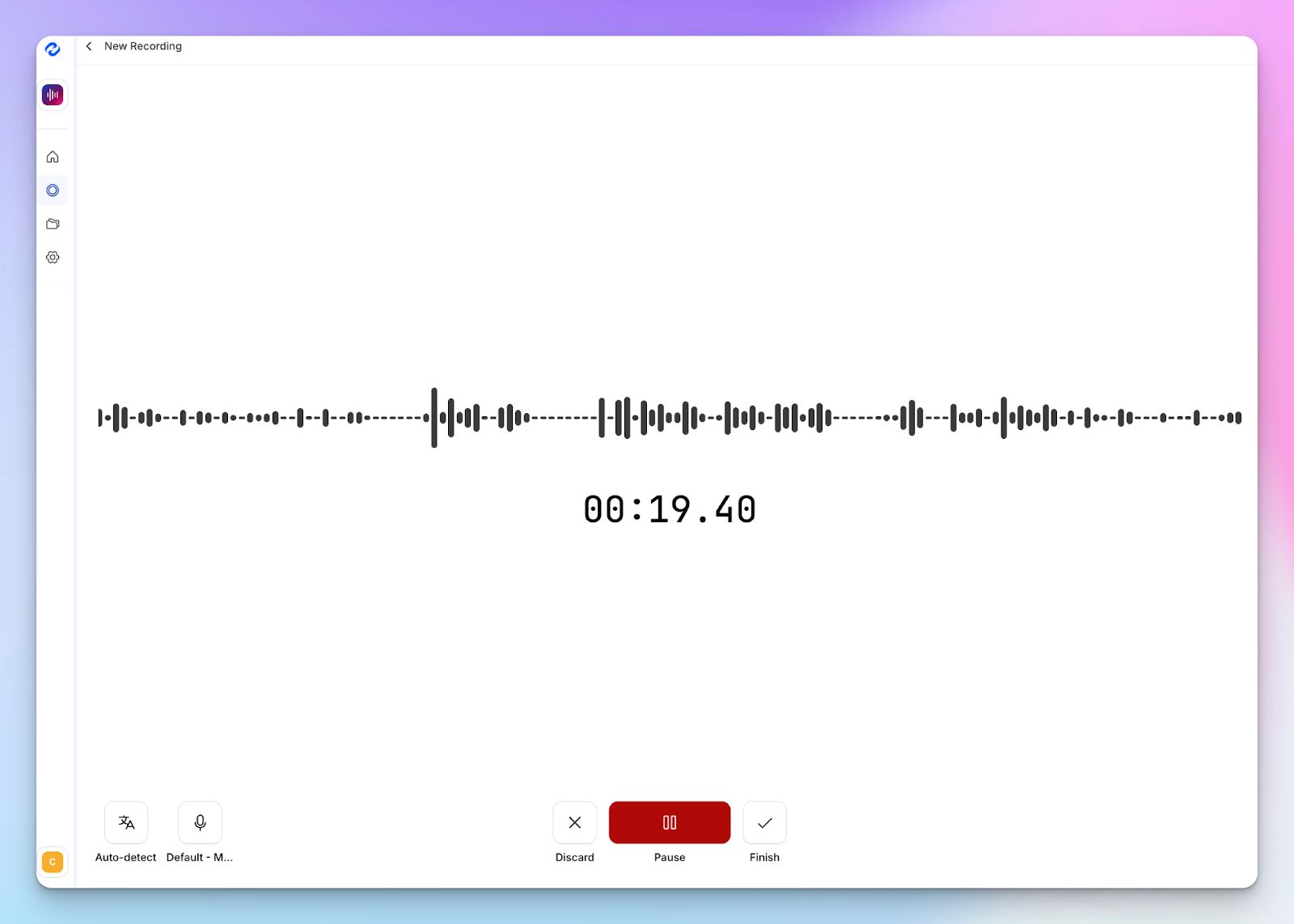
If you use a Windows laptop and plan to have a 1:1 with your manager, Grain can’t help you. Grain’s bot-free capture only supports macOS and meetings in English, so you have to rely on something more flexible. Like HappyScribe.
With HappyScribe’s web-based audio recorder, you can record and transcribe in-person calls and have meeting notes ready for work. No visible bots, no restrictions on devices.
3. Translate meeting notes and edit subtitles for video files
A transcript is useless if international stakeholders can’t read it. HappyScribe allows you to translate your meetings and notes in 140+ languages so your entire global team stays aligned.
You also get access to a professional subtitle editor if you need to prepare pre-recorded video files for wider distribution. This helps with accessibility and inclusivity.
4. Generous free plan for individual users
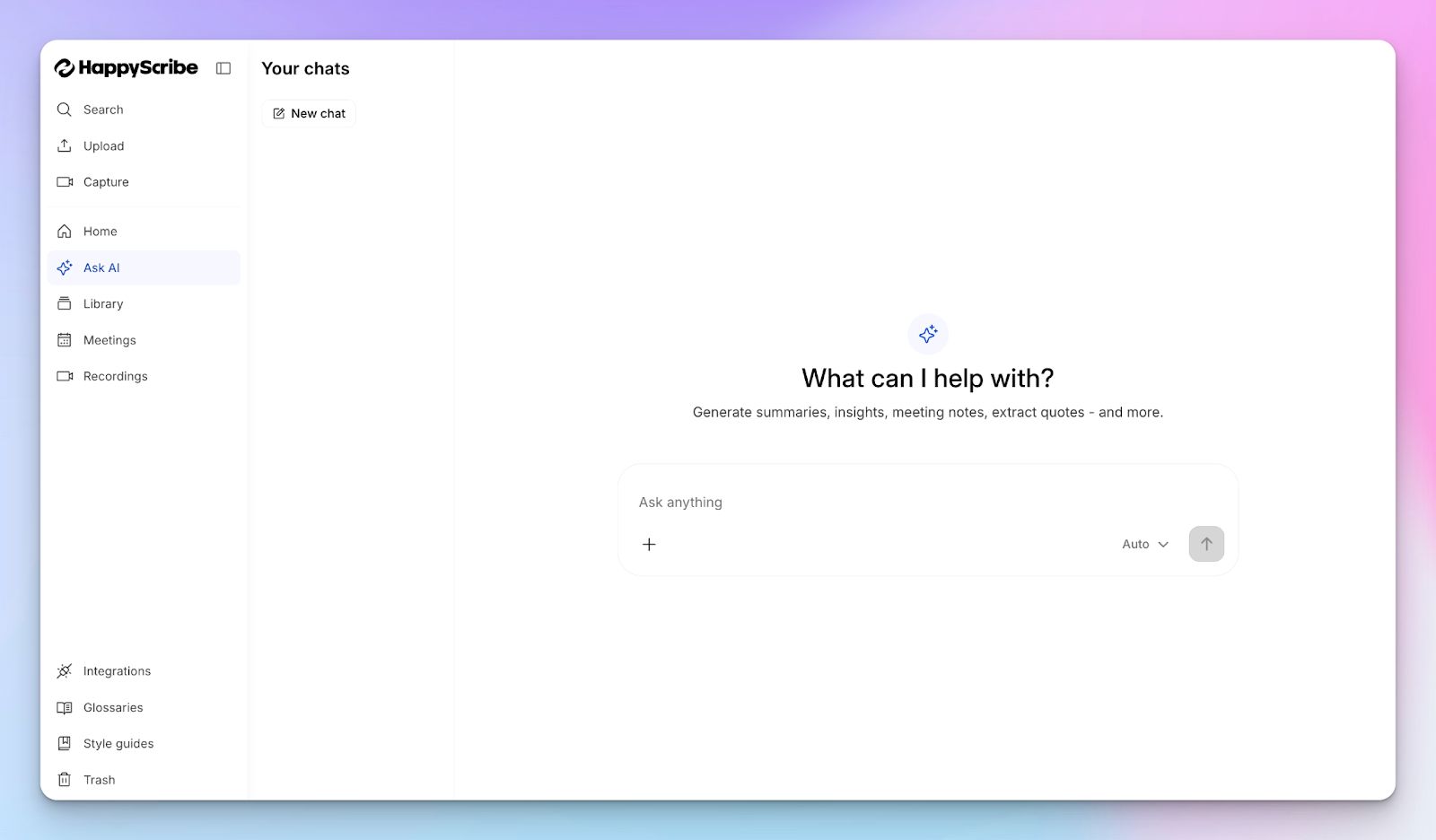
You shouldn’t have to pay just to see if a tool actually works. If you sign up using a personal email, such as Gmail, Grain limits meeting recordings to 20 only. It also doesn’t support file uploads on the free tier.
In contrast, HappyScribe allows free users to record unlimited meetings, capped at 45 minutes per recording. You can also try AI insights, file uploads, translation, and subtitling.
The biggest red flag about Grain is the low-quality AI notes it offers to free users. HappyScribe offers the same high-quality meeting agenda with 95% accuracy in all plans, even the free one.
5. GDPR compliance and EU data center for privacy
Your confidential meeting data requires strict protection. HappyScribe operates with SOC 2 Type II and GDPR compliance to keep your conversations private.
For European users, Grain’s US-based data management raises a few eyebrows. HappyScribe is a European note taker that uses PCI DSS and ISO 27001-compliant EU data centers to keep your data safe.
HappyScribe’s pricing
- Free: Unlimited meeting recordings (45 mins/recording)
- Basic: $8.50/month (billed annually) or $17/month (billed monthly)
- Pro: $19/month (billed annually) or $29/month (billed monthly)
- Business: $59/month (billed annually) or $89/month (billed monthly)
- Enterprise:Contact sales to get tailored solutions directly
HappyScribe’s pros
- Generate AI meeting notes in 140+ global languages and accents with 95% accuracy
- Ask AI for meeting insights, quotes, follow-up emails, and deep search across all your meetings
- Create and edit subtitles and translate meeting notes to collaborate with global teams
- Transparent and customizable note taker with granular user control
- Upload and transcribe files and pre-recorded meetings from your device, YouTube, Vimeo, and Dropbox
- GDPR and SOC 2 Type II compliance, along with EU data residency
- Flexible billing and helpful customer support from real humans, not chatbots
HappyScribe’s cons
- It’s not ideal for real-time transcriptions
What are real users saying about HappyScribe?
This is really good Software and I use it regularly during my job as a Webdesigner and marketer. I mainly use it for three distinct purposes: 1) creating captions for videos, it downloads the proper subtitle file that is requested by all video and social media platforms 2) recording instructional videos for clients. I often make these type of videos to explain anything from simple Jobs through the very complex workflows. What I then do is use some software. I have to extract the audio from the video and upload the Audio file to happy scribe copy the transcript which again is really easy to do. They made that part really simple and I paste the transcript into AI to get a summary so I can easily create an email that accompanies the video. 3) the third use case for this Software is recording client meetings, creating a transcription and using AI to create a summary and action list
How to use HappyScribe’s AI note taker? A step-by-step guide
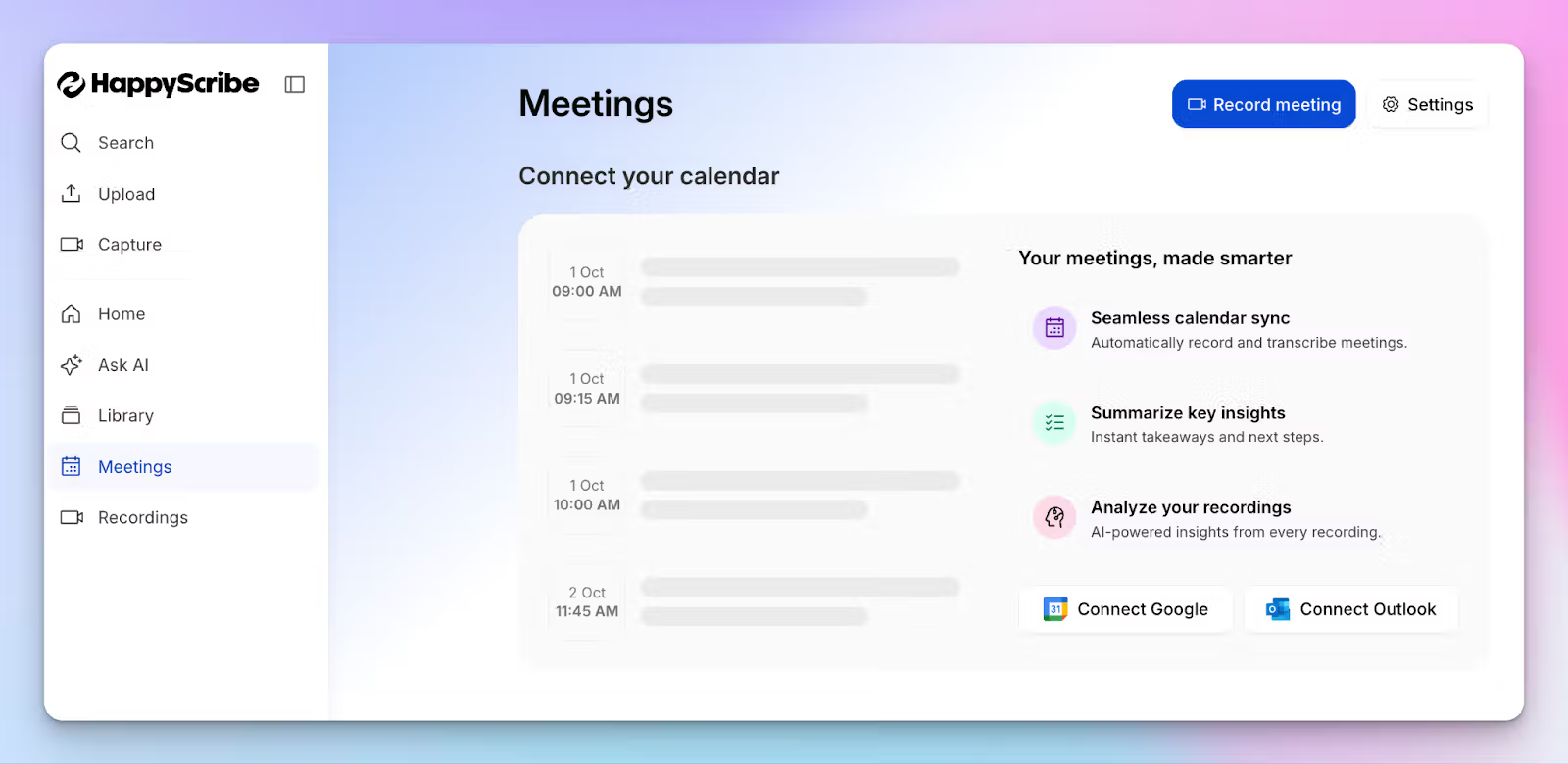
1. Link your Google or Outlook calendar or paste the meeting link to invite the HappyScribe note taker. For in-person meetings, you can record audio without a bot.
2. Select Meetings in the left sidebar and then check the options at the right to customize when the notetaker should join and who should receive the email summary.
3. Click on the Settings button at the top right to select when the notetaker should start recording and who can view the meeting transcription.
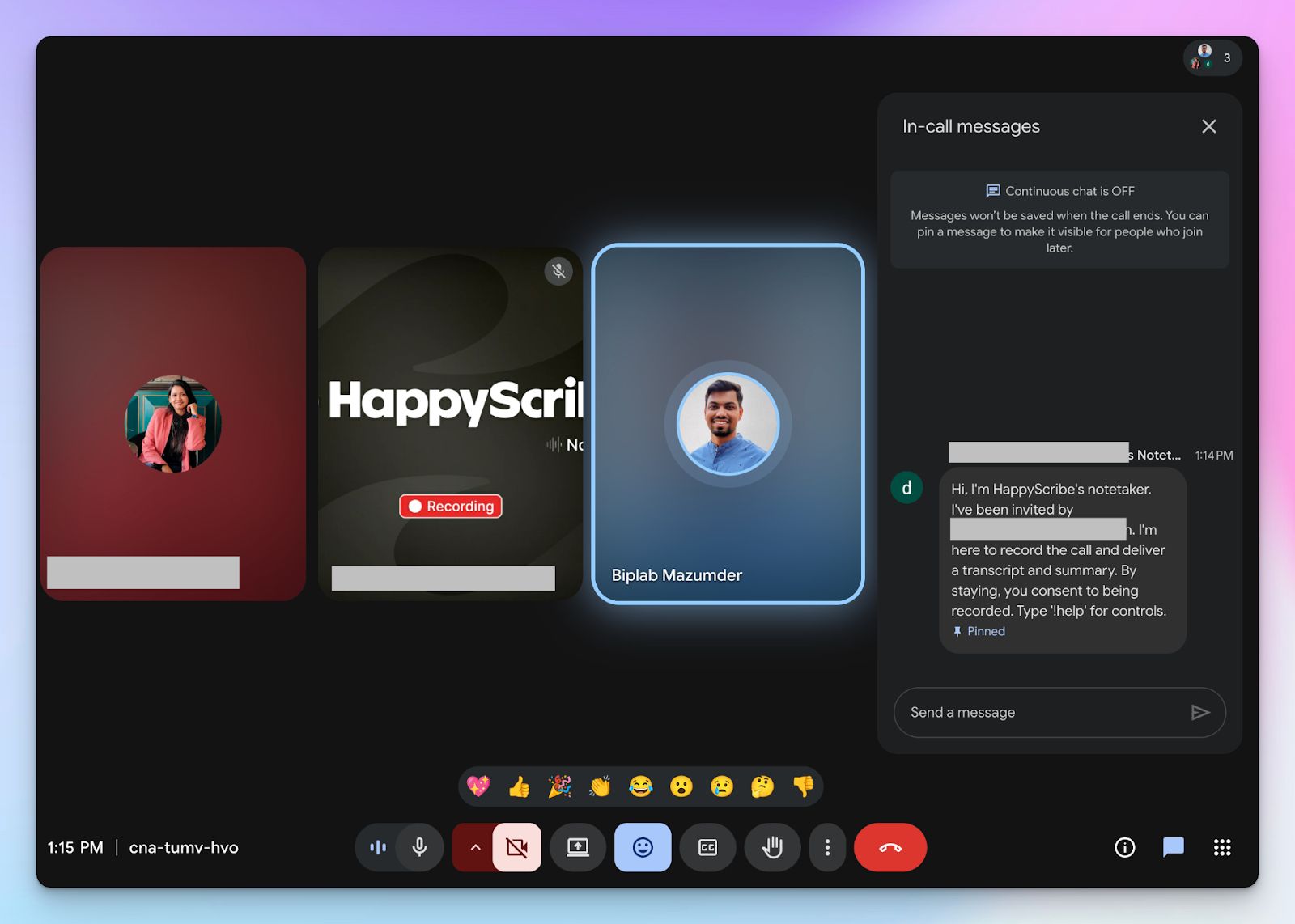
4. During an online call, the notetaker must be admitted by the meeting host to start recording. You can chat with the notetaker to control it.
5. And that's it! The meetings should be saved in your Workspace files or in the Private section, depending on your privacy settings.
2. Sintra AI
Best for: Small businesses that want AI meeting notes tied to broader business workflows and automations
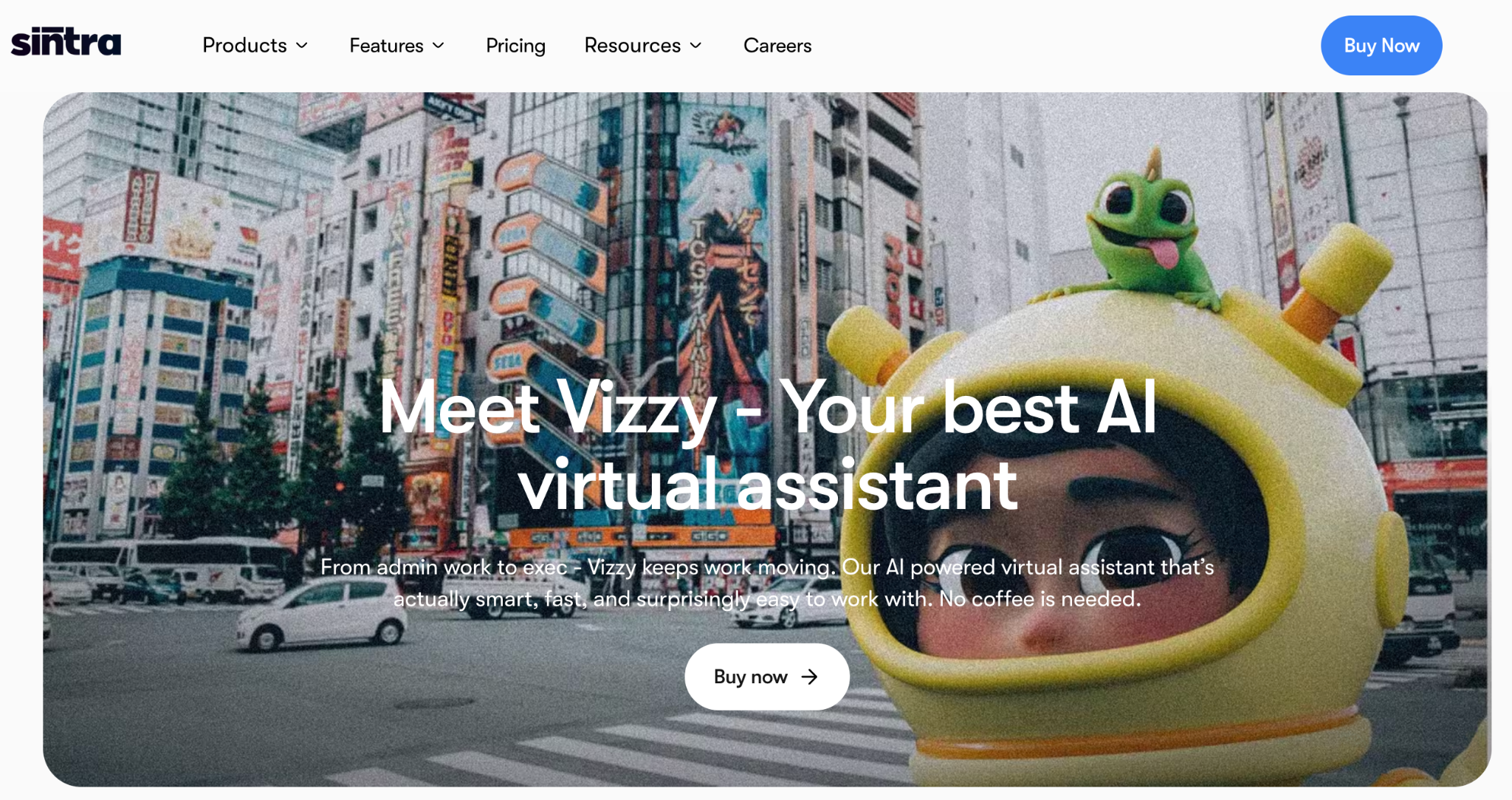
If you want more than a standalone meeting recorder, Sintra AI is a strong Grain alternative to consider. Instead of positioning meeting notes as an isolated feature, Sintra folds them into a broader AI workspace with helpers, automations, and integrations for day-to-day business tasks. That makes it especially appealing for founders, operators, and lean teams that want meeting summaries to turn into follow-up action faster.
Sintra’s Meeting Notetaker, powered through Vizzy, records, transcribes, and summarizes meetings in real time while also suggesting action items. After the call, you can open the summary, transcript, and recording from the Meeting Notetaker area, copy notes in Markdown, search transcripts by attendee name or keywords, and share the summary link with teammates or external collaborators.
Sintra AI vs Grain
| Category | Sintra AI | Grain |
|---|---|---|
| Core focus | Combines AI meeting notes with broader business helpers, automations, and workspace features | Focuses primarily on meeting recording, notes, and video highlights |
| Meeting summaries | Records, transcribes, summarizes in real time, and suggests action items | Strong for recording and clipping highlights, but more centered on the meeting itself |
| Sharing and follow-up | Lets you share summary links, copy notes in Markdown, and search transcripts by attendee or keyword | Built around collaborative notes and clips, but less tied to a broader AI workspace |
| Business workflow fit | Works well for small businesses that want meetings connected to calendars, shared workspaces, and automations | Better suited to teams that mainly want a dedicated meeting-notes product |
Sintra AI’s key features
- Vizzy can automatically join scheduled Google Meet meetings to record, transcribe, summarize discussions, and extract action items for you.
- After each meeting, Sintra makes the summary, transcript, and action items available in the Meeting Notetaker section and can email the recap to attendees.
- You can search transcripts by attendee name or keyword to quickly find decisions, quotes, and important moments.
- Its meeting summarizer supports over 100 languages, which makes it more flexible for multilingual teams.
- Sintra also supports calendar integrations such as Google Calendar and MS Calendar, which helps connect meeting notes to a broader business workflow.
Sintra AI’s pricing
- Individual helpers: $39/month
- Sintra X: starts from $97/month
Sintra AI’s pros
- Combines meeting notes with a larger AI workspace for business execution
- Records, transcribes, summarizes, and suggests action items in real time
- Lets you share notes with people outside Sintra through a summary link
- Supports transcript search by attendee name or keyword
- Supports over 100 languages for its meeting summarizer
- Offers Markdown copy/export for summaries, transcripts, and action items
Sintra AI’s cons
- The Meeting Notetaker is currently listed as an early beta release with limited access.
- It currently works only with Google Meet meetings scheduled through Google Calendar.
3. Fathom
Best for: Solopreneurs and small teams on a budget who need unlimited free video recordings
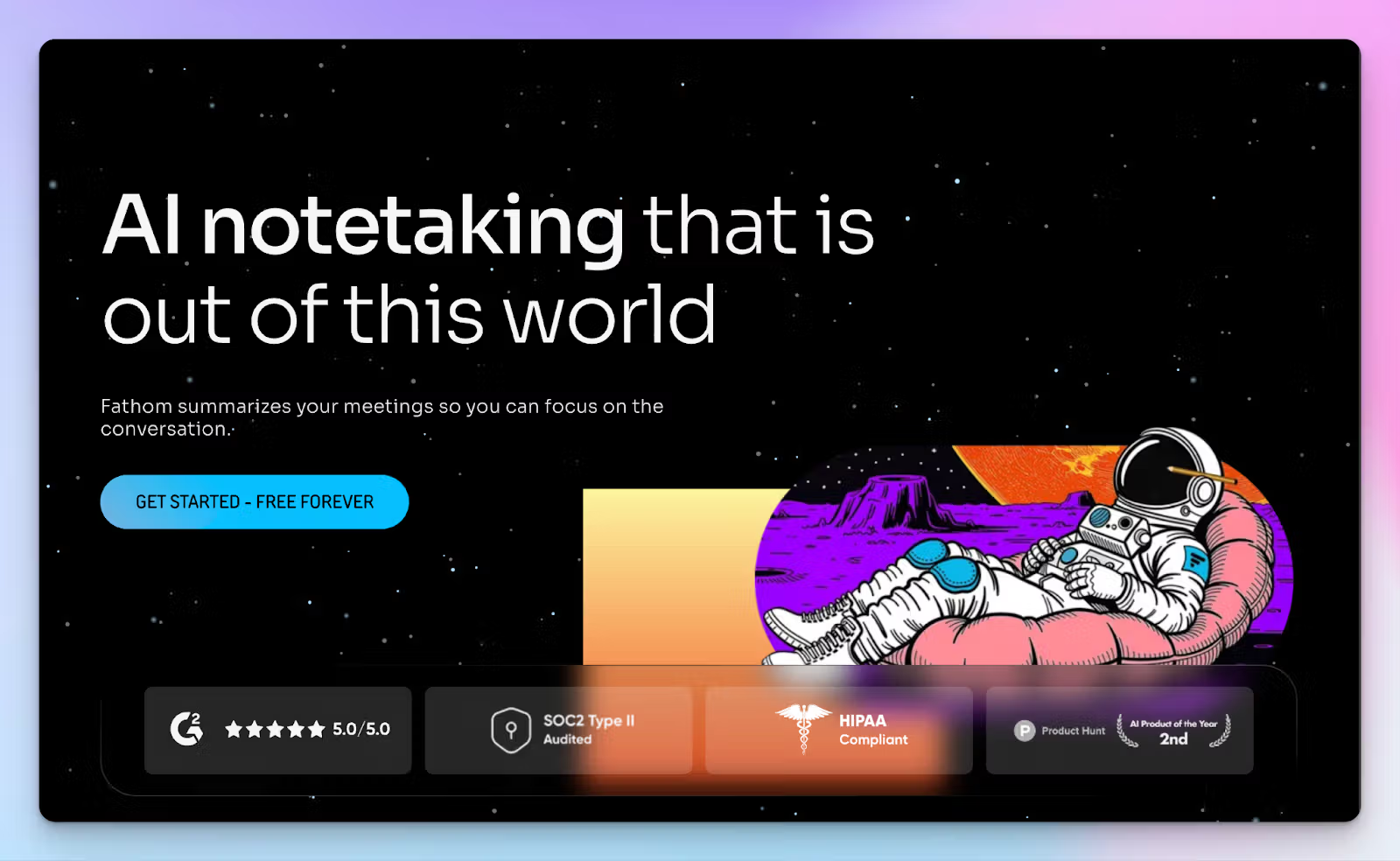
Grain’s free plan limits you to 20 meeting recordings, which isn’t good enough for serious work. Fathom frees you from that restriction so you can run a small business or a team.
As an AI note taker, it integrates directly into your Zoom, Teams, or Google Meet client to record everything seamlessly. You get highly accurate transcripts and instant summaries delivered after your call ends. Keep in mind that Fathom isn’t entirely free; it lets you access just a few core features on the free tier.
Fathom vs Grain
| Category | Fathom | Grain |
|---|---|---|
| Free plan limits | Provides unlimited meeting recording and transcript storage for all users | Limits users without a company domain to just 20 free recordings |
| File uploads | Restricts transcription strictly to live online video conferences | Allows you to upload pre-recorded video files if you pay for the plans |
| AI Chat assistant | Includes the Ask Fathom conversational bot so you can search your meeting history | Relies on AI chatbot to get answers on past meetings |
| Native integrations | Offers basic CRM and Slack syncs even on the free tier | Requires the $39/month Business plan to unlock native HubSpot and Salesforce integrations |
Fathom’s key features
- Fathom offers truly unlimited recording and storage on its free plan, so you can archive back-to-back client calls without hitting limits
- You can generate specialized meeting summaries using 17 expert templates like BANT, REACH, or Sandler to match your workflows
- Ask Fathom is a conversational AI assistant that allows you to surface insights from your past meeting notes
- Fathom natively syncs your meeting summaries and deals directly into HubSpot or Salesforce to eliminate manual data entry entirely
Fathom’s pricing
- Free
- Premium: $20/month
- Team: $19/month (minimum 2 users)
- Business: $29/month (minimum 2 users)
Fathom’s pros
- It offers truly unlimited meeting recording and storage on the free tier
- Generates summaries instantly after the call ends so you can review them immediately
- Create meeting clips and highlights to edit and share with stakeholders
Fathom’s cons
- It does not support uploading external audio or video files for offline transcription
- Fathom restricts advanced AI summaries to Premium and above
- Lacks a bot-free option to record in-person meetings
4. Fireflies
Best for: Revenue teams that need deep CRM automation and conversation intelligence
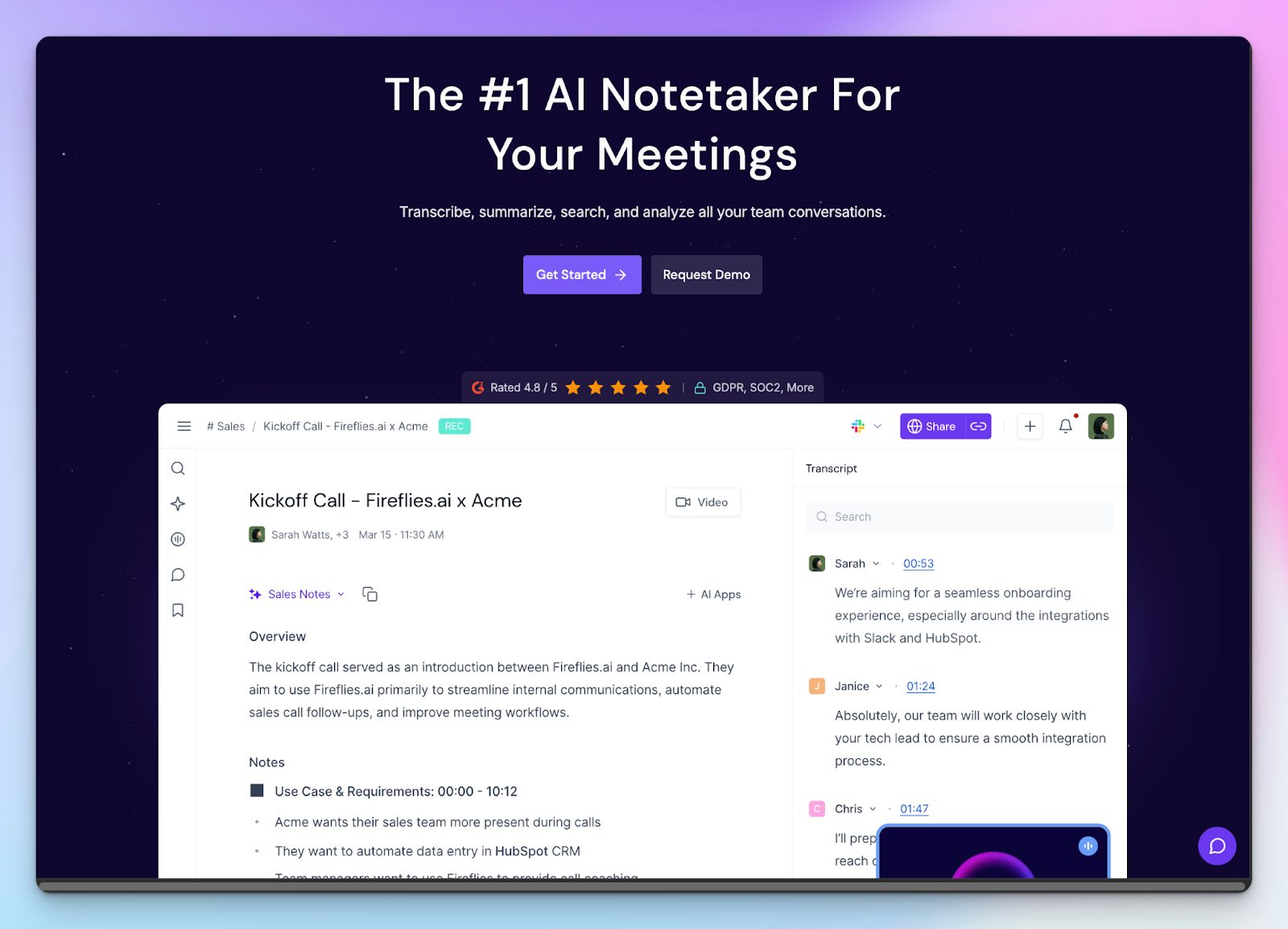
If you run a high-volume sales team, Fireflies acts less like a simple note-taker and more like an automated sales assistant. Even though Fireflies offers soundbites similar to Grain’s video highlights, the main focus is on eliminating manual data entry.
Given the fact that Fireflies coaches your sales reps on granular call metrics and updates your CRM, it’s a massive upgrade over Grain’s video-centric workspace.
Fireflies vs Grain
| Category | Fireflies | Grain |
|---|---|---|
| Primary focus | Acts as an automated AI assistant that updates CRM fields and tracks team sales metrics | Functions primarily as a note taker to help product teams share visual customer stories |
| AI chat assistant | Includes AskFred, an AI chatbot to search your entire meeting history | Relies on standard AI summaries without a dedicated conversational interface for past calls |
| Video recording | Paywalls full video recording capabilities behind the $29/month Business plan | Includes video capture natively across all its pricing tiers, including the basic free plan |
| Free plan limits | Provides 800 minutes of total transcript storage per user on the free tier | Limits users without a verified company domain to just 20 free meeting recordings |
Fireflies’s key features
- The live assist tool helps you prepare for meetings and follow real-time suggestions for instant wins
- You can have a back-and-forth with AskFred to go deep into your transcripts and extract specific decisions
- You can apply 200+ pre-built AI Apps for frameworks like BANT or MEDDIC to standardize your notes across teams
- Set up custom topic trackers to automatically flag competitor mentions or pricing questions, making it a great note taker for business leaders and managers
Fireflies’s pricing
- Free
- Pro: $18/month
- Business: $29/month
- Enterprise: $39/month/seat (billed annually)
Fireflies’s pros
- From BambooHR and Confluence to Close and Aircall, Fireflies natively connects with a wide set of tools
- Custom vocabulary lists make sure the transcription engine accurately captures your specific industry jargon
- Supports transcription in over 100 languages so international teams can capture calls in their native tongues
- Depending on tiers, Fireflies offers GDPR, HIPAA, and SOC 2 Type II compliance to keep files secure and private
Fireflies’s cons
- Relies on a confusing AI credit system that can easily lead to unexpected monthly costs
- Unlike Fireflies alternatives, it requires an expensive Business plan upgrade just to unlock basic video recording capabilities
- Fireflies struggles to pick up underrepresented accents and dialects
Also read:
5. Avoma
Best for: Enterprise revenue teams that need an end-to-end pipeline support and meeting assistant
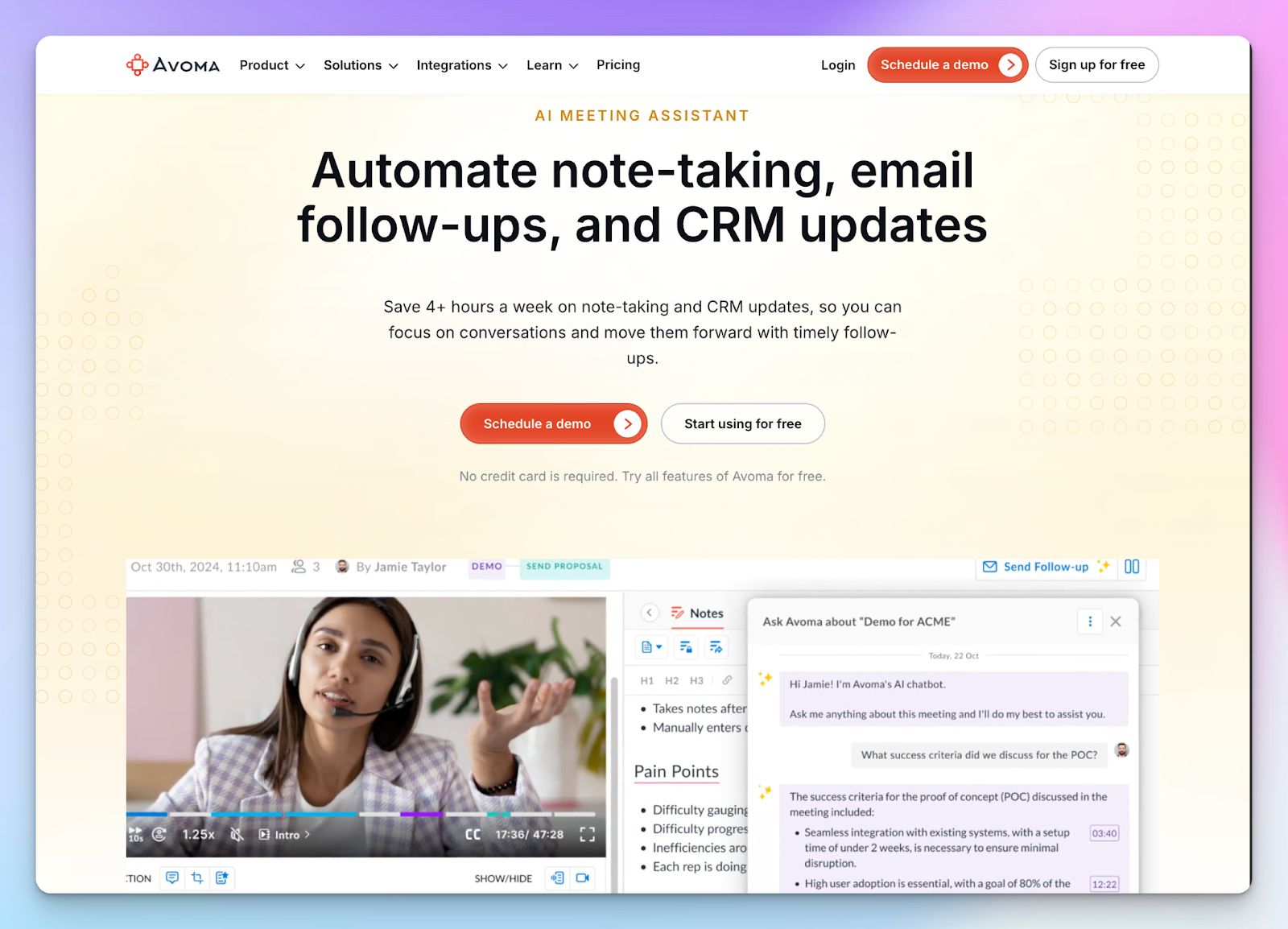
If you want an enterprise alternative to Grain to cover end-to-end sales lifecycle, you should look into Avoma. It handles everything, from scheduling the initial call to jotting down notes, lead routing, and revenue intelligence.
Keep in mind that Avoma is built specifically for large revenue teams. If you just want a simple transcription tool for occasional client check-ins, Avoma’s dashboard might feel heavy.
Avoma vs Grain
| Category | Avoma | Grain |
|---|---|---|
| Core focus | Acts as a comprehensive revenue intelligence platform designed to automate sales coaching | Focuses on meeting note-taking, action items, and video highlights |
| Lead routing | Integrates directly with HubSpot and Marketo web forms to instantly qualify inbound prospects | Lacks native inbound routing tools since it’s strictly a meeting tool |
| Pipeline visibility | Provides AI-assisted forecasts and deal risk alerts using conversation sentiment | Does not offer native performance scoring or advanced pipeline inspection metrics |
| Pricing structure | Charges per user with modular add-ons required to unlock advanced intelligence features | Offers straightforward tier-based pricing without add-ons |
Avoma’s key features
- Live Answer Assistant equips your sales representatives with real-time contextual answer cards to tackle complex objections instantly
- You can automate the fair distribution of inbound leads using the equal or weighted round-robin scheduling preferences
- Use AI Scorecards to automate call scoring and make sure every interaction is reviewed
- AI-generated smart chapters break down your conversations into key topics so you can jump directly to specific points of interest
Avoma’s pricing
- Startup: $29/user/month
- Organization: $39/user/month
- Enterprise: $39/user/month (billed annually)
- Conversation Intelligence add-on: $35/month
- Revenue Intelligence Add-on: $35/month
- Lead router add-on: $25/month
Avoma’s pros
- Generate automatic follow-up emails that recap the discussion and outline the exact next steps
- Avoma automatically tracks adherence to sales methodologies like SPICED or NEAT across all your meetings to ensure consistent deal execution
- Perform AI-powered win-loss analysis by identifying the exact moments that determined a deal's outcome
- Allows multiple team members to collaborate on a live note editor simultaneously during the call
Avoma’s cons
- Requires expensive add-ons for deep revenue intelligence, which significantly increases your total software cost
- Avoma’s meeting note taker has reliability issues, and the recording bot might join meetings late or drop off mid-call
- If you’re not planning to use all the features, Avoma might feel overwhelming
6. Circleback
Best for: Simple, distraction-free meeting notes with mobile app support
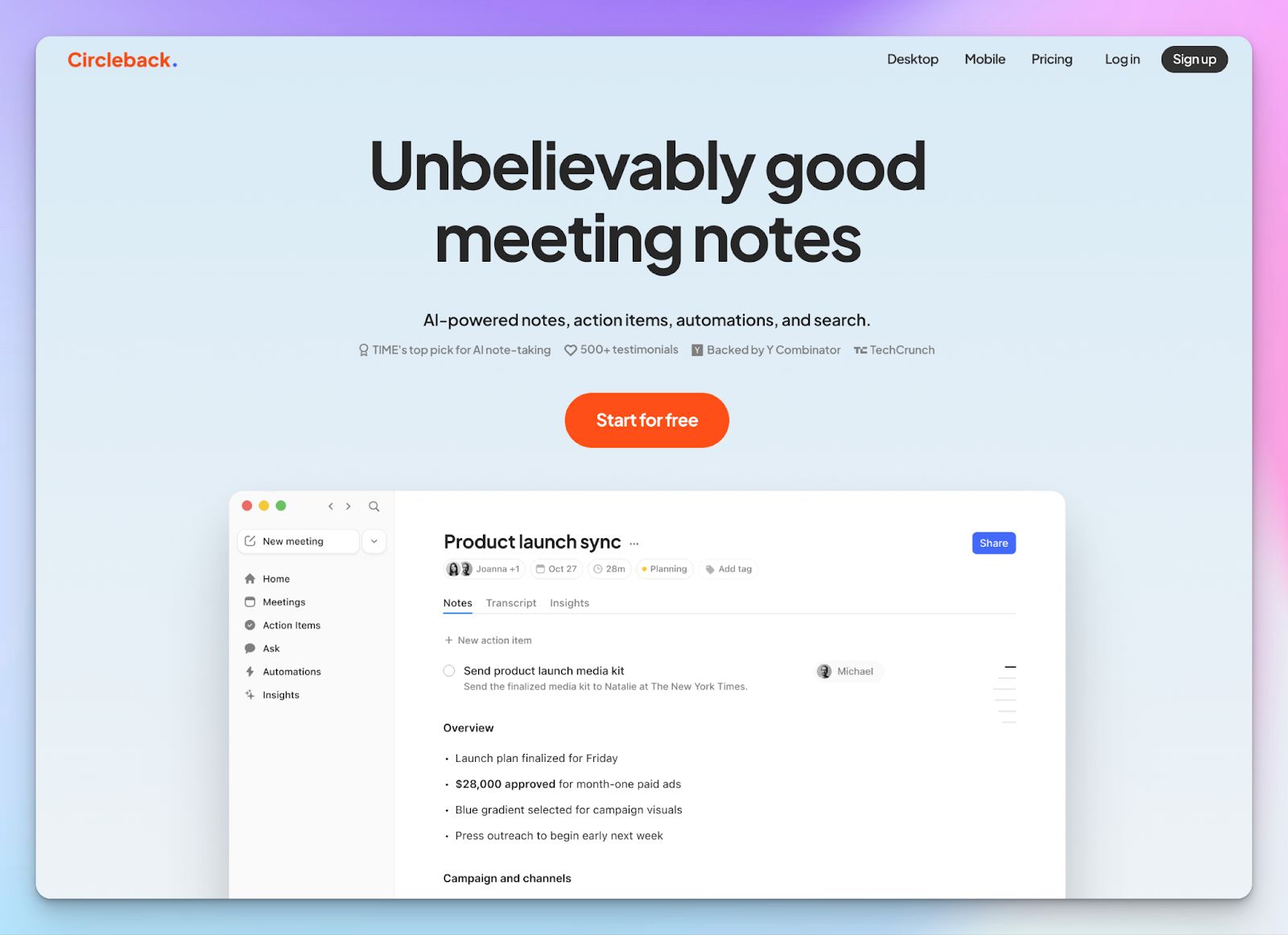
If your primary complaint about Grain is that it generates shallow notes without clear next steps, Circleback is the perfect pivot. While Grain focuses heavily on helping teams clip and share video highlights, Circleback gives you distraction-free meeting notes that you can connect with your favorite tools.
You also get a bot-free recording experience via a desktop app that’s invisible to your clients.
Circleback vs Grain
| Category | Circleback | Grain |
|---|---|---|
| Core focus | Prioritizes extracting actionable insights and routing tasks to your workflows | Functions primarily as a live notepad and video highlight tool for teams |
| Meeting capture | Allows bot-free audio capture for both in-person and online meetings natively | Relies on a visible recording bot and bot-free meetings only on macOS |
| App support | Circleback offers Windows, Mac, iPhone, and Android apps | Grain offers only Windows and Mac apps |
| AI integrations | Offers an MCP server so you can connect external AI apps like ChatGPT or Claude directly | Keeps its meeting data siloed within its own standard AI summaries |
Circleback’s key features
- Be it MCP server, Monday, Zoho, Linear, HubSpot, Salesforce, Zapier, Make, or Webhook, Circleback gives you plenty of integration options
- The desktop apps support bot-free recording for both in-person and online meetings to ensure your natural conversational flow remains uninterrupted
- You can set up custom AI Insights to automatically extract specific details via templates or custom fields
Circleback’s pricing
- Individual: $25/month
- Team: $30/user/month
- Enterprise: Custom pricing
Circleback’s pros
- Circleback is easy to use, and the desktop and mobile apps are neatly designed
- It supports transcription in over 100 languages to capture international client calls
- Generates structured notes that highlight key decisions and firm deadlines so your team stays perfectly aligned
- It’s GDPR, SOC 2 Type II, HIPAA, and EU-U.S. Data Privacy Framework compliant
Circleback’s cons
- It doesn’t offer a lot more than the meeting notes and action items
- Circleback doesn’t have a free plan, which makes it a lot more expensive to use than competitors
- No multi-meeting intelligence or analytics
Which Grain alternative is right for you?
Choosing the best Grain alternative depends entirely on your daily workflow.
If you just want a free tool to capture online meetings on a budget, Fathom is a great starting point. If you run a high-volume sales pipeline and need automated coaching, Fireflies or Avoma will serve you well. If you only need to turn notes into actionable tasks, Circleback keeps you focused. And if you’re a small business that wants meeting notes tied to broader AI workflows, Sintra AI is worth a look. But all of them miss out on something or the other.
That’s why HappyScribe is one of the best Grain alternatives.
It works across all popular video conferencing tools. HappyScribe also gives you the flexibility to record bot-free offline meetings and upload pre-recorded files so your entire workflow stays in a secure dashboard. You get 95% AI accuracy and native translation features, so global teams never miss a crucial detail.
FAQs on the best Grain alternatives for AI note taking
1. Is Grain AI safe?
Grain AI is generally safe for virtual meetings and employs standard security measures, so you can share data safely. However, if you require strict data privacy for sensitive sales calls, you might need an enterprise plan. Tools like HappyScribe offer robust EU data residency, GDPR, and SOC 2 Type II compliance so your meeting recap remains totally private for future reference.
2. What are the best free Grain AI alternatives?
Fathom is one of the best free alternatives for Google Meet calls because it offers unlimited recordings. But it can be limited beyond that. If you need to test transcription quality without aggressive paywalls, HappyScribe provides a highly generous free tier. Unlike other Grain alternatives, HappyScribe allows you to evaluate its multilingual support and seamless integration before you commit to a paid starter plan.
3. What is the best meeting alternative to Grain AI?
HappyScribe is the strongest alternative for note-taking because it prioritizes 95% transcription accuracy and reliable speaker identification. While Grain focuses on video clips and meeting highlights, HappyScribe ensures you capture the exact context of key moments without relying on a visible bot. If you need sales coaching or deep deal intelligence from your sales calls, AI platforms like Avoma also provide advanced features that rival Grain.
4. Does Grain AI offer meeting notes translation?
No, Grain AI currently does not offer native translation for multiple languages, which forces you to rely on external transcription tools so your global team stays aligned. If you regularly conduct international sales calls, HappyScribe is a far superior choice. It offers native translation in 140+ languages so you can easily extract key points and foster better collaboration features across your organization.
5. What are the best Grain AI alternatives?
The best options depend entirely on the unique features your workflow requires. HappyScribe excels in transcription accuracy and speaker recognition and works across multiple video conferencing platforms. Avoma and Fireflies are good for sentiment analysis during live conversations. If you want to eliminate manual note-taking and access strong team features, tl;dv is another popular option. These meeting assistants offer deep integration capabilities that frequently outshine Grain.
6. Does Grain AI work without a meeting bot?
Grain AI does offer a bot-free recording option to generate summary text, but it is strictly limited to macOS devices. If you need to capture specific meeting moments across multiple meetings discreetly, HappyScribe is much more flexible. It allows browser-based bot-free audio capture on any device, so you never disrupt your natural conversations.

Biplab Mazumder
Biplab is a content marketer and writer who helps high-growth brands scale content visibility across AI search channels. His works have been published in HubSpot, Freshworks, Atlassian, SurferSEO, etc. When he's not planning content strategy, he's testing AI content workflows and use cases.