![5 Best Transcription Software for Academic Research [2026]](/sanity-images/ejgwz1gl/redesign/ad3d30b9e4c25349045d3114d18b5f79e7362249-1536x1024.jpg?auto=format&w=1536.0&rect=0,128,1536,768&h=768)
TL;DR ⏩
After testing several tools on academic recordings and speaking to researchers, these are the best transcription software for academic research:
- HappyScribe: Best overall academic transcription tool for researchers and institutional teams that want to run end-to-end multilingual studies with accuracy and data compliance
- Whisper: Best for researchers with technical knowledge who want an open-source weights to keep recordings on their own machine
- Verbit: Best for universities and institutional teams handling accessibility and compliance at scale
- TranscribeMe: Best for researchers who want human-verified transcripts with tiered pricing to control the budget
- Temi: Best for solo researchers on a tight budget who need cheap and fast AI transcripts of clear English audio
A PhD student transcribing interviews alone has different demands than a university office captioning decade-old lectures. One can't spend more than pocket change, while the other has a compliance officer looking over and a Title II deadline.
Generic tools like Otter and Fireflies aren’t built for the specialized demands of colleges and researchers.
I spent the past few weeks running real research recordings through various transcription tools. I judged each on three things: how accurate it is on real audio, where it stores participant data, and what it costs across a full study.
Based on the data, I’ve finally managed to trim the list to the five best ones. Read on to know which one suits your type of research.
5 best transcription software for academic research: At a glance
| Category | HappyScribe | Whisper (OpenAI) | Verbit | TranscribeMe | Temi |
|---|---|---|---|---|---|
| Best for | End-to-end multilingual studies with accuracy and compliance | Keeping recordings local on your own machine (technical users) | Campus-wide accessibility and compliance at scale | Human-verified transcripts at pay-per-file rates | Cheap, fast transcripts of clean English audio |
| Key features | 95%+ accurate AI and 99% accurate human transcription, AI Chat analysis, QDA-ready exports | Local open-source model, word timestamps, English translation | Campus captioning, domain-trained ASR, LMS integrations | Tiered AI and human transcription, NVivo and SPSS exports, verbatim option | AI-only transcripts, interactive editor, speaker labels, and timestamps |
| Supported languages | 150+ languages | 99 | 28+ | 10+ | English only |
| Security | GDPR, SOC 2 Type II, EU data center, AES-256, DPA | Self-hosting keeps data local | SOC 2 Type II, HIPAA, ADA, WCAG | HIPAA on request with BAA, GDPR, CCPA, NDAs | No HIPAA, standard encryption |
| Starting price | Free plan available. Paid plans from $8.50/month billed annually or $17/month billed monthly | Free (open source) | From $24/month | From $0.07/min | $0.25/min (free trial) |
1. HappyScribe
Best for: Researchers and institutional teams who want to run end-to-end multilingual studies with accuracy and data compliance
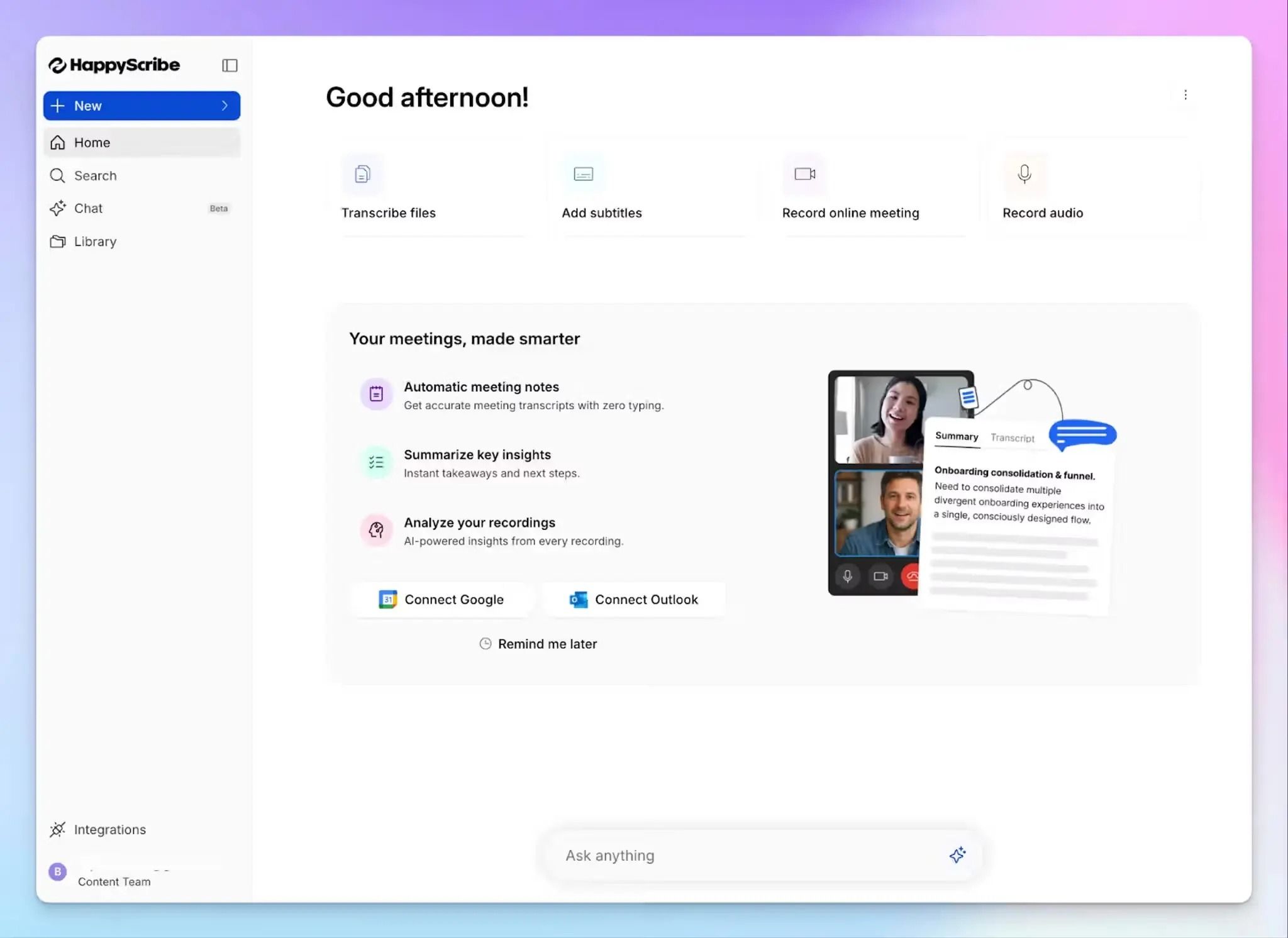
Barcelona-based HappyScribe is one of the best transcription tools for academic research because it covers all the requirements and then some. As a dedicated research solution, it helps you stop juggling multiple tools to cover transcriptions and thematic analysis.
You can record live or upload your interviews and lectures, transcribe and summarize them, and organize research data for preliminary analysis.
HappyScribe's key features for academic research
1. Generate 95% accurate AI transcripts in 150 languages and dialects
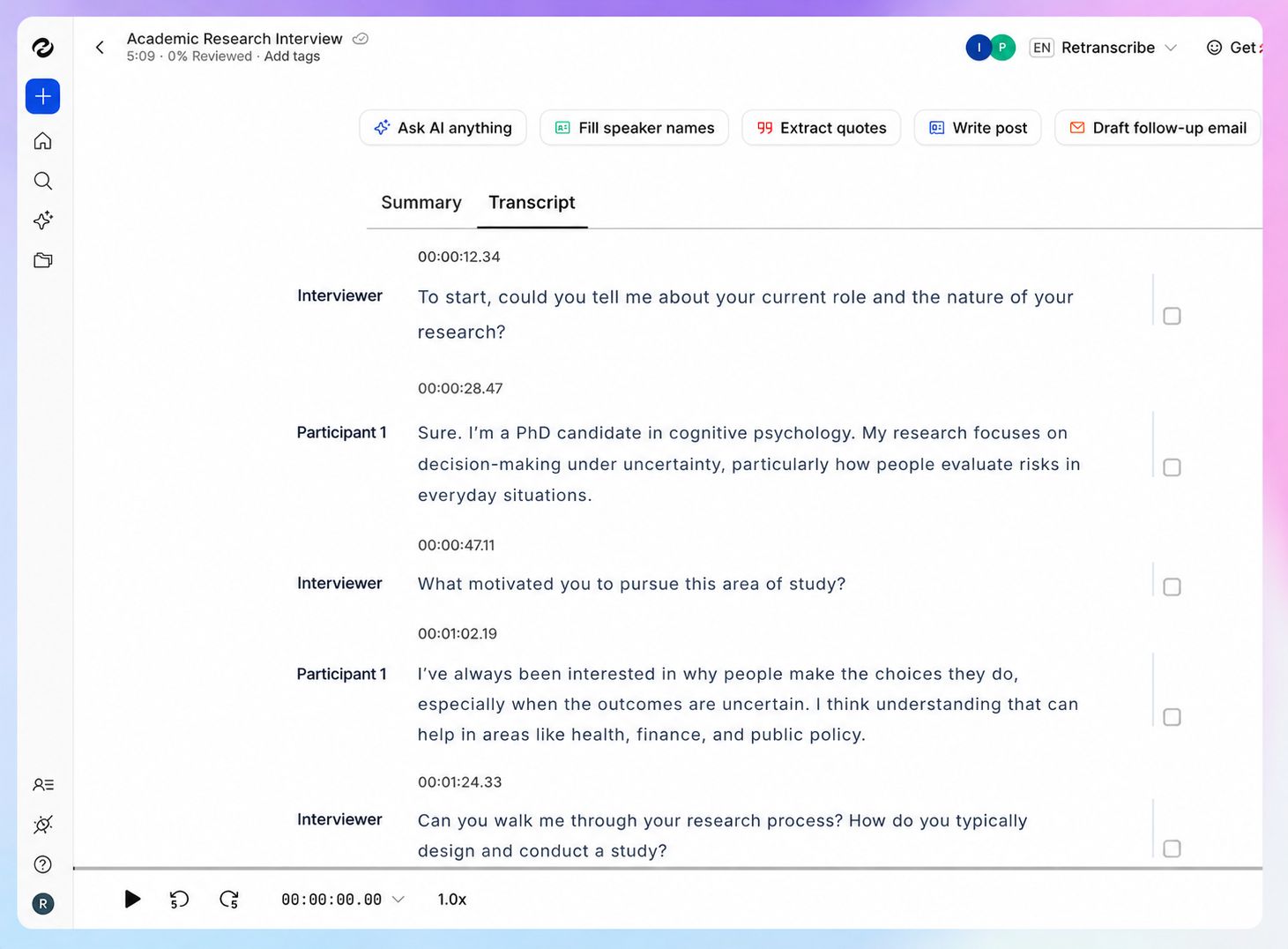
HappyScribe's ASR engine is tuned for the type of audio you usually work with in education. From overlapping speakers in a focus group to a thick accent in a field interview, the AI generates 95%+ accurate transcripts in minutes, with automatic speaker labels and timestamps.
You’d be hard-pressed to find an academic transcription tool that covers as many languages as HappyScribe. Thanks to support for 150+ languages and dialects, you can cover international research projects spanning across continents.
For discipline-specific terms, custom glossaries teach the model your vocabulary from the first file, so clinical or legal terminology isn't mangled.
2. Use affordable human transcription services for 99% accuracy and verbatim transcripts
When a quote is headed for publication or a study requires exact wording, AI alone might not be enough. HappyScribe's human transcription service brings in vetted linguists to review your file, who format your transcripts with 99% accuracy, usually within 24 hours.
You can order a true verbatim option for analysis or a clean-read version for readability, depending on what your project requires. It's priced per minute, so you pay for human accuracy only on the files that need it rather than committing the whole dataset.
3. GDPR and SOC 2 Type II compliance, DPA with EU data storage for security
This is the feature that decides whether a tool clears your ethics board. HappyScribe is GDPR compliant and SOC 2 Type II certified, and stores all data in a Tier IV, PCI DSS and ISO 27001 compliant EU data center.
For a data management plan, you can request a DPA, and Business users get role-based access to control who can open a file.
The two points that satisfy an IRB most directly: you can opt out of anonymized AI training in settings, so participant audio isn't used to improve models, and deleting a file removes it permanently.
Quick reminder: If you're based in the UK, recording consent requirements for research interviews carry their own rules worth checking before you start.
4. Use AI Chat to find themes and extract research insights
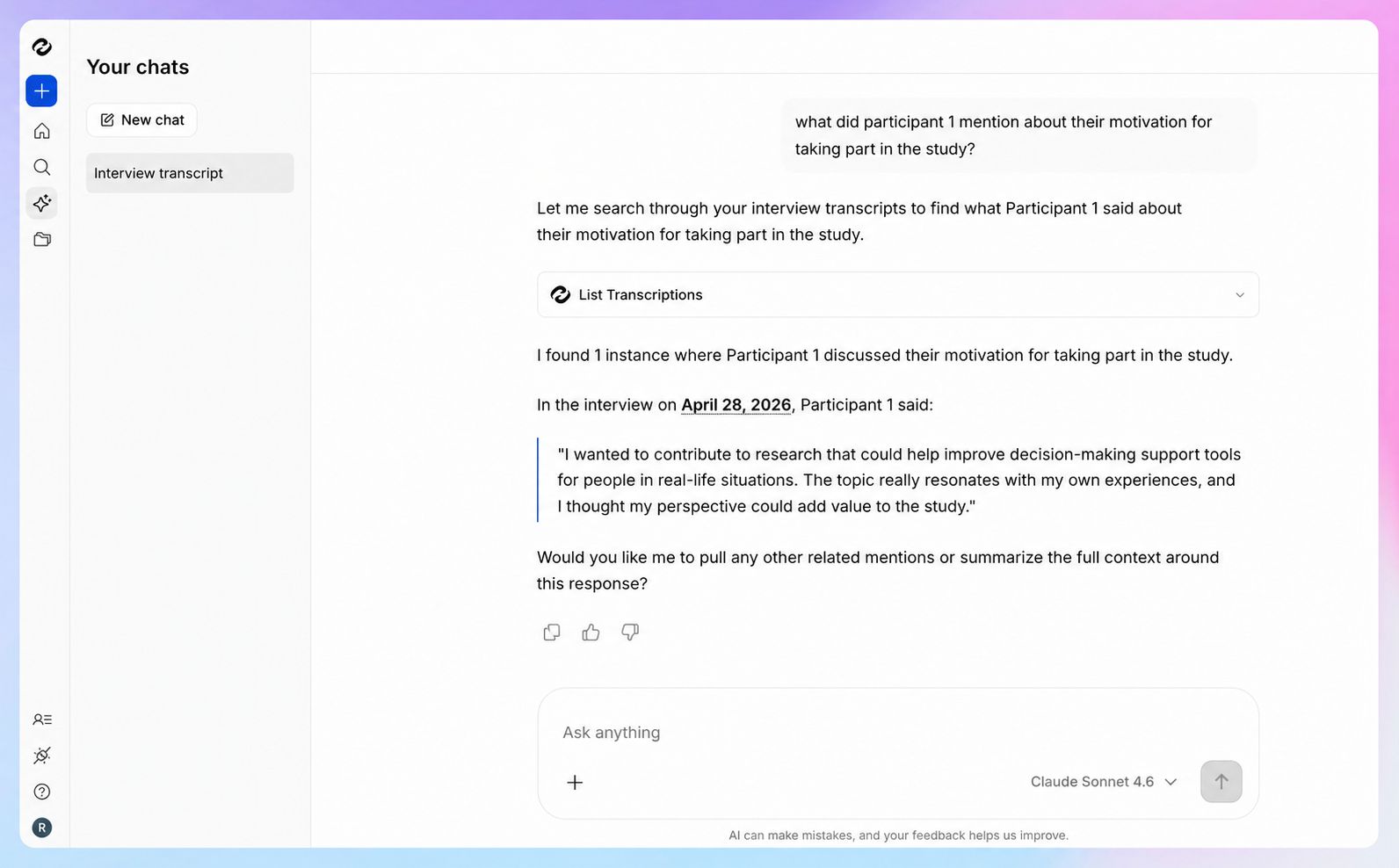
You might pick HappyScribe for research transcription, but AI Chat is where you get the added benefits. It acts as a research assistant that runs across your transcript library to surface the relevant moments.
Pull the quotes where participants raised a theme, locate where someone made a specific claim for a coding memo, or ask it to summarize a long lecture.
HappyScribe also connects to ChatGPT and Claude through an MCP server, so your corpus feeds the analysis tools you might already use.
HappyScribe's pricing
AI transcription plans
- Free: Unlimited meeting recordings (45 mins per recording), 10-minute trial of AI transcription, subtitling, and translation
- Basic: $8.50/month (billed annually) or $17/month (billed monthly)
- Pro: $19/month (billed annually) or $29/month (billed monthly)
- Business: $59/month (billed annually) or $89/month (billed monthly)
- Enterprise:Contact sales for tailored solutions
Human transcription service: Starts from $2.00/min. Extra discount for Business users
HappyScribe's pros for academic researchers
- Bring together interview recording, transcription, and analysis in one place to save time spent on admin work
- Supports TXT, PDF, DOCX, HTML, MD, SRT, and VTT exports to quickly connect to your QDA tool
- Bot-assisted and bot-free meeting recordings for consent and privacy
- Integrate your research interview data with other tools via API, MCP server, and Zapier
- Simpler ethics approval thanks to clearly defined EU data storage, signed DPA, GDPR, and SOC 2 Type II compliance
- Affordable human proofreading option for verbatim and near-flawless transcription accuracy
- Intuitive iOS and Android mobile apps for on-the-go recordings
HappyScribe's cons
- It isn't ideal for live, real-time transcription
What are users saying about HappyScribe?
Very impressed with transcriptions of recorded interviews for MSc research. Saved alot of time & stress. Thank you.
I needed to transcribe talks given 30 years ago and the accuracy was astounding. Highly recommend it!
How to transcribe an academic research interview with HappyScribe: a step-by-step guide
- Sign in and click Transcribe files at the top of your dashboard
- Upload your audio or video recording directly, or import it from YouTube, Vimeo, Dropbox, Google Drive, or Box
- Configure preferences and choose AI transcription or human transcription
- Open the finished transcript in the interactive editor to fix names or terms while you listen along
- Export it as DOCX, TXT, HTML, SRT, VTT, or PDF for your QDA tool, or open AI Chat to find deeper insights
2. Whisper (OpenAI)
Best for: Researchers with technical knowledge who want an open-source weights to keep recordings on their own machine
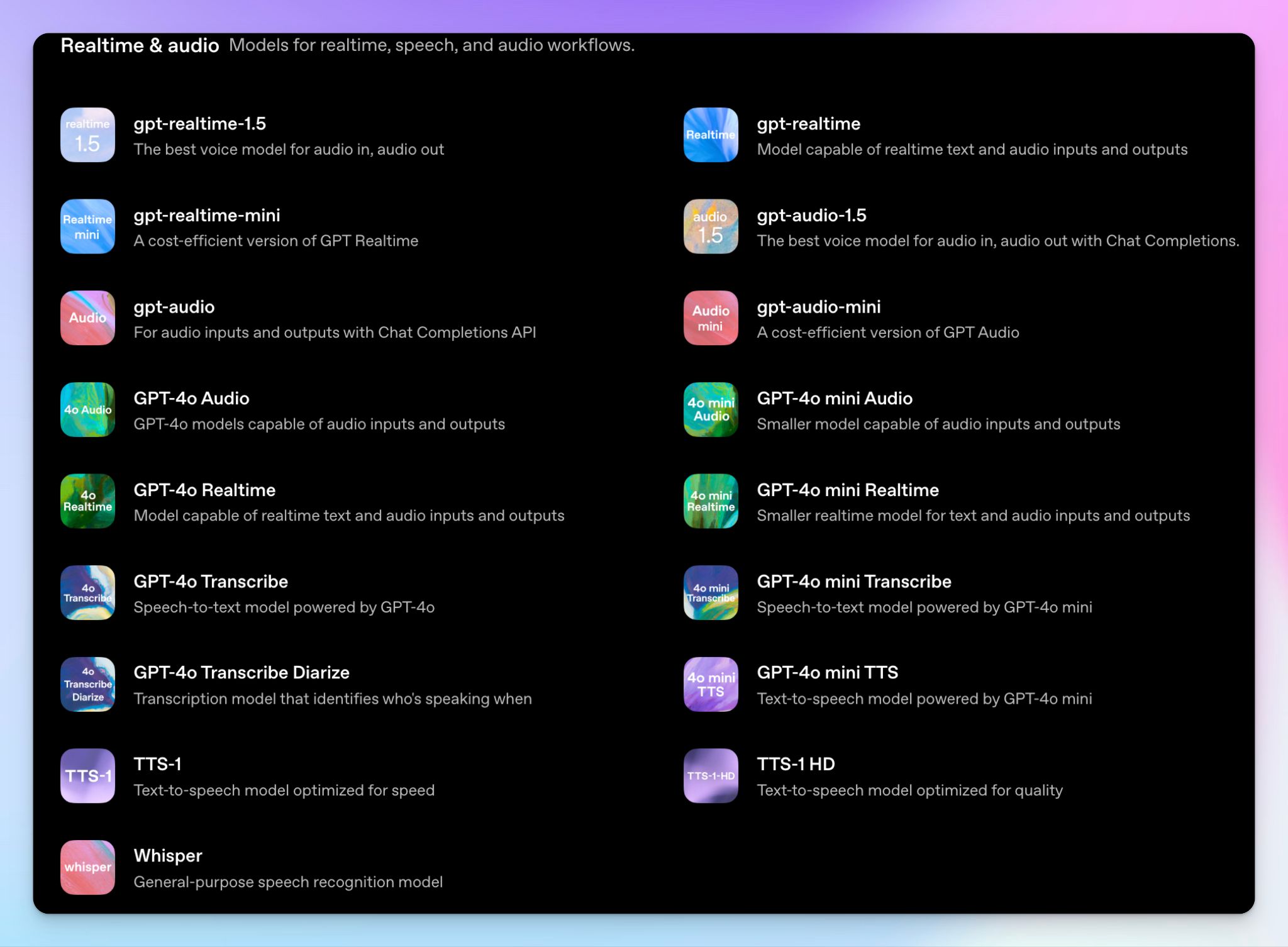
Whisper is OpenAI's open-source speech recognition model, and it earns a place here for one reason that counts in research: you can run it on your own hardware. For a study bound by strict ethics terms and data-governance rules, a local setup is Whisper’s moat.
It's also free, which makes it tempting for unfunded and student projects. The catch is that Whisper is a model, not a product, so the polish you'd get from a finished platform becomes the work you take on yourself.
Whisper's key features
- Transcribe across 99 languages with a model trained on 680,000 hours of audio, including translation of non-English speech into English
- You can generate word-level timestamps automatically, which helps you locate a quote inside a long recording
- Choose from several model sizes, from tiny to large-v3 and large-v3-turbo, depending on the hardware, speed, and accuracy you want
- You can run it under a permissive MIT license, so you can inspect the model, fine-tune it, or build it into your own analysis pipeline
Whisper's pricing
- Open source: Free (MIT license)
- OpenAI API: $0.006/minute
- GPT-4o Transcribe: $0.006/minute
- GPT-4o Mini Transcribe: $0.003/minute
Whisper's pros
- Open-source weights are free to run with a proper setup, with no per-minute charges, which removes the cost barriers for large-dataset projects
- The newer GPT-4o class has improved accuracy on clear audio
- You have the full ownership of the data and the workflow, keeping the data-security section of an ethics application straightforward
- No vendor lock-in, and you can adapt the model to your discipline's vocabulary if you have the skills
Whisper's cons
- Whisper’s setup is a real barrier. You work in the command line, install Python and FFmpeg, and need a capable GPU for the larger, more accurate models
- There's no speaker diarization, editor, or support, so you handle speaker labels and corrections yourself, with nothing to fall back on
- It can invent text during silence or noisy passages, where it produces sentences that were never said, so every transcript needs checking against the audio
📚 Also read:
3. Verbit
Best for: Universities and institutional teams handling accessibility and compliance at scale
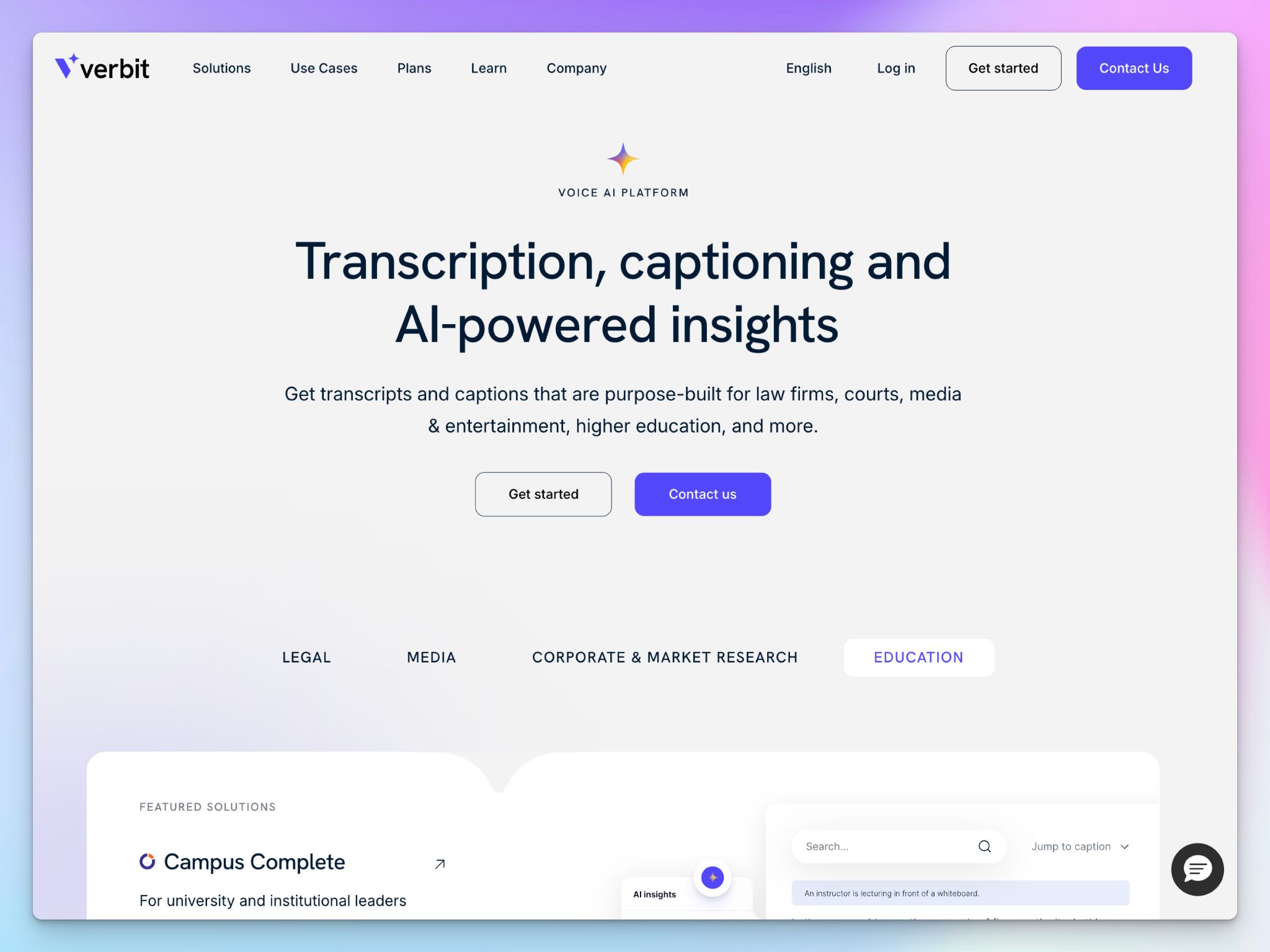
Verbit is what a university looks into when accessibility is a campus-wide obligation.
Its Campus Complete plan is built around the ADA Title II rules that take effect for higher-ed institutions in April 2027, which require lectures, course videos, and public media to be captioned and accessible.
If you run a research office or a department that has to caption recordings at scale, Verbit is purpose-built for it. But if you're a postdoc with a folder of interviews, it's more than you need.
Verbit's key features
- Caption and transcribe lectures, courses, and live events across a campus with no usage limits under the Campus Complete subscription
- You can use the Captivate ASR engine, which adapts to domain vocabulary in fields like medicine and law, alongside AI tools for summaries, chapters, and interactive transcripts
- Upgrade high-stakes or accommodation-specific content to human-reviewed captions when AI doesn’t meet the standard
- You can connect Verbit directly to your LMS, disability support systems, video platforms, and cloud storage
Verbit's pricing
- Standard: $24/month
- Campus Complete: Custom pricing
- Custom: Custom pricing
Verbit's pros
- Reliable accuracy on specialized material like medical and legal terminology; part of why institutions like Harvard and Johns Hopkins rely on it
- Verbit’s compliance is far-reaching, covering ADA, WCAG 2.1, and Section 508, plus the SOC 2, HIPAA, and HECVAT documentation
- It has responsive and knowledgeable human support for institutional users
- Verbit can also act as a meeting note taker and translate your notes
Verbit's cons
- Verbit is built and budgeted for institutions and campus-wide accessibility, which makes it costlier for single interview-based studies
- Its AI extras are aimed at course content and student study rather than at coding or analyzing interview data
4. TranscribeMe
Best for: Researchers who want human-verified transcripts with tiered pricing to control the budget for every file
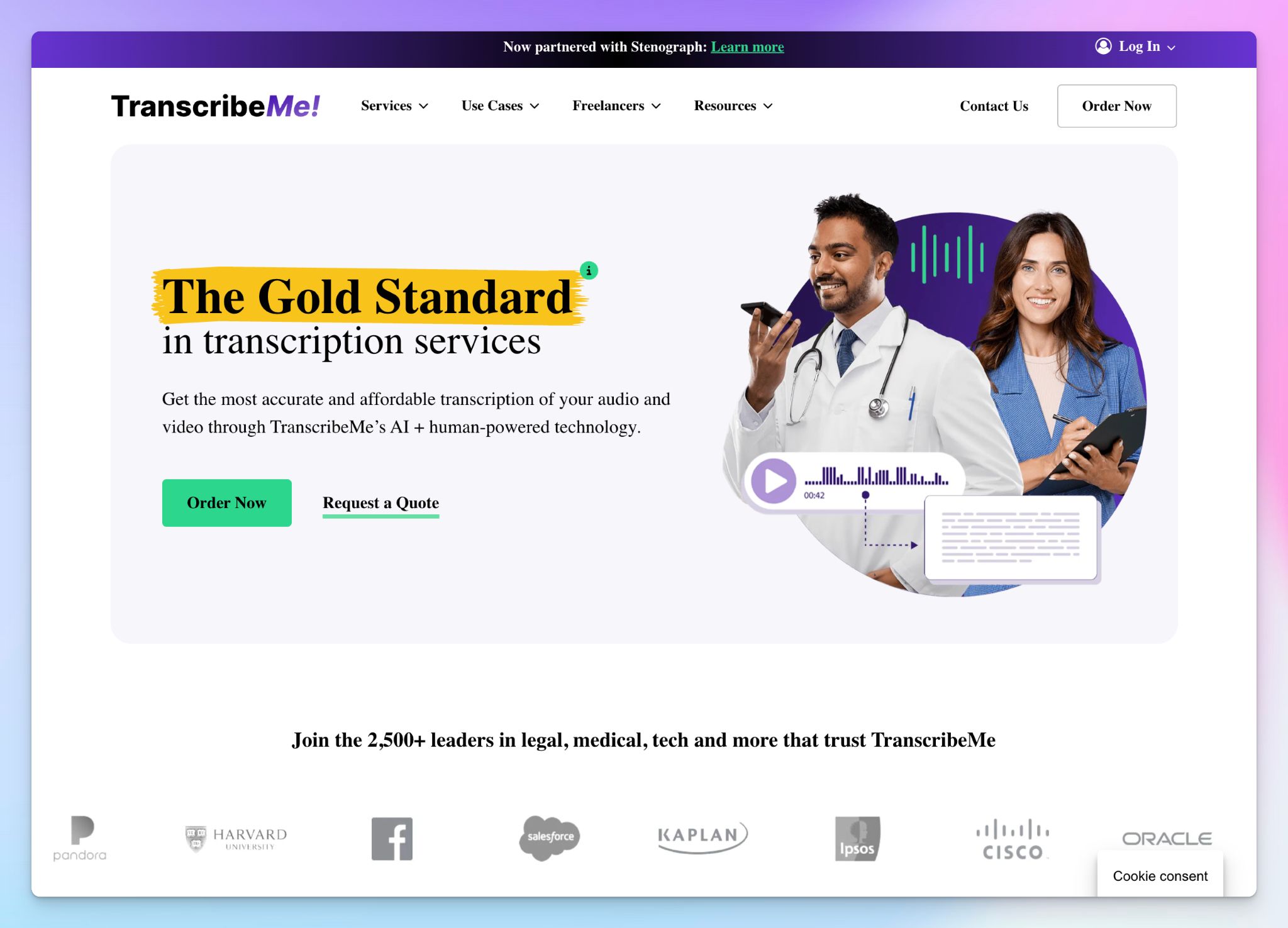
TranscribeMe has a network of over a million transcribers powering the transcription service since 2011.
For interviews and focus groups where the words have to be accurate for publication or coding, that human eye for detail is the whole point.
The reason TranscribeMe fits research budgets is the tiered model. You can run a clean recording through AI for cents a minute, or send a difficult one to human editors for near-perfect text, and pay only for the level each file calls for.
TranscribeMe's key features
- Export transcripts as TXT, XML, and Word that import into NVivo, SPSS, and other QDA tools
- Data annotation services help institutions train, improve, and validate AI models with high-quality labeled datasets
- Add verbatim style, speaker identification, timestamps, or an extra layer of review that guarantees over 99% accuracy
- You can also translate finished transcripts into other languages through TranscribeMe's AI translation, and add rush delivery when a deadline is tight
TranscribeMe's pricing
- Automated (AI): Starts from $0.07/min
- Human Edited: Starts from $0.79/min
- Human-Edited with Extra Review: Starts from $1.25/min
- Verbatim: Starts from $2.00/min
TranscribeMe's pros
- HIPAA compliance, NDAs, and vetted transcribers make it useful for sensitive interviews and IRB-bound projects
- You pay only for the level of accuracy each file needs, with no subscription to tie you down
- Human transcripts at the standard and verbatim tiers reach roughly 99%, accurate enough for direct quotation and discourse analysis
TranscribeMe's cons
- Human tiers run on a queue, so turnaround can slip past the stated deadlines when volume is high
- You can’t calculate the total project cost just by checking the pricing tiers from website
- TranscribeMe doesn’t have a unified workspace for editor, AI analysis, or coding tools
📚 Also read:
5. Temi
Best for: Solo researchers on a tight budget who need fast transcripts of clear English audio
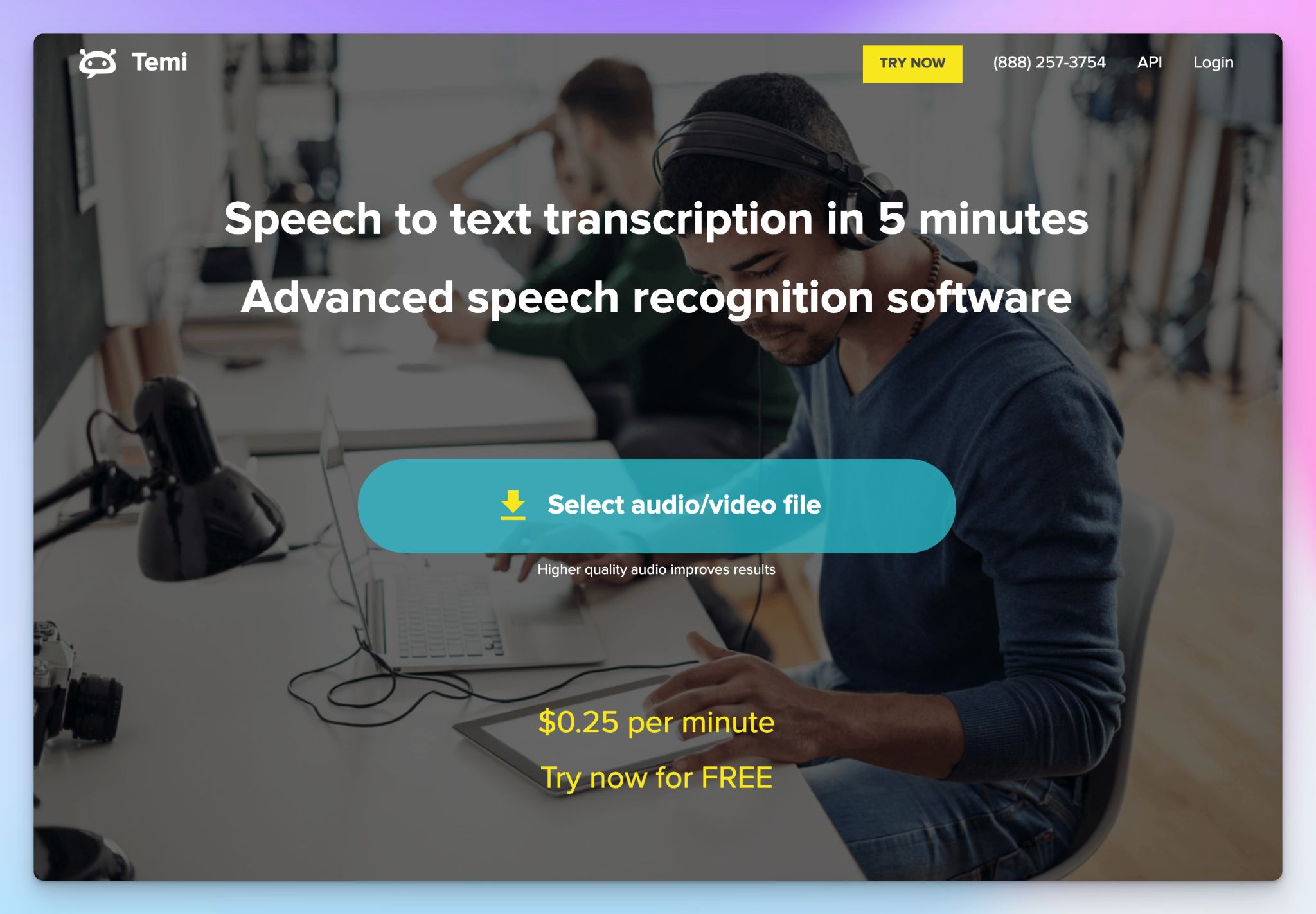
Temi is an AI-only transcription service from the team behind Rev, built to be cheap and fast. It charges a flat $0.25 a minute and generates transcripts in a few minutes. There's no subscription and no human review option.
On clean, single-speaker English audio, Temi reaches 90-95% accuracy, which is enough for a lecture or a quiet one-on-one interview you plan to tidy up yourself.
But if you push it with accents, background noise, or overlapping speakers, the accuracy nosedives. Temi is upfront about that, and you should be too before you upload a messy field recording.
Temi's key features
- Upload audio or video in common formats like MP3, MP4, and WAV, and export in TXT, DOCX, and SRT
- Edit in a simple, interactive editor that syncs playback with the text, lets you adjust speed, search, and strip filler words
- Get automatic speaker labels and word-level timestamps for simpler audio files
Temi's pricing
- Free trial: First 45 minutes
- Pay as you go: $0.25/min
Temi's pros
- Temi is one of the cheaper options for solo researchers, at a flat $0.25 a minute, with a free trial and no subscription
- Near-instant turnaround means a clean interview is ready to edit almost as soon as you upload it
- Temi’s mobile apps are useful to transcribe files on the go, although the apps haven’t been updated in a while
Temi's cons
- English-only, which rules Temi out for multilingual projects
- Accuracy isn’t consistent for typical research audio with overlapping speakers, noisy field sites, or a heavy accent
- It's AI-only with no compliance cover, so there's no human review option and no HIPAA
Which transcription software is best for academic research?
The right research transcription tool depends on what your study actually demands. You have to factor in your audio quality, languages, budget, and your data requirements.
👉 OpenAI’s Whisper makes sense when your recordings can't leave your own machine and self-hosting open source weights doesn't faze you.
👉 Verbit is built for university offices with large budgets, captioning lectures and meeting accessibility rules across a whole campus.
👉 TranscribeMe is a safe bet when you want human-verified transcripts and NVivo-ready files without a subscription.
👉 Temi is the cheap and fast AI option when your audio is in clean English, and your budget is tight.
👉 HappyScribe is the top pick for most academic researchers. It runs the whole study within one platform, from recording and transcription to translation and analysis, with both AI speed and 99% human accuracy when you need it. The 150+ language support and strong European data security standards make sure multilingual projects run under strict data compliance.
The free plan is an easy way to test it against your own interview audio before you commit a budget.
FAQs on best transcription software for academic research
How accurate is AI transcription for academic research interviews and focus groups?
Expect around 90-95% accuracy from automated transcription services on a clean audio recording, and less when interviews or focus groups have crosstalk, accents, or background noise. That first draft is usually good enough to start reading, but you'll edit the audio transcription before quoting anything. The stronger tools tag speakers and timestamp every line, and HappyScribe pushes AI accuracy past 95% on the kind of qualitative interviews researchers actually record. You can also add human review to improve accuracy where exact wording counts.
Which transcription tools are GDPR and HIPAA compliant for sensitive research?
For sensitive research, look for GDPR, HIPAA, and SOC 2 compliance before you transcribe a single file, since that's what protects participant privacy and clears most ethics boards. On this list, HappyScribe covers GDPR, DPA, and SOC 2 Type II with ISO 27001-compliant EU data storage, Verbit adds HIPAA and WCAG 2.1 AA, and TranscribeMe offers HIPAA on request with a signed agreement. Whichever you pick, confirm where your audio data is stored and whether the provider will sign a data processing agreement.
Is there a free transcription option for students or unfunded research projects?
Yes. OpenAI's Whisper is free and open source, so if you have the technical skills to run it, you can transcribe unlimited audio files at no cost while your audio and video files stay on your own machine. Most automated transcription software also offer a free trial or a limited free tier. The trade-off with the free route is setup time and lighter support, so budget your hours, not just your money.
Should you use AI or human transcription for research interviews?
Use AI for speed and human transcription for anything headed to publication. When you're conducting qualitative research, automated transcription gives you a fast first draft so you can start your qualitative data analysis and identify patterns sooner, while manual transcription, or true verbatim transcription, captures every pause and false start that close reading depends on. A sensible transcription process is to run everything through AI first, then send only the files that need exact wording for human review before further analysis.
Is Otter good for academic research transcription?
Otter works for clean meeting notes, but it's a weaker fit for academic research. It captures English meetings well and tags speakers, yet it falls short on multilingual recordings, research-grade data compliance, and the export options into qualitative analysis tools that a study needs. For interviews and lecture video recordings bound for coding, a research-built automated transcription software that gives you different formats and a clear data trail serves you better.

Biplab Mazumder
Biplab is a content marketer and writer who helps high-growth brands scale content visibility across AI search channels. His works have been published in HubSpot, Freshworks, Atlassian, SurferSEO, etc. When he's not planning content strategy, he's testing AI content workflows and use cases.