![5 Best AI Video Translator Tools [2026]](/sanity-images/ejgwz1gl/redesign/a3fbd3c346cfb4de4289d3aa96718a391274585a-1536x1024.jpg?auto=format&w=1536.0&rect=0,128,1536,768&h=768)
TL;DR ⏩
I tested the best AI video translators that translate subtitles and transcripts, and also the ones that add AI dubbing. Here's the shortlist:
- HappyScribe: Best overall AI video translator for fast, accurate AI translation with optional 99% human review in 80+ languages
- Rev: Best for fully human-translated subtitles for legal teams and broadcast-ready video
- Smartcat: Best for enterprise AI dubbing and voiceovers across a wide range of languages
- Maestra AI: Best for large AI voice libraries, voice cloning, and real-time translation for creators
- Wavel AI: Best for voice cloning across 100+ languages inside an all-in-one video studio
Your video has a message, and it shouldn’t get lost in translation.
The best AI video translators help you share it in any language, either with subtitles or realistic voiceovers that sound like you.
I tested the tools for both categories: text-based translation and AI dubbing, and shortlisted the best ones for you.
What should you look for in an AI video translator tool?
AI video translator tools either translate on-screen text or bring voices to life. The right one depends on how you want your content to connect across languages.
Whichever type you prefer, here are a few key things to consider:
- Accuracy: Look for tools that capture every word and nuance when translating video transcripts or generating subtitles
- Language range: The more languages supported, the easier it is to repurpose content for global audiences
- Editing control: Choose tools that let you edit subtitles, adjust timing, and customize styles before exporting
- Format compatibility: Pick a tool that works with the video formats and platforms you already use, so you can upload, translate, and export without worrying about conversions
- Security and compliance: If you’re handling sensitive or enterprise content, prioritize GDPR and SOC 2-certified platforms
- Voice quality: If the tool offers AI dubbing, make sure it offers natural-sounding AI voices that match the tone and pacing of your video for authentic multilingual dubbing
Best AI Video Translator tools: Our top 5 picks at a glance
| Category | HappyScribe | Rev | Smartcat | Maestra AI | Wavel AI |
|---|---|---|---|---|---|
| Best for | Fast, accurate AI translation with optional 99% human review | Human-translated subtitles for legal and broadcast-ready video | Enterprise AI dubbing and voiceovers at scale | AI dubbing with a large voice library and real-time translation | Voice cloning and dubbing in an all-in-one creator studio |
| Key features | Translate into 80+ languages, AI or 99% human review, subtitle editor with burn-in, API automation | Human-translated subtitles, AI captions, burned-in subtitle styling, VoiceHub editor | AI dubbing, lip-sync and voice cloning, one-agent workflow, linguist marketplace | AI dubbing, 800+ AI voices, voice cloning, real-time captions, and dubbing | AI dubbing, full-range voice cloning, auto lip-sync, multi-speaker detection |
| Supported languages | 80+ | 17 (human-translated) | 280+ | 125+ | 100+ |
| Security | GDPR, SOC 2 Type II, EU data center | SOC 2, GDPR, HIPAA for Enterprise | SOC 2 and SOC 3, encryption | Basic security features | Encryption, general security |
| Starting price | Free. Paid plan starts from $8.50/month billed annually or $17/month | Starts from $6.49/min for translated subtitles | $1,200/year (Basic) | $49/month (Basic) | Free, or $25/month (Basic) |
What are the best video translator tools for subtitles and transcripts?
Not every project needs AI dubbing. Sometimes, you just need your video’s transcripts and subtitles translated quickly and accurately.
We tested a range of tools that specialize in text-based video translation, and these stood out for their precision and simplicity:
- HappyScribe: Best for accurate AI+human-made translations in 80+ languages
- Rev: Best for human-generated video subtitles and compliance requirements
Let’s explore the tools in detail.
1. HappyScribe
Best for: Fast and accurate AI video translations with 95% accuracy, 80+ language support, subtitle editor, and EU-grade security
HappyScribe video translator is the tool to reach for when a translation has to read like a person wrote it, not a machine. Creative teams at BBC, Skydance, Mediawan, and Spotify use it, along with 40,000+ other brands.
It generates accurate subtitles, transcripts, and translations for videos within a single, intuitive platform. Whether you're localizing a 30-second clip or a full documentary, you upload once and get translated transcripts and subtitles that are ready to publish.
HappyScribe’s key features
1. Translate into 80+ languages, from 150+ source languages
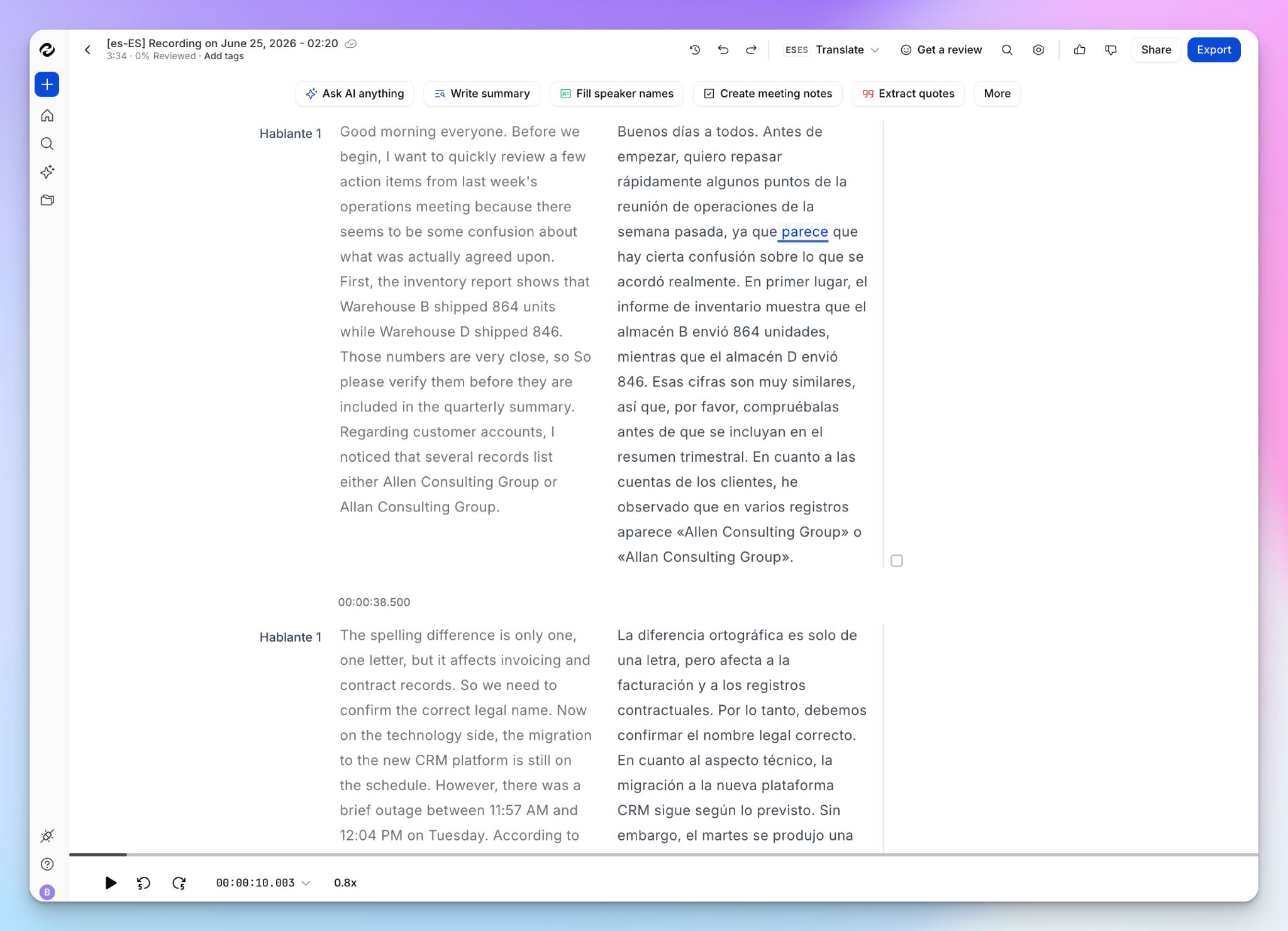
HappyScribe translates your video into 80+ target languages, working from transcripts that cover 150+ languages and dialects.
Automatic language detection handles the source side, so a Korean, Swiss German, or Thai original gets captured accurately before a single word is translated. You pick the target, and the from-and-to pairing does the rest.
2. Choose AI speed with 95%+ accuracy or human-verified 99% accuracy
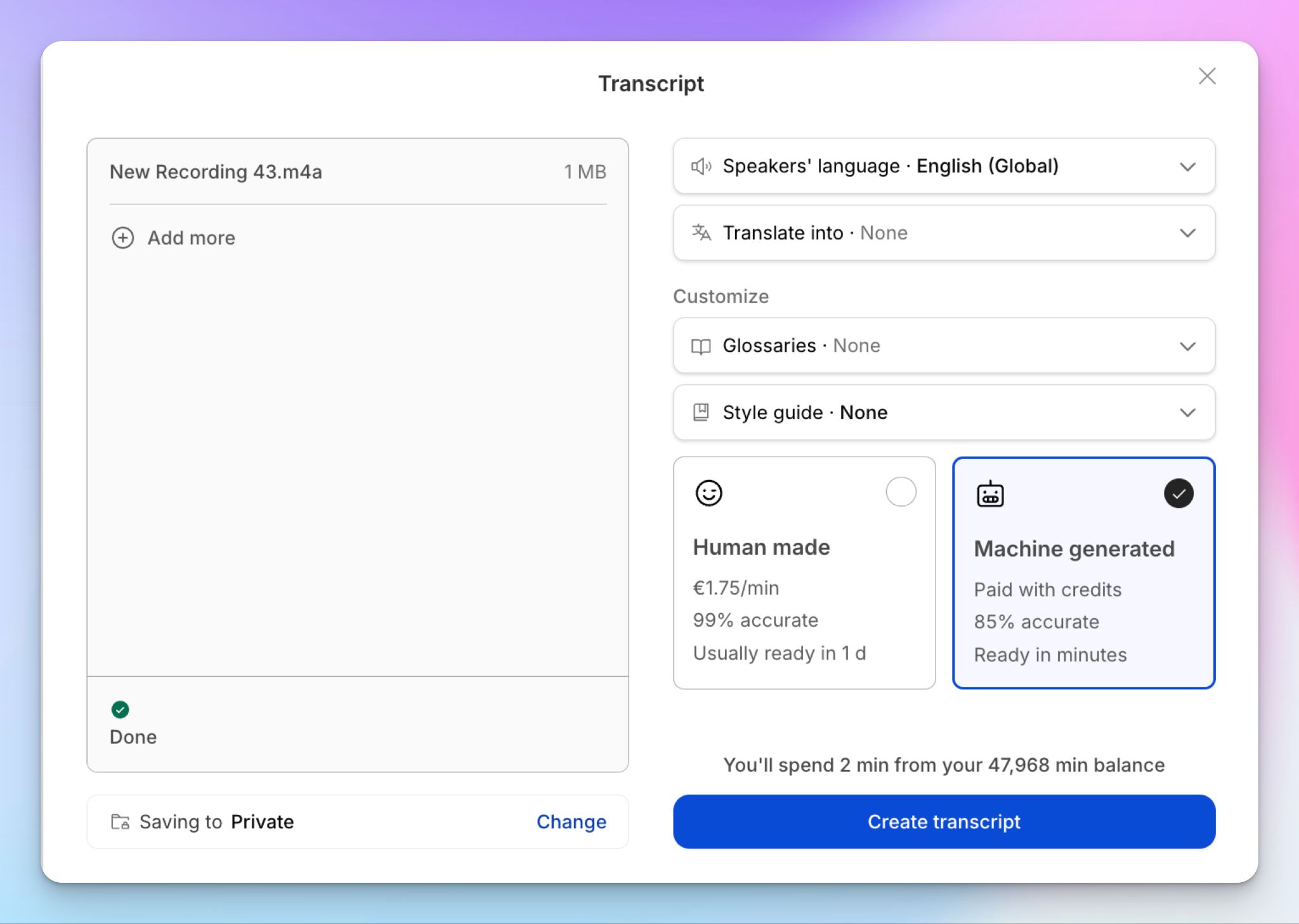
This is the part that sets HappyScribe apart from standard-AI translators. Automated video translation is fast and good enough for most working drafts, and when a file has to be perfect, HappyScribe’s human experts can upgrade it to 99% accuracy.
Having the expert option gives legal teams, journalists, and researchers confidence that the documents they’re working with are near flawless in accuracy. You decide per project instead of being locked into one mode.
3. Edit, style, and burn in subtitles yourself
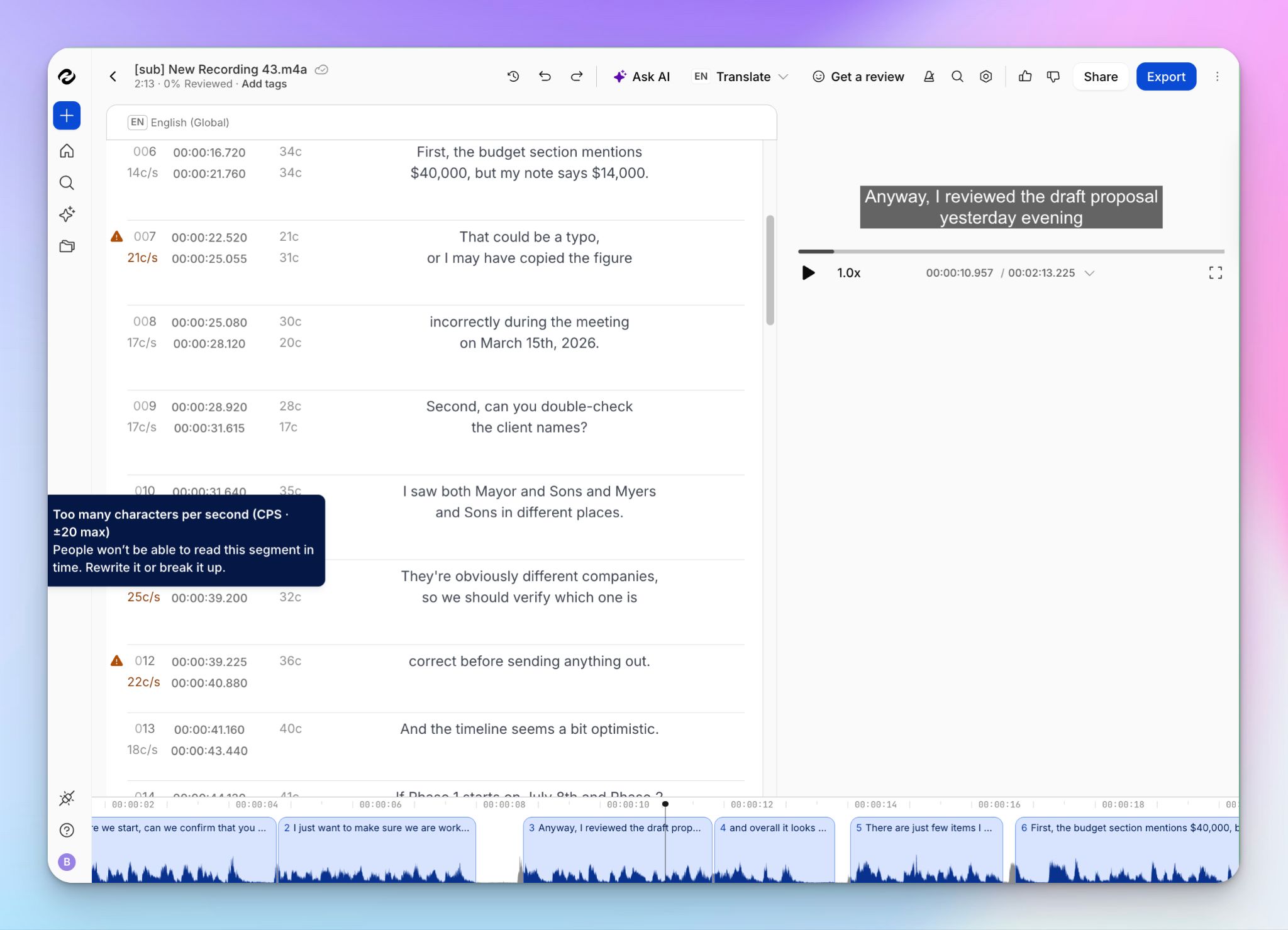
You’ll find the translated captions in a built-in subtitle editor where you can fix wording, adjust timing, and format the look before exporting.
The editor helps you with CPS alerts, merging, and reviewing sections. With custom positioning and the option to burn subtitles directly into the video, you can fit them for TikTok, Instagram, YouTube, or LinkedIn without a separate tool.
4. Compare translations side by side, then ask AI Chat
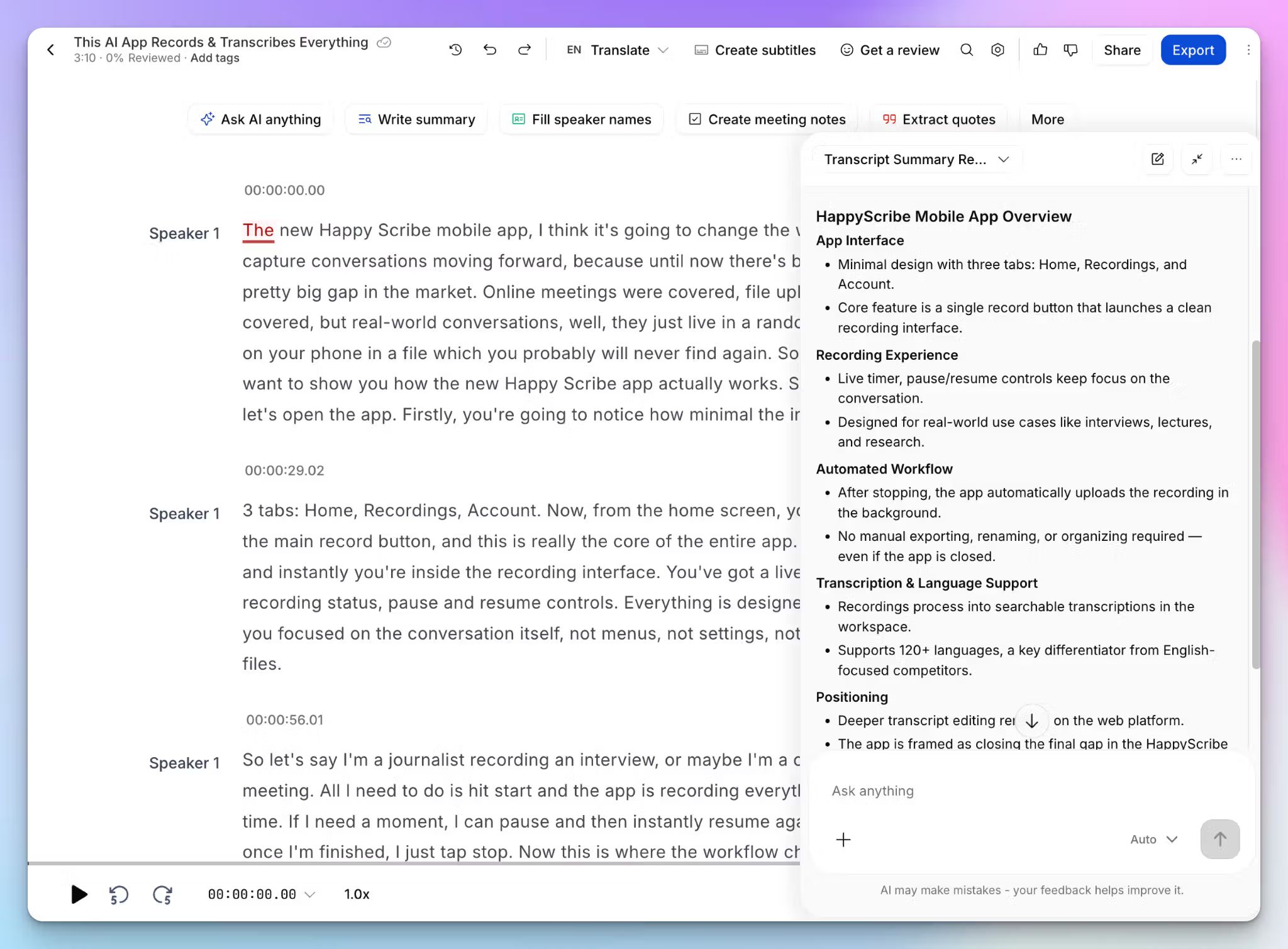
Your translated transcripts open in a dual-view editor, so you can check every line against the source before moving forward.
From the same workspace, AI Chat helps you surface deep insights. Whether you want a summary, a data point, or an exact quote, every answer is cited back to the file. Through the MCP server, you can link those transcripts to Claude or ChatGPT as well.
5. Import from anywhere, export to any format
Upload from your computer or import straight from YouTube, TikTok, Vimeo, Wistia, Google Drive, Box, or Dropbox, and HappyScribe takes MP4, MOV, AVI, and the rest in stride.
Exports cover SRT, VTT, and TXT, or a burned-in MP4, while Zapier and a developer-friendly API let you automate the whole flow when volume picks up.
HappyScribe's pricing
- Free: Unlimited meeting recordings (45 mins per recording), plus a 10-minute trial of AI transcription, subtitling, and translation
- Basic: $8.50/month billed annually or $17/month billed monthly
- Pro: $19/month billed annually or $29/month billed monthly
- Business: $59/month billed annually or $89/month billed monthly
- Enterprise: Contact sales for tailored solutions
HappyScribe's pros
- GDPR and SOC 2 Type II compliance with EU data storage protects sensitive and branded content
- Quickly generate AI translations in minutes, while human-made translations come back within 24 hours
- One subscription to HappyScribe covers transcription, subtitles, and translation, so you aren't paying for three separate tools
- Scale AI video translation works with Zapier, MCP, and API integrations
- Intuitive mobile apps to capture conversations on the go and translate when you're back at work
- Responsive support from real people, not chatbots
HappyScribe's cons
- It’s not built for AI dubbing or voiceovers
What are real users saying about HappyScribe?
I must say - the translations are superb! I'm impressed. I use AI translations for subtitles for my video projects and I am surprised at how minimal "fixing" I have to do afterwards! It says that machine generated translations are about 88% accurate, but I've experienced almost 97% . I also use for Greek translations and that's quite impressive too - not as good as English, but still very high accuracy! The customer service is excellent too - I get a reply immediately and the explanations to help me are very clear. 10/10 guys!
I used the ai translator. It is quick and easy to use. The time stamp makes it easy to navigate through your recordings to make adjustments where the translation can be improved. A great time saver!!
How to translate videos with HappyScribe: a step-by-step guide
- Sign in to HappyScribe for free, then click Transcribe files at the top of your dashboard to upload your video directly, or import it from YouTube, Vimeo, Wistia, Dropbox, Google Drive, or Box
- Select the spoken language or let automatic detection identify it for you. Choose between Machine generated or human made, then start the file
- Once the transcript is ready, open it and pick your target language to generate the translation in seconds
- Review the original and translation side by side in the editor, then export as TXT, SRT, VTT, DOCX, PDF, or HTML, or burn it into a video as subtitles
2. Rev
Best for: Fluent, human-translated subtitles in 17 languages, timed by professional linguists for broadcast-ready video
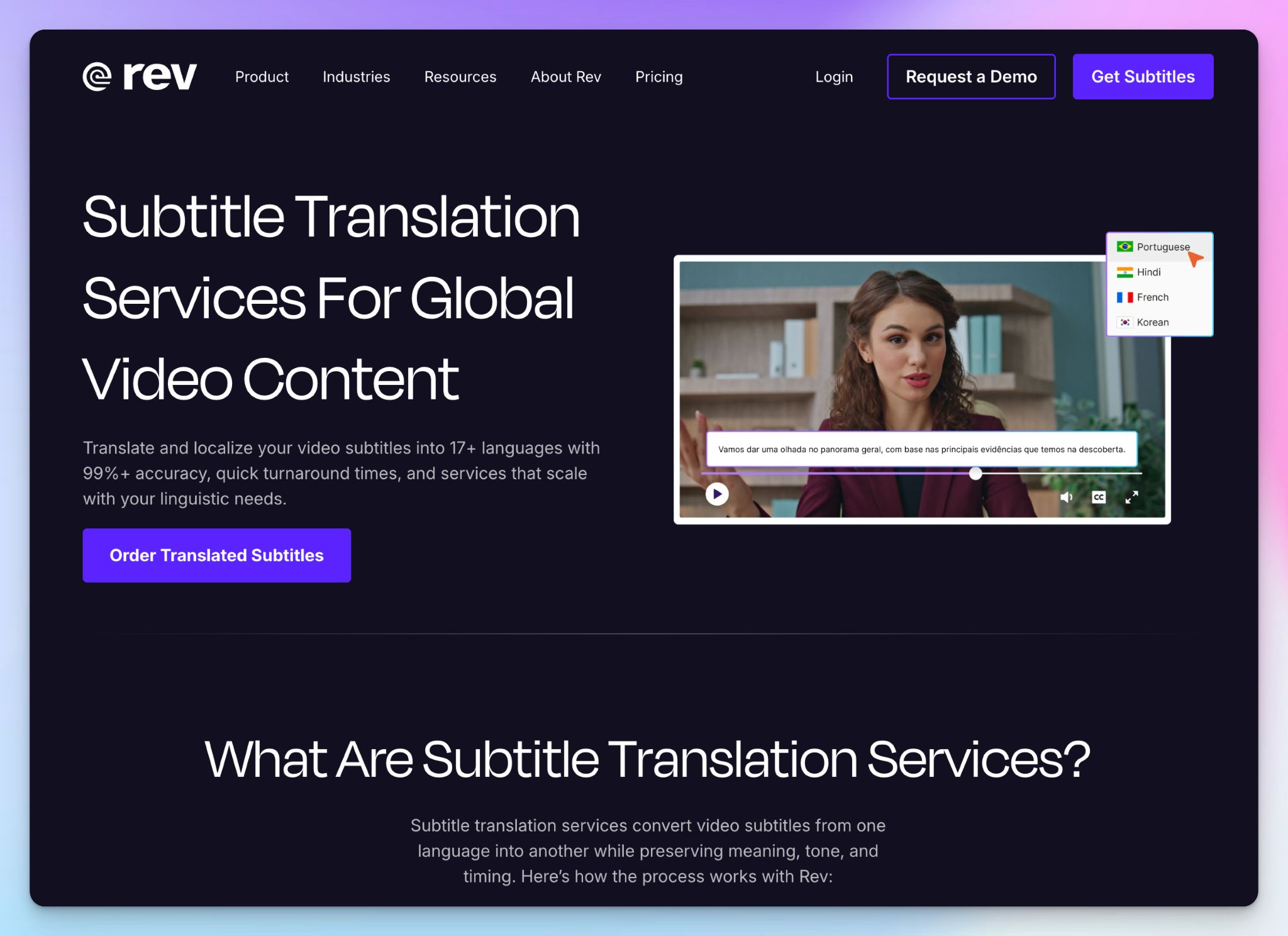
Rev built its name on human-made transcription, so it’s only natural that it expands to translations as well. Rev routes your video to professional subtitlers who translate and time the captions themselves.
That human quality suits high-stakes content like broadcast, marketing, and anything going in front of a paying audience.
The catch is that human work in 17 languages costs more and moves slower than AI, which is why Rev now has AI captions and subtitles in 37+ languages for time-sensitive projects.
Rev's key features
- Get word-for-word human transcription and same-language captions in English, which Rev guarantees to 99% accuracy
- Collaboratively proofread, fix typos, modify speaker names, and adjust timing in an online editor
- Adjust font, color, size, and style for burned-in subtitles tailored to brands and platforms
- Review your file in the VoiceHub editor, then export as SRT, VTT, TXT, DOCX, or PDF and embed it in your own editor, since Rev delivers a caption file rather than a burned-in video
Rev's pricing
- Free: 45 AI minutes/month
- Essentials: $29.99/month
- Pro: $59.99/month
- Unlimited: Custom pricing
- Human transcription: Starts from $1.99/minute
Rev's pros
- Human linguists translate and time every subtitle, so technical terms, idioms, and tone survive the jump between languages instead of coming out literal
- English caption files come included free with any Global Subtitles order, as long as you don't upload your own SRT, which trims the cost of shipping a video in two languages
- Standard export formats like SRT, VTT, and TXT load straight into YouTube, Vimeo, or your editor without conversion
Rev's cons
- At $6.49 to $15.99 per minute, translated subtitles are one of the priciest options here, and a single localized webinar can cost more than a month of a subscription tool
- Rev returns a caption file rather than a finished video, so you burn in and style the subtitles in a separate editor
Weighing HappyScribe against Rev? Our HappyScribe vs. Rev comparison breaks down where each one fits.
What are the best AI video translator tools that offer voice dubbing?
Subtitles help viewers follow along, but dubbing takes things a step further by letting them hear your message in their own language.
We’ve shortlisted AI video translator tools that can translate and voice your videos with impressive realism:
- Smartcat: Best for AI dubbing with wide language support; ideal for enterprise teams with a large budget
- Maestra AI: Best for a diverse library of realistic AI voices and voice cloning for creators
- Wavel AI: Best for voice cloning in an all-in-one video studio
Let’s go over the tools and see how they can fit into your workflow.
3. Smartcat
Best for: Agencies and enterprises looking for AI dubbing and voiceovers, with voice cloning and lip-sync for enterprise teams
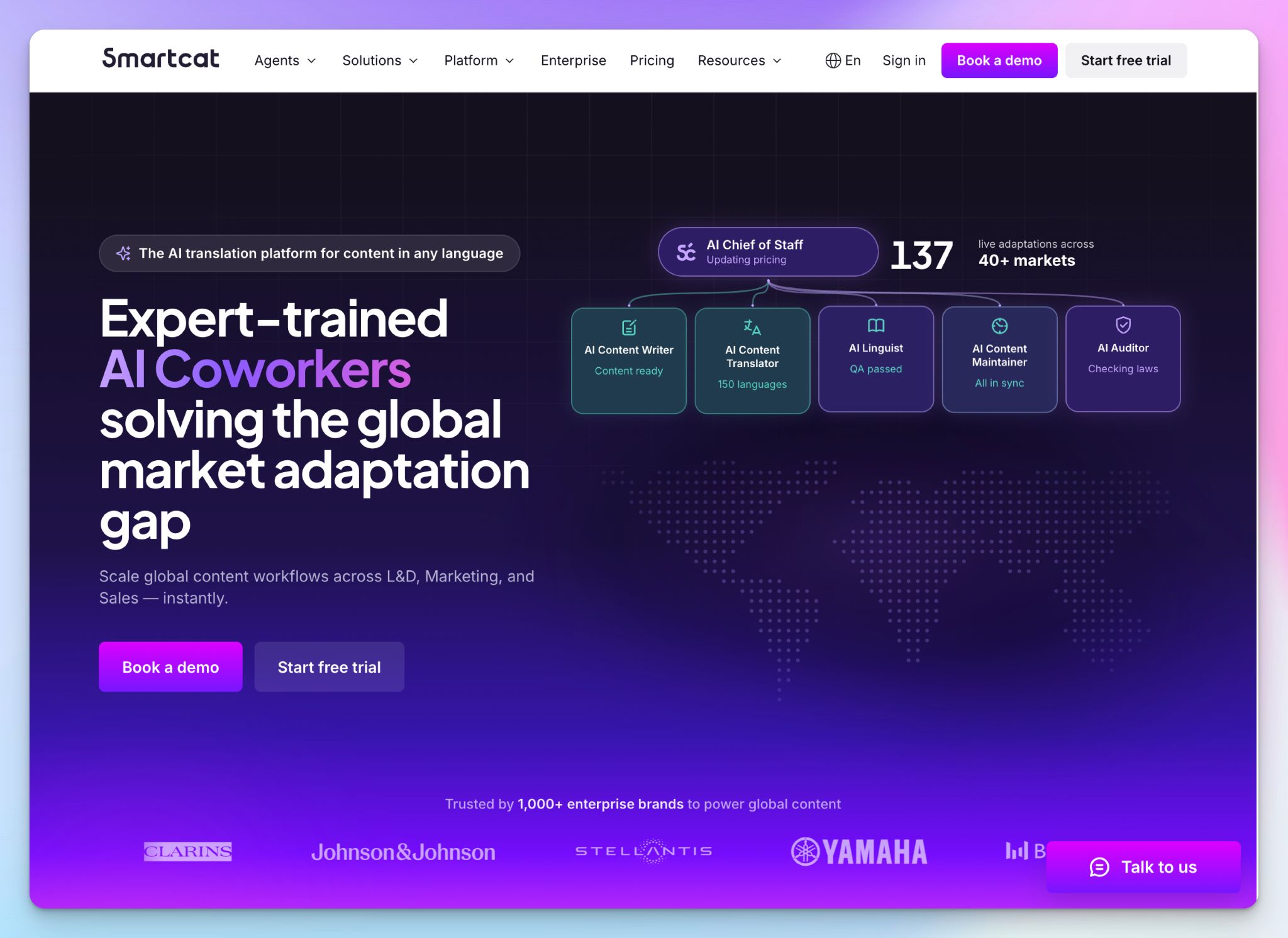
Smartcat is a full localization platform, and its media translation agent is the tool that handles end-to-end video workflows. You upload a file, the agent handles the rest, and you review and export.
The draw for enterprise teams is scale. Smartcat’s AI leans brand voice and glossary over time, and human reviewers are a click away when a project calls for accuracy.
Smartcat's key features
- Dub and voice videos in 280+ languages and dialects with lip-sync, voice-over, or narration, plus 30+ AI voices and voice cloning to match your original speaker
- Run the whole job through one AI agent that transcribes, translates, subtitles, and dubs in a single automated pass
- Review and edit every step in a live preview editor, where you adjust the script, subtitle timing, and dubbing before export, and multi-speaker detection keeps overlapping speakers clear
- Bring in your own team or hire reviewers from Smartcat's 500,000+ linguist marketplace, since unlimited seats let you scale human review on high-stakes content
Smartcat's pricing
- Basic: $1,200/year
- Enterprise: Custom pricing
Smartcat's pros
- Strong AI accuracy to start with, and it improves over time as the agent learns your brand voice, glossary, and past edits
- One workflow gives you both a dubbed video and subtitles, exported, burned-in, or as separate SRT and VTT files
- SOC 2 and SOC 3 compliant data centers with encryption, and your files aren't shared or reused beyond your account
- It supports MP4, MOV, AVI, and several other file formats, so most source video loads in without issues
Smartcat's cons
- Smartcat is built for large localization teams, so the full platform is heavier than a single-purpose dubbing app and takes time to learn for solo creators or one-off jobs
- Dubbing is AI text-to-speech, so even cloned voices won't fully match a human voice actor on performance-driven content
📚 Also read:
4. Maestra AI
Best for: AI dubbing and voiceovers in one place, with a library of AI voices, voice cloning, and real-time translation
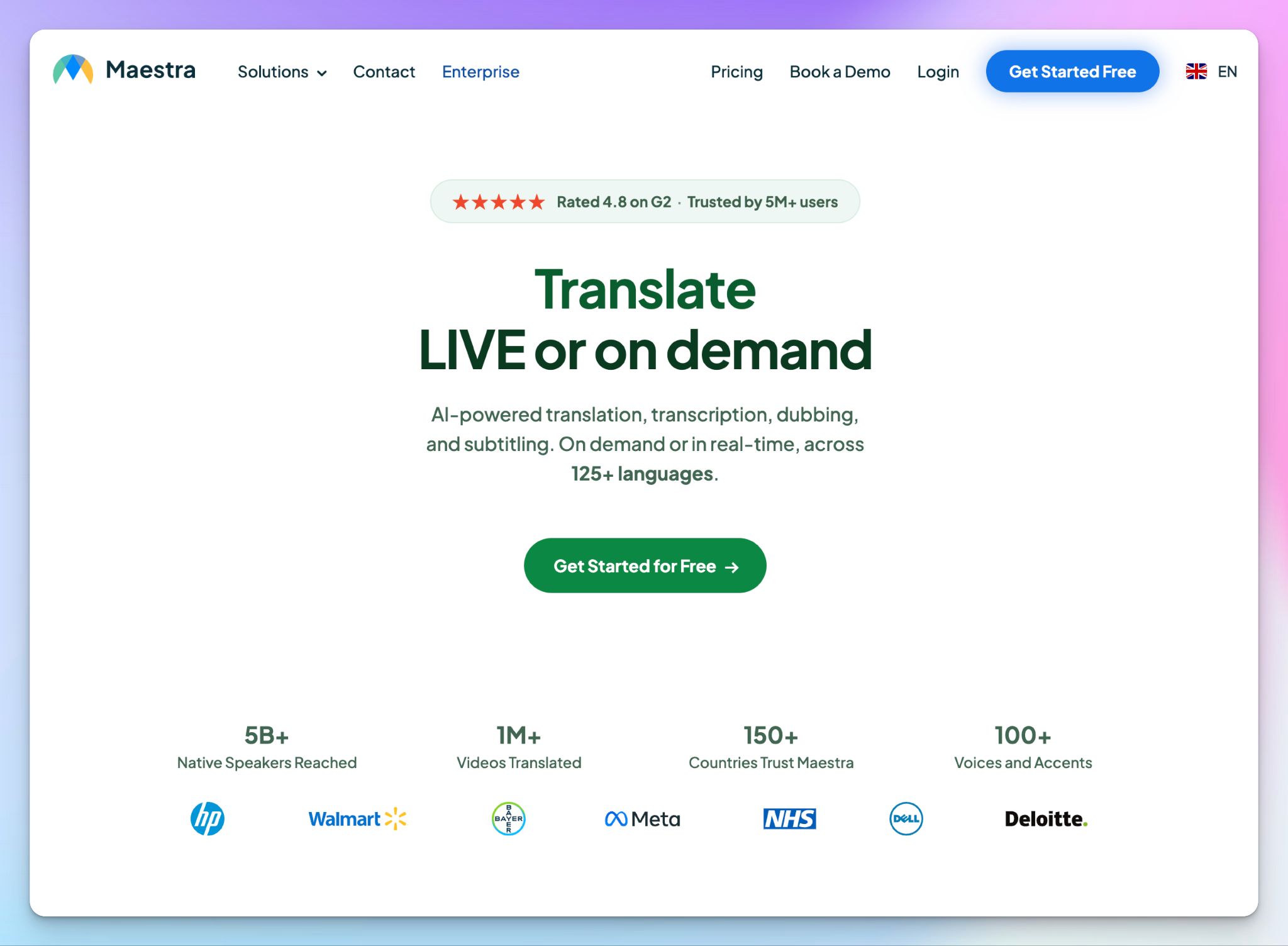
Maestra is a browser-based localization tool built around its voice library, with realistic AI voices across 125+ languages plus accents and emotional styles you can fine-tune in the editor.
It also dabbles into live workflows, with real-time captions, translation, and dubbing for meetings and live streams alongside the standard upload-and-dub flow. That range and speed suit creators and teams more than large enterprises.
Maestra AI's key features
- Dub and voice over in 125+ languages from a library of 800+ AI voices, or clone the original speaker's voice across 30+ languages with lip sync that aligns to mouth movements
- Translate live with real-time captions and AI dubbing for meetings and streams, plus a free web captioner and a browser extension for on-the-fly video translation
- Transcribe and subtitle in the same editor, where speaker detection, timestamps, and an SRT editor let you fix timing and wording before export
- Import from YouTube, TikTok, and Dropbox or connect through Zapier and the API, then export as MP4 with embedded subtitles or voiceover, or as separate SRT, VTT, TXT, or DOCX files
Maestra AI's pricing
- Basic: $49/month
- Premium: $99/month
- Business: $199/month
- Business Plus: $449/month
- Enterprise: Custom pricing
Maestra AI's pros
- Shared projects and permission levels let your team and reviewers refine subtitles and voiceovers together
- Maestra’s subtitles and dubbing features work on the same video, so you can serve viewers who read and viewers who listen from one export
- A cheaper alternative to hiring voice actors or a studio, with most projects ready to review in minutes
Maestra AI's cons
- Maestra’s accuracy can dip on tough audio with strong accents, background noise, or overlapping speakers, so you may have to clean up transcripts and translations
- Voice cloning covers around 30 languages, fewer than the 125+ available for standard AI voices, so cloning your own voice may not reach every target language
- Maestra’s pricing splits across separate plans for transcription, subtitles, voiceover, and real-time, and extras add up with minutes, which makes the monthly cost harder to forecast
📚 Also read:
5. Wavel AI
Best for: AI dubbing and voice cloning, with lip-sync and an all-in-one video studio for creators
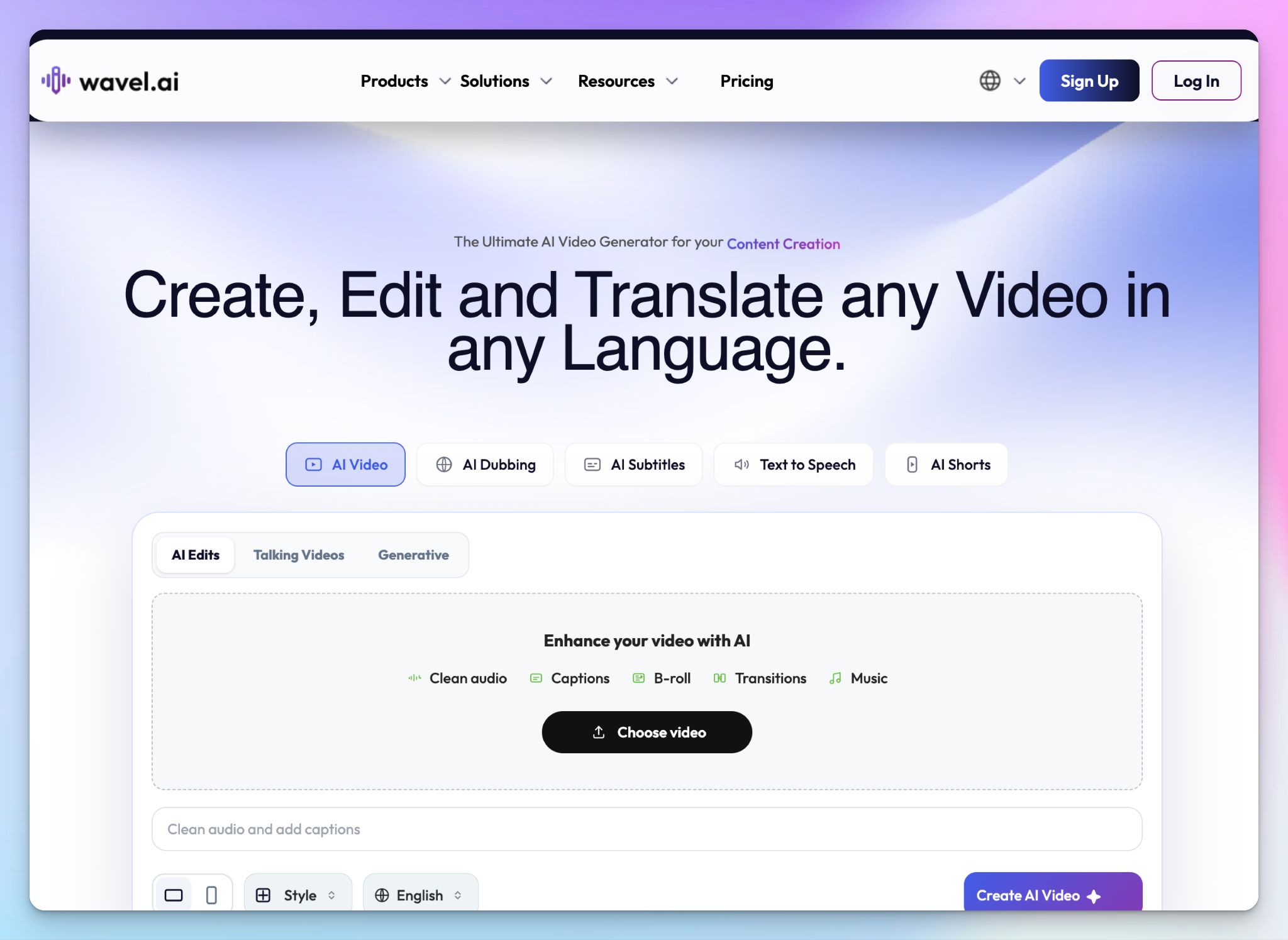
Wavel is an all-in-one AI video studio, and dubbing is one piece of it. Voice cloning is the standout here. Creators and brands can keep the same voice in every market by cloning a voice once and dubbing it in 100+ languages.
Wavel AI's key features
- Generate translated subtitles and text-to-speech voiceovers alongside the dub, so one upload produces captions and audio in your target languages
- Dub with a cloned voice or a library voice, where auto lip-sync matches the new audio to the speaker's mouth movements, and multi-speaker detection keeps each voice straight
- You can add an optional native-speaker review to check tone and cultural accuracy before publishing, on top of the automated dub
Wavel AI's pricing
- Free
- Basic: $25/month
- Pro: $40/month
- Scale: $100/month
- Enterprise: Custom pricing
Wavel AI's pros
- Embed dubbing, voice cloning, and editing into your own product through Wavel's API
- You can produce a week's worth of dubbed content in one session without a studio or voice actors, which cuts the time and cost of traditional localization
- It’s a beginner-friendly browser studio that takes no editing experience or installs, so non-editors can dub and publish on their own
Wavel AI's cons
- AI voice quality varies by language and content, so emotional scenes may require the optional native-speaker review
- Wavel runs on credits, and it’s easy to burn through them fast, so heavy or experimental use climbs in cost
- Dubbing is part of the video-creation suite, so a team that only wants dubbing pays for tools it may not need
Which AI video translator is best for you?
The choice comes down to what you want from the video: translated subtitles and transcripts, or a fully dubbed voiceover. Here's where each tool lands.
👉 Rev is the pick for human-translated subtitles on high-stakes, broadcast-ready video, as long as the per-minute cost fits your budget.
👉 Smartcat suits enterprise teams that want the widest reach, with AI dubbing across 280+ languages and a linguist marketplace for human review.
👉 Maestra AI fits creators who work live as much as on uploads, pairing a large AI voice library with real-time captioning and dubbing.
👉 Wavel AI is built for creators who want one cloned voice carried across every market, inside an all-in-one video studio.
👉 HappyScribe is the pick of translator tools for most teams.When accurate translated subtitles and transcripts are your priorities, HappyScribe gives you AI speed and 99% human review on the same project, 80+ languages, GDPR, and SOC 2 Type II security, and the lowest entry price here.
Frequently Asked Questions on AI Video Translators
Can AI video translator tools accurately translate spoken dialogue in videos?
Yes. Today’s video translation software uses advanced speech recognition and AI voice translation models to preserve tone and meaning. While human review still helps for perfect nuance, tools like HappyScribe consistently deliver high-quality transcripts and translations, even if you just use AI.
What are the benefits of using AI video translator tools for content creators?
For content creators, AI-powered video translator apps remove language barriers instantly. They automate translating video files, generate accurate subtitles, and even dub content using AI voiceovers or voice cloning capabilities. As a result, you can speed up content creation, reduce editing work, and reach new audiences with truly multilingual content, all from one dashboard.
What challenges exist in AI-based video translation technology?
Despite huge progress, AI translation still faces challenges. Subtle tone shifts, cultural idioms, or complex sentence structures can be tricky for automation. While the best video translator tools use context-aware AI, human review is still valuable for high-stakes projects. There’s also the need for better emotional matching in AI voice translation, where voice tone and emphasis still feel slightly robotic at times.
How do AI video translator tools handle dialects and accents in spoken videos?
Modern video translation software uses adaptive language models trained on diverse datasets to understand regional dialects and accents. Tools like HappyScribe and Maestra AI perform particularly well here: their transcription engines are built to recognize accent variations before translation. When paired with AI voices for dubbing, this makes video localization smoother and more accurate across regions.

Rodoshi Das
Rodoshi is the Content Lead at HappyScribe, the privacy-first transcription and AI notetaker platform based in Barcelona. Shaping content strategies and building AI workflows excites her as much as exploring new SaaS tools. She specializes in product-led content that informs rather than sells, grounded in honest product benchmarking and low tolerance for empty marketing speak.