TL;DR ⏩
Based on my experience of using these tools, here's the best video-to-text software for you:
- HappyScribe: Best for fast, accurate video transcription in 150+ languages, with human review, subtitle export, and EU-grade security
- Otter AI: Best for teams transcribing recorded and live meeting videos in English
- VEED: Best for creators who want to transcribe, caption, and edit video in one browser tab
- Notta: Best for turning multilingual video into summaries, files, and action items
- Tactiq: Best for real-time transcription of live calls straight from the Chrome browser
So much valuable content lives inside videos, be it interviews, webinars, tutorials, or meetings.
But without transcripts, it just sits there.
Video to text software changes that by converting your recordings into clean, accurate text you can edit, share, or repurpose.
Whether you want written content from your conversations, subtitles for YouTube, or notes for research, these tools make it effortless.
Here are the best video-to-text tools in 2026 that help you get more from every minute of video you create.
What should you look for in video-to-text software?
Accuracy and language support
Look for software that can handle different accents, audio quality, and languages with minimal errors. The best tools combine AI precision with human review options for top accuracy.
Speed and automation
Turnaround counts when you're clearing a backlog of long recordings. I looked for near-instant AI transcripts and batch uploads, so a folder of webinar recordings comes back in one pass instead of one file at a time.
Editing and export options
For video, the export format is the whole point, since most people transcribing video want subtitles and not just a text file. A built-in editor that lets you fix captions before export saves a lot of time, and SRT or VTT output means captions go straight onto YouTube or Vimeo.
Integrations and compatibility
Choose a software that imports straight from YouTube, Vimeo, Wistia, or Google Drive, and that pushes finished transcripts wherever the rest of your work lives. A tool that makes you export and re-upload at every stage is already costing more than it saves.
Security and compliance
If your footage includes client calls or anything under NDA, compliance isn't optional. I check for GDPR and SOC 2 at minimum, and for regulated work, where the provider actually stores your data. A tool hosting everything in a region you can't vouch for is a problem before you've transcribed a single file.
What are the best video-to-text tools? At a glance
| Category | HappyScribe | Otter AI | VEED | Notta | Tactiq |
|---|---|---|---|---|---|
| Best for | Fast, accurate video transcription across files and meetings | Recorded and live meeting video in English | Video transcription with built-in editing | Multilingual video summaries and notes | Real-time transcription in the browser |
| Key features | AI and human transcription, bot-free meeting note taker, subtitle editor, AI Chat insights, and 45+ export formats | Live transcription, speaker labels, AI Chat, and wide integrations | AI transcription, caption styling, and a full video editor | 58-language transcription, Notta Brain summaries, and dual-language capture | Bot-free live transcription, auto-summaries, and reusable AI prompts |
| Supported languages | 150+ | 6 | 125+ | 58 | 30+ |
| Security | SOC 2 Type II, GDPR, and ISO 27001-compliant EU data storage | SOC 2 Type II, GDPR, HIPAA | SOC 2 Type II, GDPR | SOC 2 Type II, ISO 27001, AWS hosting | SOC 2 Type II, SSO on Business |
| Starting price | Free plan. Paid from $8.50/month billed annually or $17/month billed monthly | Free plan. Paid from $16.99/month | Free plan. Paid from $25/month | Free plan. Paid from $13.49/month | Free plan. Paid from $12/month |
1. HappyScribe
Best for: Fast and accurate video transcription in 150+ languages, wide format support, subtitle editor, and EU-grade security for global teams
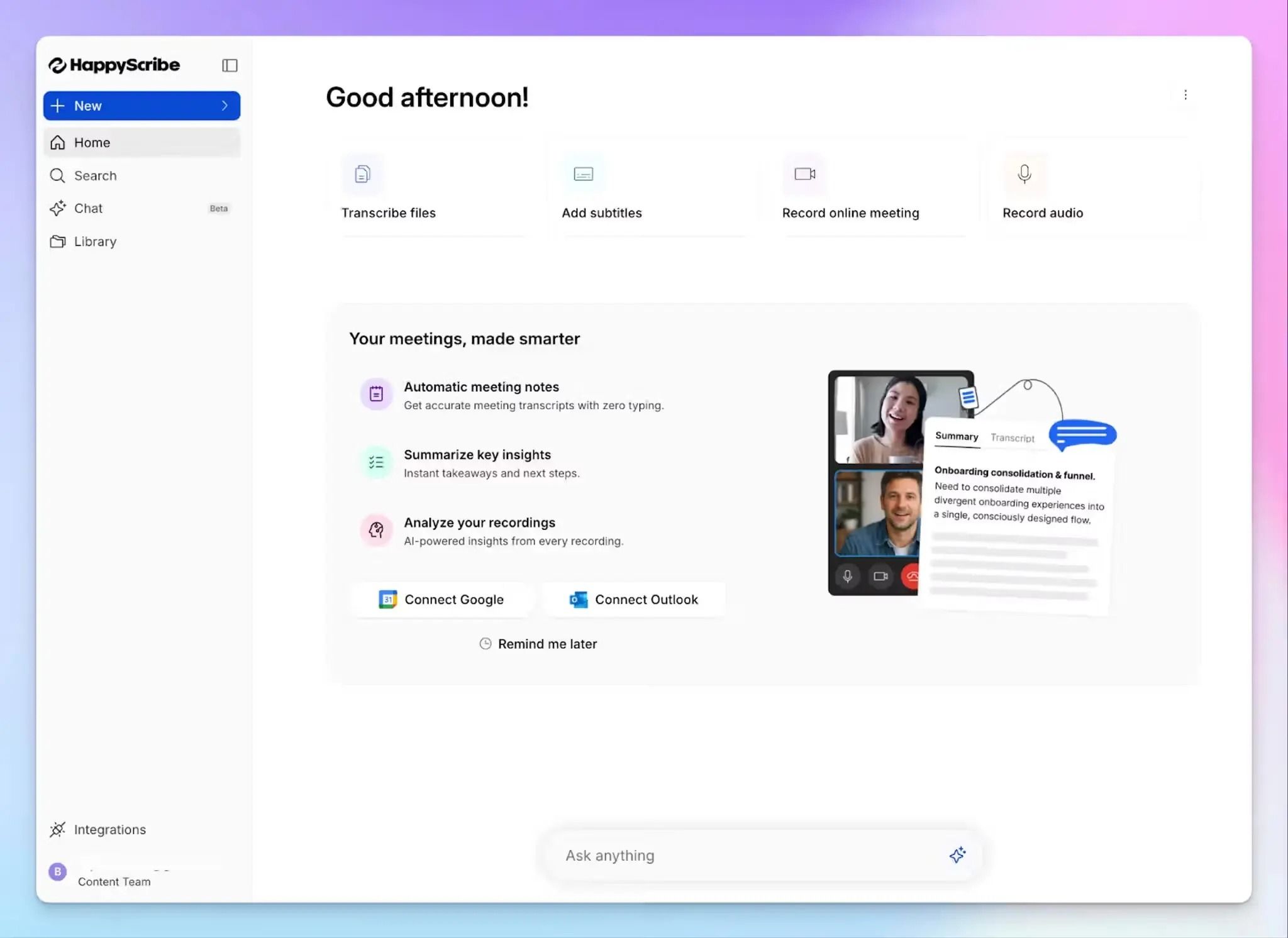
Every video holds insights worth reading, and HappyScribe gets them out as clean text in minutes. It handles the job in two ways: upload a video or paste a link to get an accurate transcript, and if you're recording a live call, let the AI note taker join and capture that too.
HappyScribe is useful for high-stakes research interviews, lectures, webinars, client calls, and anything you need to caption or quote later.
HappyScribe's key features
1. Turn any video into text with up to 99% accuracy in 150+ languages
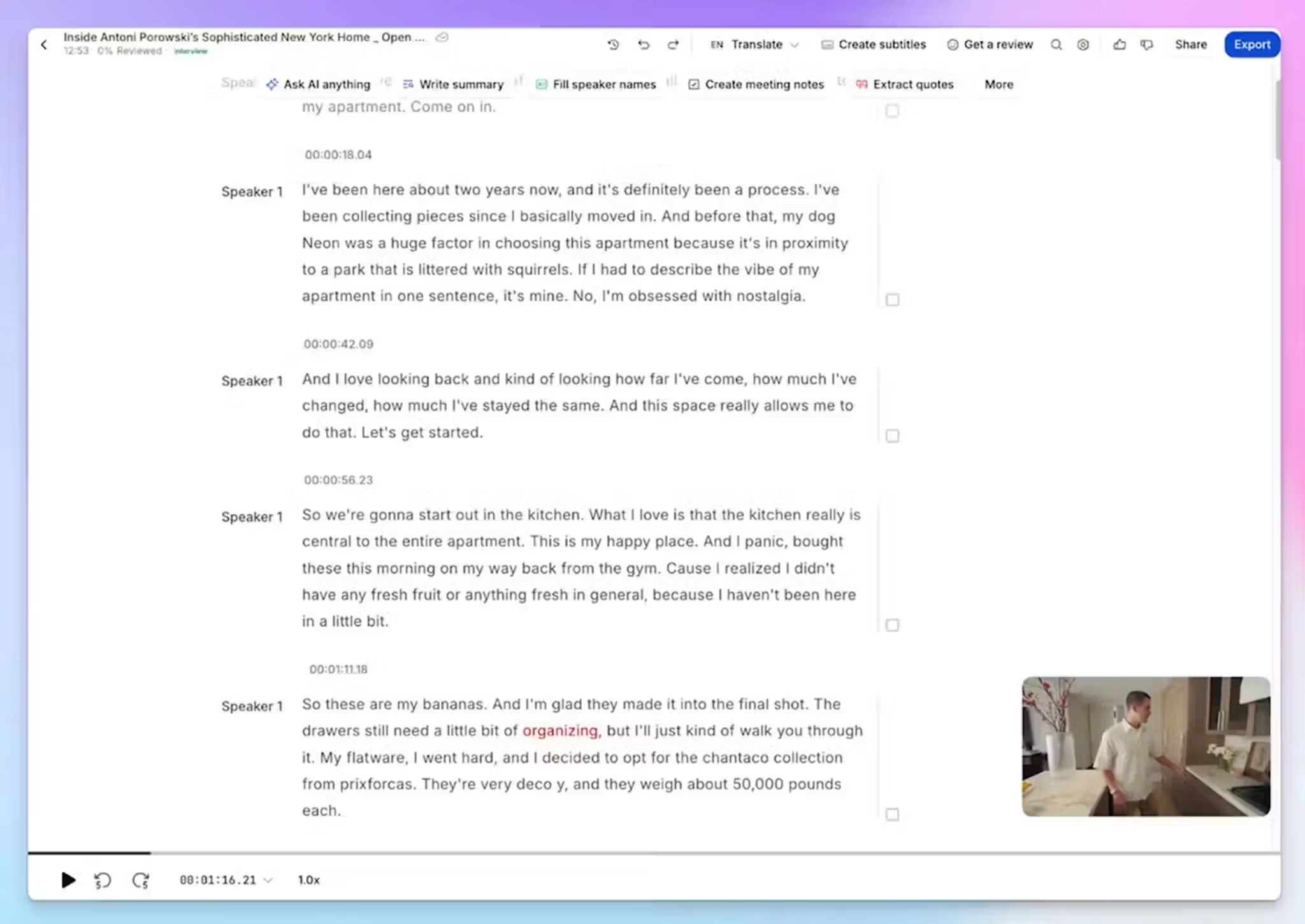
HappyScribe's AI transcribes video with 95%+ accuracy across 150+ languages and dialects. From Swedish and Swiss German to Swahili and Sinhala, it automatically detects the language, accents, and regional variation without you setting anything.
When you’re dealing with research interviews or legal records, you can upgrade it to human transcription, where linguists review the output and take it to 99%.
2. Import straight from YouTube, Vimeo, and cloud storage
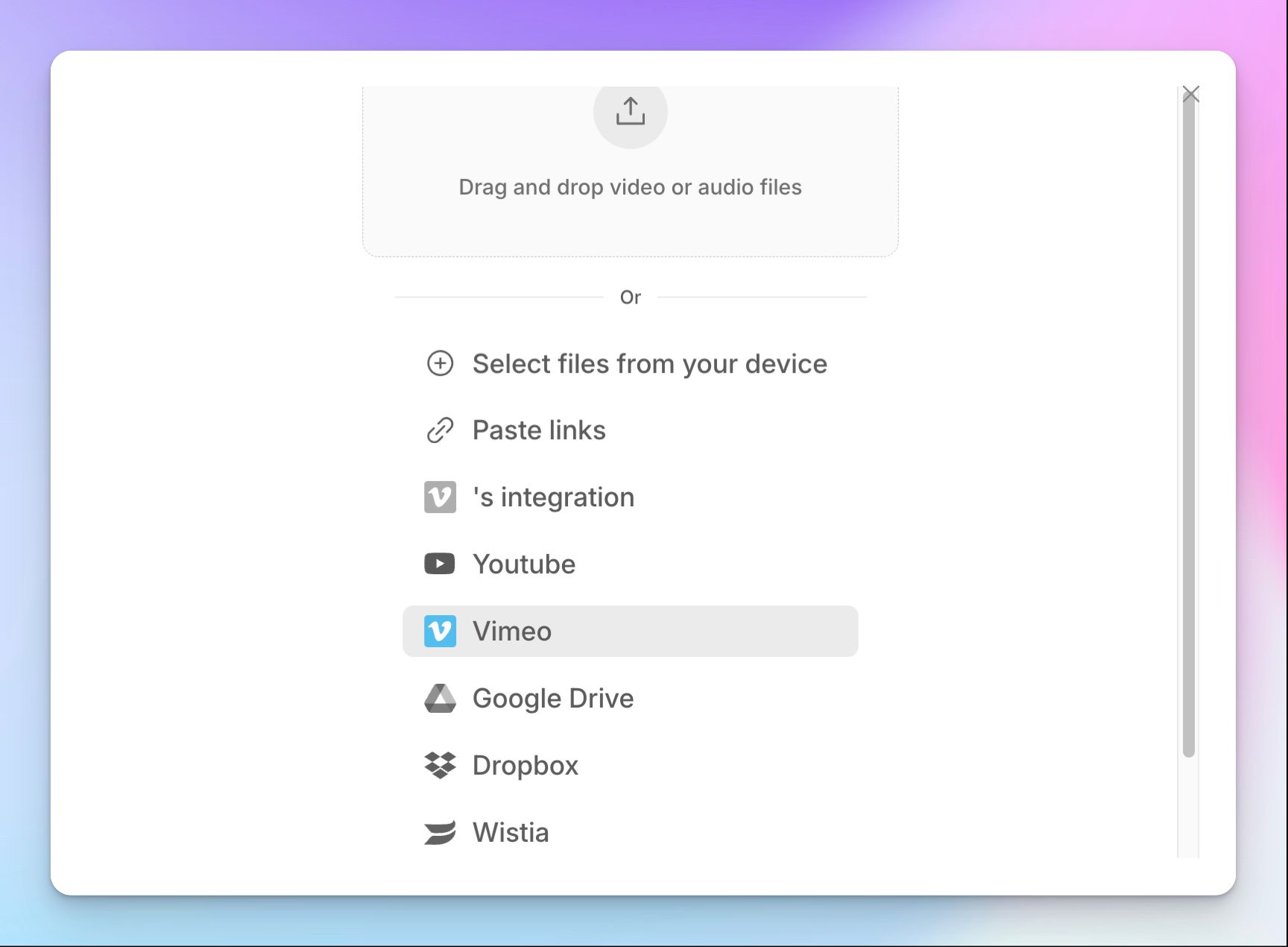
If you don’t have the video on your device, don’t worry. Import directly from YouTube, Wistia, Vimeo, Dropbox, Google Drive, or Box, or drag in a file in any of 10+ video formats.
For anyone transcribing a backlog of old footage, native storage integrations and API support save you hours in documentation.
3. Export subtitles and documents in 45+ formats
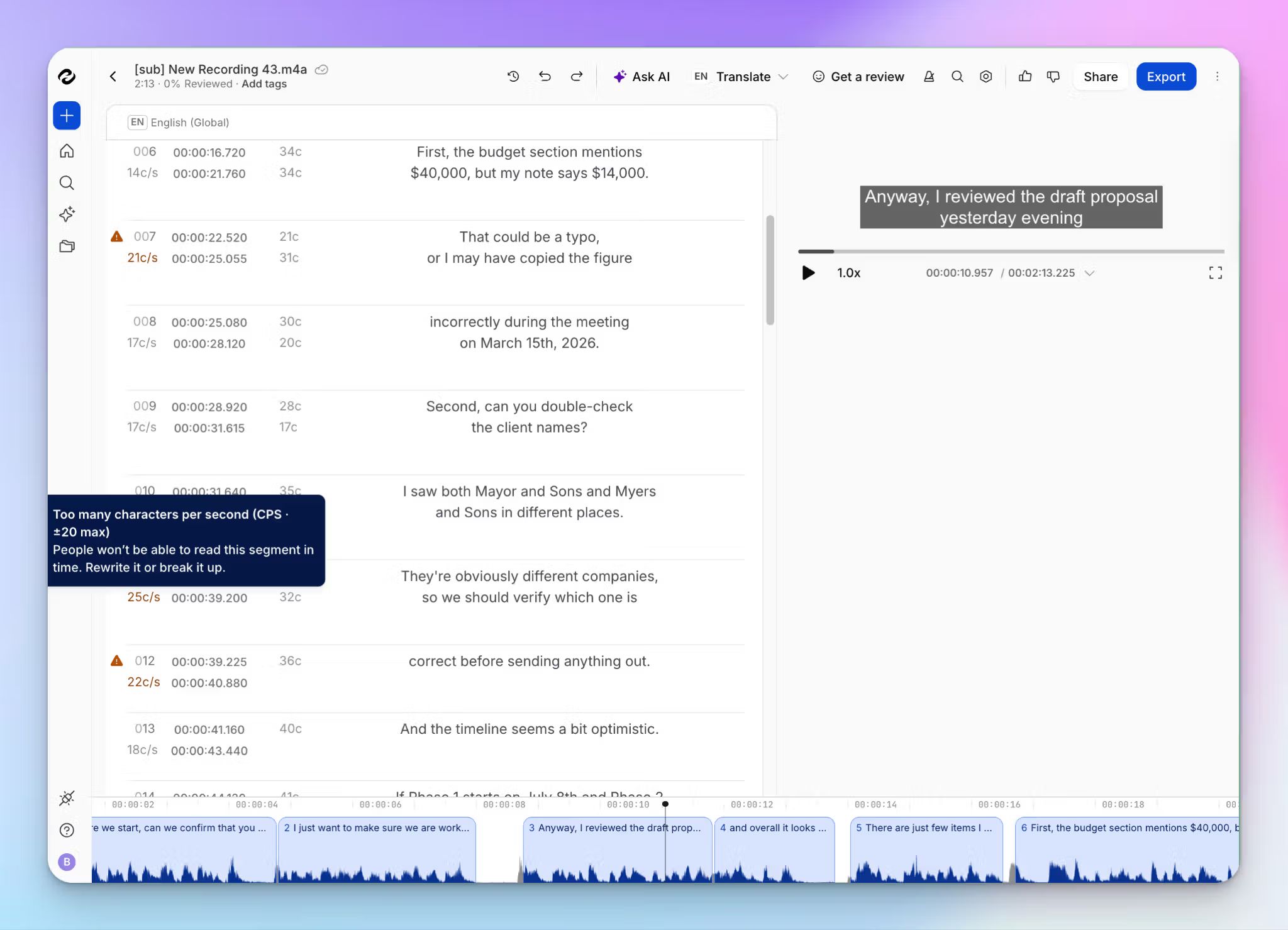
The reason most people transcribe video is captions, so the export formats dictate how useful a video-to-text tool can be. HappyScribe has a built-in subtitle creator and editor where you can fix styles, texts, and timing while you watch along.
You can not only upload videos in MP4, MOV, AVI, MPEG, FLV, etc, but you can also push the transcript out as SRT or VTT for subtitles that go straight onto YouTube, Wistia, and Vimeo.
Alternatively, if you want a document, you can simply download the transcript as DOCX, TXT, HTML, or PDF.
4. Summarize and pull insights from videos with AI Chat
Instead of scrubbing back through a two-hour recording, ask AI Chat for a summary, a specific quote, or the key decisions.
It can access your whole library, so a question like "what did the client say about the timeline last week?" surfaces the answer with citations without you opening the file.
Thanks to the MCP server, you can connect those transcripts to Claude, ChatGPT, Copilot, etc.
5. Work as a team in shared workspaces
For teams, secure shared workspaces let stakeholders review, edit, and manage transcripts together, so subtitle jobs and interview libraries don't crowd one person's dashboard.
HappyScribe’s interface is clean and consistent across web and mobile, which keeps handoffs fast and simple.
HappyScribe's pricing
AI transcription plans
- Free: Unlimited recordings at 45 mins each, plus a 10-minute trial of AI transcription, subtitling, and translation
- Basic: $8.50/month billed annually or $17/month billed monthly
- Pro: $19/month billed annually or $29/month billed monthly
- Business: $59/month billed annually or $89/month billed monthly
- Enterprise:Contact sales for tailored solutions
Human transcription service: From $2.00/min, with an extra discount for Business users
HappyScribe's pros
- AI transcription accuracy is reliable even on my noisier interview footage, and human review takes it to 99% when a video needs flawless texts
- SOC 2 Type II, GDPR compliance, EU data storage, and granular access control make HappyScribe one of the most secure transcription tools in the market
- 20+ video and audio file support, along with SRT, VTT, PDF, TXT, DOCX, XLS, HTML export, and caption sync with YouTube, Wistia, and Vimeo keep work running
- Import files directly from YouTube, Box, Dropbox, and Vimeo skips the time-consuming download-and-reupload steps
- iOS and Android apps let you record and transcribe away from your desk
HappyScribe's cons
- It isn't the tool for live, real-time captioning
What are users saying about HappyScribe?
I used HappyScribe to get a high quality transcript for a video in English. The transcript was done quickly and I could paste it on my document. I thought it was extremely convenient as it saved me a lot of time.
Easy to use, excellent, accurate results when generating a video transcript - thank you!
How to convert video to text with HappyScribe: a step-by-step guide
- Sign in and click Transcribe files at the top of your dashboard, then upload your video or import it from YouTube, Vimeo, Wistia, Dropbox, Google Drive, or Box
- Pick your language from 150+ options, or let automatic language detection handle it, then choose AI or human transcription
- Once it's ready, open the transcript in the interactive editor to fix names or terms while you watch along
- Export as SRT or VTT for subtitles, or DOCX, TXT, HTML, or PDF for documents
2. Otter
Best for: Transcribing recorded and live meeting videos in English
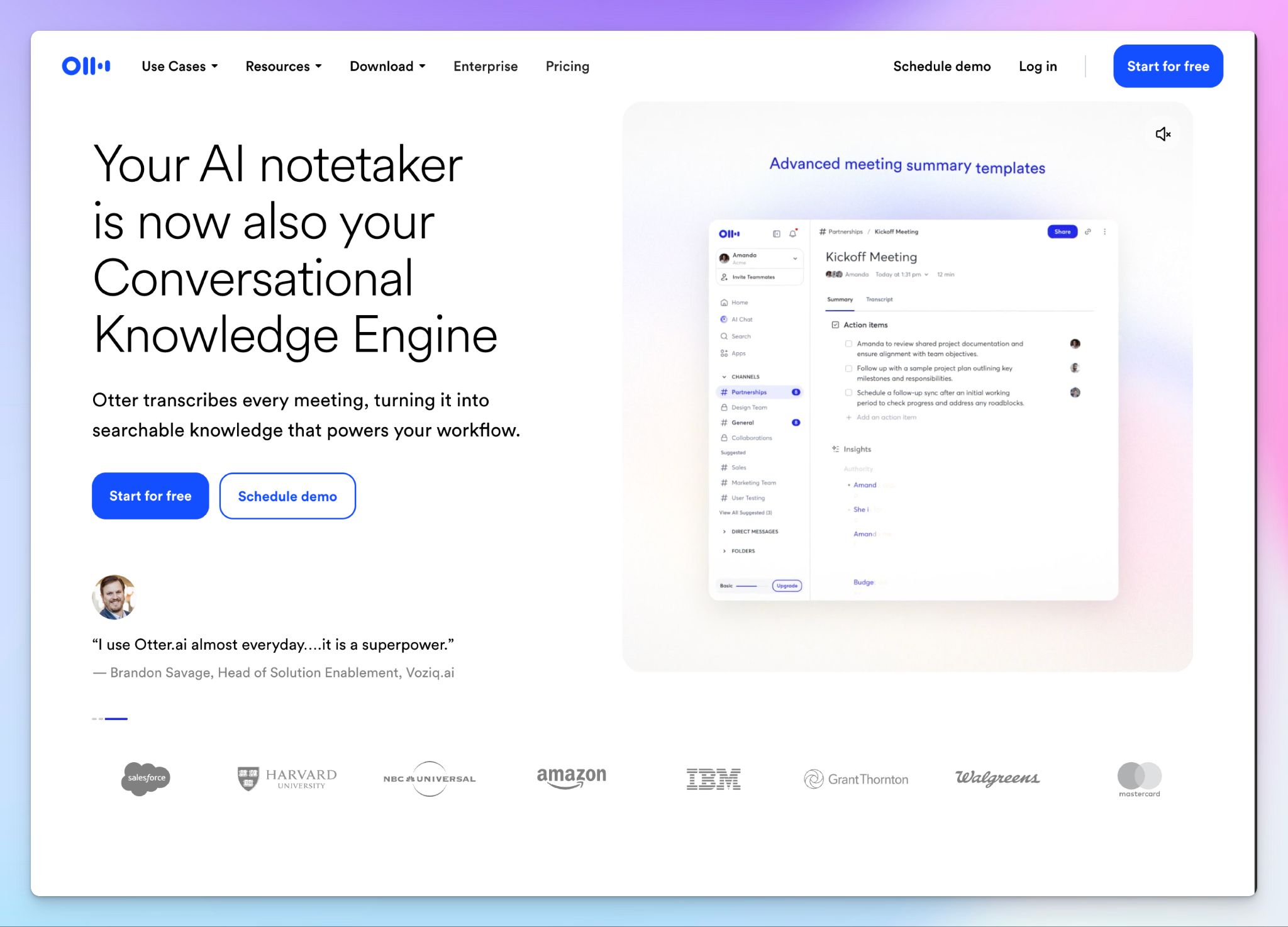
Otter AI is one of the first names that come up for meeting transcription, and it handles video too. Connect your calendar and the bot joins your Zoom, Google Meet, or Teams calls to record and transcribe them, or you can upload a video file directly and get it back with speaker labels and a summary.
Where it gets tricky is file-based work, since the import caps and short language list mean Otter is built more for capturing calls than for converting a library of video files.
Otter AI's key features
- Upload video in MP4, MOV, or M4A, or let Otter auto-join Zoom, Google Meet, and Teams to record and transcribe meetings as they happen
- Get real-time transcription with live captions and automatic speaker labels while the video plays
- Ask Otter AI Chat questions across your transcripts to pull summaries, action items, or a drafted follow-up without re-watching
- You can push transcripts into your stack through integrations like Salesforce, Slack, HubSpot, plus custom AI agents for sales, HR, and education workflows
Otter AI's pricing
- Basic: Free
- Pro: $16.99/month
- Business: $30/month
- Enterprise: Custom pricing
Otter AI's pros
- Live captioning is fast and reliable on clean English audio, so a recorded meeting comes back usable with almost no cleanup
- Speaker labels plus a searchable transcript make it quick to jump to a moment in a long recording
- Otter’s desktop app now records without a visible bot, which helps on calls where a bot would be intrusive
- The AI Chat turns a raw transcript into summaries and assigned action items in seconds
Otter AI's cons
- Otter transcribes only six languages, so it's a weak fit for multilingual video and pushes international teams toward better Otter AI alternatives
- File imports are capped at 10/month on Pro, and meeting video replays are limited to Enterprise, both of which throttle bulk video transcription
- The meeting bot stays visible on web and mobile, and Otter faces an ongoing privacy class action, a real concern for sensitive footage
Otter is reliable, but is it on par with HappyScribe? Find out more in our HappyScribe vs. Otter AI comparison.
3. VEED
Best for: Video-to-text transcription with built-in video editing
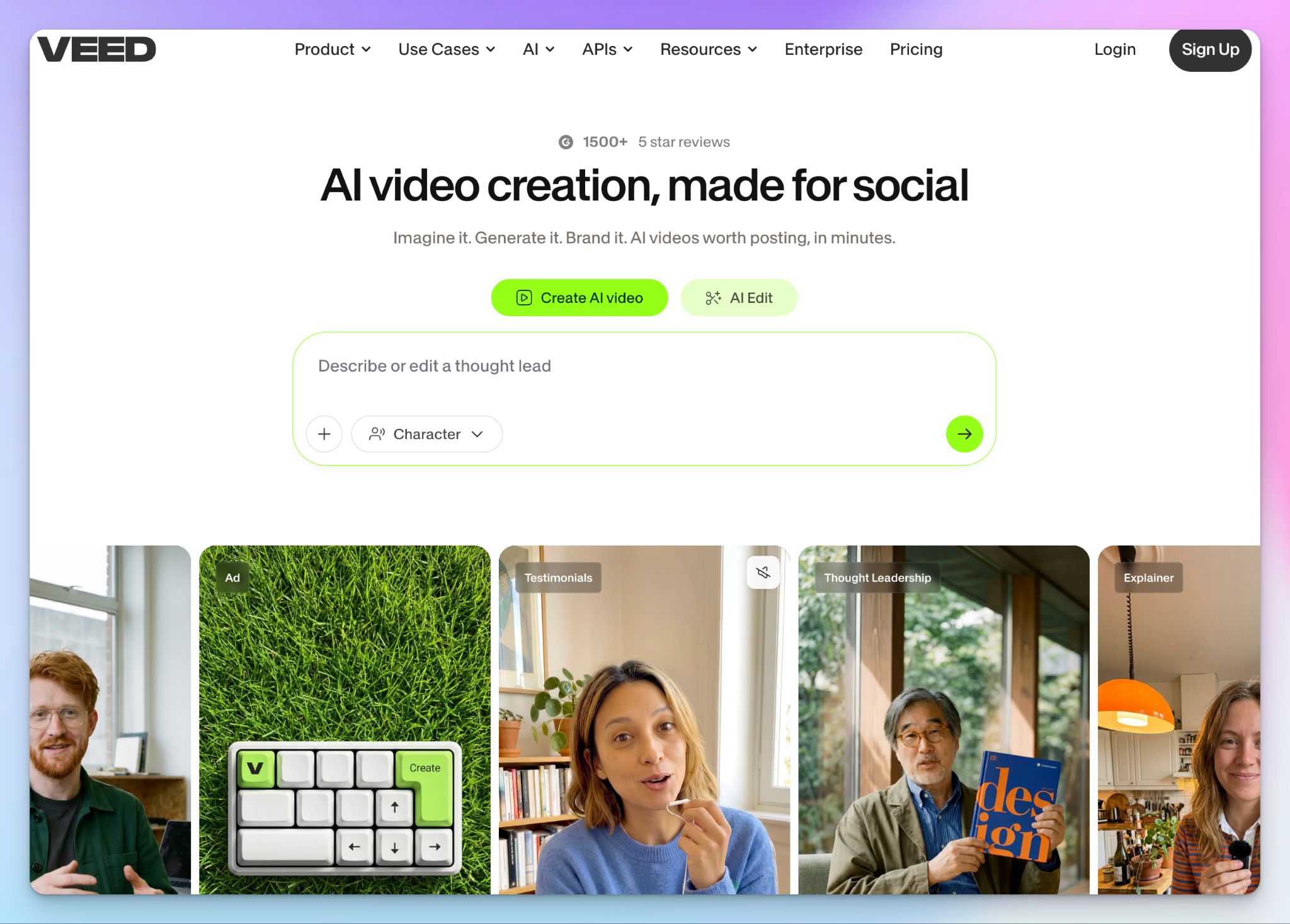
VEED is a web video editor with transcription built in. It turns speech into an editable transcript and generates subtitles right inside the editor, so you can trim clips, clean up captions, and repurpose footage without switching between apps.
That all-in-one setup is the real draw for creators and marketing teams who'd rather not bounce between a transcription tool and a separate editor. Transcription here is one feature inside an editing suite, which has its pros and cons, depending on how you work.
VEED's key features
- Auto-transcribe uploaded video in 125+ languages, then split into timed, editable segments you can fix line by line while the video plays
- VEED highlights low-confidence words for quick review, and a custom dictionary helps you build brand names and jargon, so repeat terms come out right
- Style captions to match your brand with custom fonts and colors, or dynamic styles that highlight keywords as they're spoken for TikTok, Reels, and Shorts
- Upload a file or paste a video URL to transcribe and translate online footage without downloading it first
VEED's pricing
- Free
- Creator: $25/month (500 credits)
- Pro: $45/month (2,500 credits)
- Studio: $79/month (15,000 credits)
- Enterprise: Custom quote
VEED's pros
- Export captions as SRT, VTT, or TXT, or burn subtitles straight into the video for social platforms
- You can cut footage, adjust captions, and polish the transcript inside the same editor
- Extra AI tools like background-noise removal and audio extraction help you turn a video into clips or a podcast
- VEED’s auto-subtitles are quick and accurate on clean audio, which speeds up captioning for social content
VEED's cons
- The browser editor gets sluggish on longer or higher-resolution projects, so bulk transcription work slows down
- VEED’s transcription accuracy slips on strong accents or noisy backgrounds, where you'll spend time correcting the text
- The free tier watermarks exports and limits subtitle minutes, so publish-ready or high-volume work needs a paid plan
📚 Also read:
4. Notta
Best for: Turning video recordings into summaries and notes across languages
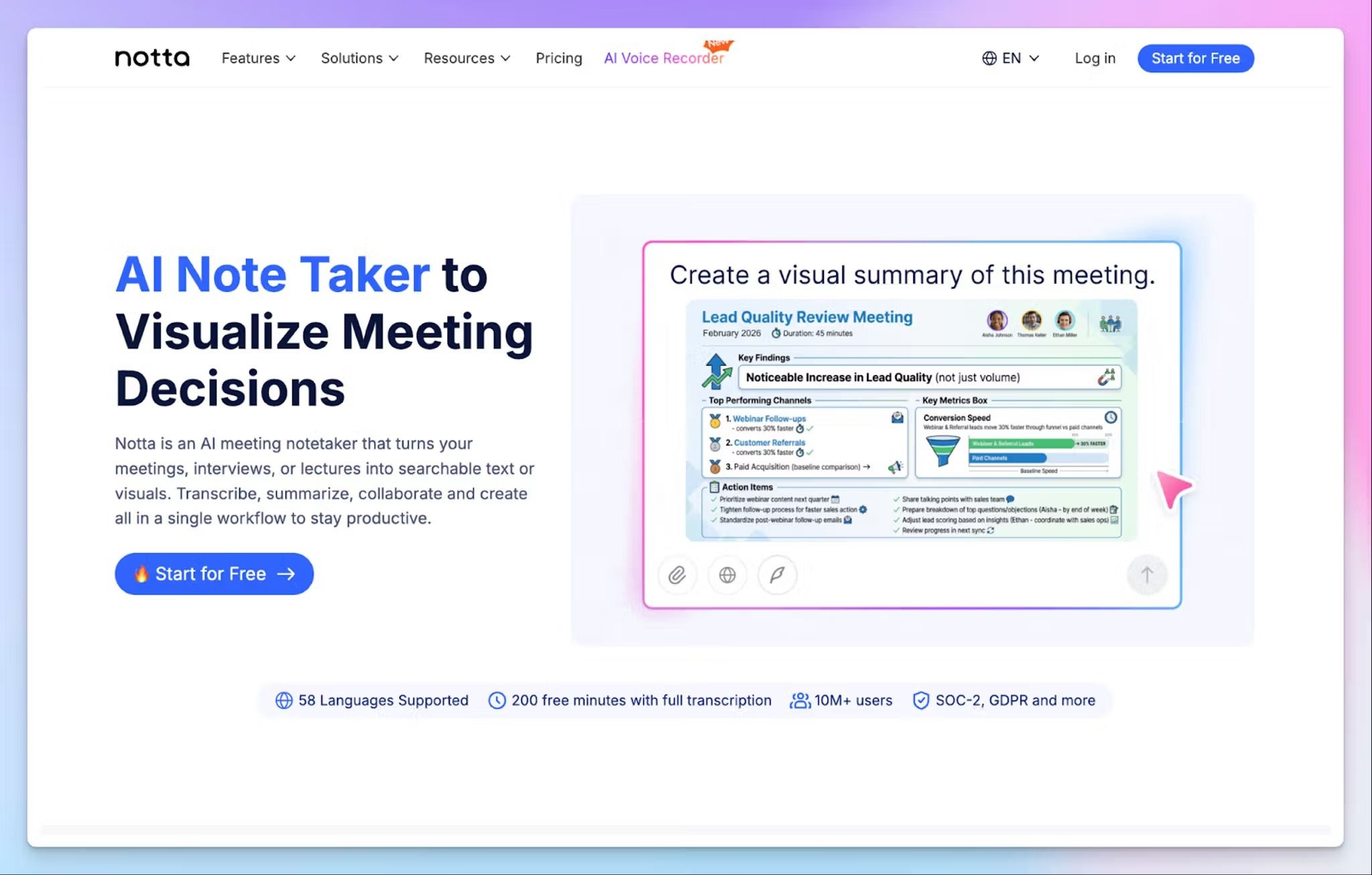
Notta goes past raw transcription. Upload a video, and it returns a transcript plus AI-generated notes that pull out key points, decisions, and action items, and it works across 58 languages. From there, you can edit, translate, or push the transcript to other tools you already use.
Notta earns its spot because of the files and AI artifacts it can create based on your video.
Notta's key features
- Transcribe uploaded video in 58 languages, and capture two languages spoken in the same recording with dual-language transcription
- Notta Brain can help you generate research reports and action items from a recording, so you can work with the takeaways without watching the full video
- Import a wide range of formats (MP4, MOV, AVI, FLV, WMV, MP3, WAV, M4A), then export as DOCX, PDF, TXT, or SRT
- Send transcripts straight to Notion, Google Docs, or Slack, or ask Notta's AI questions about a recording to quickly find decisions
Notta's pricing
- Free
- Pro: $13.49/month
- Business: $27.99/month
- Enterprise: Custom pricing (51+ seats)
- Monolingual Translation (add-on): $10/month
- Bilingual Transcription & Translation (add-on): $15/month
- Notta Brain (add-on): $12.99/month
Notta's pros
- You can use the meeting note taker, file transcription, and real-time bilingual transcription on the same platform
- Wide language support makes it a strong fit for multilingual video projects for global teams
- SOC 2 Type II and ISO 27001 certification with AWS hosting is useful for sensitive recordings
- Records and transcribes on both mobile and web, so you can capture and review anywhere
Notta's cons
- The free plan caps recordings at 3 minutes and blocks transcript downloads, so it's really only for testing, not actual video files
- Summaries can leave out key details from dense discussions, forcing users to look for better Notta alternatives
- Real-time translation and bilingual transcription are paid add-ons on top of the subscription, so multilingual costs stack up
5. Tactiq
Best for: Real-time transcription for meetings in Chrome browser
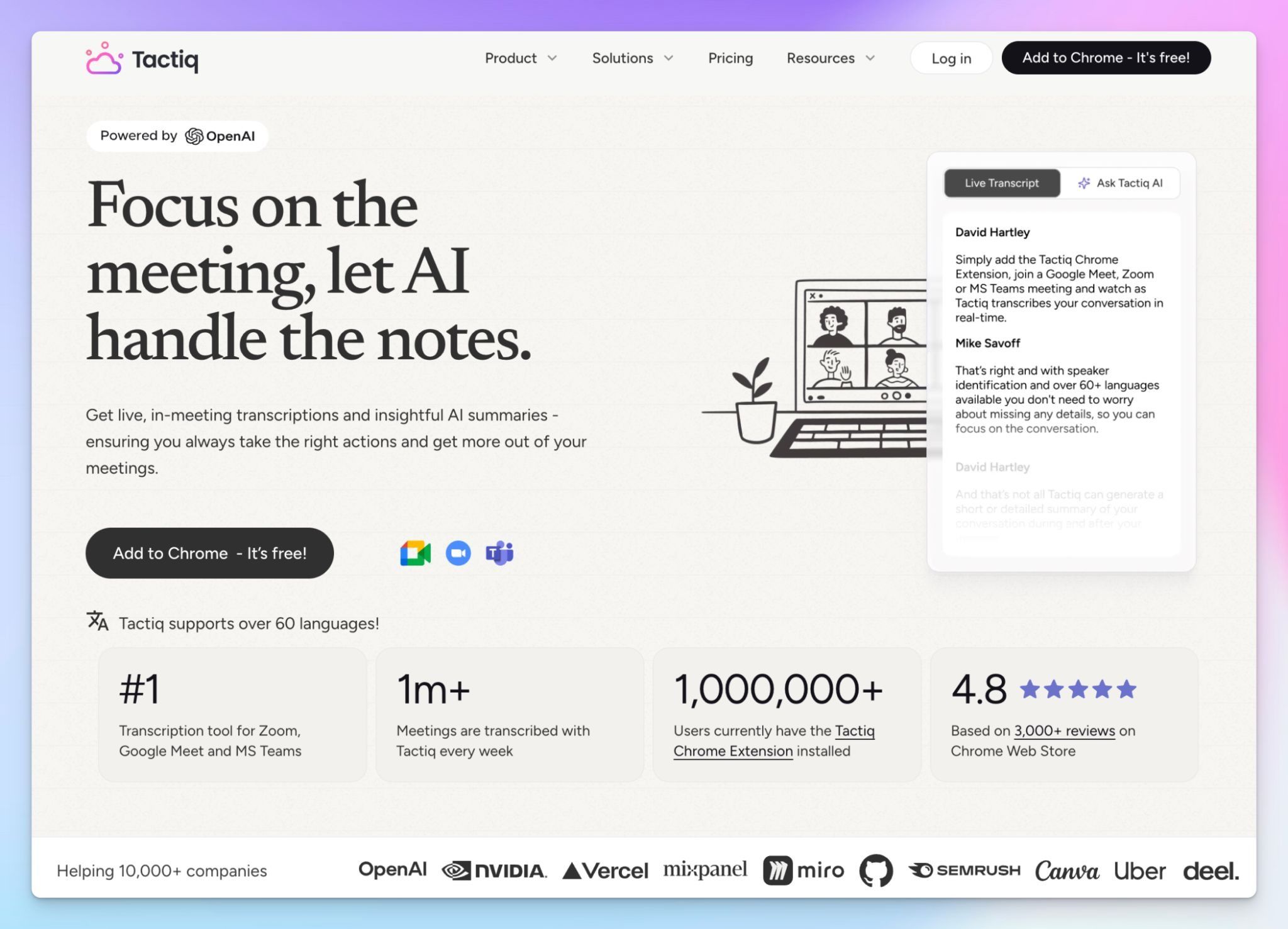
Tactiq takes a different approach from everything else on this list. It's a Chrome extension that transcribes live video calls in Google Meet, Zoom, or Microsoft Teams while showing the text in a floating window.
The catch for a video-to-text workflow is that Tactiq is built for live capture, not file conversion. You can't upload a recorded video and have it transcribed, so it suits people who want to catch meetings in real time.
Tactiq's key features
- Transcribe live calls on Google Meet, Zoom, and Microsoft Teams straight from the browser, with no bot joining the meeting
- Follow the transcript in a side window during the call, then get an auto-summary, highlights, and action items when it ends
- You can transcribe in 30+ languages, and switch the transcription language mid-meeting
- Save reusable AI prompts and route transcripts to Notion, Slack, Google Docs, or HubSpot
Tactiq's pricing
- Free
- Pro: $12/month
- Team: $20/month
- Business: $40/month
- Enterprise: Custom pricing
Tactiq's pros
- The bot-free capture is clean and discreet, with no extra participants showing up in the meeting
- It installs as a Chrome extension and starts transcribing within a couple of minutes, nothing else to set up
- Tactiq’s post-meeting summaries and speaker stats give you a fast read on decisions and who drove discussions
Tactiq's cons
- Tactiq only transcribes live calls, so you can't upload a recorded video file and convert it to text
- AI features run on monthly credits, just 5 on Free and 10 on Pro, so summaries and follow-ups run out fast, forcing users to look for Tactiq alternatives
- Tactiq only works in Chromium browsers, so you can’t use it in Firefox or Safari
Which video-to-text software is best?
The right video-to-text tool comes down to whether you're converting recorded files or capturing live calls.
👉 Choose Otter if your video is mostly English-language meetings and you want fast live captions, as long as you can live with the file limits.
👉 Choose VEED if you’re a creator who wants to transcribe, caption, and edit video in the same browser tab.
👉 Choose Notta if you work across several languages and care more about summaries, notes, and action items than a word-perfect transcript.
👉 Choose Tactiq if you only need live meeting transcription in the browser and won’t be uploading recorded footage.
👉 Choose HappyScribe if you want the most accurate, flexible option for actual video files.
It’s the only tool here that covers 95%+ accurate AI transcription across 150+ languages, along with human proofreading. It also imports straight from YouTube and cloud storage, and supports 40+ file formats.
HappyScribe handles the full path from raw video to publish-ready text with EU-grade security.
Frequently asked questions about video-to-text software
What is video to text software and how does it work?
Video to text software converts spoken audio in your video files into readable text using advanced speech recognition technology. It analyzes the sound in your video clips, identifies words, and turns them into editable text you can review or export.
Many video transcript generator tools also let you edit, translate, and format transcripts for different file formats like TXT, SRT, or DOCX. These tools are ideal for content creators, marketers, and professionals who want searchable, accessible video content.
What’s a free software that can convert YouTube video to text?
HappyScribe lets you convert YouTube videos to text easily, for free. Just paste your video link or upload the file, and the software will automatically generate an accurate transcript you can edit or download.
Are there free video to text software options?
Yes. Tools like Otter, Tactiq, and Notta provide free plans with limited transcription minutes. These options are perfect if you occasionally need to turn short video clips into text or test a speech-to-text workflow before upgrading to a paid plan. If you're looking for a tool that offers free trial, flexible pricing, and high-quality transcripts, HappyScribe is a must-try.
How do video to text software tools handle background noise and multiple speakers?
Most tools use AI-powered speech recognition technology to filter out background noise and distinguish between different speakers. Advanced platforms like HappyScribe and Otter offer speaker identification, timestamping, and custom dictionaries to improve clarity, ensuring your transcript stays accurate even in group discussions or noisy environments.

Rodoshi Das
Rodoshi is the Content Lead at HappyScribe, the privacy-first transcription and AI notetaker platform based in Barcelona. Shaping content strategies and building AI workflows excites her as much as exploring new SaaS tools. She specializes in product-led content that informs rather than sells, grounded in honest product benchmarking and low tolerance for empty marketing speak.